A single defective component can compromise an entire production batch, leading to scrap, financial losses, and compliance issues. Once a manufacturing defect is identified, determining its root cause is critical to preventing repeated production issues on the shop floor. This guide provides a step-by-step workflow to trace production errors back to their origin. You will learn how to configure product tracking in Odoo, use lots and serial numbers for component control, and analyze the Odoo Traceability Report to isolate defective batches throughout the manufacturing process. With these workflows in place, quality teams can quickly identify the exact component or production stage responsible for the defect with just a few clicks.
- Before configuring tracking workflows to identify manufacturing errors, ensure that the core applications are installed and active in your database. Navigate to the Apps dashboard and verify the following.
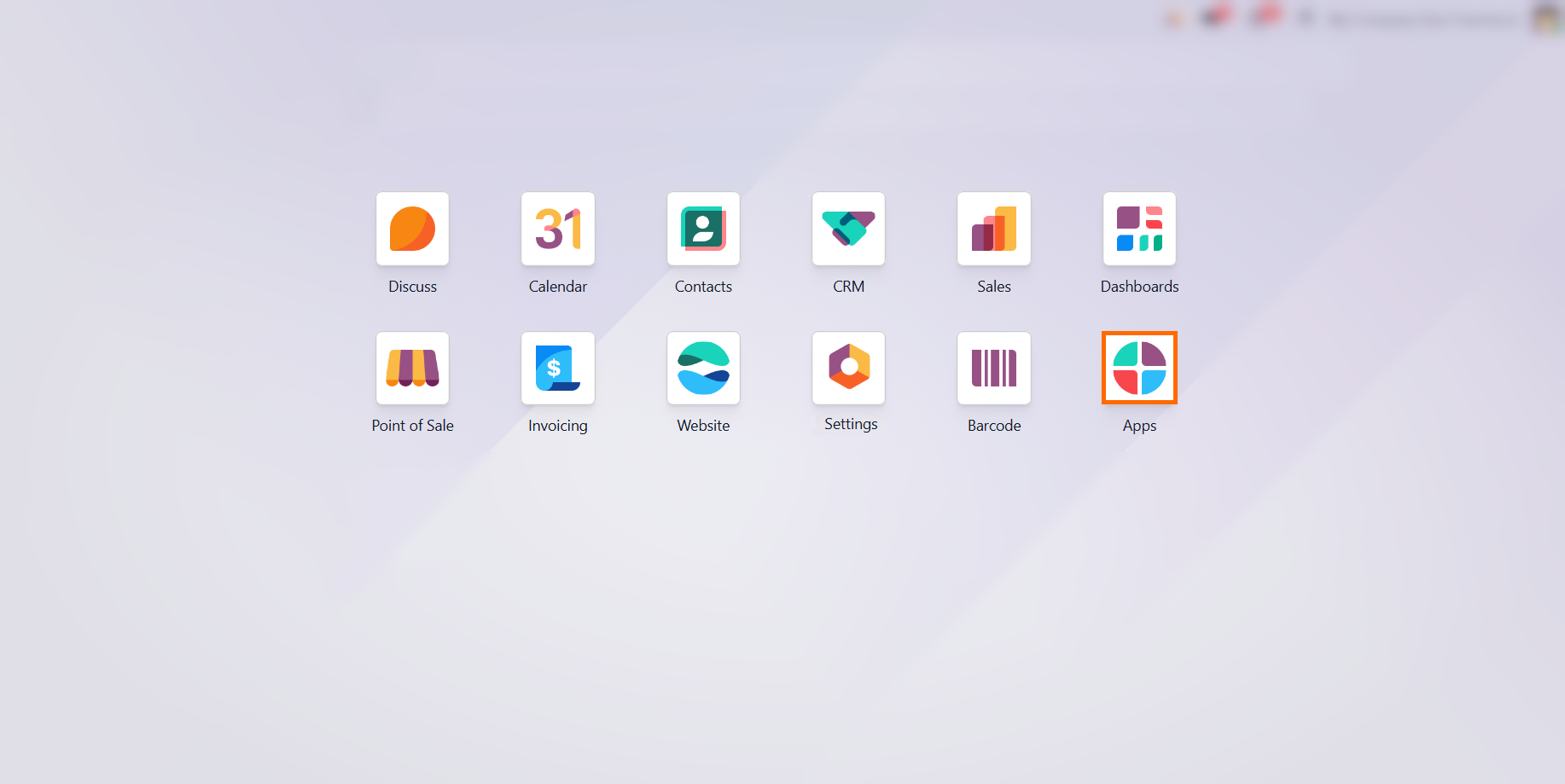
Both Inventory and Manufacturing must be installed. Inventory handles lot/serial generation and stock moves, while Manufacturing manages production orders and component consumption.
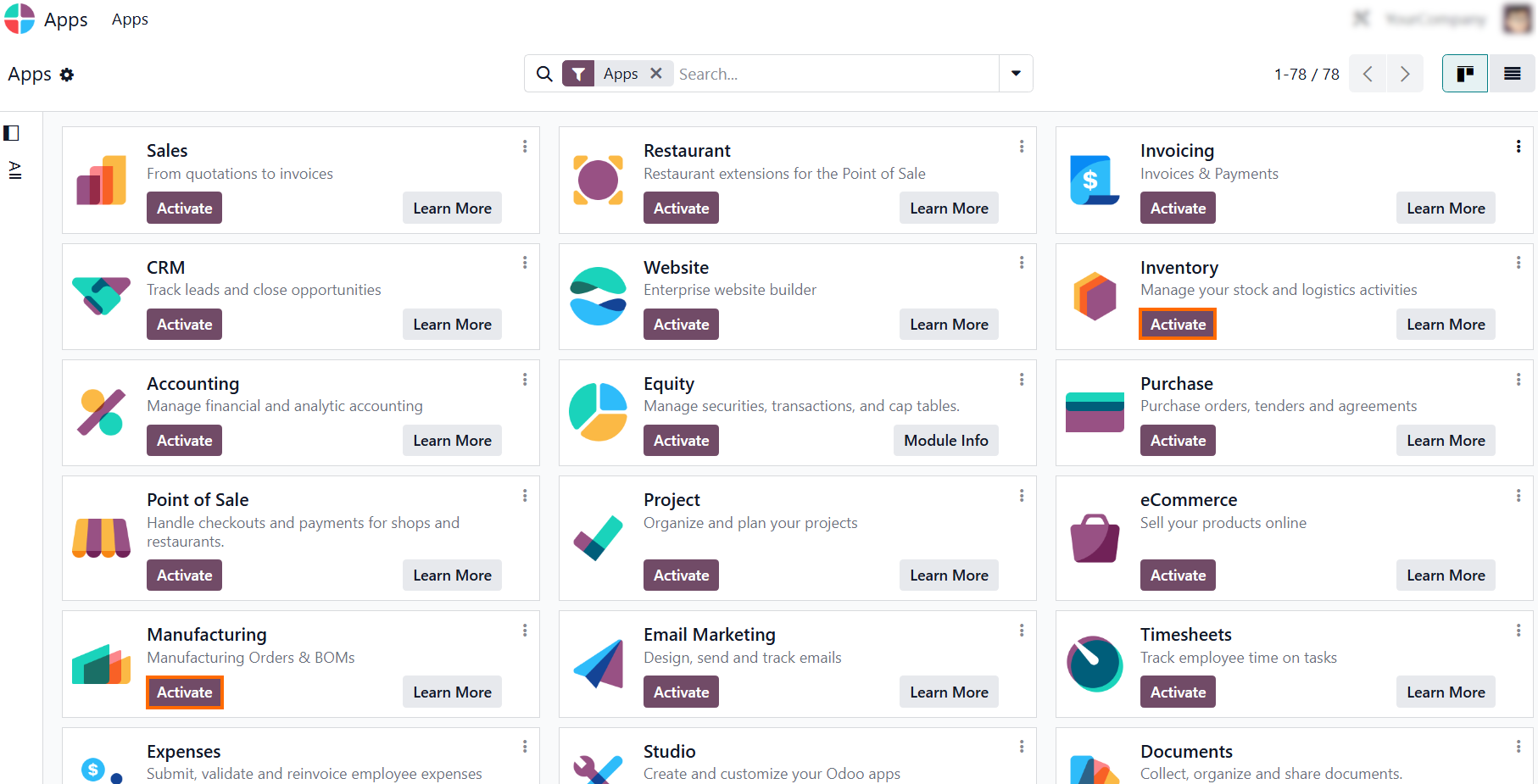
Depending on your operations, install Purchase to trace raw materials back to vendor receipts and Quality to automate quality checks on the shop floor. This creates a foundation for complete
Odoo product traceability.
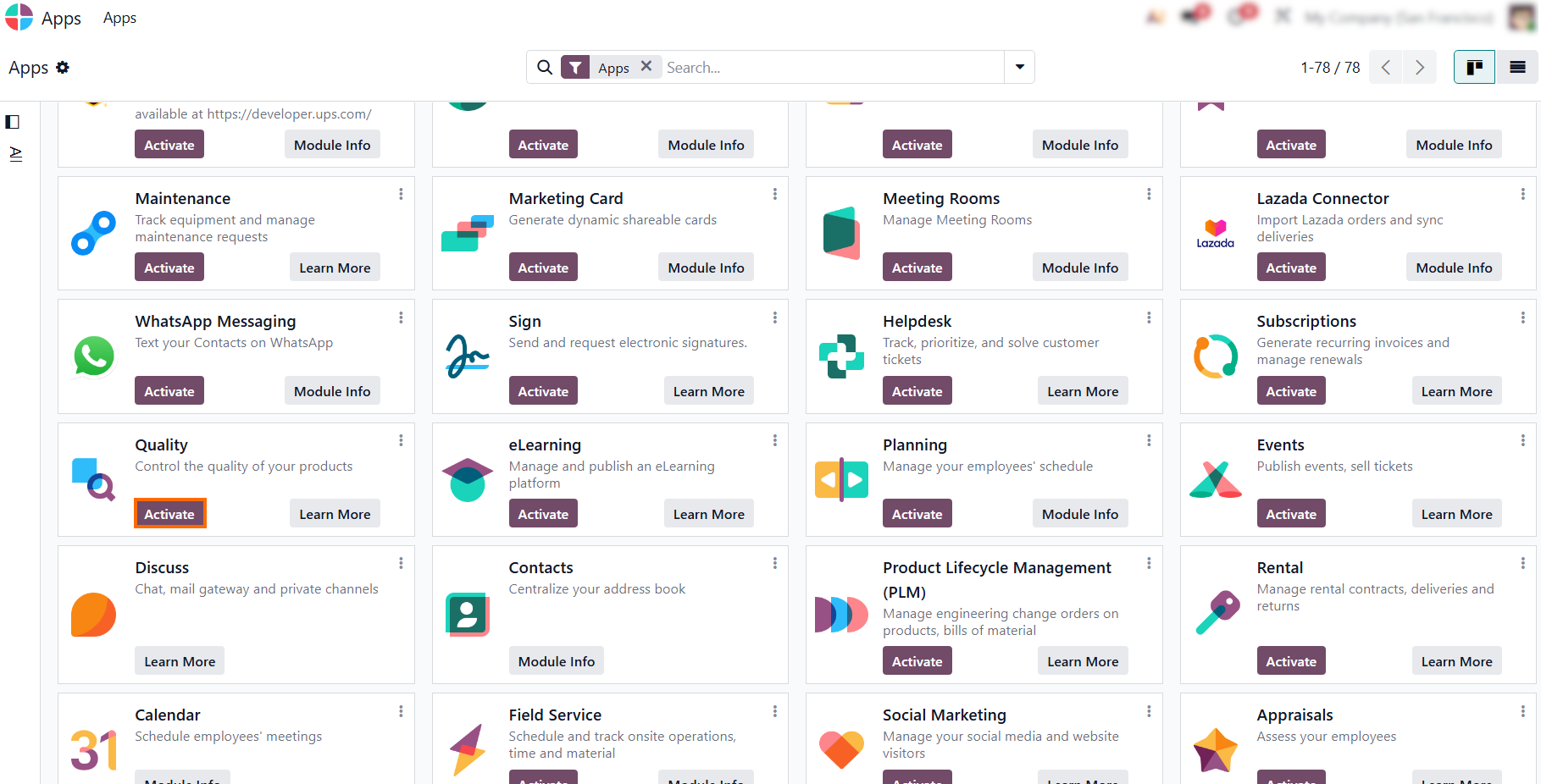
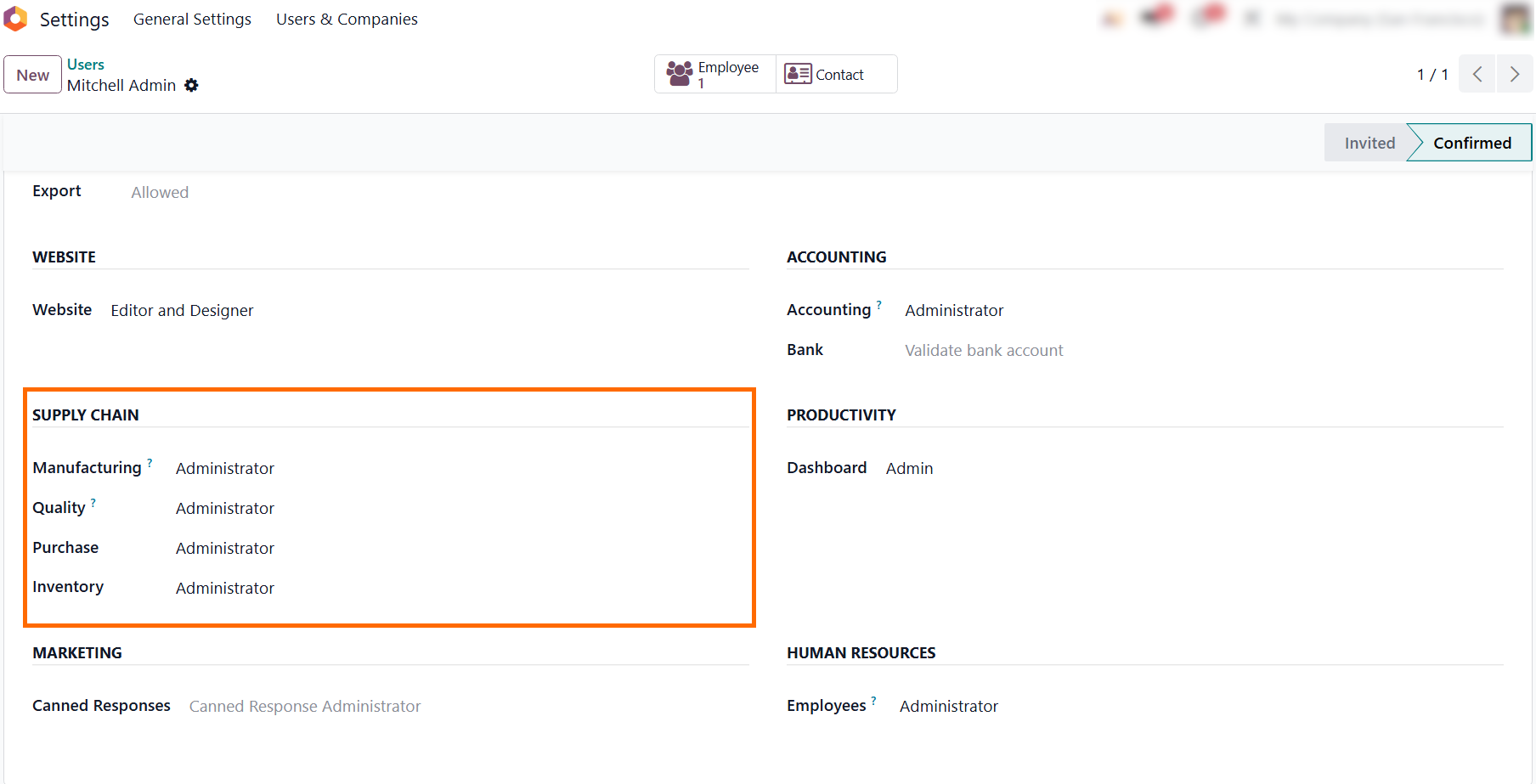
- Open the target user profile to adjust access levels under the Access Rights tab. Elevated permissions are required here, as standard user roles restrict access to the Odoo Traceability Report.
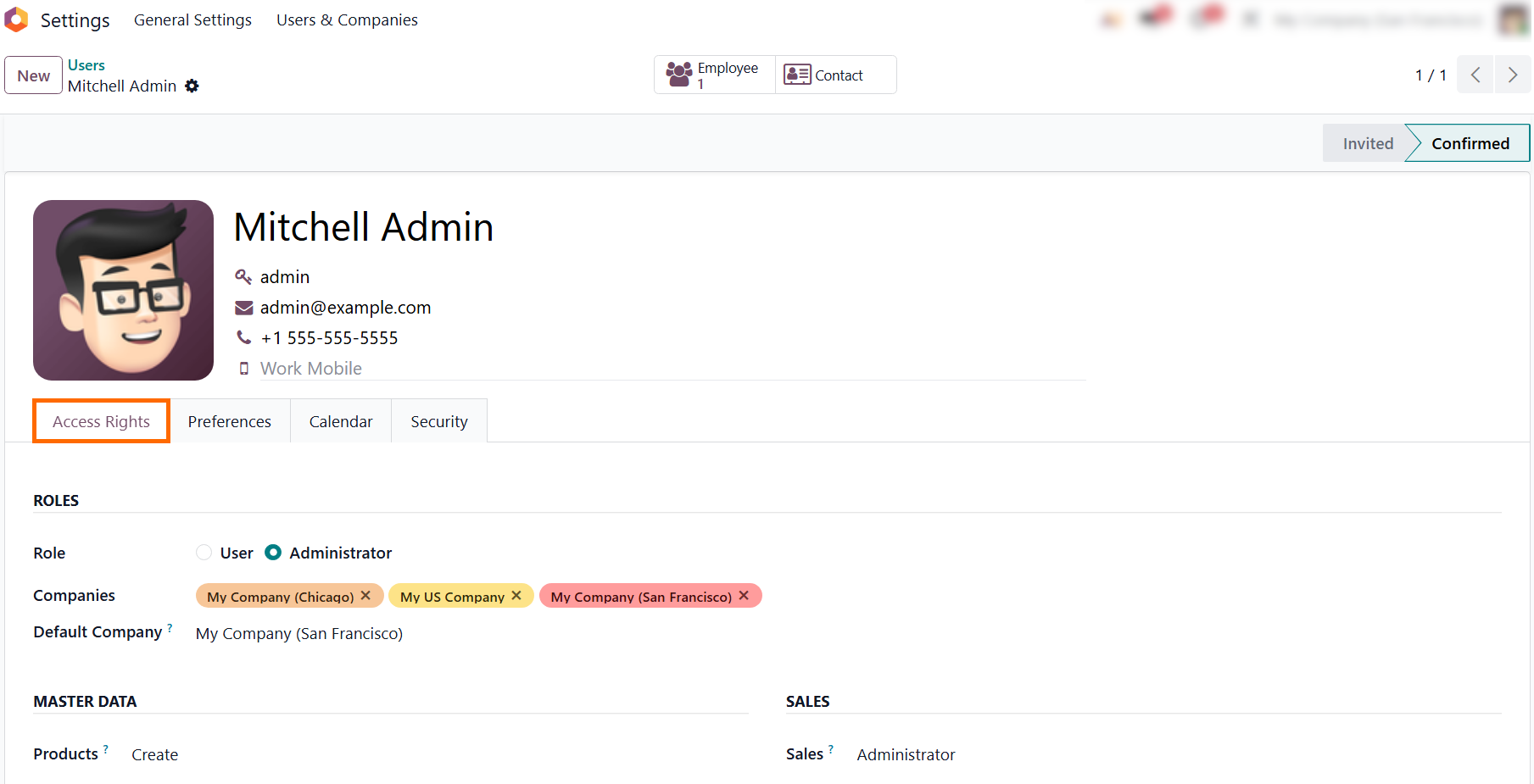
Scroll down to the Supply Chain section and set both Manufacturing and Inventory to Administrator. This configuration unlocks end-to-end data visibility needed to investigate
defects across warehouses and shop floors.
Odoo Traceability Configuration: Laying the Foundation for Defect
Isolation
Once administrator permissions have been granted for the Inventory and Manufacturing modules, enable system-wide traceability within the database and configure the required product templates. Without enabling inventory tracking with lots and serial numbers, the system will only record basic quantity movements, making it impossible to isolate the root cause of component defects later on. Proper configuration prevents untracked materials from slipping into production. By establishing a robust Odoo product traceability strategy at this stage, you bridge the gap between inventory control and quality assurance. This setup ensures that every component moving through the manufacturing process is logged before production errors or component failures occur.
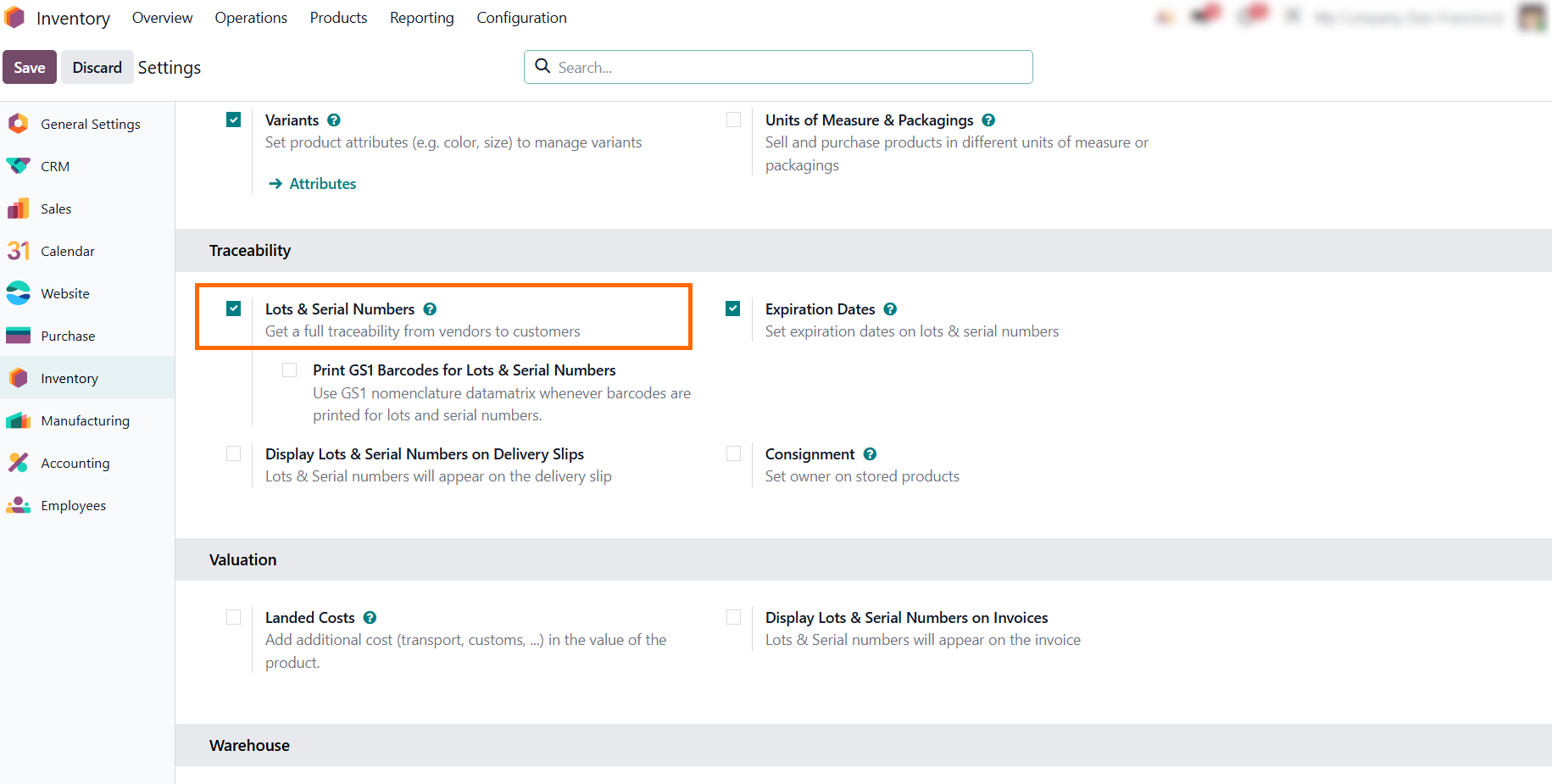
Open the Inventory app and navigate to Configuration and then Settings. In the Traceability section, enable "Lots & Serial Numbers" to allow the system to assign unique identifiers to components and finished goods.
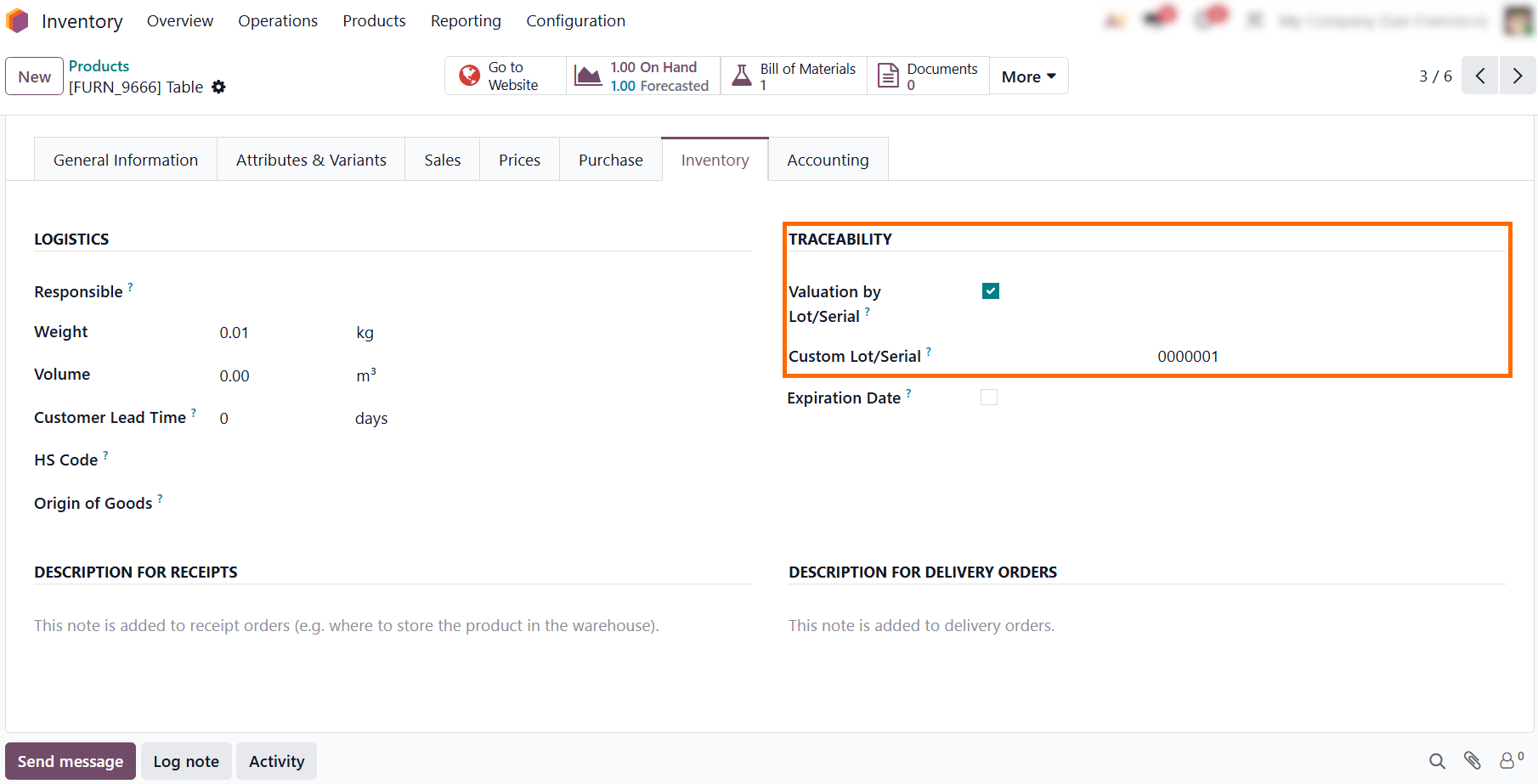
- In the product form, open the Inventory tab and enable "Valuation by Lot/Serial" to track inventory costs on a batch-by-batch basis. This ensures granular valuation across specific lots and prevents component price fluctuations from distorting manufacturing margins.
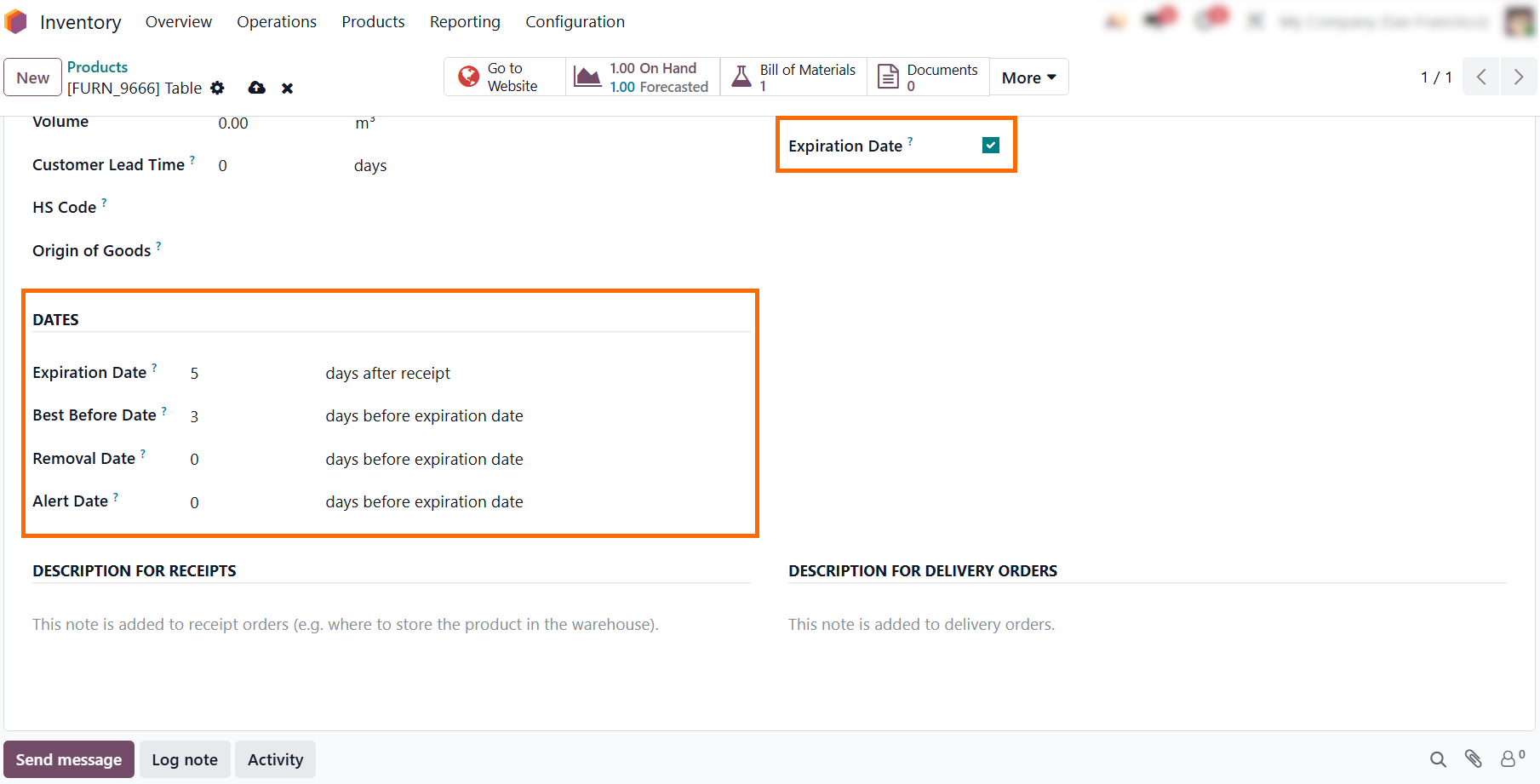
In the same "Traceability" section, check the "Expiration Dates" box if your raw materials degrade over time. This helps determine whether a manufacturing defect stems from using expired components on the shop floor.
- Click the arrow icon next to a tracked component under the "Components" tab to open its template. In the Inventory tab, verify that lot or serial number tracking is enabled to maintain complete traceability records for defective batches.
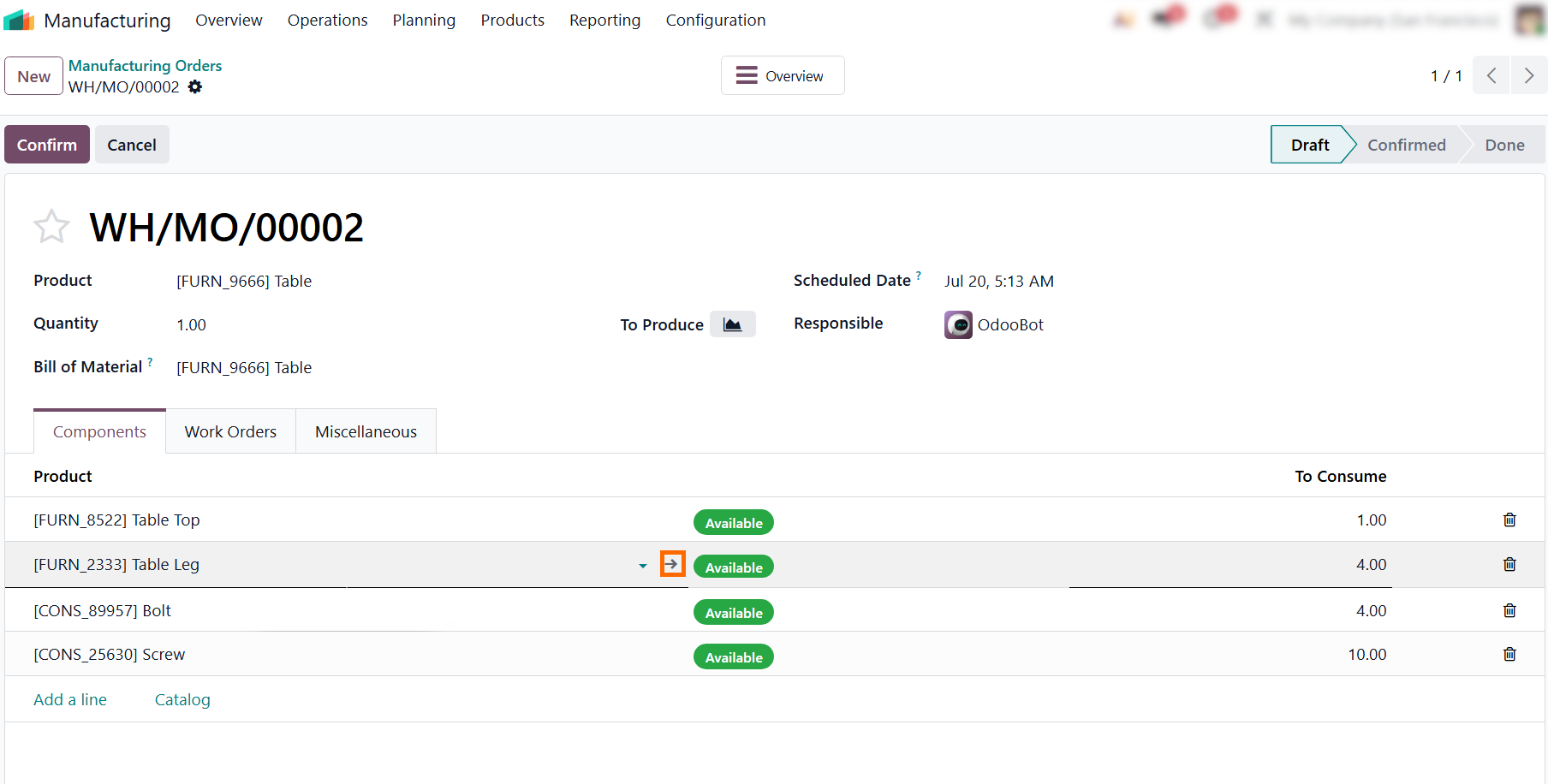
Apply this tracking structure consistently across all components in your database. Without uniform setup, quality teams lose the visibility needed to isolate defective supplier shipments before they disrupt shop floor operations.
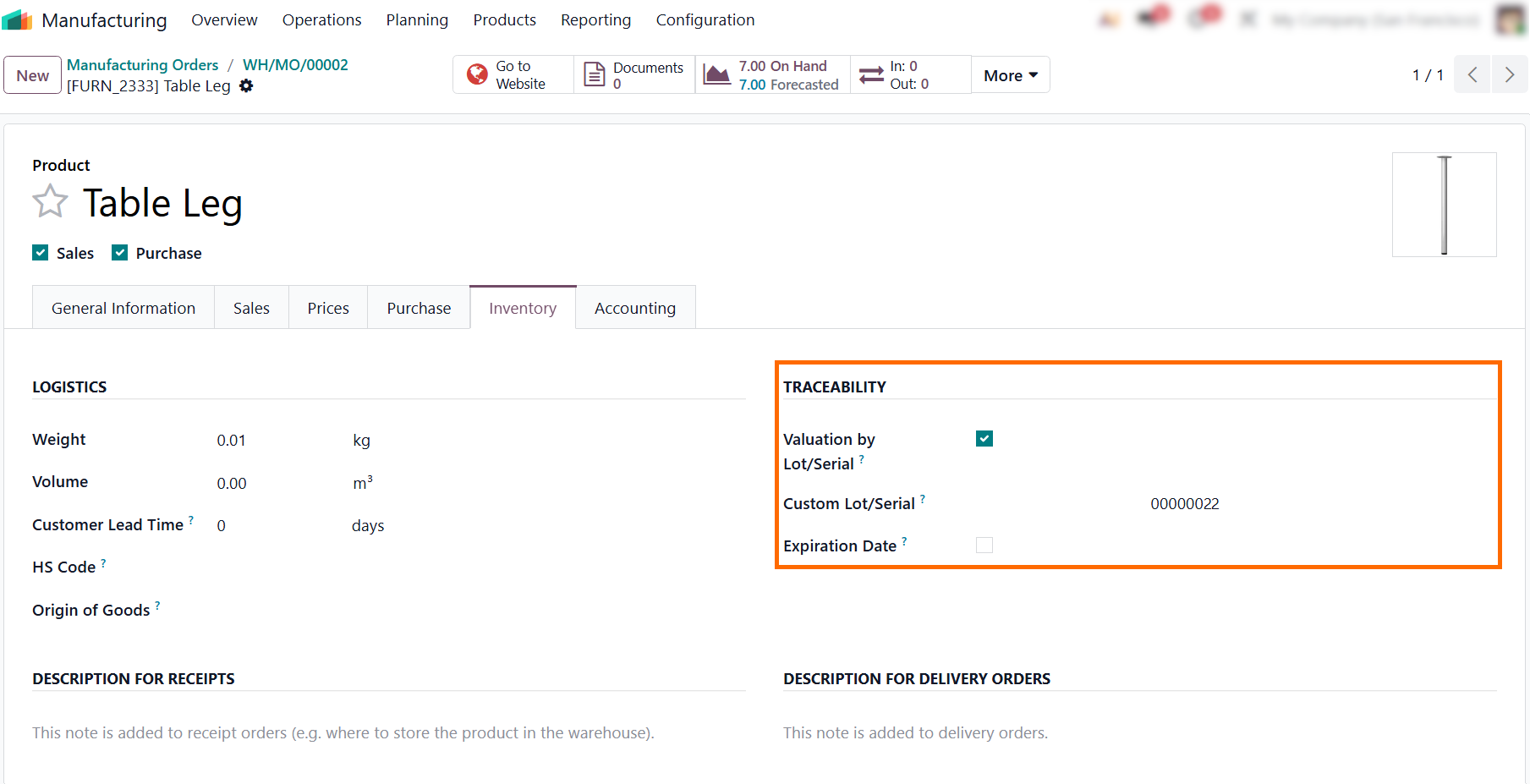
- Enforce lot or serial rules down to every level of the Bill of Materials. Skipping traceability on sub-assemblies leaves hidden gaps in your audit trail, making targeted quarantines and effective recall management impossible.
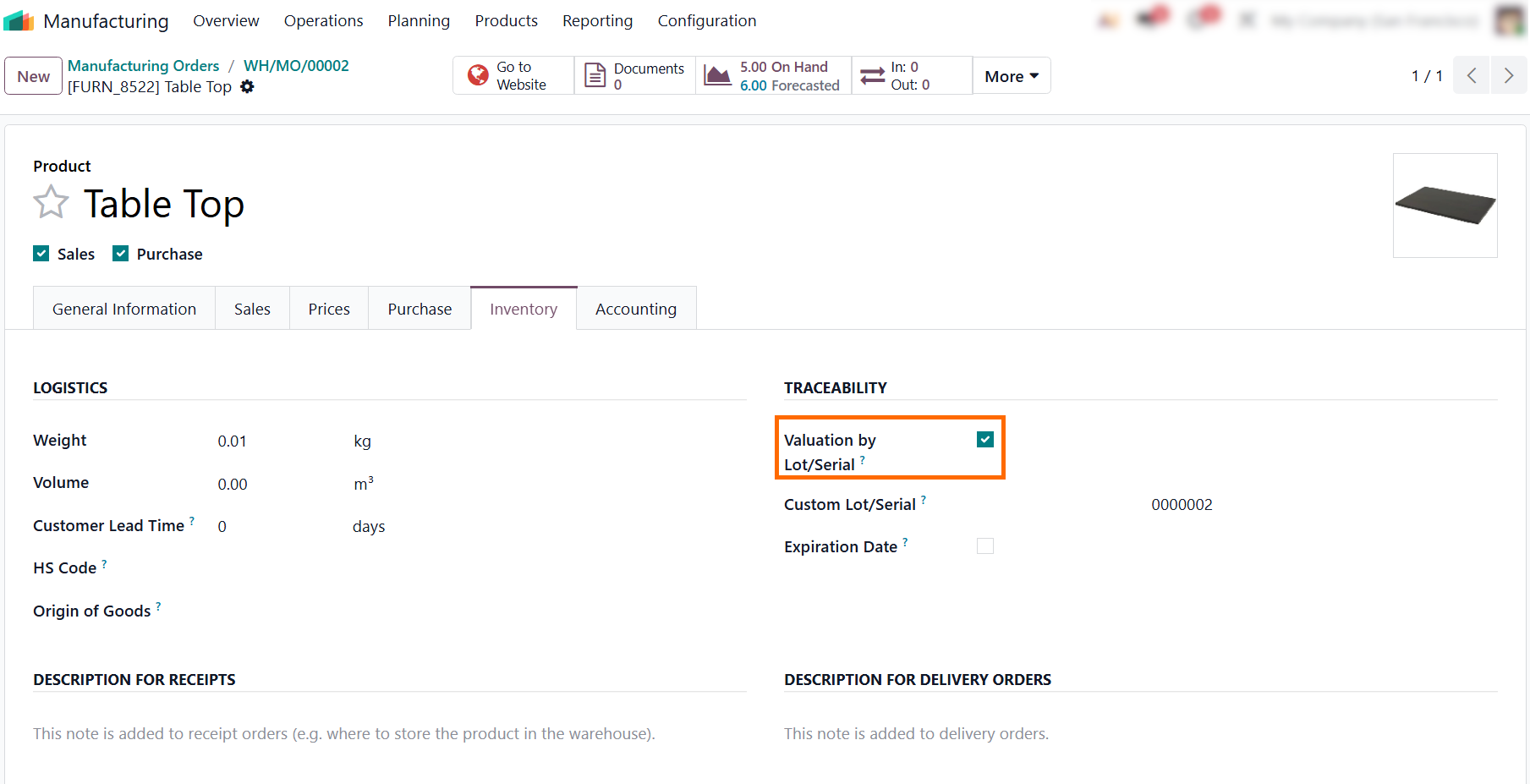
Verifying Tracked Components within Odoo
Manufacturing Operations
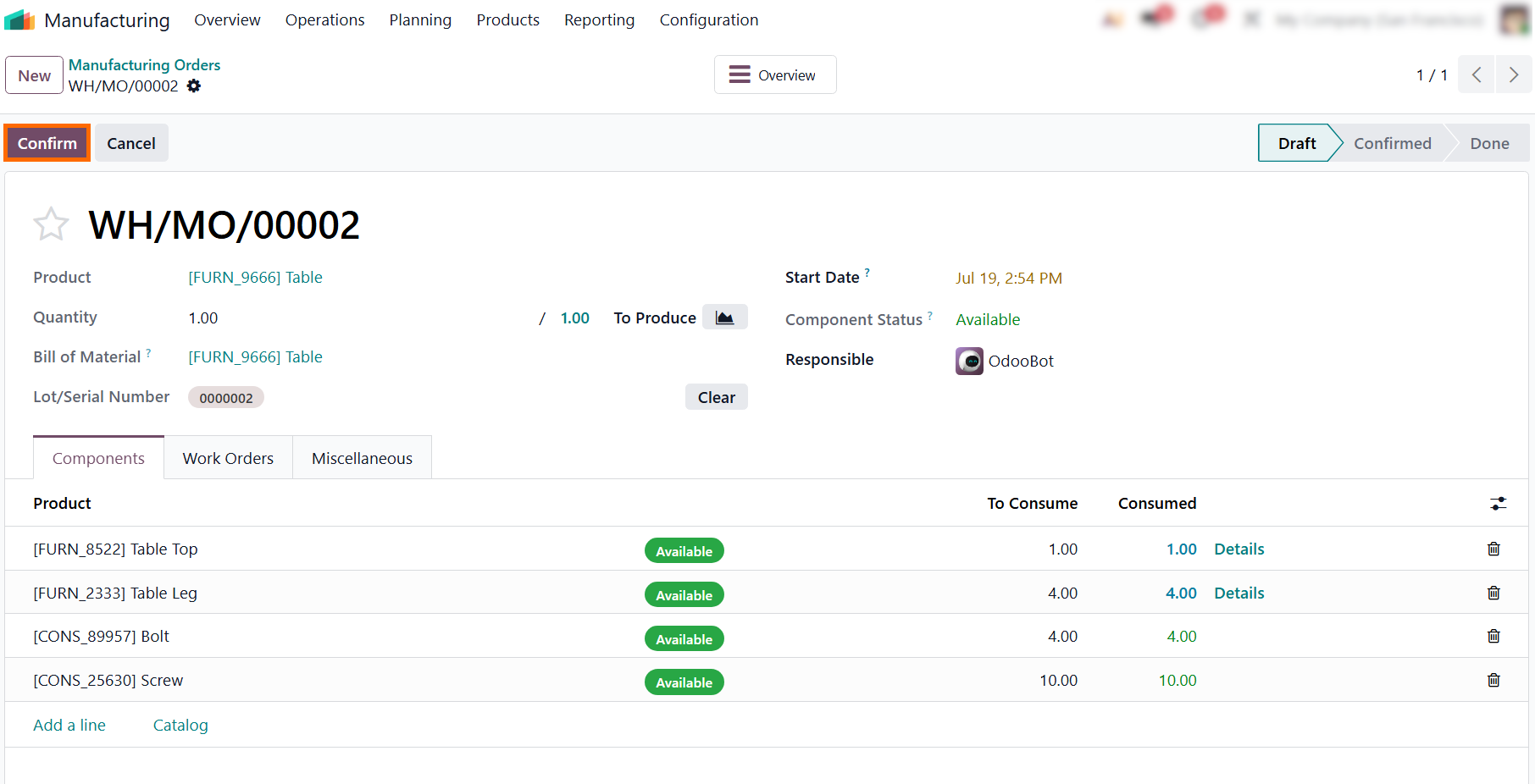
When a defect is discovered on the shop floor or reported by a customer, you must determine whether the issue stems from an isolated assembly mistake or a widespread raw material failure. To successfully isolate manufacturing errors, the production records must accurately tie raw material batches to the finished product. Reviewing the component lines within an active or completed manufacturing order ensures that Odoo manufacturing order traceability is properly captured before investigating the root cause of a defect. This verification ensures that the actual inventory moves match your physical production before you run downstream trace reports.
- Navigate back to your draft manufacturing order and click "Confirm" to lock in the required components and transition the production record from a draft state to an active status.
On the Shop Floor terminal, the operator clicks the "+" button next to a tracked component to assign its lot or serial number, logging exactly which raw material batch
is physically consumed.
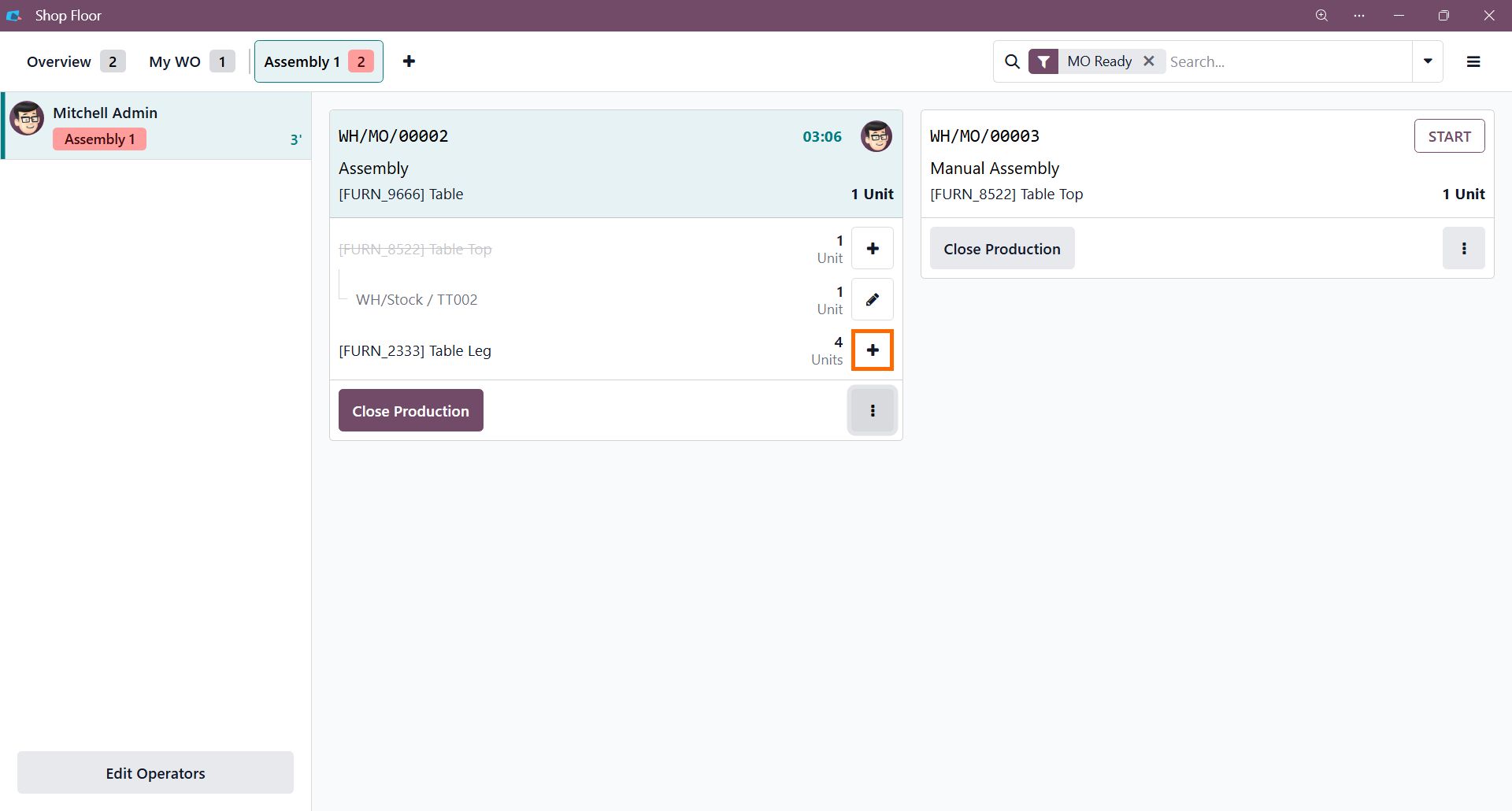
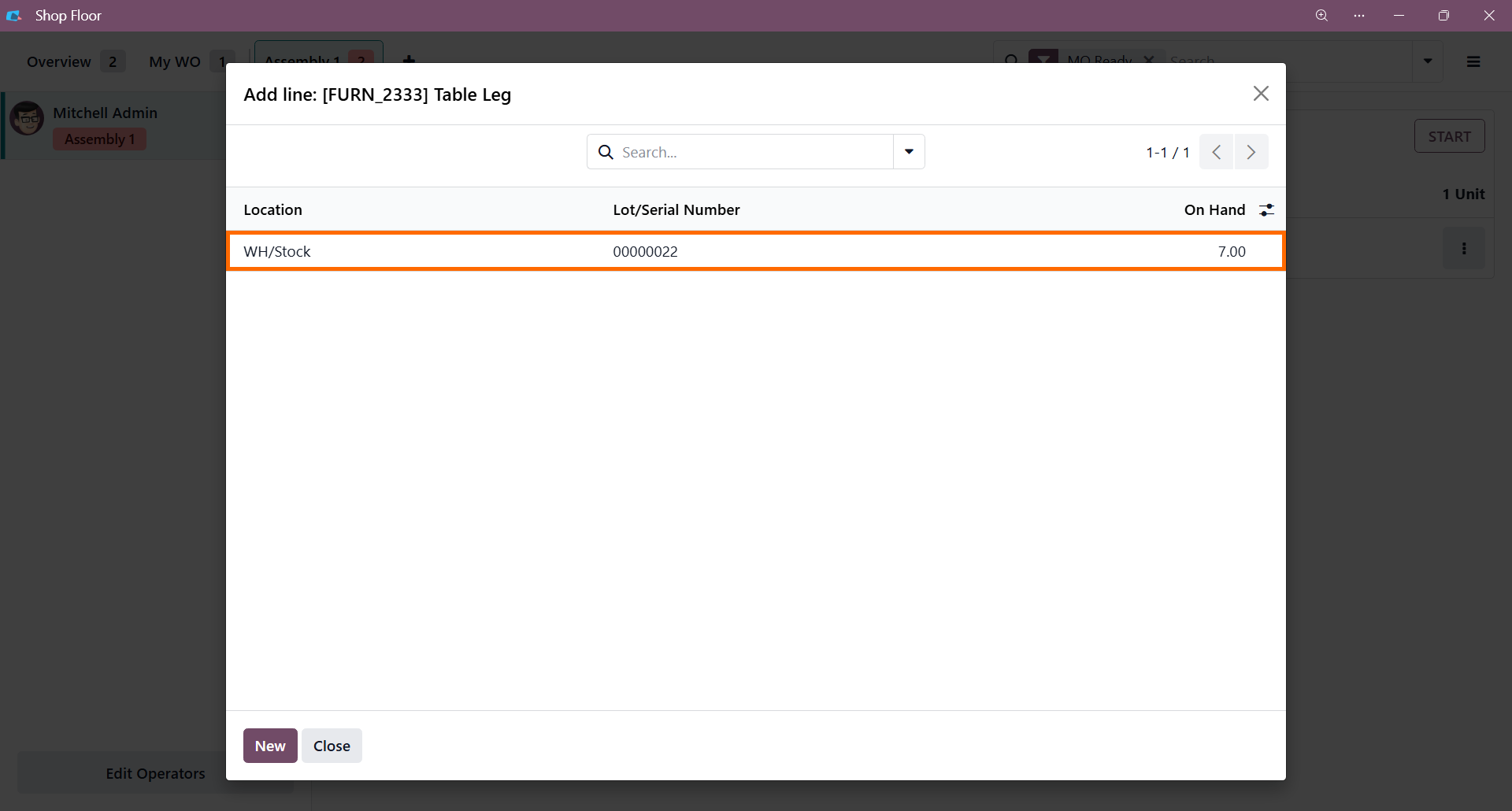
- In the pop-up window, the operator selects the
pre-configured lot number from the available stock. This instantly links
that physical batch to the active production order
before the panel is closed.
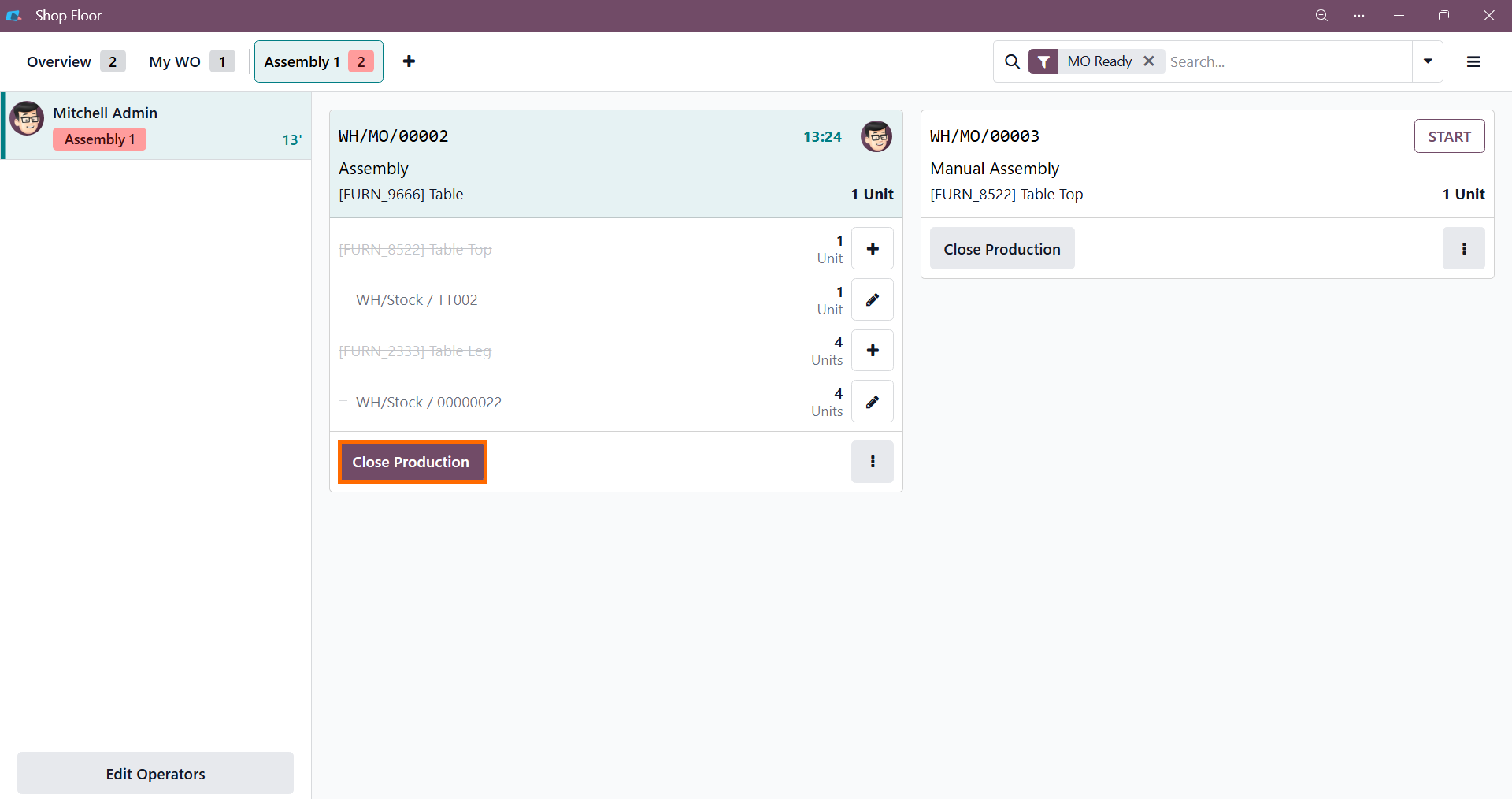
- Once all tracked components are assigned, the operator clicks "Close Production". This finalizes the manufacturing activities on the shop floor and registers the execution data back into the main database.
Auditing Production Quality with the Odoo Traceability Report
Once production is finalized on the shop floor, all execution data syncs back to the backend to generate a complete history of your Odoo manufacturing operations. Quality control teams can now review this data to identify the source of Odoo manufacturing errors. Enabling the resulting report allows you to verify that your Odoo product traceability remains unbroken, helping you quickly identify and quarantine defective raw material batches. This structured data verification ensures that missing lot details or unexpected component discrepancies are caught instantly before the finished items are dispatched to clients or stored in inventory.
- Open the "Manufacturing Orders" list view to return to the back-end module containing all new and completed production records, allowing you to track the progress of ongoing jobs.
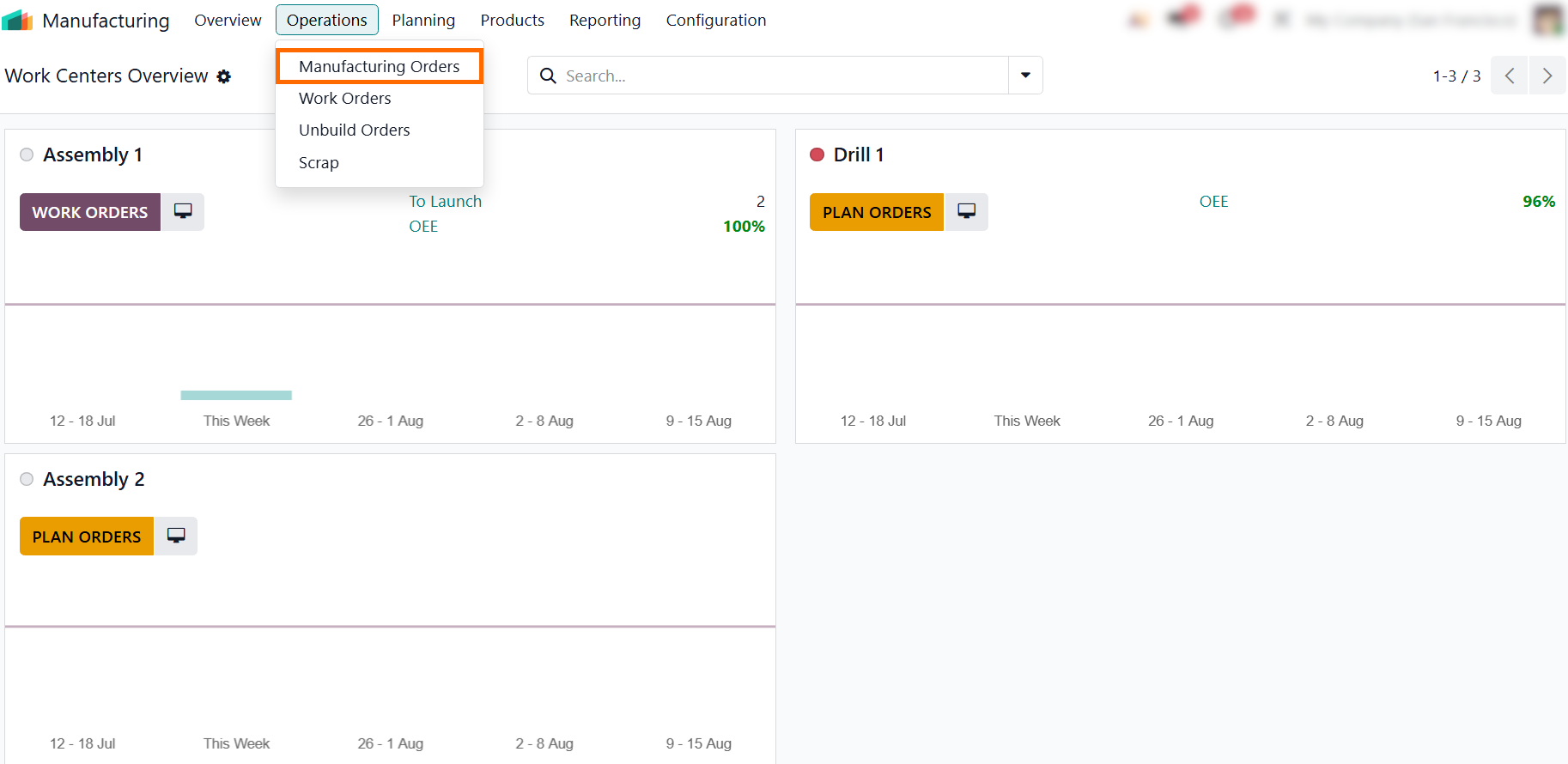
Locate the required manufacturing order from the list to verify its overall completion status or component availability before opening the record to inspect the underlying
inventory movements.
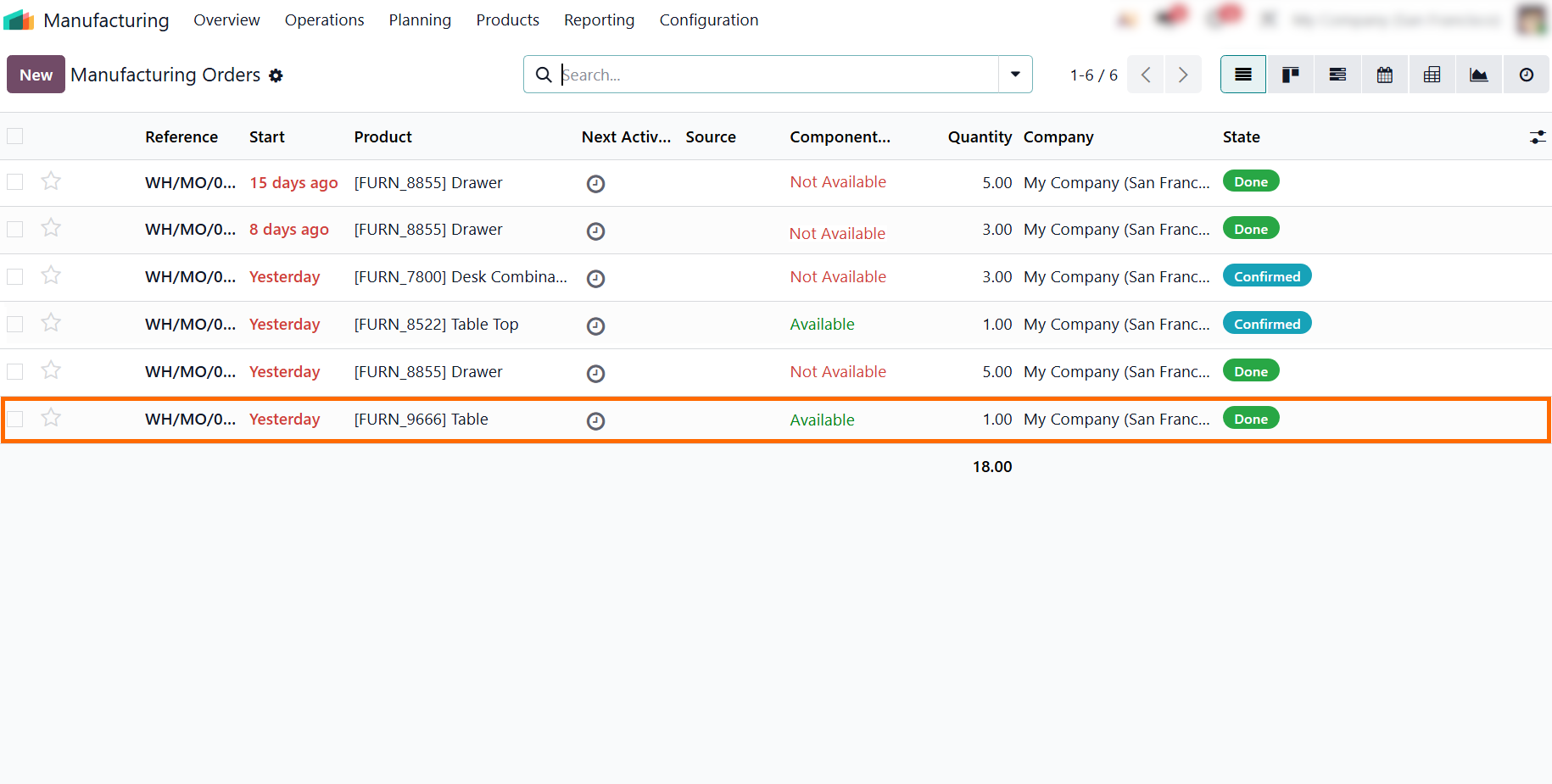
- Open the verified manufacturing order to access the Odoo Traceability Report, allowing you
to
transition from the high-level list view directly into the deep-dive component audit.
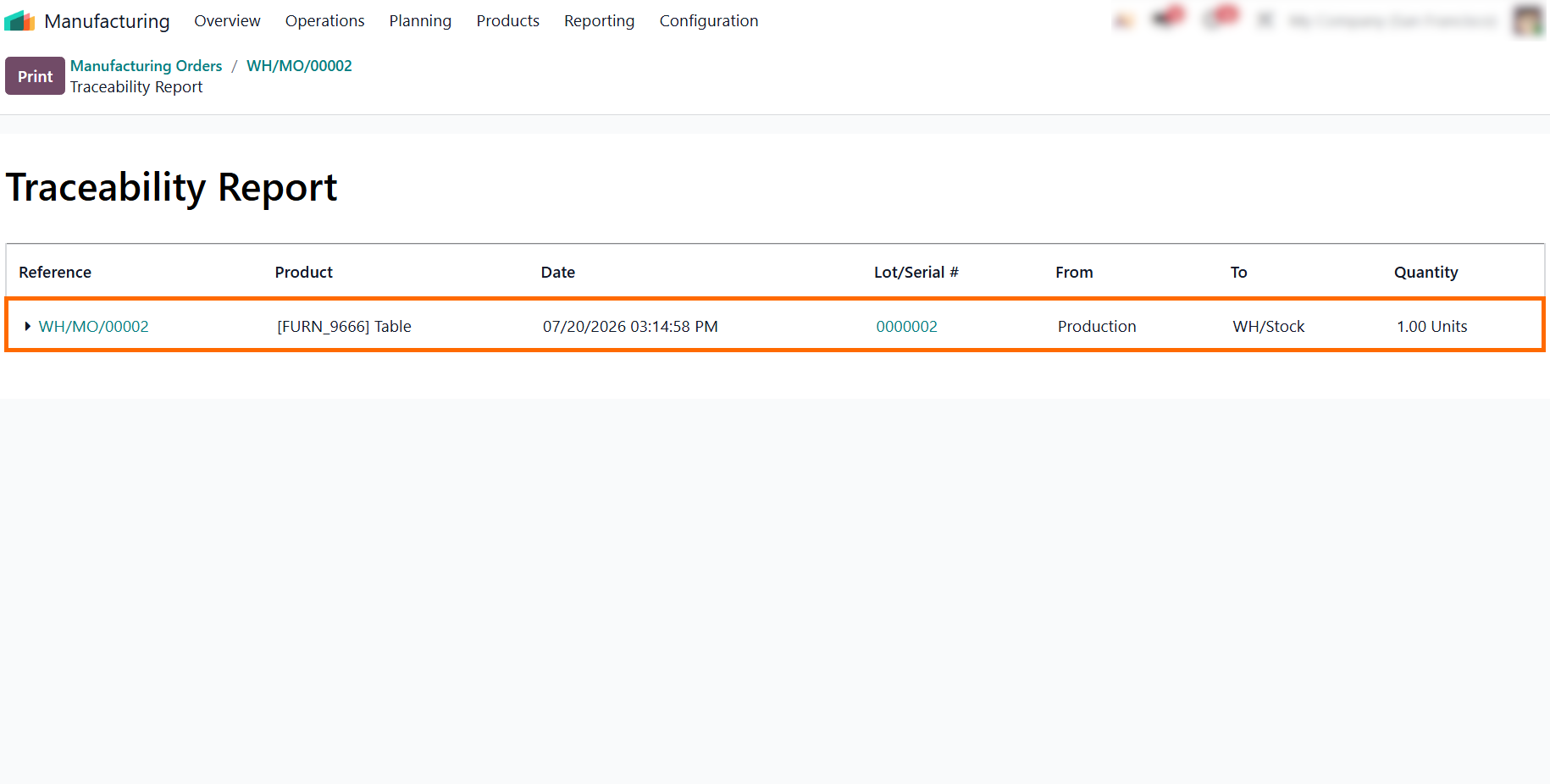
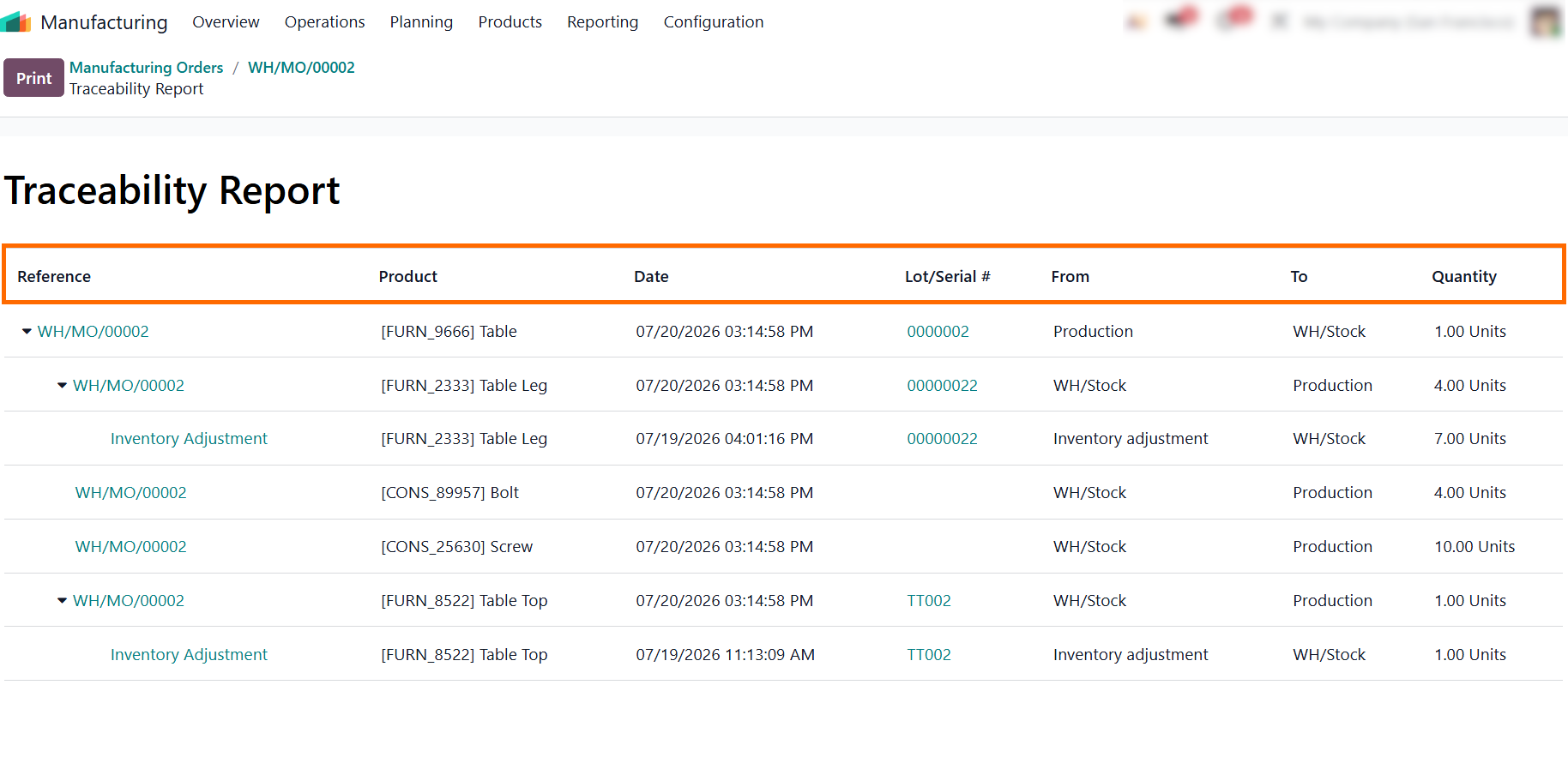
- Review the generated traceability report to inspect the
component breakdown, ensuring tracked parts display their unique
identifiers while non-tracked items, like
bolts, remain logged without lot requirements.
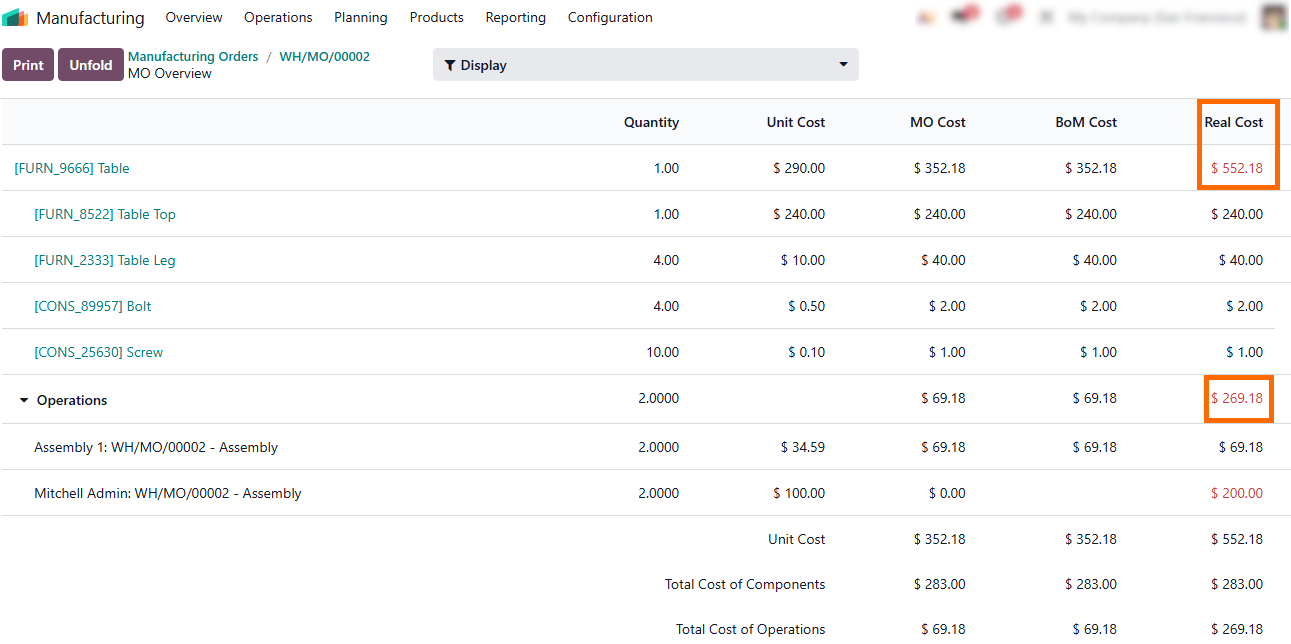
-
Review
the "Real Cost" column in the MO Overview to catch operational errors
early. A sudden cost spike like unbudgeted assembly hours signals a shop floor
tracking mistake or process failure before the order is closed
Conclusion: Achieving Total Visibility Over Shop Floor Quality
Implementing end-to-end Odoo product traceability helps quality teams move from reactive defect investigation to a precise, data-driven process. By enforcing lots and serial numbers at every level of the bill of materials down to final assemblies, enterprises bridge the critical gap between inventory control and shop floor execution. This foundational setup ensures that when a defect occurs, quality teams can bypass operational disruptions, review complete Odoo manufacturing order traceability, and instantly pinpoint the exact root cause of manufacturing errors.
The real value of Odoo lies in its ability to translate execution data into actionable insights through the Odoo Traceability Report. Maintaining strict data discipline during production and utilizing these automated logs allows managers to immediately isolate defective vendor batches, implement targeted quarantines, and trace impacted items downstream before they reach clients. Embracing this level of data visibility protects financial margins from unnecessary scrap while ensuring consistent compliance and product quality across the entire supply chain.