Equipment failures, repair history, and upcoming inspections all affect how maintenance teams plan their work. In Odoo Maintenance, teams can link requests to specific equipment, assign technicians, and schedule recurring servicing. This guide follows the process from recording a breakdown to setting maintenance intervals and reviewing planned work alongside production schedules.
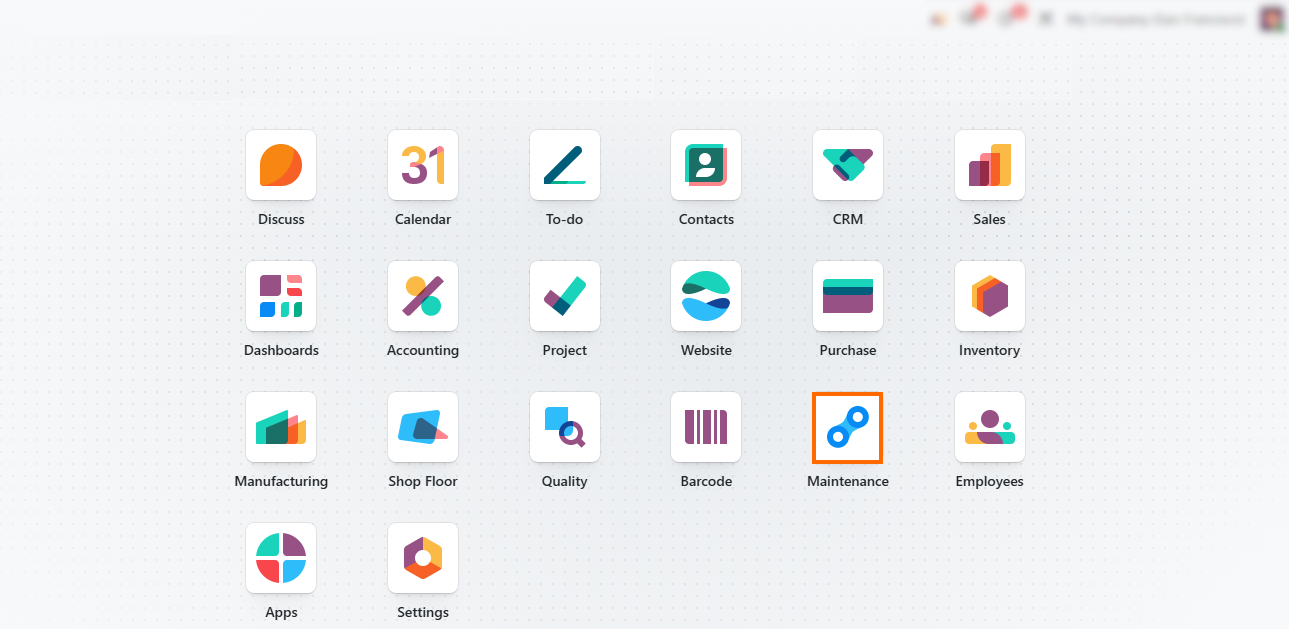
- Open the Maintenance module. Start
in Maintenance to access equipment records and maintenance requests before
documenting equipment failures and
setting up preventive maintenance.
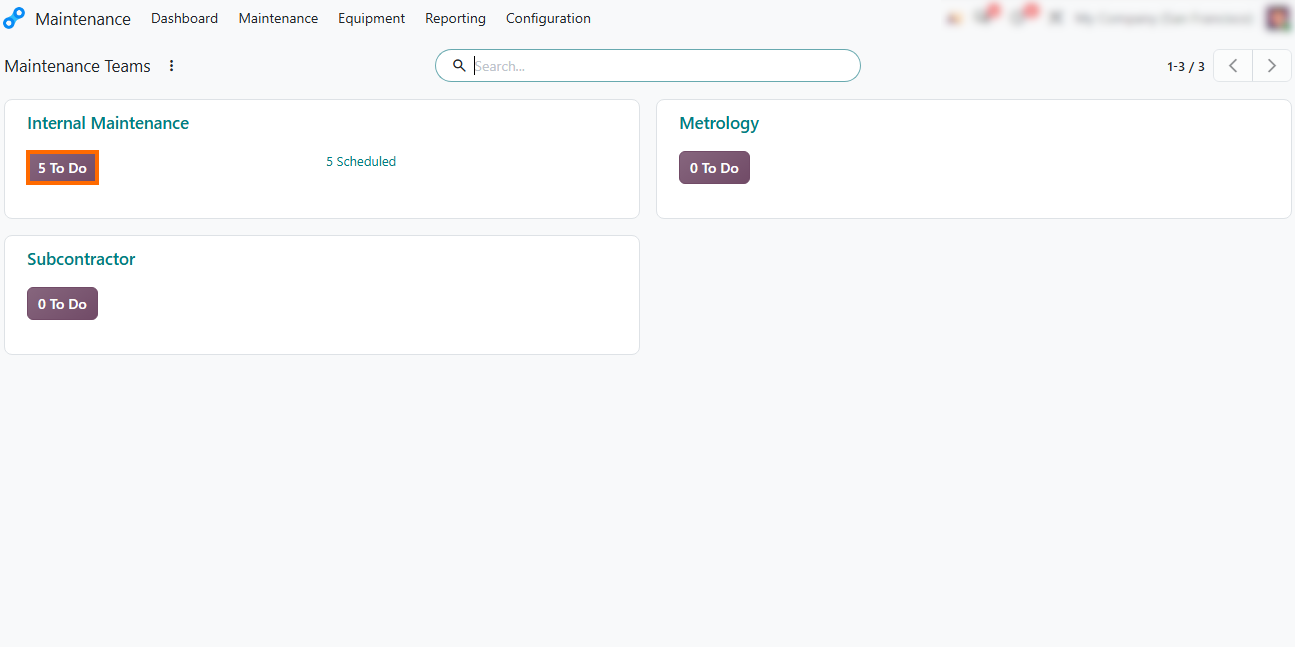
- Review your maintenance teams. On the dashboard, review team cards such as Internal Maintenance (in-house repairs), Metrology (calibration and precise testing), and Subcontractor (outsourced vendor maintenance).
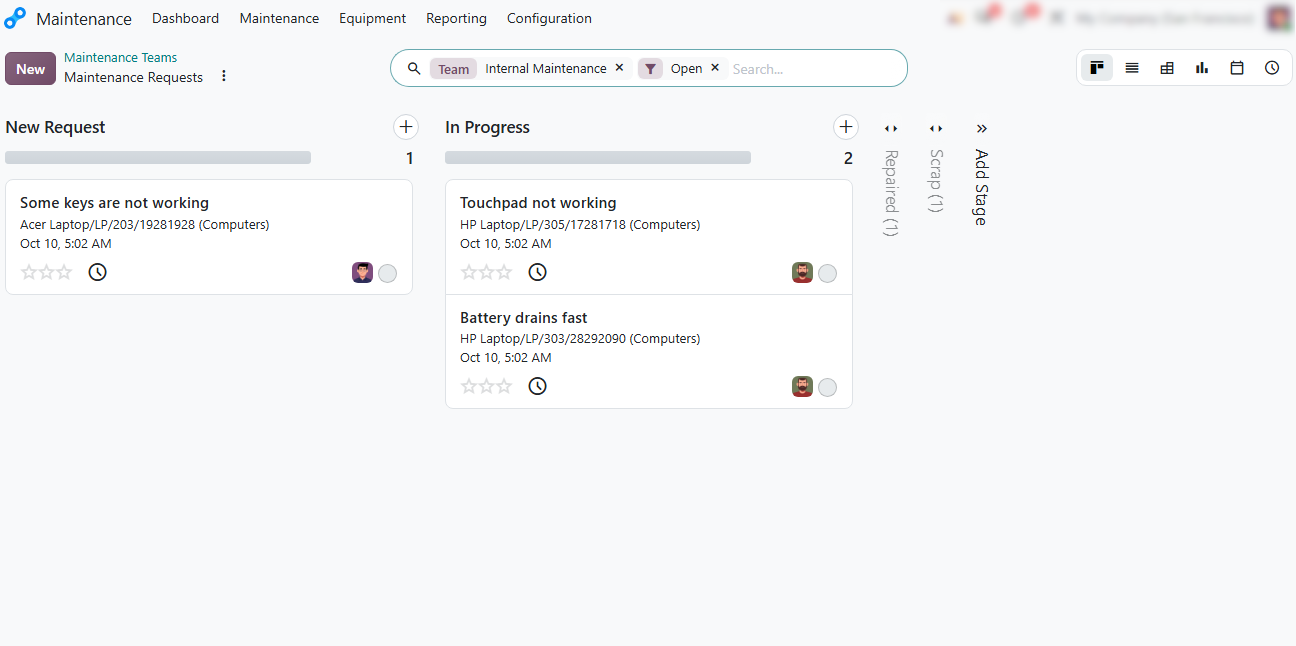
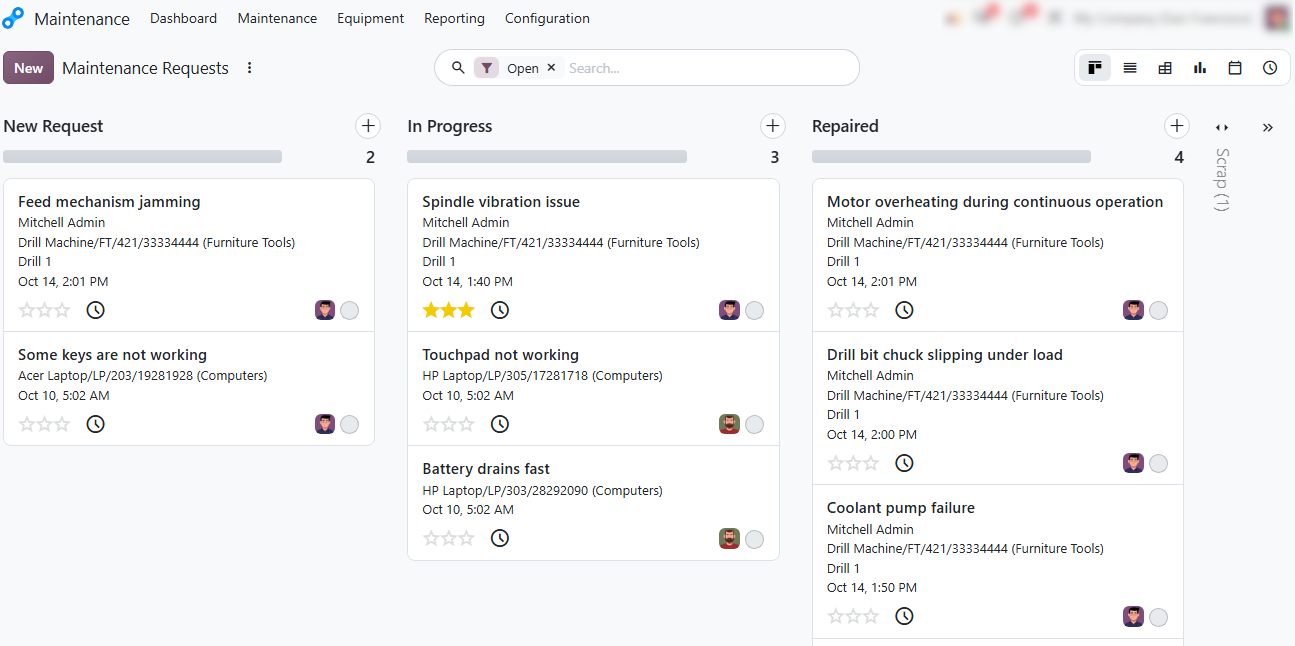
Track pipeline stages. Review active maintenance requests organized by status columns: New Request, In Progress, Repaired, and Scrap to monitor ongoing repair work and team workload.
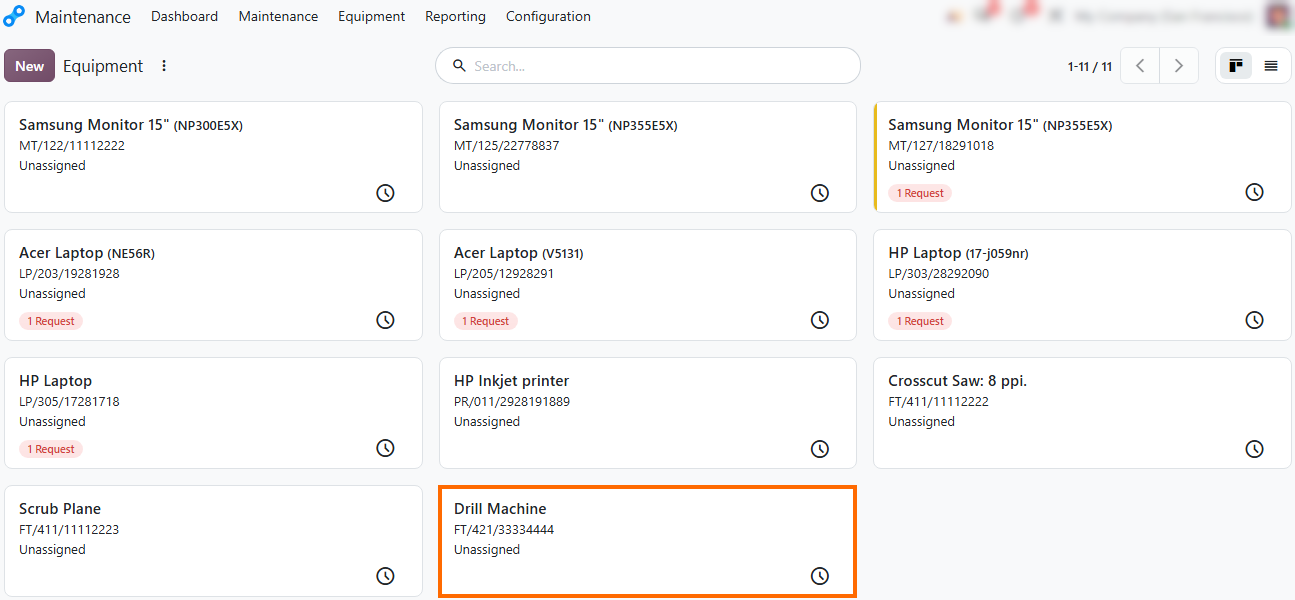
Review equipment records. Open Equipment to review company assets, monitor active request badges, and select a machine to check its details and maintenance history before planning preventive servicing.
Inspect the equipment profile. Open the equipment card to view asset details, work center assignments, and
the Maintenance smart button, which currently shows zero requests.
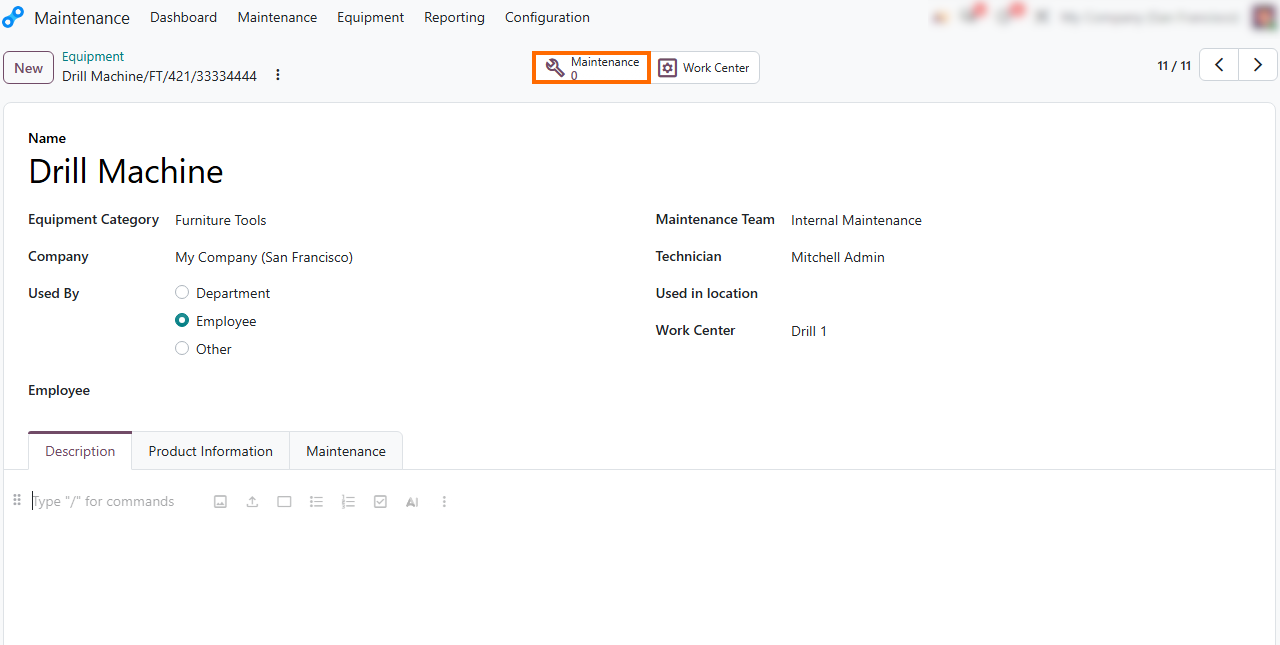
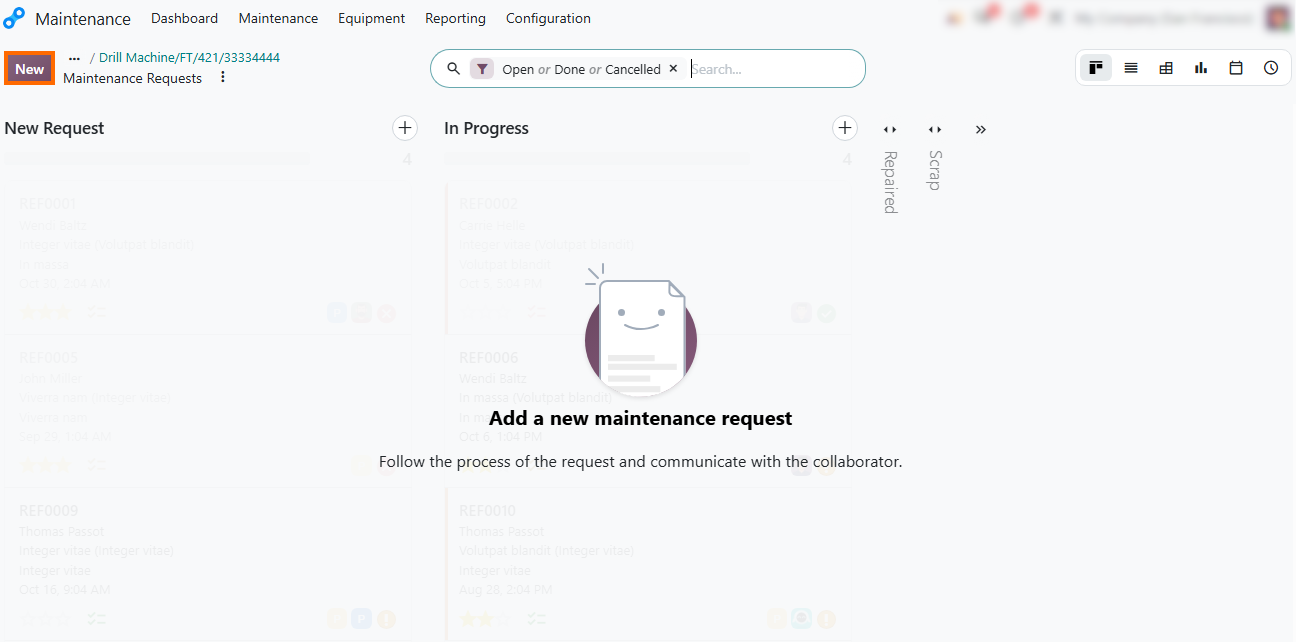
- Access maintenance history from the equipment card. Click the Maintenance smart button to view existing requests tied specifically to that asset and quickly log a new request if needed.
How to Record Equipment Faults in Odoo
Maintenance Module
When production equipment stops working, the maintenance team needs to record the fault, its priority, and the person responsible for repairs. Odoo Maintenance requests link these details to the affected equipment and can be created from the Maintenance dashboard or equipment record. Operators can also submit requests from the shop floor during production, keeping equipment faults documented alongside ongoing work. Reviewing these records over time helps identify recurring faults and determine when preventive servicing may be needed.
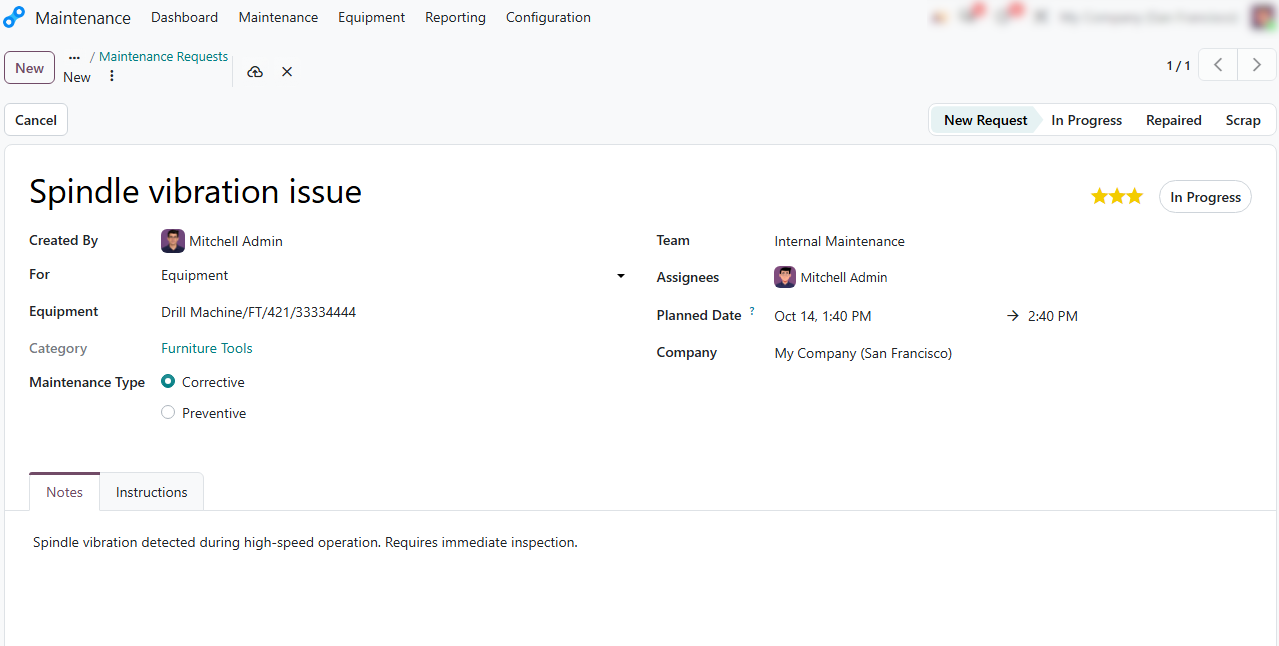
- Record the equipment failure.
Select the affected equipment, set the maintenance type to Corrective,
describe the issue, and assign the responsible maintenance
team and technician.
- Track incoming issues in the maintenance pipeline. Monitor logged corrective tasks across stages from initial registration to active repair to maintain visibility over ongoing operational disruptions.
Review equipment history. Analyze accumulated corrective requests in the equipment profile to identify breakdown patterns and justify shifting to scheduled preventive maintenance.
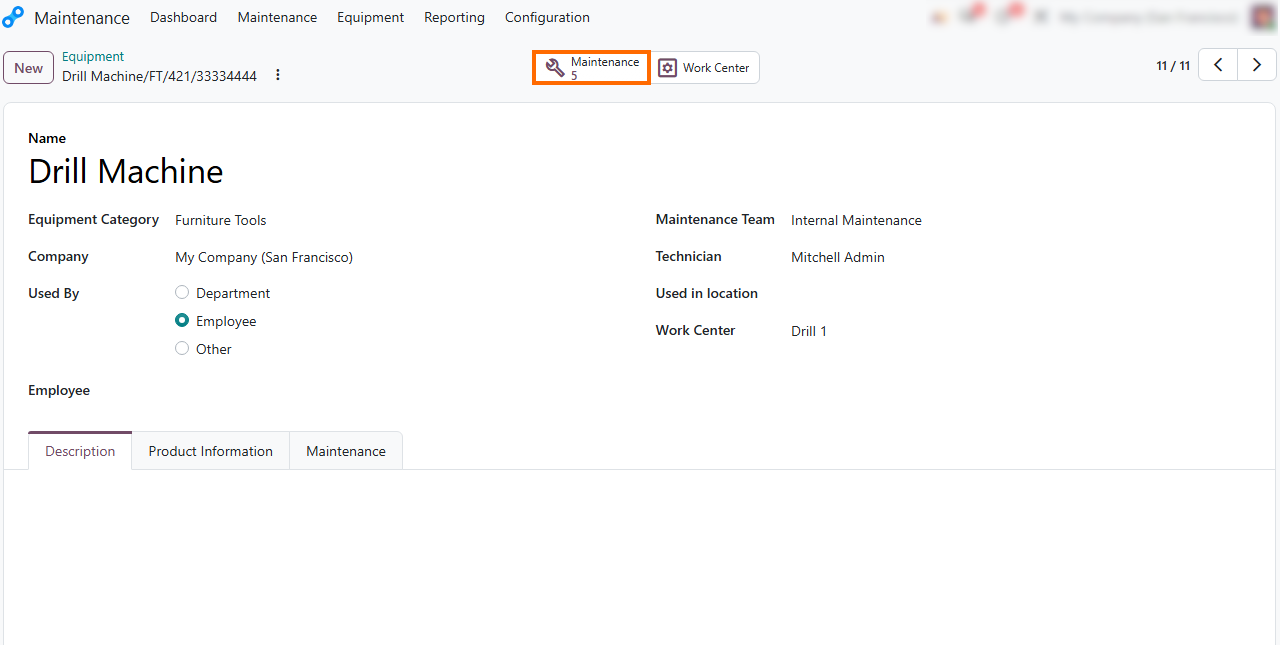
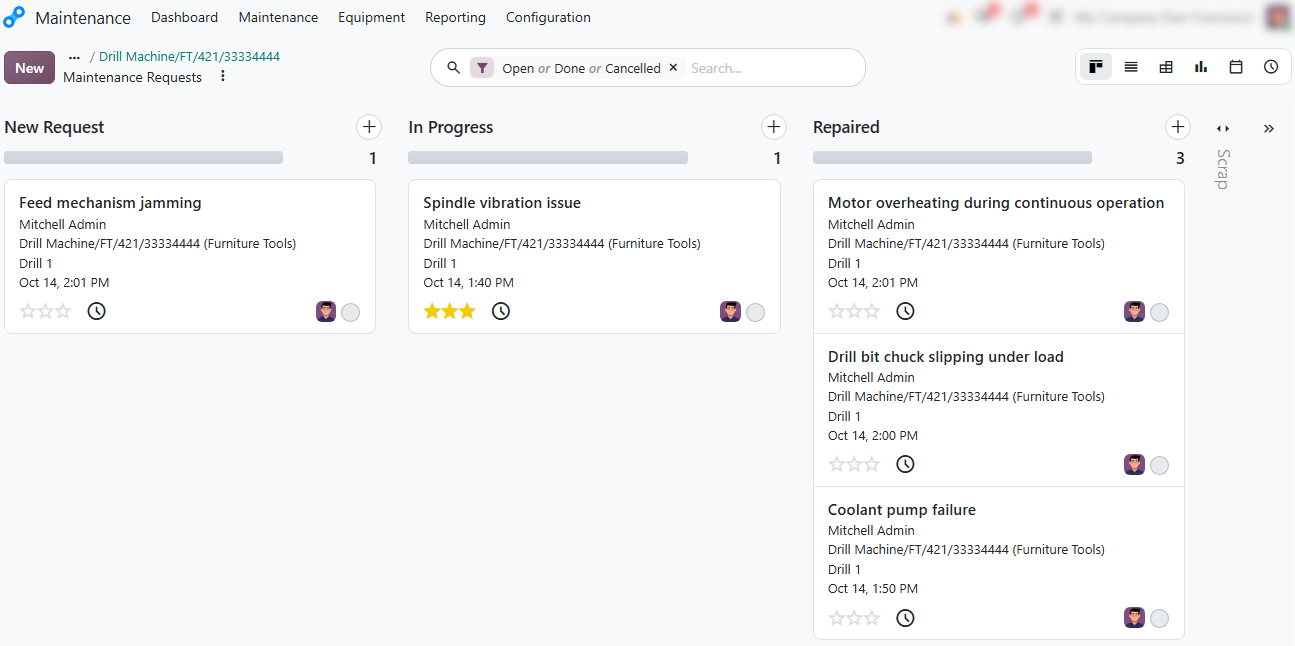
Analyze past incidents: Review records filtered by status (Open, Done, Cancelled) to identify failure patterns across equipment and build a data-driven baseline for scheduled preventive maintenance.
Set Up Recurring Maintenance for Equipment
Odoo 20 includes tools for preventive maintenance, allowing teams to schedule servicing instead of relying solely on corrective repairs. A preventive maintenance request defines the equipment to be serviced, the responsible team and technician, the planned date, and the estimated duration. The request can include inspection notes and technical instructions for the assigned technician. When the same service needs to be repeated, teams can enable recurrence and define the interval for future maintenance.
Initiate scheduled upkeep directly from the equipment log or main board by creating a new entry marked as Preventive. Use clear title naming conventions to signal the exact scope of upcoming tasks.
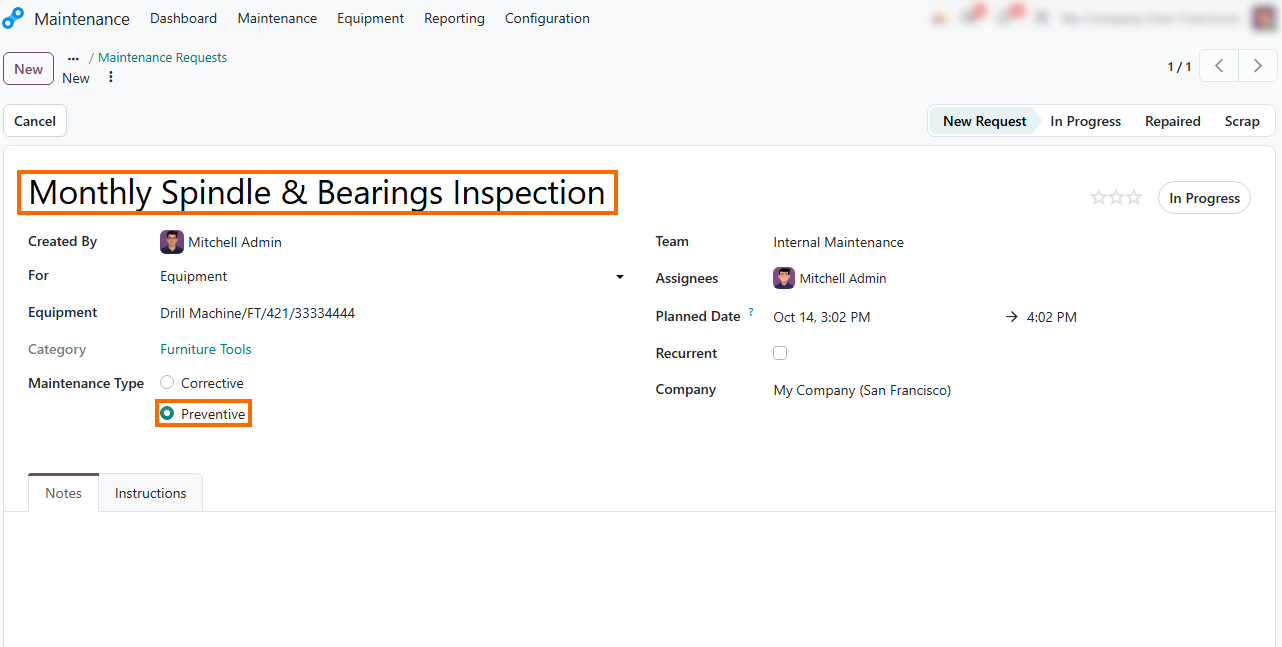
- Schedule servicing details. Define the scheduled date, estimated duration, responsible maintenance team, and assigned technician to ensure proper resource allocation.
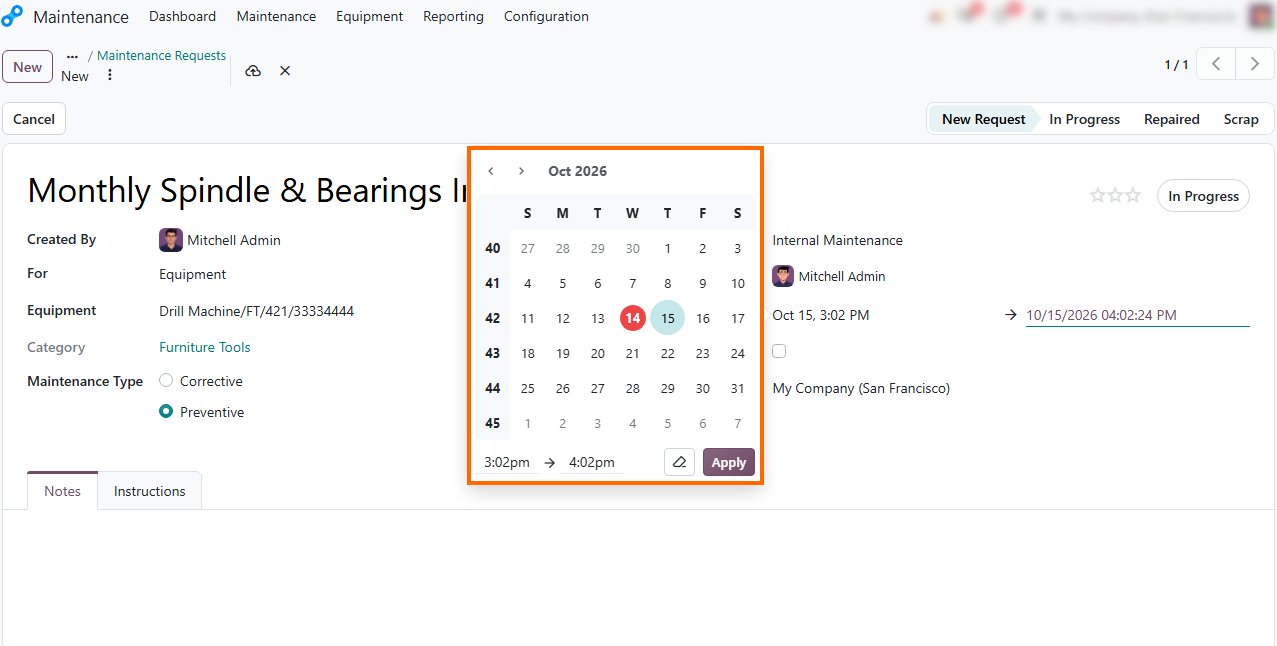
Configure maintenance recurrence. Enable the Recurrent option and set the interval parameters (e.g., Repeat Every 1 Months) to automate future servicing orders and
establish a predictable maintenance schedule.
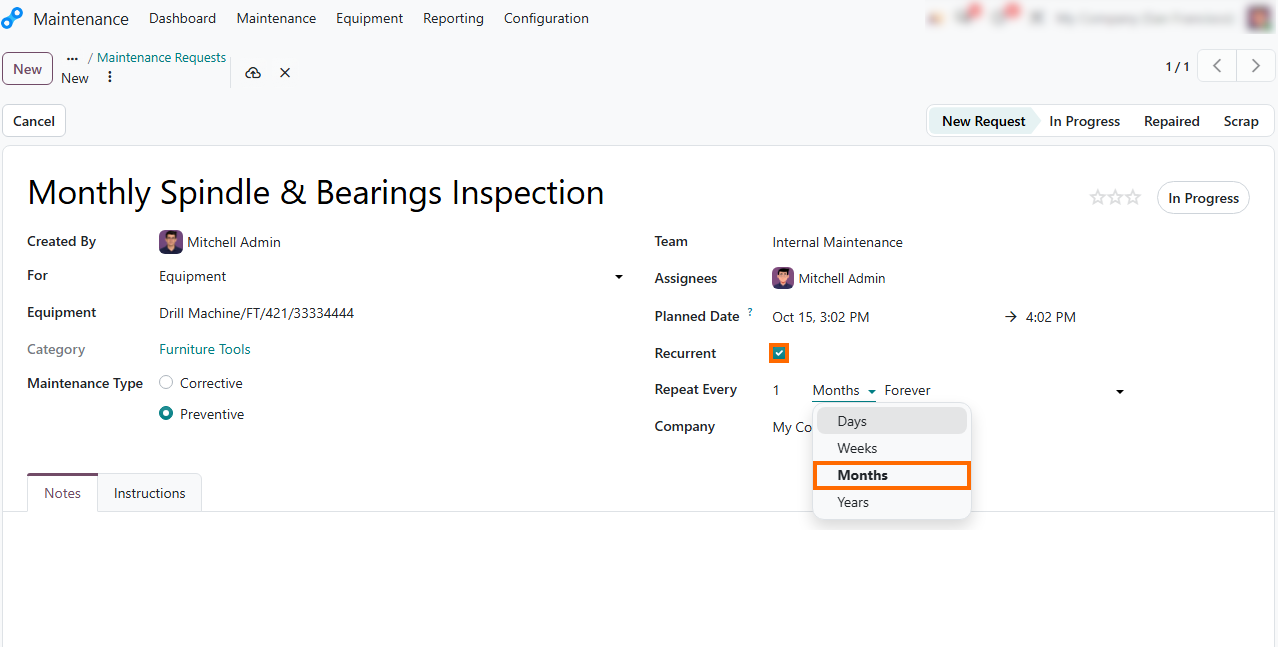
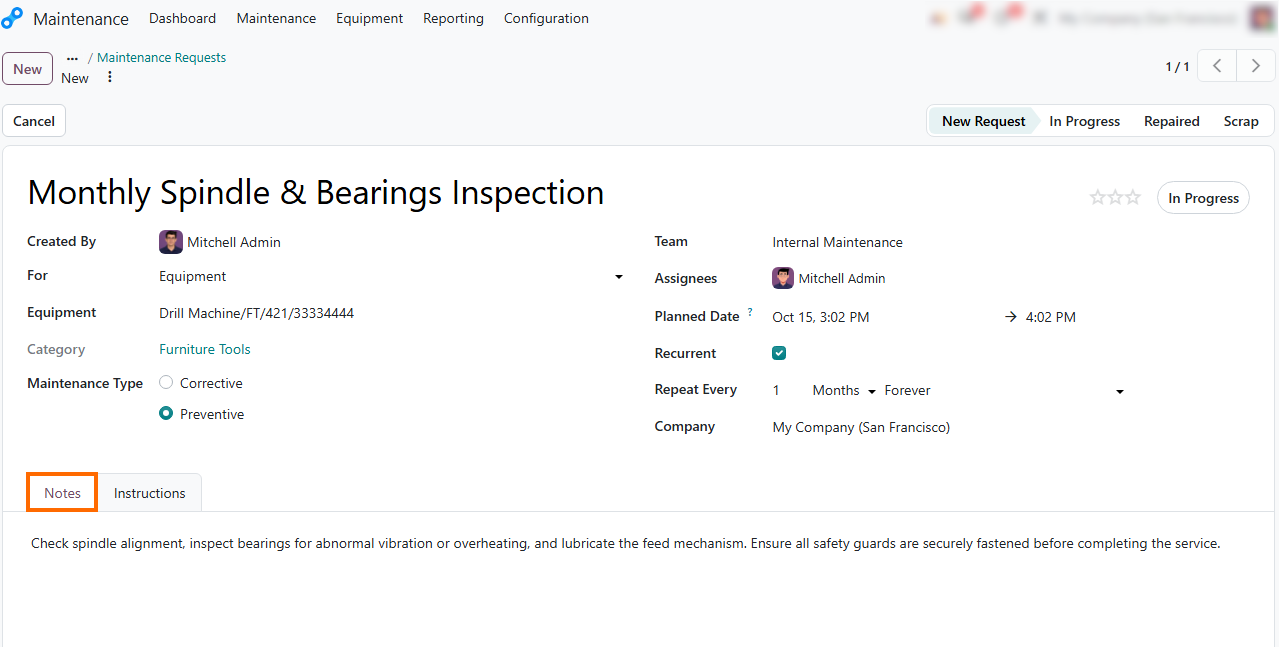
- Document maintenance notes. Include technical guidelines, safety checklists, or step-by-step instructions under the Notes tab to help the assigned technician perform inspections and routine servicing correctly.
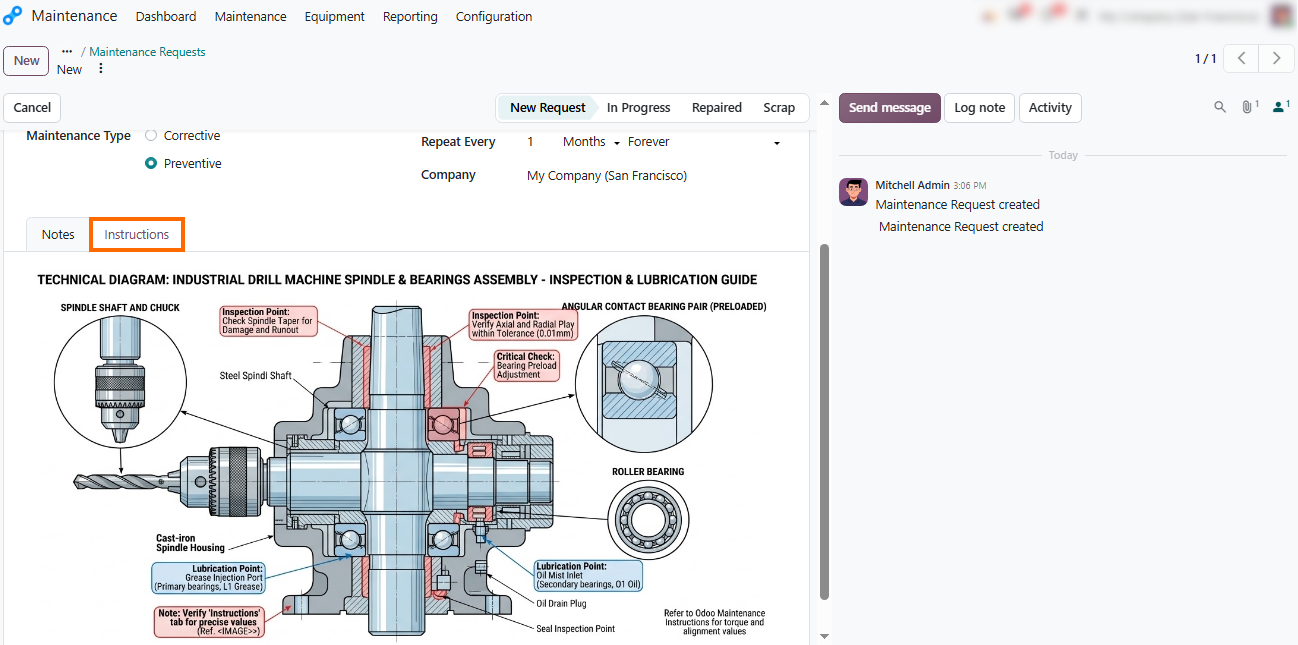
Add servicing documentation. Open the Instructions tab to attach relevant maintenance documentation and provide additional guidance for the assigned technician using the available content options.
Schedule Maintenance Around Production Orders
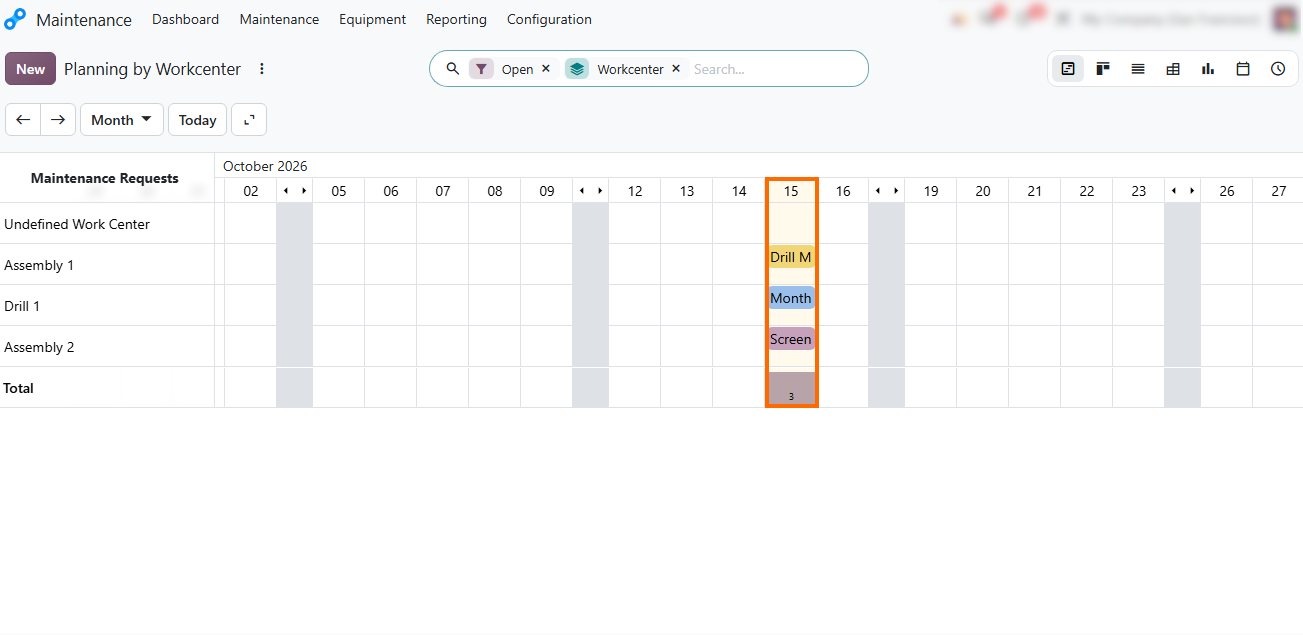
Maintenance tasks need to fit around production orders that use the same work center. Even a short inspection may delay an order if both are planned for the same period. Calendar and Gantt views help supervisors compare scheduled servicing with ongoing repairs and production activities. The Maintenance Requests Analysis report adds another perspective, helping teams review task duration and spot recurring equipment issues.
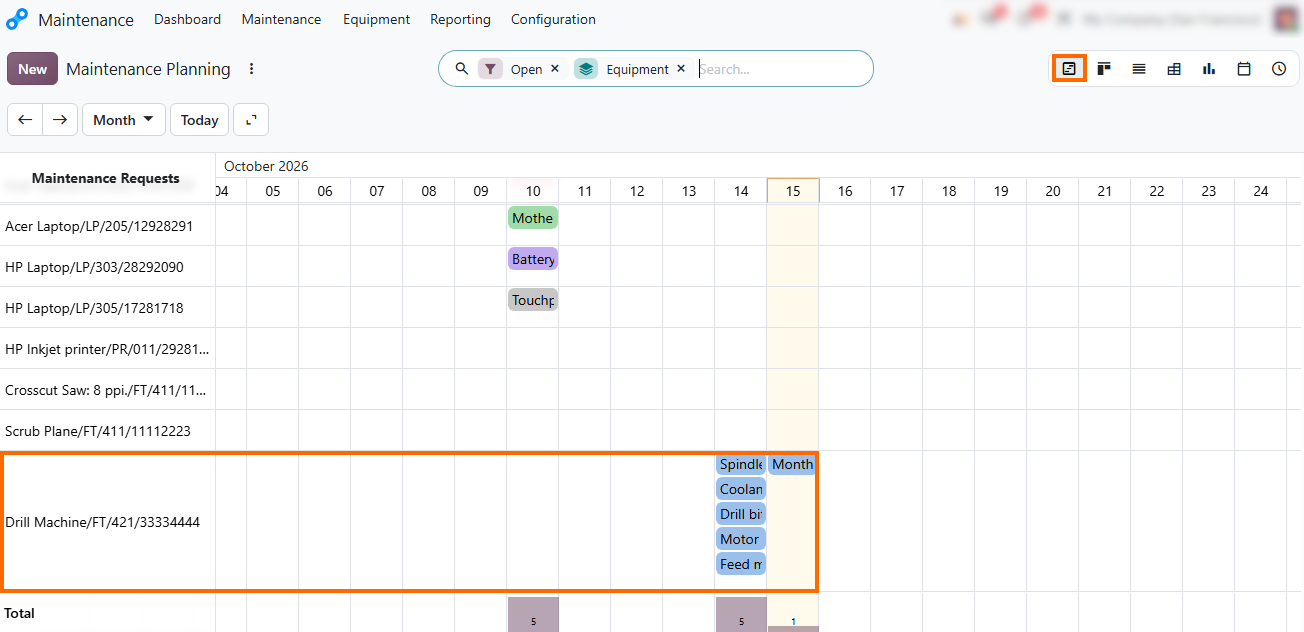
- Monitor scheduled servicing in Gantt view. Switch to the Gantt view to visualize upcoming preventive tasks alongside active corrective repairs on a timeline. This helps identify scheduling conflicts and plan maintenance around production needs.
Evaluate work center load. Review work center schedules to ensure planned equipment servicing does not conflict with priority manufacturing orders. Visualizing
these time slots helps managers balance capacity and avoid unexpected downtime.
- Review maintenance performance and history. Use the Maintenance Requests Analysis dashboard to evaluate task duration and identify recurring equipment issues. These insights help managers improve preventive maintenance planning.
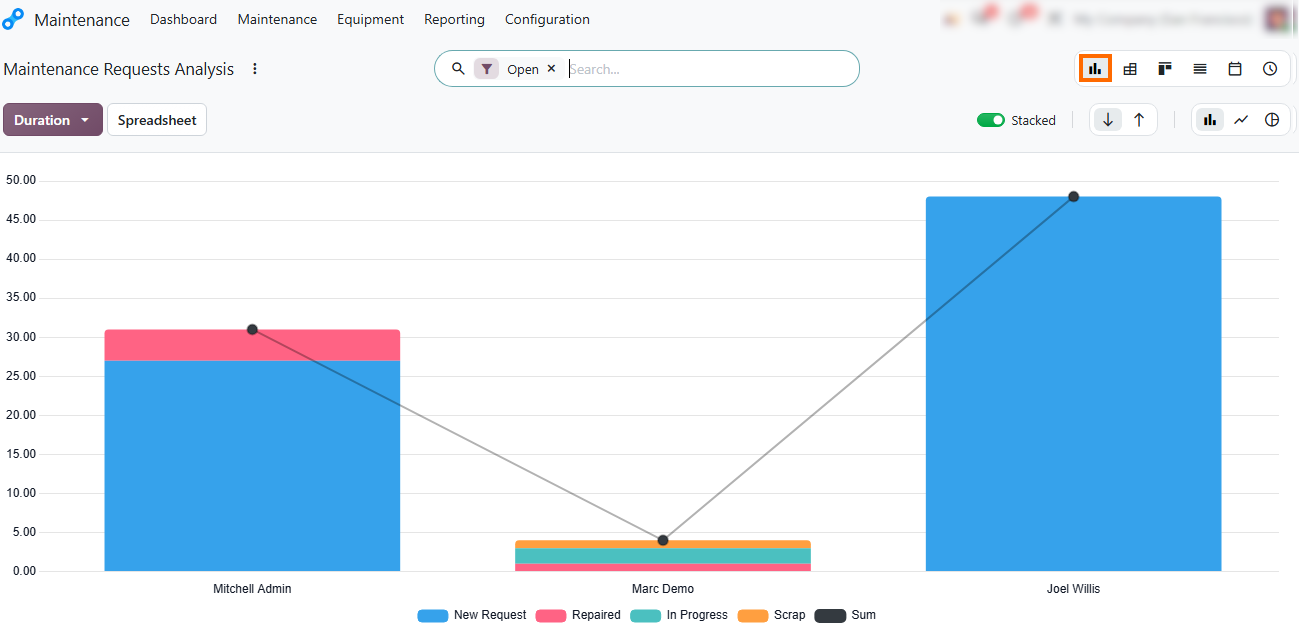
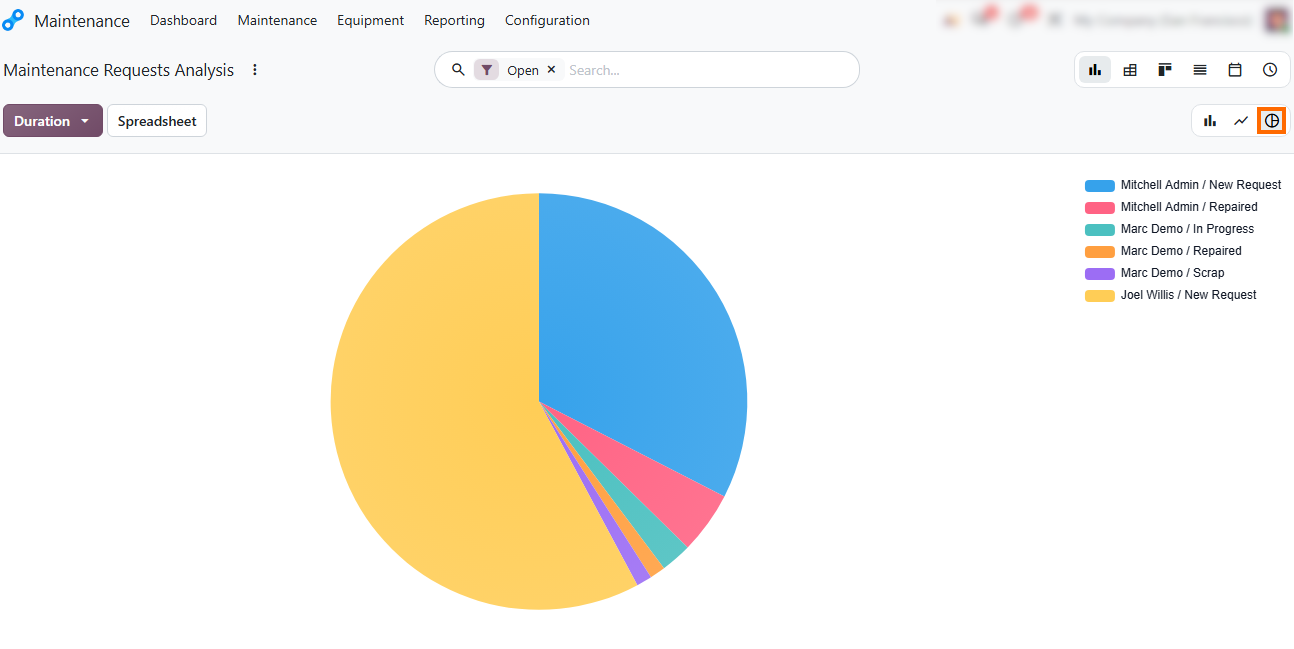
Pivot and customize reporting view modes. Switch between bar charts, pie charts, and line graphs or open the Pivot view to slice maintenance metrics by team, equipment category, or request type for deeper operational insight.
Configure Odoo
Maintenance Teams and Settings
Odoo Maintenance Module configuration determines how requests are assigned, equipment is grouped, and work stages are tracked. In Odoo 20, administrators can configure maintenance teams, equipment categories, custom worksheets, and additional pipeline stages to reflect the department's workflow. These settings help standardize technician instructions, organize servicing responsibilities, and keep maintenance procedures aligned with shop floor requirements. Teams can also adapt request stages to match how maintenance tasks progress from initial reporting to completion.
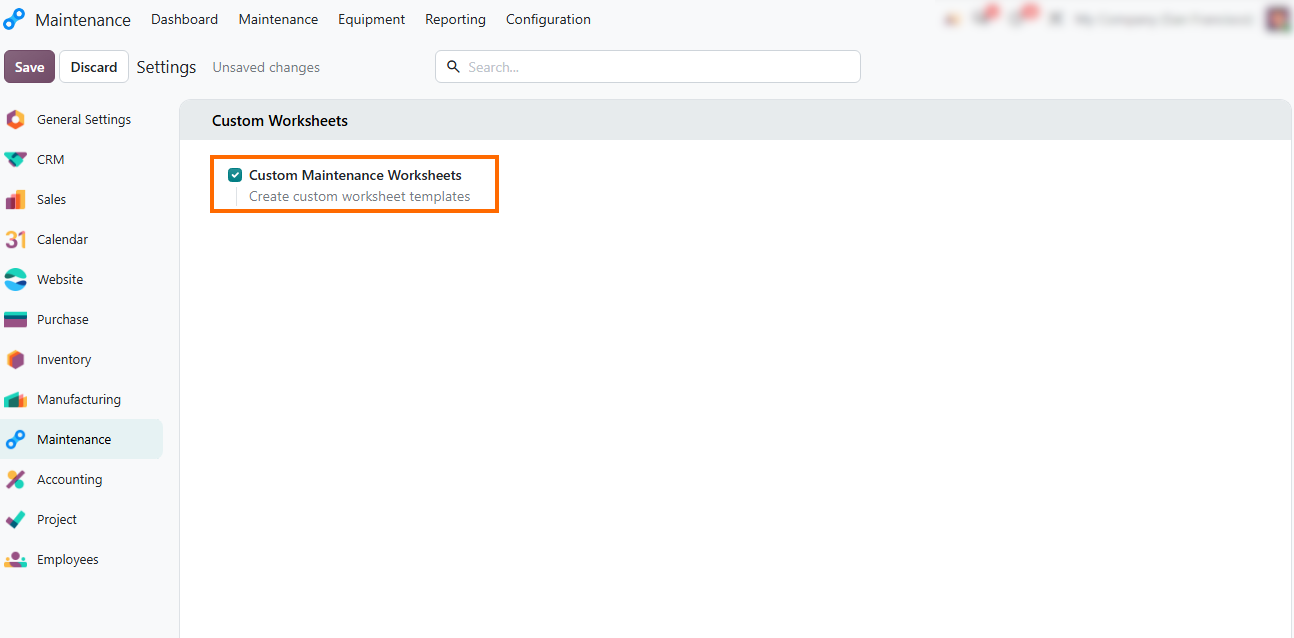
- Open Configuration,
select Settings, and enable Custom Maintenance Worksheets to let teams
build standardized digital checklists for technicians during inspections
and repairs.
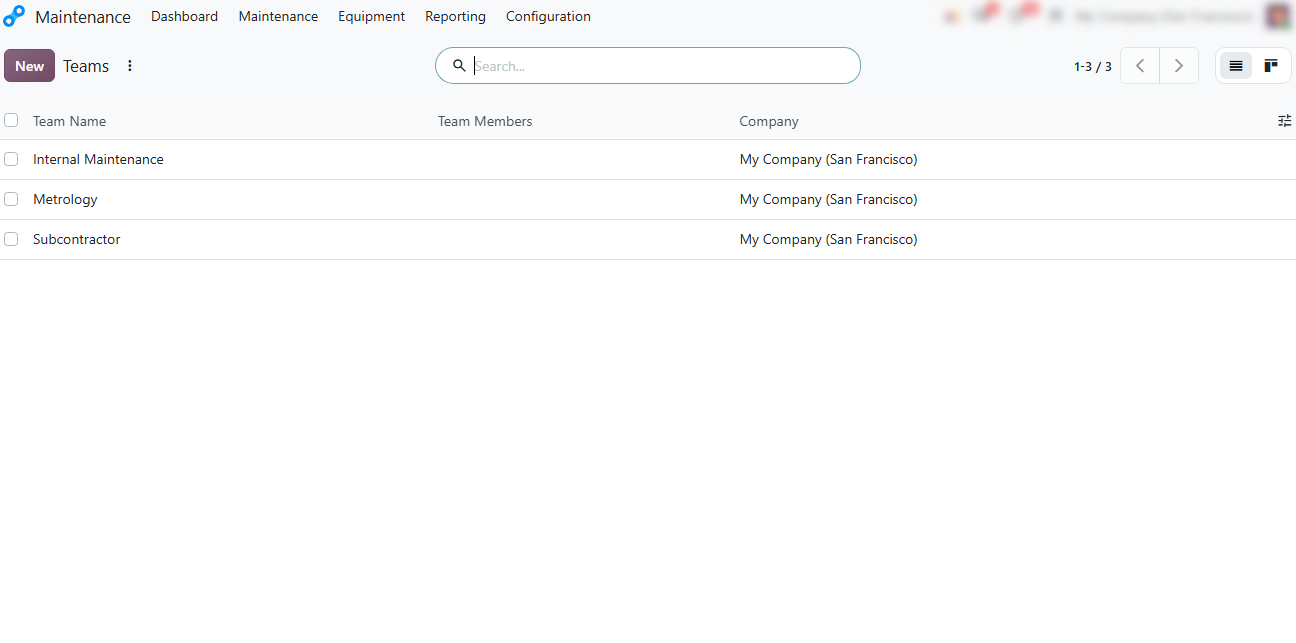
- Structure maintenance teams. Under Configuration, organize teams responsible for servicing equipment such as the Drill Machine to clarify responsibilities and streamline maintenance request routing.
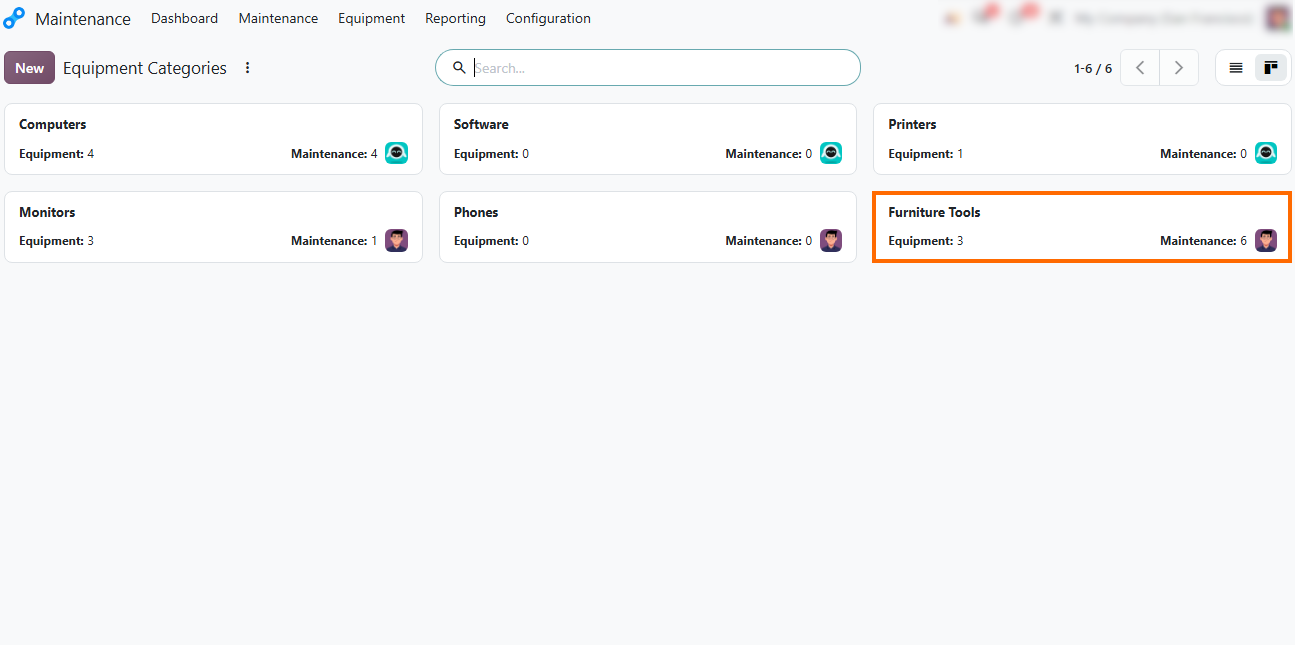
Categorize equipment assets. Organize machinery into specific equipment categories to simplify tracking, reporting, and Odoo preventive maintenance planning across different manufacturing lines.
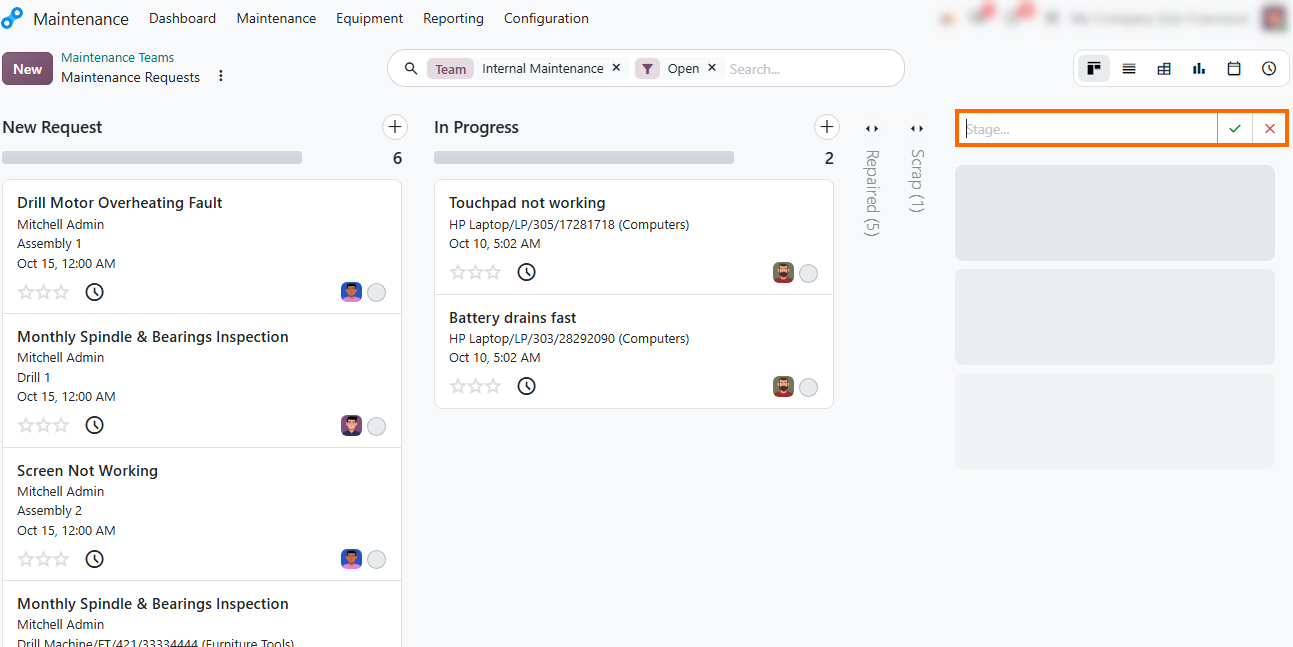
Customize pipeline stages directly on the board. Click + Add Stage at the end of the Kanban pipeline, enter a custom stage name, and confirm to add new columns tailored to your team's specific workflow requirements.
Conclusion: Review Maintenance Results and Plan Next
Steps
Preventive maintenance in Odoo 20 connects equipment records, repair history, and scheduled servicing in one workflow. By reviewing past failures, assigning maintenance tasks, and planning inspections around production schedules, manufacturers can make more informed decisions about equipment care and maintenance priorities.
With maintenance teams, equipment categories, and request stages configured to match their processes, manufacturers can adapt Odoo to their day-to-day servicing needs. Regularly reviewing maintenance history and upcoming requests also helps teams identify recurring issues and plan the next steps before they affect production.