Scaling a manufacturing business feels like a balancing act where you are constantly choosing between speed and control. As production volumes climb, the spreadsheets and manual checks that worked for a small workshop turn into bottlenecks. The real challenge is not just producing more units but keeping a tight grip on every single one of them. Scaling with Odoo provides the unified system needed to break down data silos and connect your production floor directly to your inventory. In this guide, we show you how to leverage these tools to scale effectively. Simple configurations of Lot/Serial numbers and Quality Control Points establish the end-to-end Odoo traceability needed to maintain product integrity, providing a stable foundation for your production as you scale.
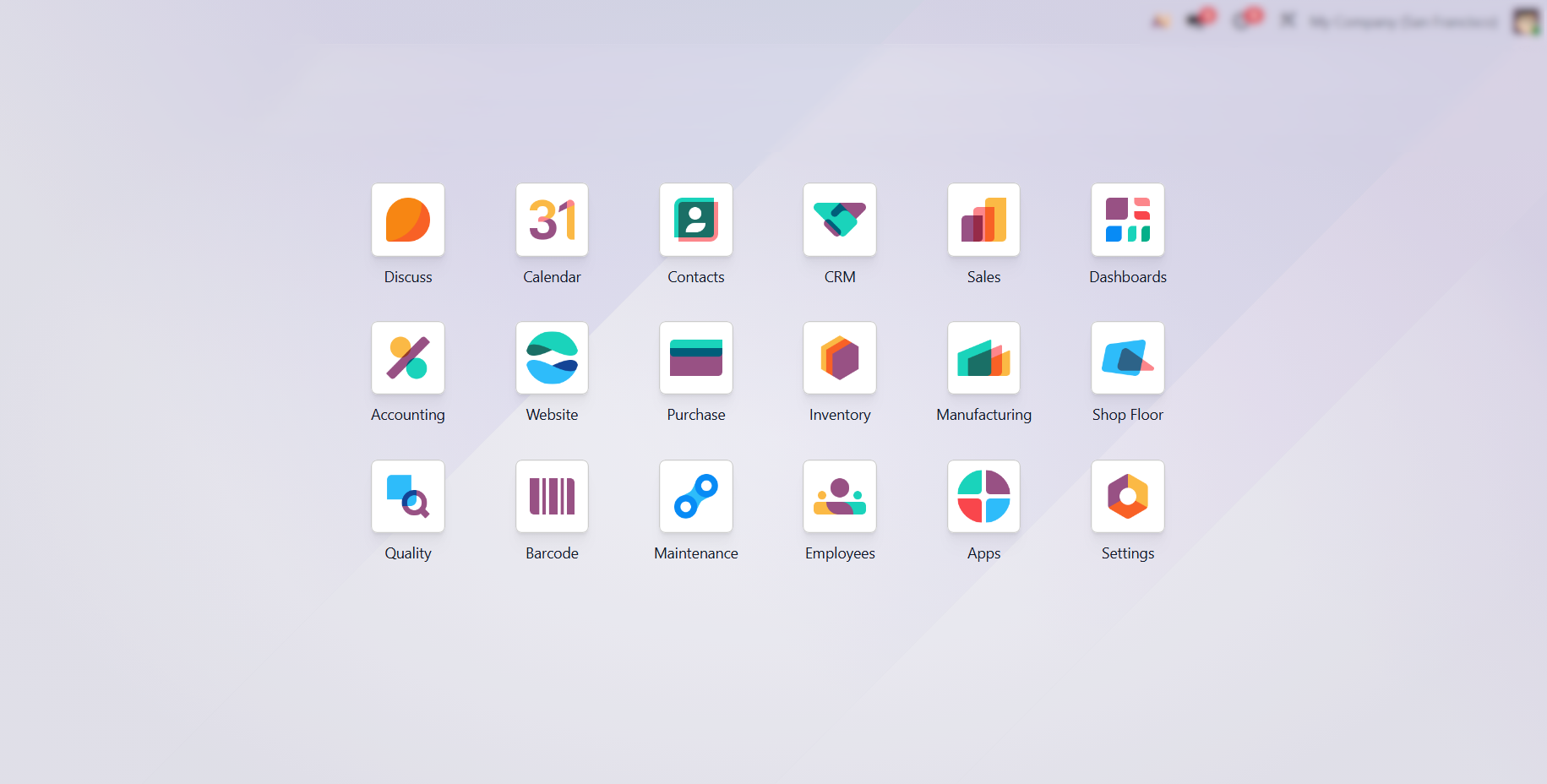
- Before executing the production workflow, verify that all essential Odoo modules are deployed. Proper environment setup is essential for migrating from manual oversight to systematic production mastery.
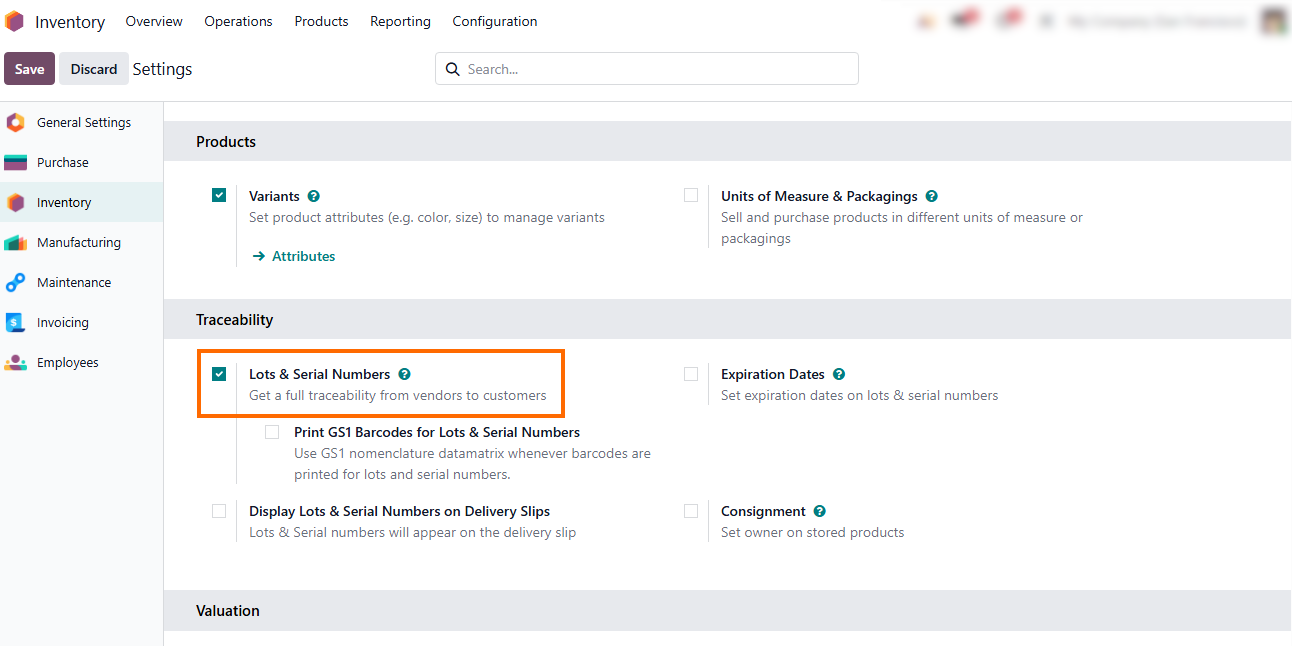
By activating Lots & Serial Numbers in your inventory settings, you establish the foundation for your entire tracking system, ensuring full visibility of product movement and maintaining data integrity across all stock operations.
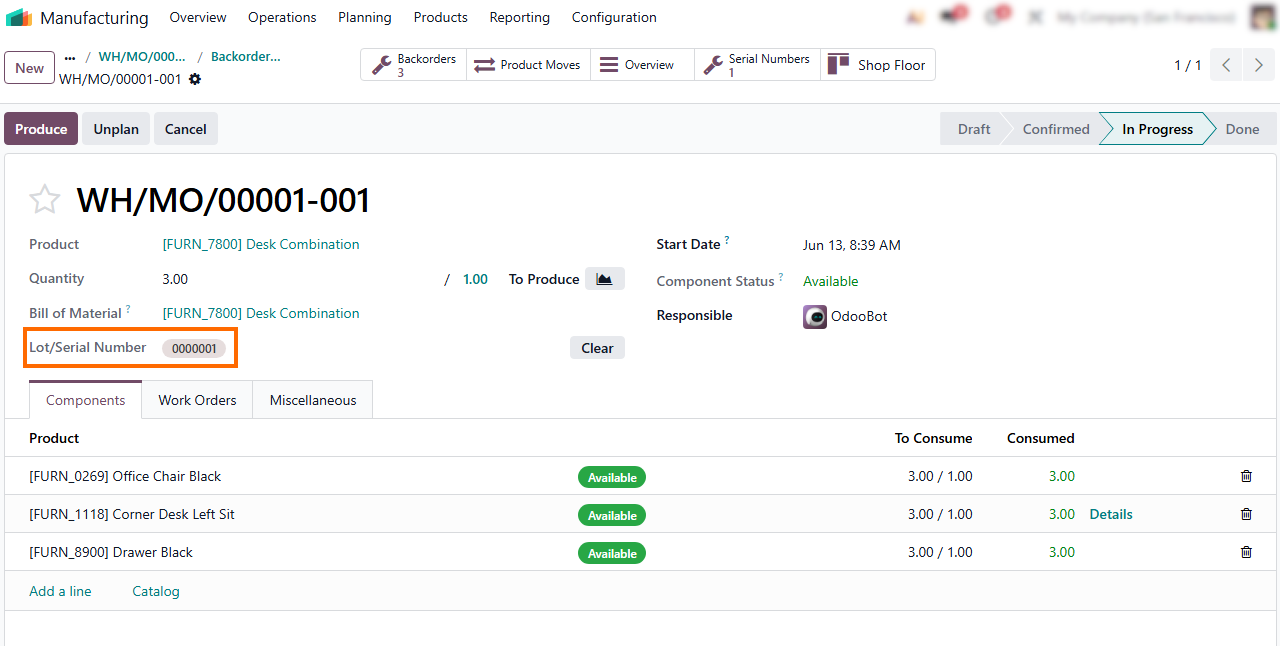
Once activated, Serial Numbers are assigned during manufacturing or receipts. Choose between manual entry for full control or automated sequences for seamless tracking.
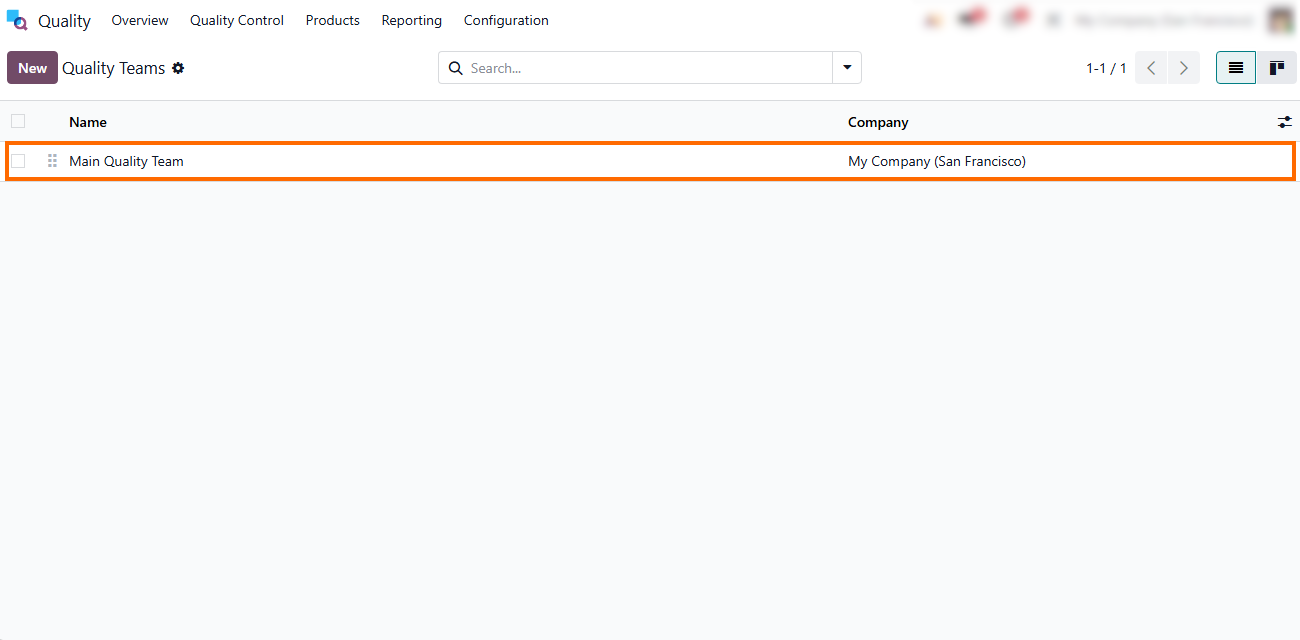
- Ensure the Quality module is active to
leverage Control Points and Alerts. This gives your teams the structure to
define and enforce quality standards at every critical stage
of the production cycle.
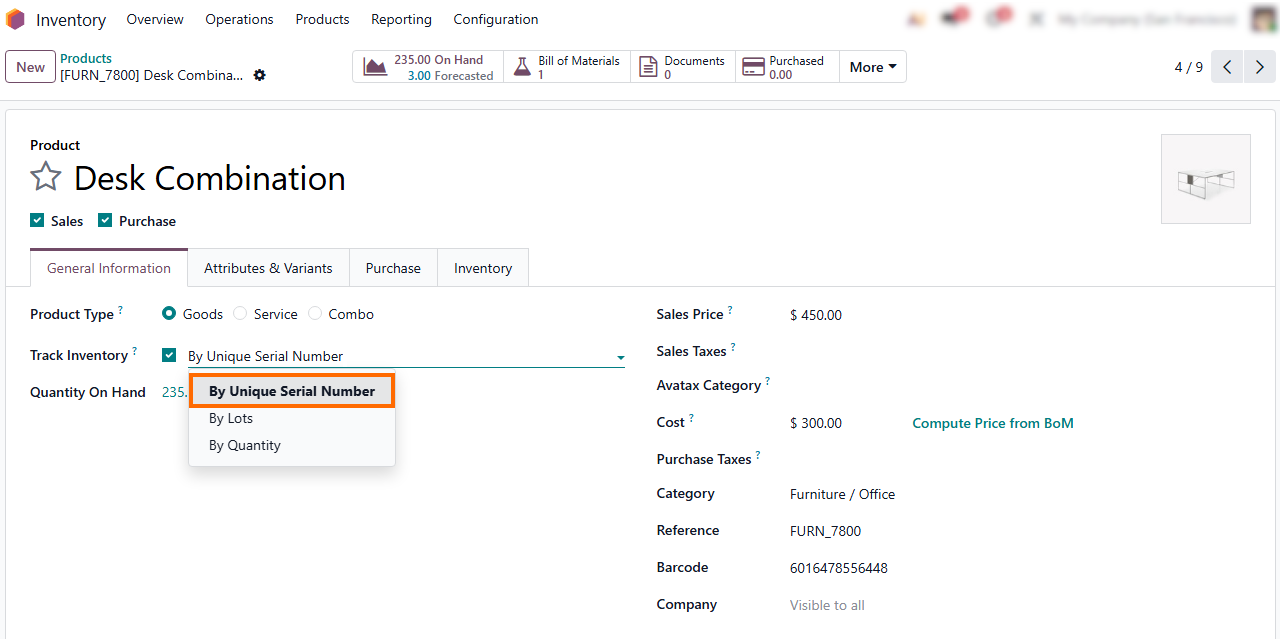
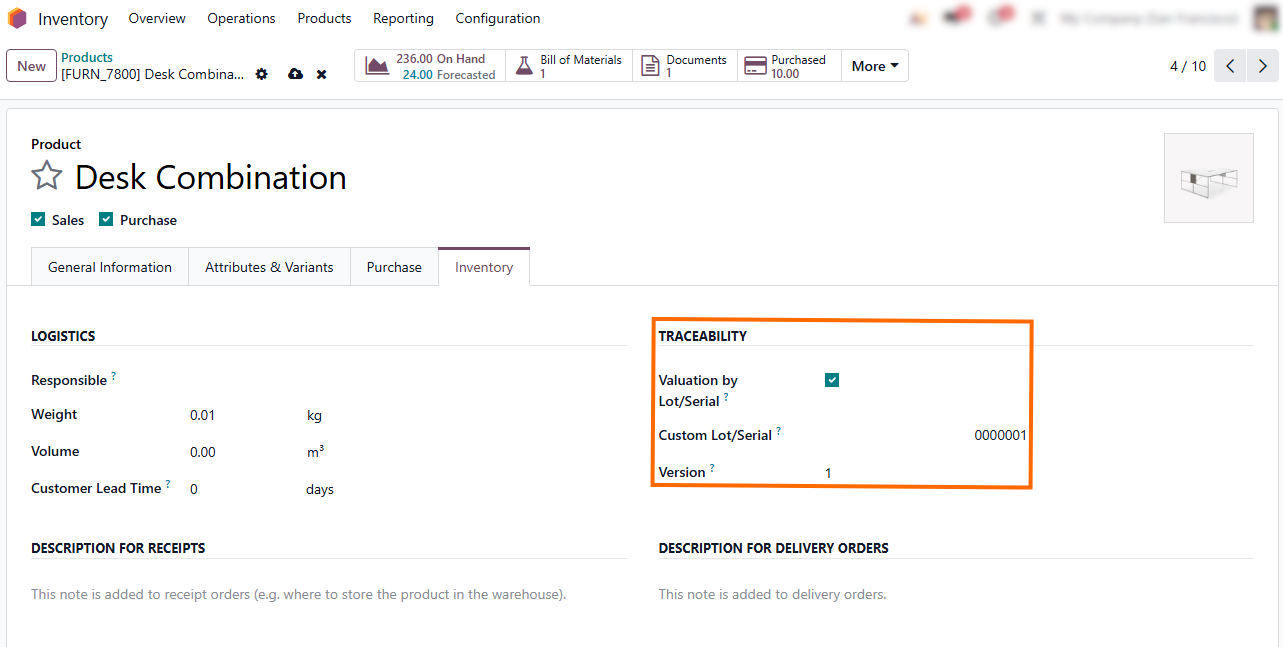
- Set the tracking method to By Unique Serial
Number within your product settings. This assigns a distinct digital identity
to every item, ensuring it can be traced from raw
material to finished goods.
How Lot and Serial Number Tracking Enhances Odoo Traceability
Odoo traceability in manufacturing is the ability to track materials and finished products across the entire supply chain, from procurement and warehouse receipts through production operations to final delivery. This is implemented using lot and serial numbers, which serve as unique identifiers connecting every movement of goods into a single, continuous audit trail. Once properly configured on products, traceability automatically links raw materials, manufacturing orders, inventory transfers, and finished goods, enabling full forward and backward tracking of any item at any stage of its lifecycle. This granularity is essential for maintaining strict Odoo quality control and accelerating root-cause analysis during production issues.
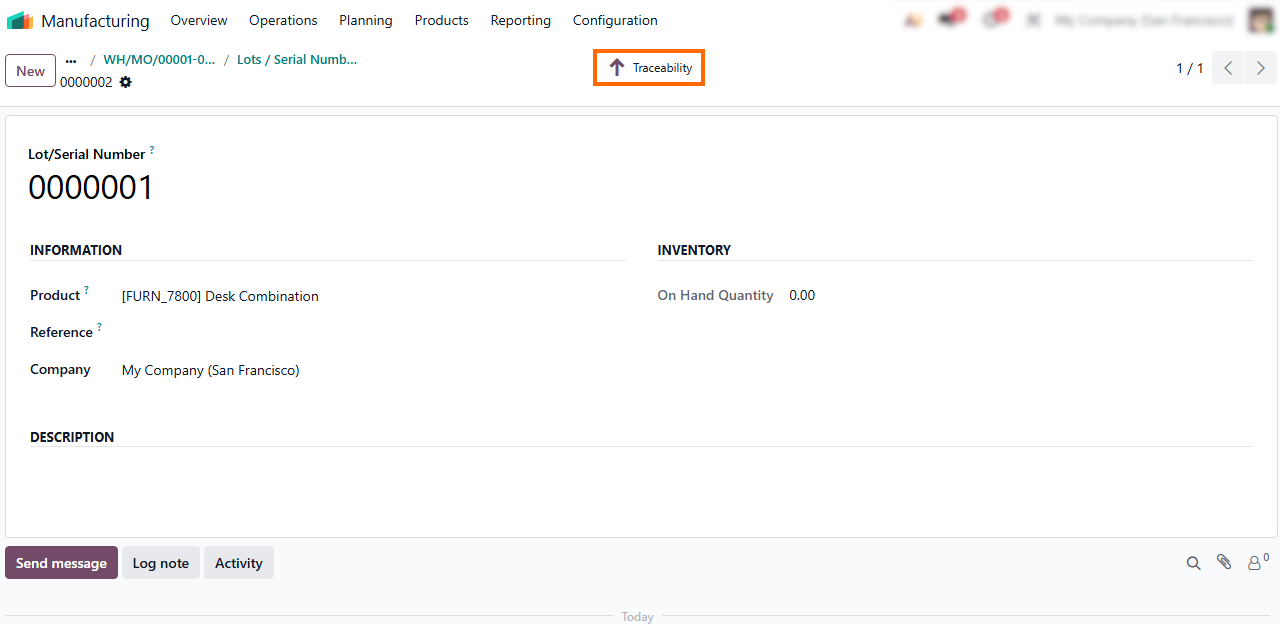
- Select the “Traceability” report within the Lot/Serial Number window to review an item’s complete movement history, providing clear insights into its current location and past operational status.
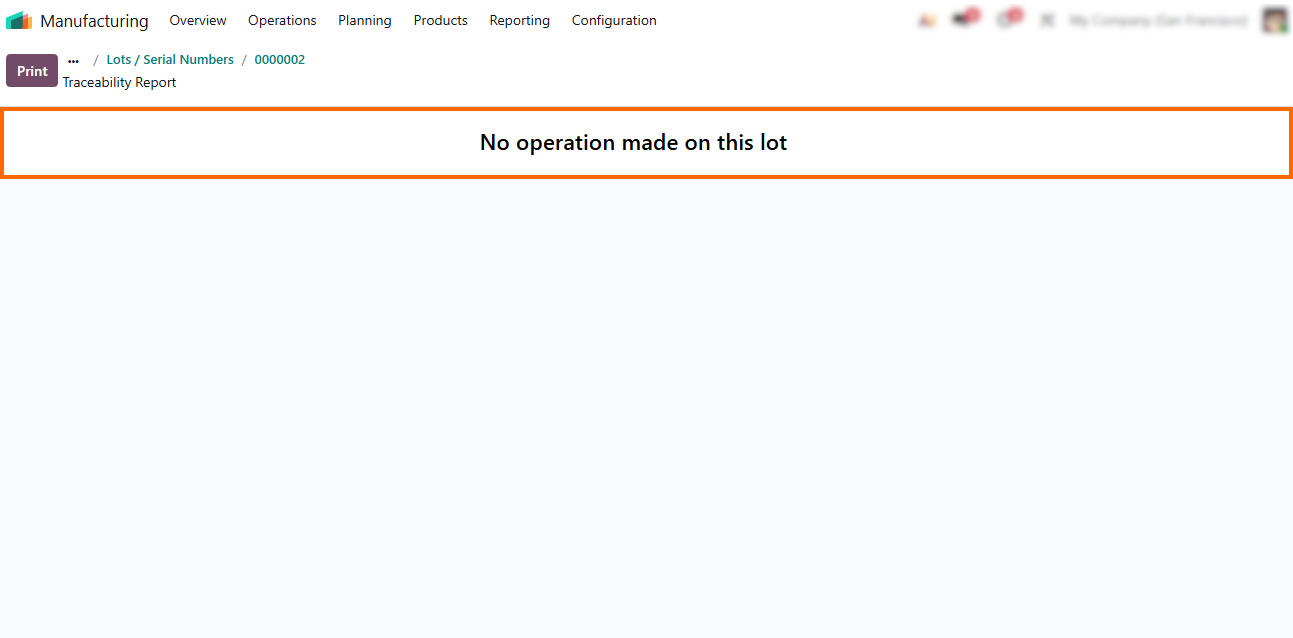
- The
system displays “No operation made on this lot” for any serial number or lot
not yet involved in a recorded transaction, which helps users quickly
distinguish between active inventory and newly created or unused items.
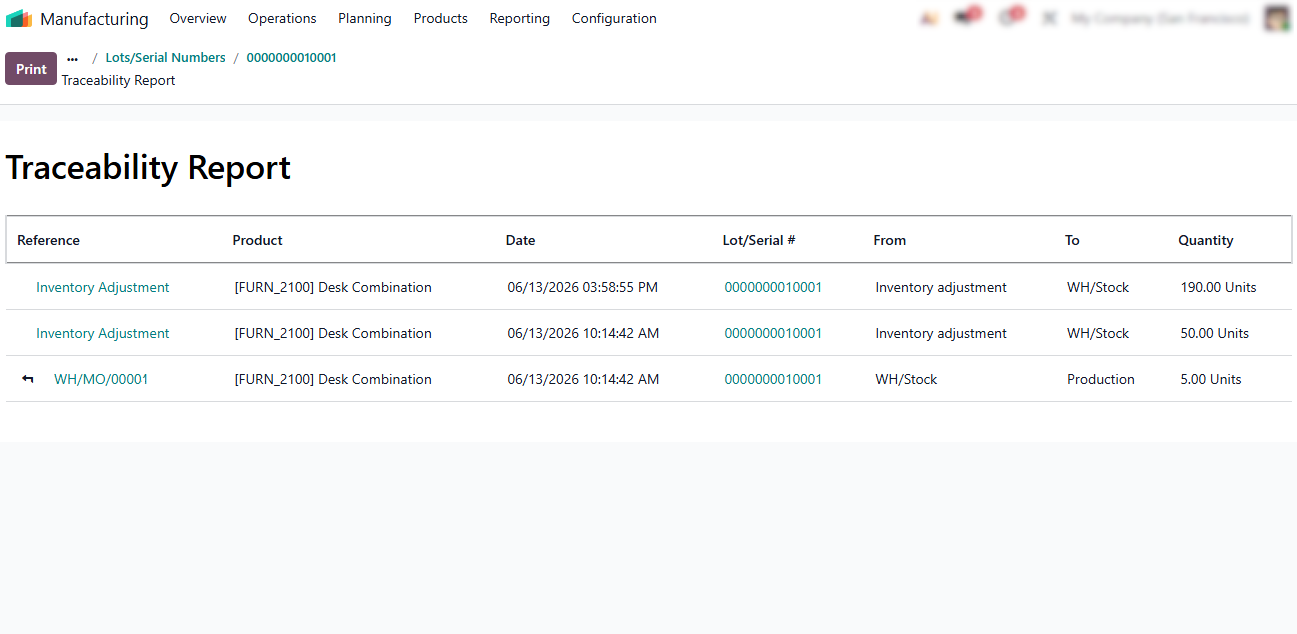
- During
Manufacturing Order execution, Odoo links the serial numbers of consumed
components directly to the finished product, creating a full traceability chain
without
manual intervention.
- To maintain continuous flow, ensure tracking is configured in the product form before operations begin. Missing lot or serial numbers can halt production, requiring inventory adjustments to restore data integrity.
Implementing
Odoo Quality Control Points for Process
Integrity
Once the foundation for traceability is set, we can define specific quality gates within the production flow. Odoo Quality Control Points act as automated checkpoints that enforce manufacturing standards, ensuring every product is verified before moving to the next stage. Configuring these points shifts your workflow from reactive troubleshooting to a proactive model where the system triggers mandatory inspections. You can place these checks at key stages, such as goods receipt, manufacturing, or final shipping, to enable early detection of defects. Whether you need pass/fail checks, measurements, or digital signatures, Odoo tailors the inspection process to your requirements.
- The “Quality Overview” dashboard provides immediate visibility into your current workload, showing active checks and pending alerts at a glance, helping teams to stay ahead of issues before they impact operations.
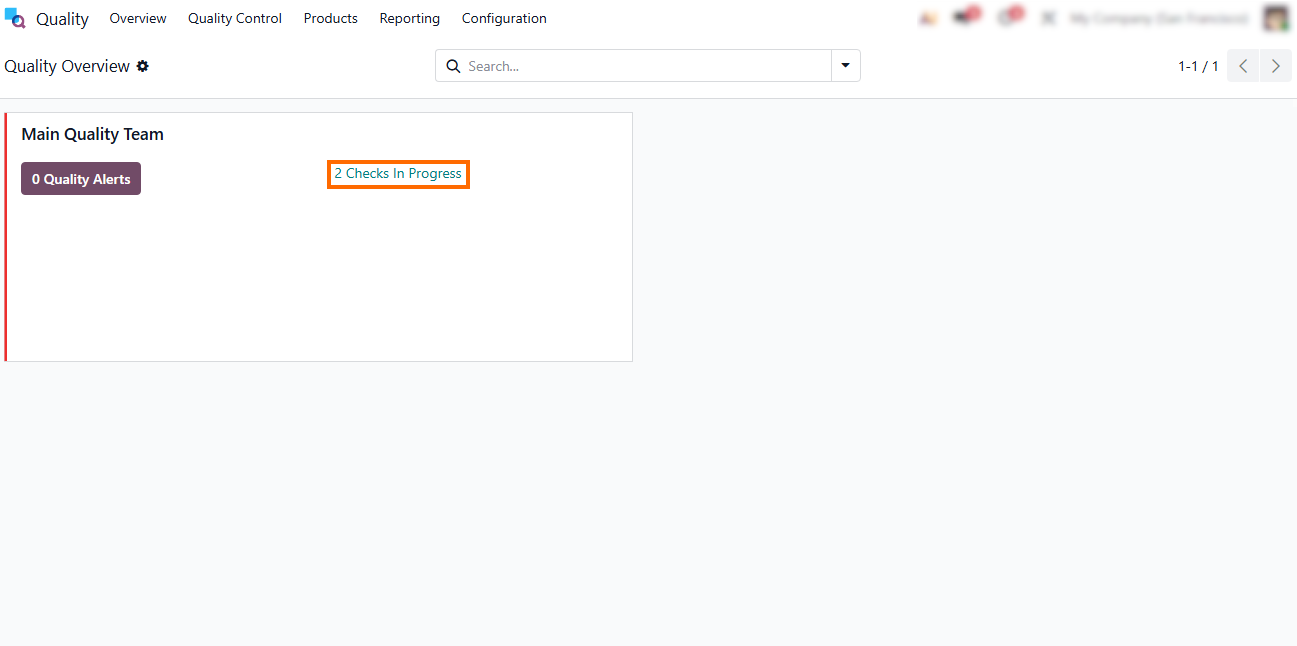
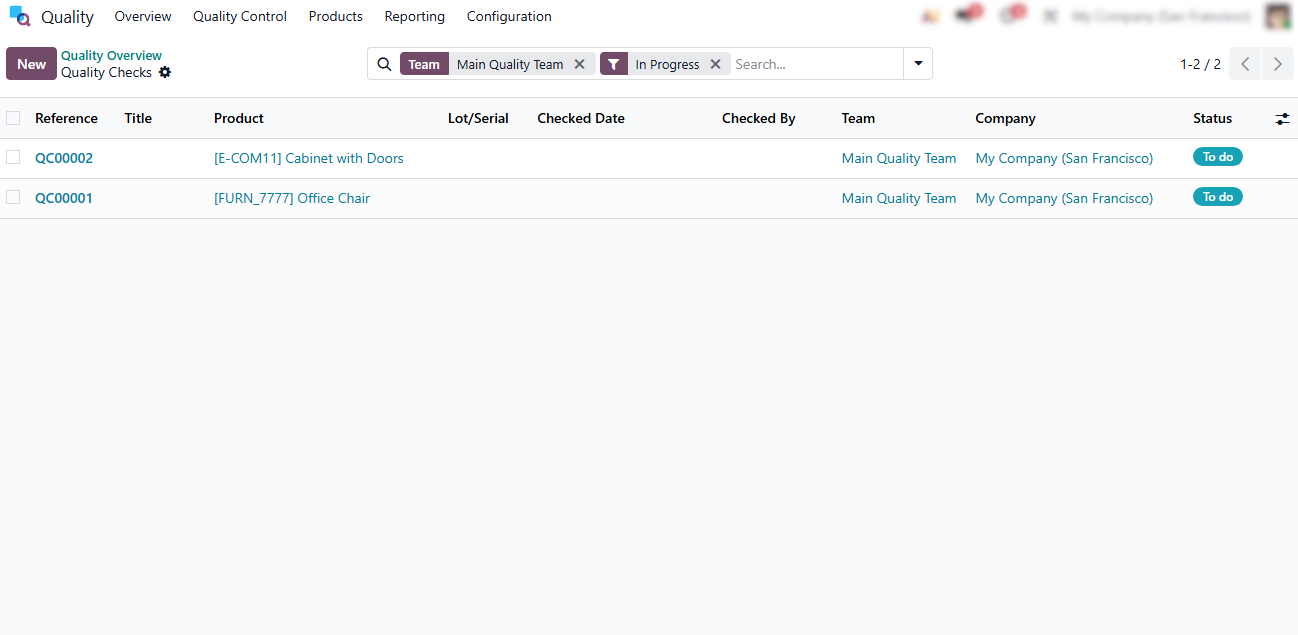
- Accessing the “In Progress” status in the Quality module opens a list of ongoing inspections, helping teams identify pending checks, rebalance workloads, and keep production flowing without delays.
- “Control Points” let you set inspection rules for incoming materials, manufacturing operations, or finished products, ensuring defects are detected early and quality standards remain consistent as production scales.
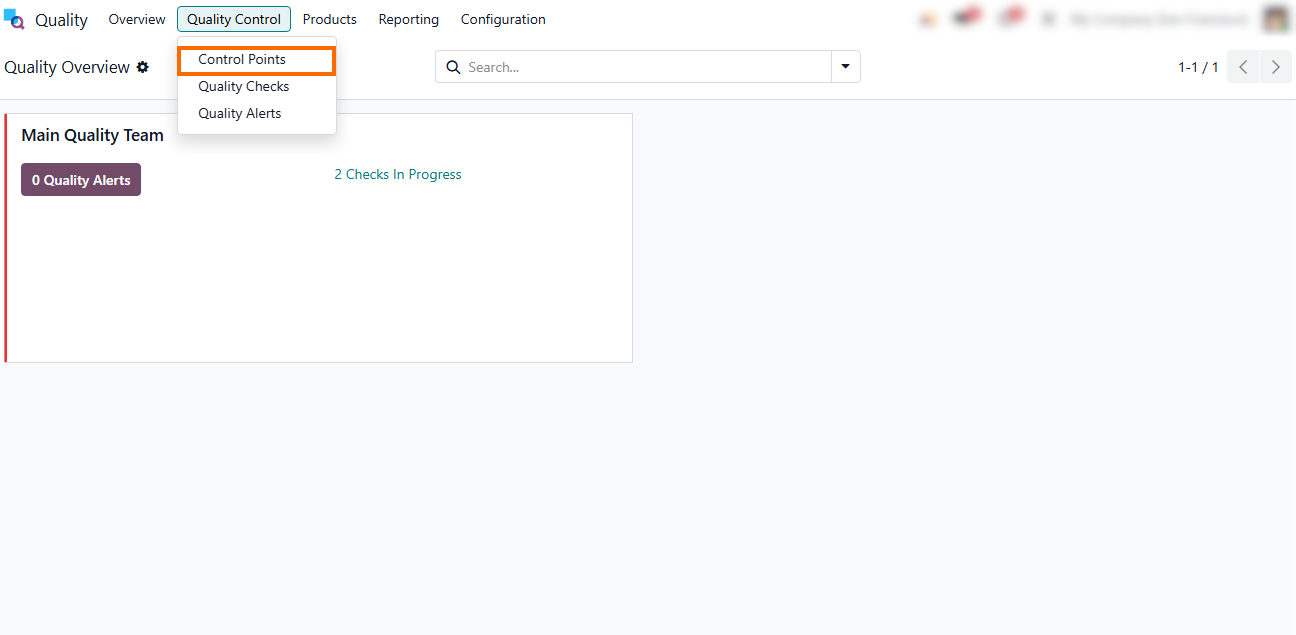
- To configure your specific inspection rules, navigate to the Quality module, open the “Quality Control” menu in the top navigation bar, and select “Control Points” to manage or create your inspection rules.
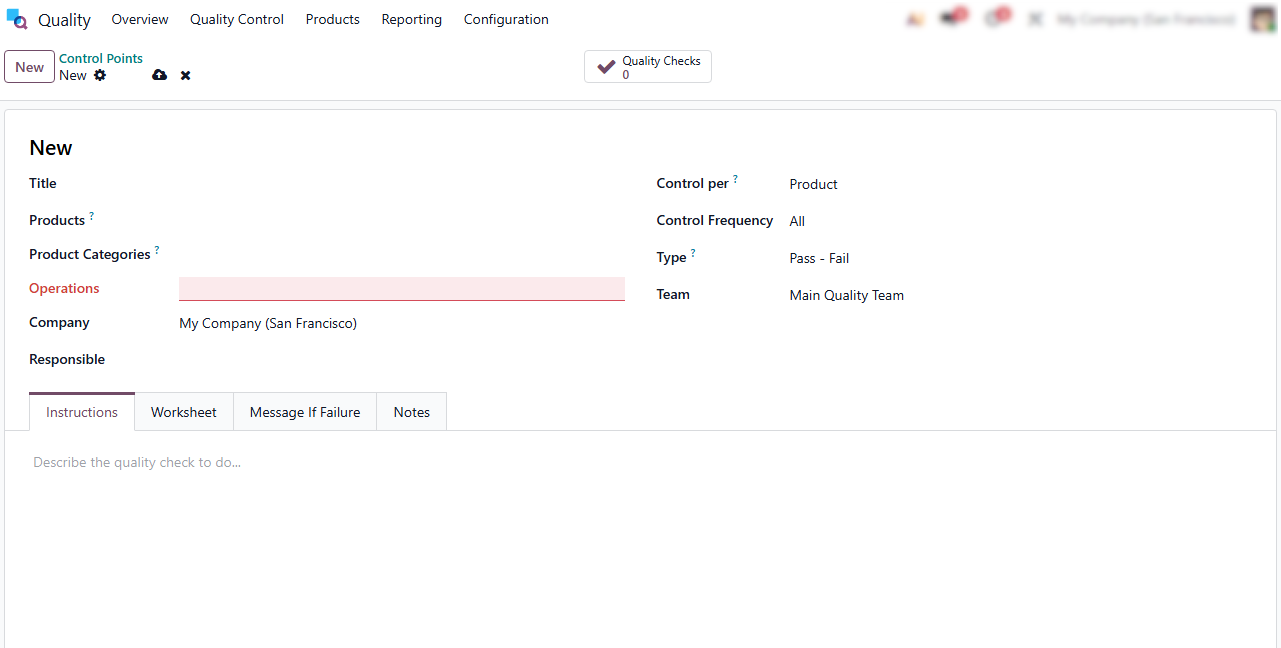
Real-Time
Execution with Odoo Shop Floor Features
To bridge the gap between planning and execution, Odoo Shop Floor provides a digital interface that eliminates reliance on manual spreadsheets and verbal instructions. By shifting production tracking to a paperless environment, you ensure that every factory floor movement is instantly reflected in the system, providing the transparency necessary for effective management. This interface keeps operators focused on their tasks while automating the data entry that typically slows down scaling. Beyond simple tracking, this real-time connectivity transforms operational data into actionable insights, allowing management to anticipate bottlenecks and shift from reactive troubleshooting to data-driven strategic planning.
- Operators can access their personal queues via the Odoo Shop Floor interface, which displays all assigned tasks, required materials, and specific instructions in one clear view.
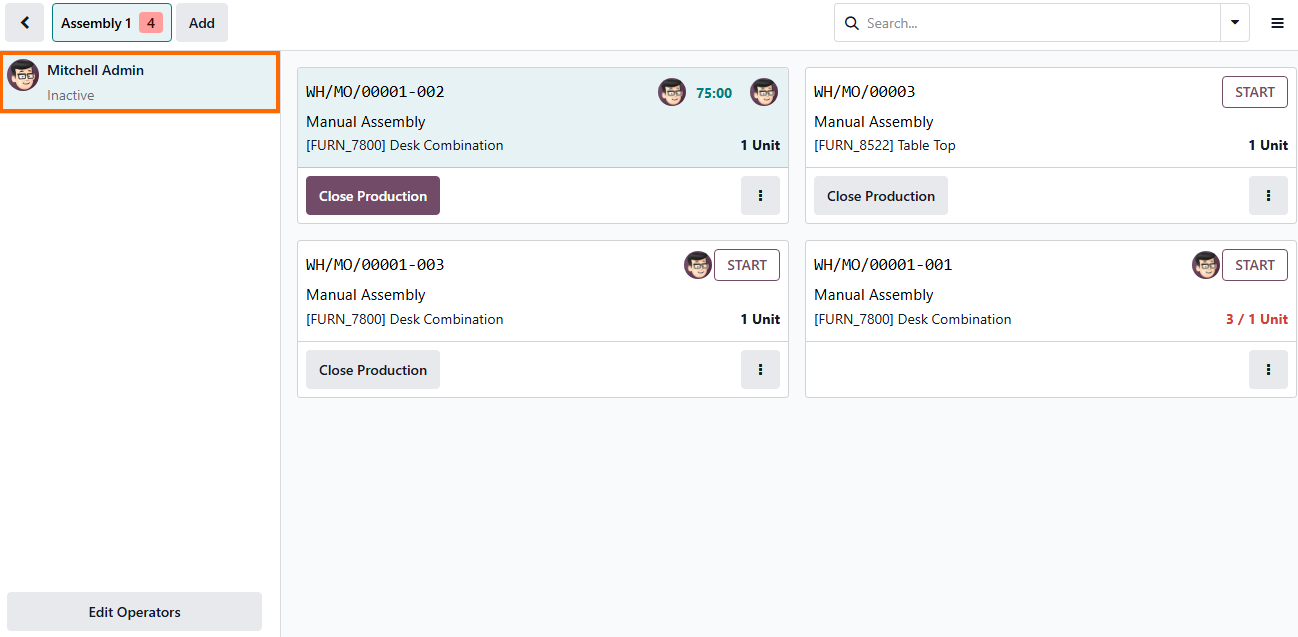
- By utilizing the Shop Floor interface, workers can instantly register production start/stop times, consume raw materials, and record serial numbers as they are used, ensuring that inventory levels are always accurate.
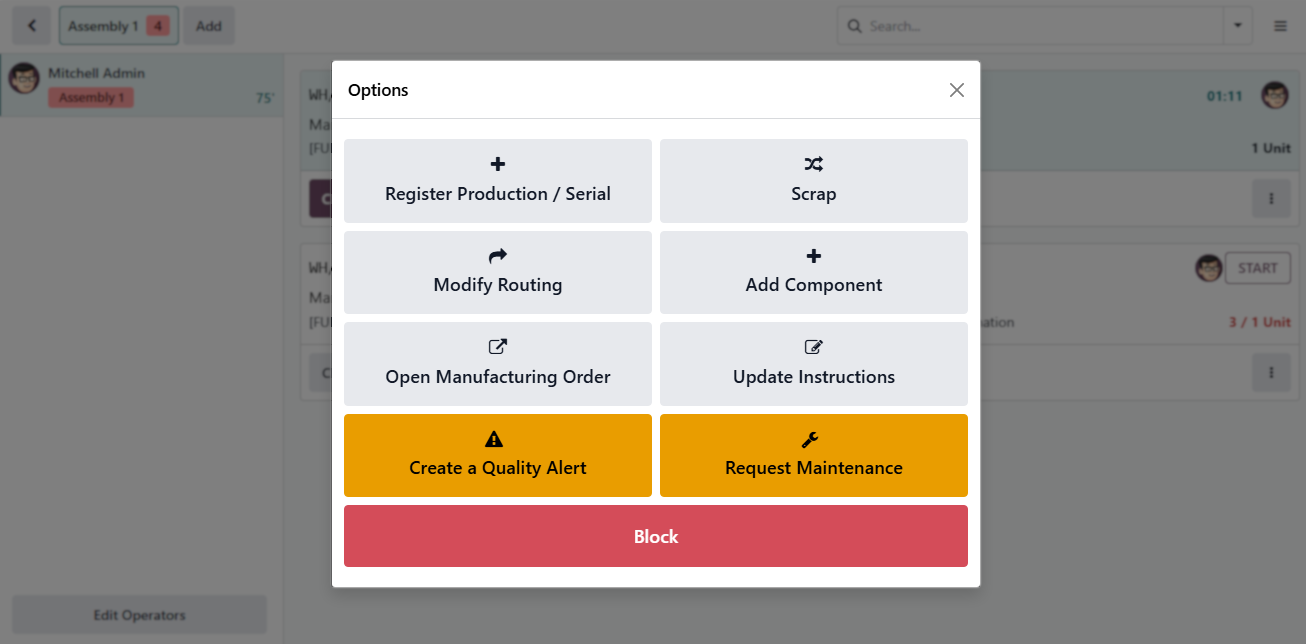
Real-Time Quality Alerts allow operators to instantly flag non-conformities from the interface, isolating potential defects before they escalate and ensuring consistent quality standards throughout the lifecycle.
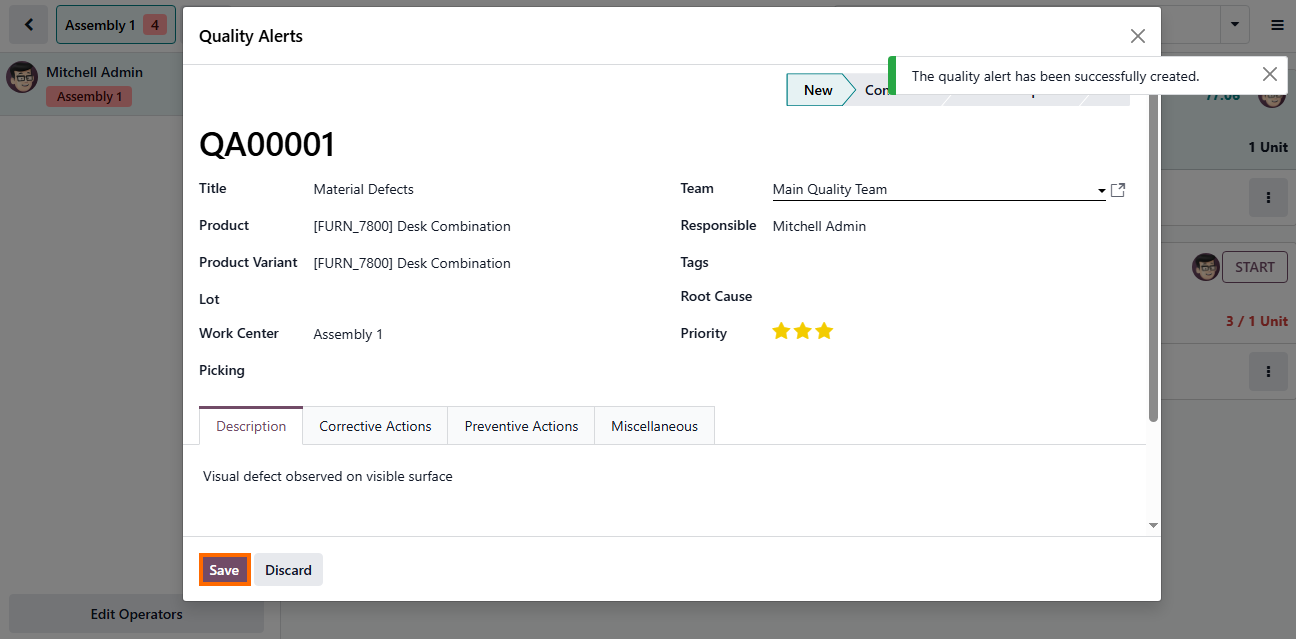
- Integrated Maintenance Requests further support this, enabling rapid responses the moment equipment performance deviates, minimizing unplanned downtime and sustaining stable production throughput.
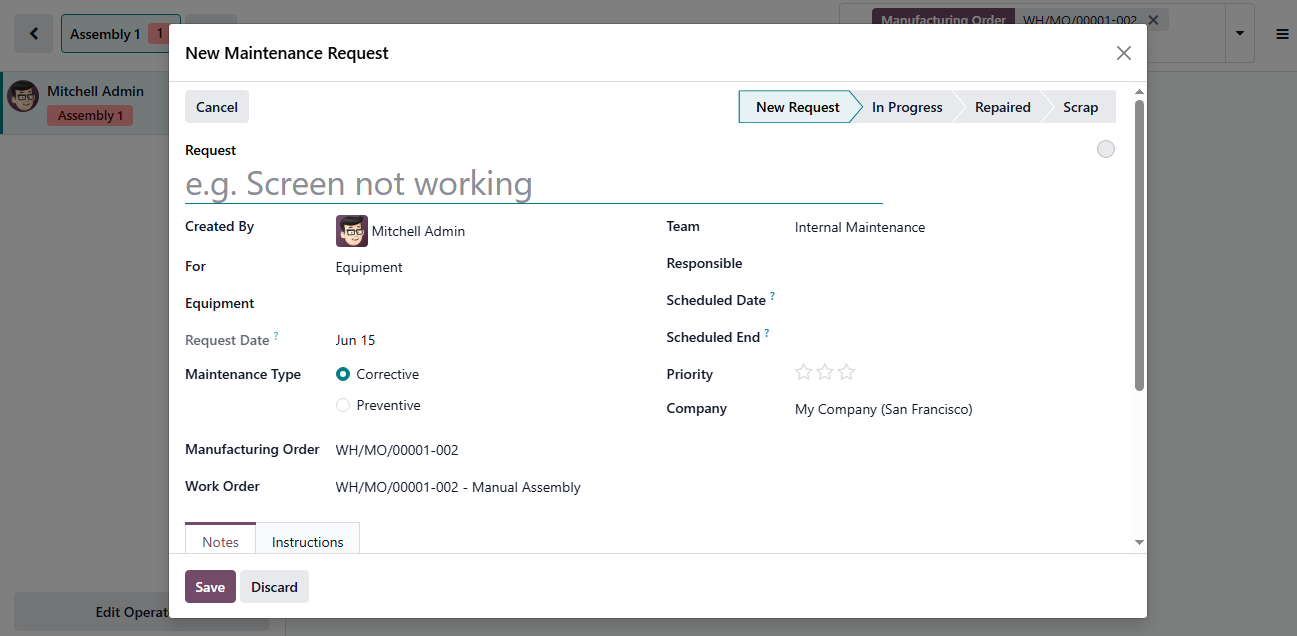
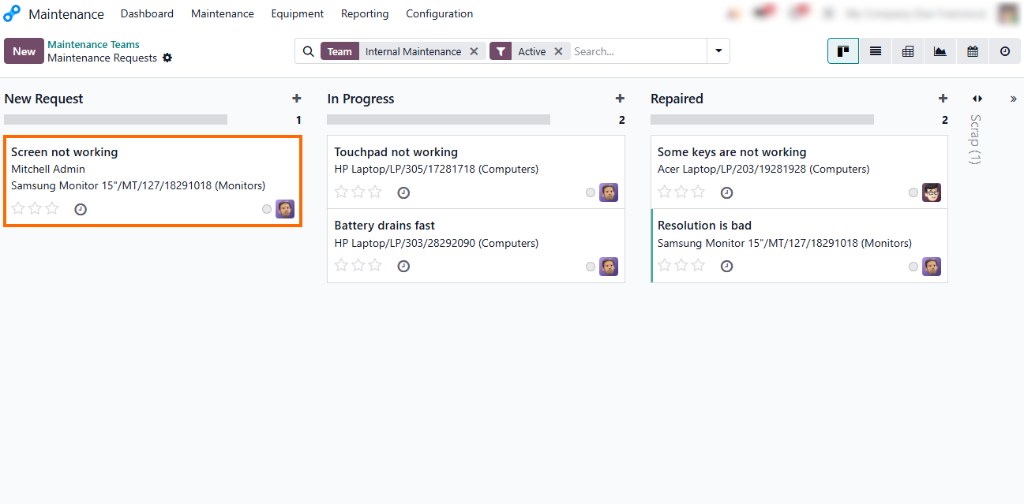
These requests are instantly routed to the Maintenance app as “New Requests”, ensuring immediate visibility and seamless workflow continuity for the maintenance teams.
Optimizing Odoo Manufacturing Efficiency for Continuous Growth
Odoo traceability and real-time execution are not just operational tools. They are the primary sources of data for strategic decision-making. By consolidating production logs, quality alerts, and maintenance records, Odoo transforms manual factory activity into an analytical dashboard that highlights your most efficient production lines and identifies recurring bottlenecks. This granular level of insight enables you to refine manufacturing processes, optimize resource allocation, and scale production with precision, ensuring that every operational decision is backed by accurate, real-time performance metrics rather than assumptions. To transform these raw insights into actionable improvements, you can leverage Odoo’s built-in reporting features to drill down into specific production variables.
- The Odoo Manufacturing dashboard centralizes key performance indicators like Overall Equipment Effectiveness (OEE) and lead times, ensuring your output targets remain realistic during scaling.
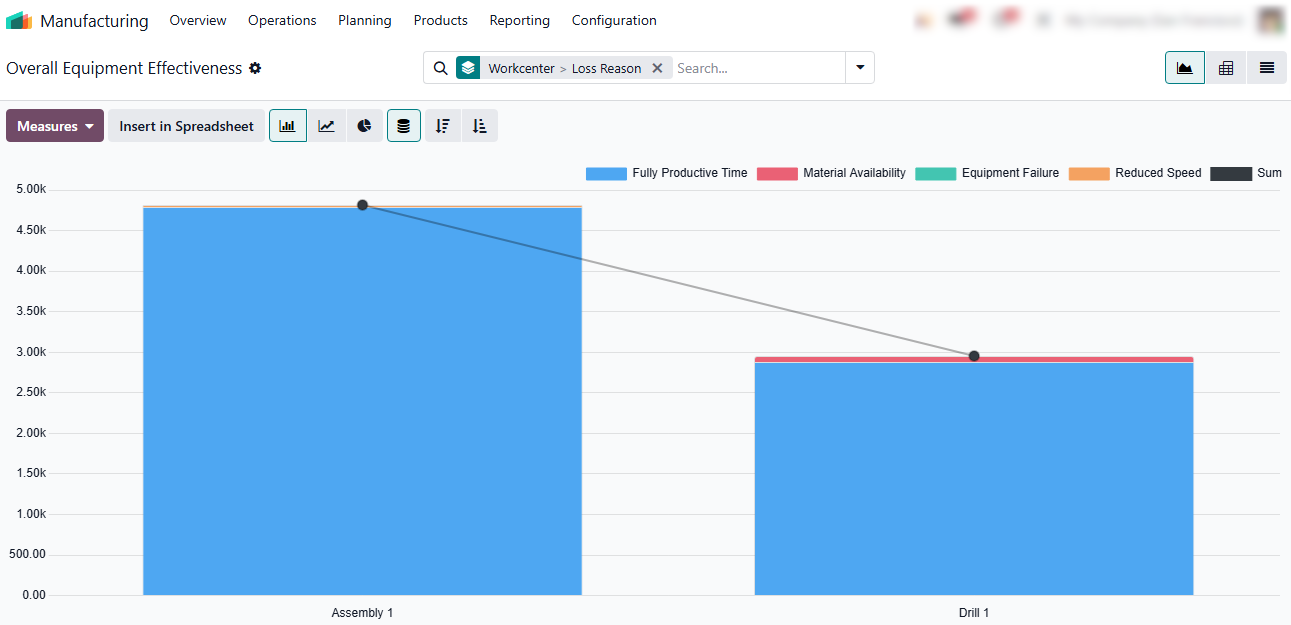
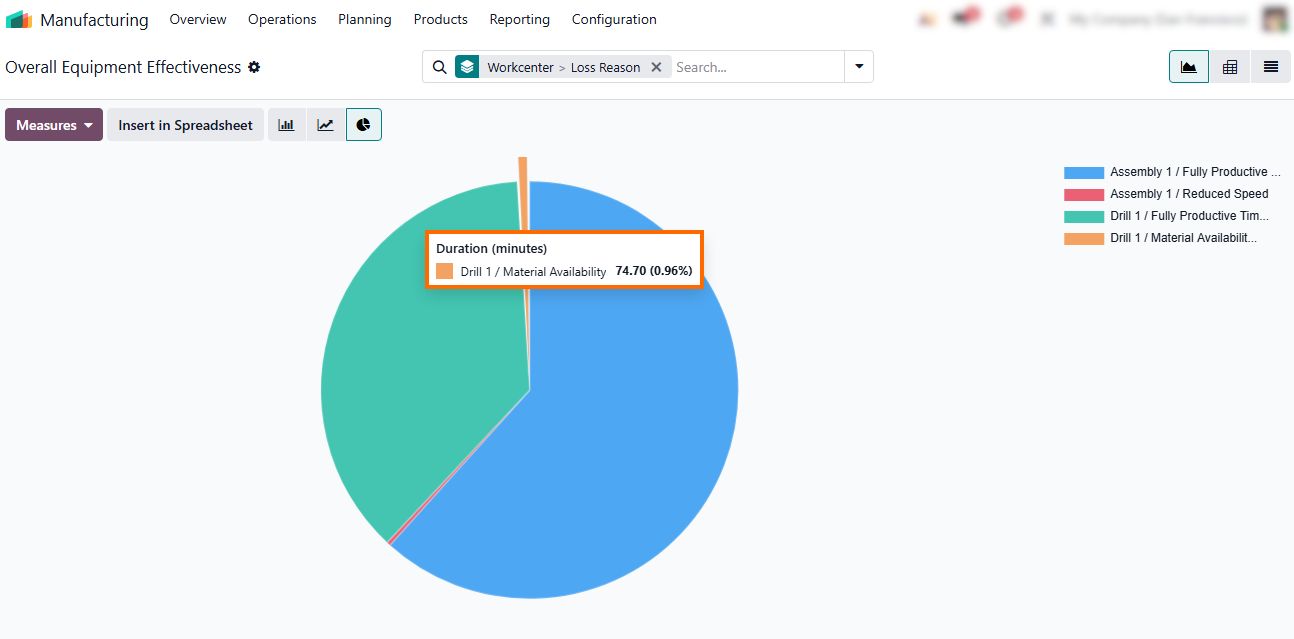
- Users can group data by Workcenter and Loss Reason to visualize the exact duration of production stoppages, allowing for targeted resolution of inefficiencies and informed management decisions.
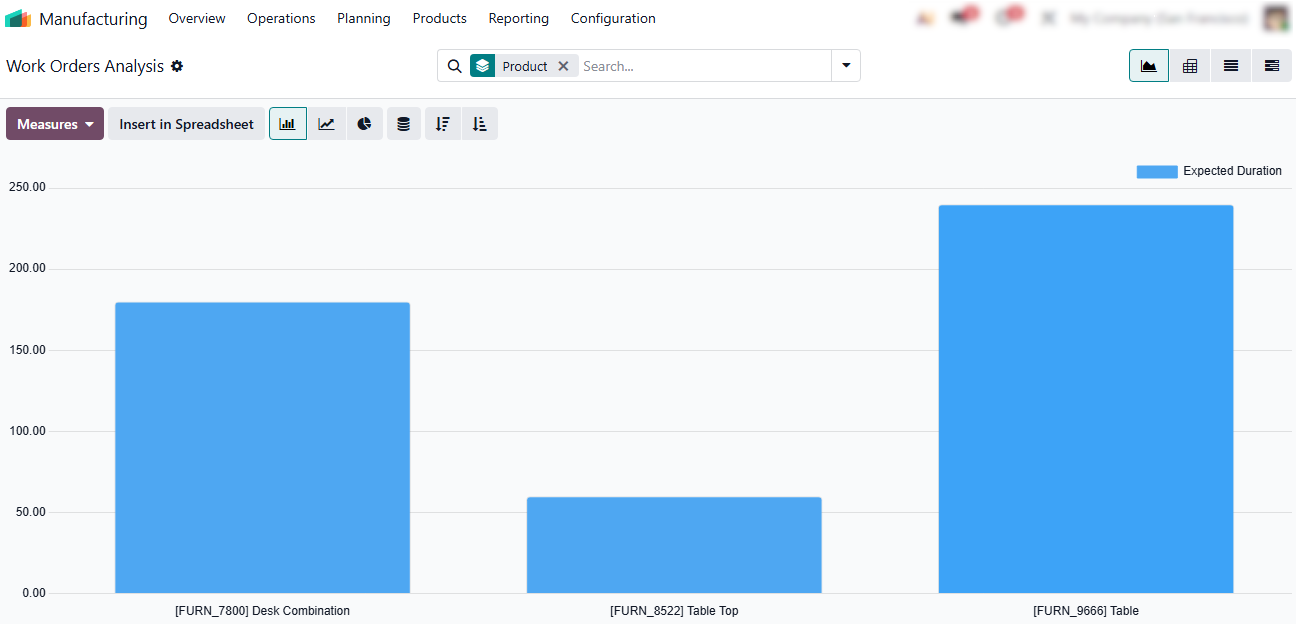
Leverage the Work Orders Analysis report to track your most frequently produced items, helping you identify high-demand products and balance your production capacity to meet actual demand.
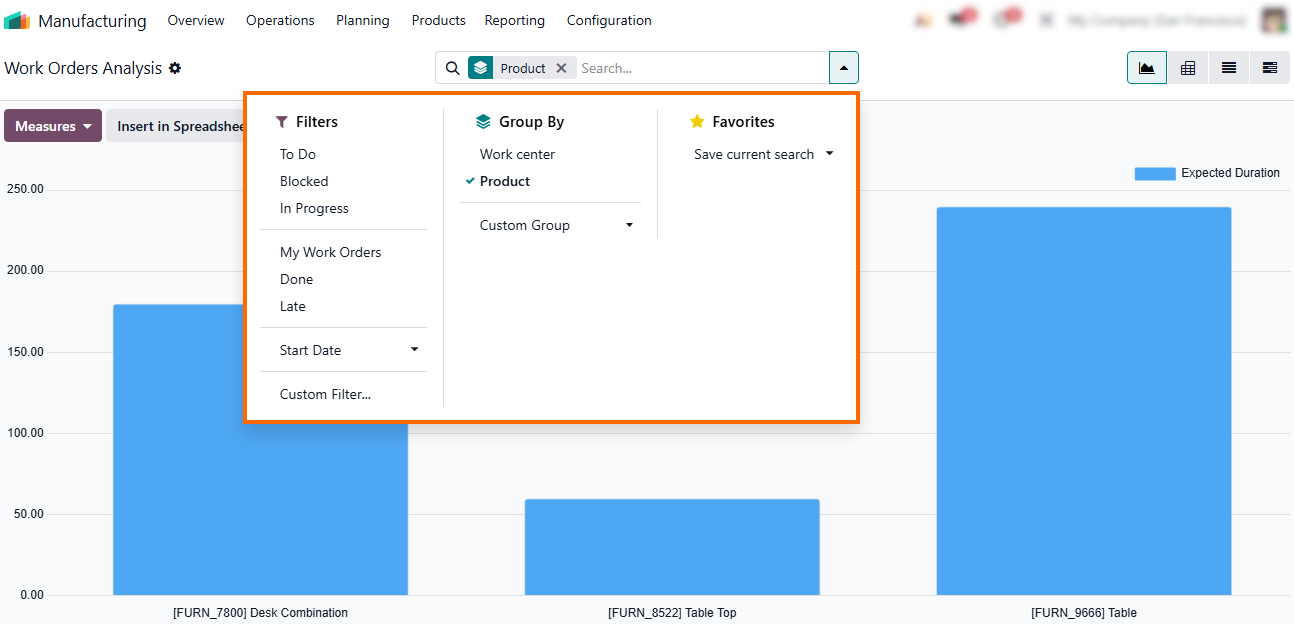
Beyond predefined metrics, users can leverage advanced filters to refine reports and create custom views, ensuring they can pinpoint any specific operational variable needed.
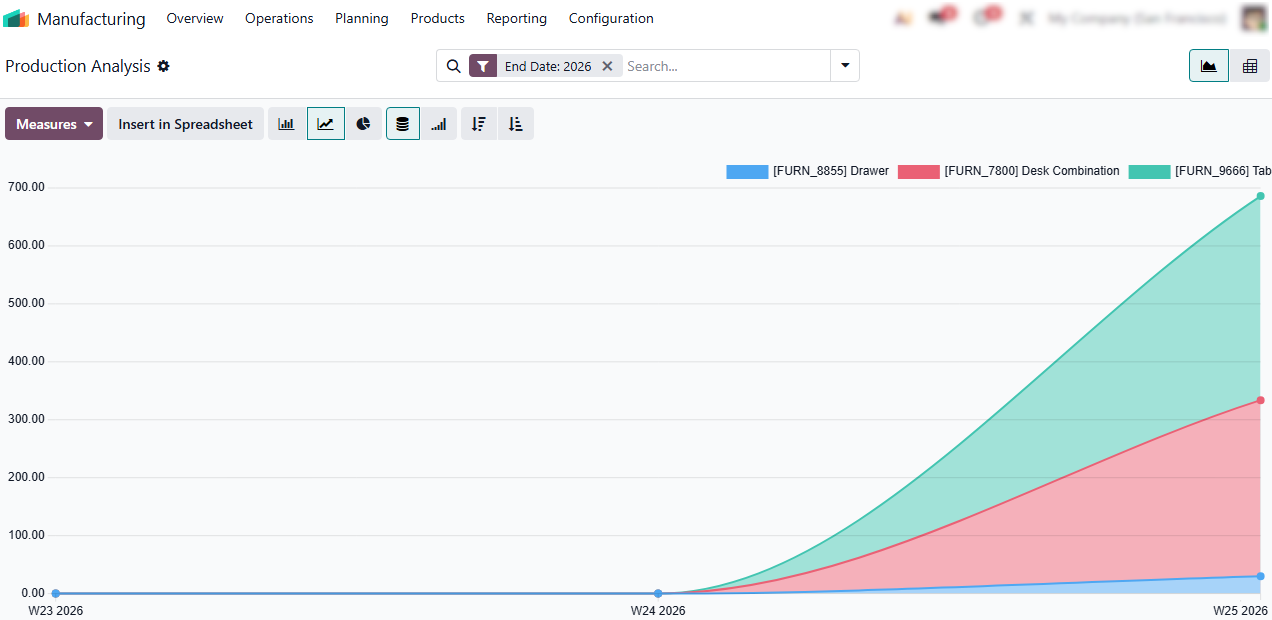
- Use the Production Analysis report to monitor long-term trends and manufacturing volume, helping you adjust scheduling to handle seasonal spikes and keep production aligned with demand.
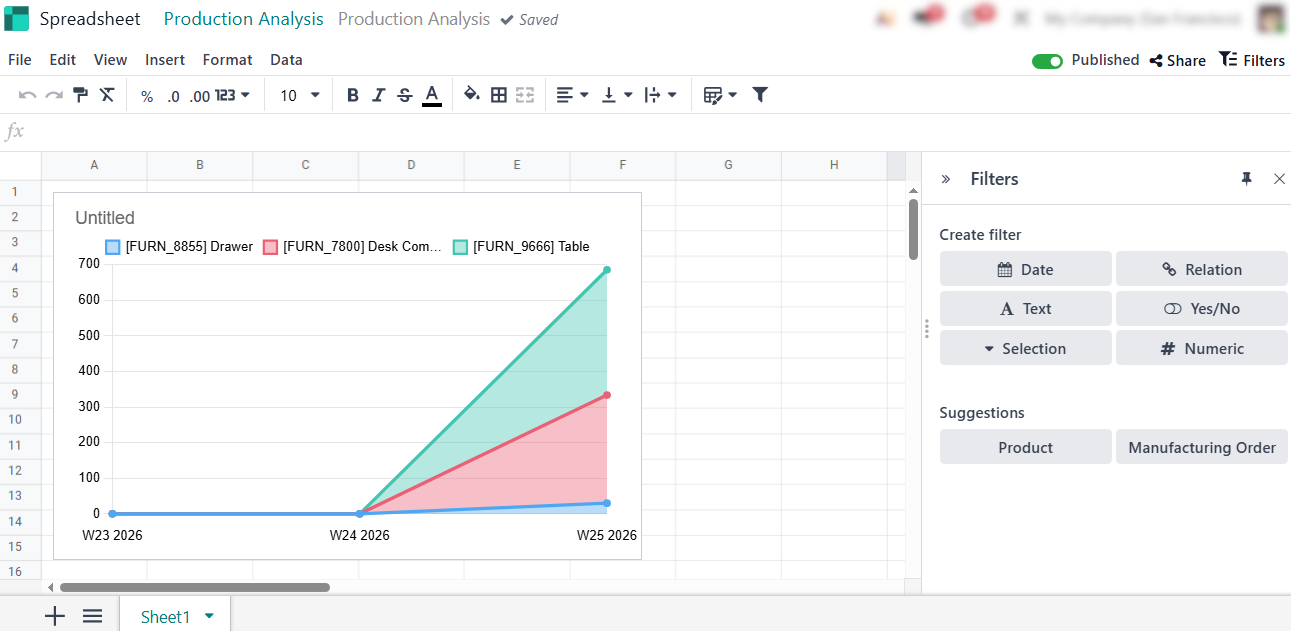
- Finally, export to Odoo Spreadsheet to turn any report into a live document, creating interactive dashboards that make complex production data easy to visualize and manage.
Conclusion: Making Odoo Manufacturing Work for Your Production
Scaling your manufacturing operations is not about adding more manual effort. Typically, it is about building a system that works for you. By integrating end-to-end traceability, enforcing rigorous quality standards, and leveraging real-time shop floor execution, you create a robust infrastructure that supports growth without sacrificing control.
Managing these transitions can be complex, but Odoo 19 simplifies the process with a unified system that transforms raw operational data into actionable strategic insights. As you implement these tools, you move beyond mere production tracking to a model of continuous improvement, where every decision is backed by accurate, real-time metrics. Whether you are scaling your product line or optimizing your shop floor, the goal remains the same: creating a resilient, efficient, and transparent manufacturing environment.