Manufacturing performance rarely fails because teams lack effort or experience. More often, it breaks down when decision-makers operate with incomplete or delayed production visibility. When the real state of the shop floor is unclear, planning becomes reactive, issues escalate silently, and efficiency targets turn into assumptions rather than measurable outcomes. In this context, Odoo shop floor transparency is not an additional layer of control but a continuation of structured production execution. With clear operational visibility in Odoo, execution is no longer separated from system data and becomes part of daily workflows rather than post-process reporting.
- Given
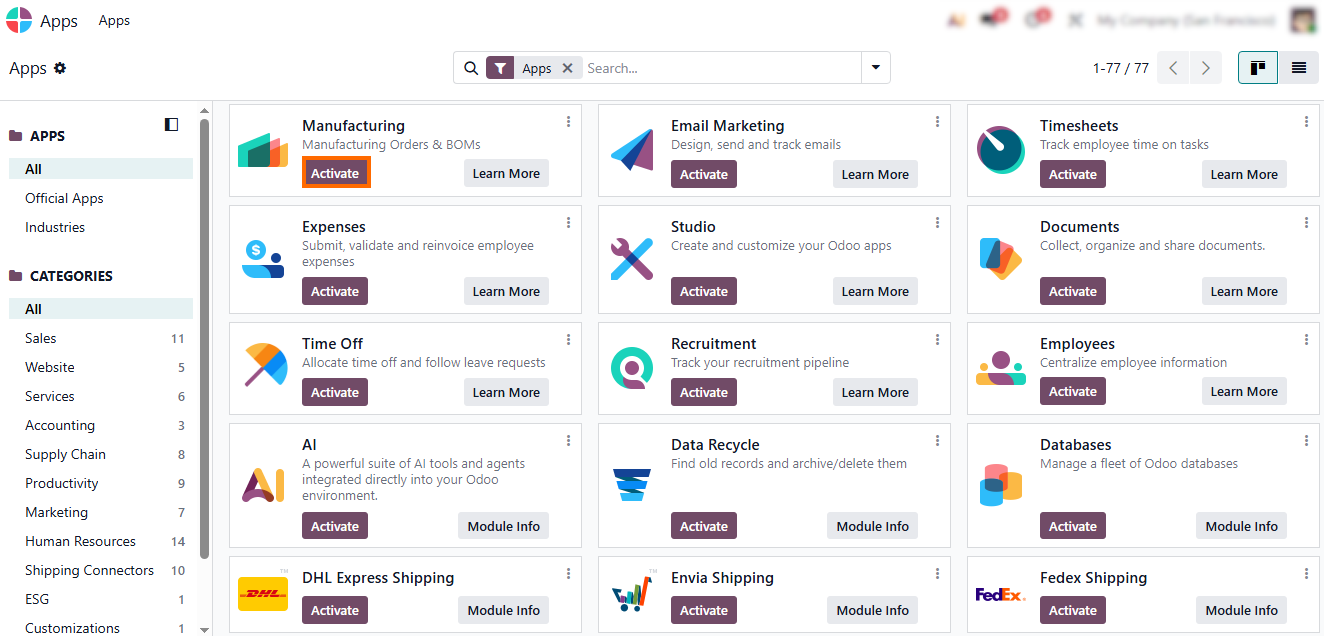
Odoo’s modular architecture, the first step is to enable the Manufacturing
module. It defines production orders, operations, and execution logic, creating
the foundation
for any meaningful shop floor visibility.
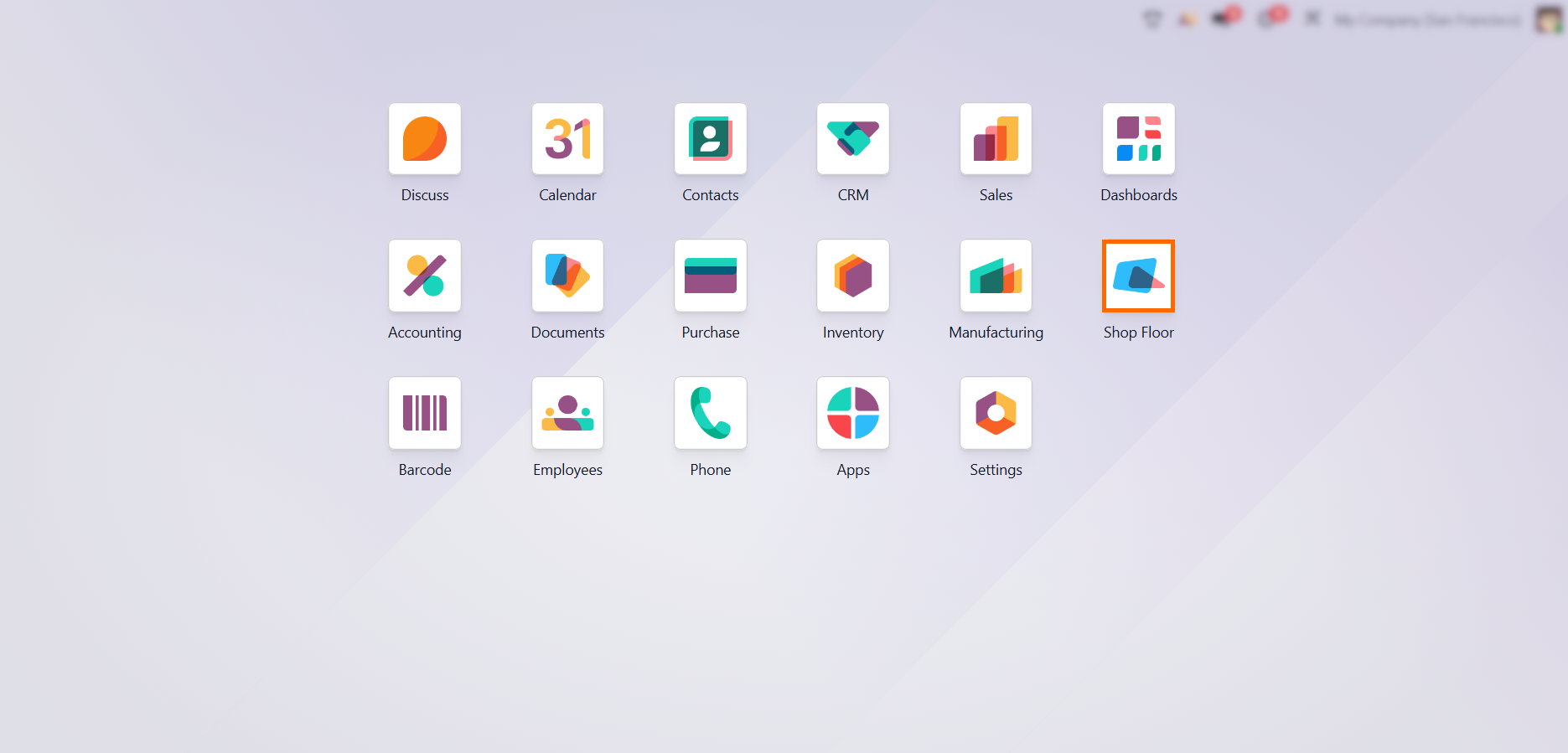
- Once Manufacturing is active, Shop Floor becomes available as an operational interface, allowing production activity to be captured and viewed as it happens. This replaces reporting lag with real-time shop floor visibility.
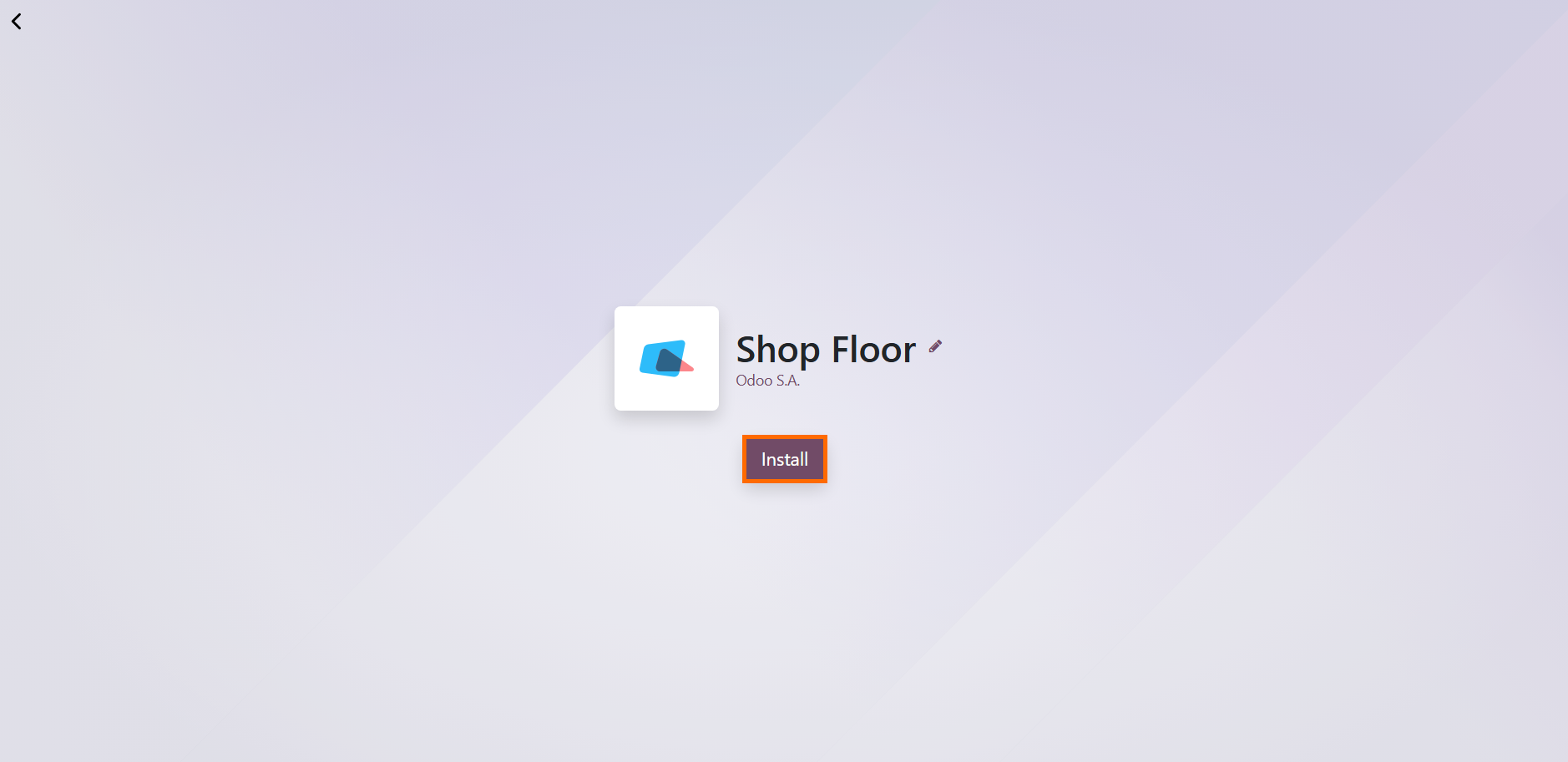
With production data flowing directly from daily operations, shop floor transparency becomes a practical management tool. Managers can also access Shop Floor directly in the browser by installing the app for faster operational access.
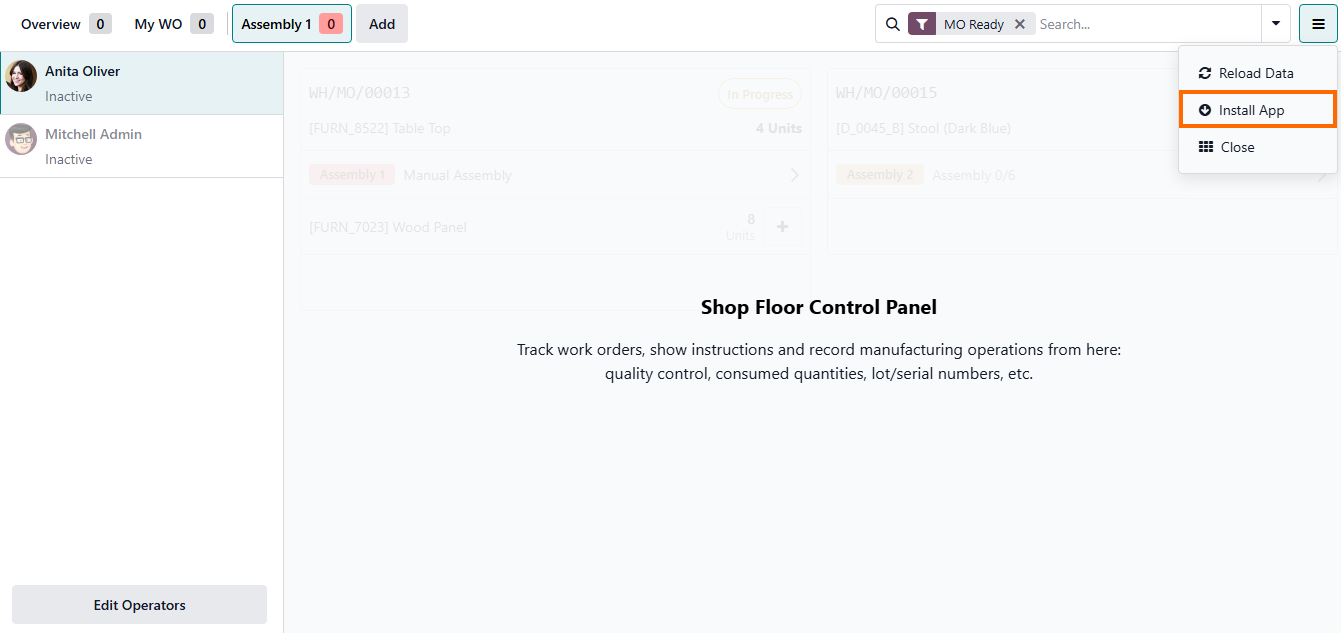
Pro Tip: Shop Floor runs entirely in the browser, with no local installations or additional software. It can be accessed from any workstation, tablet, or shop floor terminal, with production data synchronized in real time across users.
Structuring
Shop Floor Execution Through Work Centers in Odoo 19
In Odoo, this starts with the Manufacturing module, where production orders and operations are created. Within this structure, work centers define where and how operations are executed, ensuring that each step of production has a clear operational context. Once this foundation is in place, Shop Floor becomes the execution layer. Operators work directly within the interface, updating tasks as they are performed, while the system automatically reflects progress in real time. This is where shop floor visibility becomes operational rather than theoretical. At this stage, nothing is “manually tracked” in parallel systems; execution, reporting, and visibility are all part of the same flow, enabling real-time production visibility across all shop floor operations.
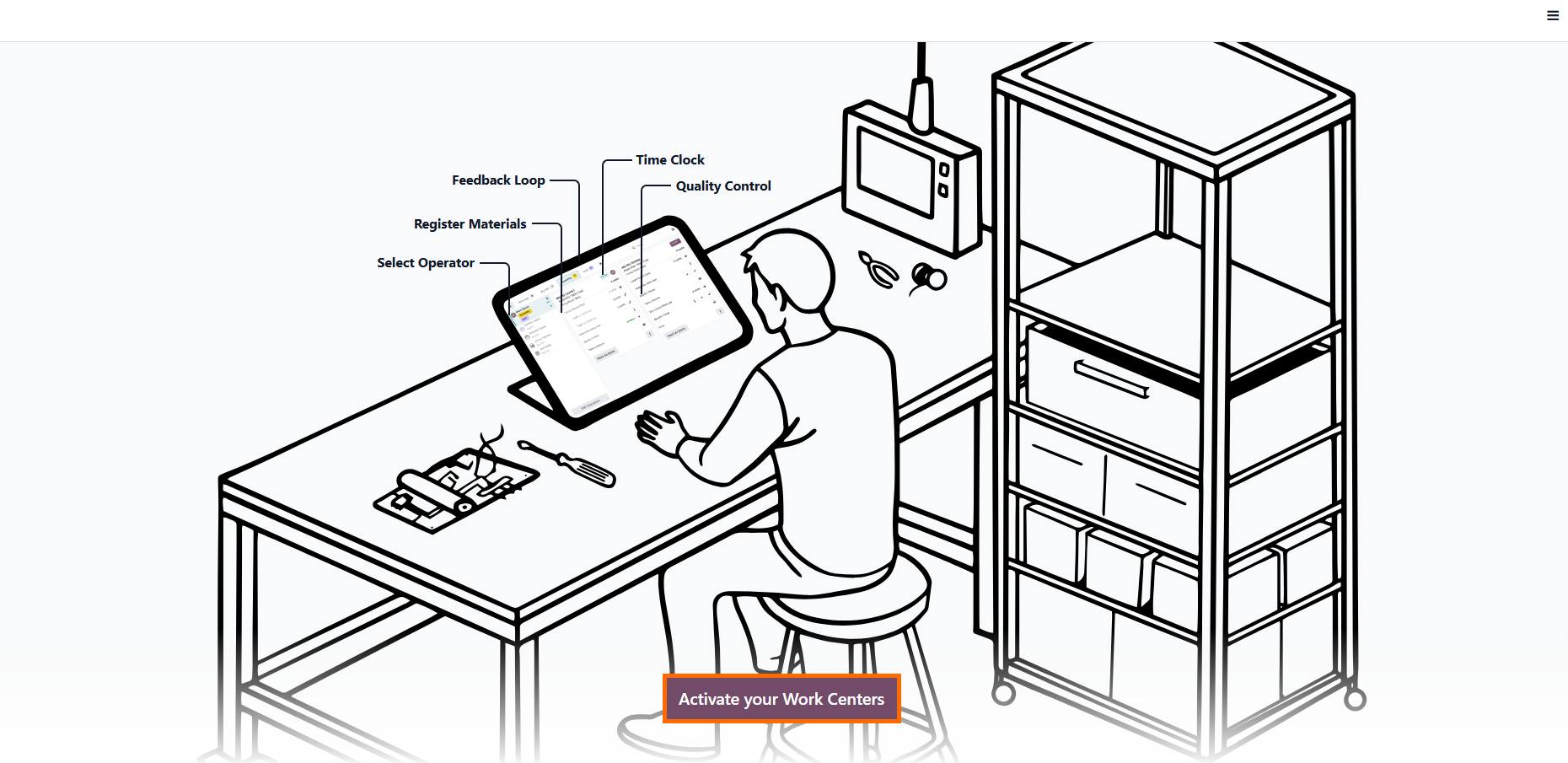
- Configure and activate work centers. Active work centers define where operations are executed and enable the system to capture execution data such as time, progress, and capacity usage.
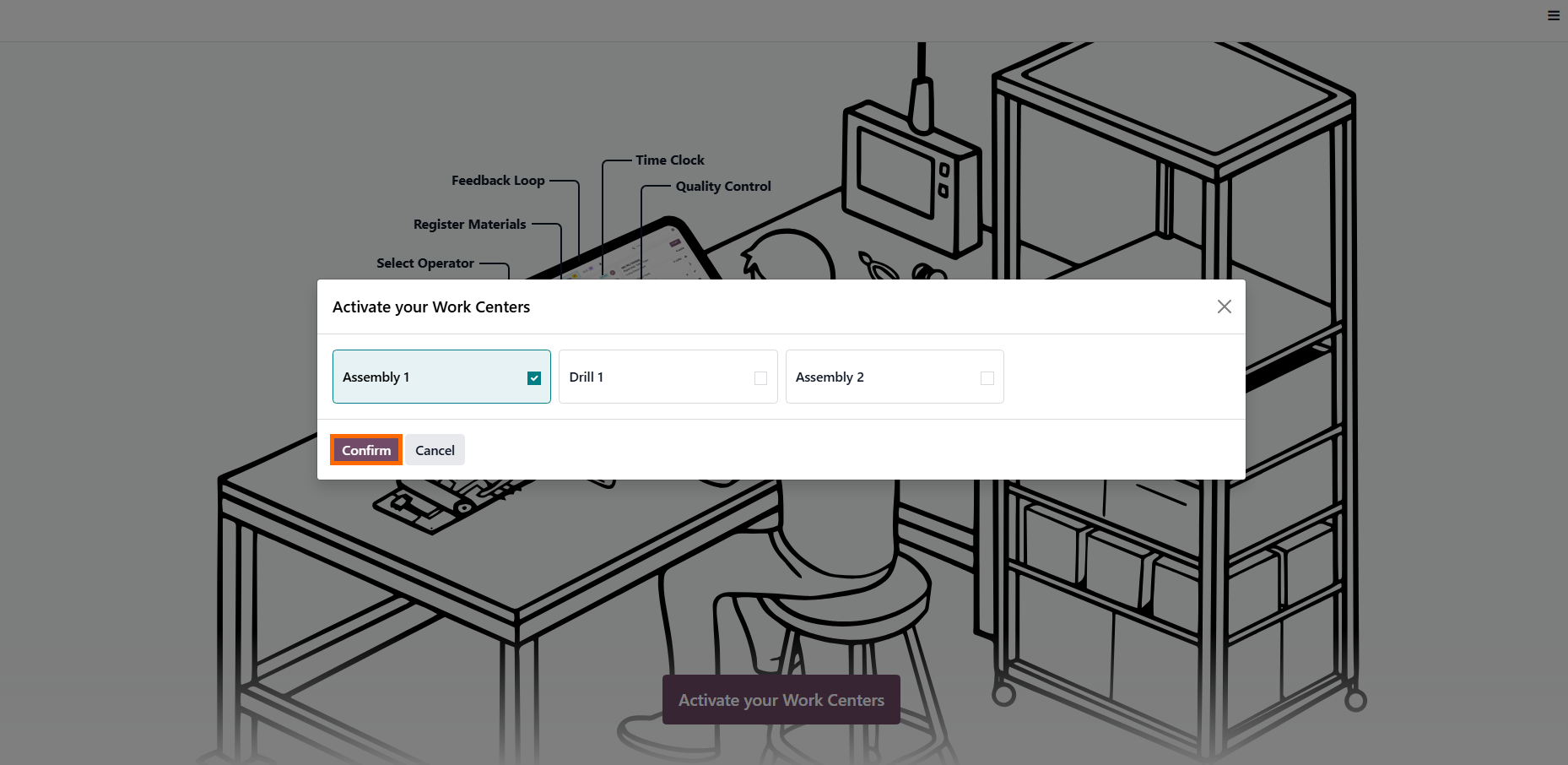
After selecting the relevant work center, confirm its activation. Only active work centers provide the execution context required for real-time shop floor visibility, accurate timing, capacity tracking, and progress updates.
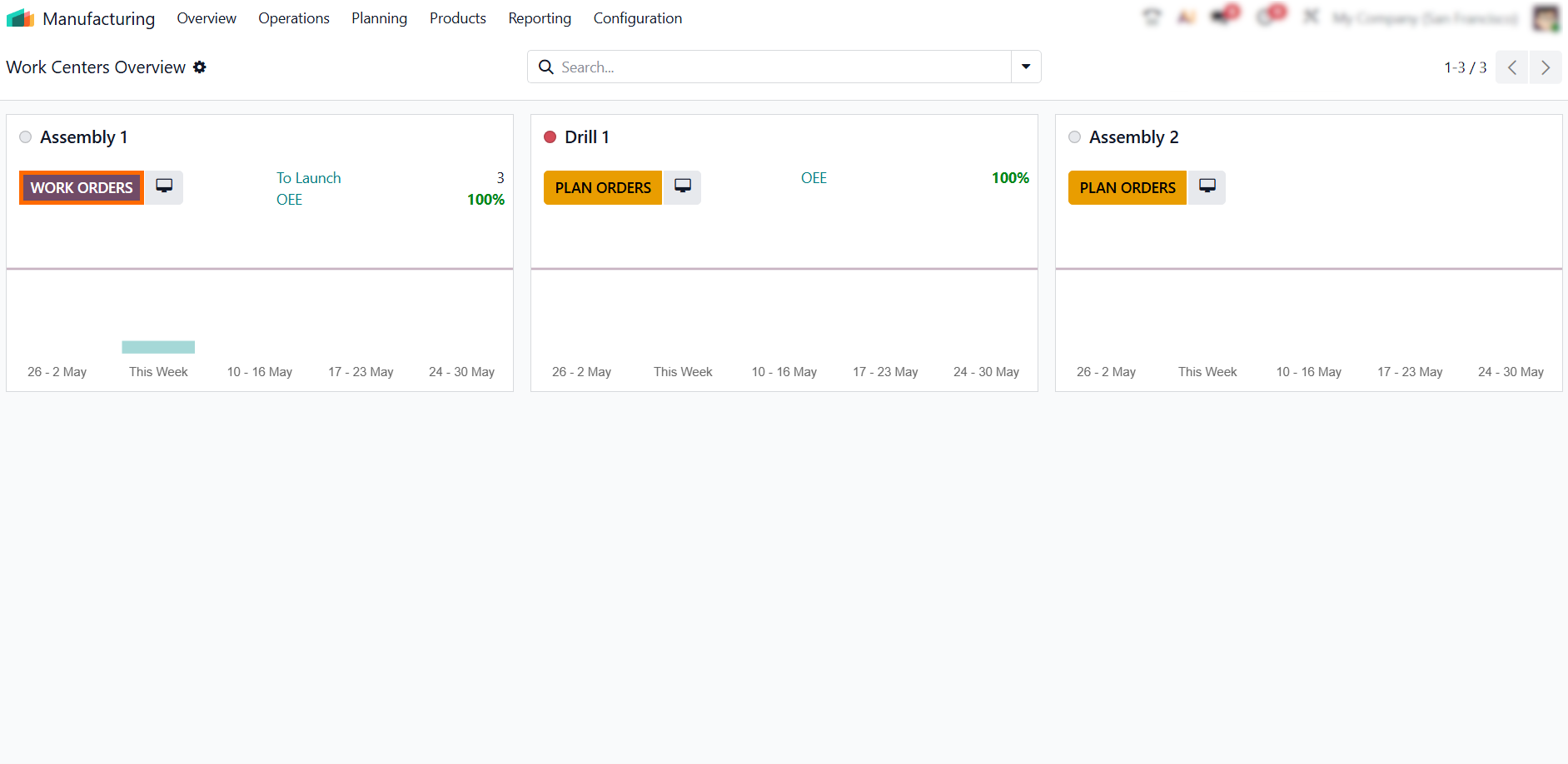
- Navigate to the relevant work center to align execution with the actual location and conditions of the production step. This ensures Shop Floor access remains tied to the correct operational context.
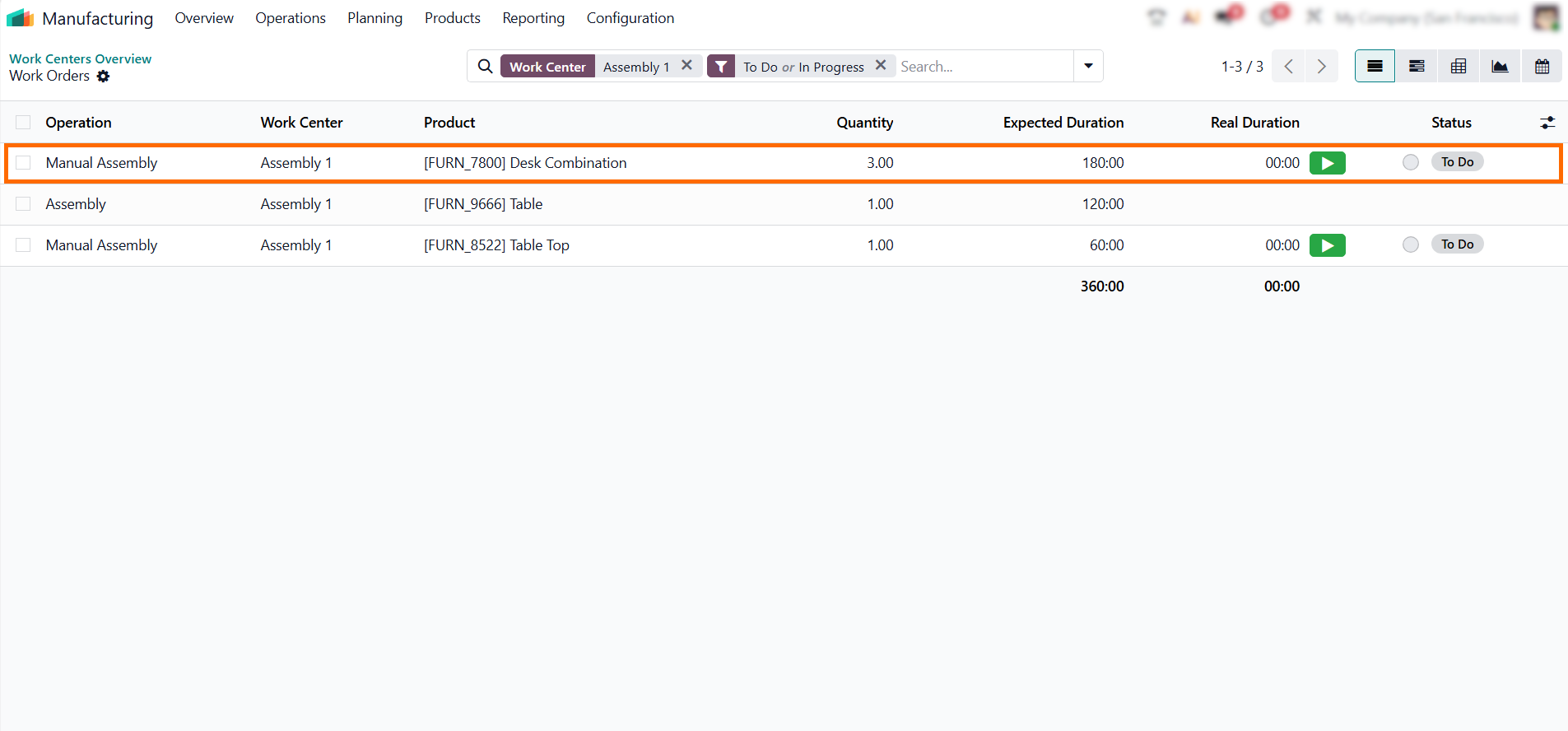
Open the associated Work Orders list for that center. This ensures that every task you track is directly linked to a predefined production step, maintaining a clear operational flow.
- Use the Open Shop Floor action to launch the Shop Floor interface for that operation. This opens the execution view with all operational parameters preserved, so execution data is captured at the operation level rather than reconstructed later.
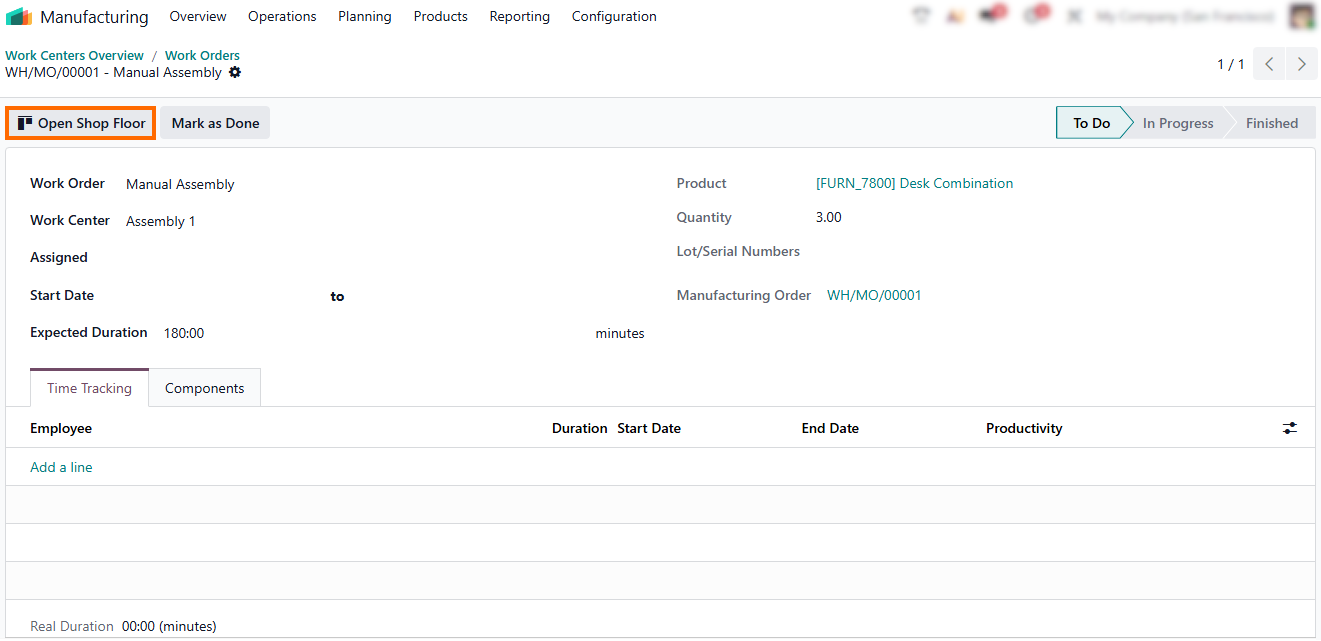
- By entering Shop Floor at the operation level, task
execution and progress updates occur within the same workflow. Production
status updates automatically in real
time, eliminating the need for manual reporting.
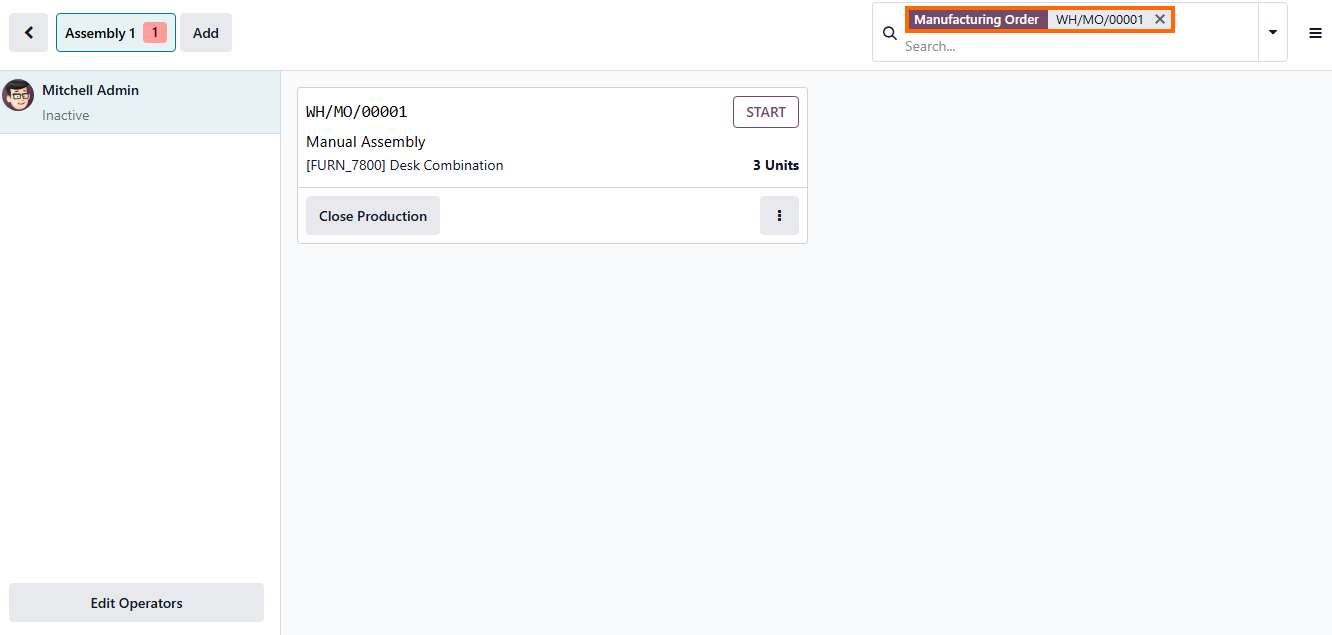
Executing
Production Operations in Real Time on the Shop Floor
Once operators access the Shop Floor interface, the focus shifts from structural configuration to active execution. This interface is designed for direct, task-level interaction on the production floor, allowing work to be performed, tracked, and updated in real time within Odoo. Every action taken here immediately affects production status, timing, and traceability, without relying on post-shift reporting or manual inputs. Shop Floor becomes the single execution point where operators start work, report progress, and complete operations as they happen. Execution here is event-driven rather than document-driven, meaning production data is generated as a byproduct of work, not as a separate reporting task.
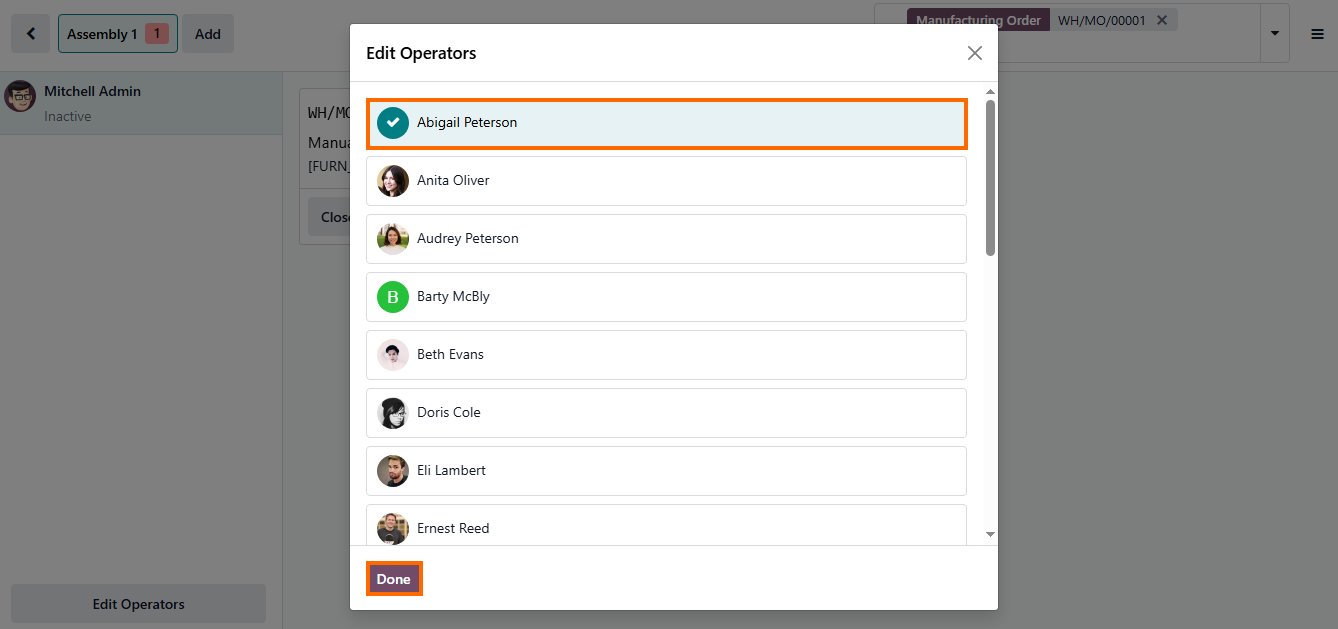
- Assigning the correct operator ensures accountability and accurate labor tracking, linking execution time and progress directly to the responsible resource. This also creates a clear audit trail for performance analysis and reporting.
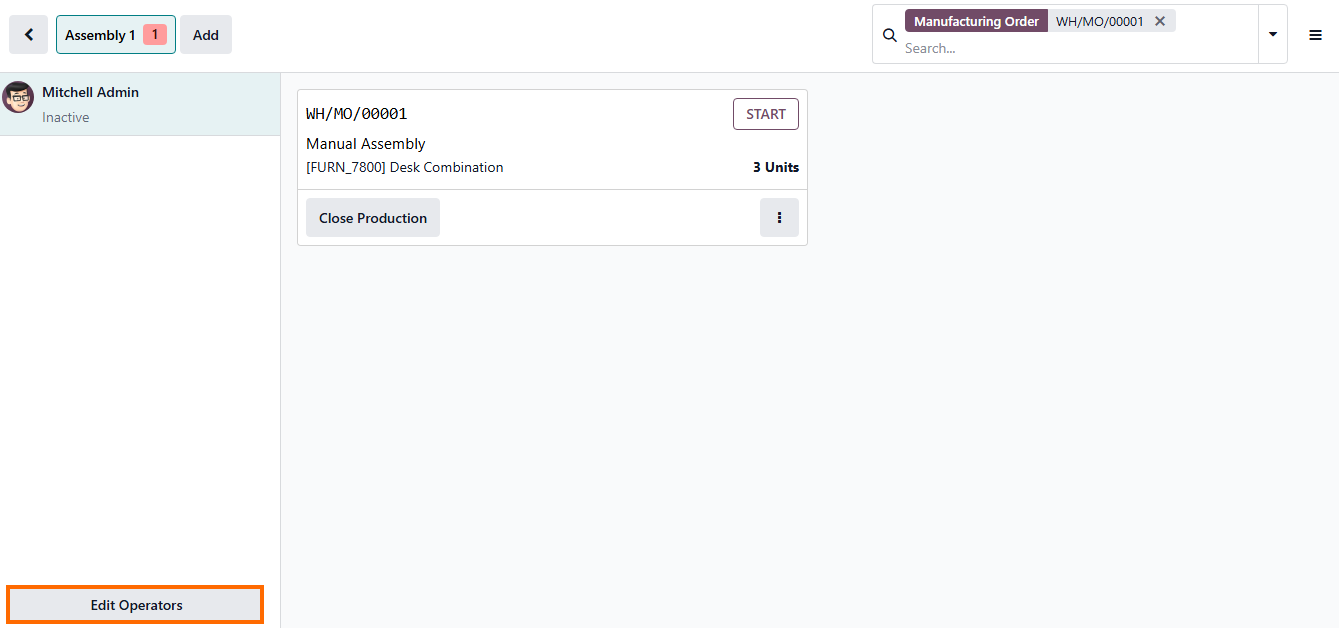
- After selecting the operator, confirming the assignment with Done moves the operation into an active execution state, placing it into the live production flow. From this point, all time and progress updates are captured in real time by the system.
- Additional operational adjustments are available through the options menu, allowing control over execution parameters such as production registration, serial tracking, scrap handling, or routing changes, while keeping the workflow structure intact.
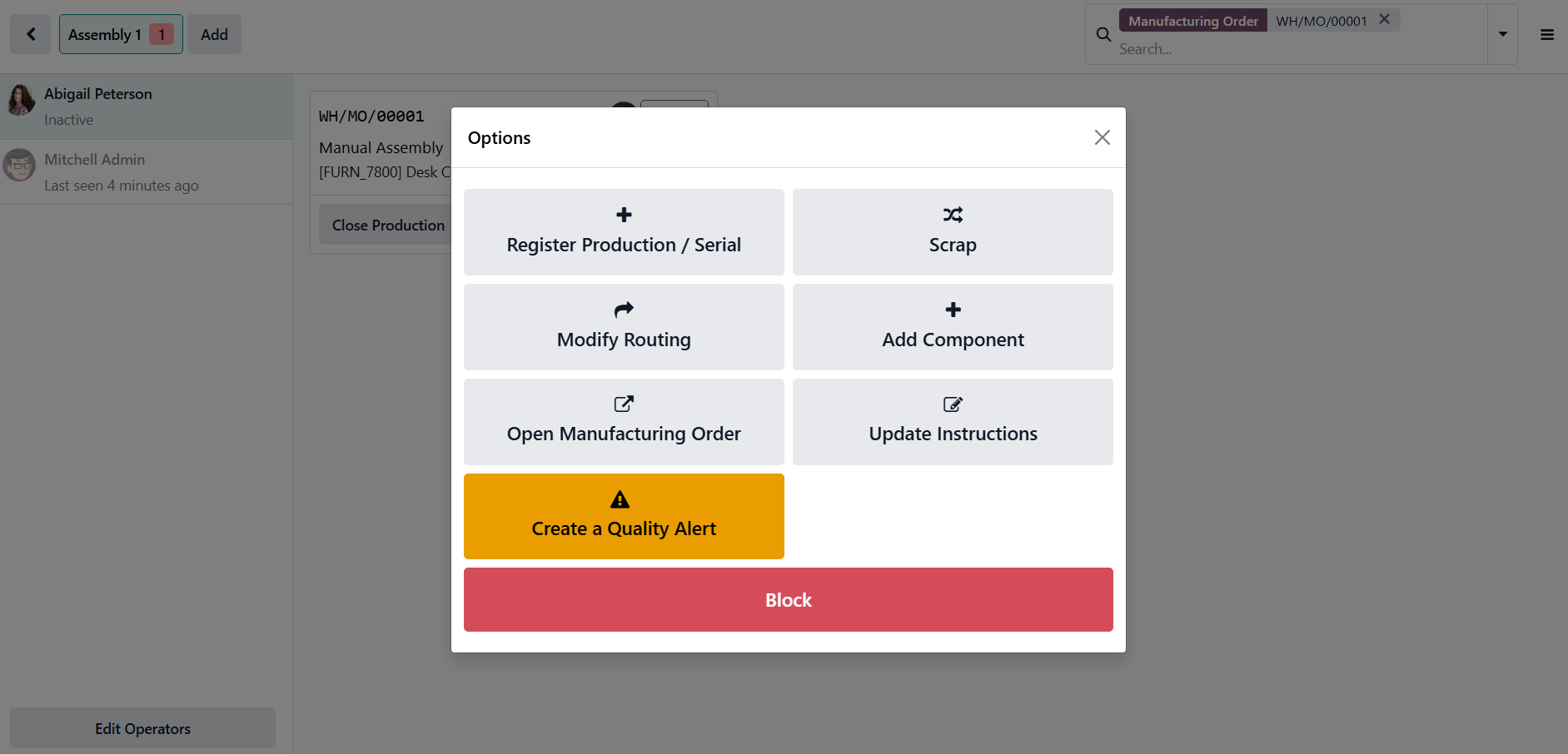
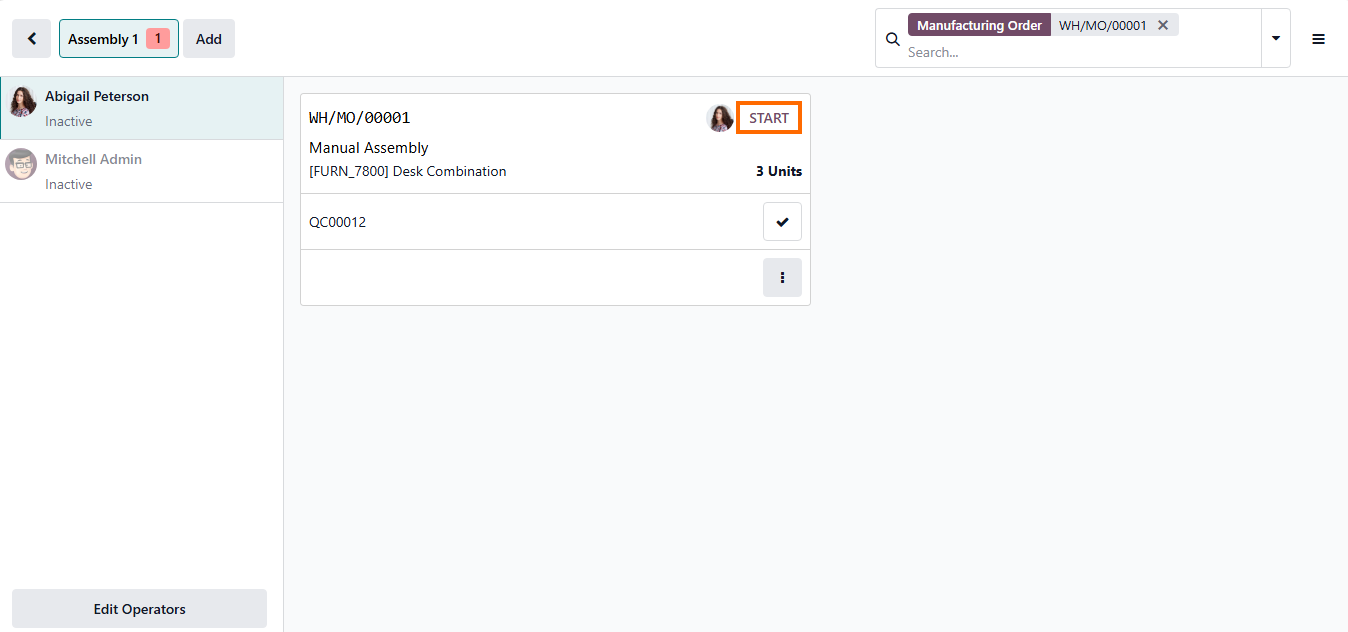
Any material or configuration updates are reflected immediately in the system, ensuring execution data stays aligned with actual production conditions. Once everything is set, the operator proceeds with “Start” to initiate the operation.
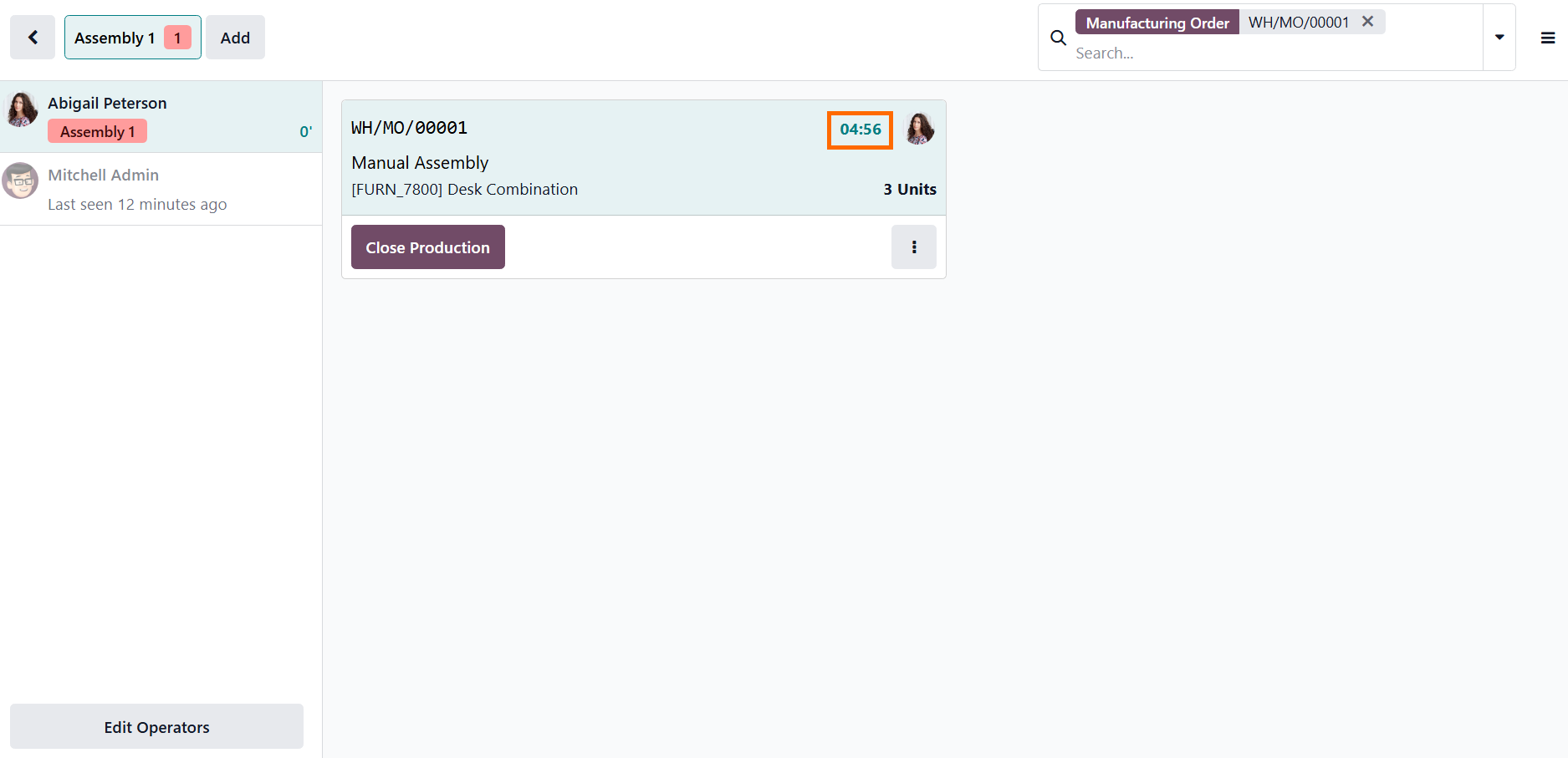
- After the operation is started, a live timer is activated automatically, providing real-time tracking of execution duration and continuous visibility into task progress from the moment work begins.
How
Real-Time Shop Floor Visibility
Transforms Production Control in Odoo 19
When Shop Floor is integrated into daily operations in Odoo 19, production control shifts from retrospective analysis to real-time operational awareness. Instead of relying on post-fact reporting, managers work with live production data that reflects actual execution conditions. This changes how priorities are set, delays are managed, and resources are allocated across work centers. Production control becomes a response to live execution signals, improving decision accuracy and reducing uncertainty. With visibility embedded into execution, production no longer depends on manual reporting or fragmented communication between operators and management. Each operation feeds into a shared production view, making deviations visible as they occur. This enables faster response to issues and keeps planning aligned with actual execution.
- Returning to the work center view,
production status can be monitored at the work center level, providing a
consolidated overview of execution progress across active
operations.
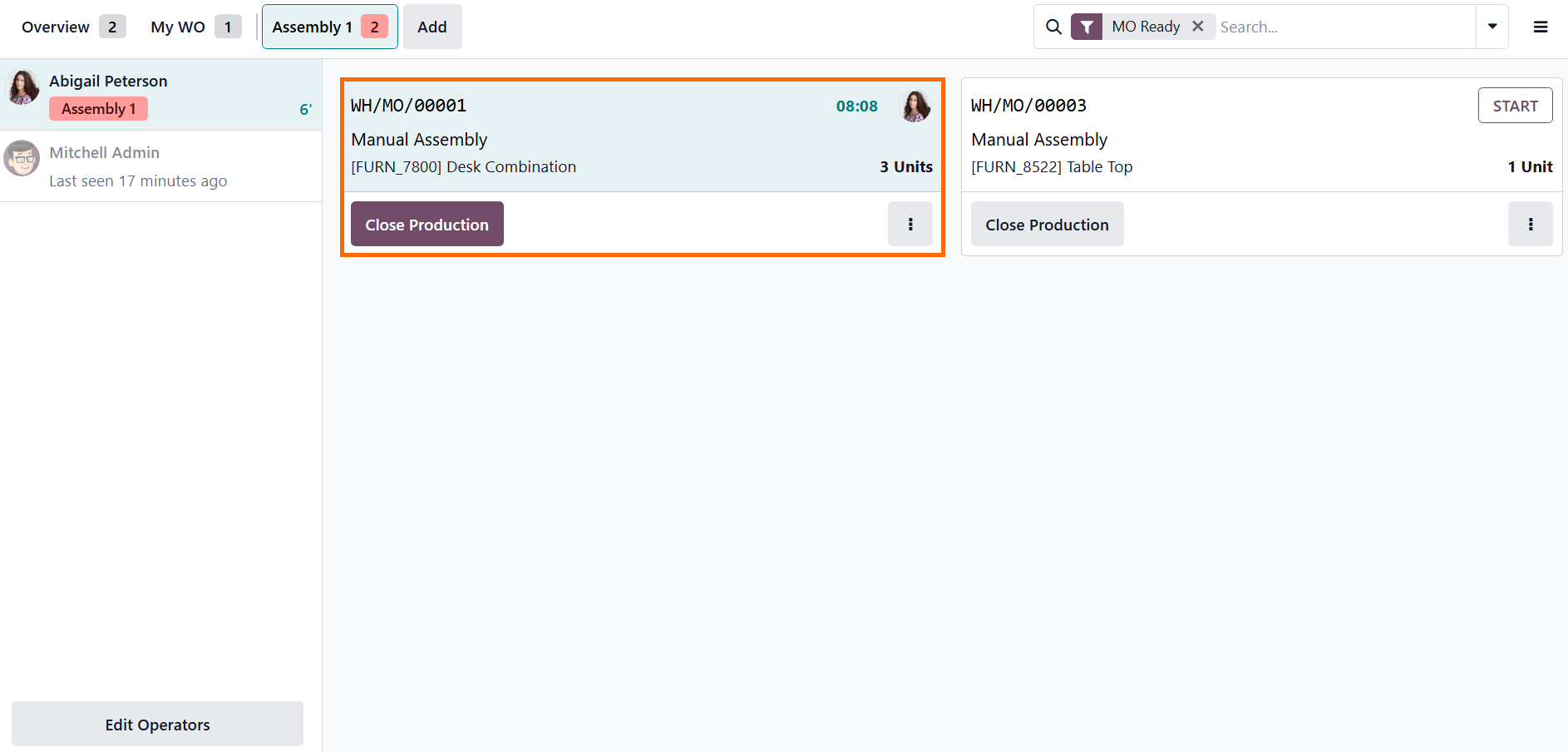
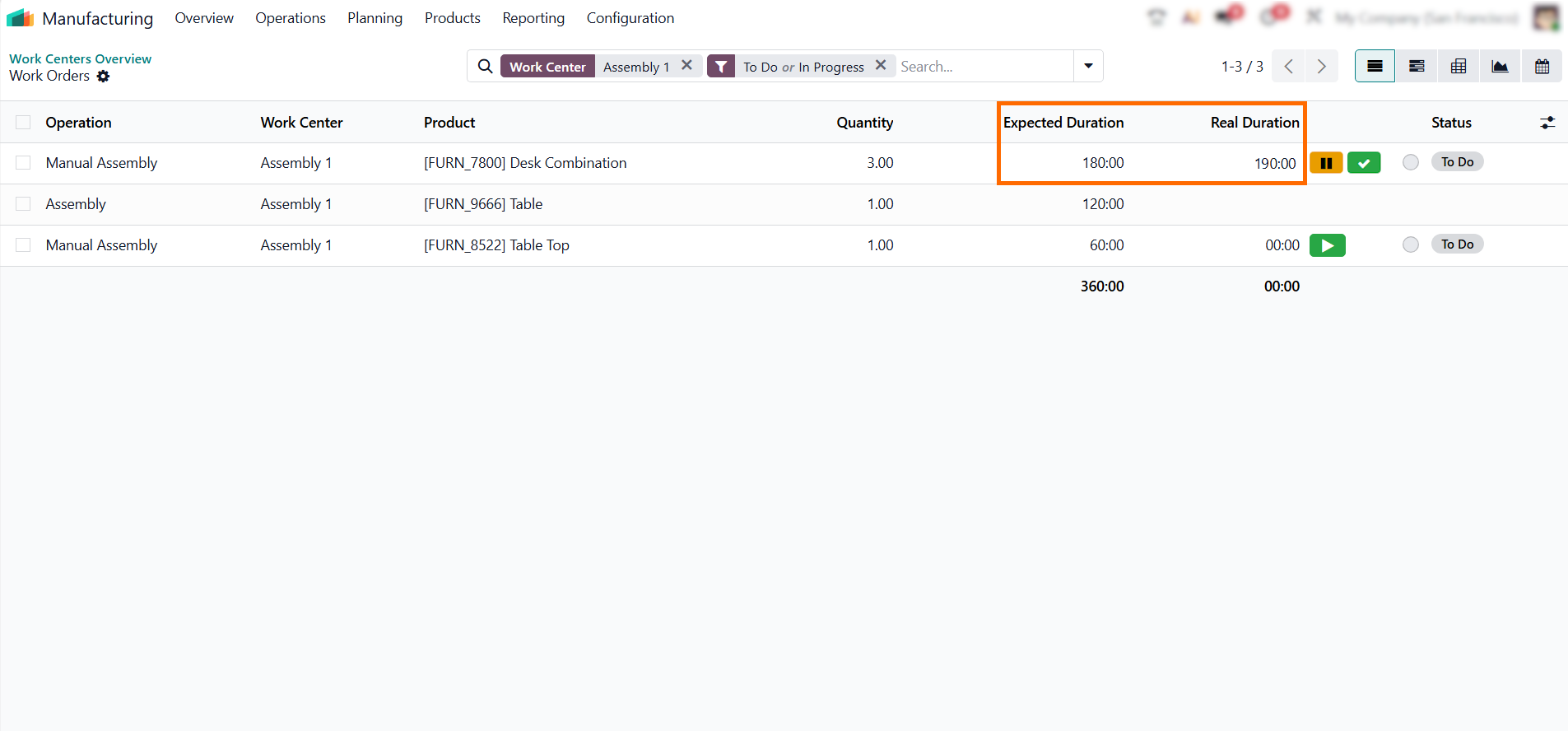
- From the work center view, managers can quickly spot operations running longer than planned. This enables faster corrective action before delays spread across the production flow.
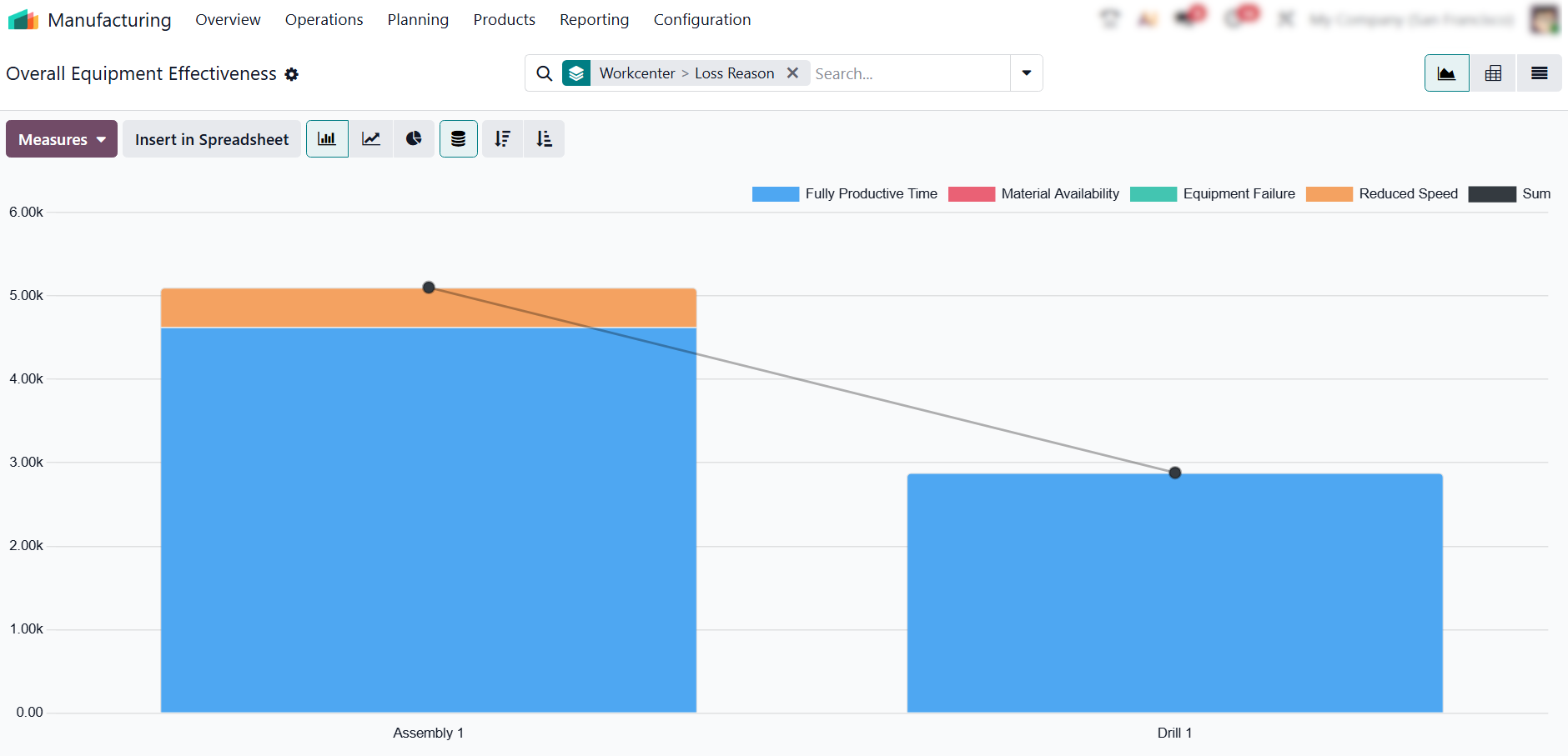
- For deeper performance insights, the Overall Equipment Effectiveness (OEE) report can be used to evaluate availability, performance, and downtime based on real execution data.
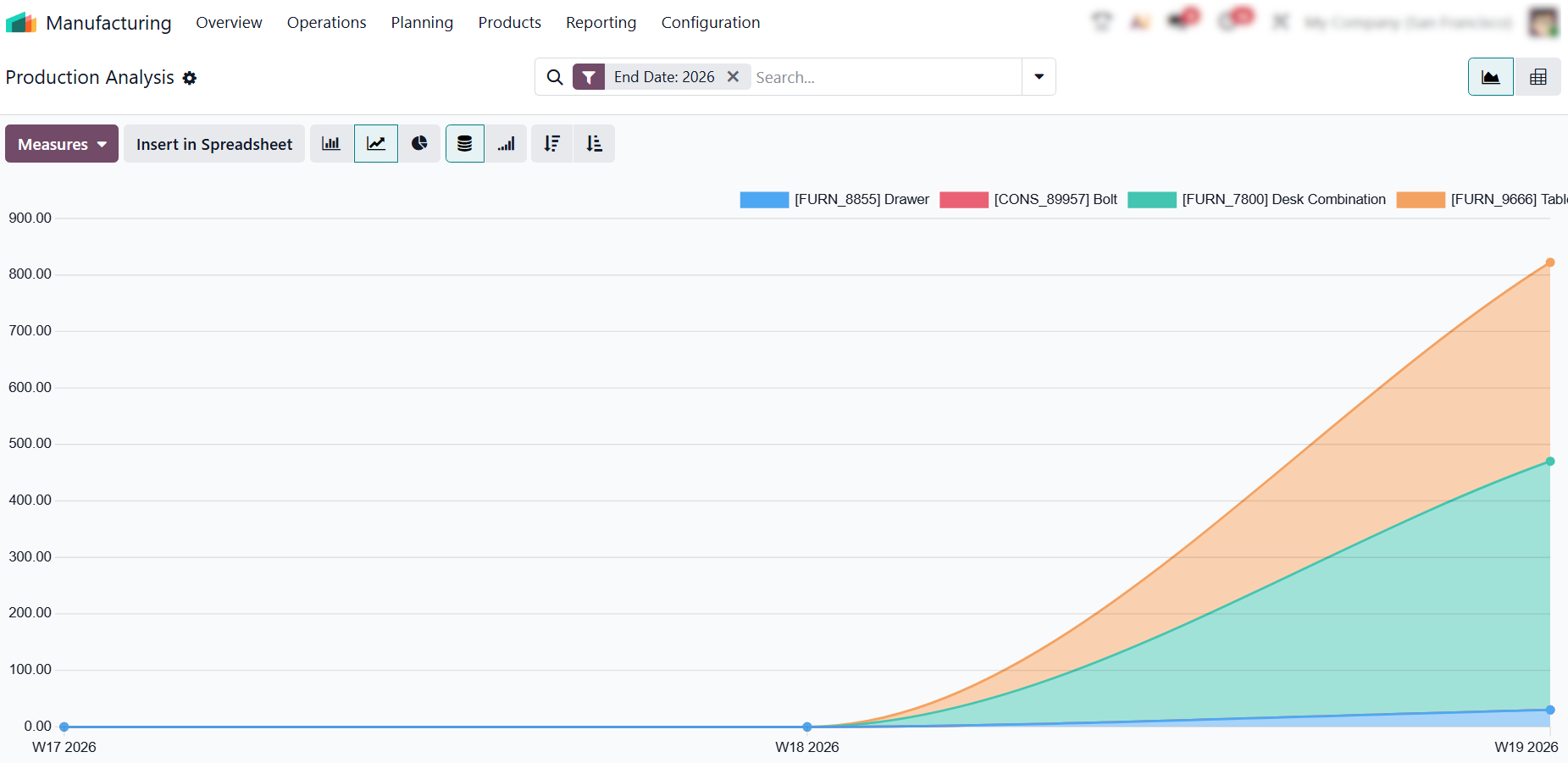
- The Production Analysis report extends this visibility to a broader production level, showing how shop floor execution impacts order flow, production output, and overall efficiency across work centers and manufacturing orders.
![]() Conclusion
Conclusion
Odoo shop floor transparency replaces fragmented and delayed production tracking with a unified execution environment where every operation is reflected in real time. By centralizing shop floor activity within Odoo, it strengthens shop floor visibility, ensuring that production status is no longer a matter of retrospective interpretation but understood as it happens on the floor.
Tracking execution through Shop Floor creates a consistent flow of live operational data, improving real-time production visibility across work centers. This reduces reliance on manual reporting and eliminates gaps between actual production and system records, resulting in more accurate and reliable production visibility.
As a result, production management shifts from reactive coordination to structured control based on live execution signals. This directly enhances production efficiency in Odoo, where decisions are driven by current shop floor execution conditions rather than delayed or incomplete information. This transforms production from a reporting system into a real-time execution system.