Maintaining consistent product standards becomes increasingly difficult as production scales and shop floor operations accelerate. When quality checks are treated as an isolated, final step rather than a continuous process, defective materials slip through early stages, multiplying waste and inflating scrap costs. To protect profit margins and support regulatory compliance, businesses must embed inspection points directly into the production flow. Using the Odoo Quality Management System allows companies to replace manual inspection sheets with digital workflows and automate quality data collection throughout the manufacturing process. This guide explains how to leverage the Odoo Quality Module to establish strategic checkpoints, handle shop floor discrepancies in real time, and build a reliable framework for production standards and compliance.
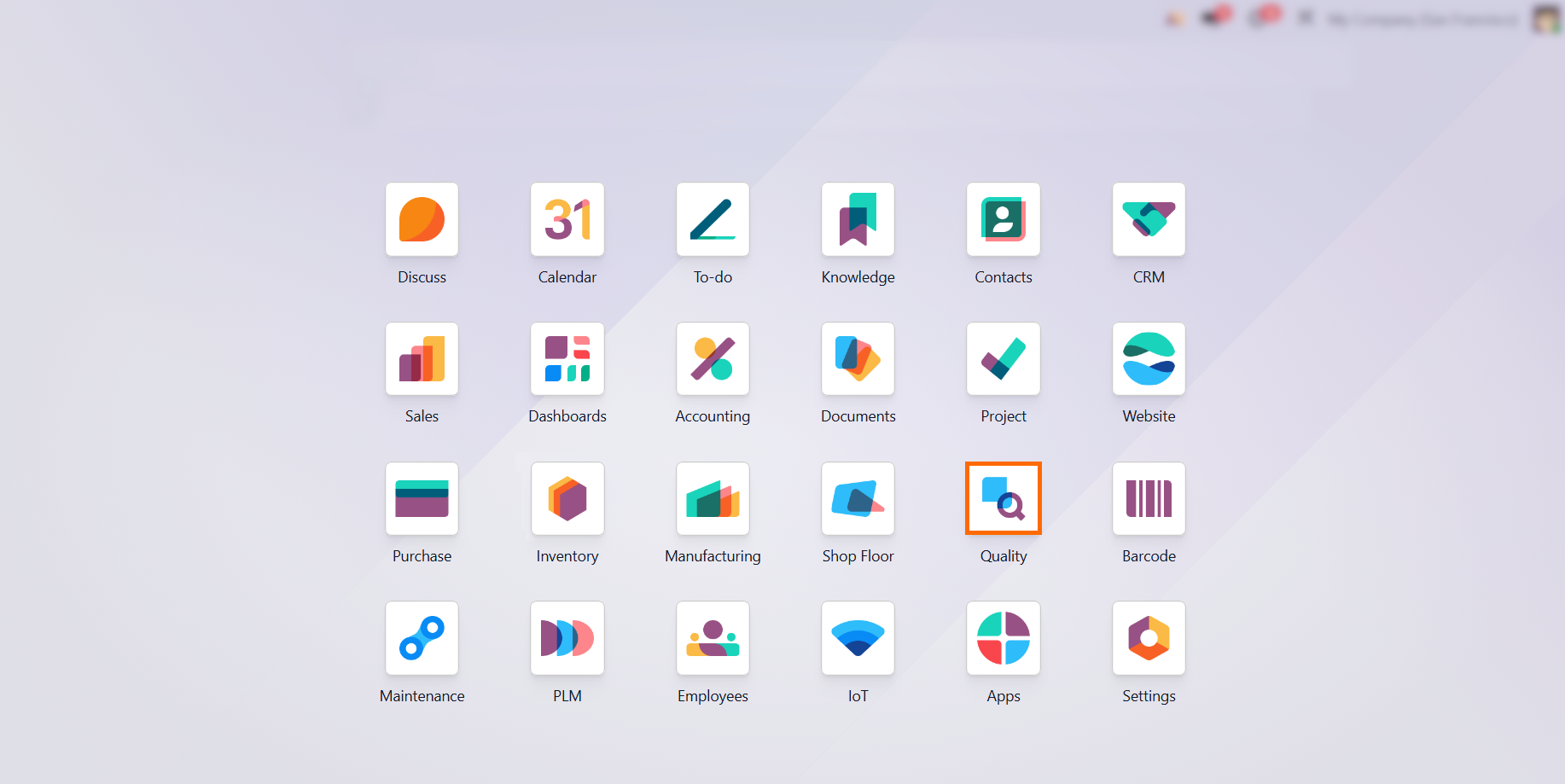
- Navigate to the Apps menu and install the Odoo Quality module to unlock advanced inspection tools and integrate quality management fields across your entire manufacturing workflow.
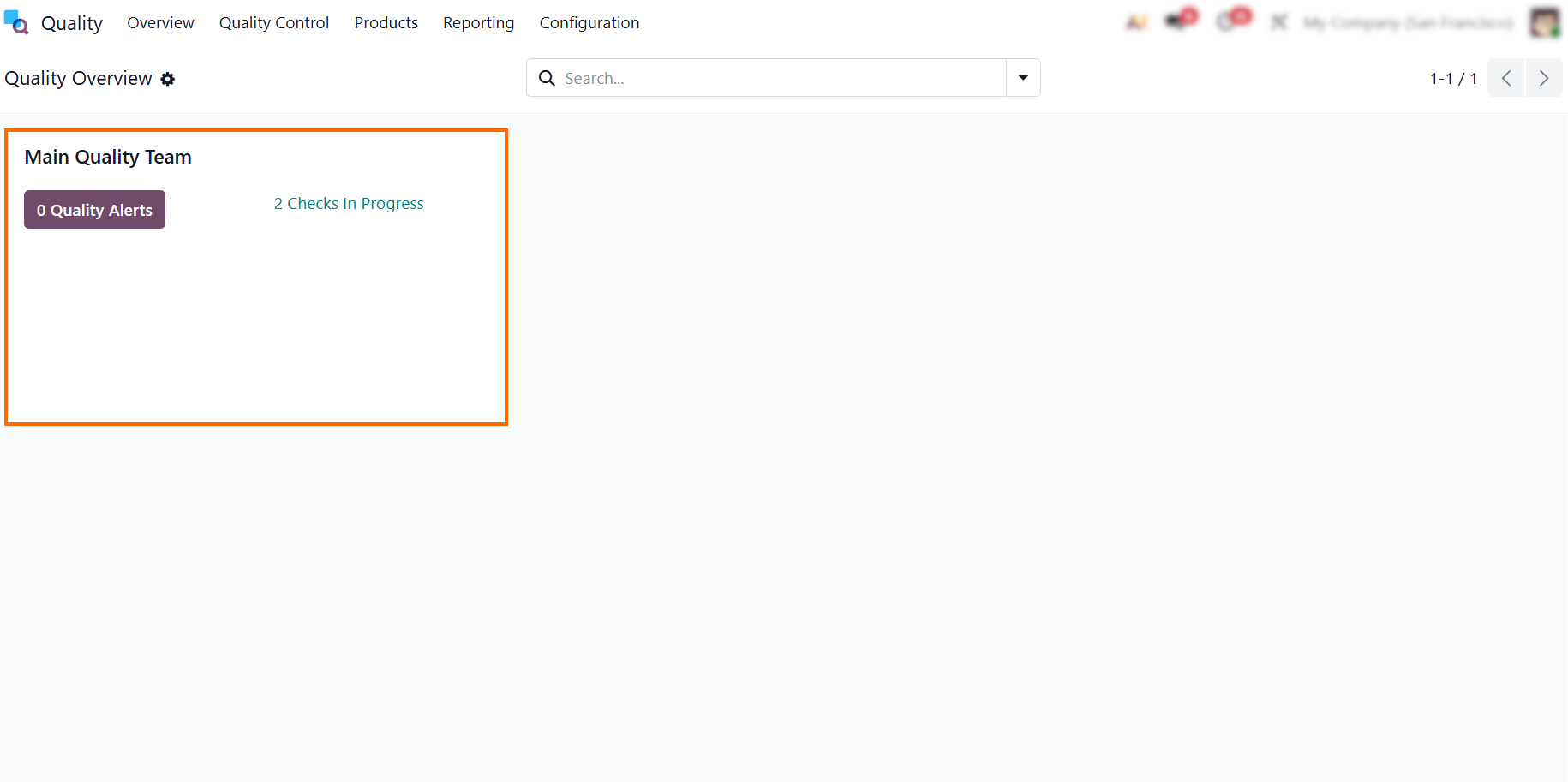
Review the main “Quality Overview” dashboard, which centralizes all active quality checks and inspection records, giving production managers real-time visibility into shop floor quality activities.
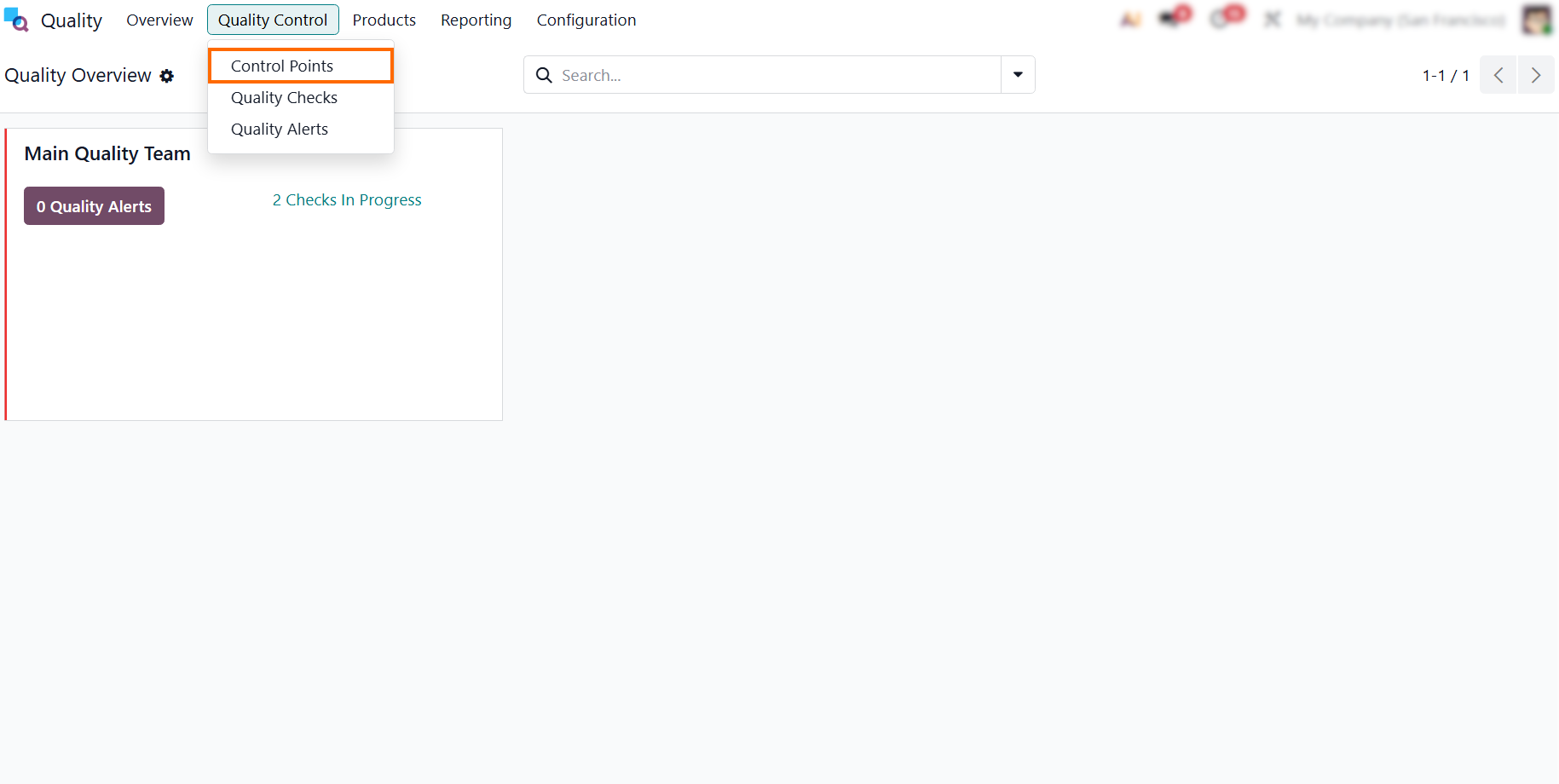
- To configure your automated validation rules and integrate inspection gates directly into your production lines, click the “Quality Control” menu on the top navigation bar and select “Control Points” to open the list of your quality rules.
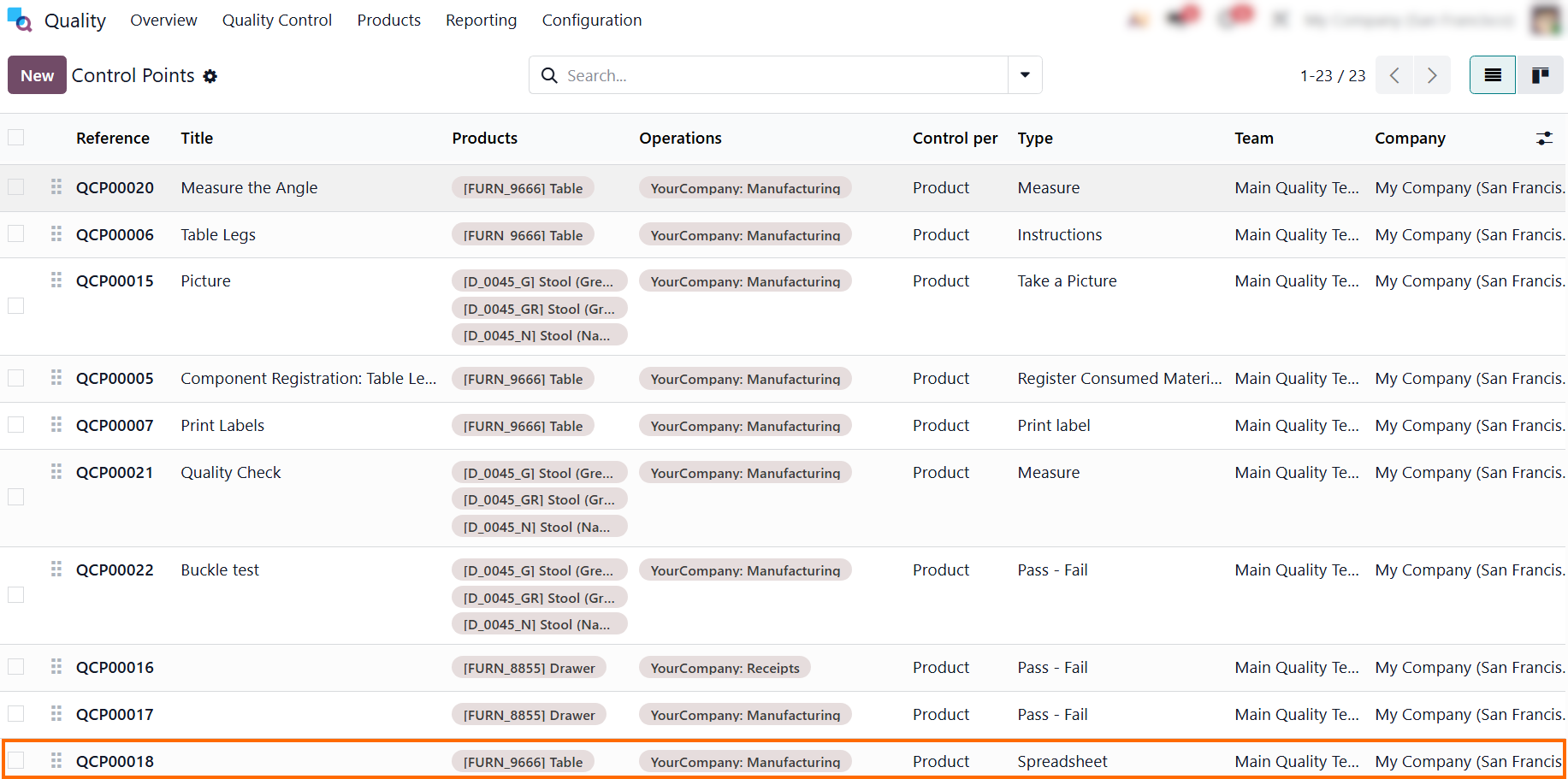
- Use this list to audit active configurations like “Products” and “Operations” at a glance, where you can click “New” to create a fresh rule or select an existing record to update parameters.
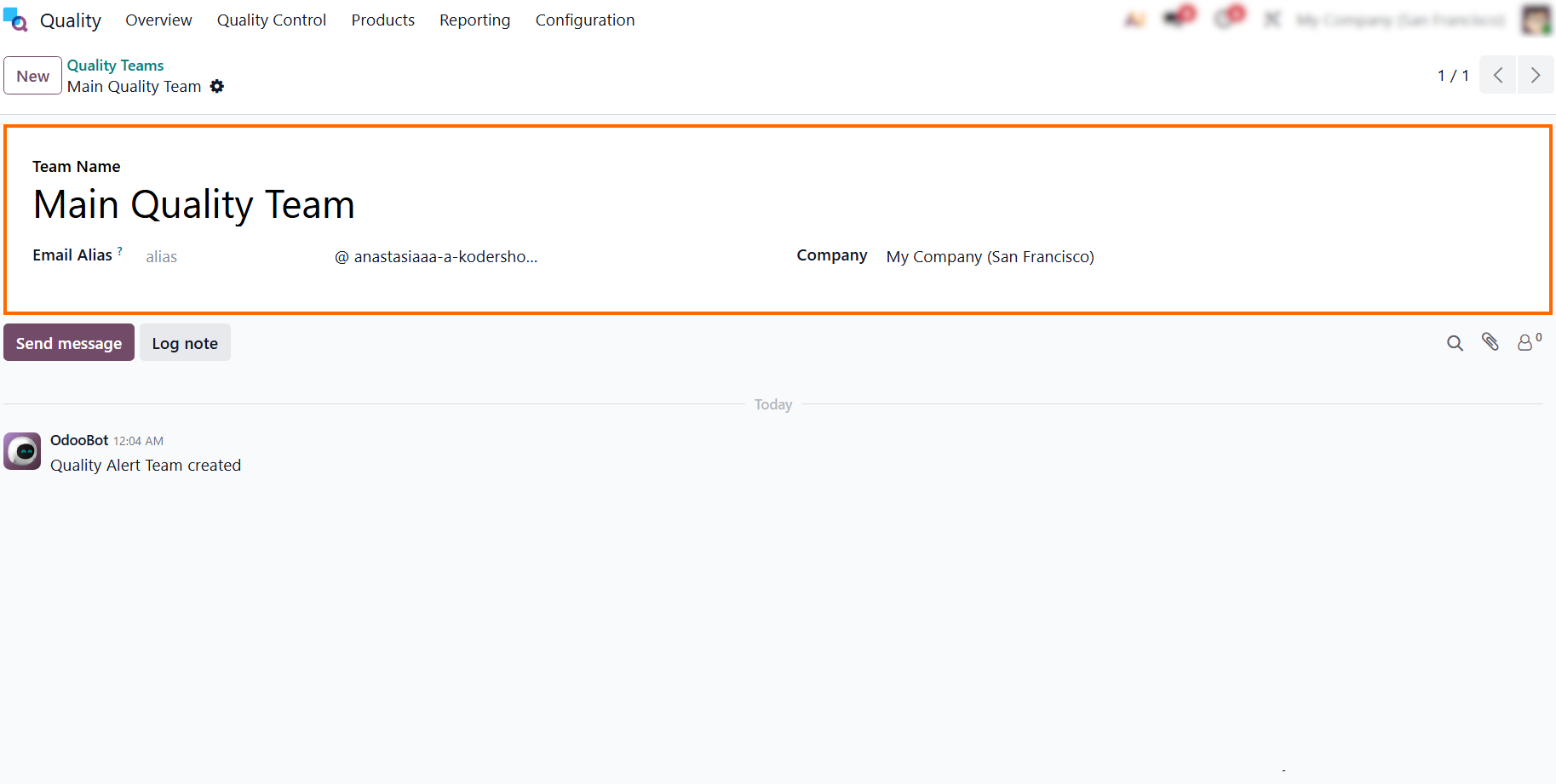
- Assign your rules to dedicated, customized Quality Teams.
Odoo 19 automatically routes specific checks only to the relevant specialists,
establishing clear
ownership from day one.
- Review
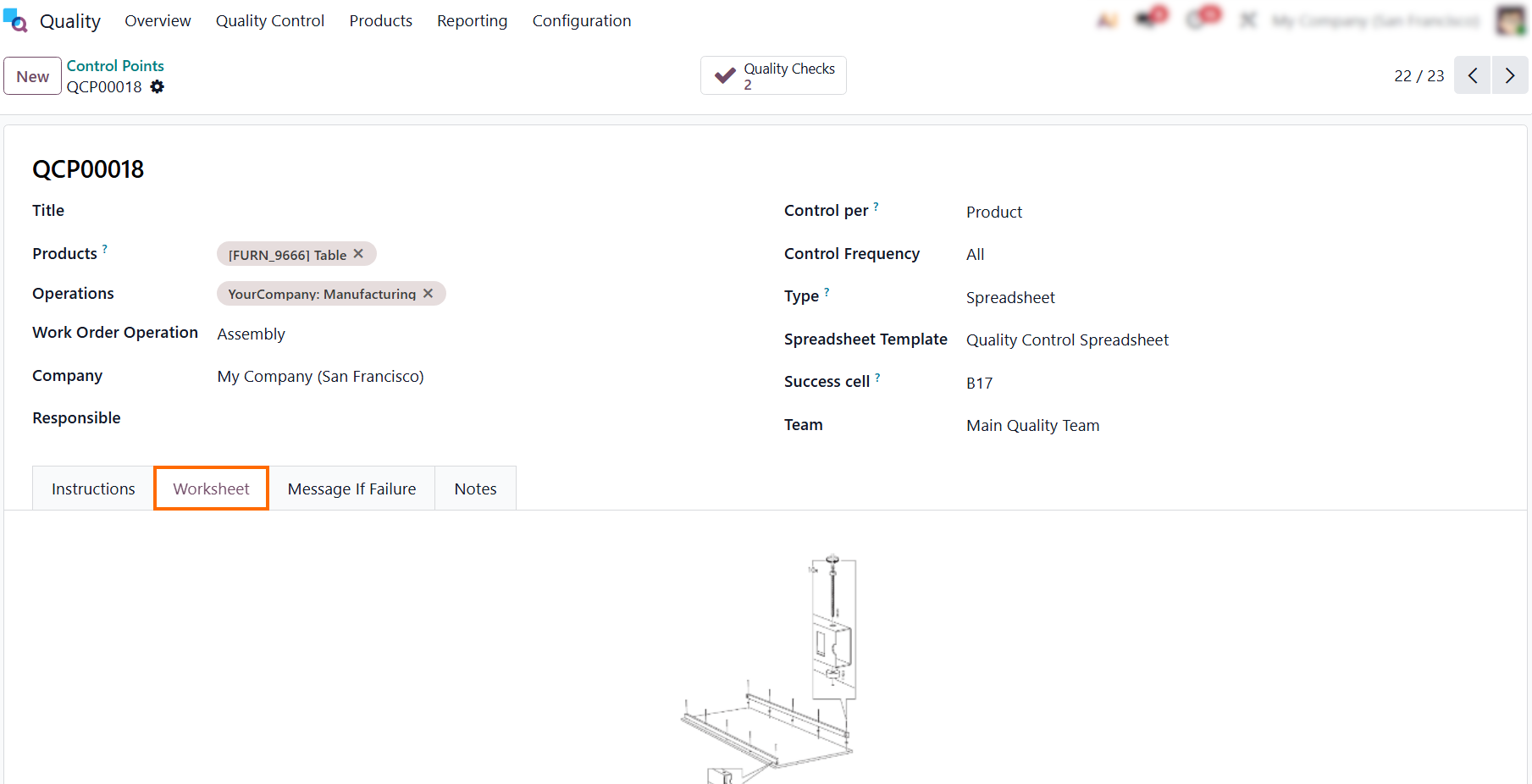
how “Products” are linked to an inventory step under “Operations” and click the
“Worksheet” tab to attach work instructions, drawings, or reference documents
for operators to consult during inspections.
- Define
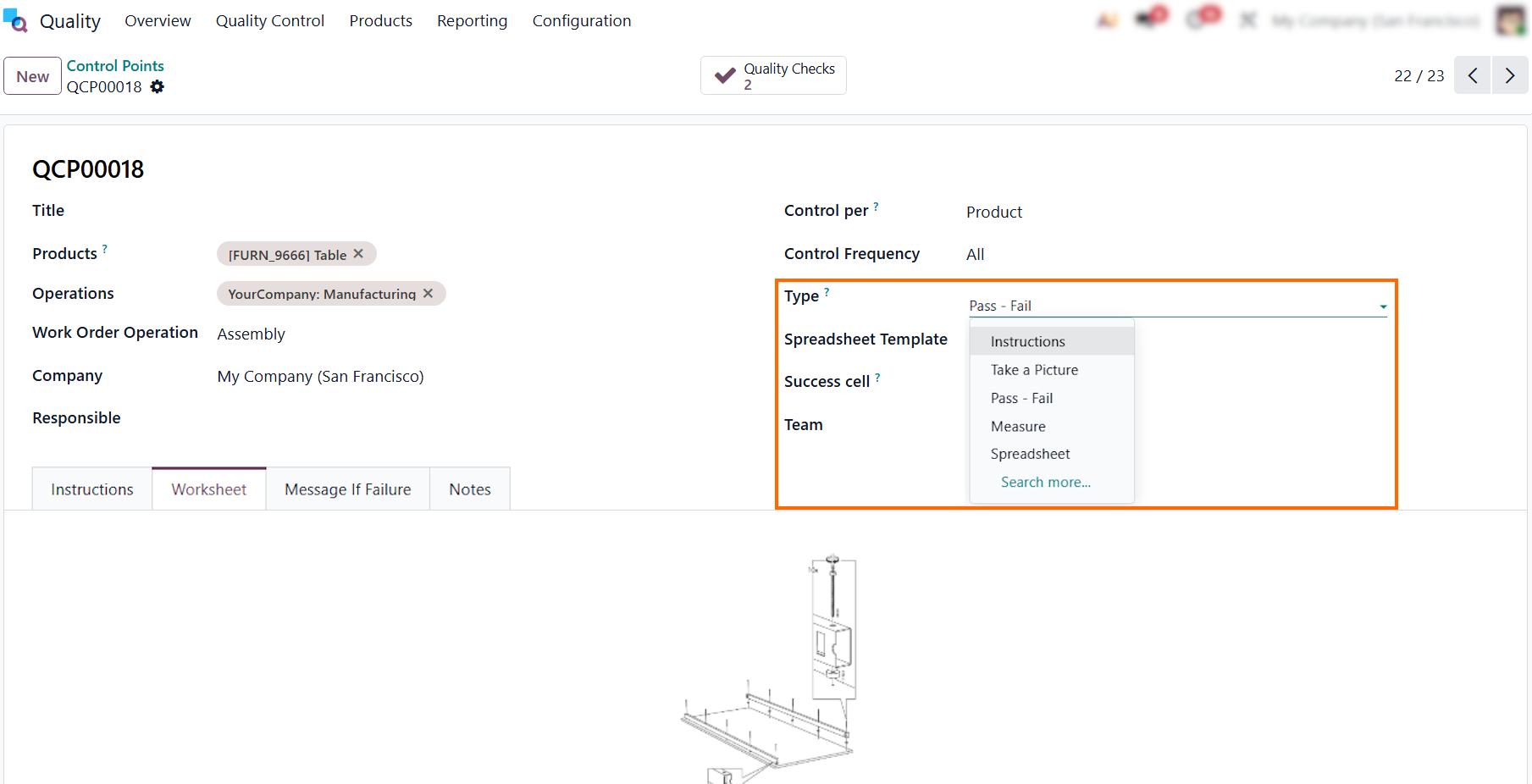
the validation method by selecting an option from the “Type” field, such as
“Measure” or “Pass - Fail”, which dictates exactly what action the floor
operator must
perform during the live inspection.
Bridging
Quality Control Points with Shop Floor Execution in Odoo 19
Once your rules are defined, Odoo eliminates the need to switch between separate Manufacturing, Inventory, and Quality applications to track compliance. Through native smart buttons embedded directly within the Odoo Quality Control Points form, the system links your configurations directly to live shop floor operations. This integration keeps quality and manufacturing data synchronized, allowing production managers and floor supervisors to audit active Odoo Work Order Quality Checks, track operational compliance, and isolate defects directly from a single interface without losing context or switching dashboards. This effectively closes the gap between administrative planning and actual shop floor execution.
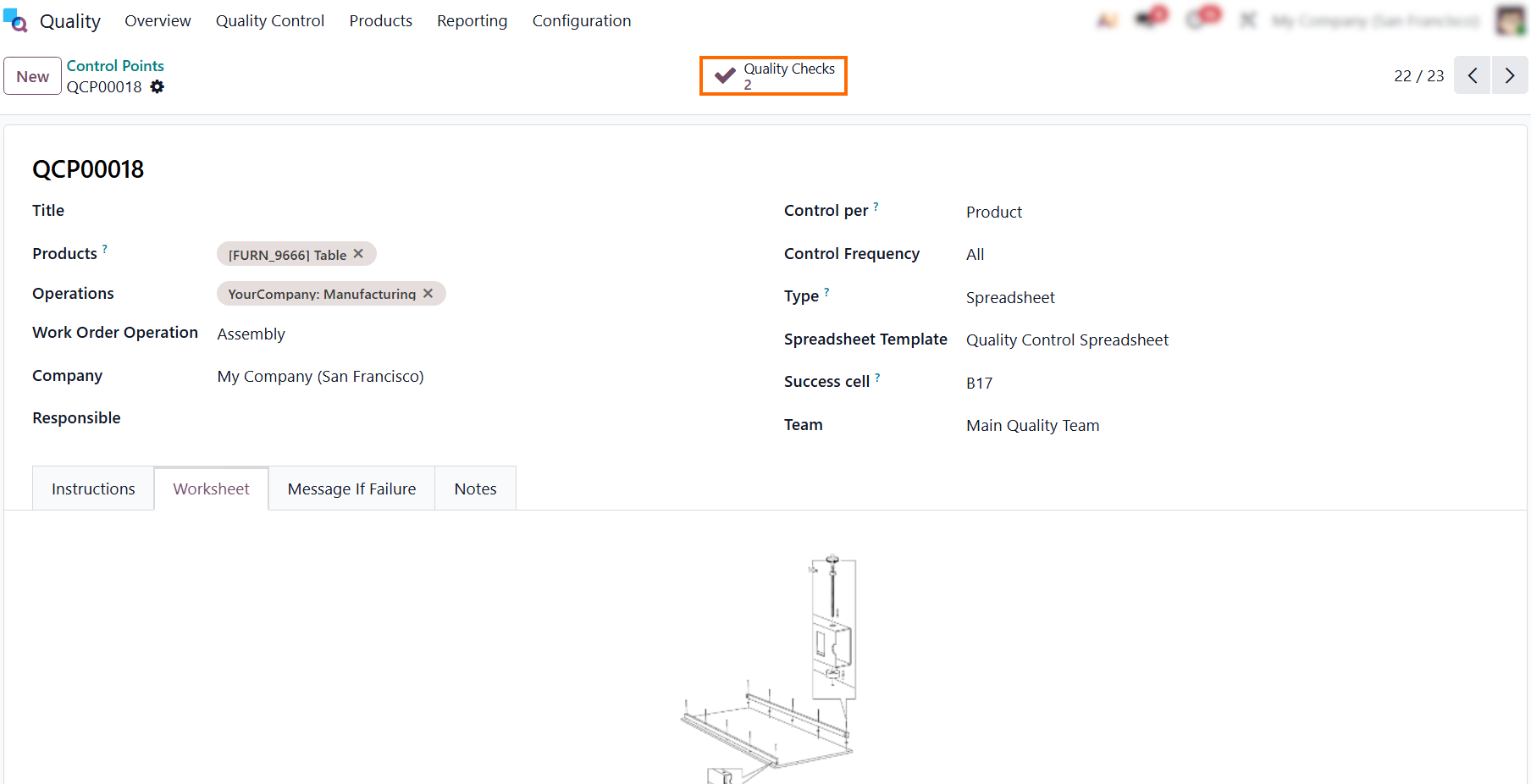
- Right at the top of your control point form, the “Quality Checks” smart button acts as a live ledger, showing exactly how many inspections have been triggered by this specific rule.
- The filtered view displays all active Odoo Work Order Quality Checks currently generated under this rule. Key details like tracking references and target products are visible at a glance, showing exactly which inspections are queued up for the shop floor.
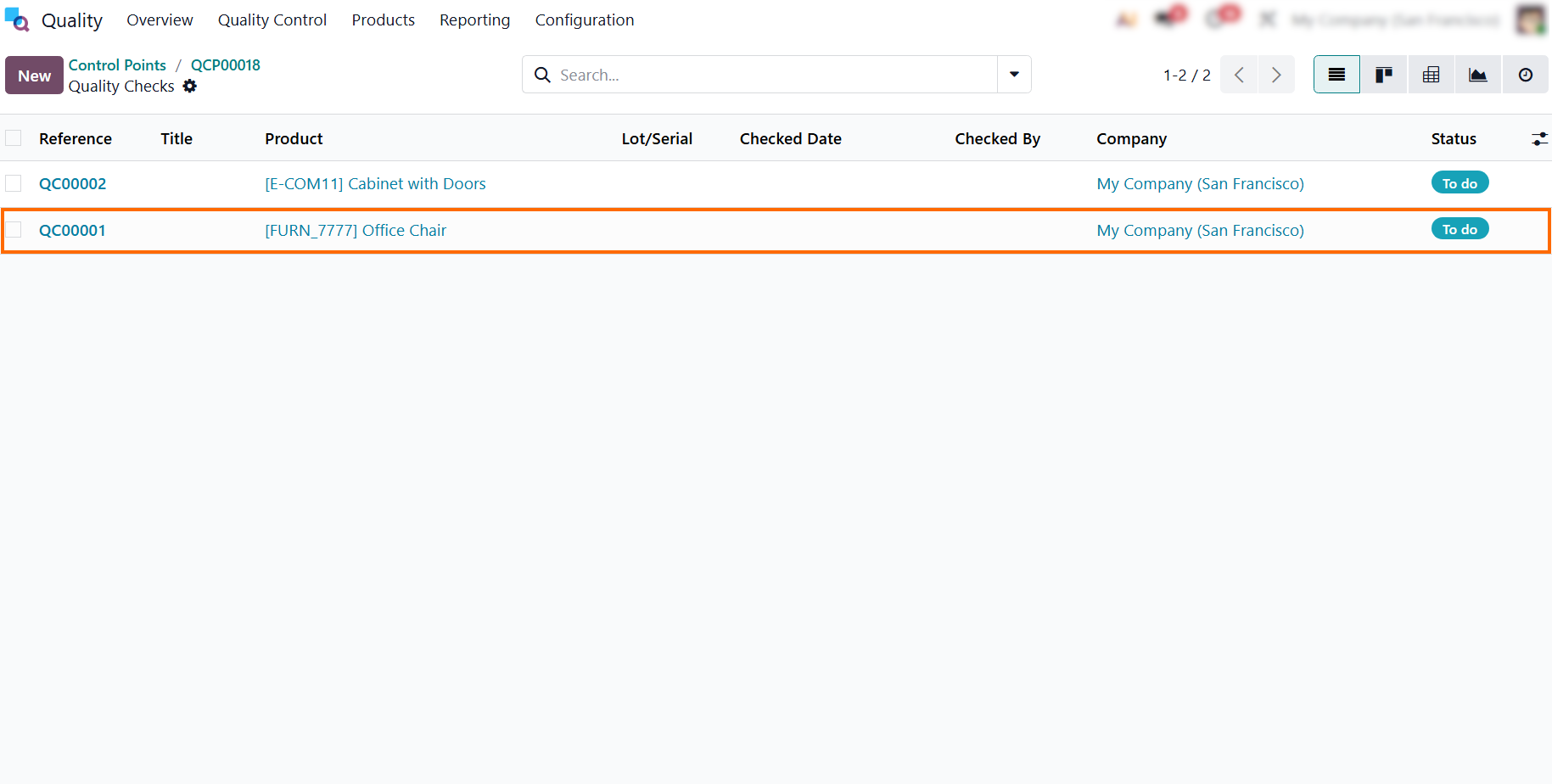
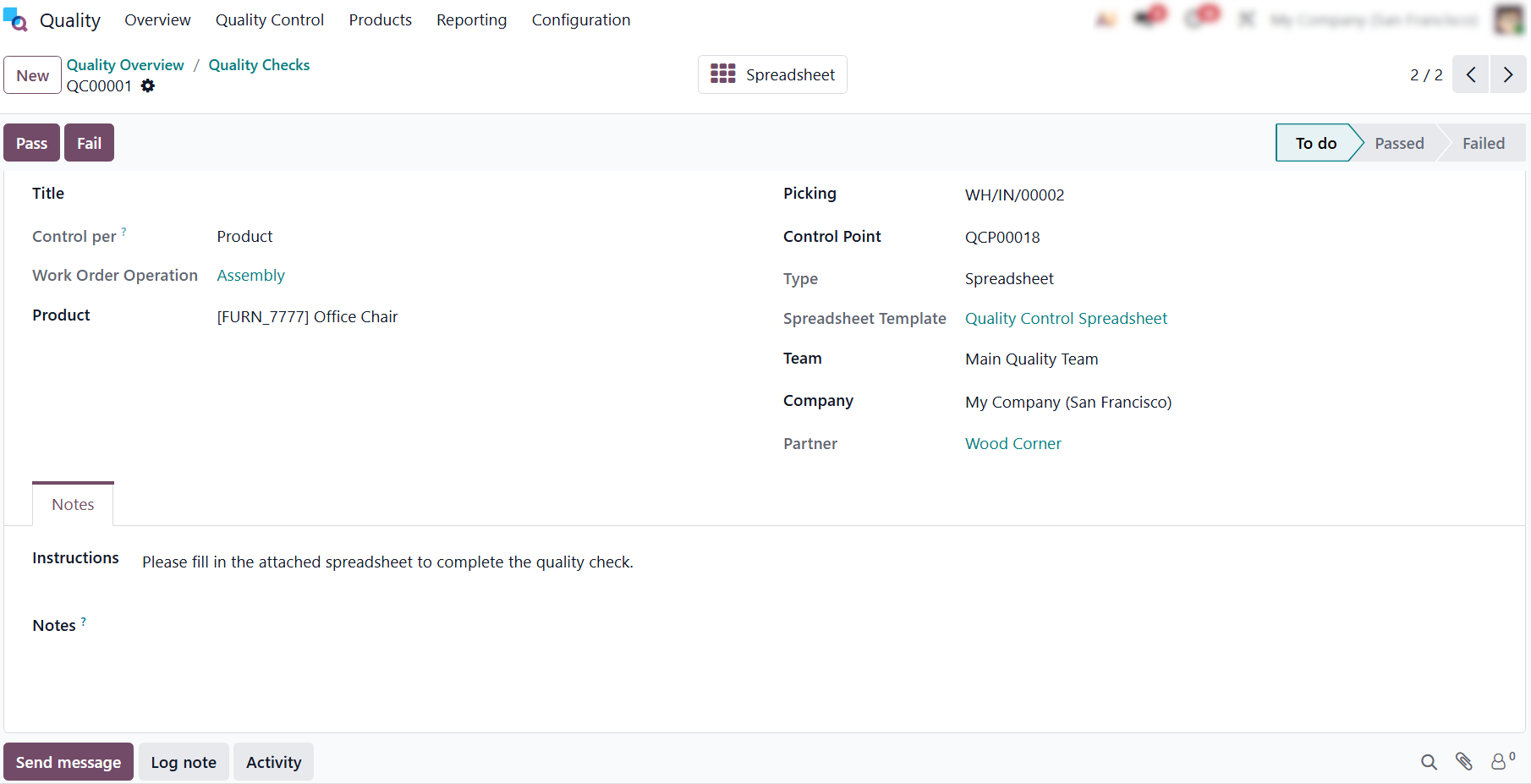
Selecting a pending record opens the detailed quality check backend view, providing managers with full context, including structural instructions and routing details linked to the operation.
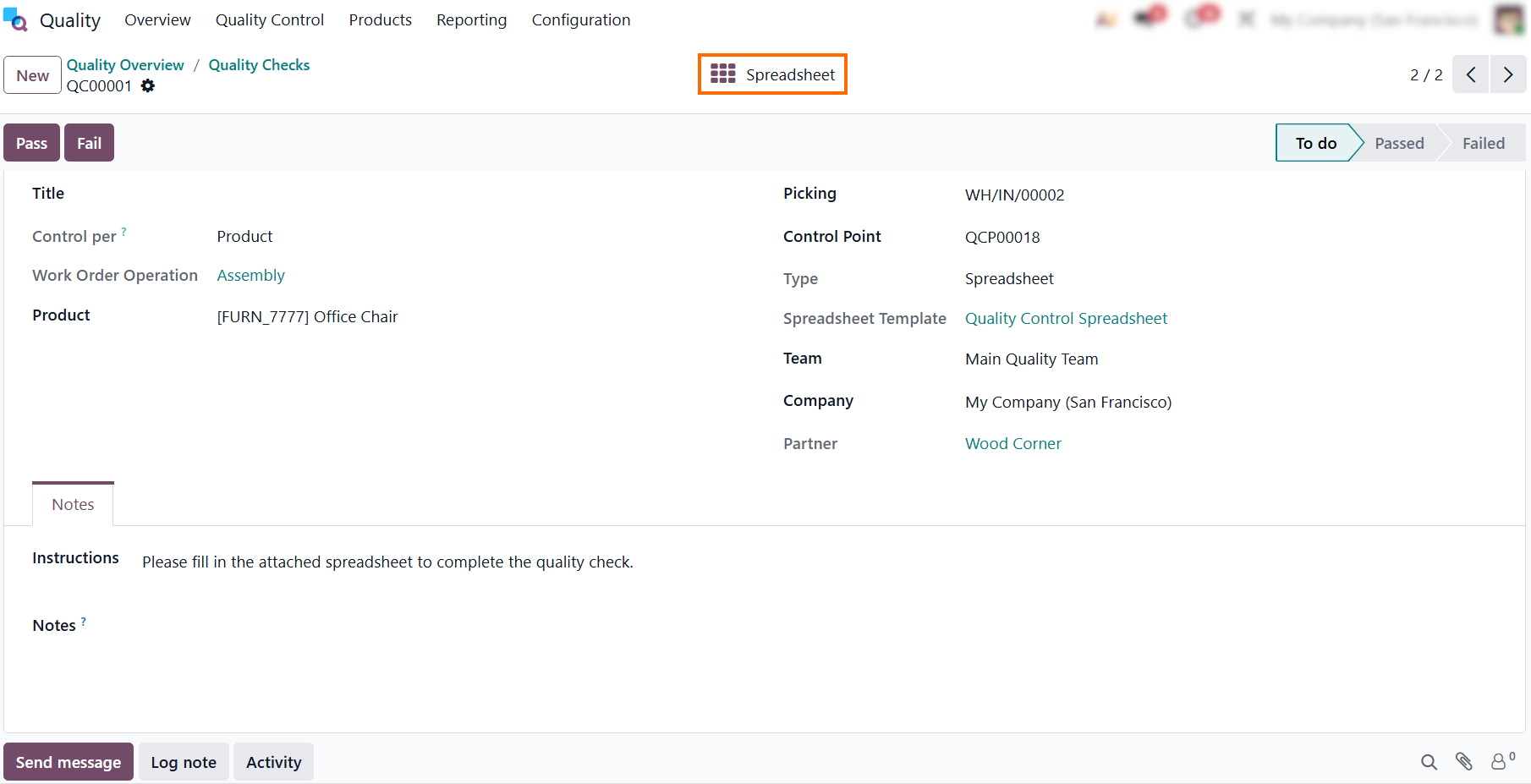
- To record the required metrics, click the “Spreadsheet” smart button at the top of the form. This opens the embedded document where final data is entered to validate the check.
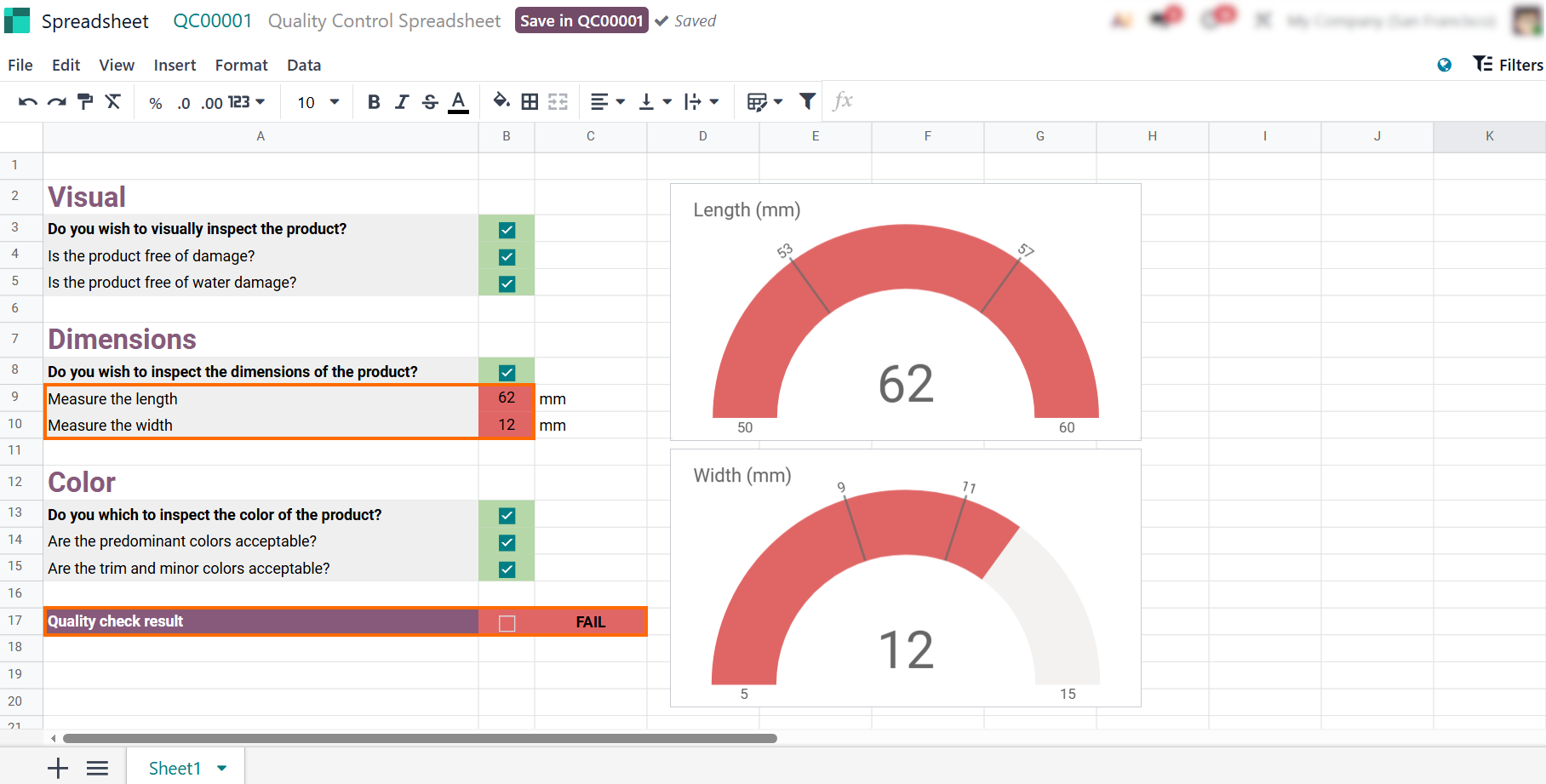
- The embedded spreadsheet lets you record measurements and checklists. It updates the visual indicators in real time, highlighting out-of-tolerance values in red and triggering a definitive “FAIL” status in the quality check result cell.
- Once you exit the spreadsheet, click the red “Fail” button to set the check's status to “Failed”. To log the issue and notify the production team, click the “Create Alert” button to trigger a quality issue workflow.
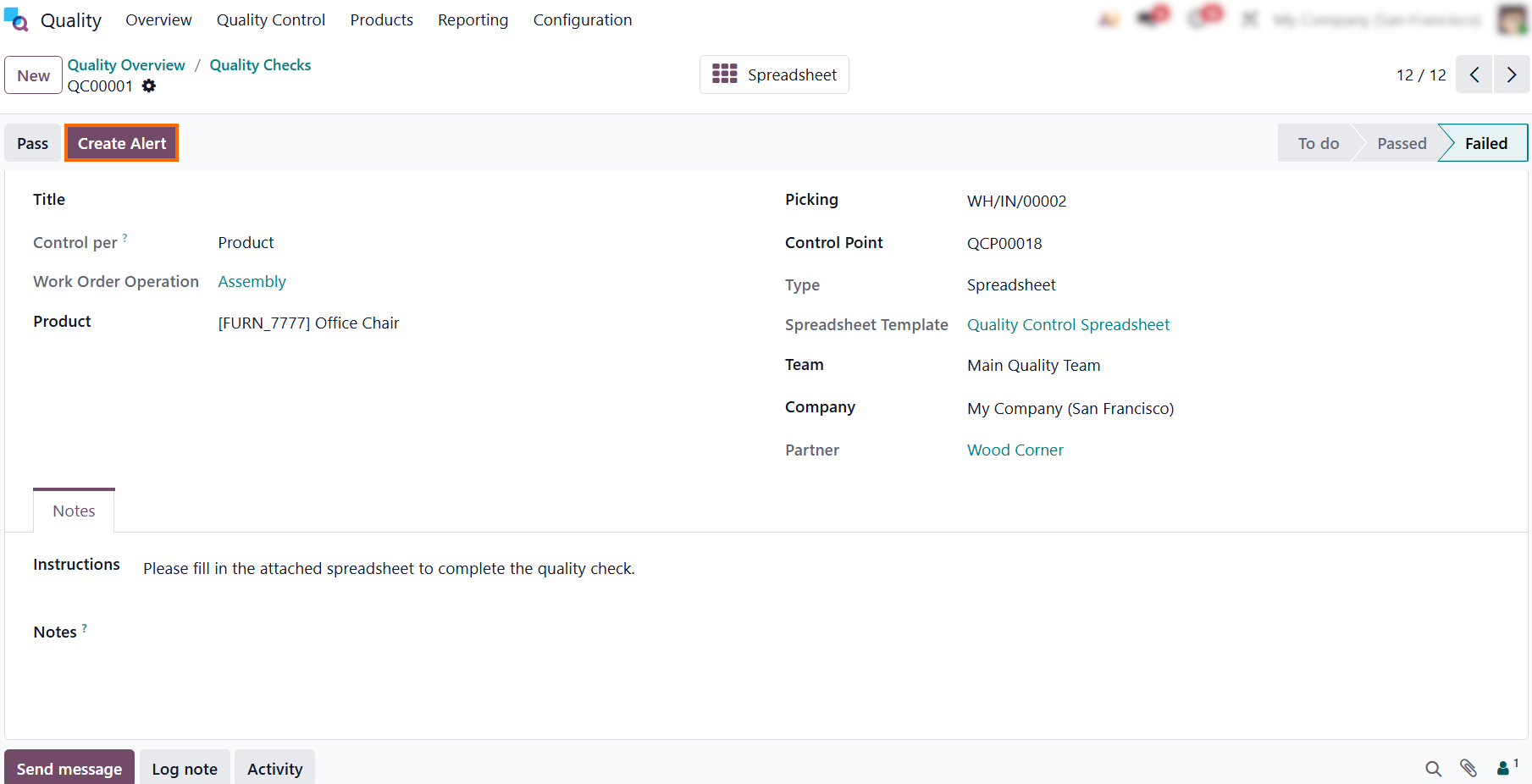
- Odoo creates a linked “Quality Alert”, where your team can instantly isolate the defect and assign ownership. From this central workspace, you can document root causes and track corrective or preventive actions straight through to resolution.
Resolving
Discrepancies: Managing the Odoo Quality
Alerts Lifecycle
Generating Odoo Quality Alerts is only the first step toward resolving production issues. The true value lies in how your team investigates and resolves the issue. Within the Odoo MRP Quality Control framework, an alert functions as a shared workspace that tracks a defect from its initial discovery on the shop floor straight through to final resolution. Rather than allowing critical issues to stall in messy email threads or paper logs, production managers can systematically guide each incident through standardized Kanban stages, moving fluidly from initial triage to strategic resolution. This structured pipeline ensures that every discrepancy is documented and assigned to a responsible owner, preserving manufacturing traceability without halting the broader shop floor workflow.
- Navigate back to the “Quality Overview” dashboard, which now displays “1 Quality Alert”. The real-time counter immediately flags new shop floor discrepancies, signaling that an open issue requires review and triage.
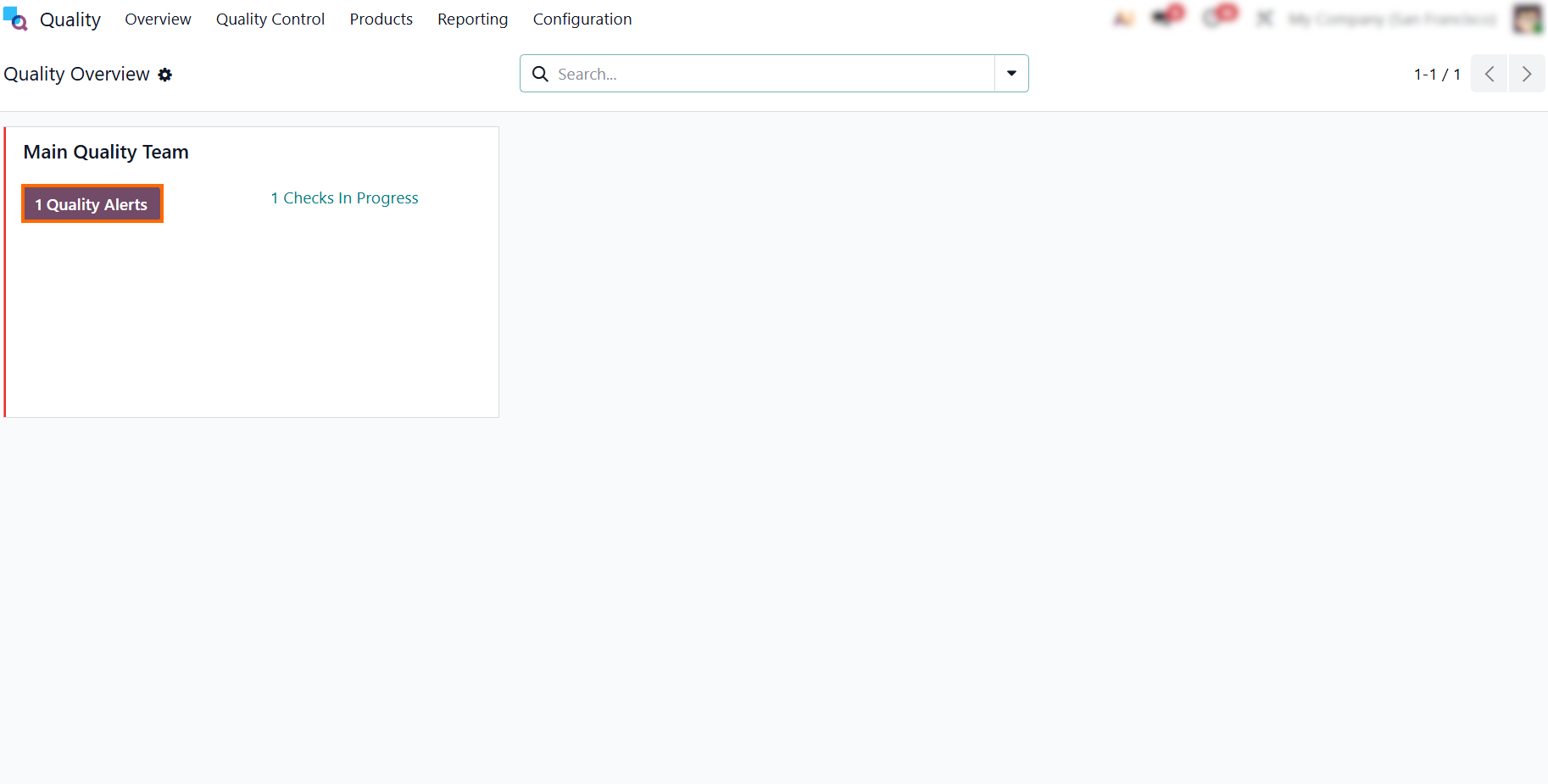
- Monitor the progress of the issue using the status bar in the top-right corner, which automatically places newly created issues in the “New” stage until the team confirms the defect.
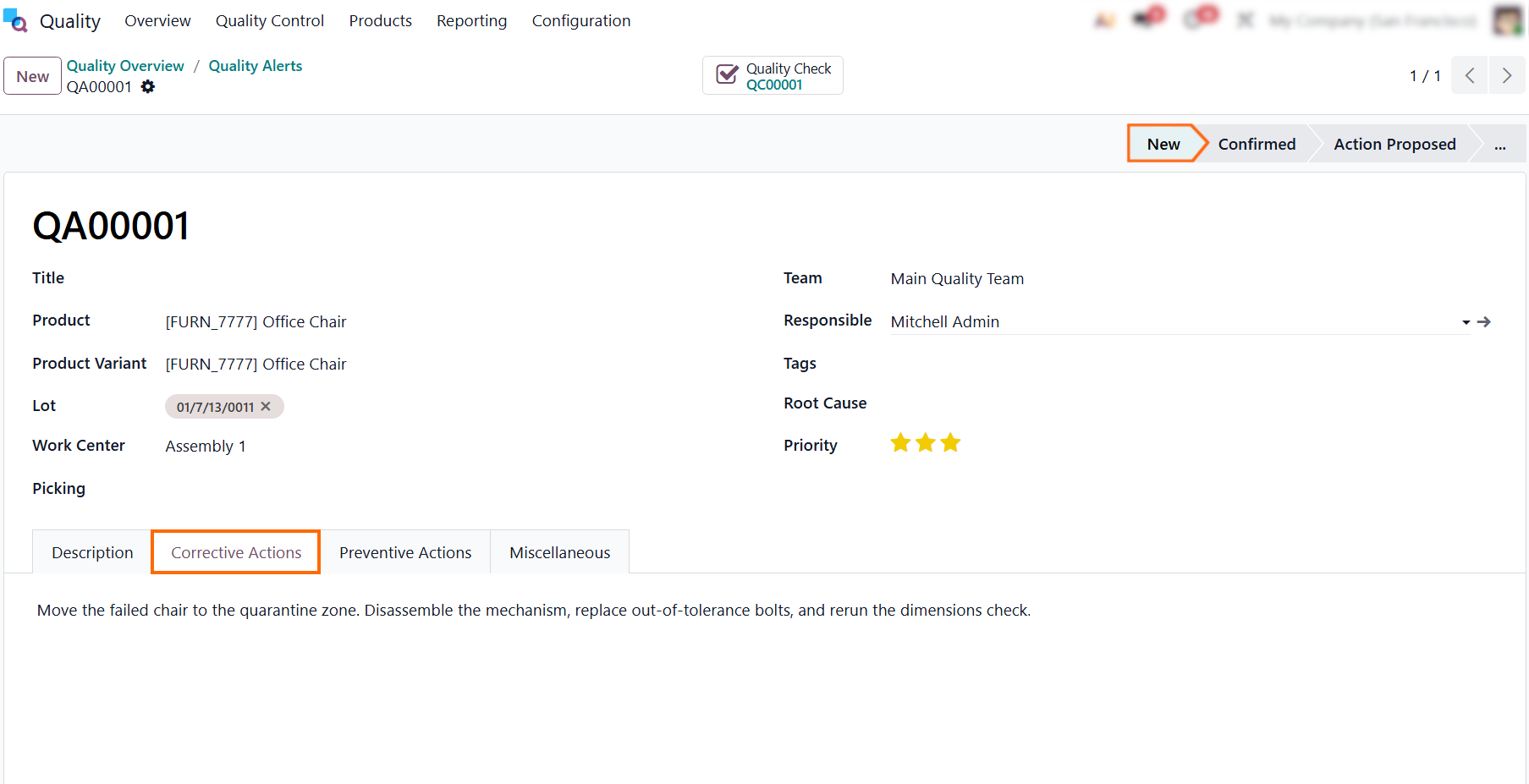
- Switch to the “Preventive Actions” tab to log
long-term adjustments. Enter a clear directive to prevent future defects. This
ensures the issue is addressed at the system
level, protecting future production runs from experiencing the same defect.
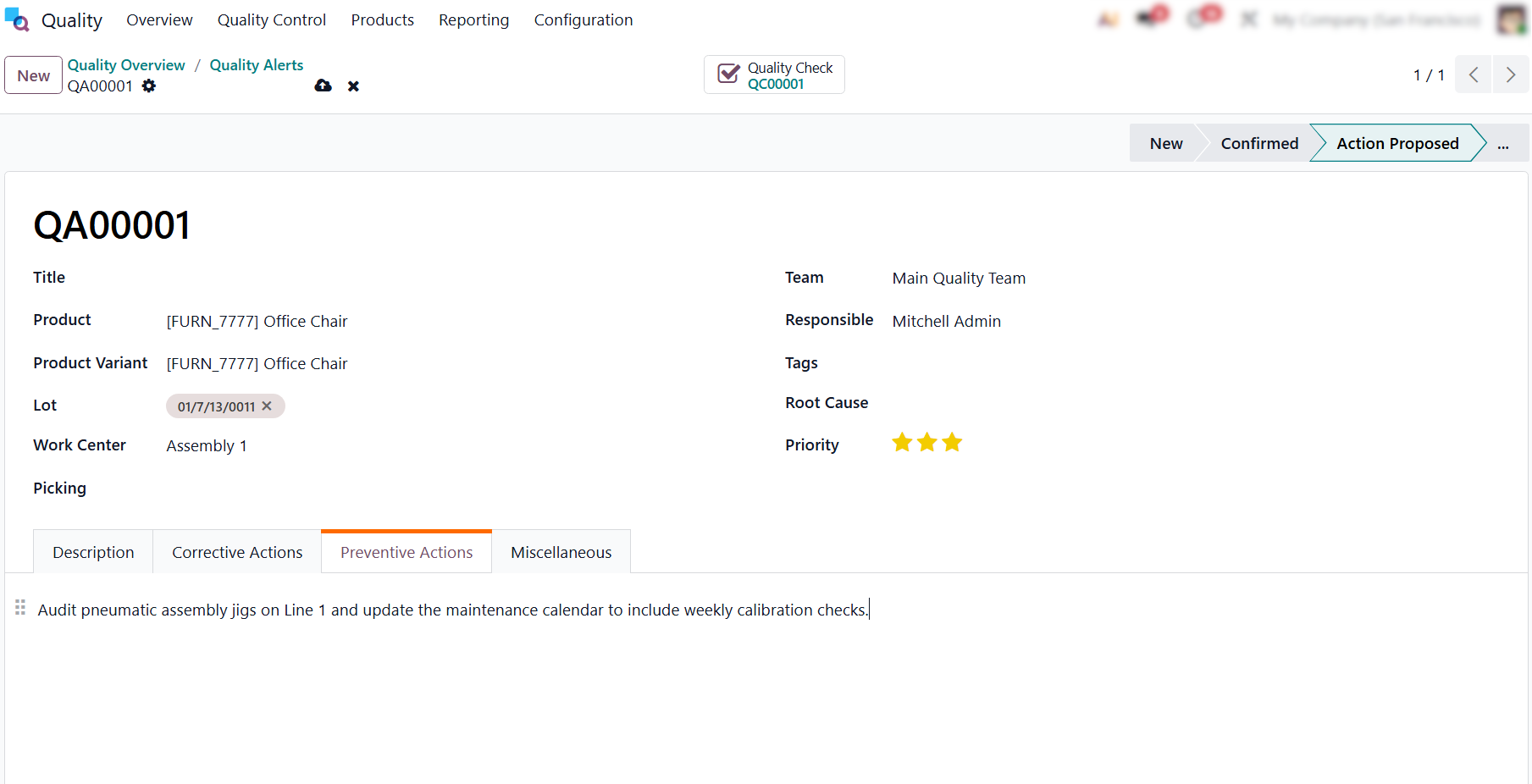
- Use the “Miscellaneous” tab to track underlying details like the external vendor or internal assignment dates. This section links shop floor defects directly to supplier profiles, ensuring full traceability if a vendor component caused the failure.
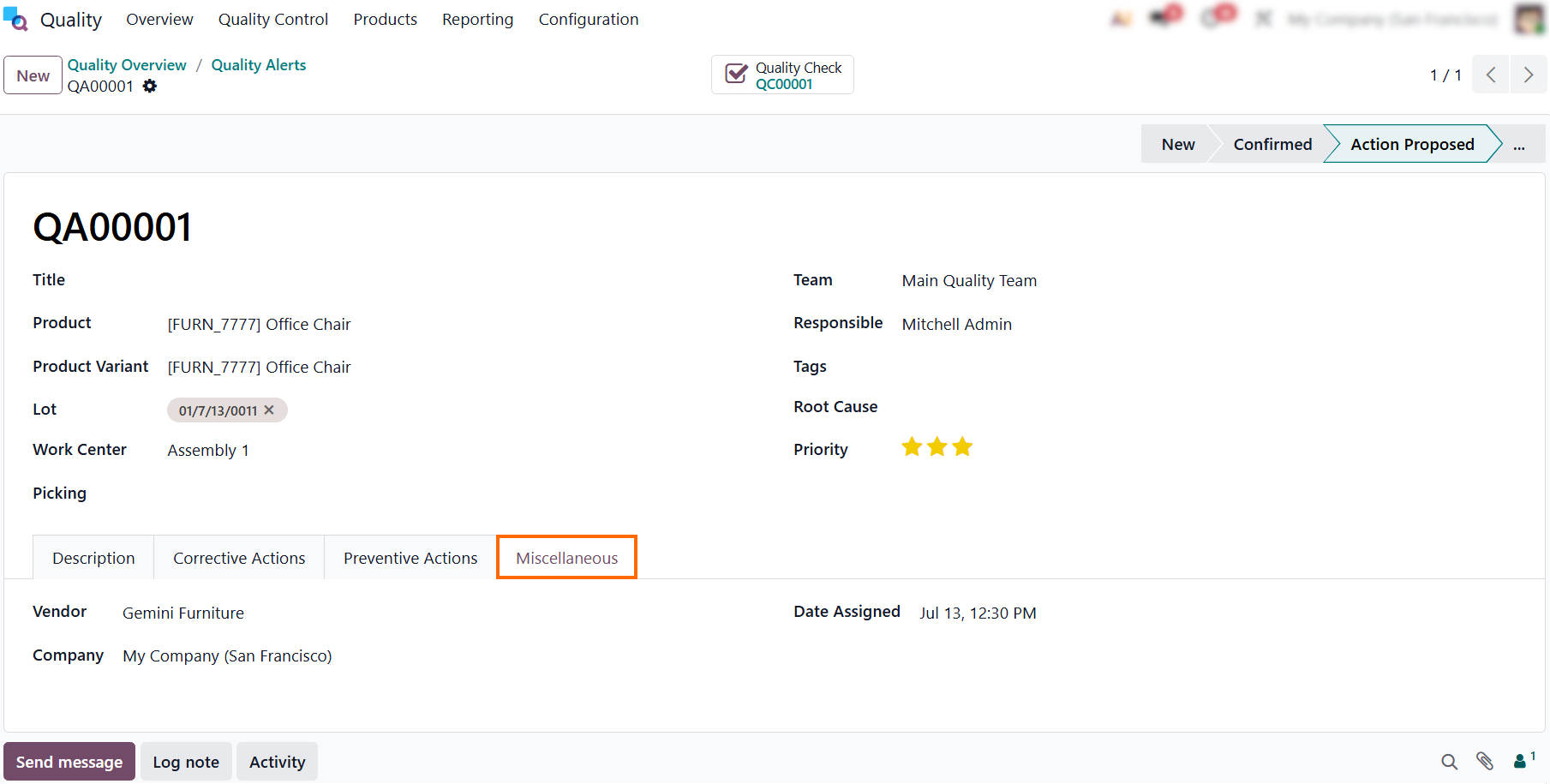
Once all corrective and preventive measures are implemented, move the alert to the “Solved” stage. This officially closes the issue, archiving the data for future quality audits
and signaling to management that the defect has been successfully resolved.
Data-Driven
Audits: Odoo Quality Checks and Alerts Reporting
Continuous improvement on the shop floor depends on clear, data-driven insights. By analyzing visual performance charts, production managers can easily spot defect trends and operational bottlenecks in real time. Standardizing these reviews within the Odoo Quality Module helps turn raw shop floor data into actionable strategies, ensuring recurring issues are resolved before they impact the bottom line. This helps transition your team from tracking isolated failures to establishing long-term quality trends. Ultimately, these visual reports provide the objective data needed to justify process improvements during team audits and management reviews. This reporting loop ensures that Odoo Manufacturing Quality Control covers every operational step, transforming daily shop floor checks into reliable, long-term traceability.
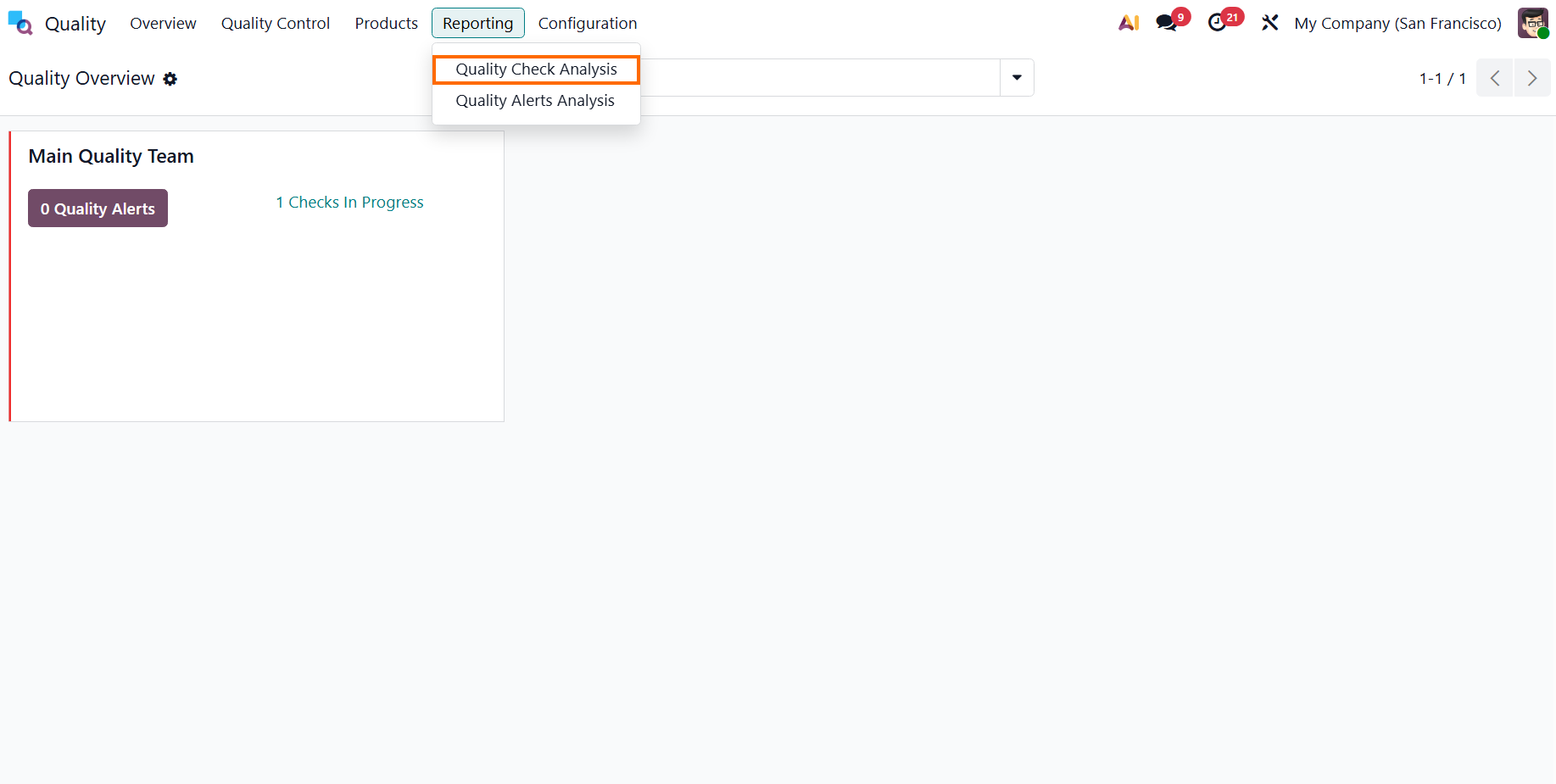
- Click the “Reporting” menu on the top navigation bar and select
“Quality Check Analysis”. This opens the analytical dashboard, allowing you to
begin filtering
and grouping your quality check records.
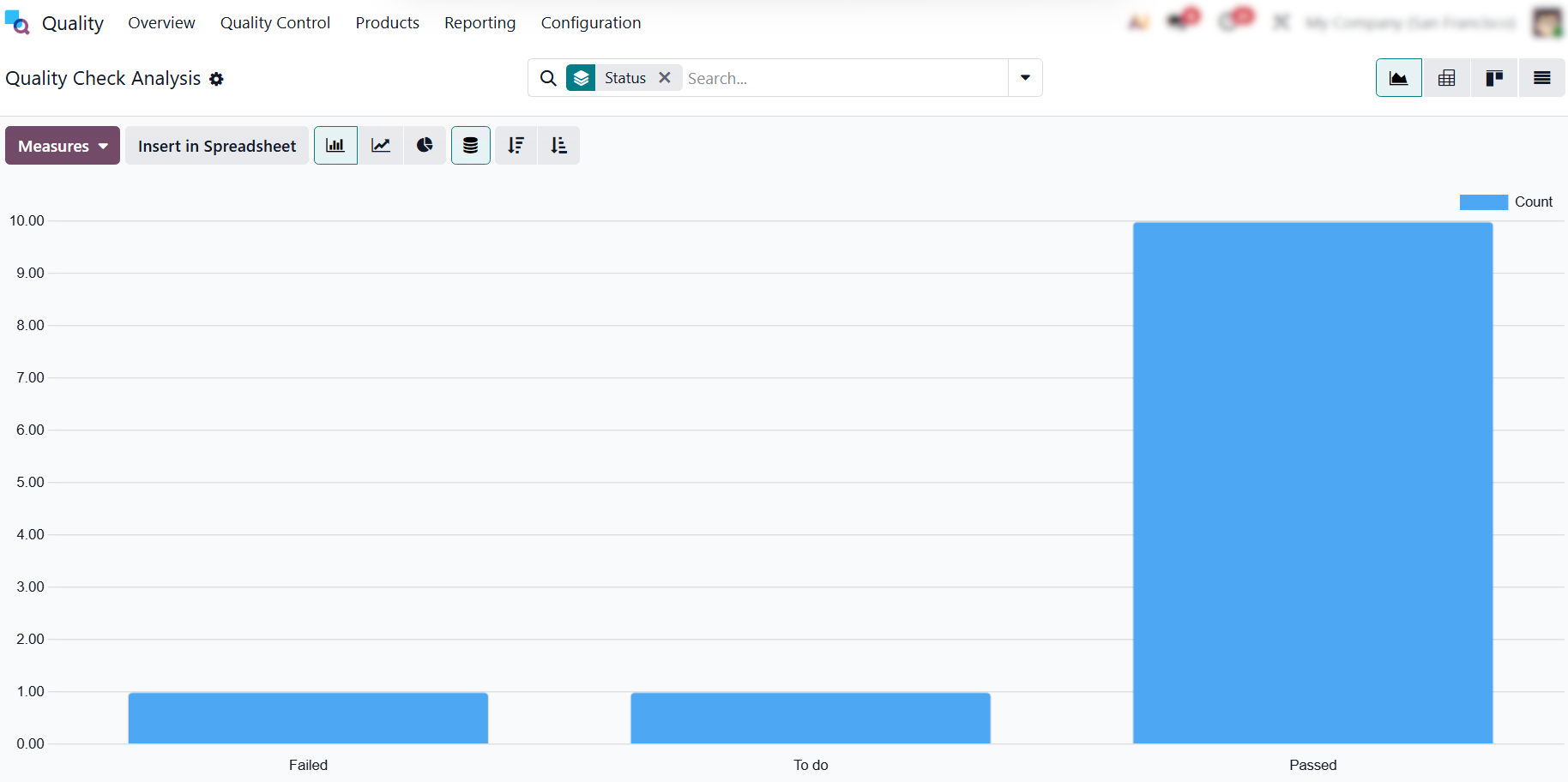
- The dashboard categorizes checks by status (failed, pending, and passed) so managers can instantly assess floor discipline and identify whether bottlenecks stem from unresolved checks or failing components.
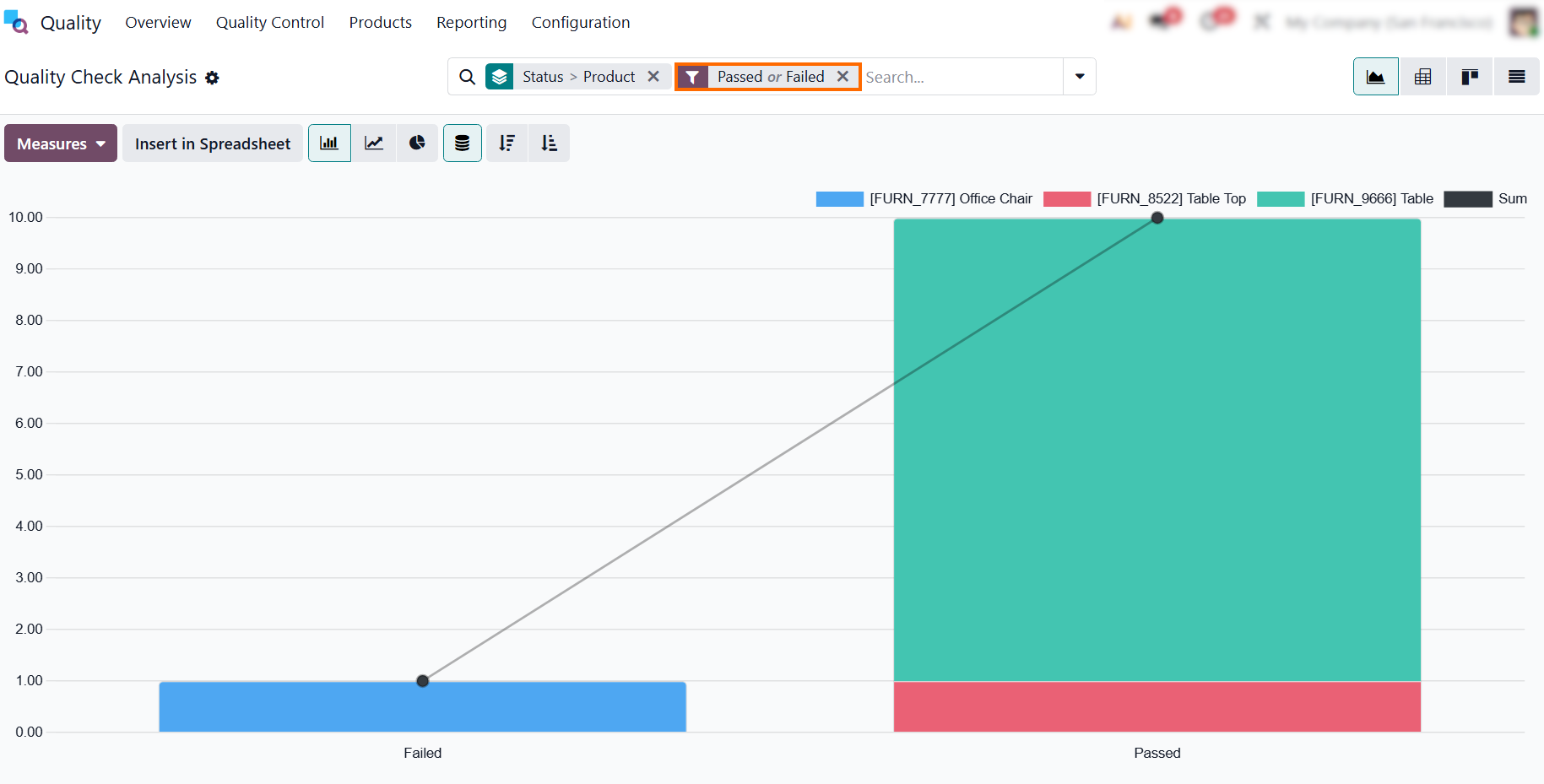
- Filtering by “Passed” or “Failed” and grouping by “Status” and
“Product” isolates completed checks. The resulting view highlights exactly
which product lines are driving your defect rates, helping you identify where additional quality improvements are needed.
- While checks track raw pass/fail data, “Quality Alerts Analysis” focuses on active process failures. It centralizes registered alerts, making it easy to trace recurring defects to specific workstations or vendors and monitor resolution times.
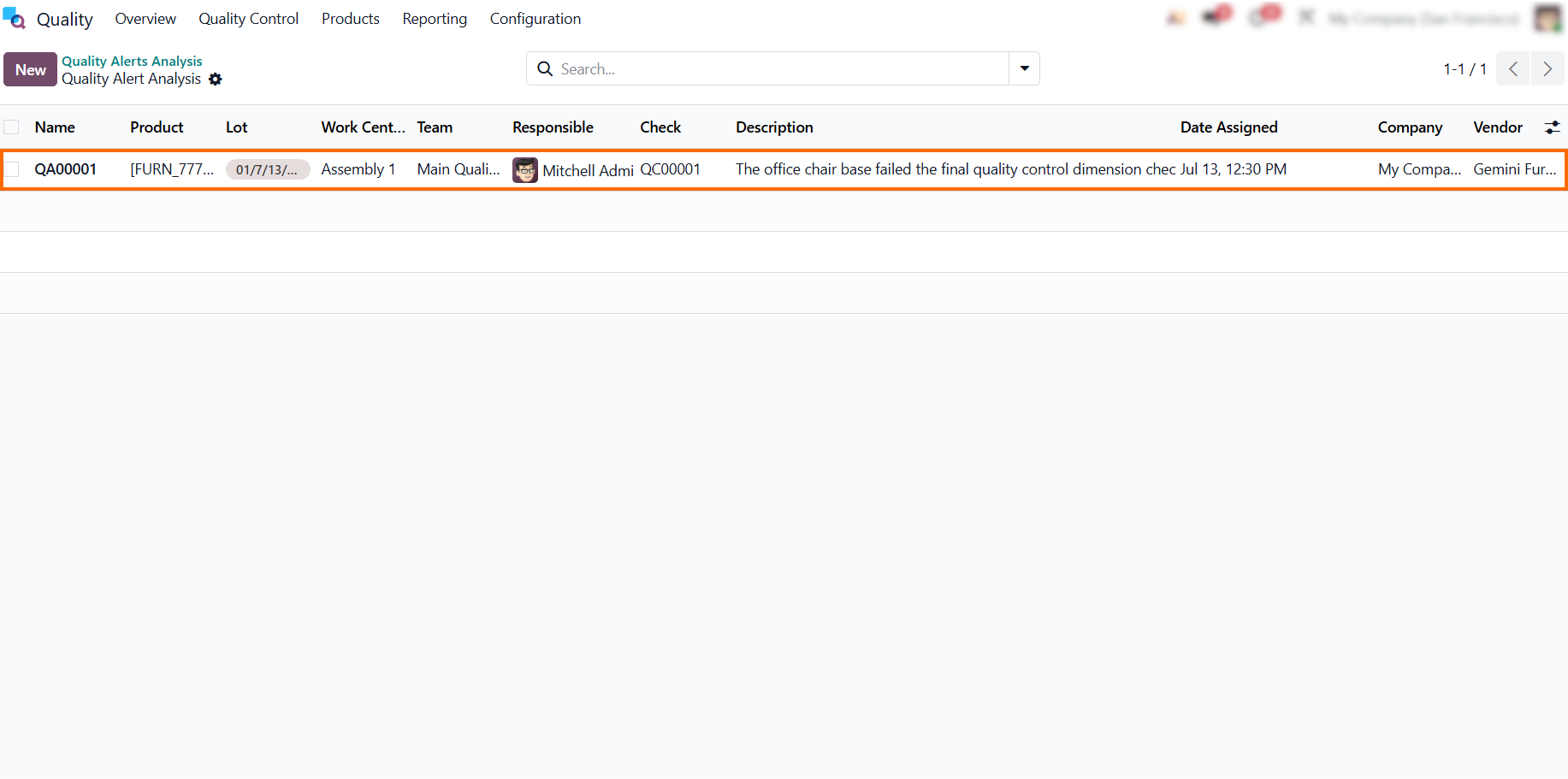
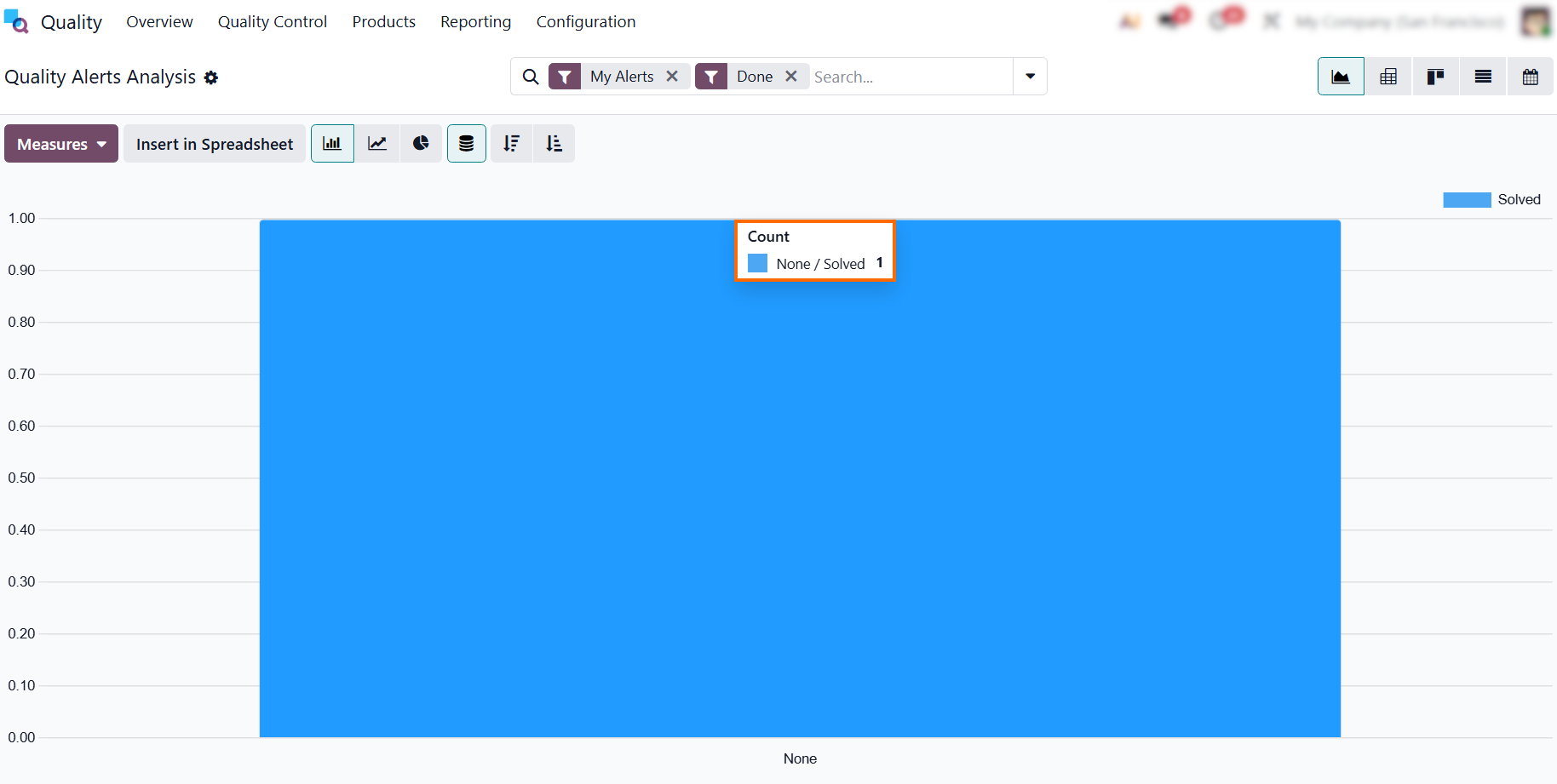
- The dashboard displays your registered
quality alerts based on their execution status, such as “Solved”. This provides
immediate visibility into which issues have been
successfully resolved, ensuring no critical process failures are left open.
Conclusion: Driving Operational Excellence Through Unified Quality Control
Integrating quality checks directly into manufacturing routings ensures compliance scales alongside production. By deploying Odoo’s unified platform, companies eliminate the friction between shop floor execution and quality control. Automated checkpoints, live engineering worksheets, and instant Odoo Quality Alerts ensure defects are documented and resolved before goods leave the station, stabilizing daily operations so expansion never compromises product integrity.
Beyond the factory floor, Odoo Manufacturing Traceability and real-time dashboards supply the data needed for continuous improvement. Management can instantly pinpoint bottlenecks, audit supplier reliability, and refine processes to protect profit margins. Ultimately, embedding native controls into your ERP system ensures efficient growth and consistent product excellence as Odoo Manufacturing Quality Control safeguards every step of your production scaling.