Scaling a manufacturing operation requires a shift from intuitive management to data-driven decision-making. As production grows, operational limitations often become significant obstacles, making it essential to evaluate capacity at a system level rather than tracking individual orders. Without a clear view of your actual throughput, scaling too quickly can lead to costly inefficiencies and missed delivery deadlines. By consolidating inventory, quality checkpoints, and equipment availability into Odoo’s MRP planning logic, you can eliminate data fragmentation and establish a reliable baseline for growth. This guide shows how to configure your environment to accurately measure capacity, perform a production bottleneck analysis, and ensure your infrastructure is ready to support your long-term success.
- Before performing capacity
analysis, ensure the Odoo environment is configured to capture the full scope
of production data, as partial data sets lead to misleading output projections
.
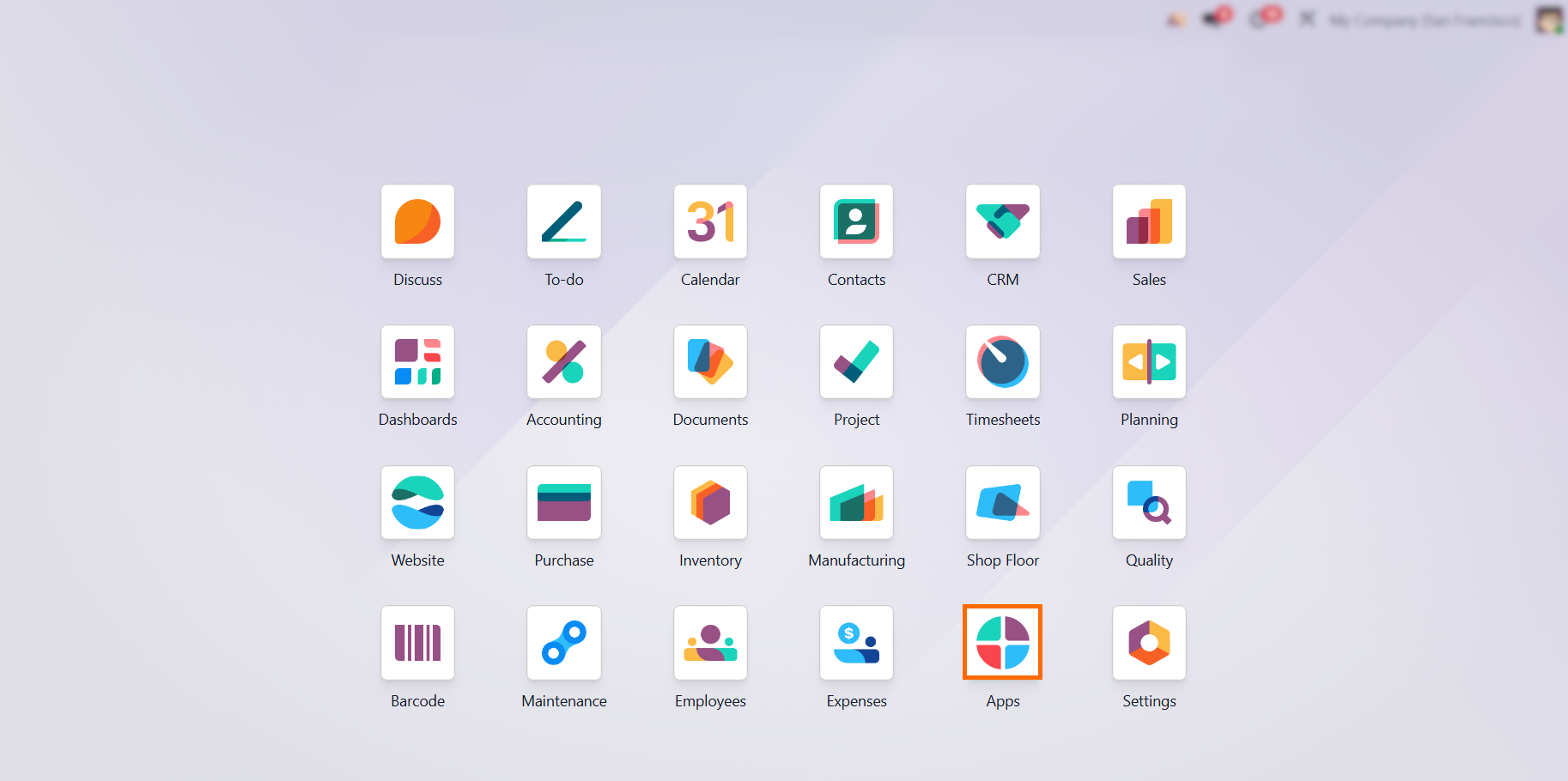
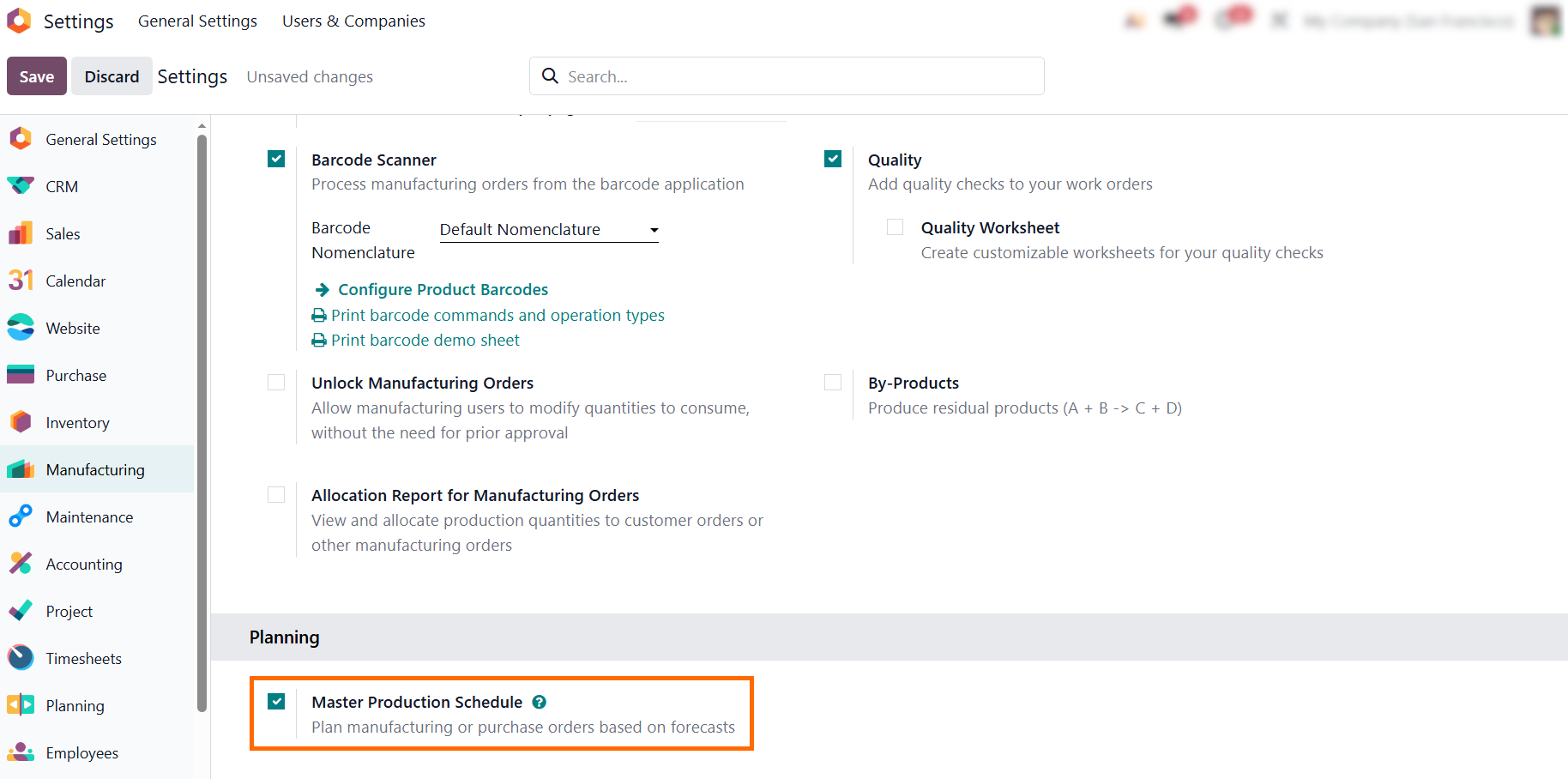
- Integrate at least Manufacturing, Shop Floor, Quality, Maintenance, Accounting, Employees, and Purchase to generate the accurate metrics required for reliable planning.
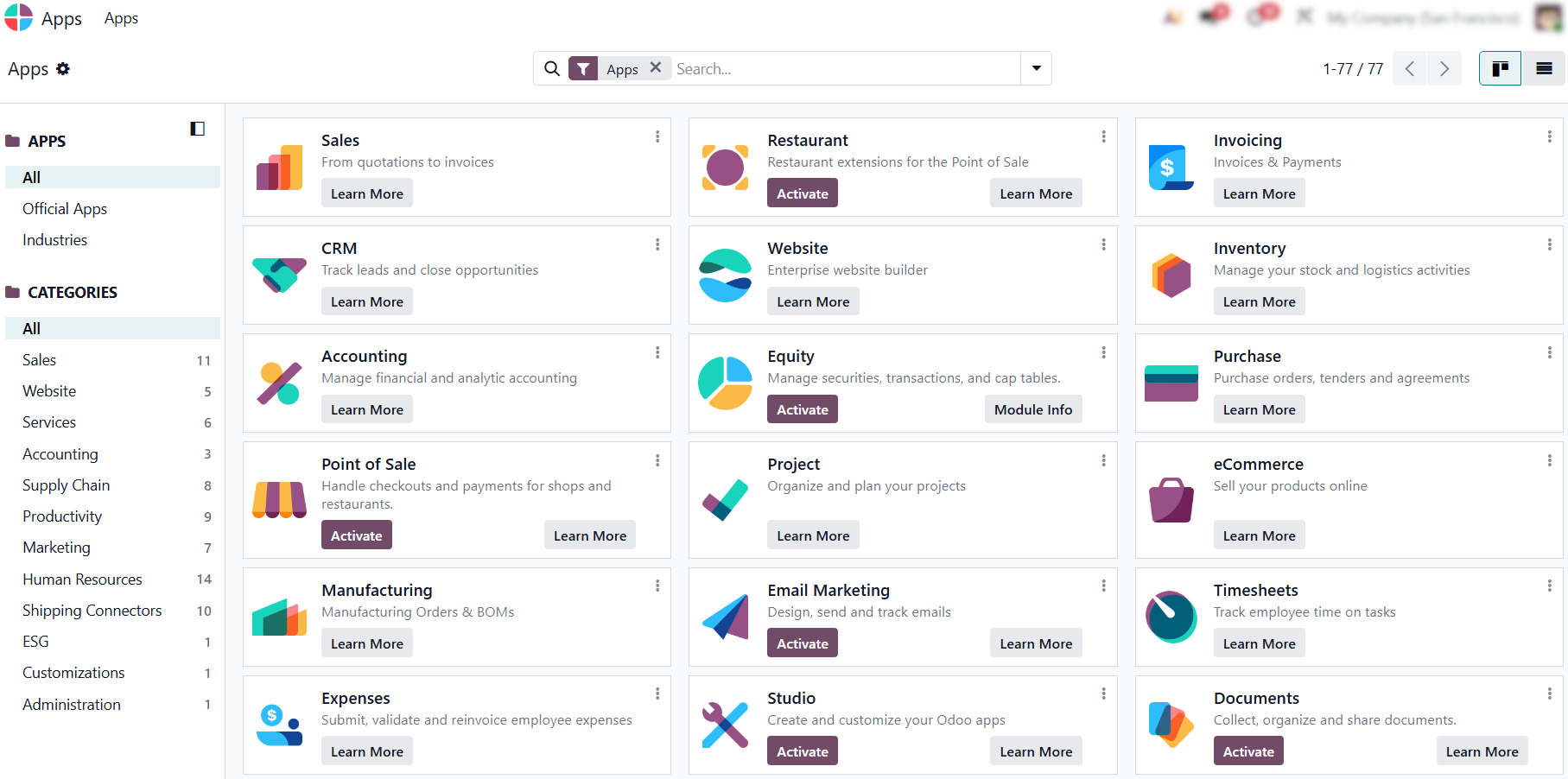
- Define your production
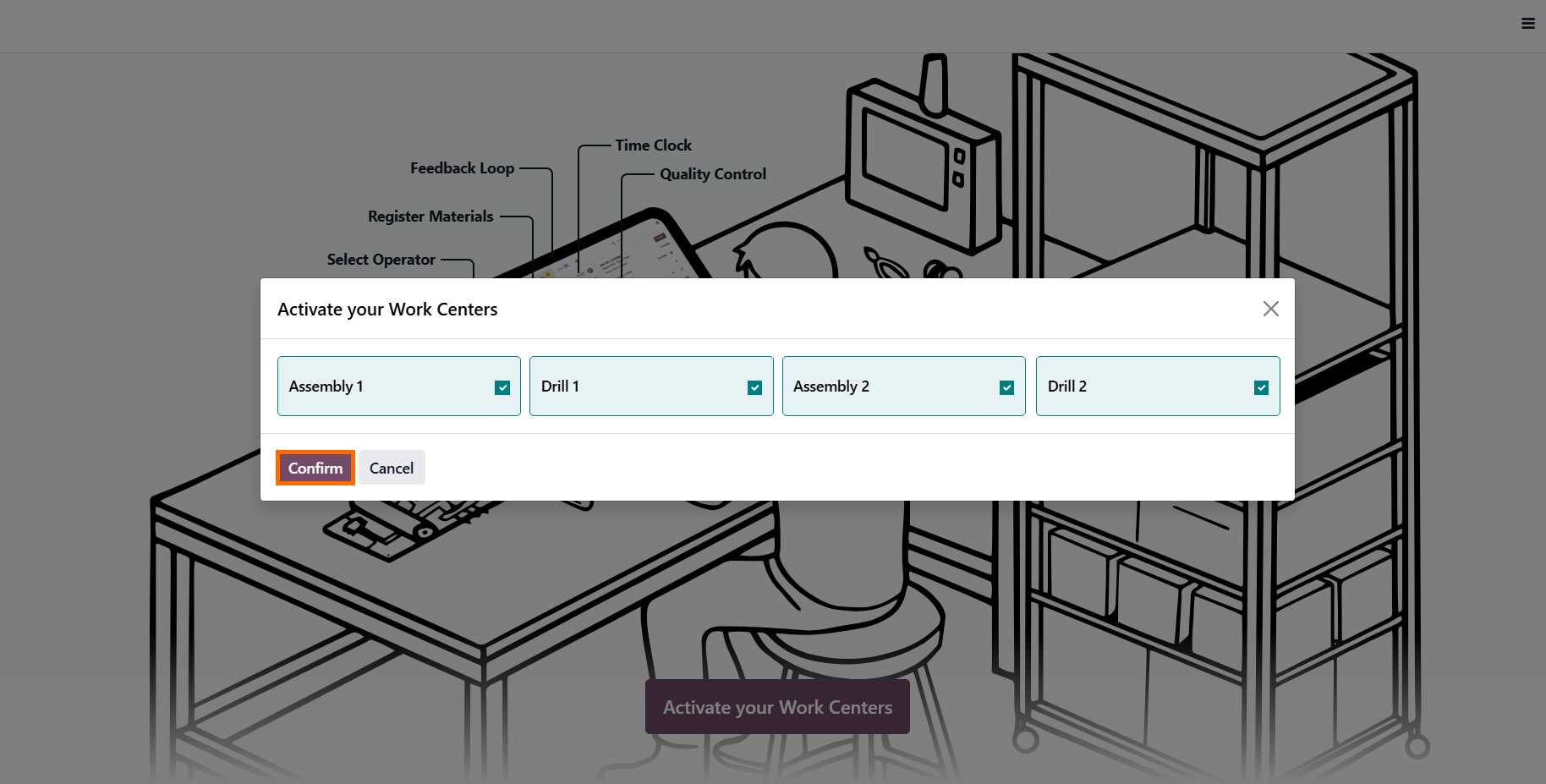
resources as Work Centers. This is the foundation for effective work center load optimization, as it maps physical equipment and workstations into measurable units.
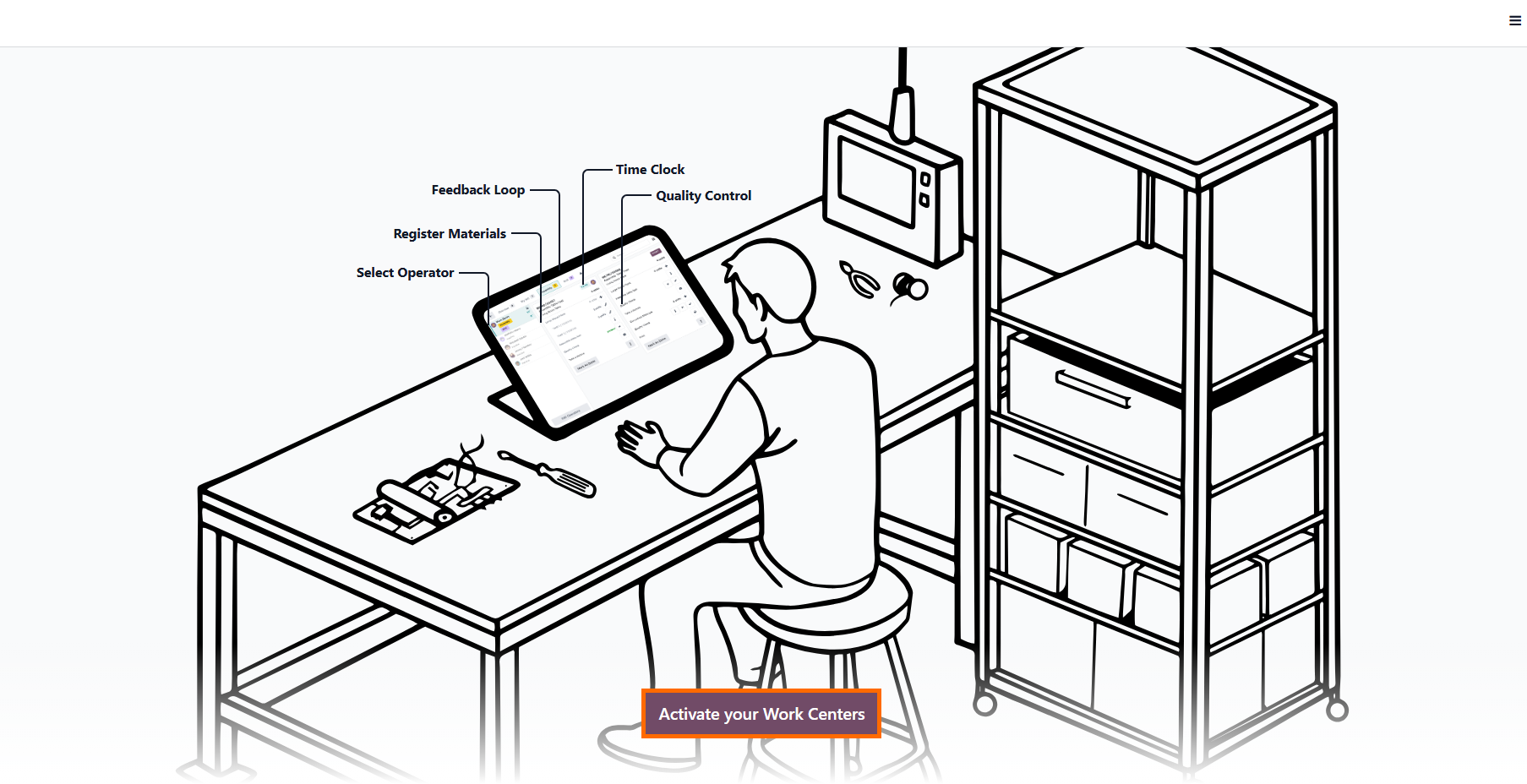
- Assign operator time, material usage, and quality checkpoints to each Work Center, effectively transforming your shop floor into a measurable digital system where every process bottleneck becomes visible.
- Utilize MPS forecasting to simulate future demand.
The MPS integrates directly with purchasing workflows, ensuring that lead times
for raw materials are accounted for
when planning production, removing uncertainty during high-volume periods.
Configuring
Work Center Parameters for Odoo Manufacturing
Efficiency
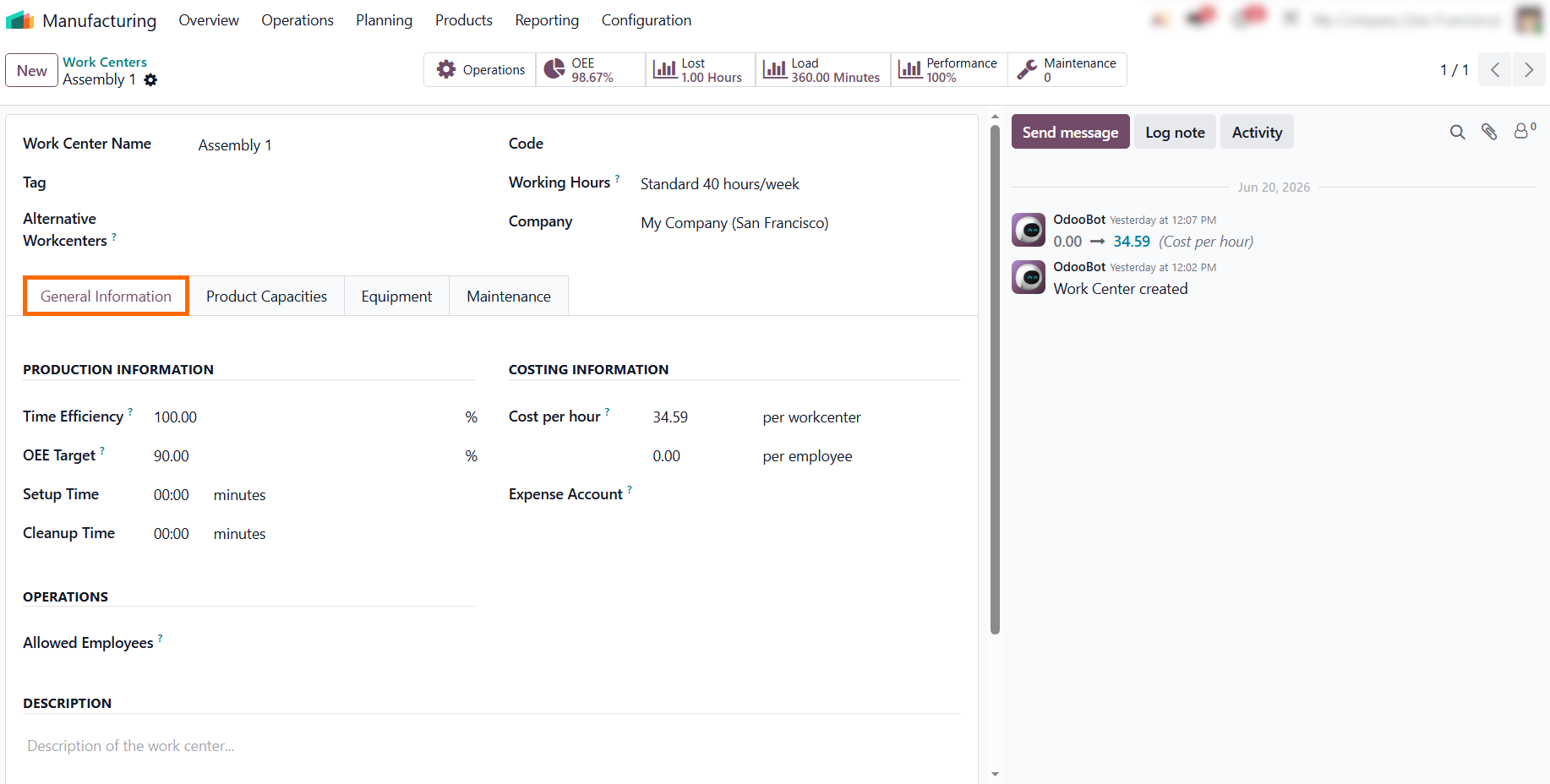
To base Odoo MRP planning on real-world constraints rather than theoretical estimates, individual work center parameters must be configured correctly. In Odoo Manufacturing, you can define critical performance metrics such as Time Efficiency, OEE Targets, and cost per hour for every specific unit. Odoo natively supports efficiency buffers, allowing you to set a Time Efficiency of 85–90% rather than a theoretical 100%. This adjustment ensures capacity projections remain reliable as production volume increases. It also prevents planning burnout, which occurs when schedules lack operational flexibility. Accurate configuration here is the foundation for a transparent, data-driven production flow and improved MPS forecasting. Precise baseline data is essential for maintaining accurate scheduling as operations expand.
- Configure key performance metrics such as efficiency, OEE targets, and hourly costs to establish a realistic baseline for your workstation’s capacity and eliminate idealized scheduling estimates.
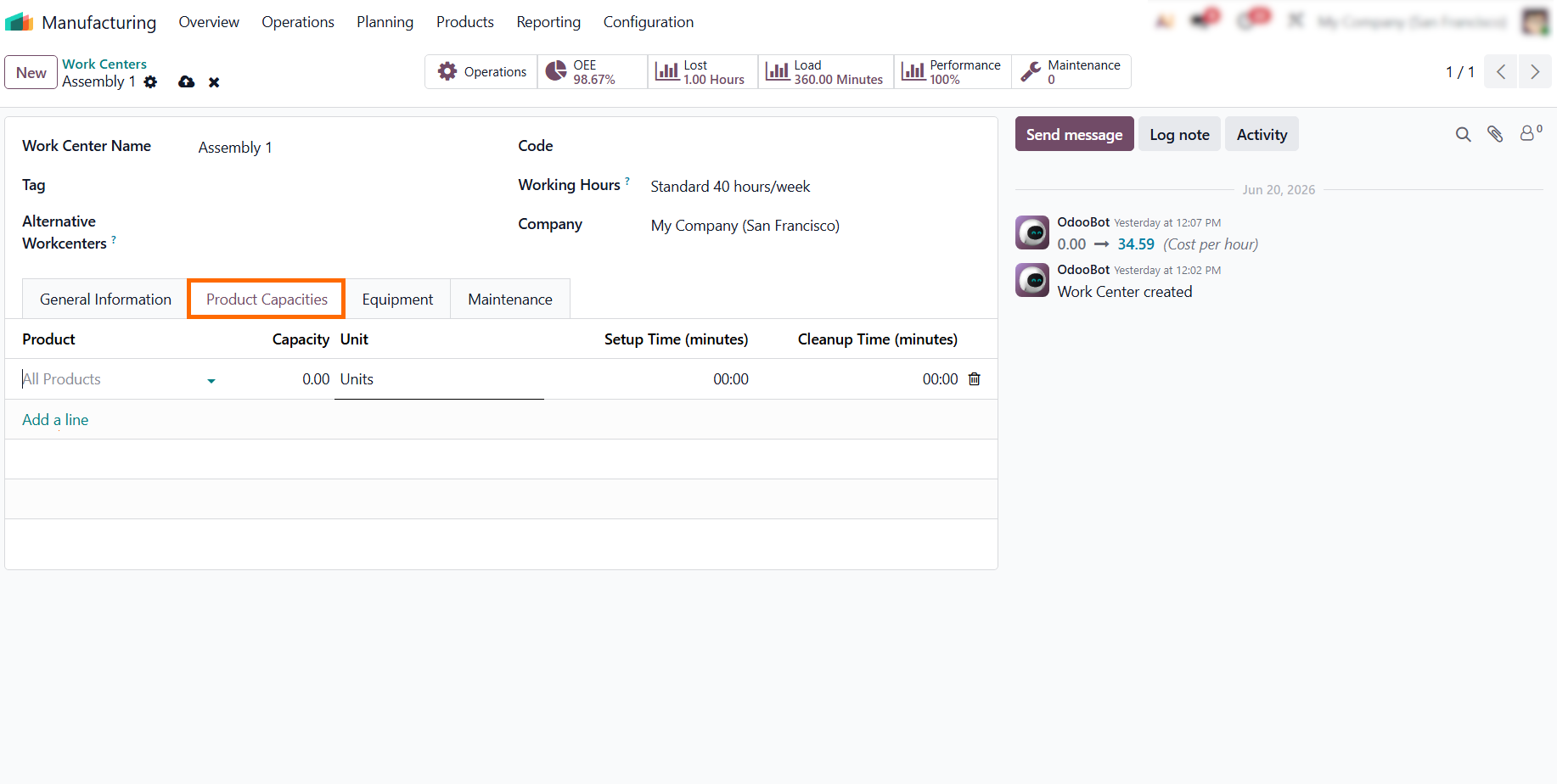
- Define specific output rates for different product variants if your workstation’s performance varies, ensuring that production lead times remain precise even when shifting between different manufacturing complexities.
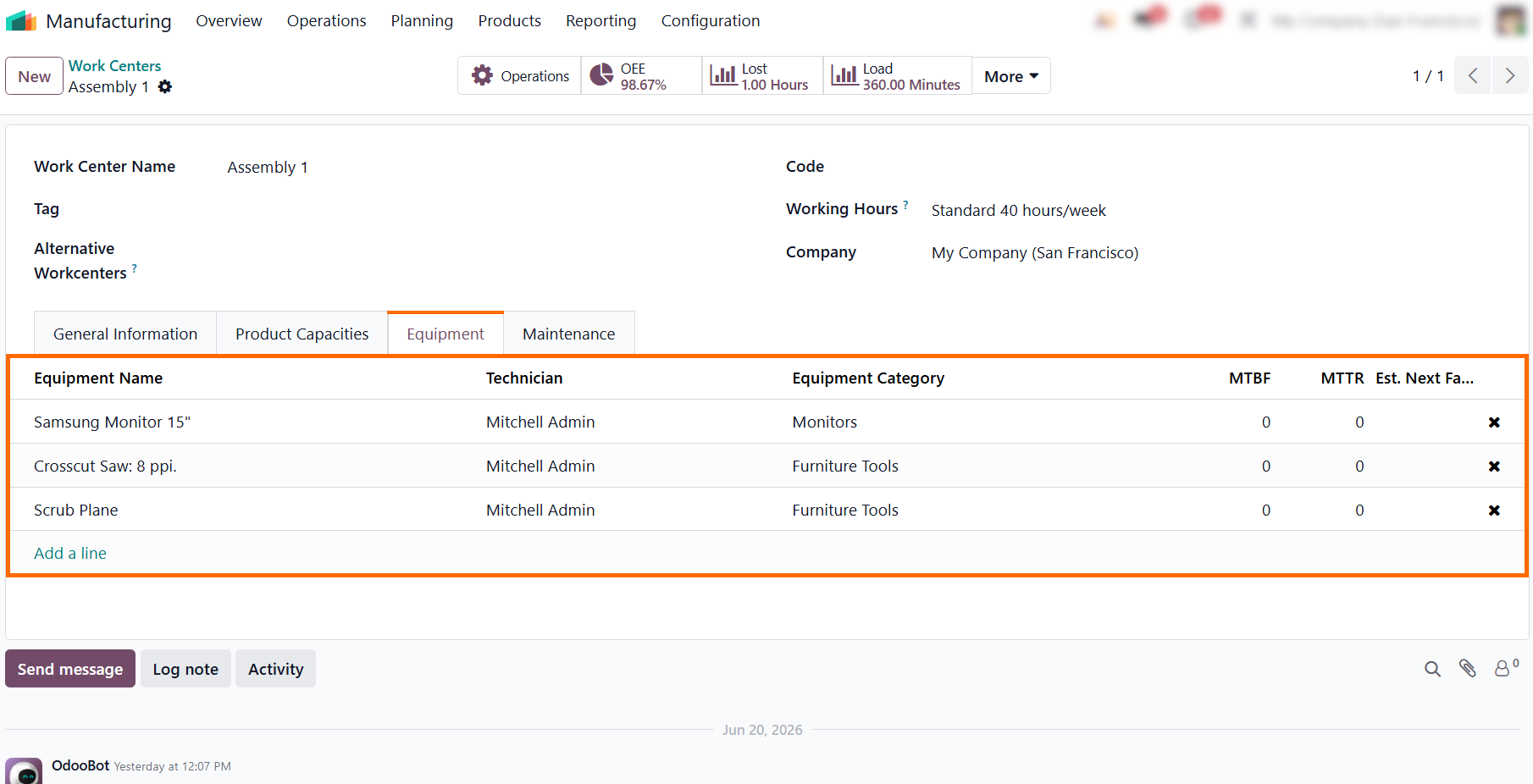
- List all machinery used at this work center to track maintenance and downtime, which enables accurate production bottleneck analysis and exposes hidden capacity losses before aging equipment turns into a critical issue.
- Define your maintenance teams and response times so that time lost to unexpected repairs is automatically factored into your long-term work center load optimization models.
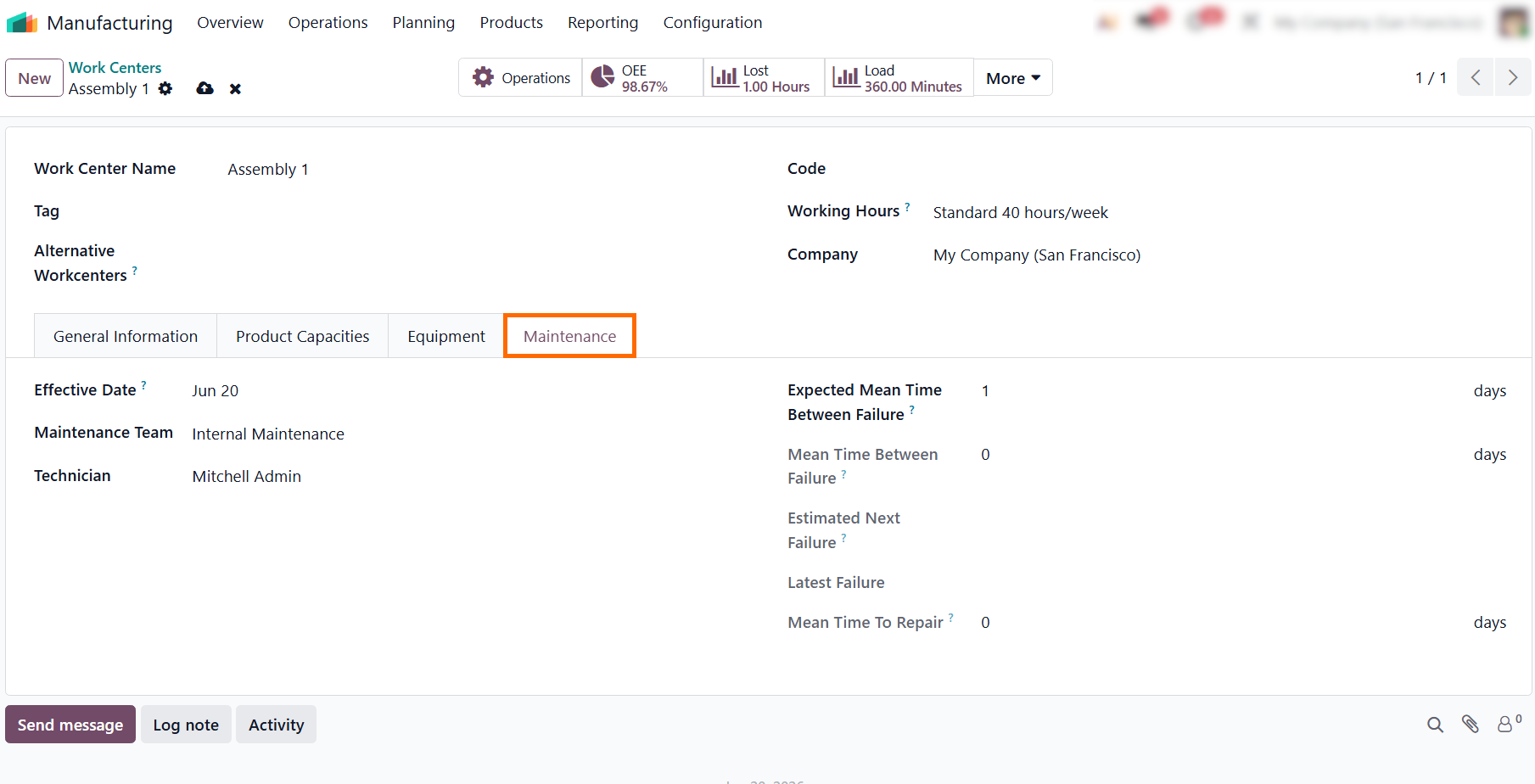
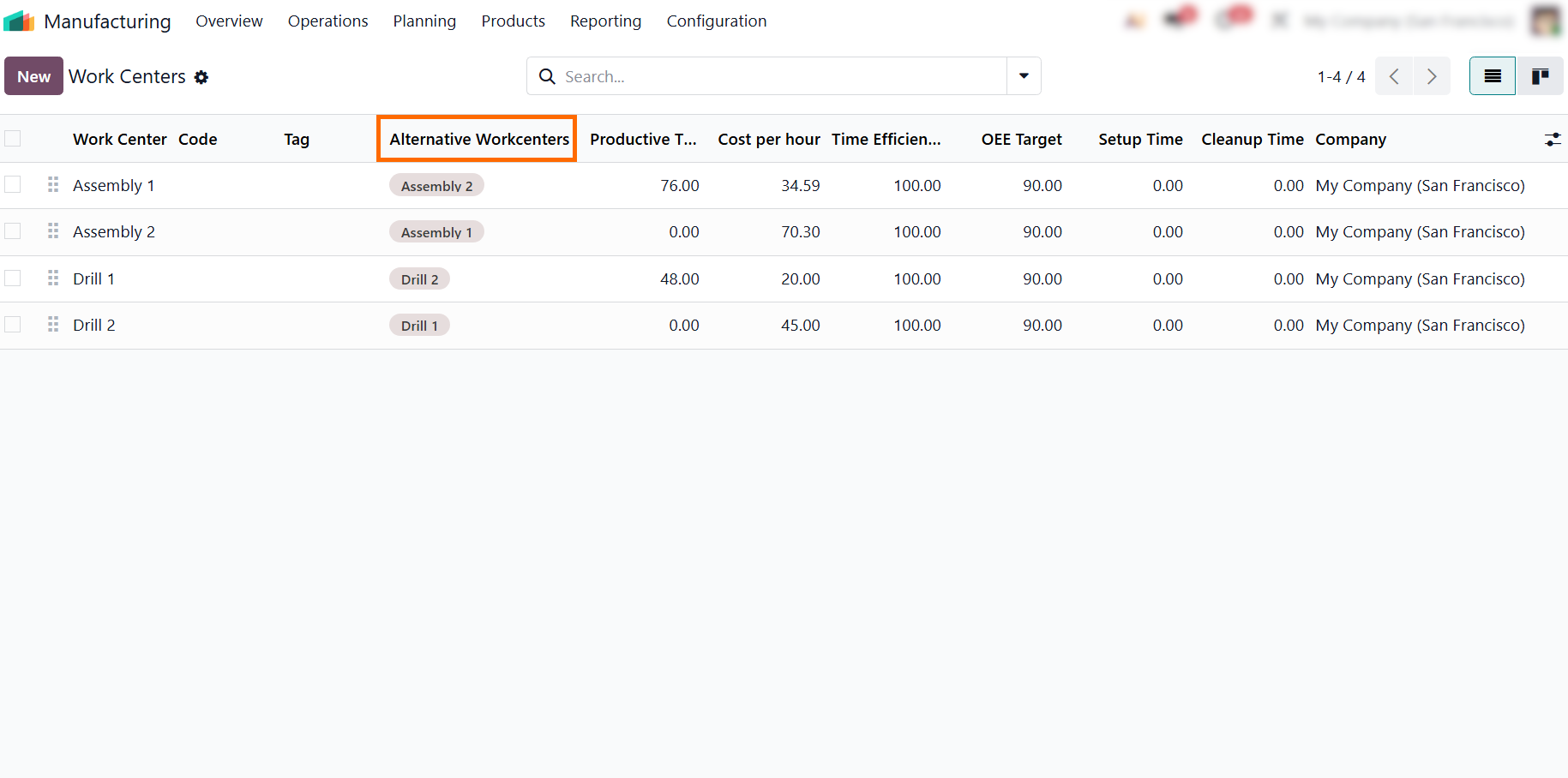
- Review your Work Center list to verify
synchronized metrics across your network and define Alternative Work Centers to
reroute tasks automatically, ensuring Shop
Floor data
accuracy when primary workstations reach capacity.
Identifying
and Managing Production Bottleneck Analysis
in Odoo 19
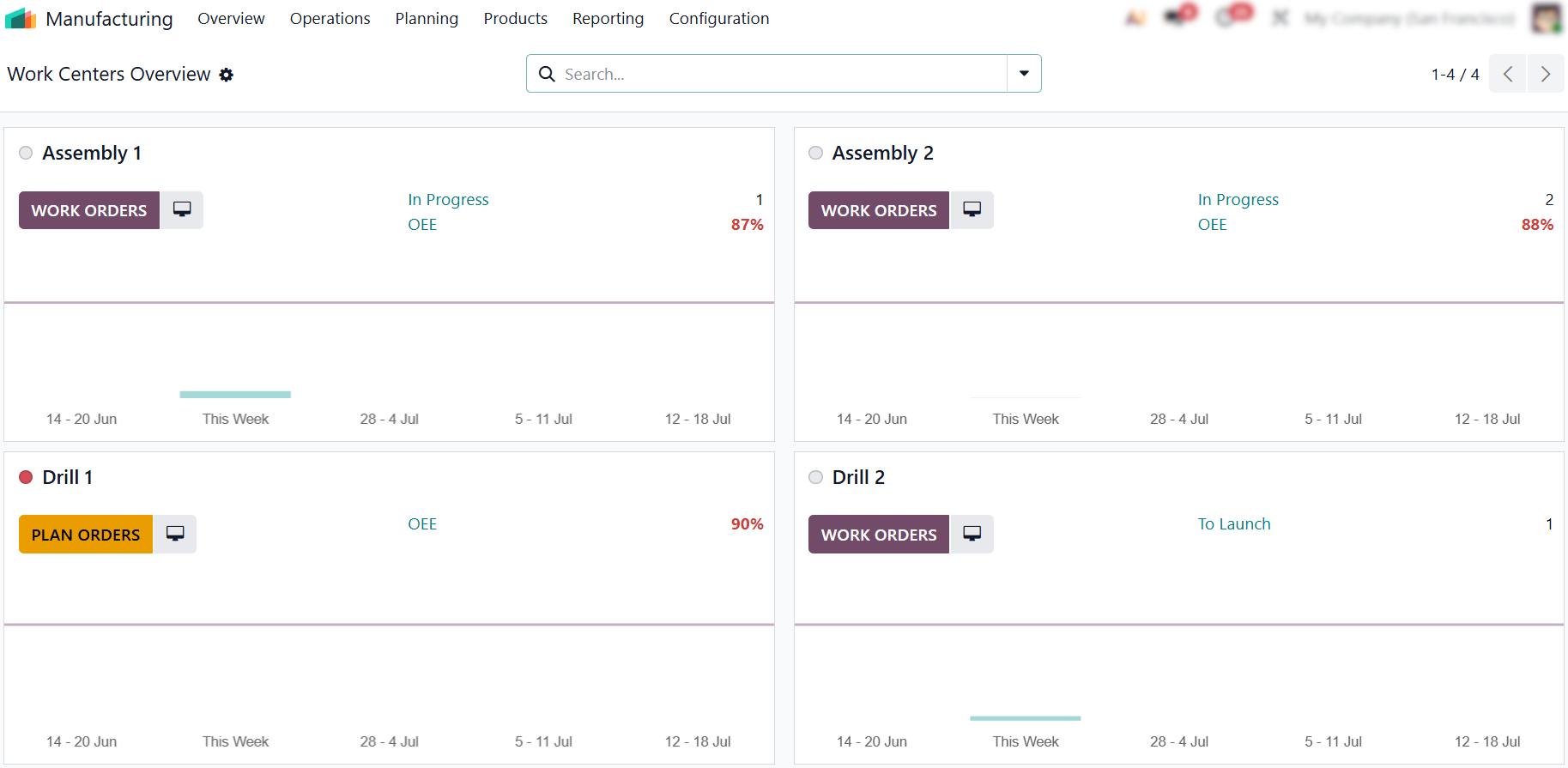
Once your parameters are set, use the Work Centers Overview to focus on real-time performance. This view is essential for evaluating whether your current capacity can handle growth or if it will act as a constraint on scaling manufacturing operations. By performing a regular production bottleneck analysis, you identify exactly where you need more resources before they become a barrier to progress. This ensures that your MRP plans remain accurate and your production forecasts stay reliable, moving the business away from intuitive decisions toward data-driven growth. To maintain this precision, ensure that all shop floor activity is recorded promptly to reflect true execution times. Consistent data input prevents discrepancies and allows the system to clearly show you when and where your infrastructure is ready to scale.
- Monitor real-time performance through the Work Centers Overview to instantly identify workstations with low OEE or pending tasks, allowing you to address capacity constraints before they impact your overall production schedule.
- Navigate to the Shop Floor interface to get full visibility into your production lines. This app centralizes everything in one view, showing you exactly what each operator is working on and the precise status of individual execution steps.
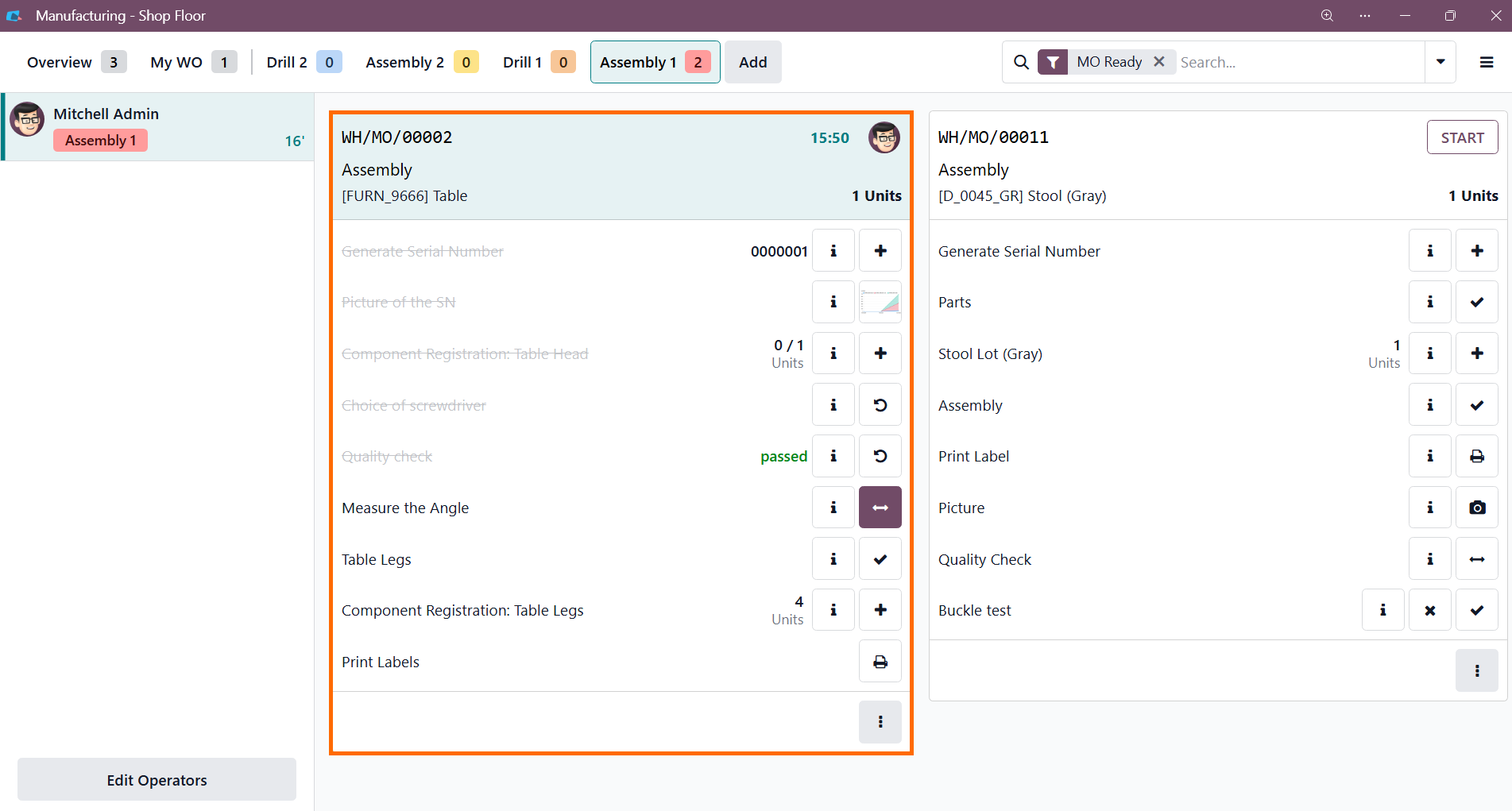
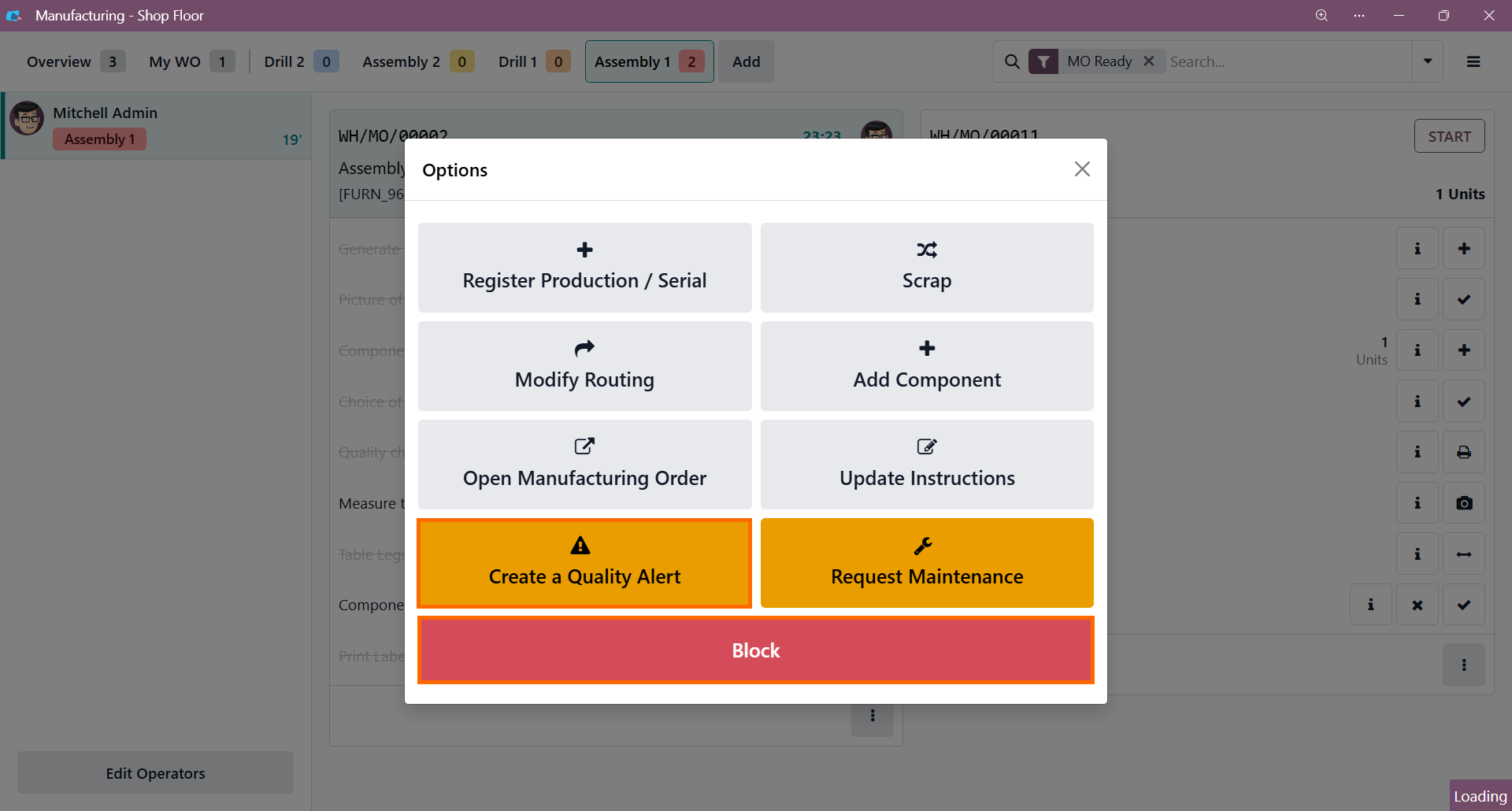
Instruct operators to trigger a Quality Alert directly from the Shop Floor when an issue arises. This instantly notifies the quality team, ensuring rapid resolution and preventing defects from escalating into production bottlenecks.
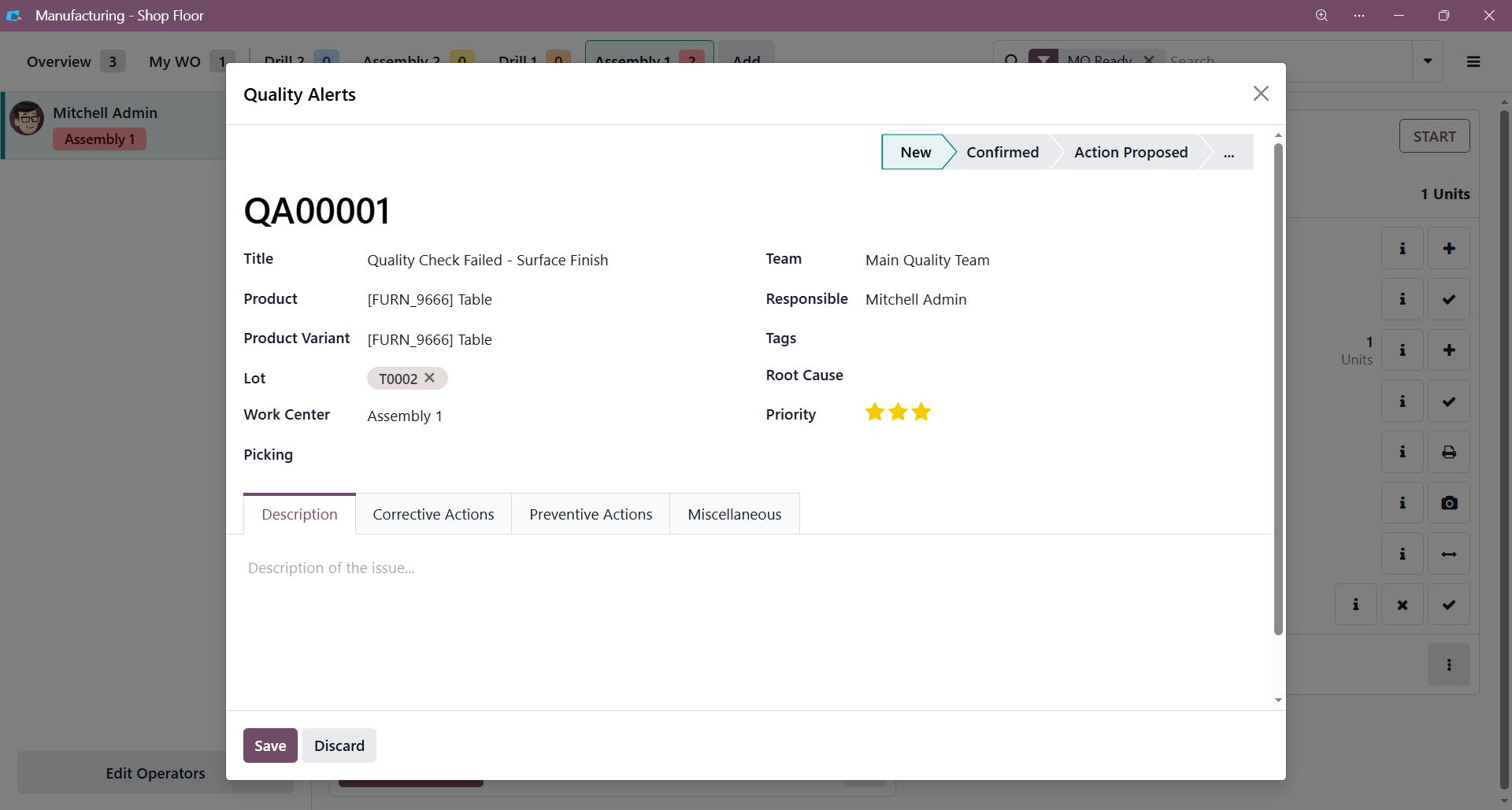
- Use the Quality Alert form to detail the defect. Filling out the Description, Corrective, and Preventive Actions tabs ensures the quality team has the context needed to resolve current issues and prevent future bottlenecks, supporting stable scaling.
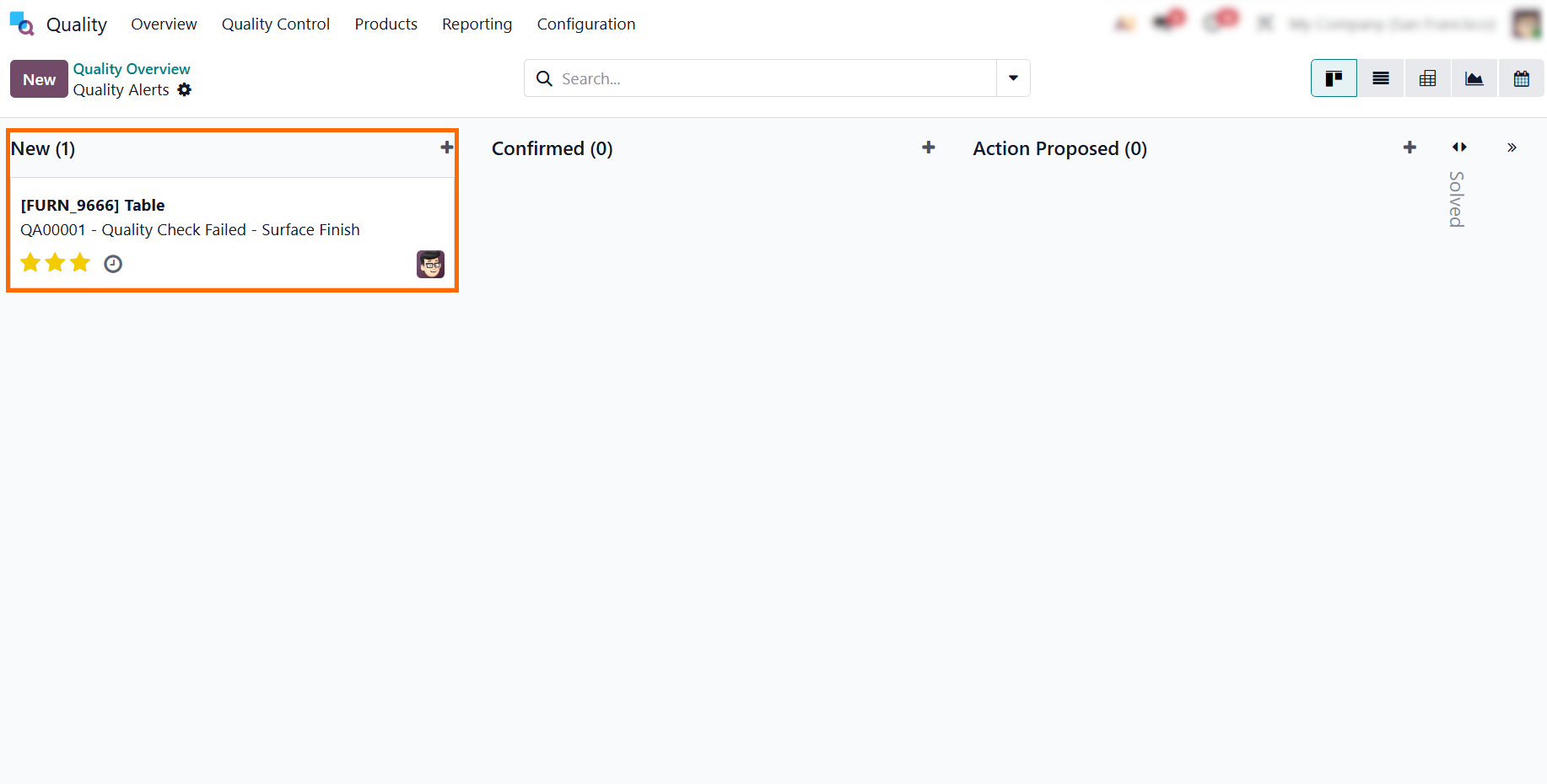
- Access the Quality module to review the request. This workflow allows your team to address issues promptly, preventing minor defects from escalating into systemic bottlenecks.
Validating Scaling Manufacturing Operations with Odoo MRP Planning and MPS Forecasting
Validating readiness for scaling manufacturing operations requires more than demand projections; it depends on whether Odoo manufacturing capacity can support increased volumes under real operating conditions. Using Odoo MRP planning as a capacity-driven framework allows forecasted demand to be evaluated against actual execution limits rather than assumed throughput. Through MPS forecasting, projected workloads are aligned with available resources, enabling early production bottleneck analysis and targeted work center load optimization where constraints emerge. The reliability of these insights depends on Shop Floor data accuracy as incomplete execution data undermines capacity validation and distorts planning outcomes. When capacity assessments are grounded in accurate operational data, manufacturing growth becomes a controlled, data-validated process within Odoo 19.
- Synchronize demand with capacity by using the MPS as the essential bridge between marketing sales goals and your actual production capacity, ensuring you avoid over-committing when manufacturing limits are reached.
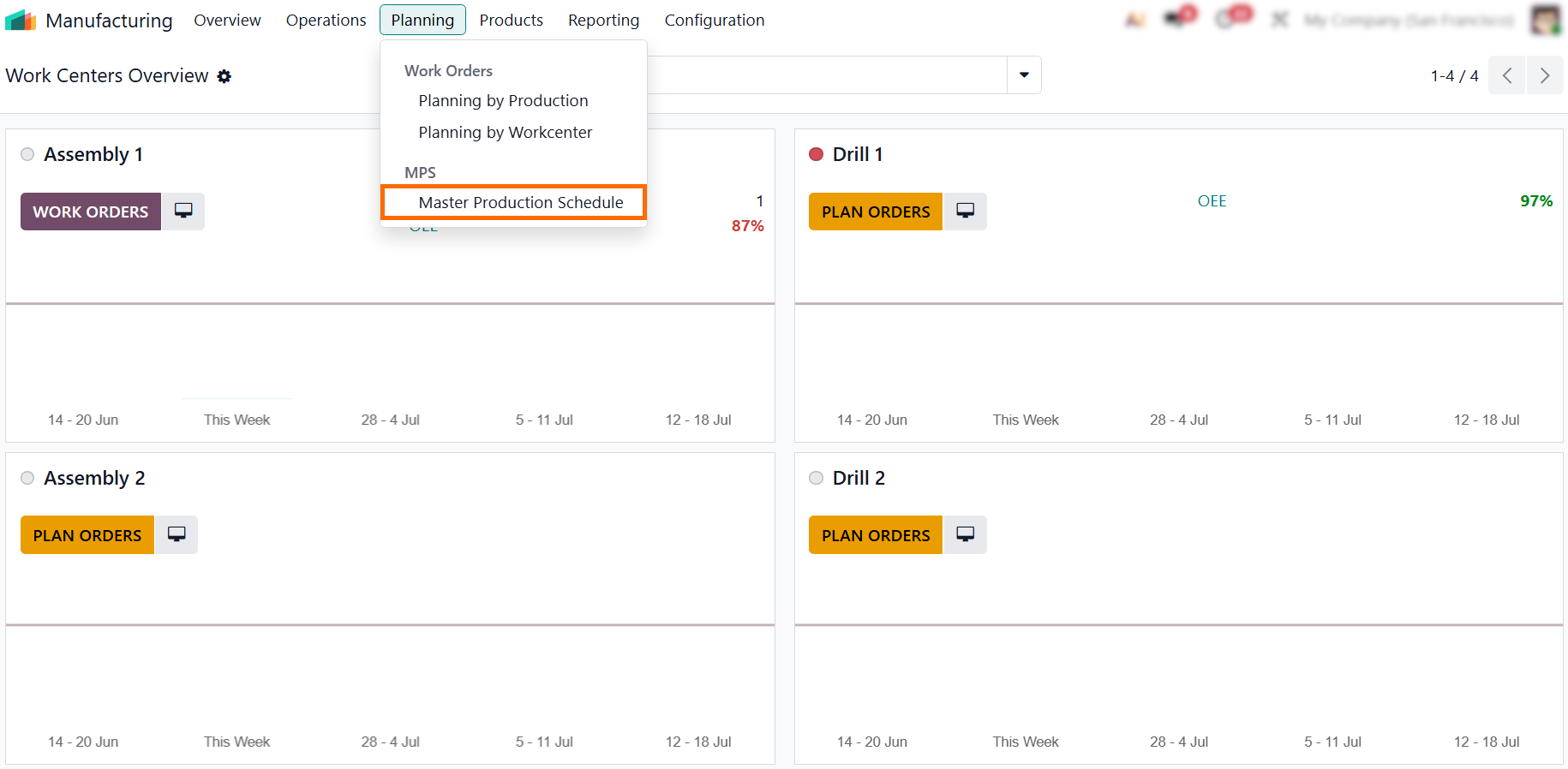
- Simulate production volume by testing what-if scenarios through adjusted demand levels in the MPS, allowing you to visualize how scaling orders impact resource utilization and determine where new equipment or shifts are needed.
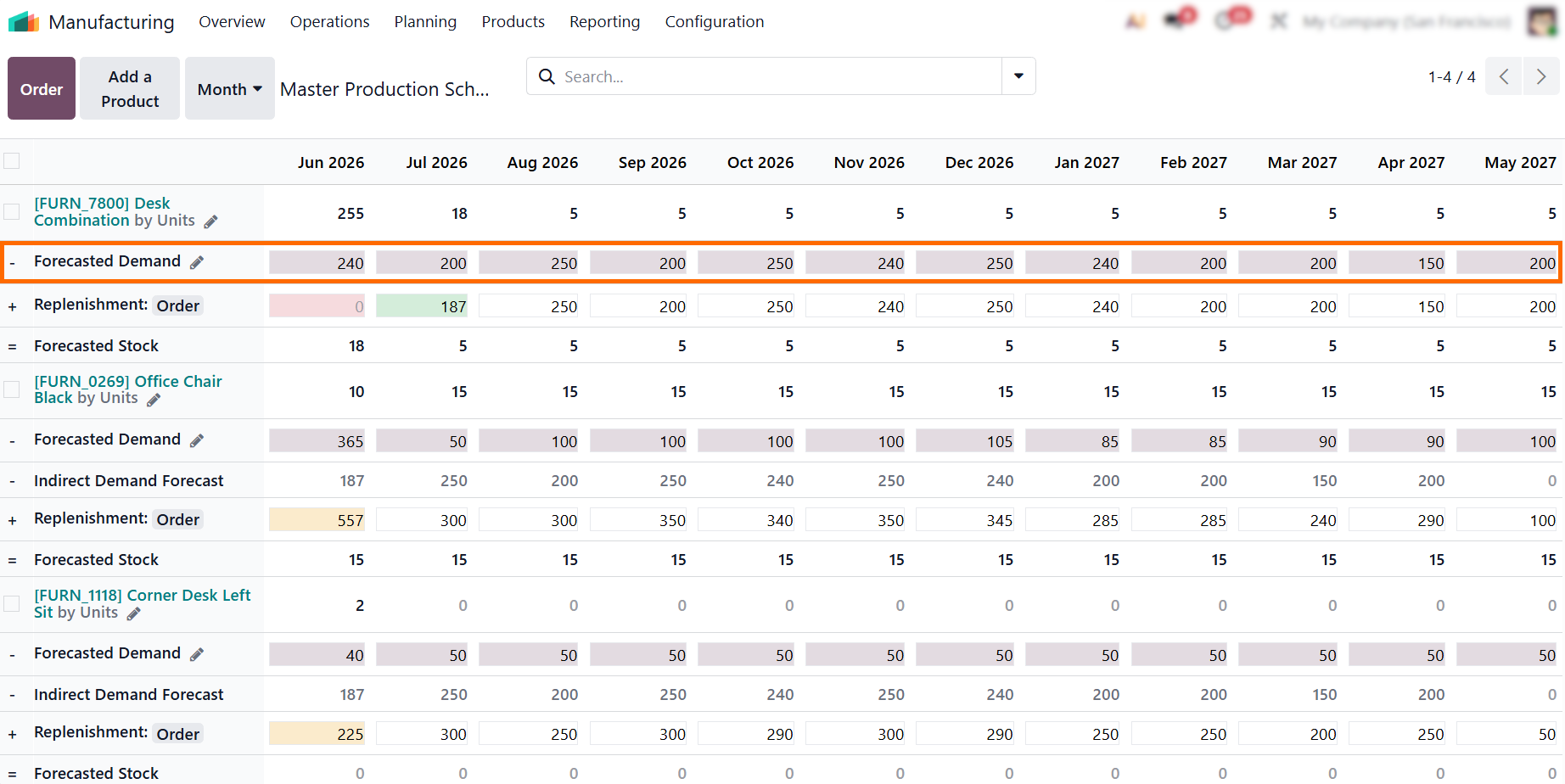
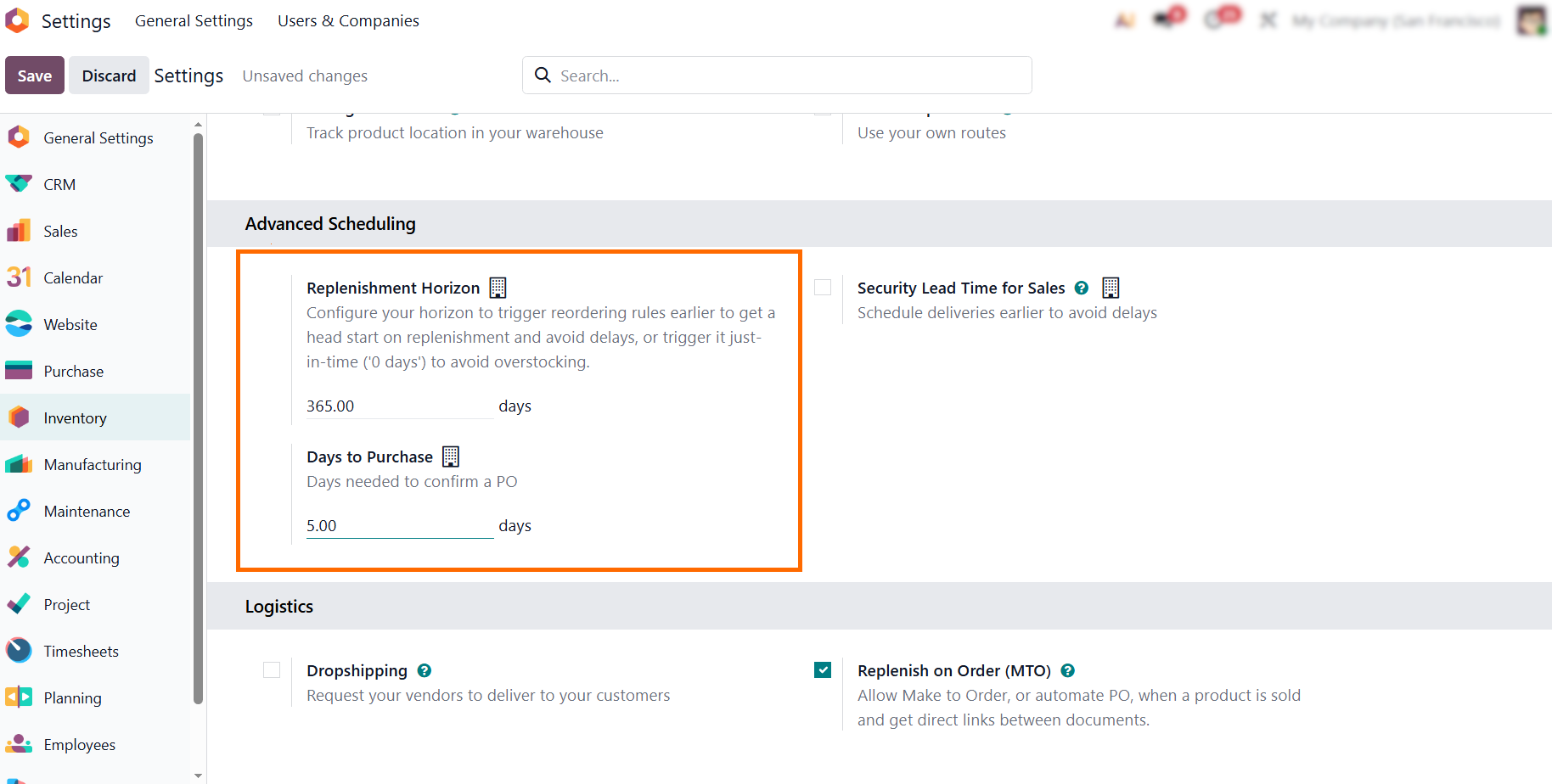
- Leverage the MPS to generate procurement requests based on accurate lead times and stock levels to ensure raw material availability stays in sync with your expanded production schedule.
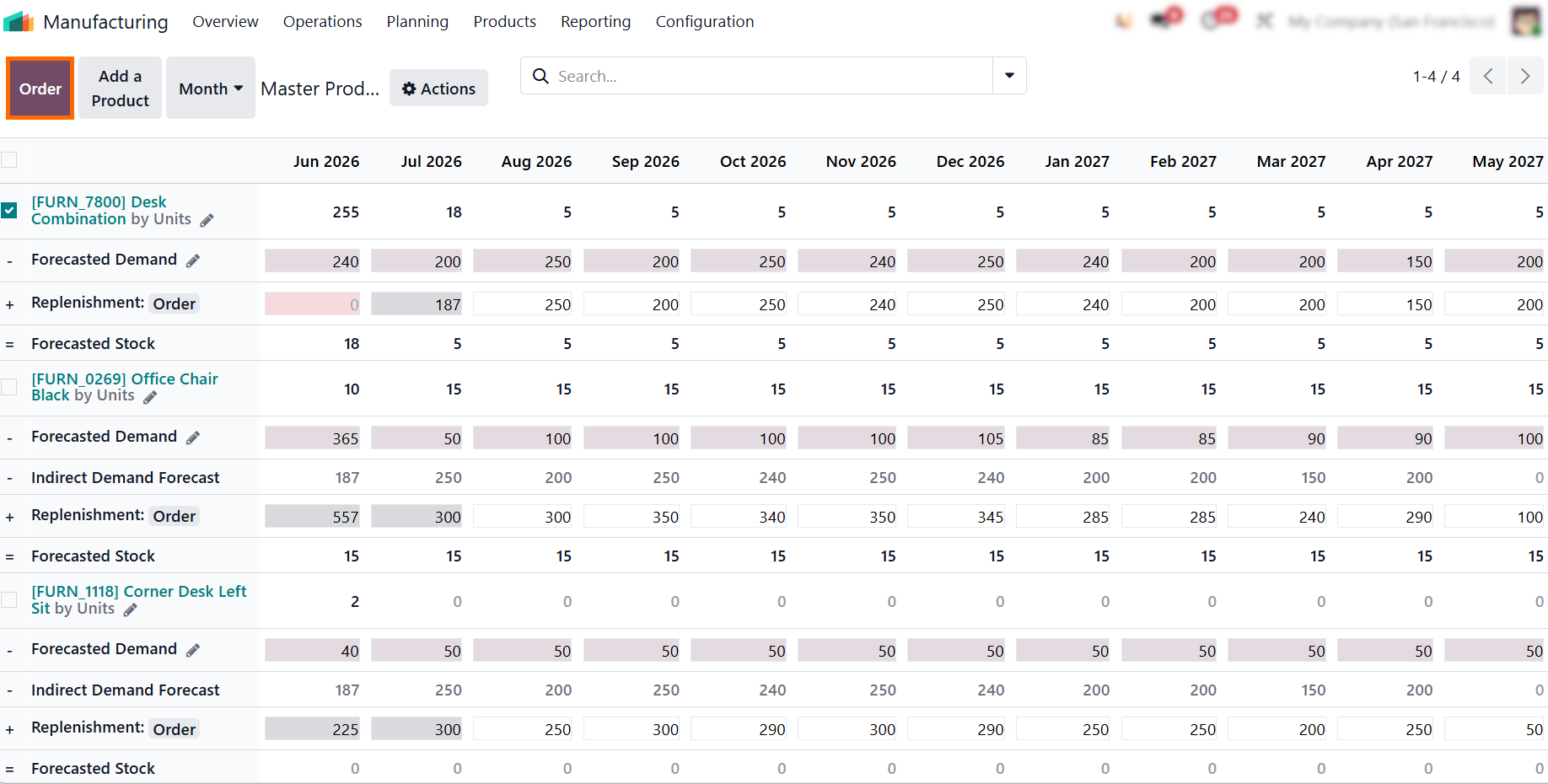
- Convert validated plans using the Order button in the Master Production Schedule. This creates precise Manufacturing Orders, providing the Shop Floor with actionable targets aligned with your growth strategy.
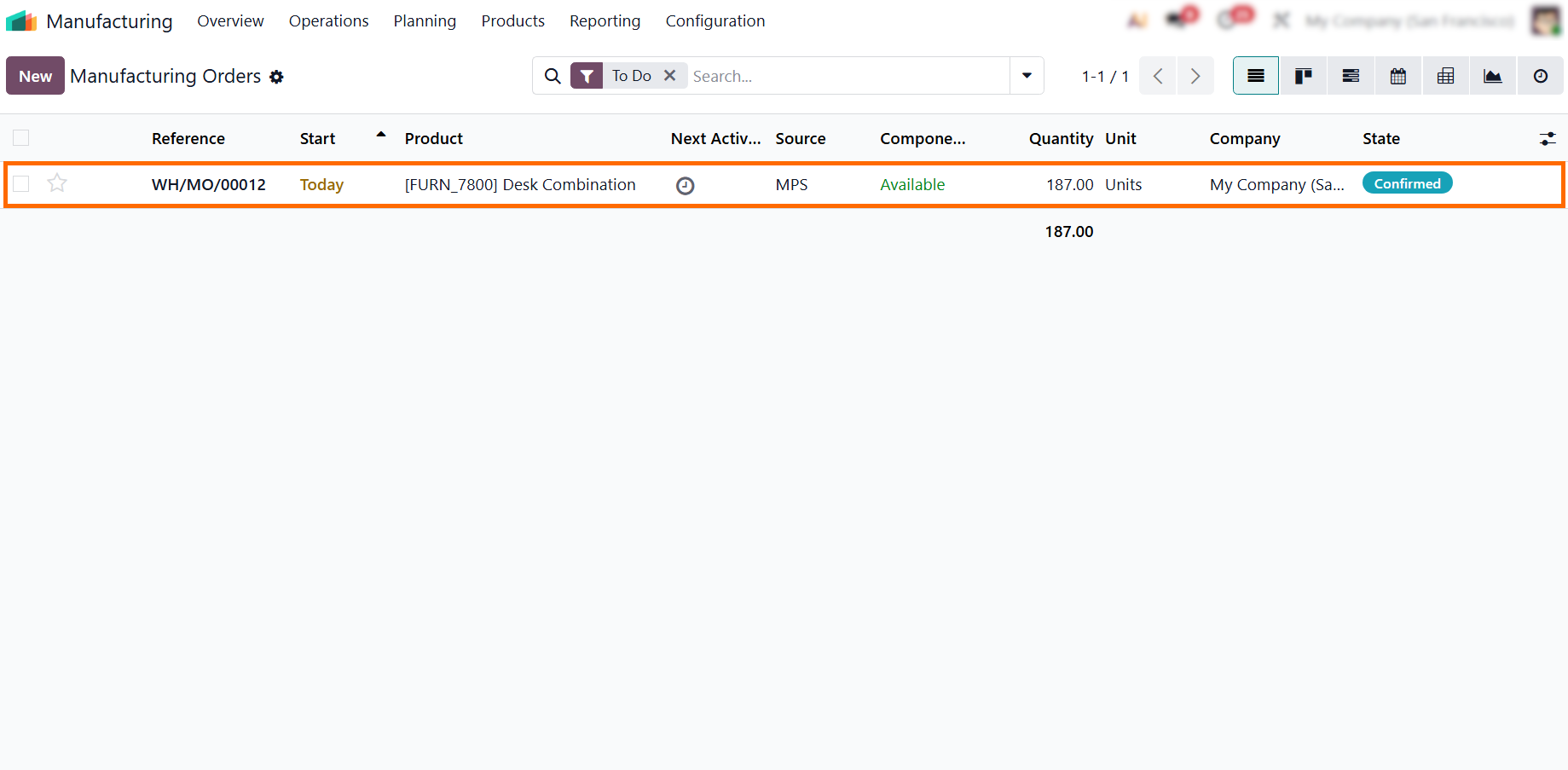
- Verify production readiness by navigating to Manufacturing Orders. The Source field is automatically set to "MPS", creating an audit trail that links your strategic plan directly to floor-level execution for seamless traceability as you scale.
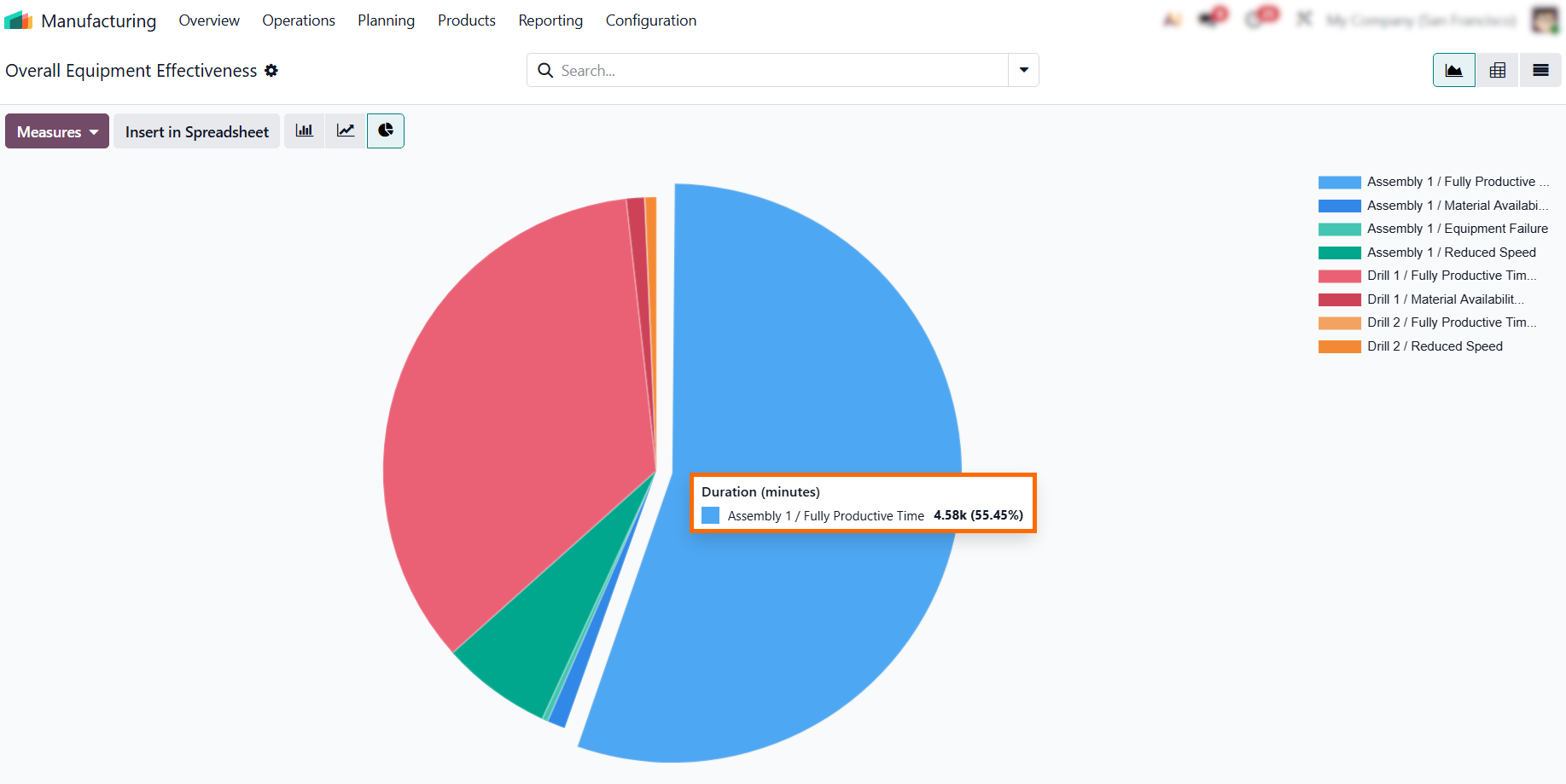
- Use the pie chart to instantly identify production bottlenecks. The system highlights real performance metrics, such as the 55.45% productive time for Assembly 1, making hidden capacity losses visible without manual analysis.
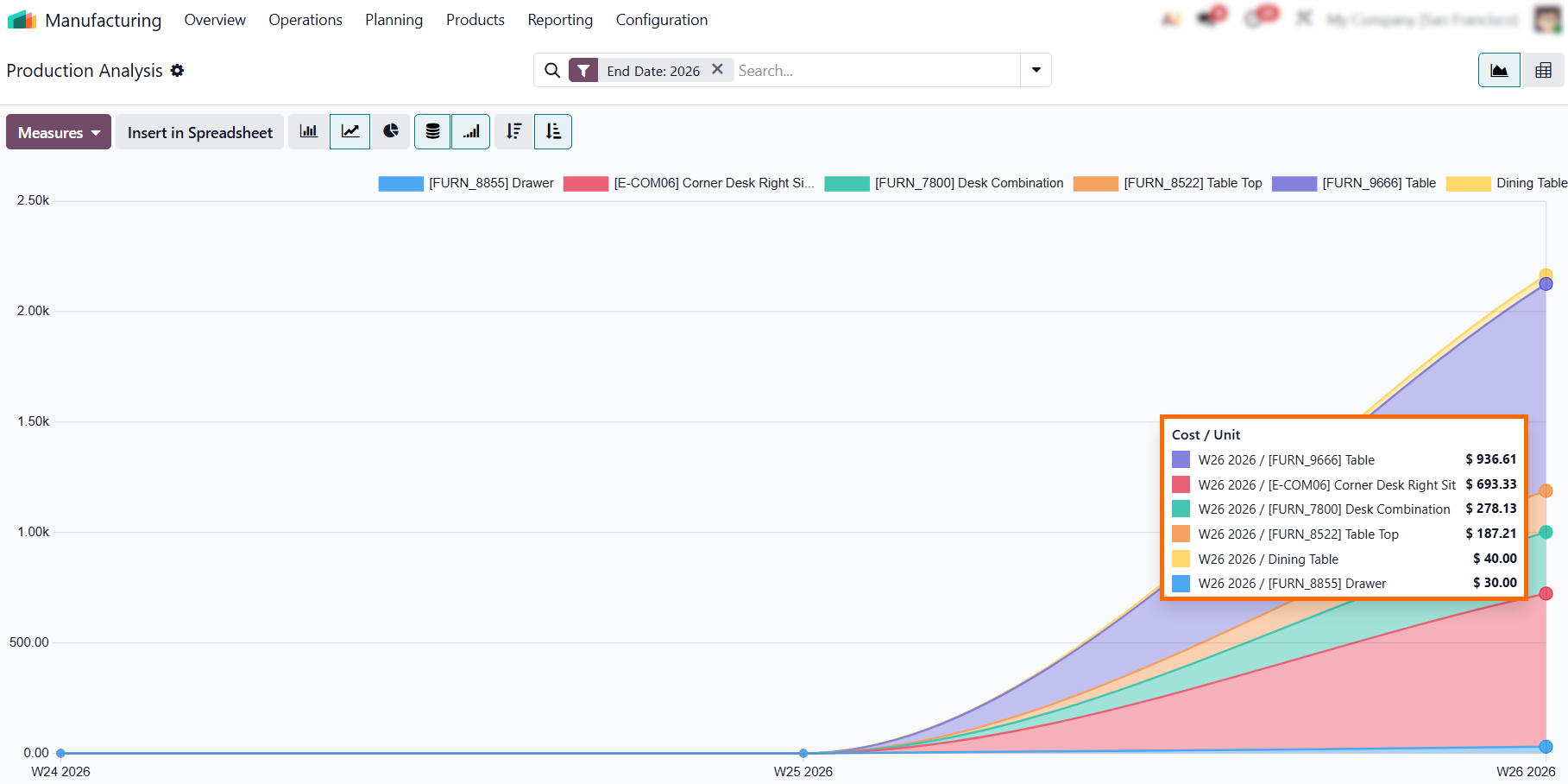
- Use the Production Analysis report to track Cost per Unit. This helps ensure that scaling does not compromise profit margins and allows you to identify which products offer the best return as your operations grow.
Conclusion:
Making Odoo Manufacturing Work for Your
Production
Scaling your manufacturing operations is not about adding manual effort, but instead about building a system that works for you. By integrating end-to-end traceability, enforcing rigorous quality standards, and leveraging real-time shop floor execution, you create a robust infrastructure that supports growth without sacrificing control.
Managing these transitions can be complex, but Odoo 19 simplifies the process with a unified system that transforms raw operational data into actionable strategic insights. As you implement these tools, you move beyond mere production tracking to a model of continuous improvement, where every decision is backed by accurate, real-time metrics.
Whether you are scaling your product line or optimizing your shop floor, the goal remains the same, creating a resilient, efficient, and transparent manufacturing environment. When manufacturing capacity is measured correctly, scaling stops being a risk-driven decision and becomes a controlled operational strategy.