Looking at basic Odoo stock levels gives you only half the story. A warehouse can appear fully stocked on paper while silently draining business cash flow. You might be urgently spending your budget to restock missing items while significant working capital remains tied up in dead stock. Effective Odoo inventory management isn't just about counting boxes. It is about understanding how efficiently inventory moves through your warehouse. This step-by-step guide walks through configuring Odoo to evaluate inventory valuation, analyze product movement, leverage forecasting, and set up automated reordering rules to keep operations balanced, capital-efficient, and fully data-driven.
- Navigate to the Apps dashboard and confirm that all required base applications are installed in your database. The Inventory module provides the foundation for tracking stock levels, movements, valuation, and replenishment data.
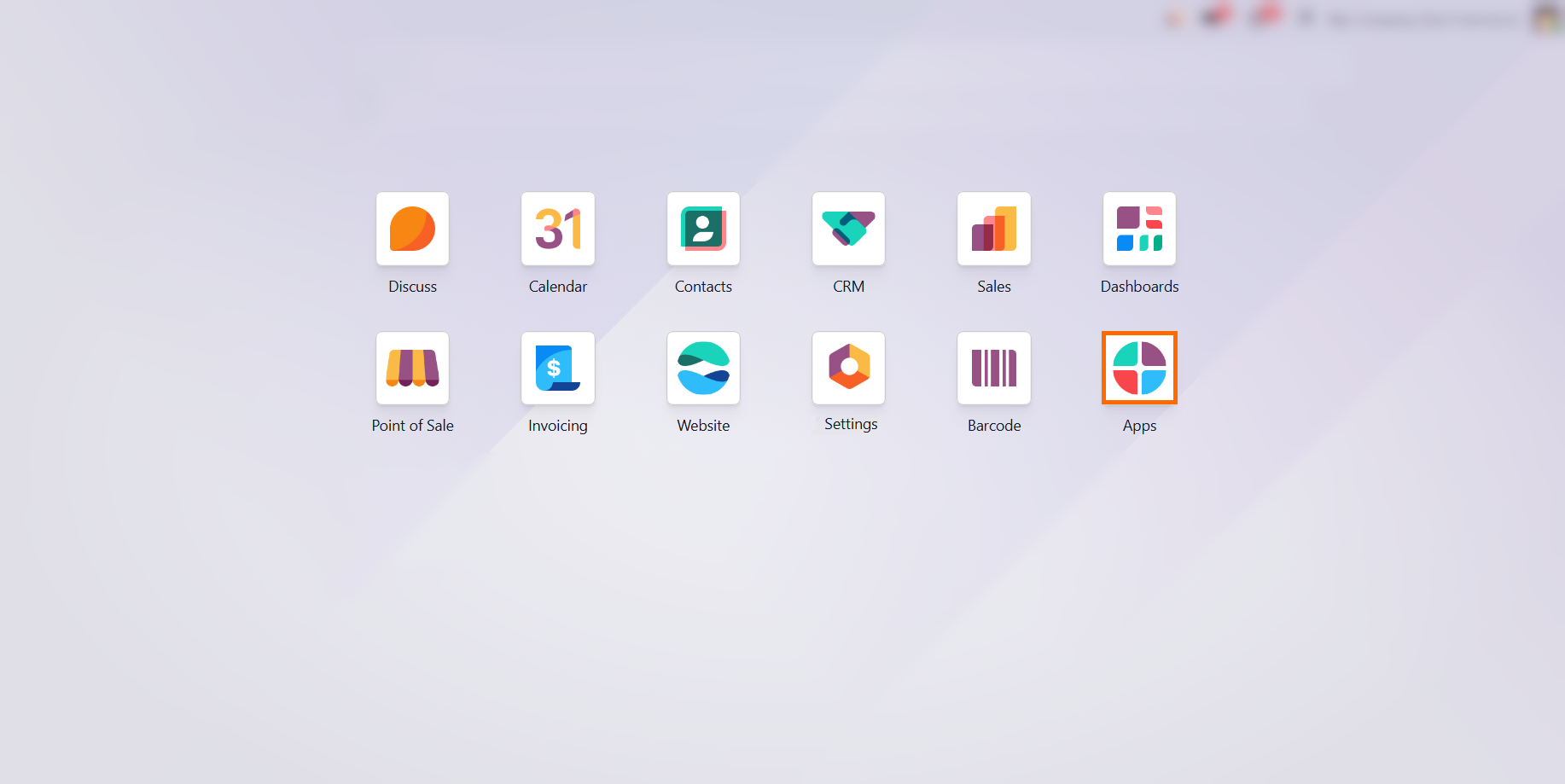
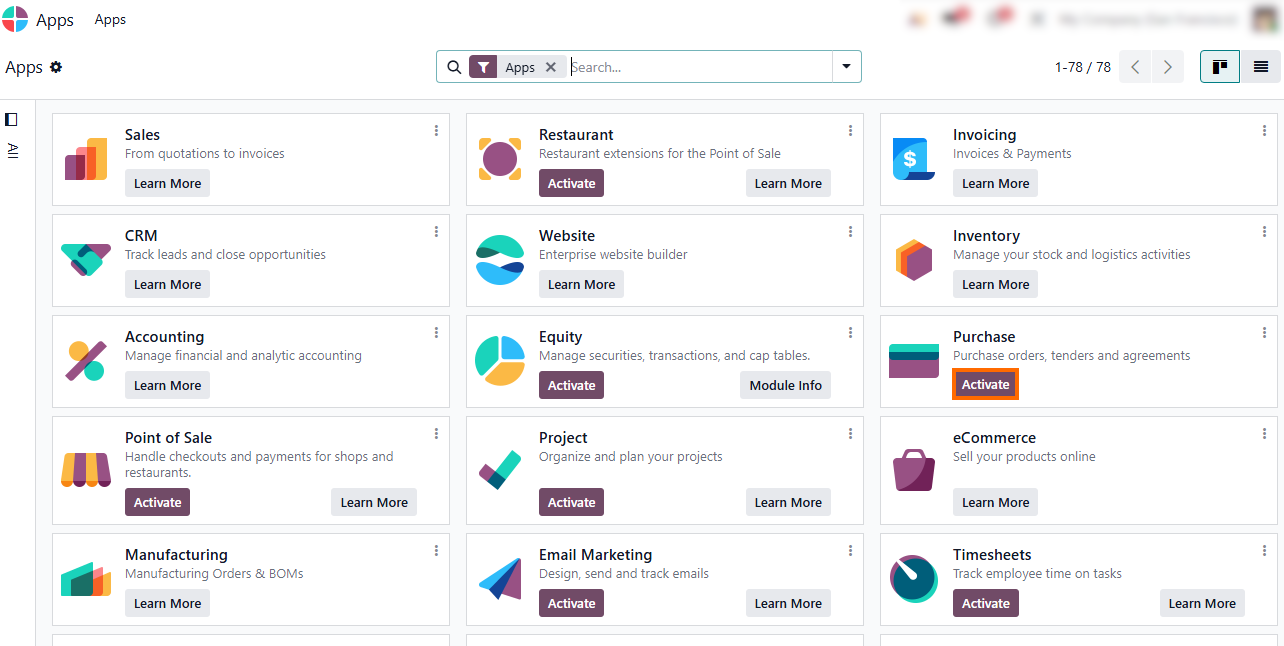
Ensure the Sales and Purchase modules are installed to provide demand and procurement data for inventory analysis. Add additional modules, such as Manufacturing or Accounting, based on your operational needs.
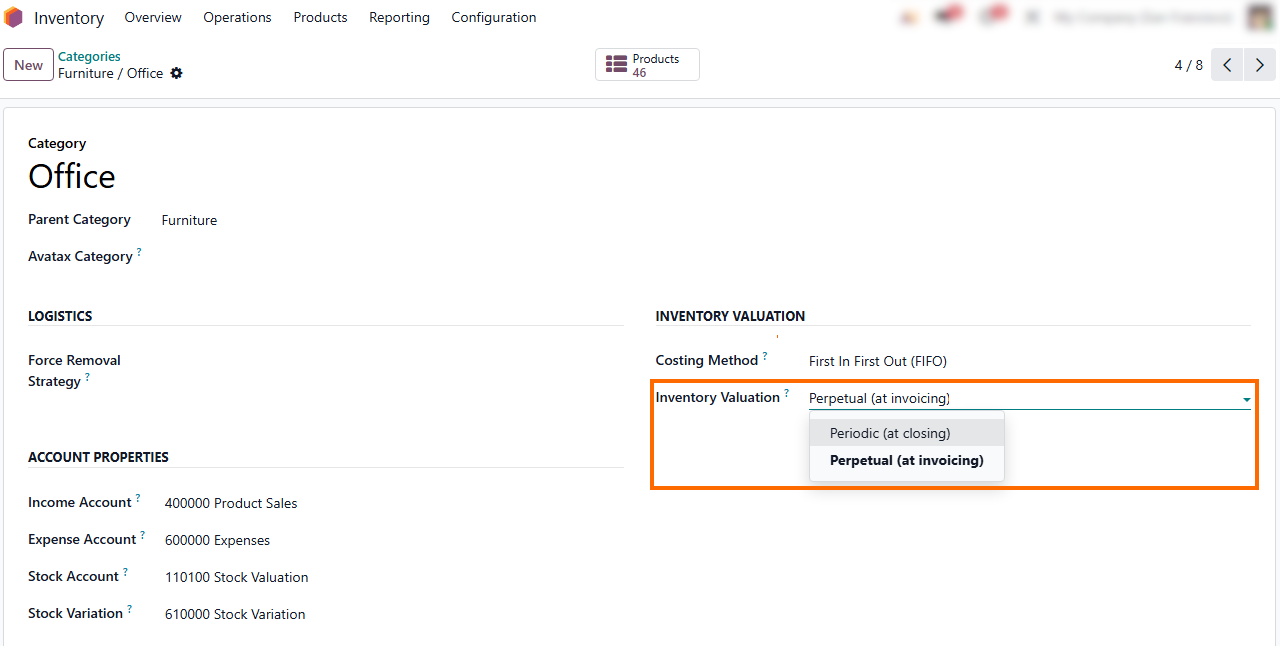
Configure inventory valuation on product categories based on your accounting workflows. Select “Periodic” for manual period-end stock updates, or “Perpetual” for real-time tracking of inventory value.
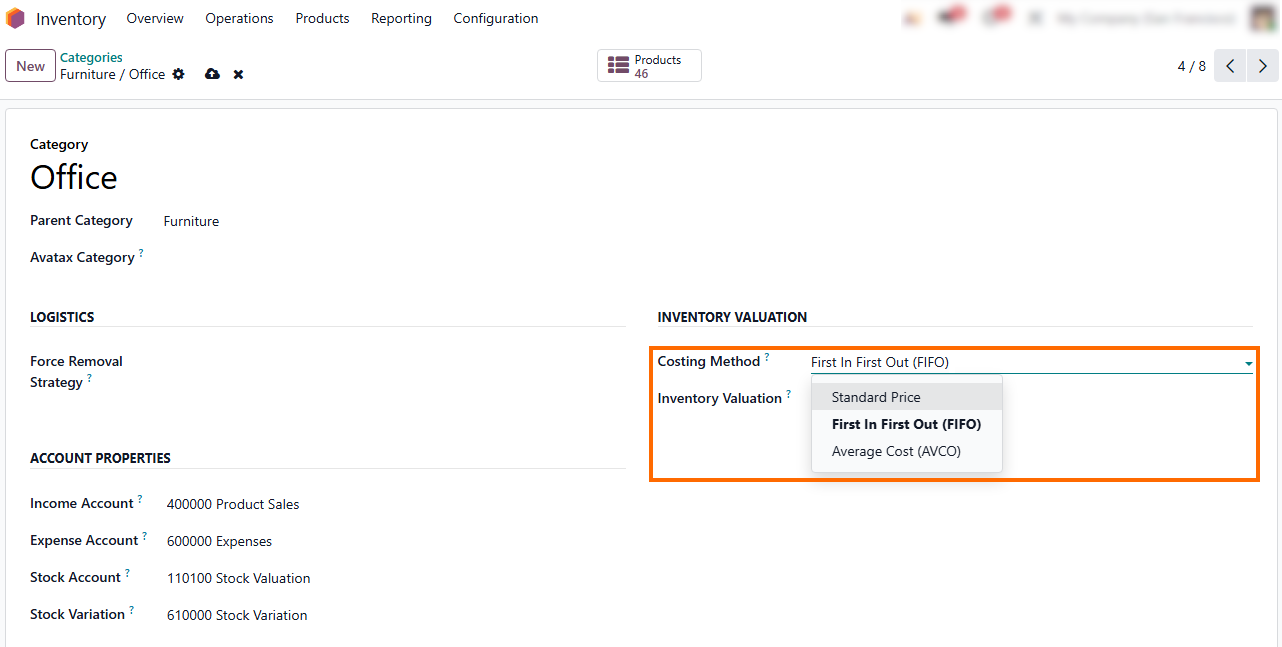
- Select a Costing Method to define how Odoo calculates product costs. Choose “Standard Price” for fixed cost estimates, or use “FIFO” (First In, First Out) / AVCO (Average Cost) to reflect changes in inventory costs and valuation over time.
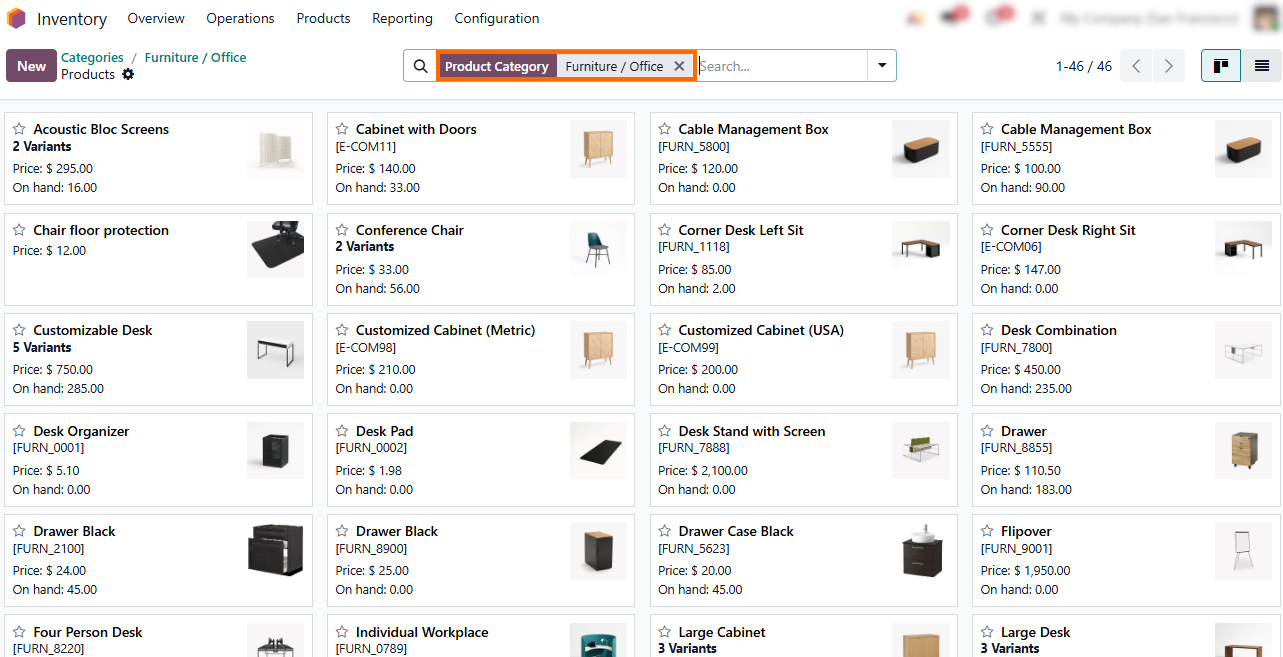
Click the “Products” smart button at the top to access all items in this category. This provides a centralized view for auditing product costs and valuation settings across the whole category without searching for products individually.
Tracking Daily Stock Movements & Real-Time Availability
Once your product categories and valuation rules are configured, your Odoo inventory management workflow begins to react to daily business operations. Every purchase, sale, or internal transfer continuously changes your Odoo stock levels, meaning real-time visibility is vital before diving into high-level analysis. To maintain overall Odoo inventory health, you need to understand how raw physical stock transforms into actual operational availability. This requires a clear distinction between what is physically sitting on your shelves, what is reserved for open customer orders, and what is expected to arrive. Without this visibility, inventory valuation, forecasting, and replenishment decisions become significantly less reliable.
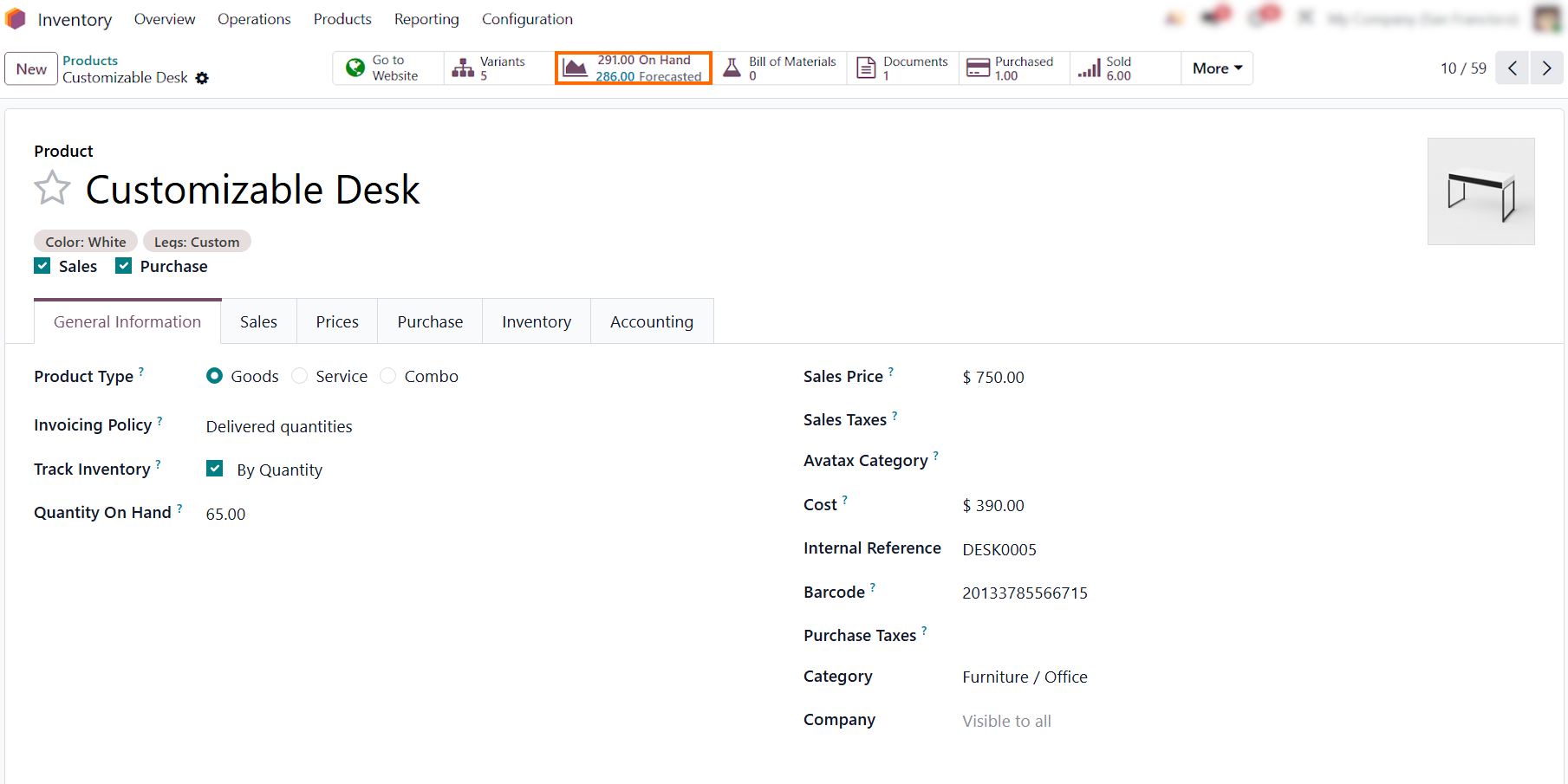
- For example, he Customizable Desk product card shows real-time availability via “On Hand” and “Forecasted” smart buttons. Comparing physical stock with upcoming demand gives instant clarity, helping managers spot stockout or overstock risks at a glance.
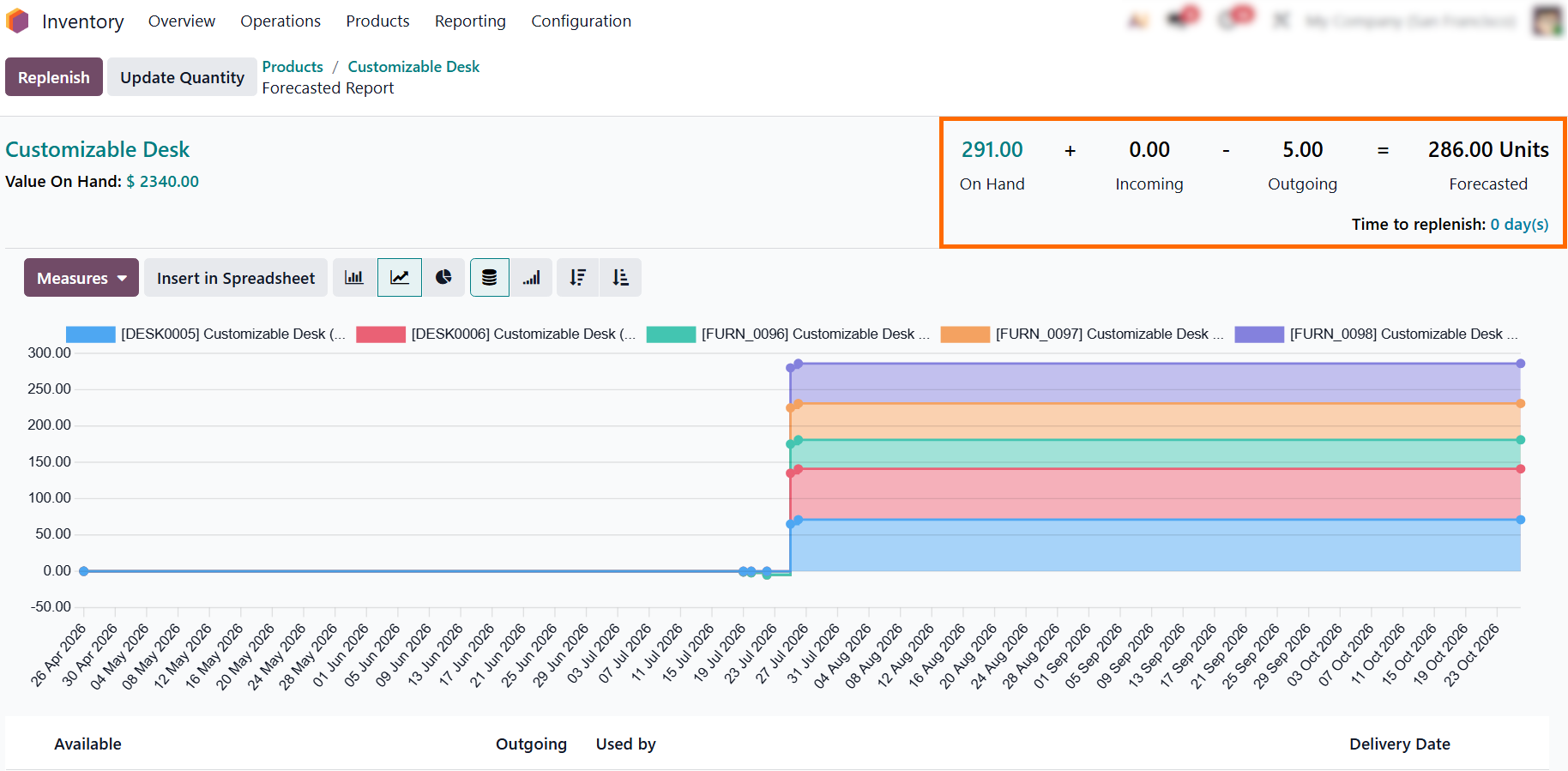
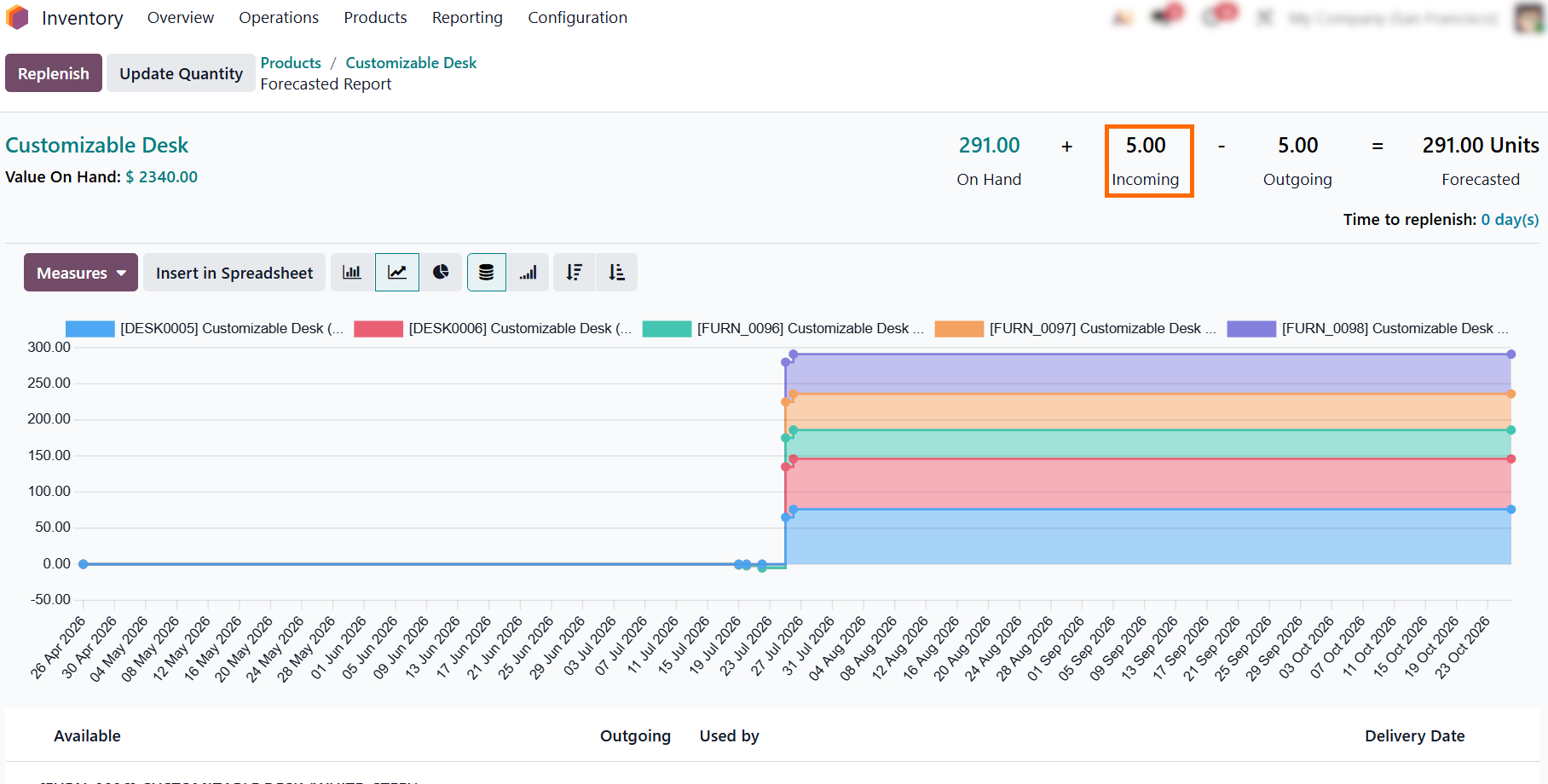
Clicking the Forecasted smart button breaks down the exact stock math (291 On Hand + 0 Incoming - 5 Outgoing = 286 Forecasted) and displays a timeline of future shifts, helping managers anticipate potential shortages.
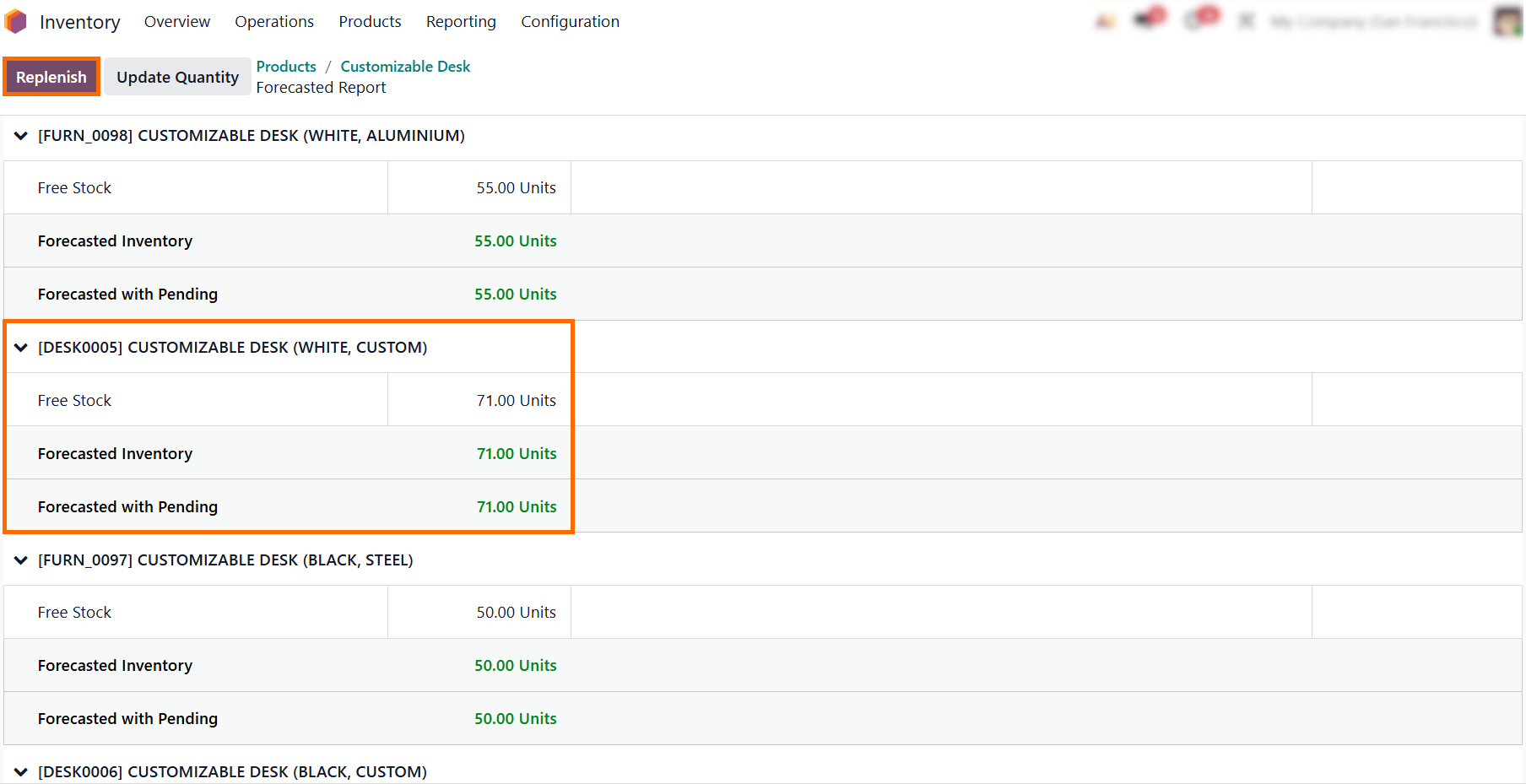
Scrolling down expands the forecast across all product variants, letting you track projected availability and free-to-use quantity per attribute combination to keep specific
configurations from running out unnoticed.
- If you spot a low stock status, click the “Replenish” button directly from the report view to open a modal, set the required quantity, route, and vendor, and confirm replenishment without navigating away.
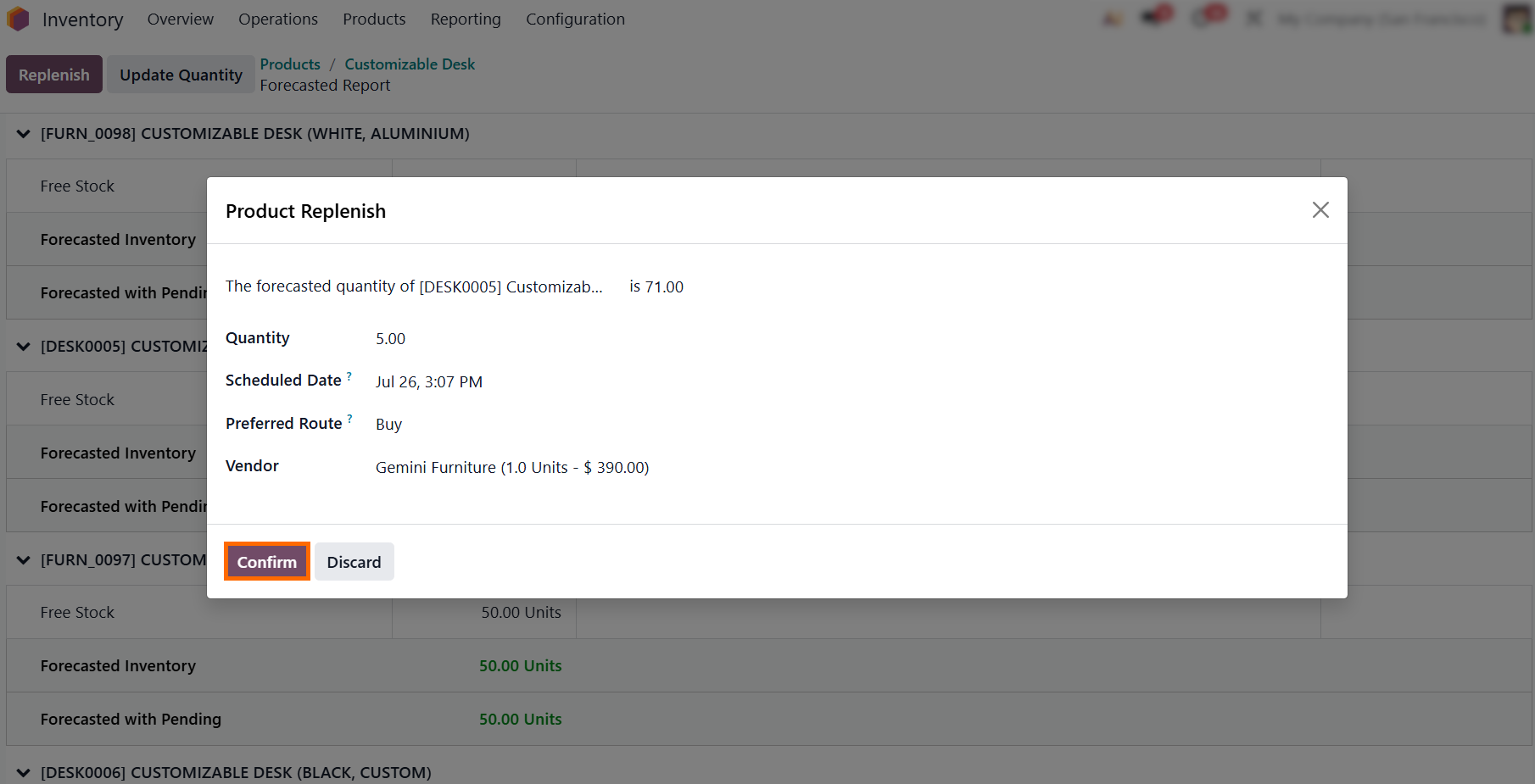
Confirming the replenishment immediately logs the order as Incoming quantity, automatically balancing the forecasted total back to cover expected demand while creating a draft Purchase Order in the background.
Automating Stock Replenishment with Reordering Rules
While manually clicking Replenish covers immediate shortages, relying on constant manual monitoring isn’t scalable. To streamline Odoo inventory management and keep stock levels balanced without daily manual checks, Odoo uses Reordering Rules to trigger procurement based on predefined minimum and maximum stock thresholds. By setting minimum and maximum thresholds, you ensure product availability while keeping overall holding costs under control. Reordering Rules also integrate with vendor lead times and manufacturing routes, ensuring draft orders are created with precise buffer timing before stock hits critical levels. This helps maintain adequate stock levels while avoiding unnecessary working capital tied up in inventory.
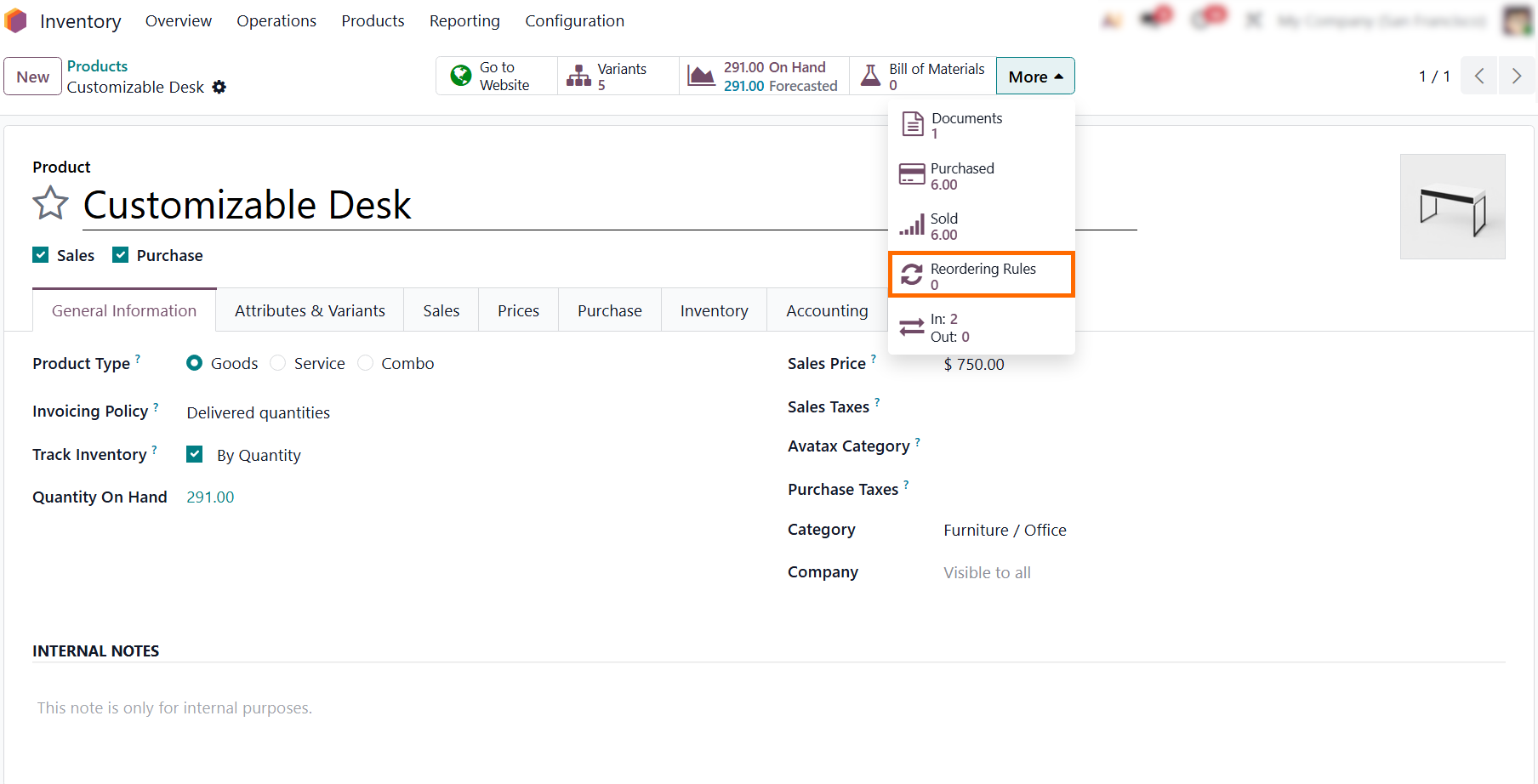
- Return to the product form, expand the More smart button menu, and select “Reordering Rules” to define safety stock levels, set target inventory limits, and trigger automatic procurement before stockouts occur.
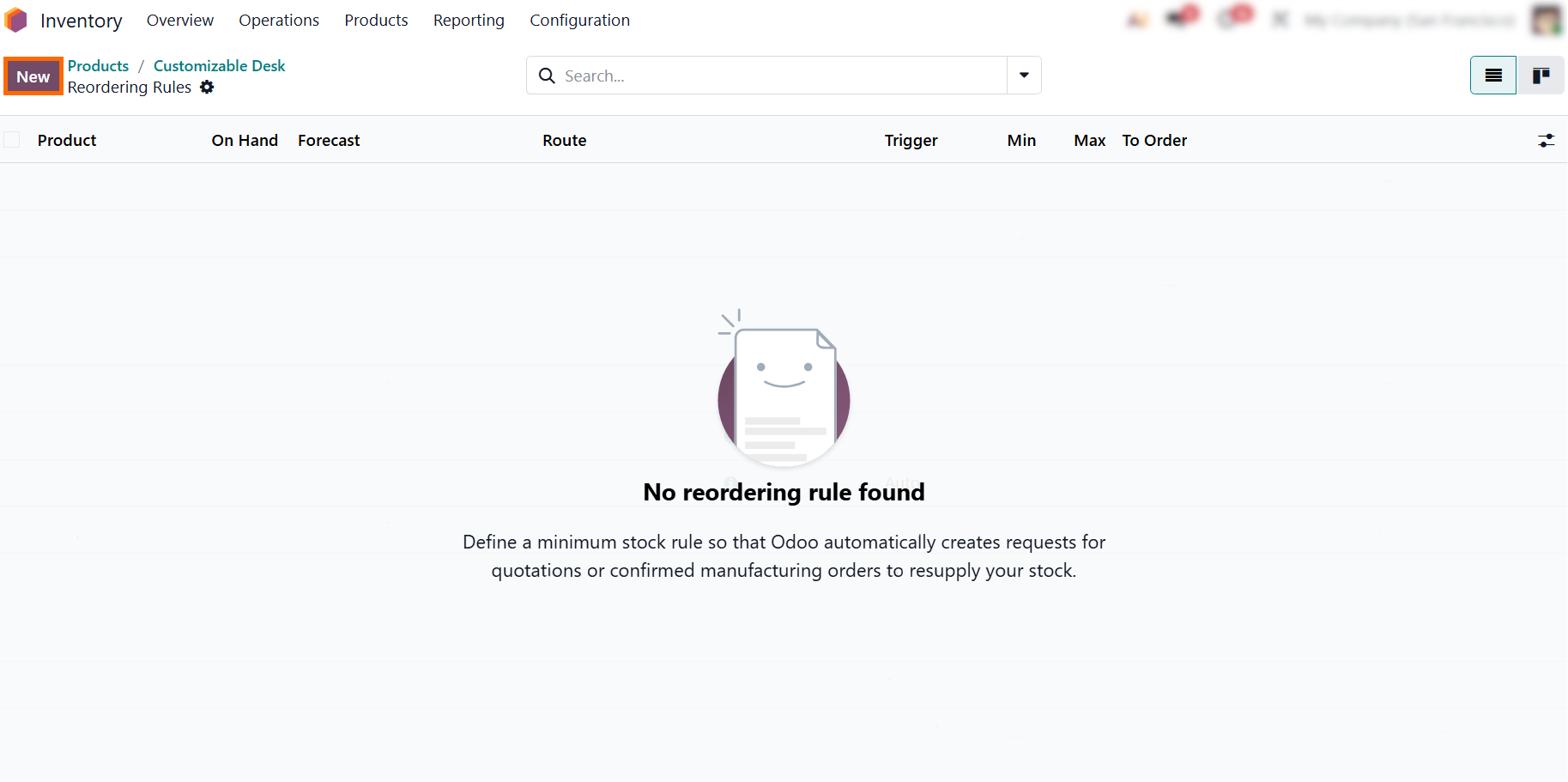
Since no automated replenishment is configured yet, the list opens blank: click the “New” button in the top-left corner to establish your first automated reordering rule for this product.
Select the target item, continuing with our Customizable Desk (White, Custom) example, to apply different thresholds based on product demand, value, and replenishment needs.
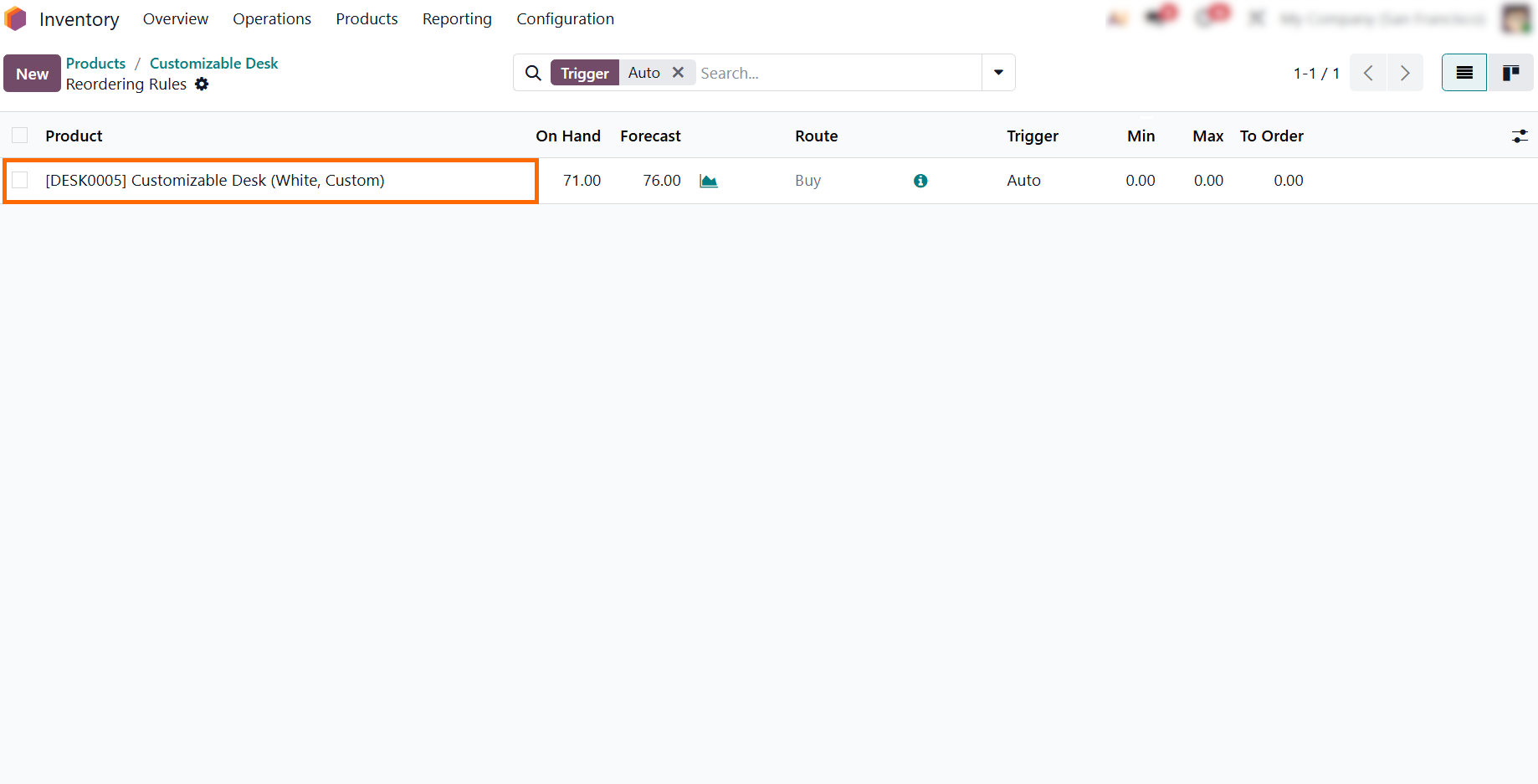
- Define your minimum and maximum quantity thresholds to set a safety buffer and target inventory level. Odoo then automatically calculates the exact required order balance in the “To Order” column.
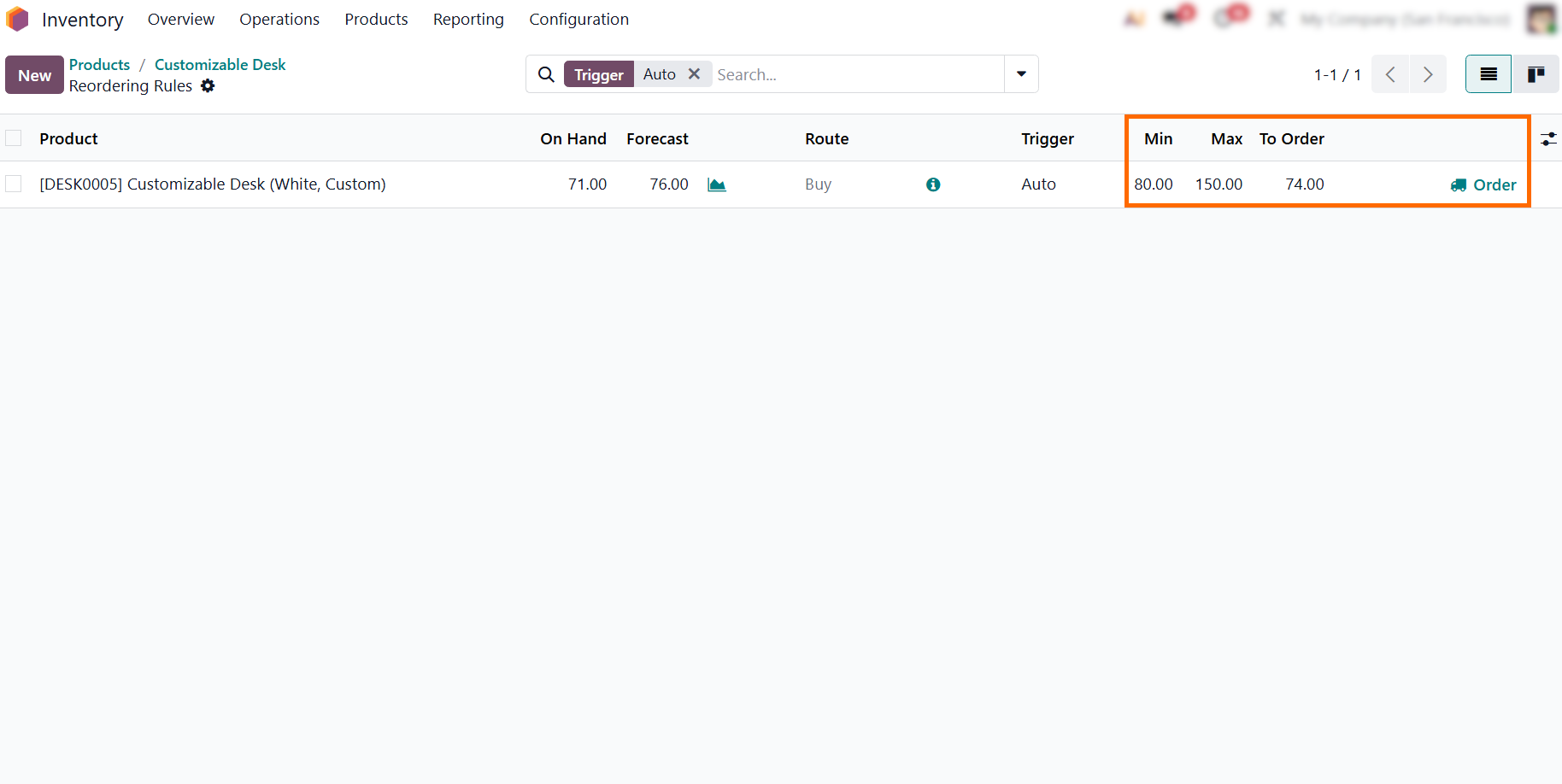
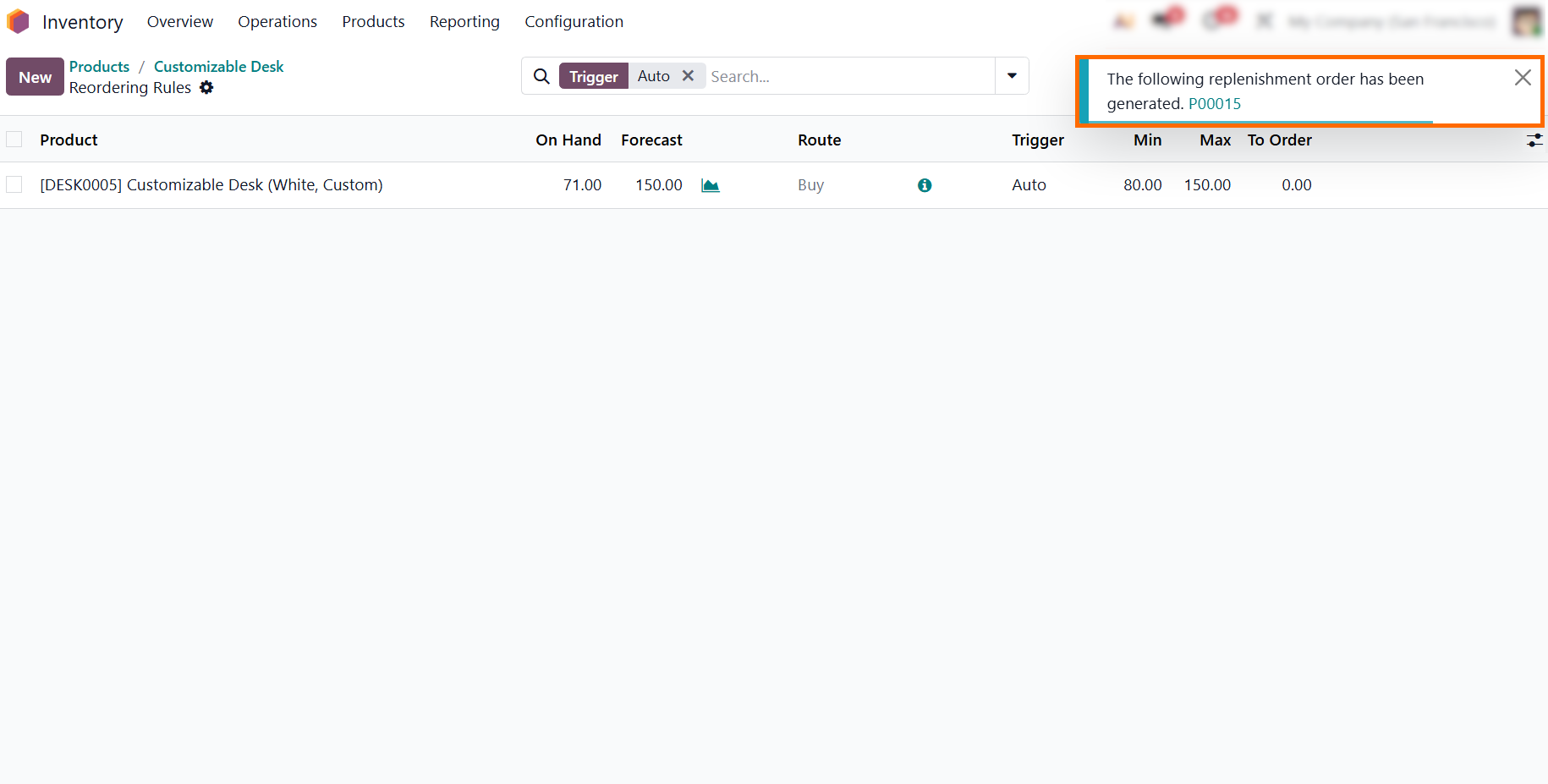
Click “Order Once” to trigger replenishment on demand. Odoo generates the required draft procurement order and displays a notification with a direct link to it, allowing you to quickly review the order details and proceed with confirmation.
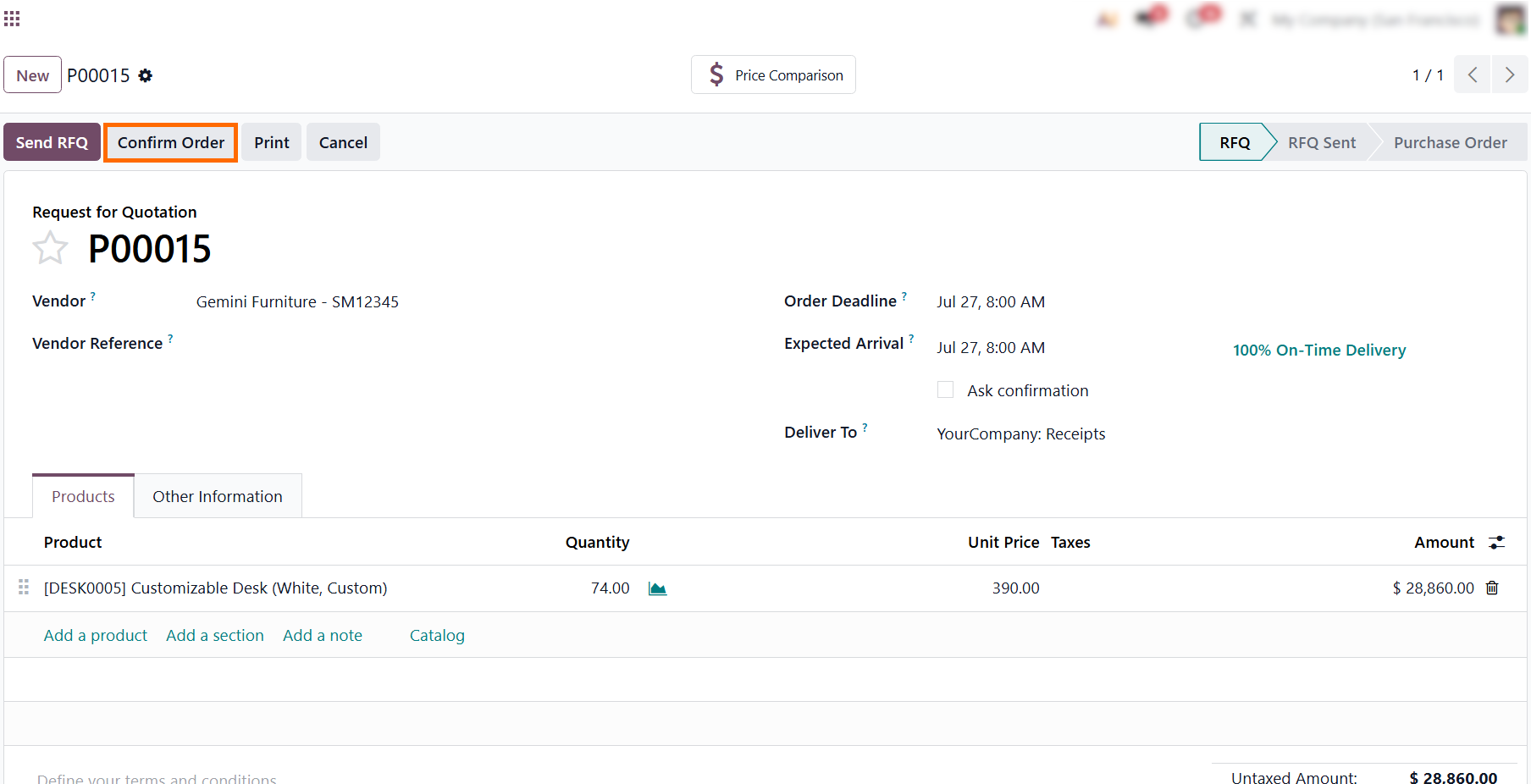
- Once triggered, Odoo automatically generates a draft Request for Quotation (RFQ) with the required replenishment quantity, so all you need to do is review the order and click Confirm Order.
Analyzing Inventory Movements to Monitor Stock Health
Effective Odoo inventory management relies on complete visibility into your supply chain. By tracking real-time stock levels alongside inventory forecasting, you can fine-tune your reordering rules ahead of time to prevent bottlenecks. Beyond daily logistics, keeping a close eye on inventory health and valuation helps keep financial performance aligned with warehouse operations. Analyzing product movement and stock turnover also provides early insight for Odoo dead stock tracking, helping clear slow-moving inventory before it ties up unnecessary capital. Together, these reports help managers maintain lean warehouse operations without risking stockouts or tying up working capital.
- From the main inventory overview, click “Reporting” in the top navigation menu to transition into detailed analytics, opening direct access to real-time stock balances and historical product movement reports.
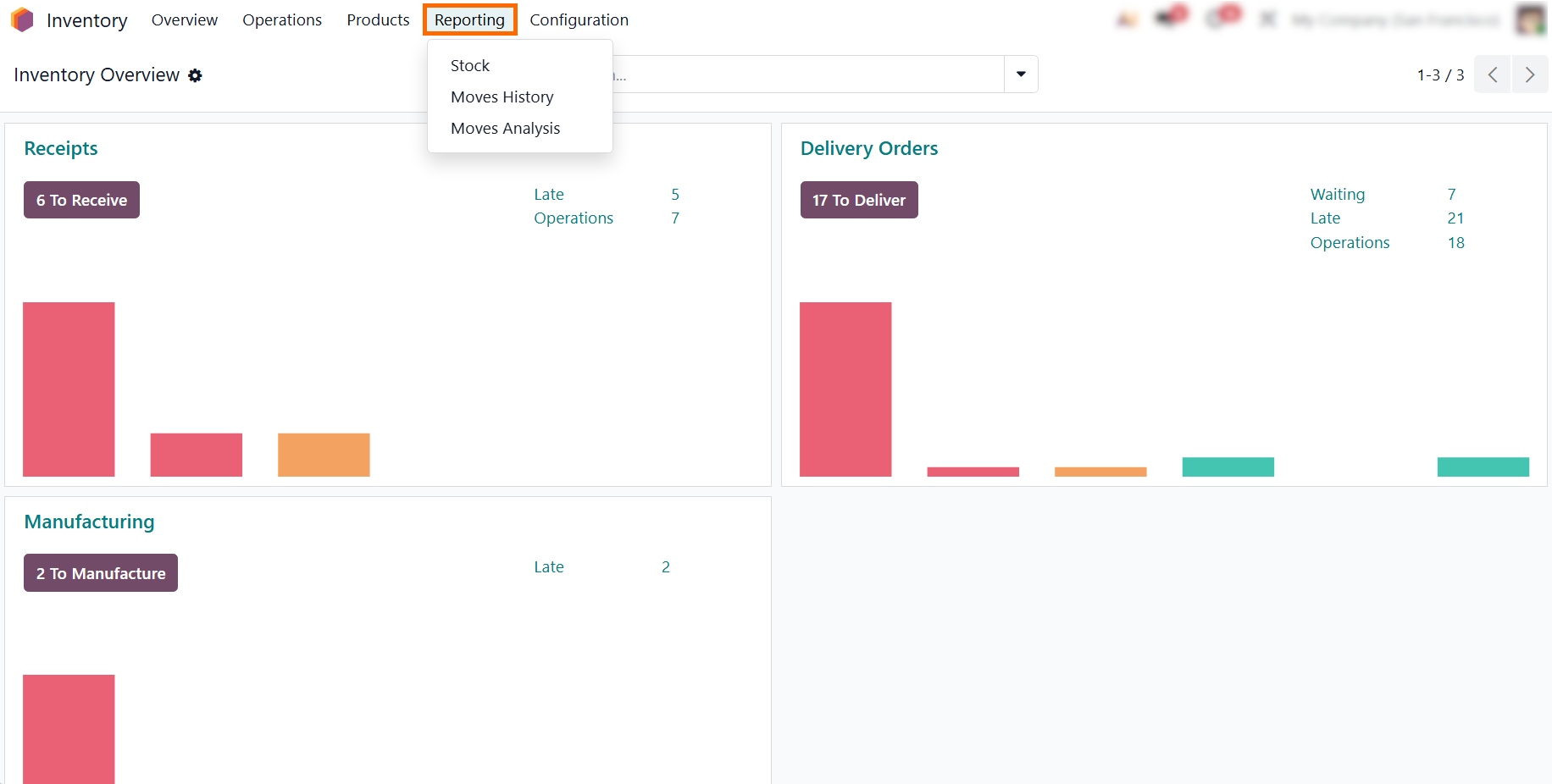
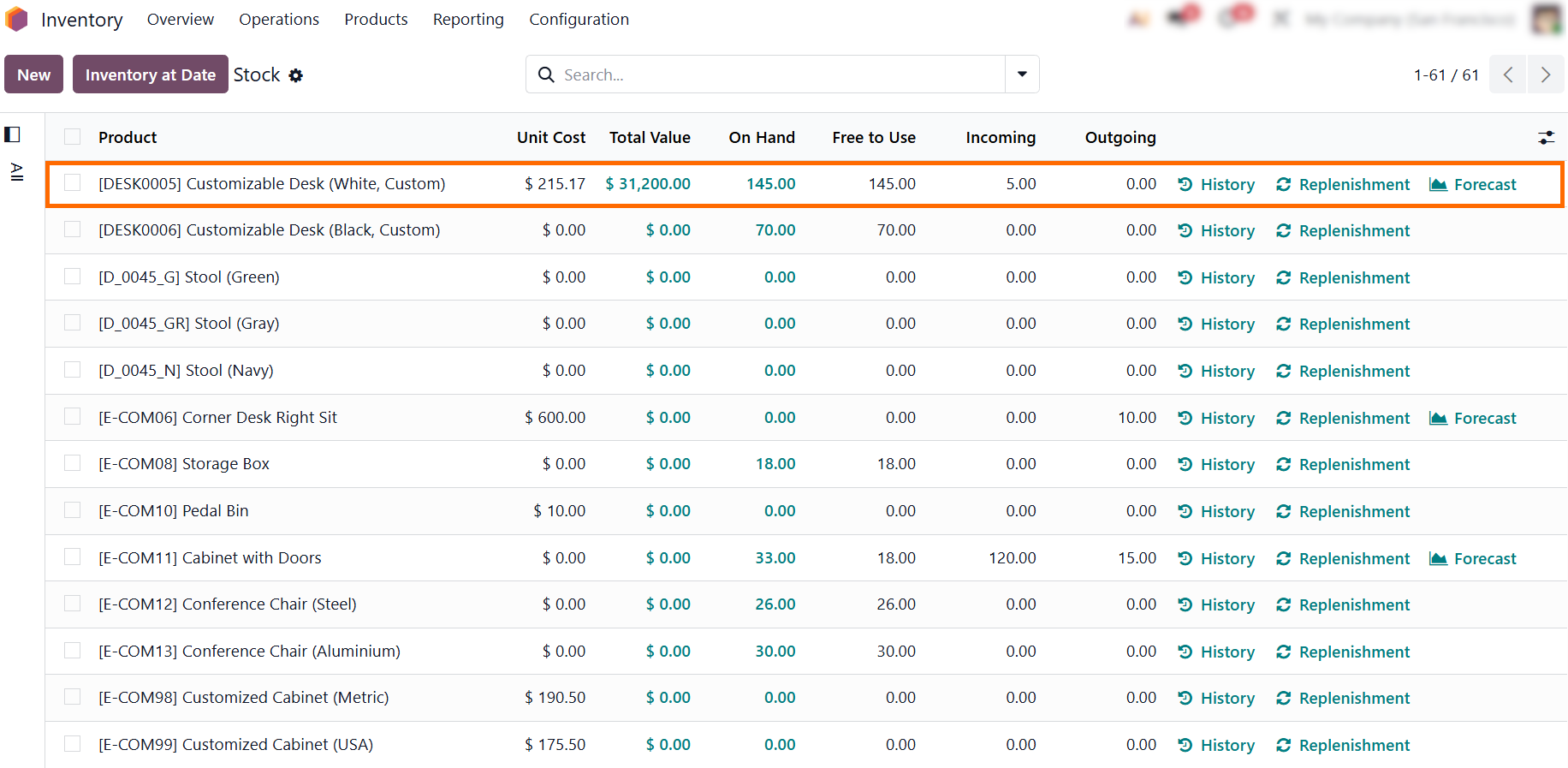
- Select
the “Stock” report to access a consolidated overview of live on-hand,
free-to-use, incoming, and outgoing quantities alongside total valuations and
direct-action links for history, forecasts, and replenishment
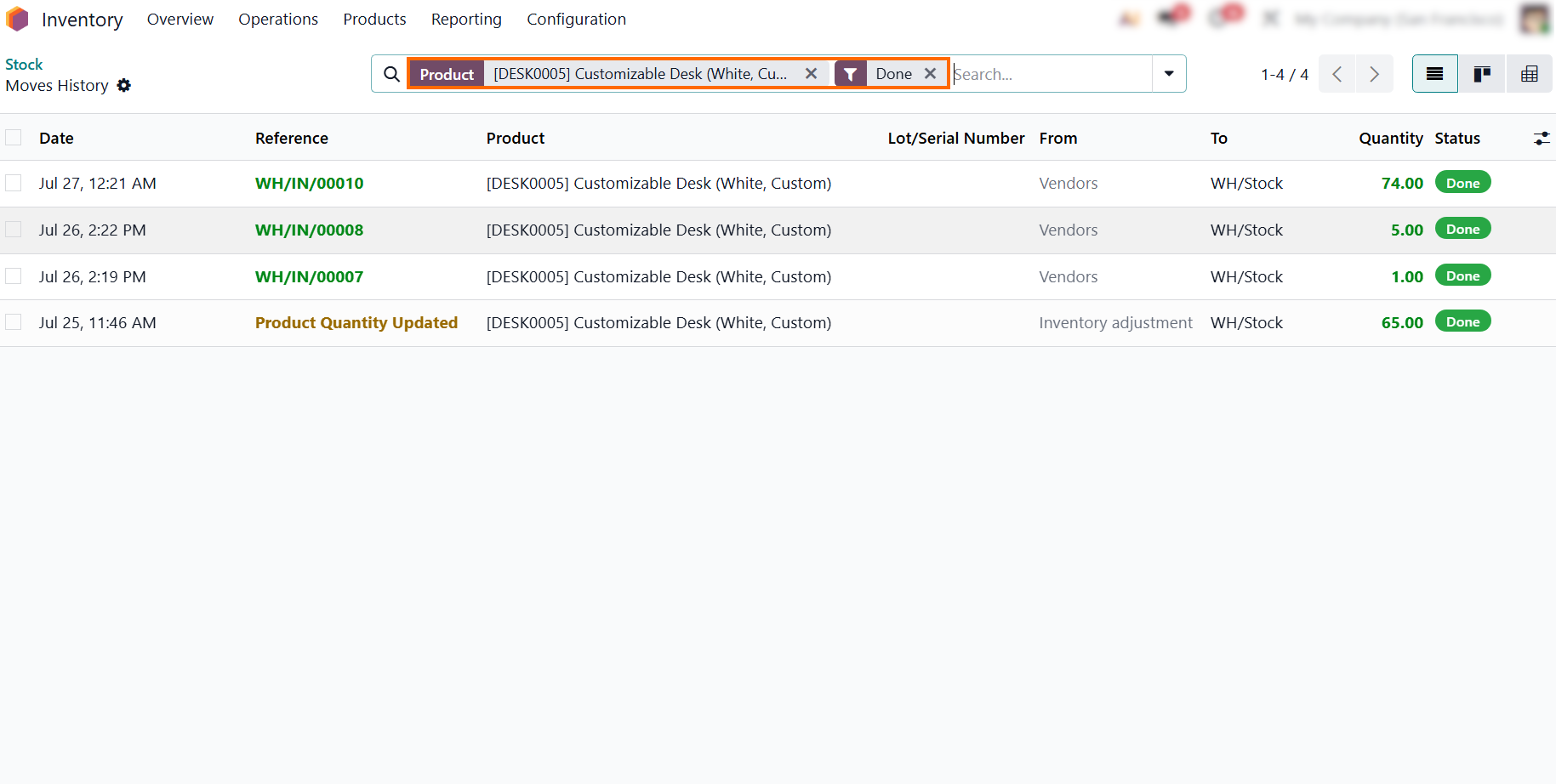
- For detailed product movement history, open “Moves History” to view an audit log of completed transactions, including execution dates, reference numbers, source and destination locations, and exact quantities.
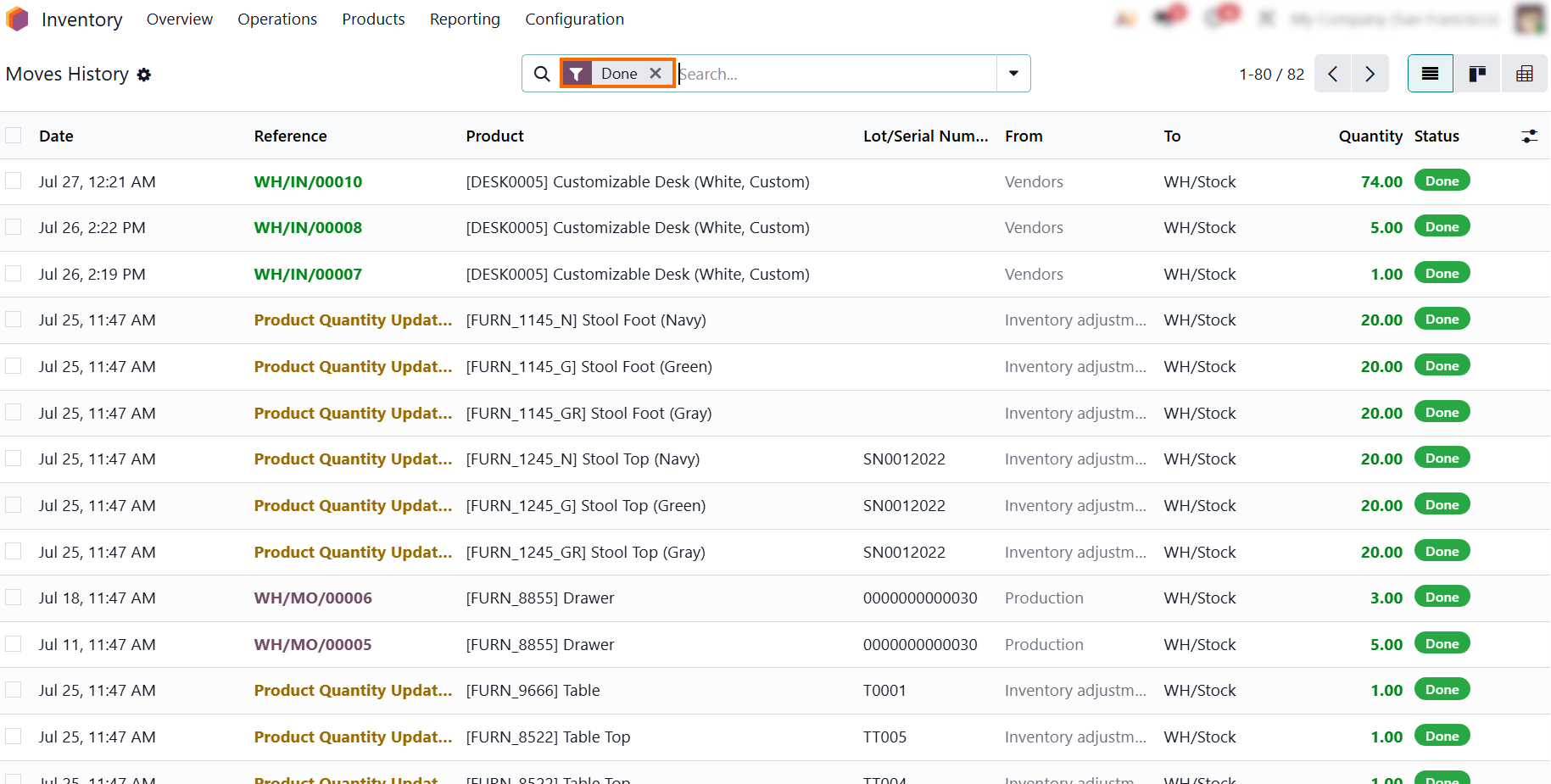
Clear the product filter while keeping the “Done” filter active to analyze completed stock movements across your entire inventory rather than a single product, giving you a broader view of stock flow.
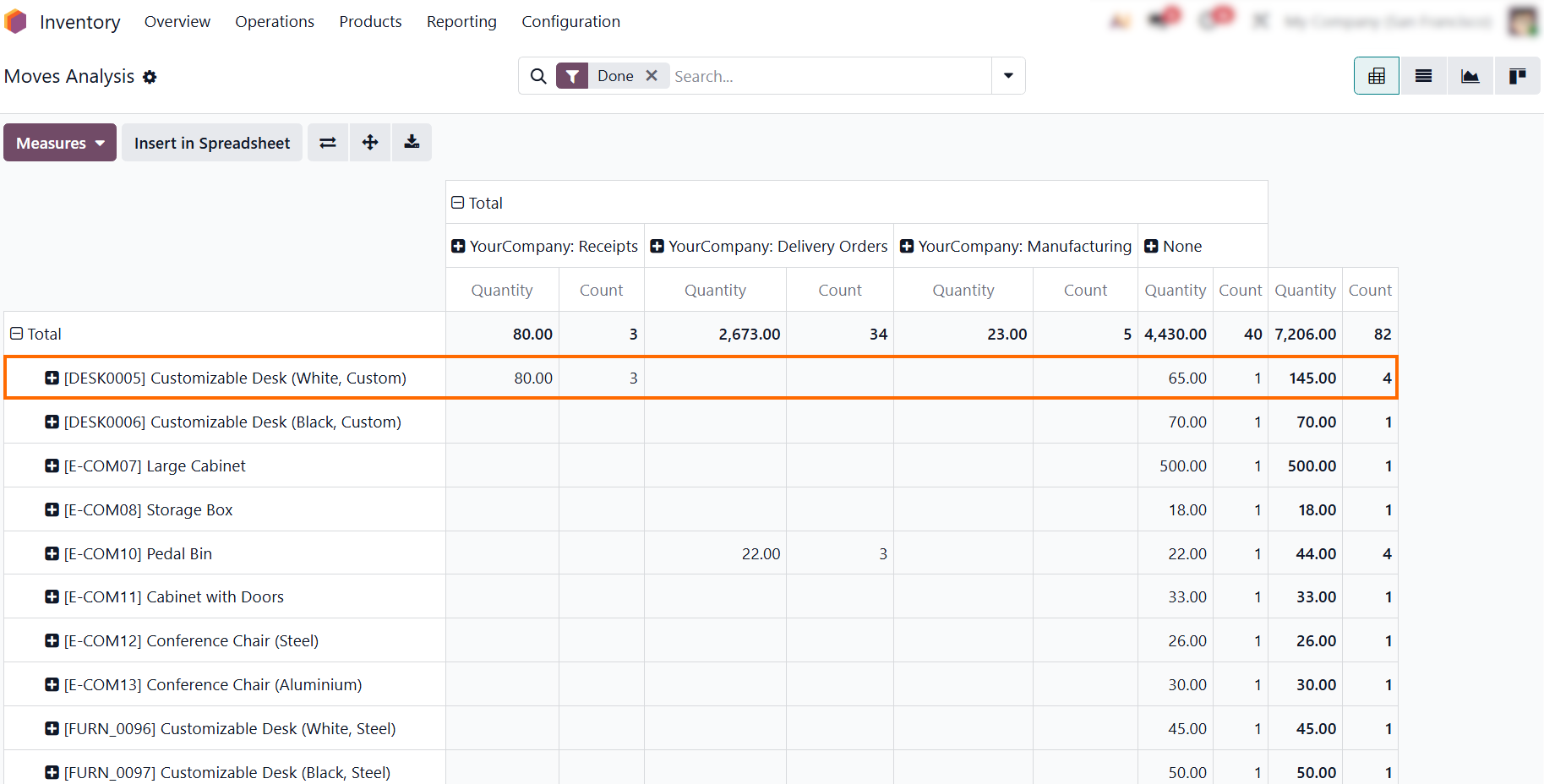
- Select “Moves Analysis” to perform an Odoo stock turnover analysis and evaluate stock movement patterns using a pivot report that breaks down product quantities and transaction counts across receipts, delivery orders, and manufacturing operations.
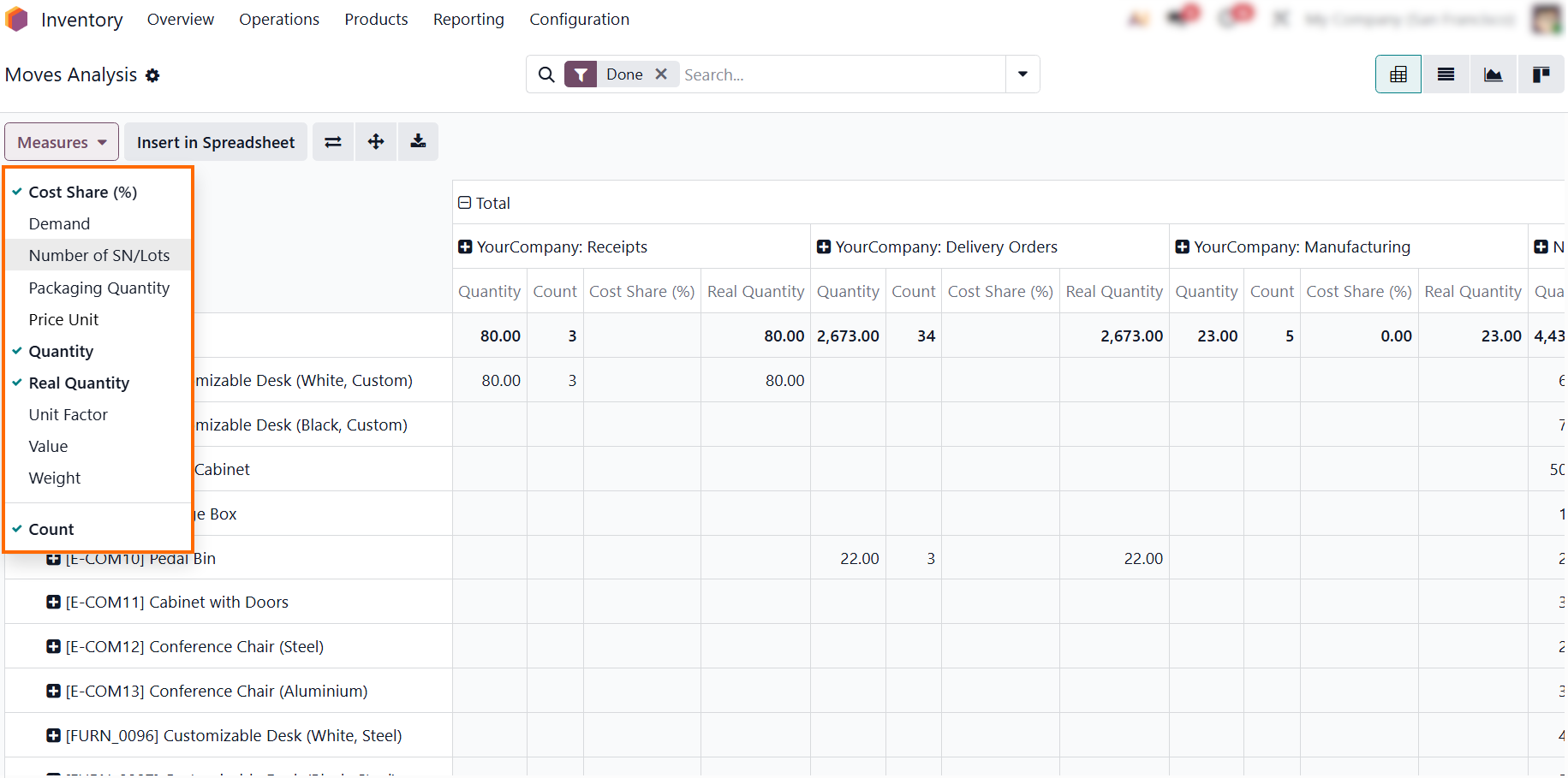
Open the “Measures” menu to select metrics like Quantity, Value, or Cost Share (%). This lets you tailor the pivot table to your goals, comparing physical stock volumes
alongside financial impact in a single view.
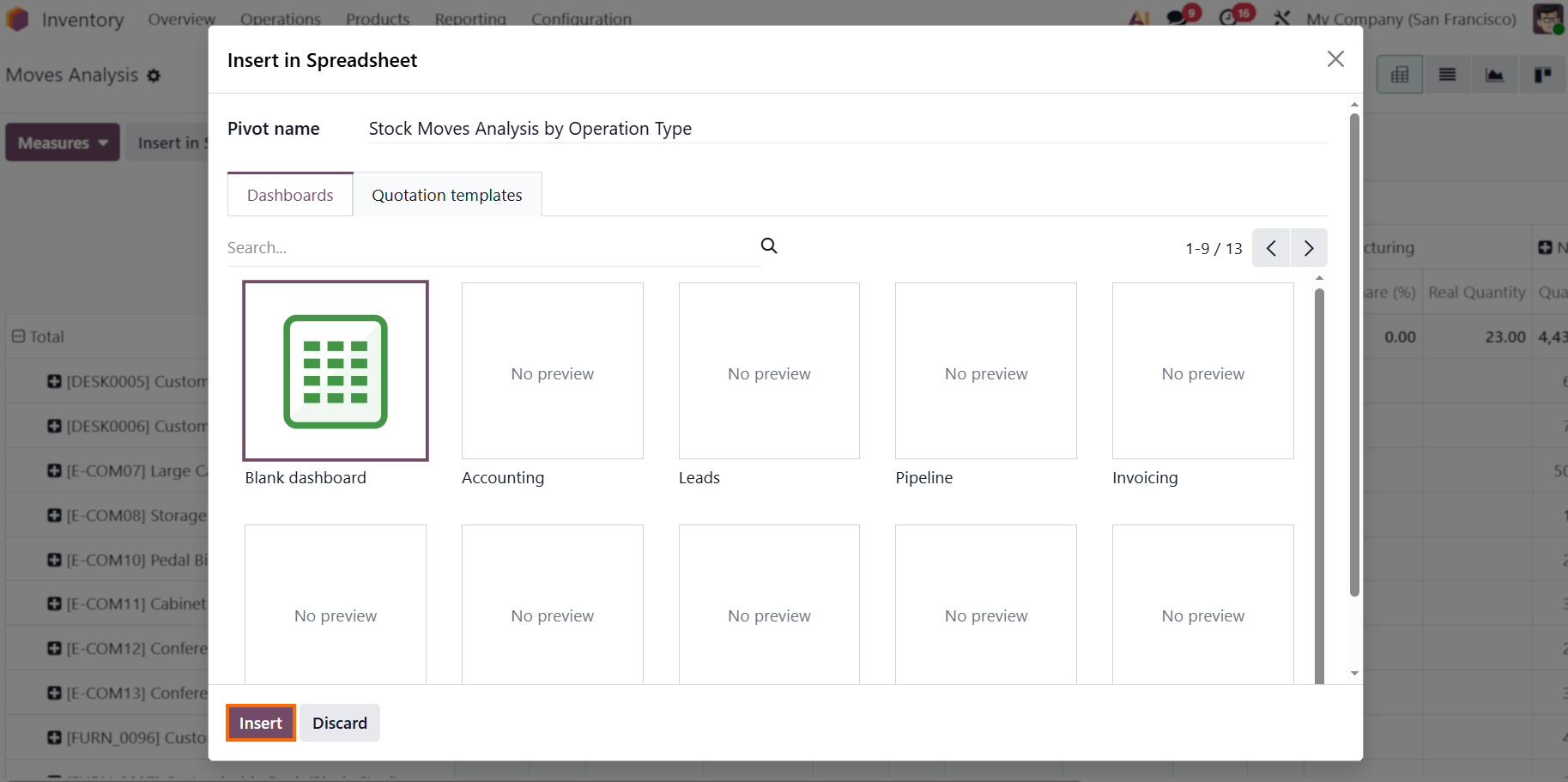
- Click “Insert” in Spreadsheet to embed your customized pivot report directly into an Odoo dashboard, keeping critical Odoo inventory health metrics readily available for real-time monitoring.
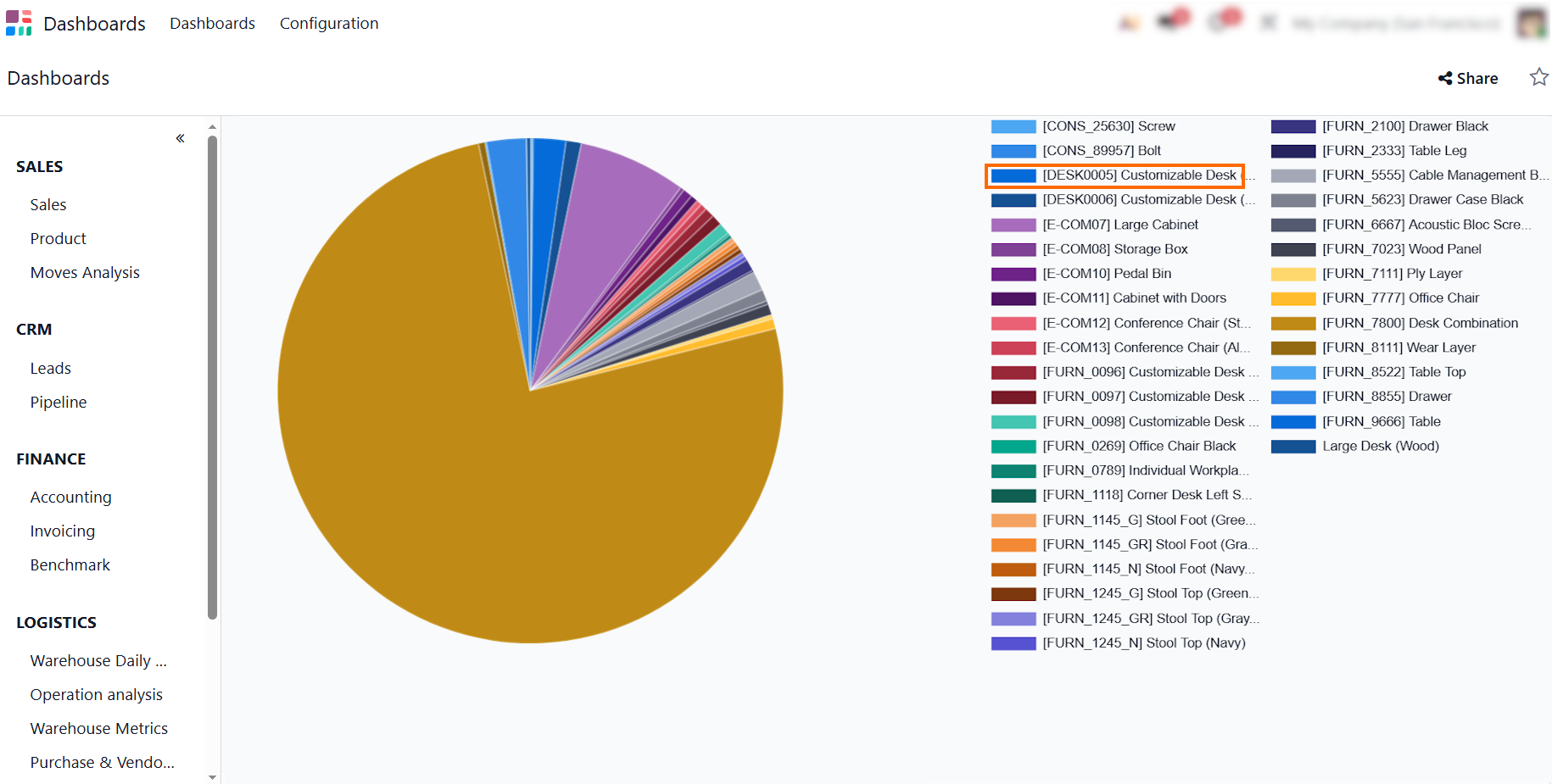
Publishing this report to the central dashboard provides a convenient overview of inventory flow patterns without requiring users to navigate through multiple reporting menus.
Conclusion: Building a Data-Driven Inventory Strategy
Moving beyond basic Odoo stock levels transforms inventory management from a reactive operational chore into a proactive financial strategy. Relying solely on physical counts leaves your business vulnerable to hidden holding costs, cash flow bottlenecks, and undetected Odoo dead stock that quietly ties up working capital.
By configuring appropriate valuation methods, automating reordering rules, and regularly evaluating stock turnover through Odoo's native reporting tools, you gain a clearer view of warehouse performance and inventory levels. These workflows help keep inventory levels balanced as demand and operational needs change.