Scaling a manufacturing business is rarely a linear process. As product catalogs expand, shop floors become busier, and production cycles accelerate, complexity increases rapidly across operations. What starts as manageable growth can quickly turn into operational chaos, especially when scaling becomes a real execution challenge rather than a theoretical one. Many manufacturers rely on Odoo, yet remain stuck in a reactive cycle because system configuration often no longer reflects the realities of fast-moving production environments. In practice, scalability depends on how effectively production planning and scheduling are implemented across the system. Odoo does not create order by itself. It simply reveals whether planning, replenishment, and execution processes are strong enough to support growth.
- This
guide explores why operational chaos emerges during manufacturing growth and
how to build a scalable operating model in Odoo
Manufacturing that supports long-term
efficiency and control.
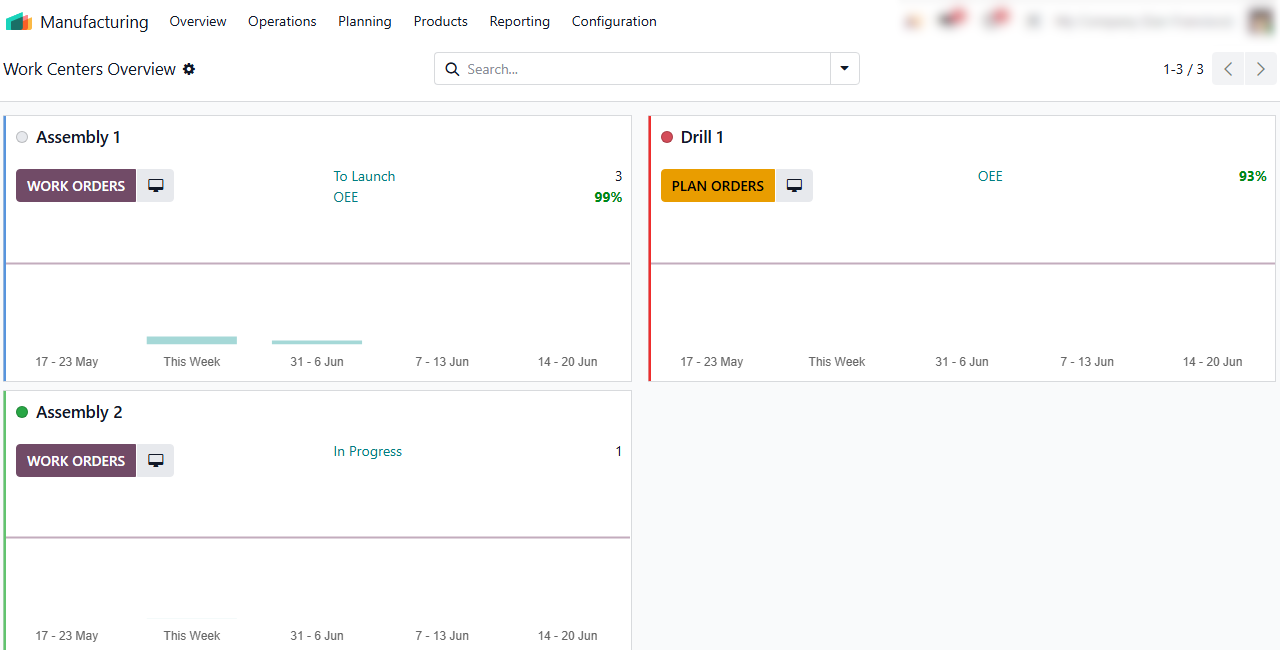
- Leverage Odoo’s integration features, such as linking Work Center data directly into spreadsheets for advanced performance modeling, to ensure production planning is based on execution reality rather than outdated assumptions.
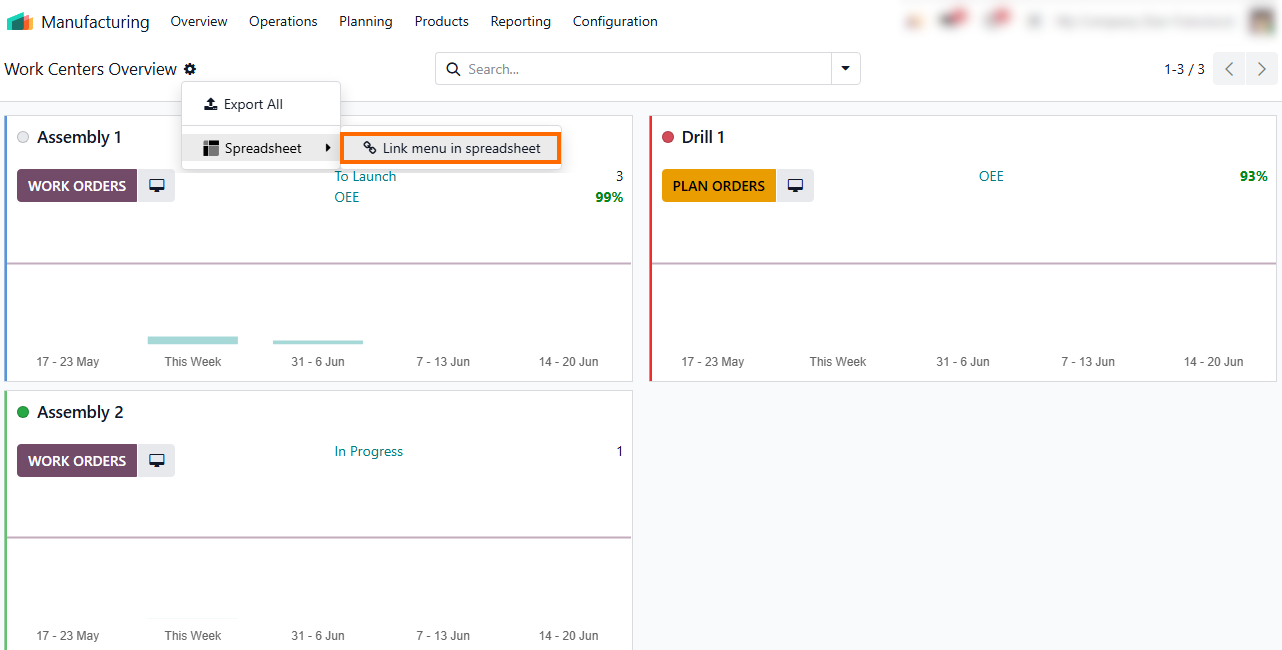
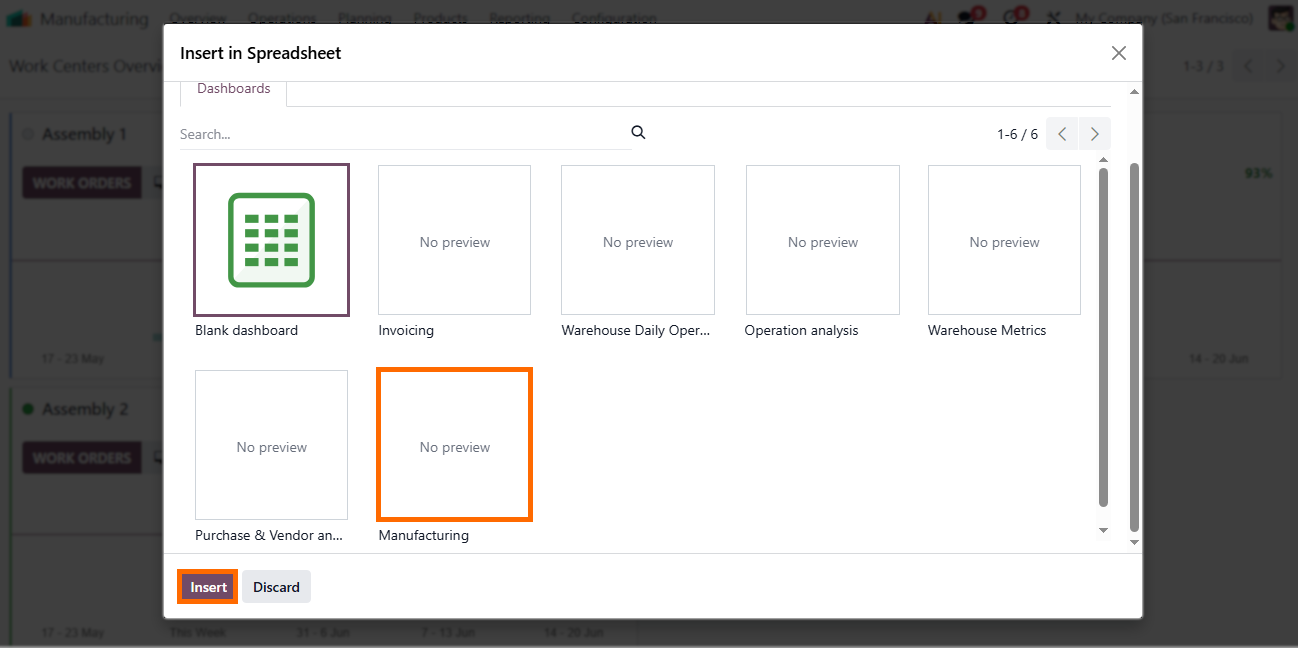
Use the Odoo Manufacturing Analysis dashboard or a blank dashboard to track bottlenecks in manufacturing operations, turning static data into real-time performance insights and enabling faster reactions before delays appear.
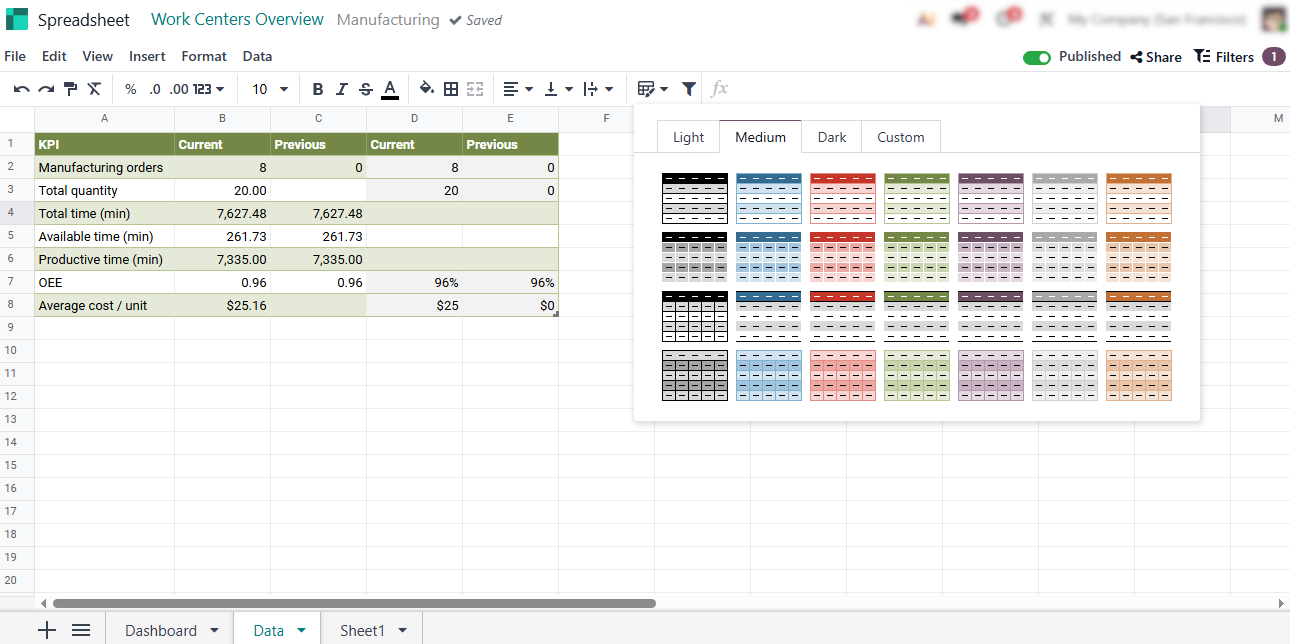
Visualize this data in Odoo Spreadsheet to support production planning and scheduling. Real-time KPI comparison helps improve manufacturing scalability by identifying anomalies early as operations grow.
To understand why chaos emerges at scale and why scalable production is difficult, you first need to understand how manufacturing orders behave as volume, product variety, and lead-time pressure increase in Odoo manufacturing.
Manufacturing
Orders as the Foundation of Scalable Production in Odoo 19
Most scalability issues do not originate in reporting layers. They begin earlier, when orders no longer accurately reflect what is happening on the shop floor. When scheduling logic becomes misaligned, every downstream process shifts into a reactive state by default. In Odoo Manufacturing, orders sit at the center of the production flow, connecting planning assumptions with execution reality through scheduling and operational coordination. If this foundation is weak, dashboards cannot compensate for the resulting system noise. Small deviations at the order level quickly propagate across the entire production chain. To maintain operational integrity and scalability, each order must function as a reliable data source, enabling the system to operate as a predictive engine rather than a passive record of delays.
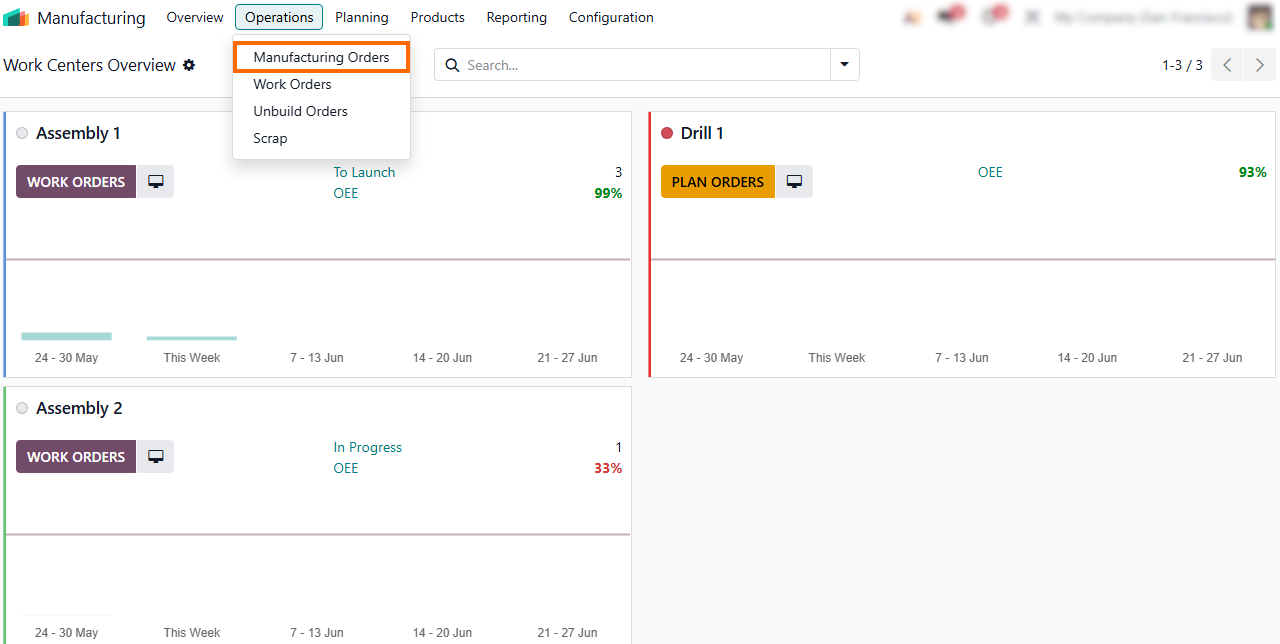
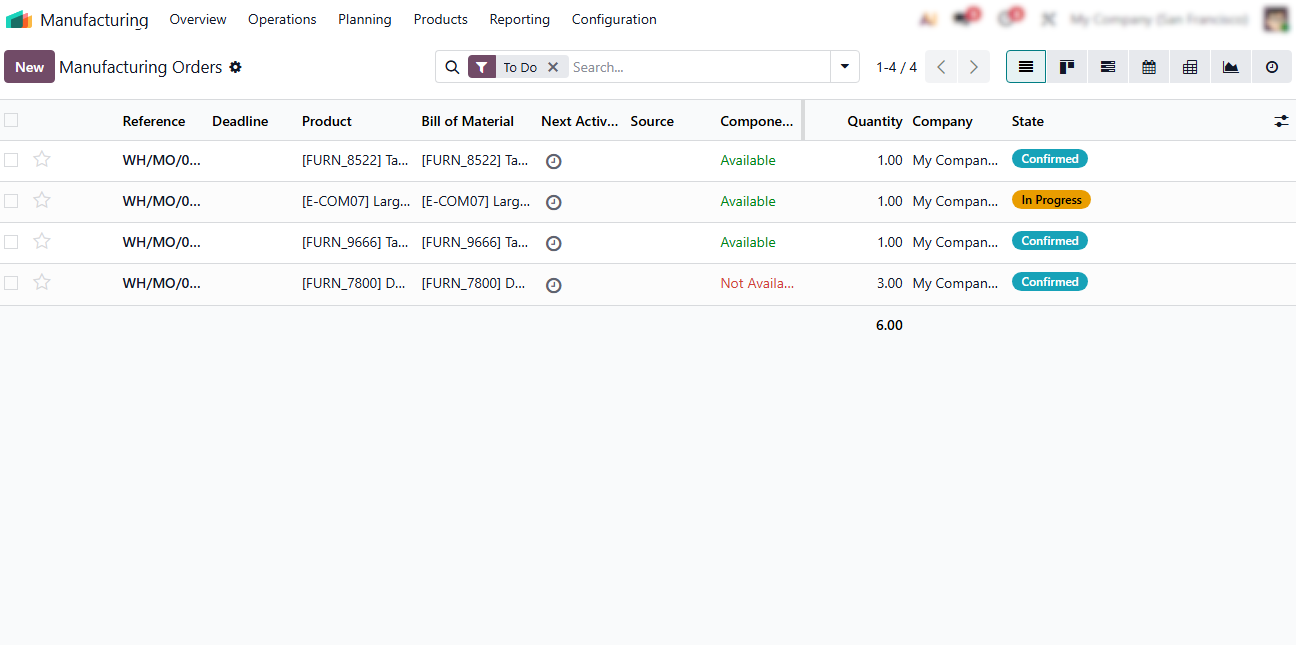
- Navigate
the centralized Manufacturing Orders view to manage manufacturing operations, create new orders, or instantly
identify those stalled by material
shortages or planning conflicts in Odoo manufacturing.
-
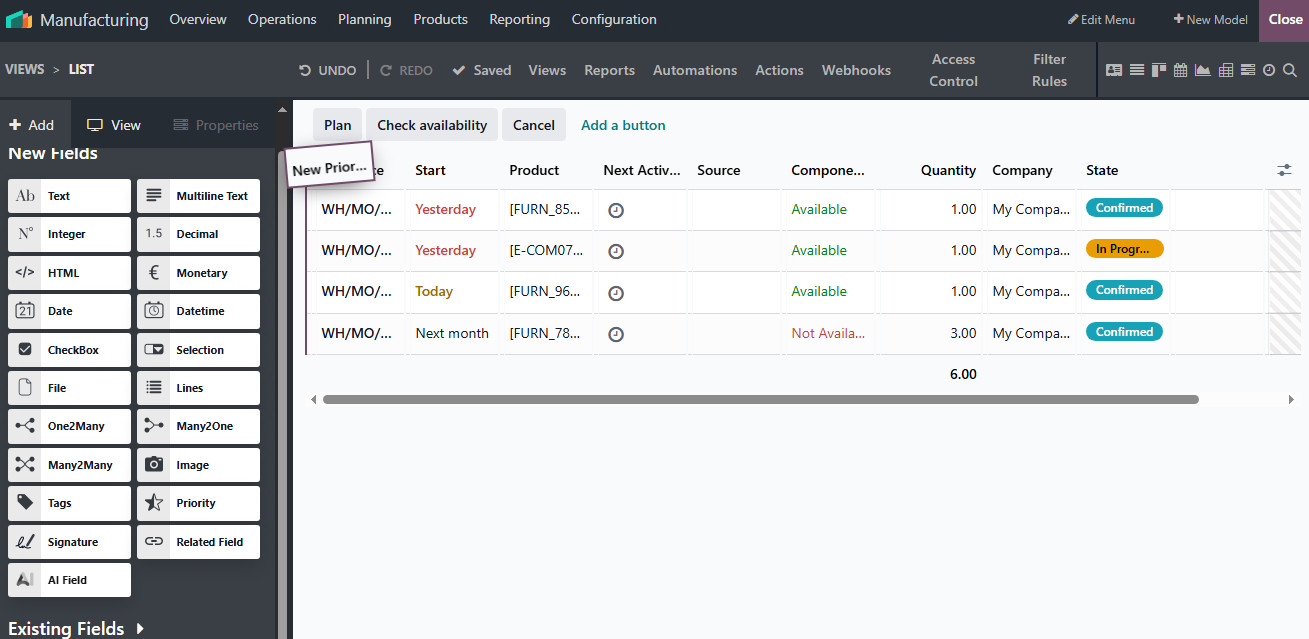
Use Odoo Studio features to inject mission-critical data
directly into your Manufacturing Orders list view, supporting better production planning and scheduling and
reducing the need for constant drill-downs.
Once your Manufacturing Orders interface is optimized, use this streamlined view to monitor production flow and support manufacturing scalability, taking immediate
action before issues disrupt output.
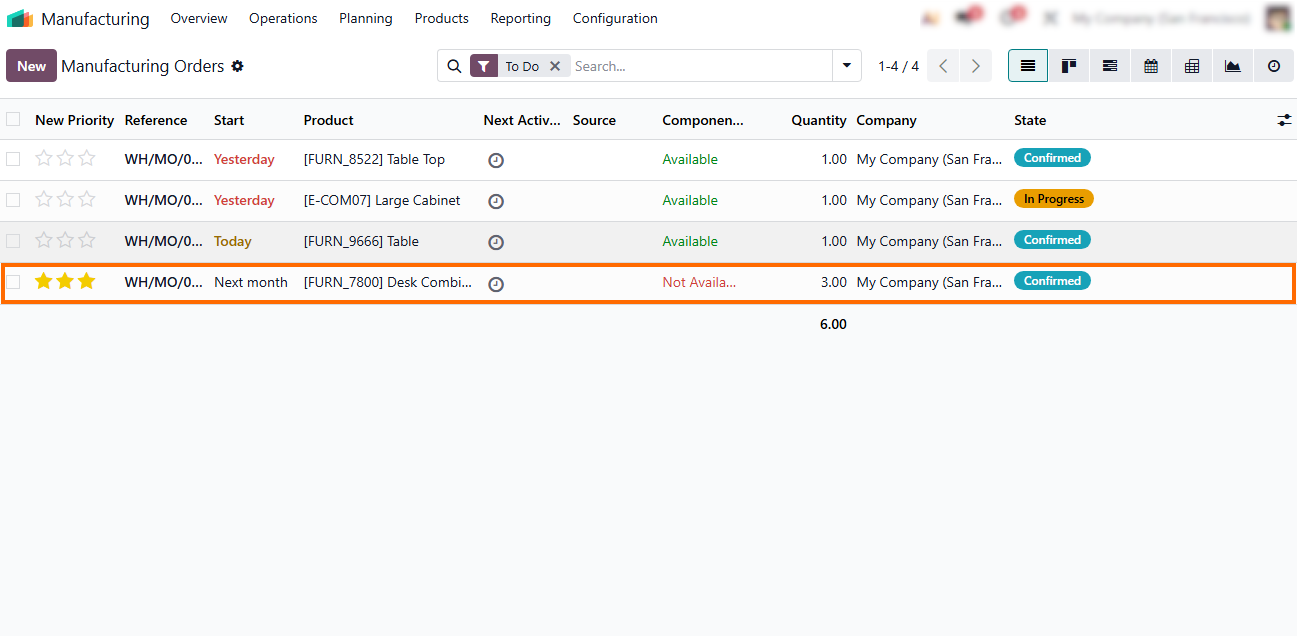
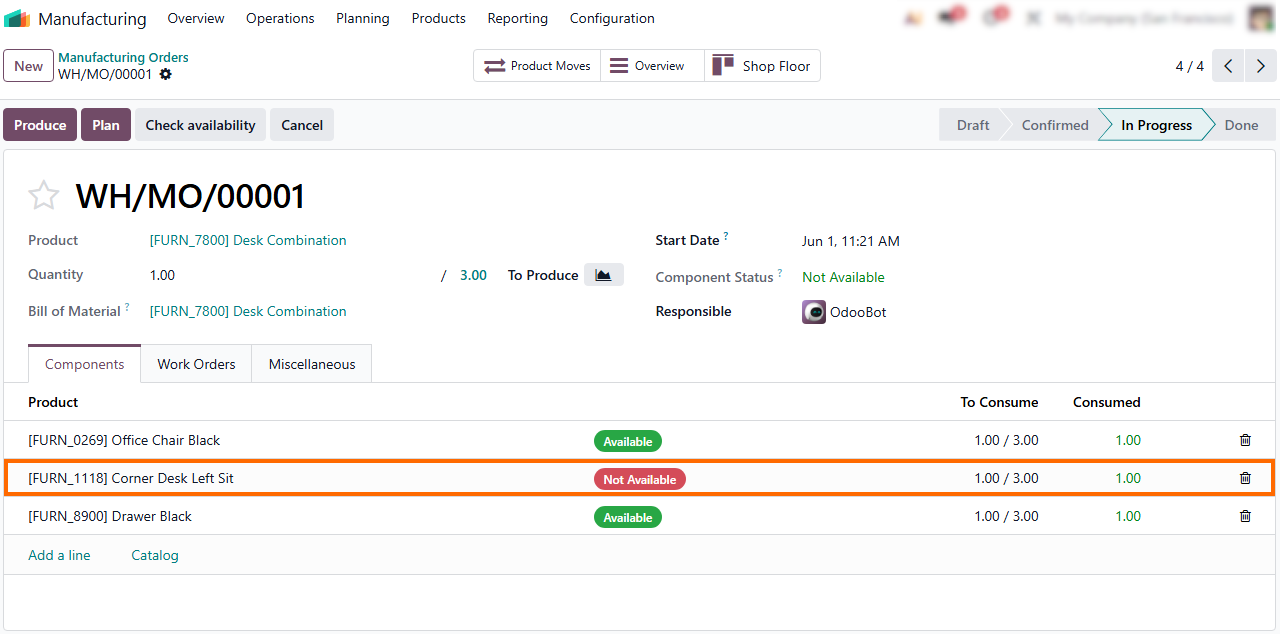
- Manufacturing Orders clearly display the status of missing components as "Not available." Drilling down into these components allows you to immediately access and trigger stock replenishment options, optimizing production scalability.
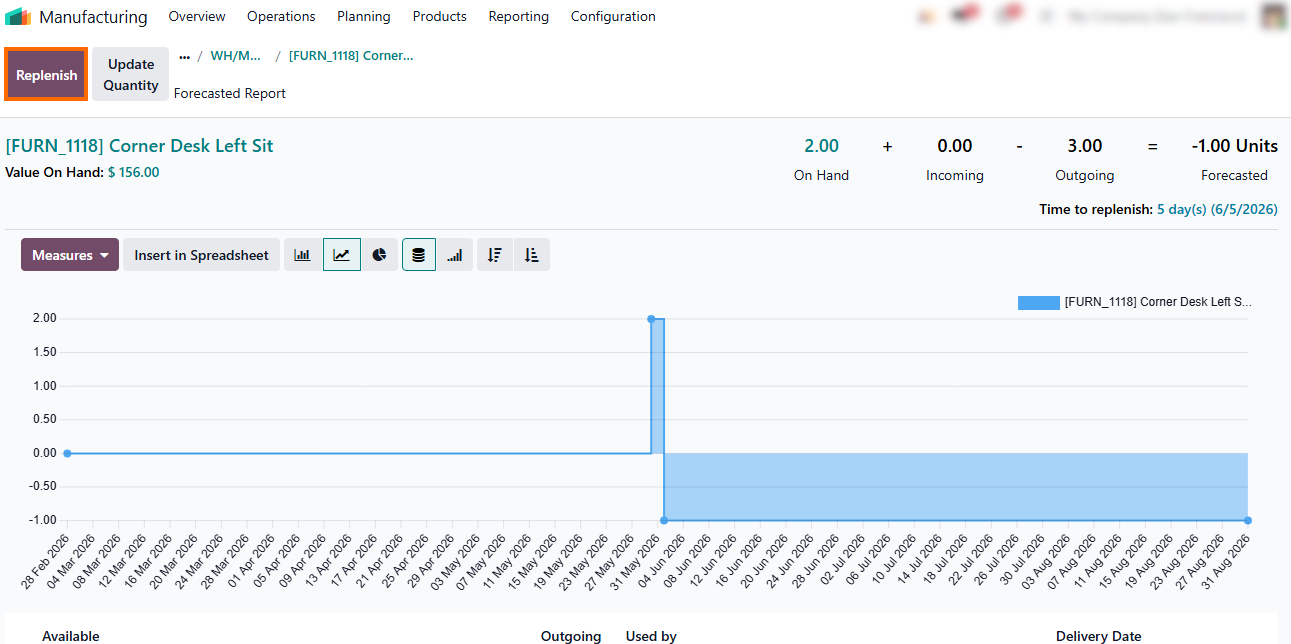
Clicking “Replenish” initiates a procurement request tailored to your replenishment strategy, ensuring supply is automatically scheduled to meet production demands
within Odoo manufacturing workflows.
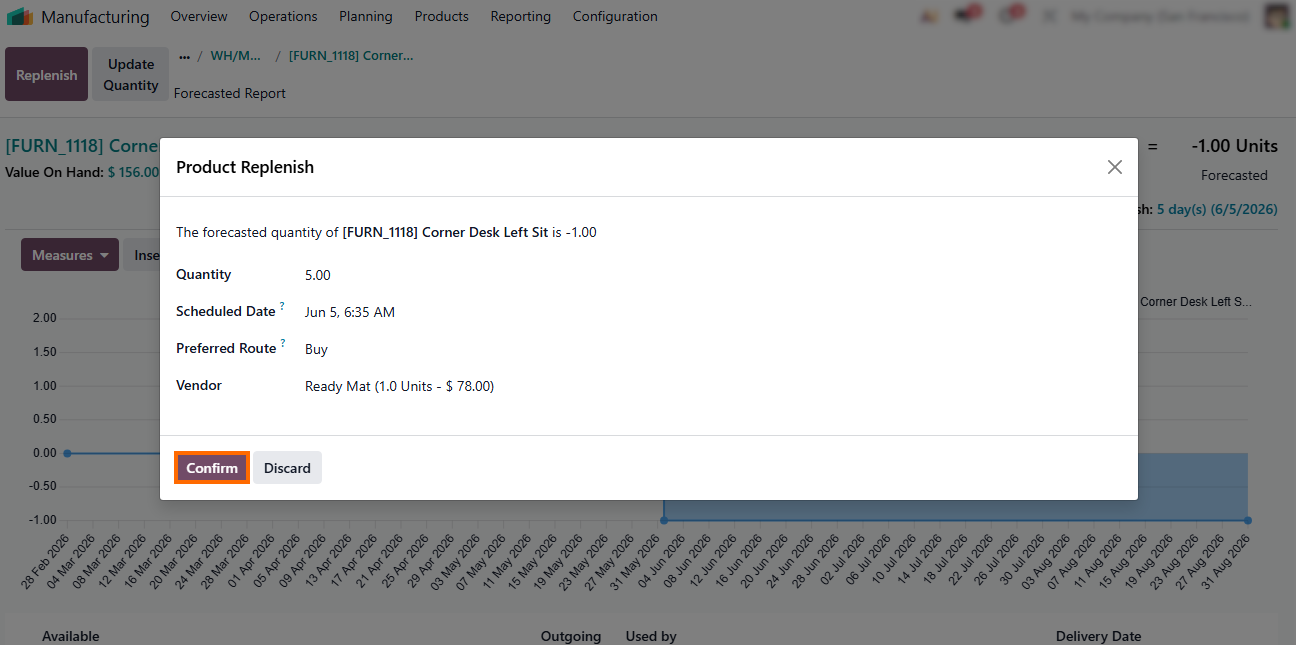
- Odoo supports both "Replenishment" and "Update Quantity" features. Replenishment triggers automated procurement logic aligned with production planning and scheduling, while Update Quantity is a manual adjustment tool.
"Update Quantity" provides an immediate manual override of stock levels. While useful for rapid reconciliation, it does not support manufacturing scalability because
it bypasses planning logic.
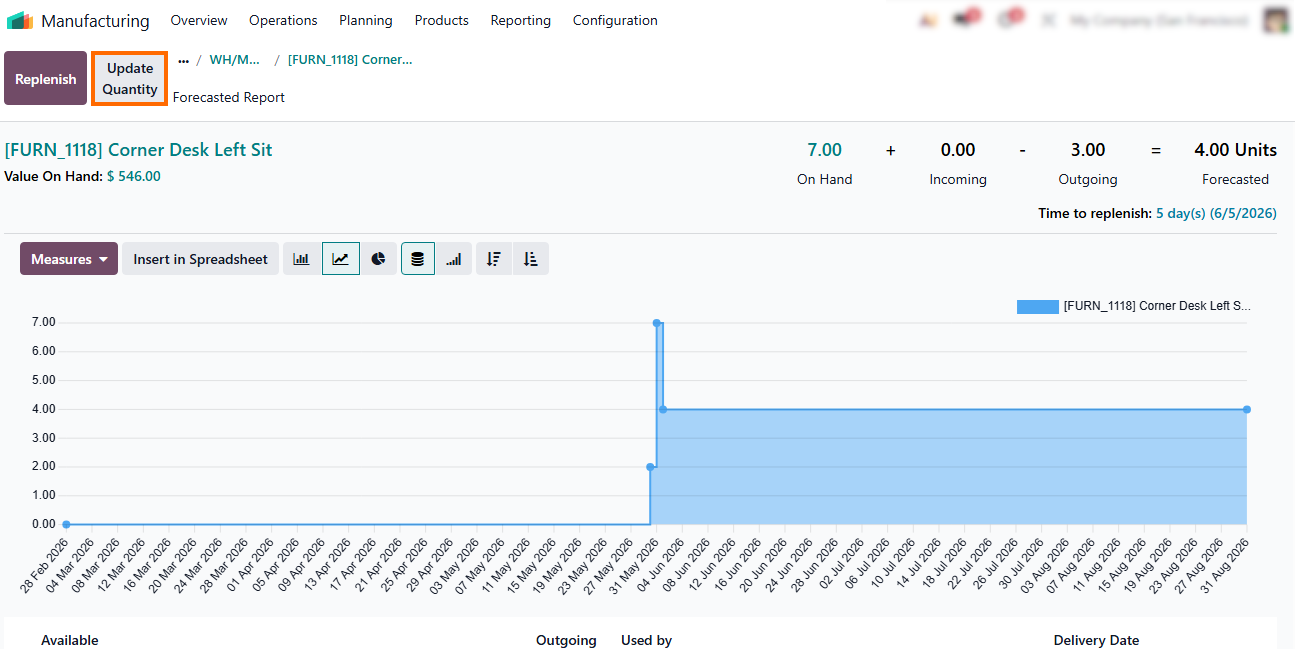
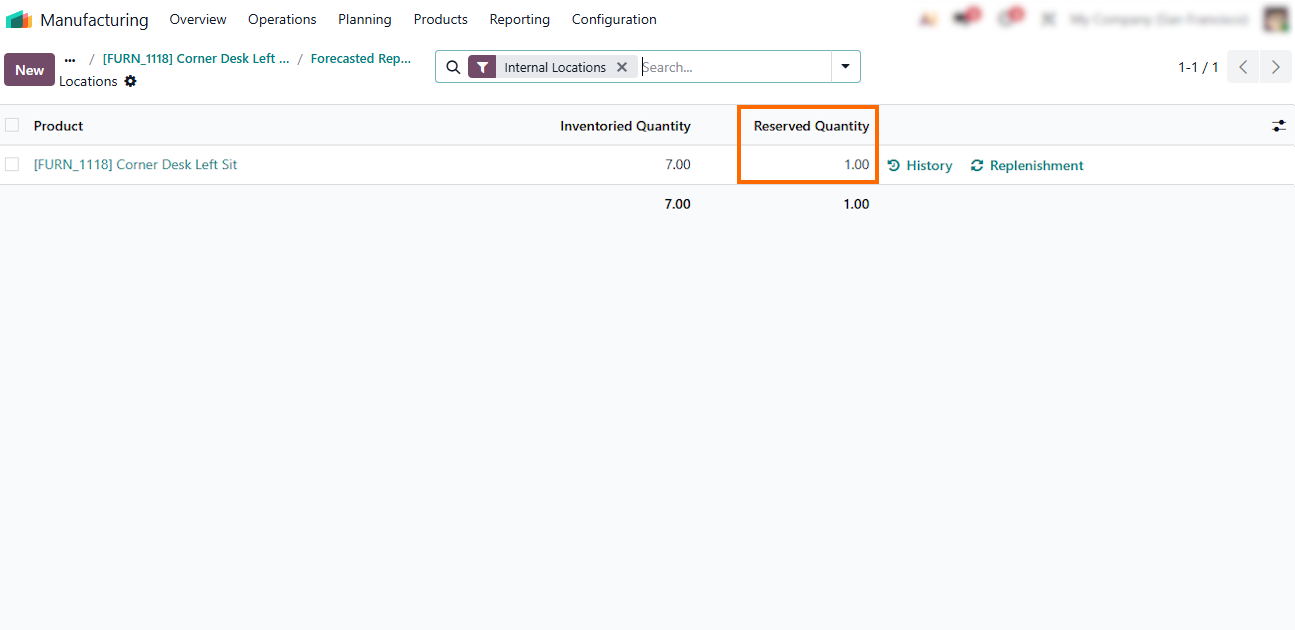
- Observe how the system instantly reserves the replenished component for your Manufacturing Order, reinforcing stable manufacturing operations as inventory stays synchronized with production needs.
Turning Manufacturing Data into an Active Control System in Odoo 19
As manufacturing scales, operational stability depends less on stricter rules and more on faster feedback loops. To maintain operational synchronization, manufacturing data must function as an active control layer rather than a passive reporting archive. In Odoo Manufacturing, control emerges when execution data continuously feeds planning decisions, enabling intervention before disruptions propagate across manufacturing operations. Dashboards do not create control. Their value lies in early exposure of structural stress signals such as bottlenecks, rising lead times, and recurring component shortages, revealing misalignment between planning assumptions and manufacturing operations. When visible in real time, these signals enable adjustments in capacity, sequencing, or replenishment logic, keeping manufacturing orders recoverable.
- Use the Manufacturing Analysis dashboard to monitor production flow across work centers and operations, identifying recurring bottlenecks and capacity constraints before they impact downstream manufacturing orders.
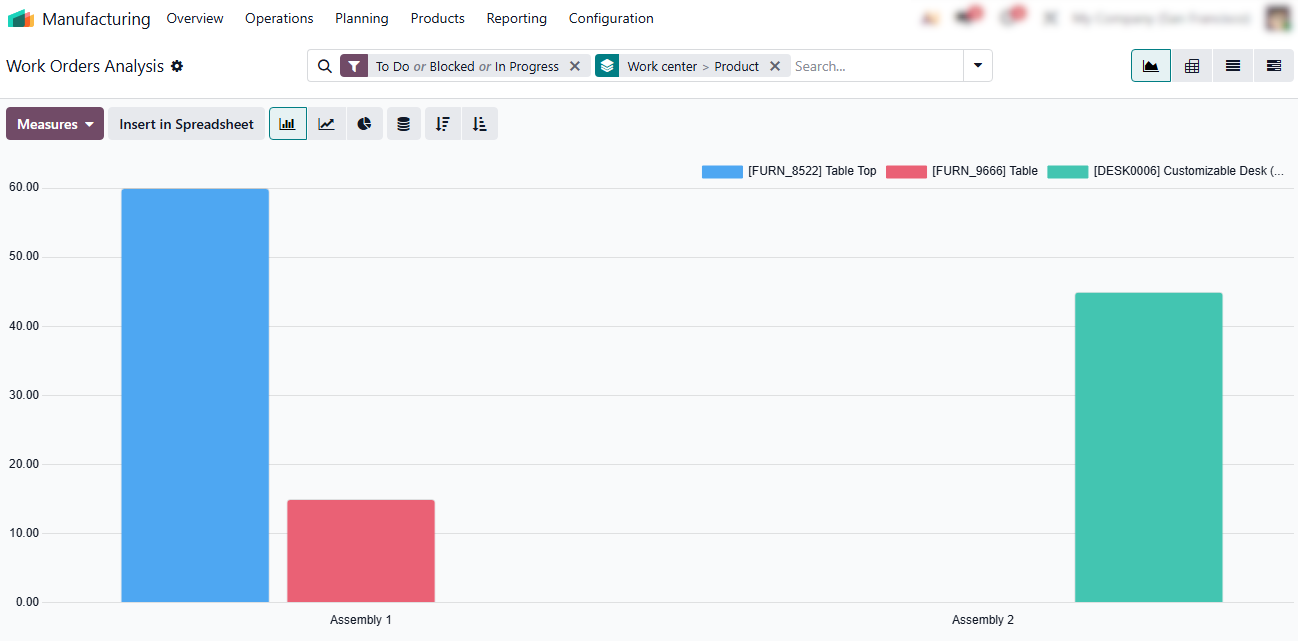
Analyze Work Orders by product type and other key filters to detect efficiency patterns, execution delays, and recurring issues within specific production lines, improving visibility into production performance.
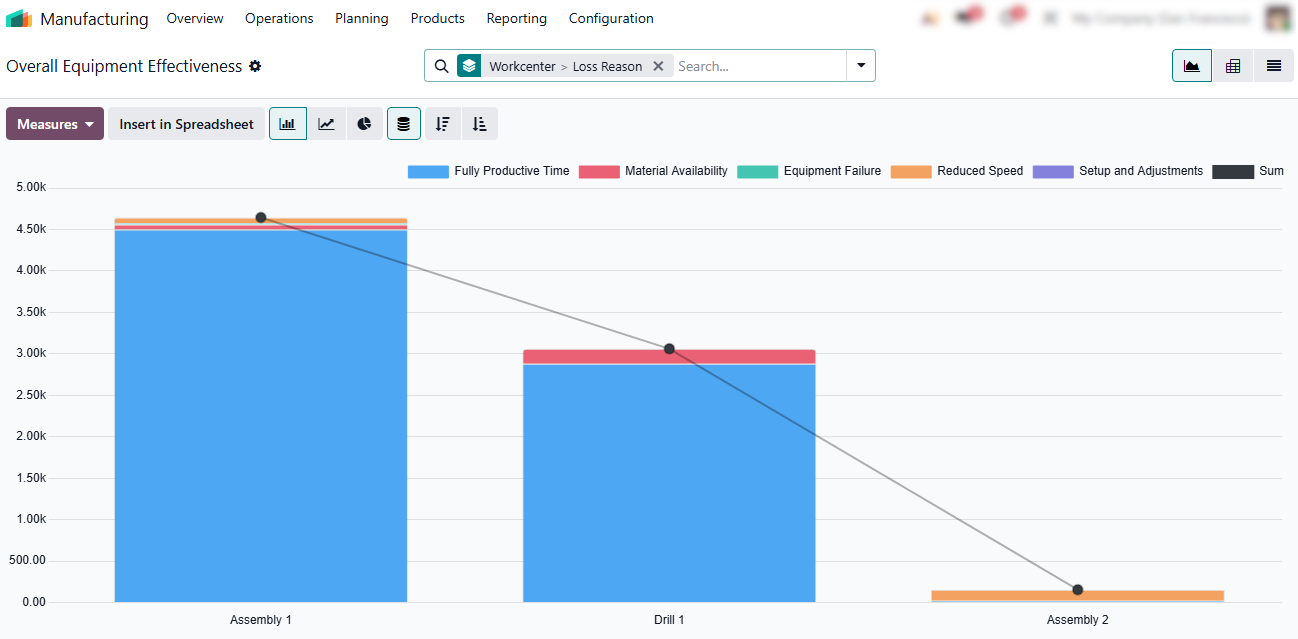
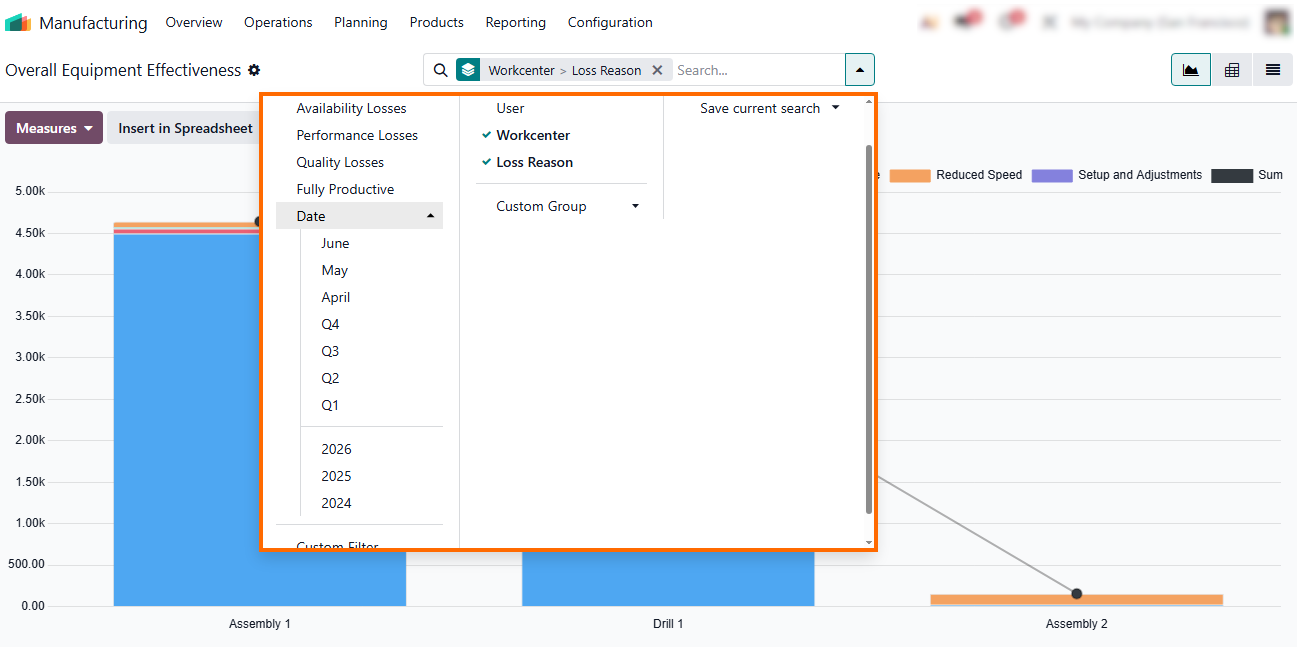
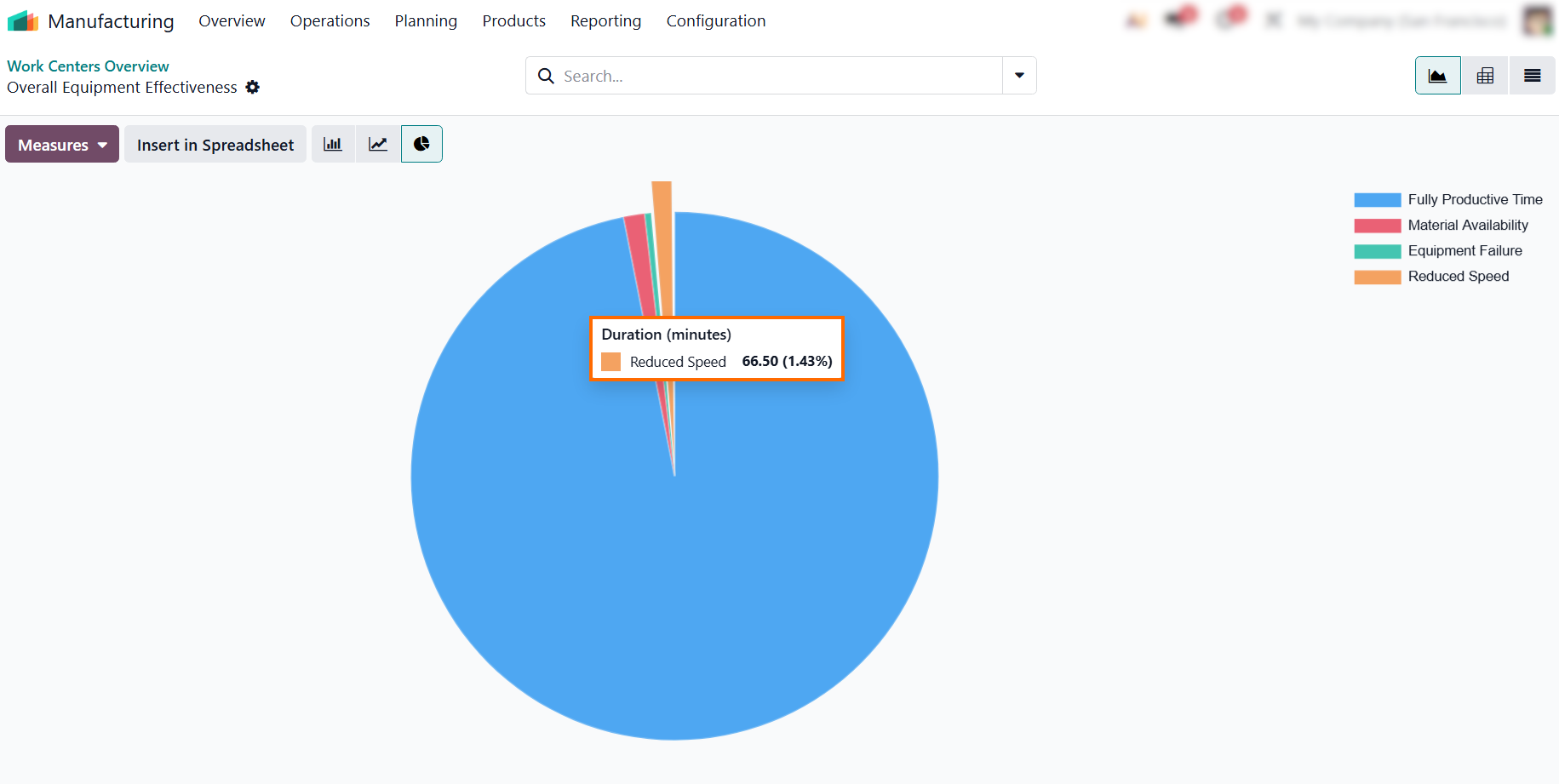
Overall Equipment Effectiveness (OEE) evaluates machine productivity through availability, performance, and quality, revealing hidden losses that affect manufacturing scalability.
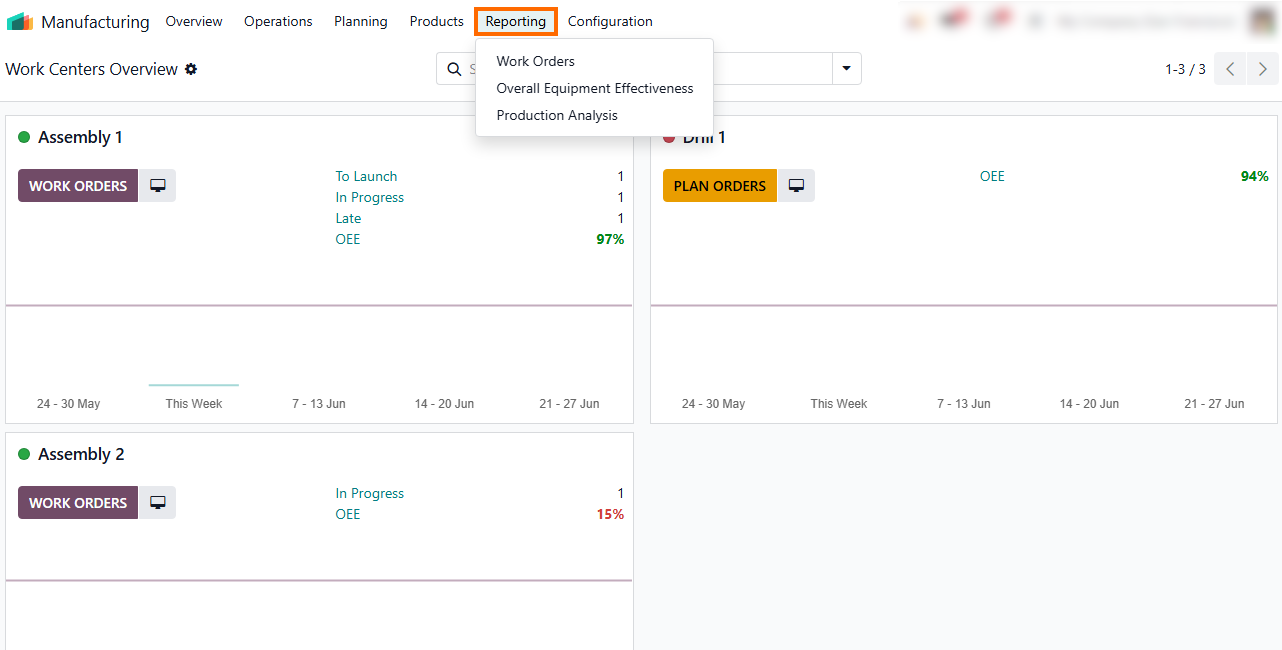
All Odoo reports support filtering by product, operation, work center, and time period, enabling structured segmentation of manufacturing data for deeper
performance analysis.
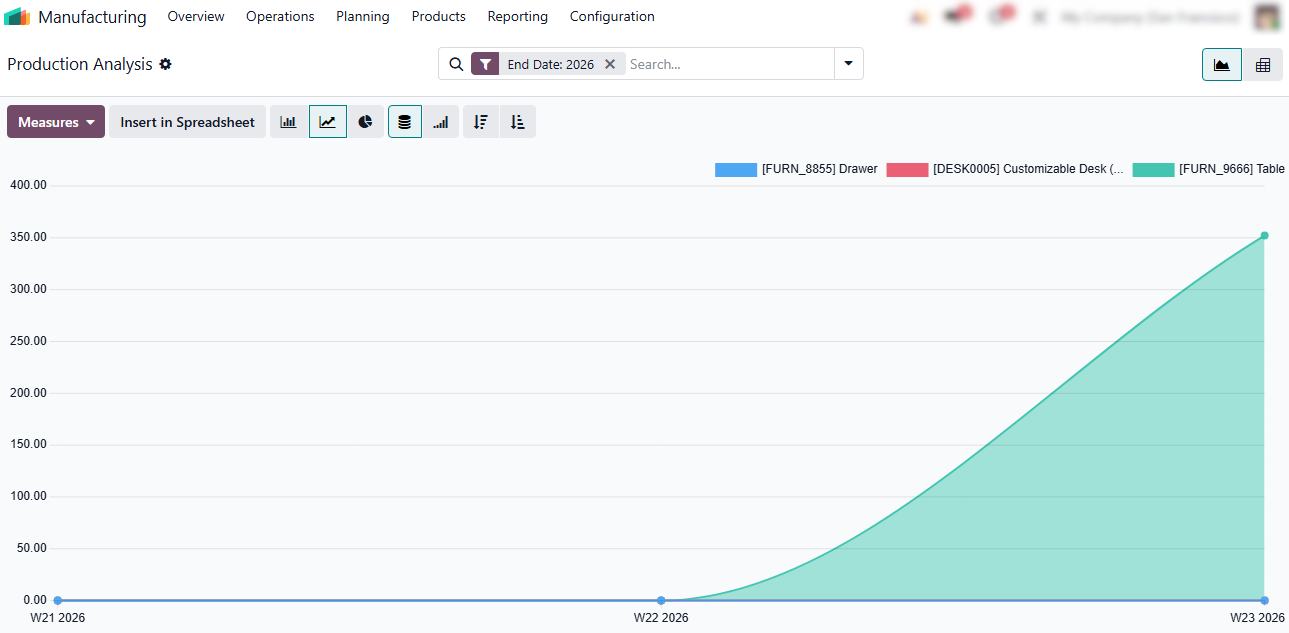
- The Production Analysis report closes the loop by consolidating execution data across orders, work centers, and time periods, turning operational signals into continuous planning input.
Operational
Best Practices for Scaling Manufacturing in Odoo 19
To keep manufacturing operations resilient as scale increases, organizations must adopt disciplined operational habits that preserve data integrity and reinforce planning logic across the system. Operational consistency is the engine of predictable scaling. At scale, even small manual shortcuts or delayed visibility compound quickly, turning localized issues into systemic disruption. Sustainable manufacturing growth in Odoo depends on minimizing reactive interventions and ensuring that execution data continuously feeds planning, replenishment, and scheduling decisions in a consistent and predictable way. These best practices focus on making issues visible early and resolving them through system logic rather than manual workarounds.
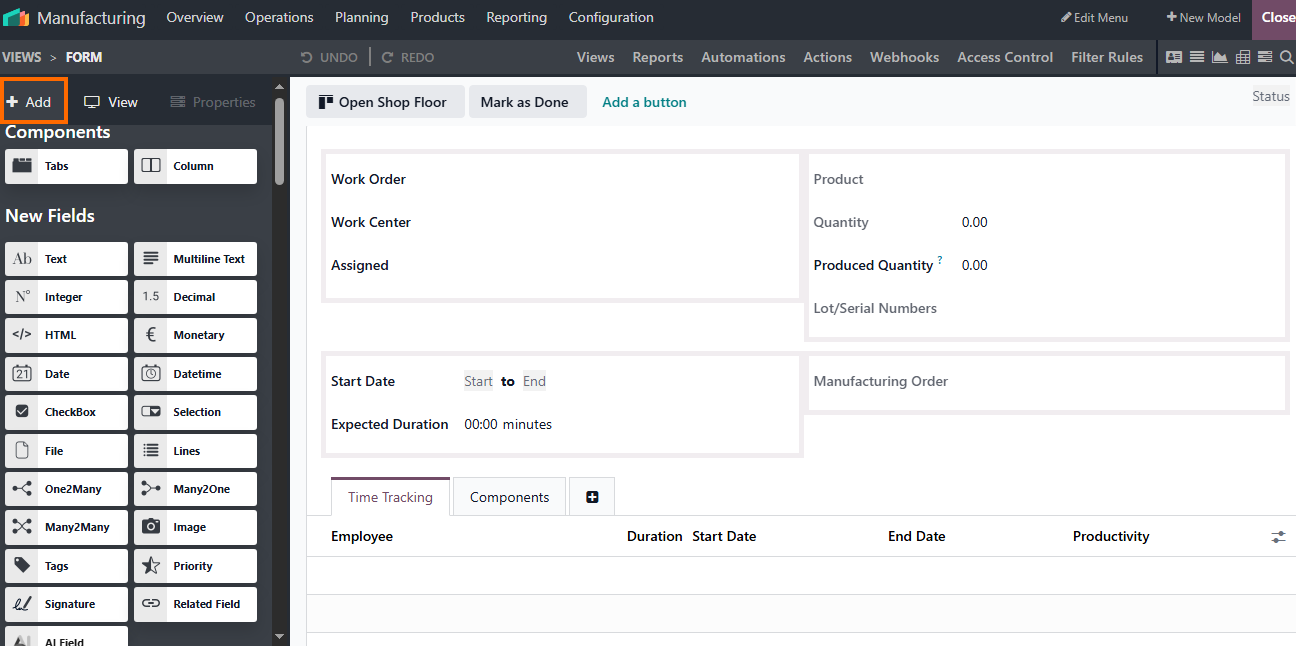
- Use Odoo Studio to surface critical execution data directly in operational views, not limited to Manufacturing Orders. Key issues should be visible at a glance across relevant screens, without relying on constant drill-downs or delayed reports.
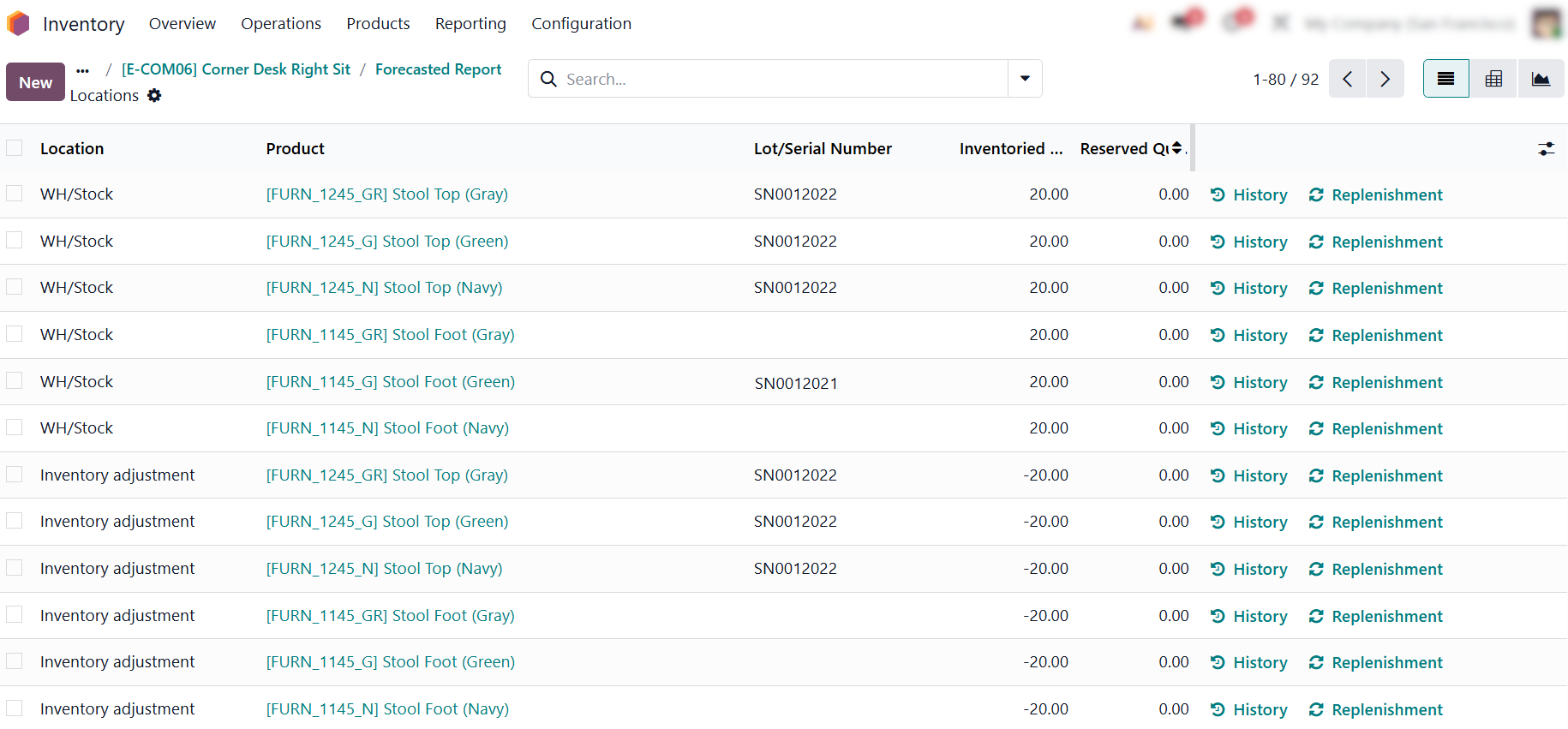
Use the Forecasted Report to monitor inventory trends. Direct Replenishment links allow you to trigger procurement instantly, maintaining synchronization between
stock and demand to prevent operational chaos.
- Treat Manufacturing Analysis dashboards
as early-warning systems. Regular monitoring of OEE, work center load, and
recurring bottlenecks allows teams to
address structural stress before it propagates downstream.
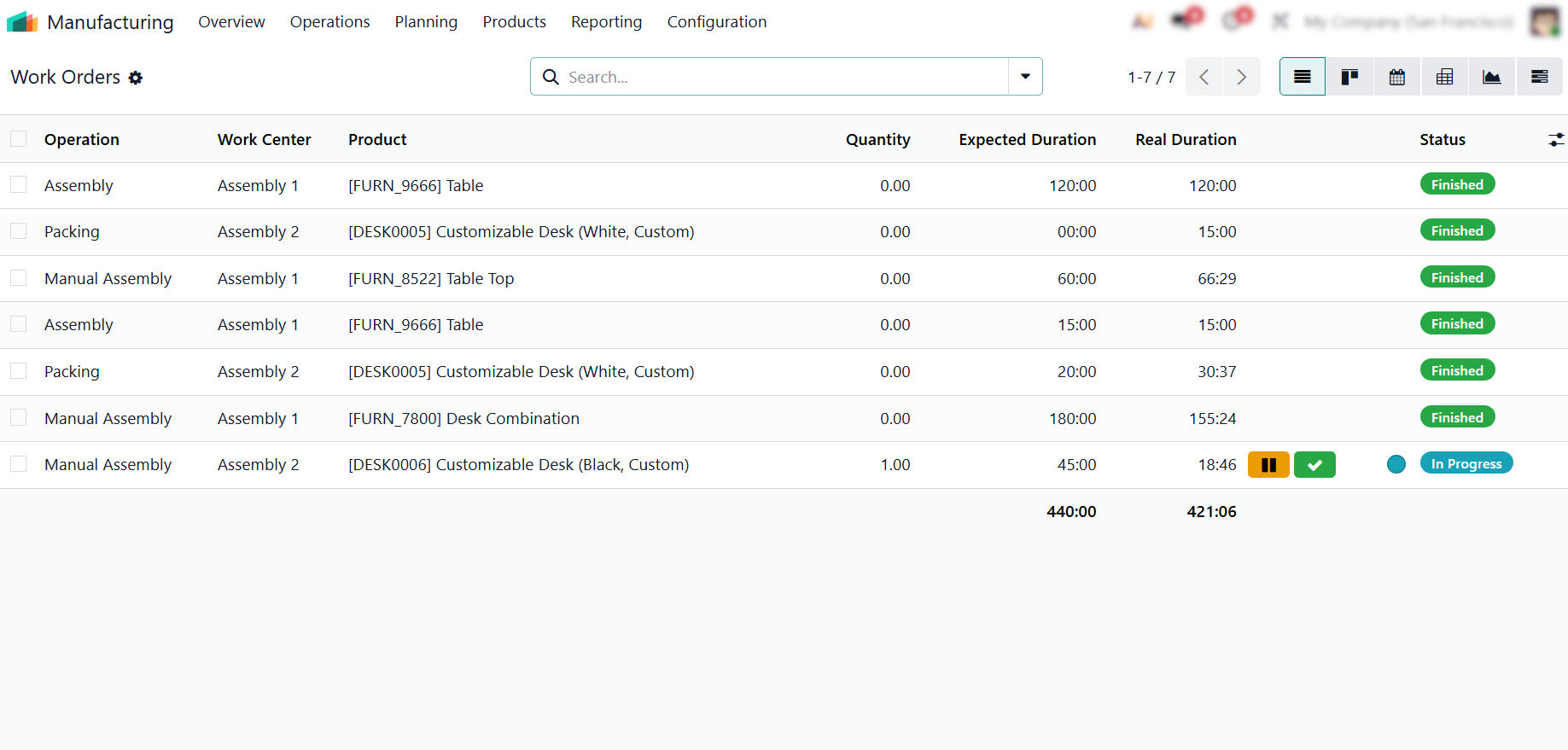
- Ensure work orders are closed
immediately upon completion, as delayed reporting creates data lag that forces
planning decisions on outdated information and reduces
visibility into real-time shop floor capacity.
Conclusion: Turning Execution Data into Scalable Manufacturing Control
Scaling manufacturing operations in Odoo 19 is not about increasing system complexity, but about improving how execution data shapes decision-making across the production flow. True scalability emerges when organizations move from reactive troubleshooting to a controlled, data-driven workflow where orders, replenishment, and work center activity act as continuous signals for planning and coordination.
By aligning procurement with actual demand and maintaining consistent data discipline on the shop floor, manufacturing teams reduce firefighting and establish predictable operational flow. In this setup, Odoo functions as an active control system rather than a passive record of operations. When execution data is accurate, timely, and continuously reflected across the system, operational chaos is eliminated at its source rather than managed after it appears.