Upgrading to Odoo 20 is an operational risk assessment, not a routine software patch. A misconfigured migration can halt shop floor operations, break MES/PLM integrations, and corrupt inventory valuation. To ensure a seamless transition, manufacturing teams must audit their existing environment, map custom dependencies, and validate production-critical workflows in staging long before touching live data. This guide walks through every step of Odoo upgrade planning, covering infrastructure audits through to final cutover validation. How can you structure the Odoo upgrade process to eliminate downtime on the shop floor?
- Check your Odoo edition and license: Confirm whether the database uses Enterprise or Community and review the current subscription, upgrade options, and access to Odoo's upgrade service before planning the transition.
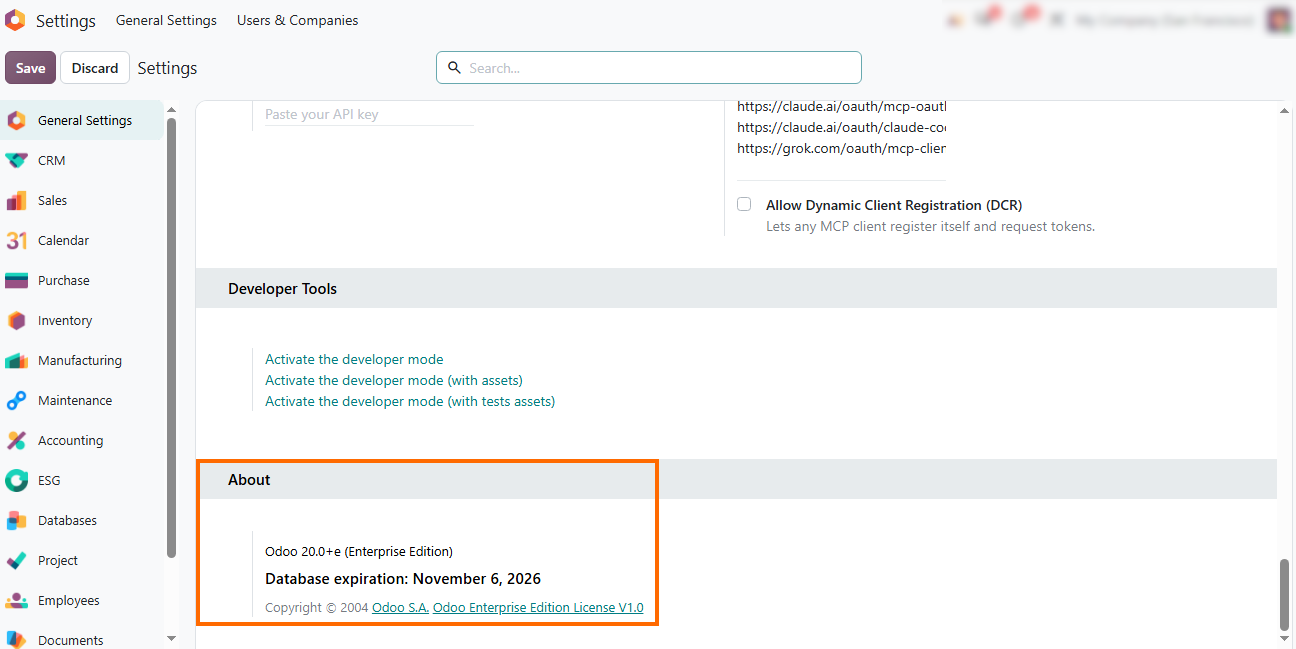
Review your hosting environment: Check whether the system is hosted on Odoo.sh, Odoo Online, or On-Premise. Your hosting setup affects how test databases are prepared, how custom code is managed, and how the upgrade is tested.
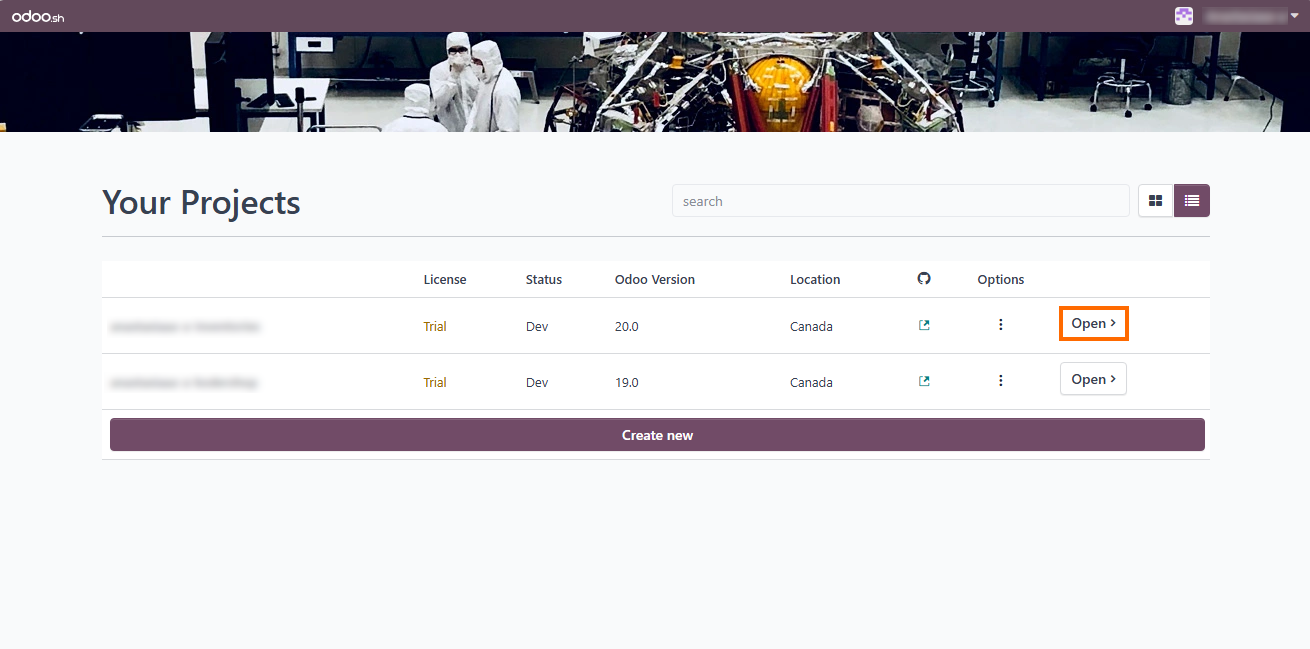
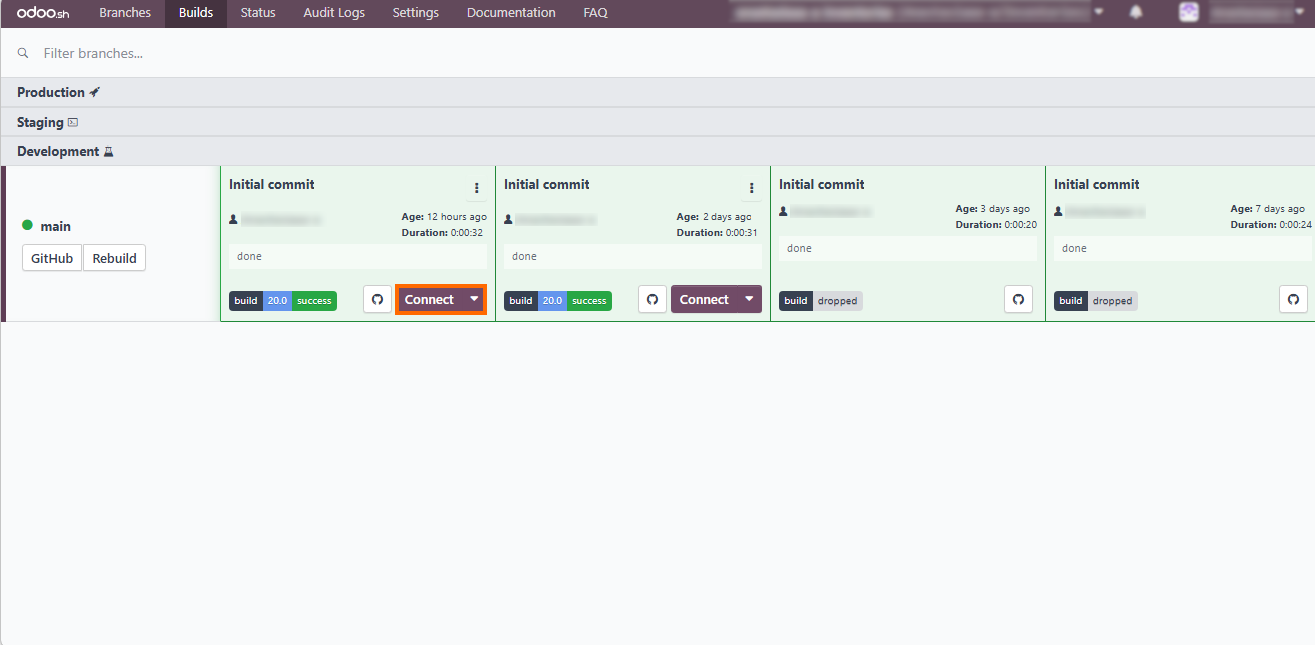
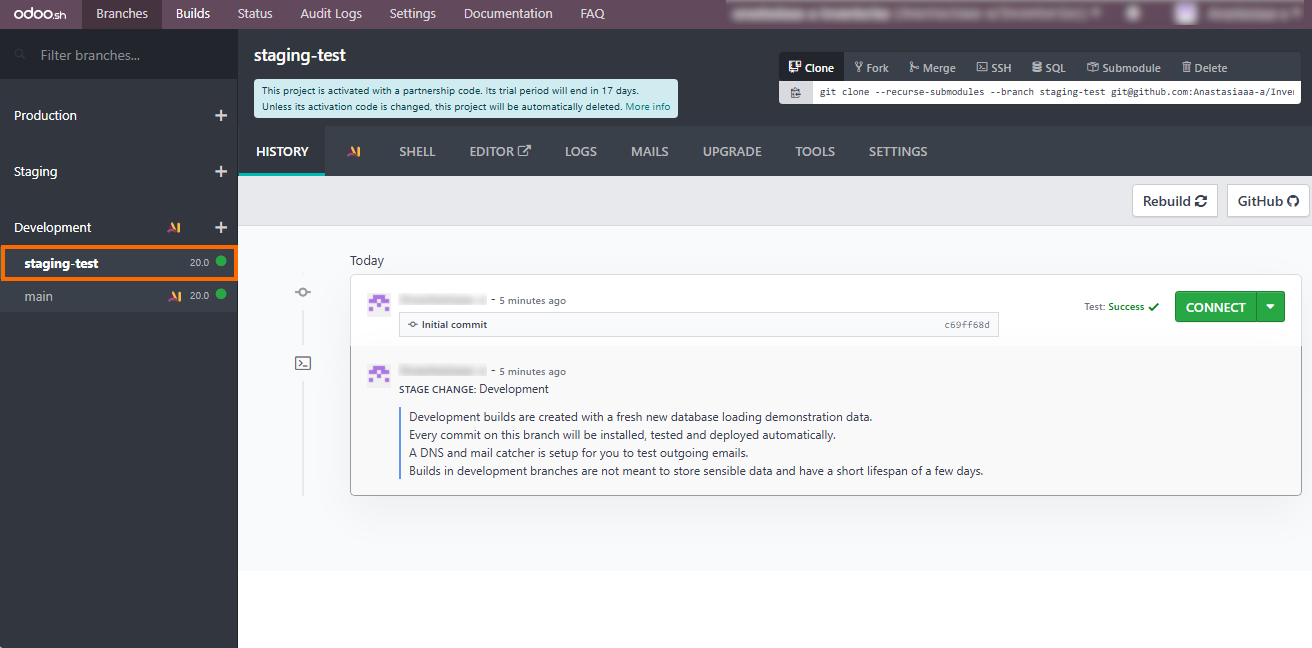
Leverage parallel environments for safe testing: Platforms like Odoo.sh let teams create staging and development builds to test updates, validate customizations, and run dry runs before affecting live production databases.
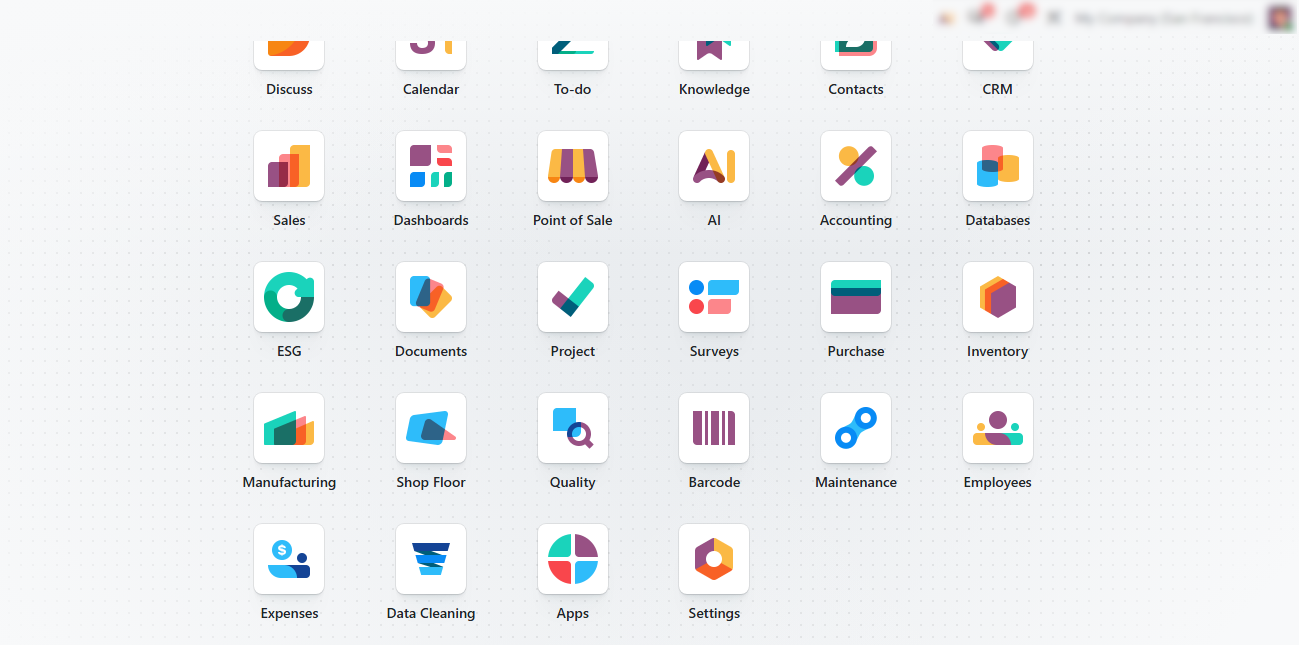
Map apps, customizations, and dependencies: Review installed apps, Studio changes, automated actions, custom modules, and third-party integrations. Identify custom code and other dependencies that may affect the Odoo 20 migration.
Define the business case for the upgrade: Identify the operational needs behind the move and review which Odoo 20 improvements could address them. Use specific business needs to determine whether the upgrade justifies the transition.
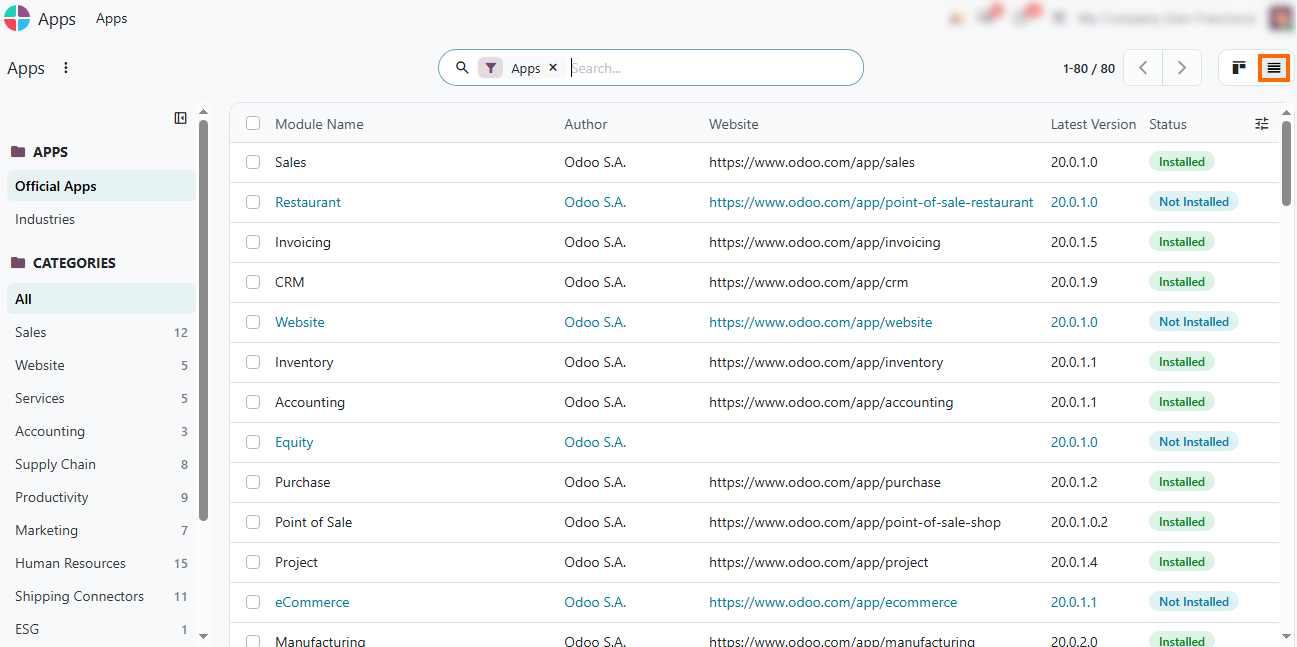
Prepare isolated environments for testing: Use Odoo.sh branches to validate the upgrade without affecting production. Test customizations, data, and production-critical workflows before the final transition.
Assess Whether an Odoo 20 Upgrade
Makes Business Sense
Before planning the transition, manufacturers should identify the operational needs behind the upgrade. Review current limitations, business requirements, and relevant Odoo 20 improvements to determine where the new version could provide value. The goal is not to adopt every new capability, but to identify changes that can address a real business requirement or remove a current limitation. This helps teams decide whether an Odoo 20 upgrade is worth planning and what outcomes should be validated during testing. For example, manufacturers may need to provide product-level emissions data to B2B customers or address other changing operational requirements. These needs can provide a concrete business case for considering an Odoo 20 upgrade.
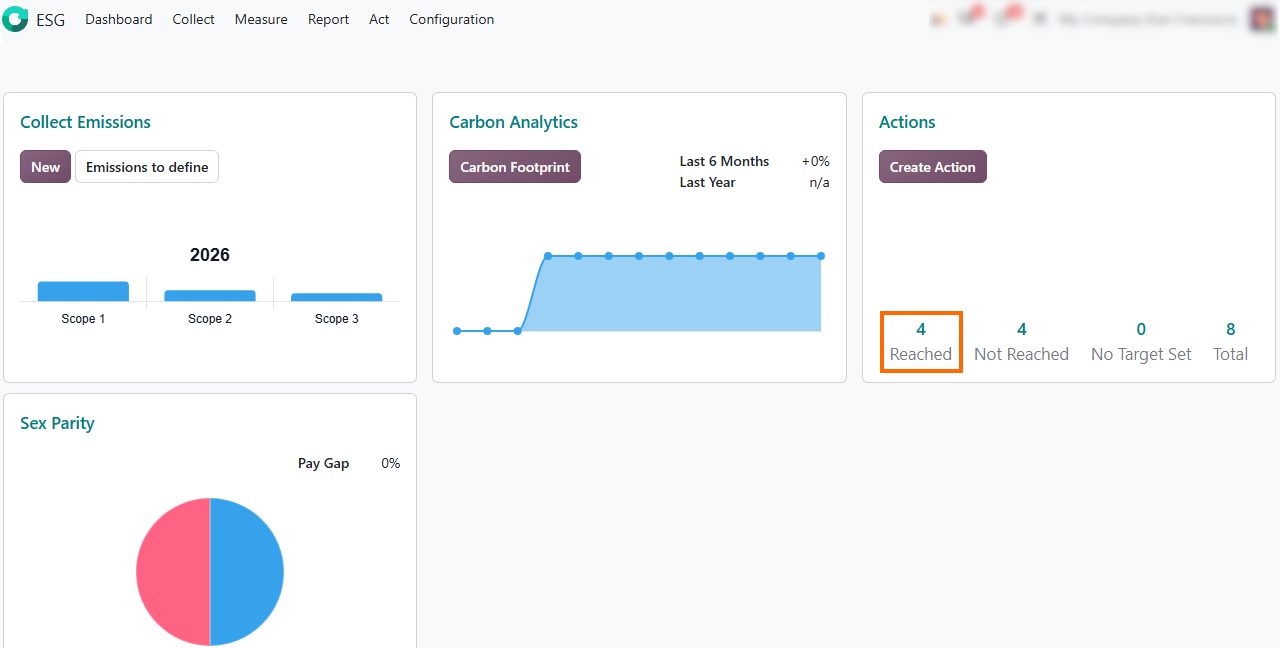
- Use the unified ESG dashboard: Odoo's ESG dashboard connects Scope 1–3 data collection, carbon analytics, and action tracking, giving manufacturers a centralized view of sustainability data and progress.
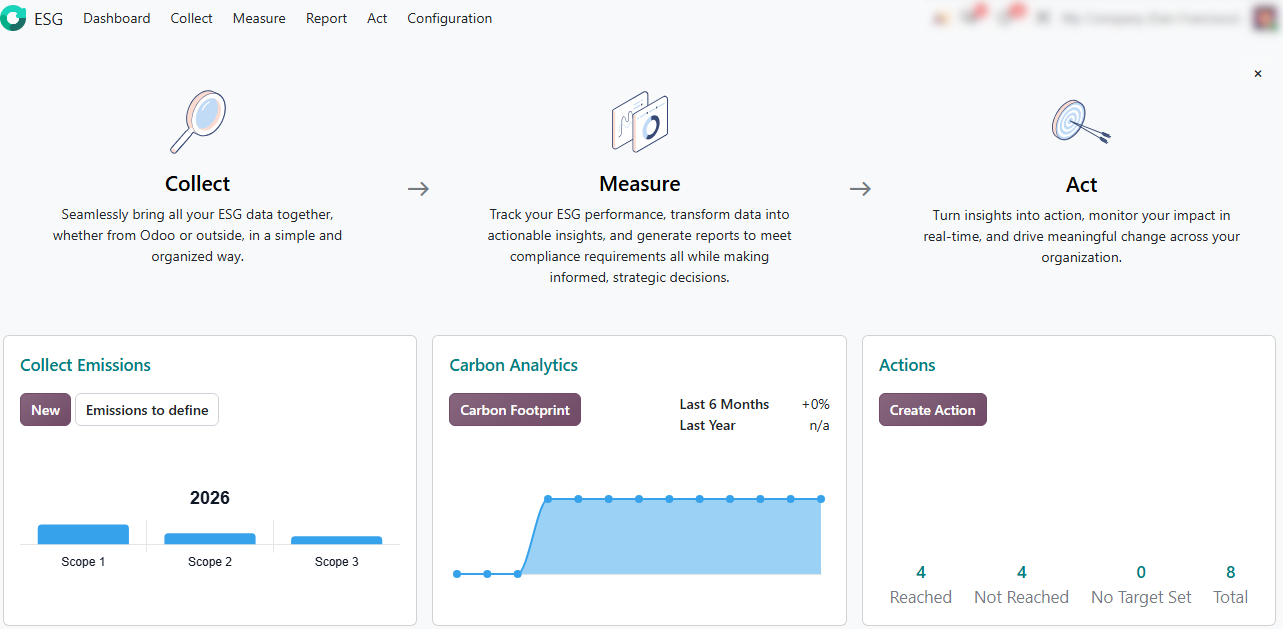
Access embedded AI assistance: Use the top navigation bar to launch Odoo AI from any screen and enter natural language prompts, such as checking Scope 2 anomalies or finding missing entries.
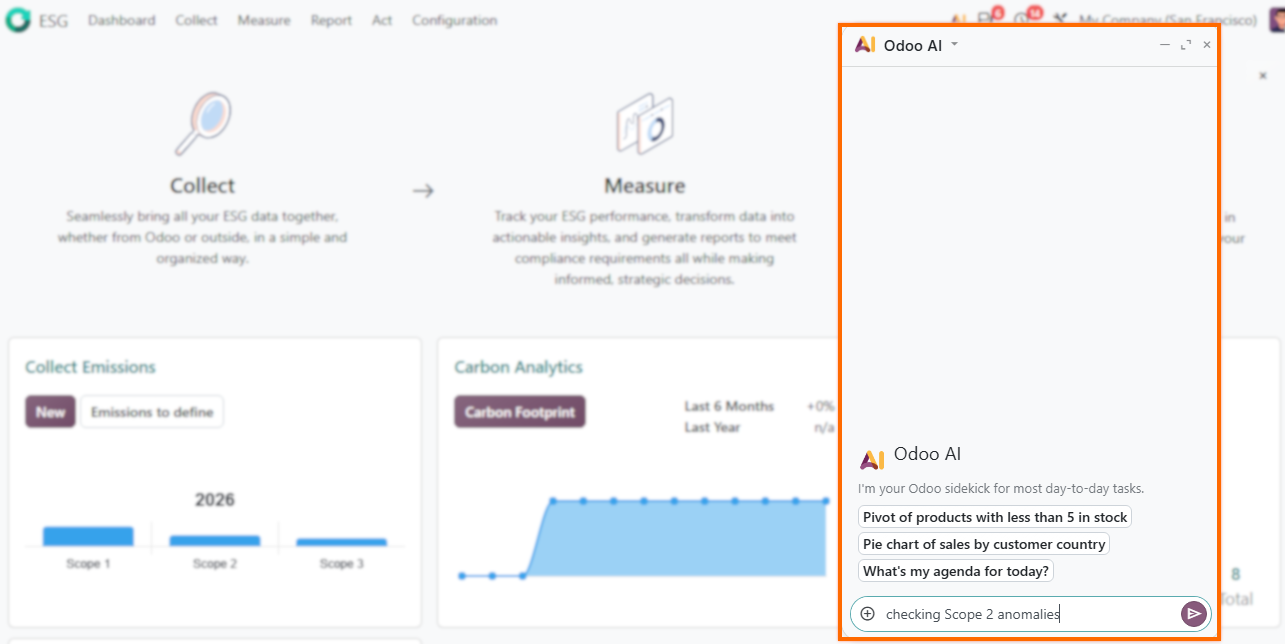
Use built-in action targets such as Create Action, Reached, and Not Reached to assign initiatives like route optimization, vendor reviews, or equipment audits directly from the dashboard instead of relying on static reporting.
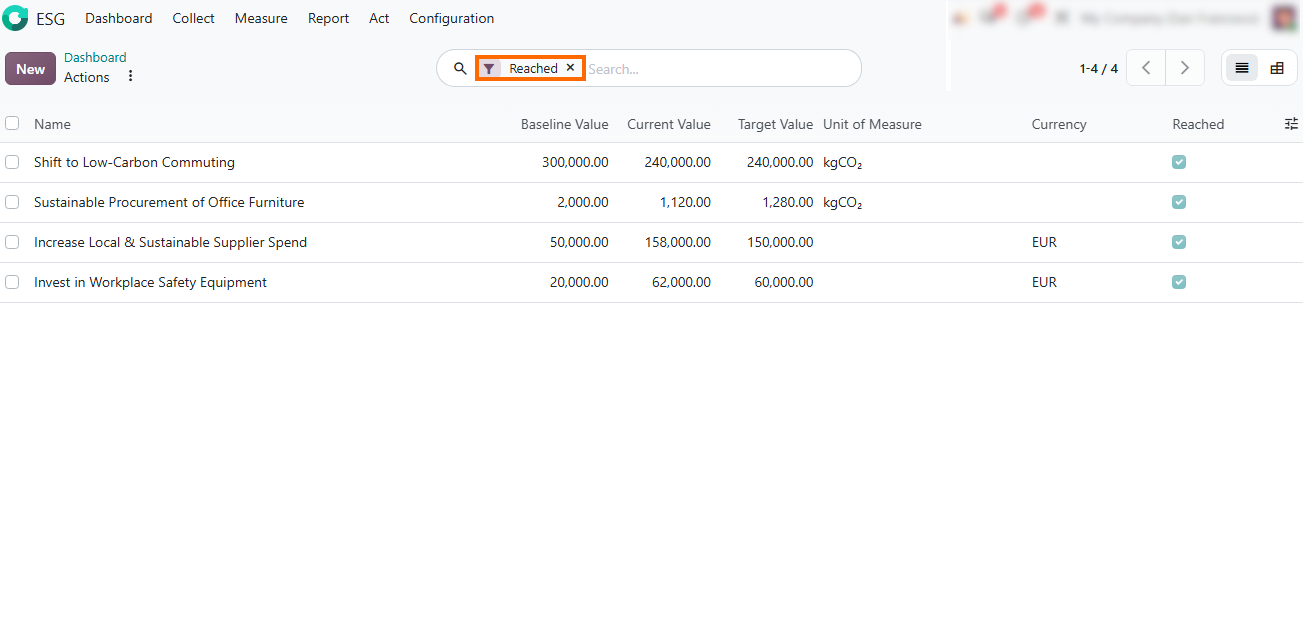
Track measurable progress against targets: Filter and review sustainability actions to compare baseline, current, and target values across environmental metrics or financial measures.
Map Customizations and Dependencies for Your Odoo
20 Upgrade
Customizations, third-party integrations, and existing configurations can introduce upgrade risks that need to be identified before testing begins. Review which changes are critical to daily manufacturing operations and identify dependencies that may require adjustments or additional testing before moving to Odoo 20. Focus on areas where changes could affect production workflows, data, or connected systems. Prioritize dependencies that are difficult to replace or directly support production-critical processes.
- Review Studio modifications and custom views: Open Odoo Studio to check custom fields, modified views, and automated actions applied to production models before running test migrations.
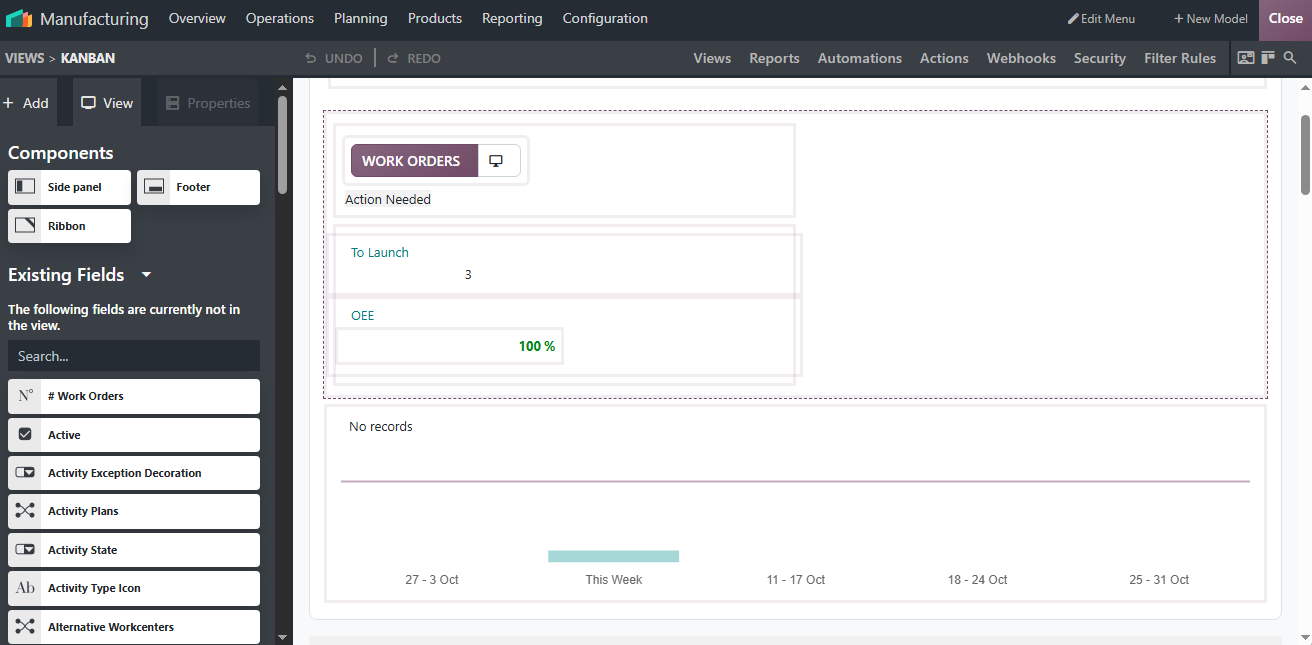
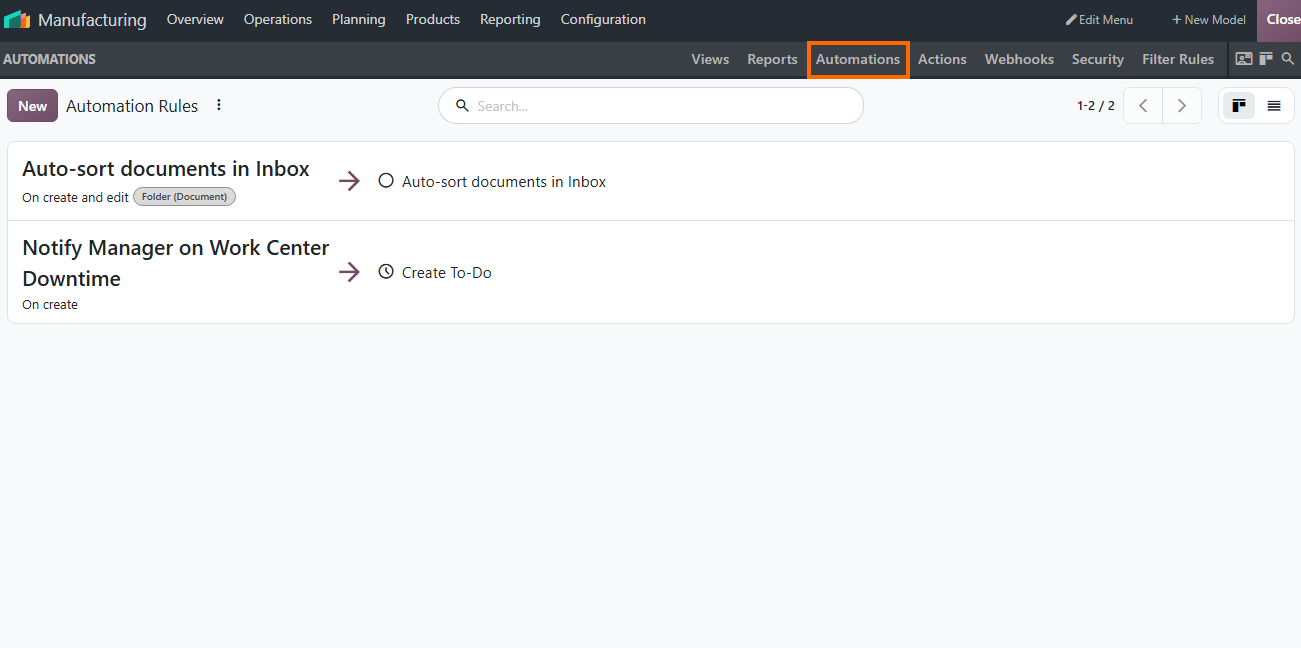
Check automation rules and workflows: Review automated actions, scheduled triggers, and custom workflow rules created in Odoo Studio to verify they function
properly and trigger as expected in Odoo 20.
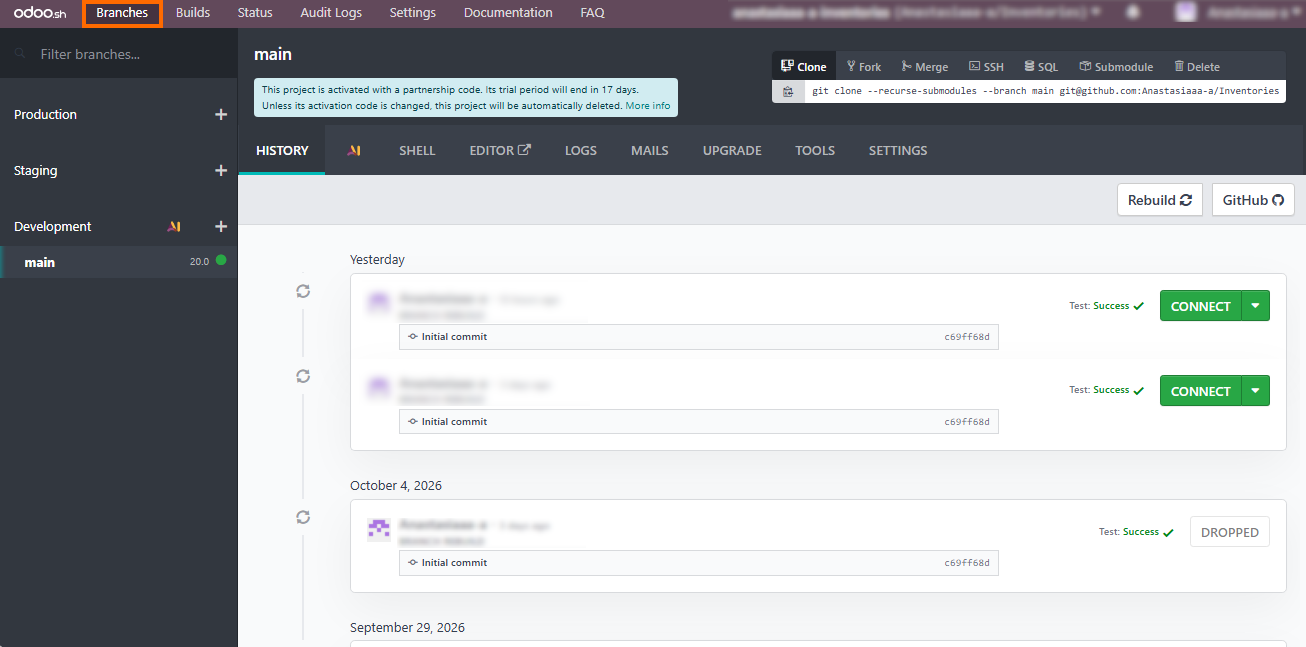
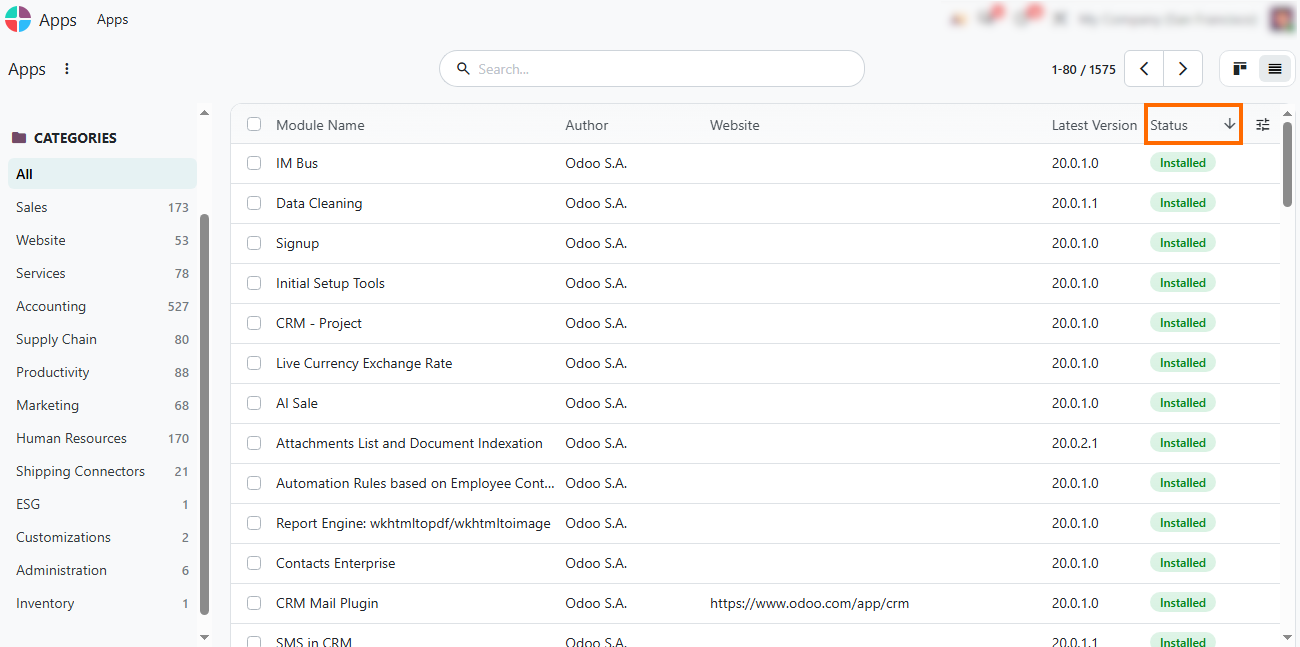
- Audit installed modules and applications: Review all installed apps, custom modules, and dependencies in the main Apps dashboard to build a complete inventory before starting the version migration process.
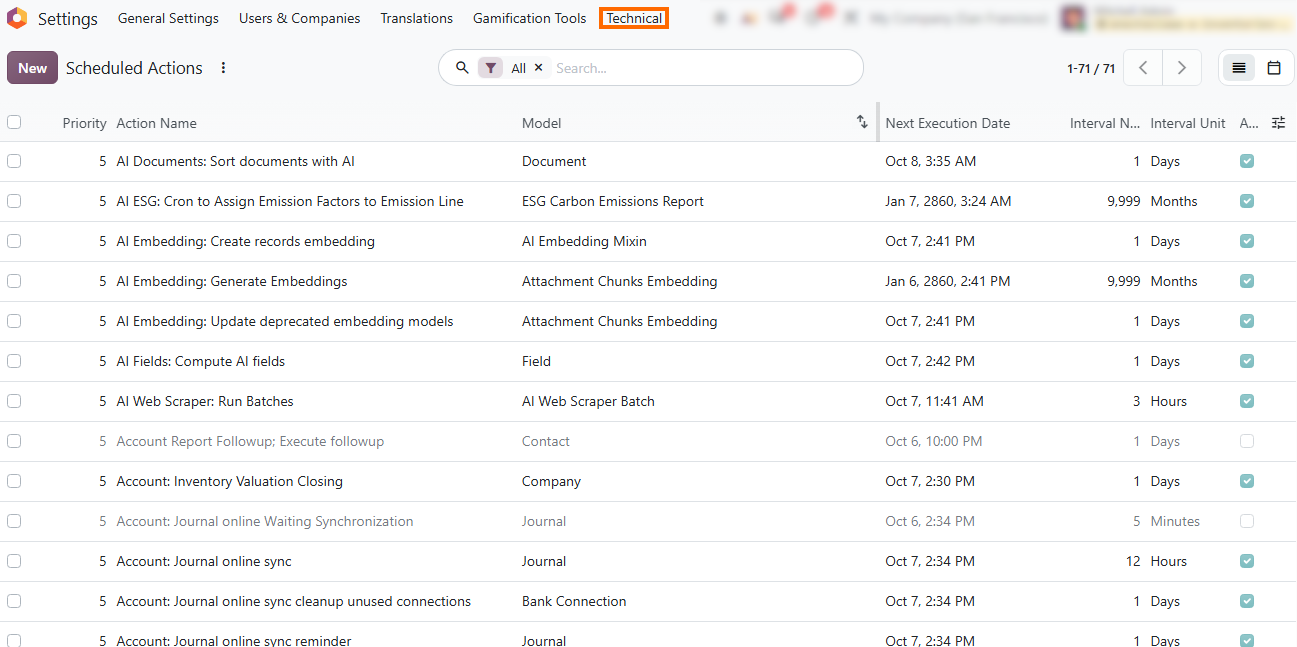
Review scheduled technical actions: Inspect background cron jobs and scheduled tasks in Settings to identify automated processes that should be paused during migration testing to prevent duplicate triggers.
Generate a clean database backup or staging duplicate: Export a full production database dump with filestore or create a staging branch via Odoo.sh to build an isolated sandbox environment for testing upgrade scripts and validating custom modules.
Validate Your Odoo 20 Upgrade Before Production
Once the staging environment is updated, manufacturers must validate production-critical operations before applying changes to the live system. A structured testing phase helps uncover data mismatches, broken integrations, or unexpected workflow behavior without risking daily plant operations. Test the workflows, reports, integrations, and customizations identified during the planning stage, and compare the results with the current production environment. Document any issues, resolve or prioritize them, and confirm that critical processes are ready for the transition. After sign-off, plan the final cutover to Odoo 20 and complete the necessary checks before moving to production. These steps form the final stage of the Odoo 20 upgrade process.
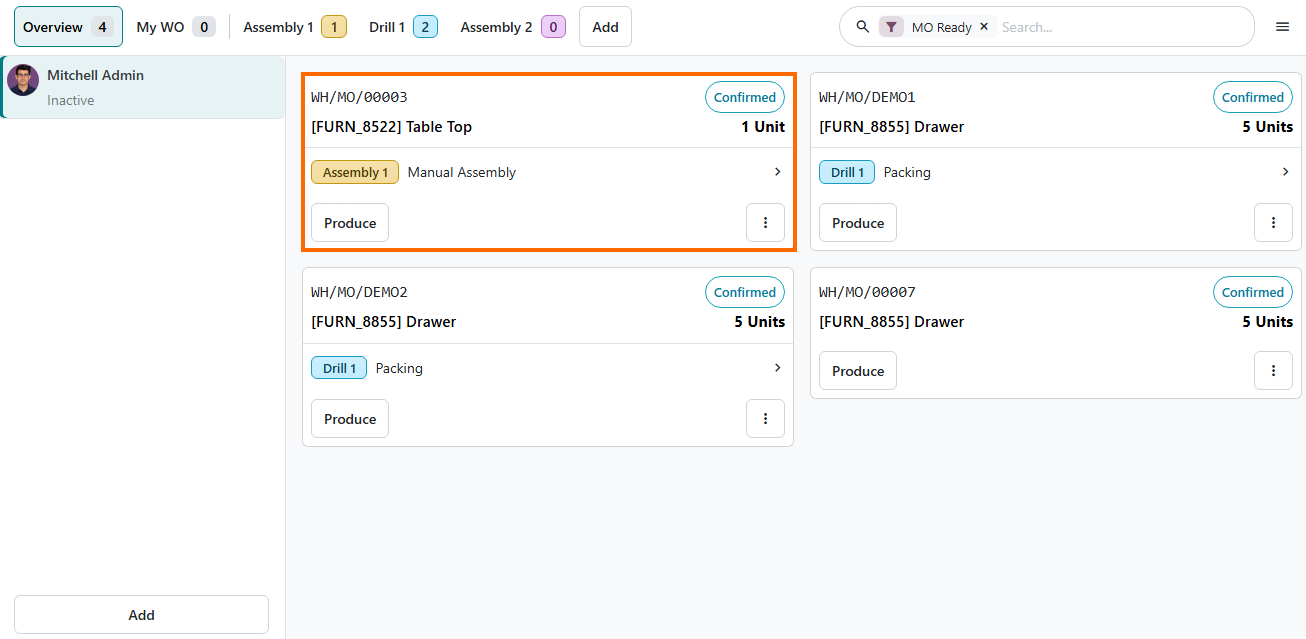
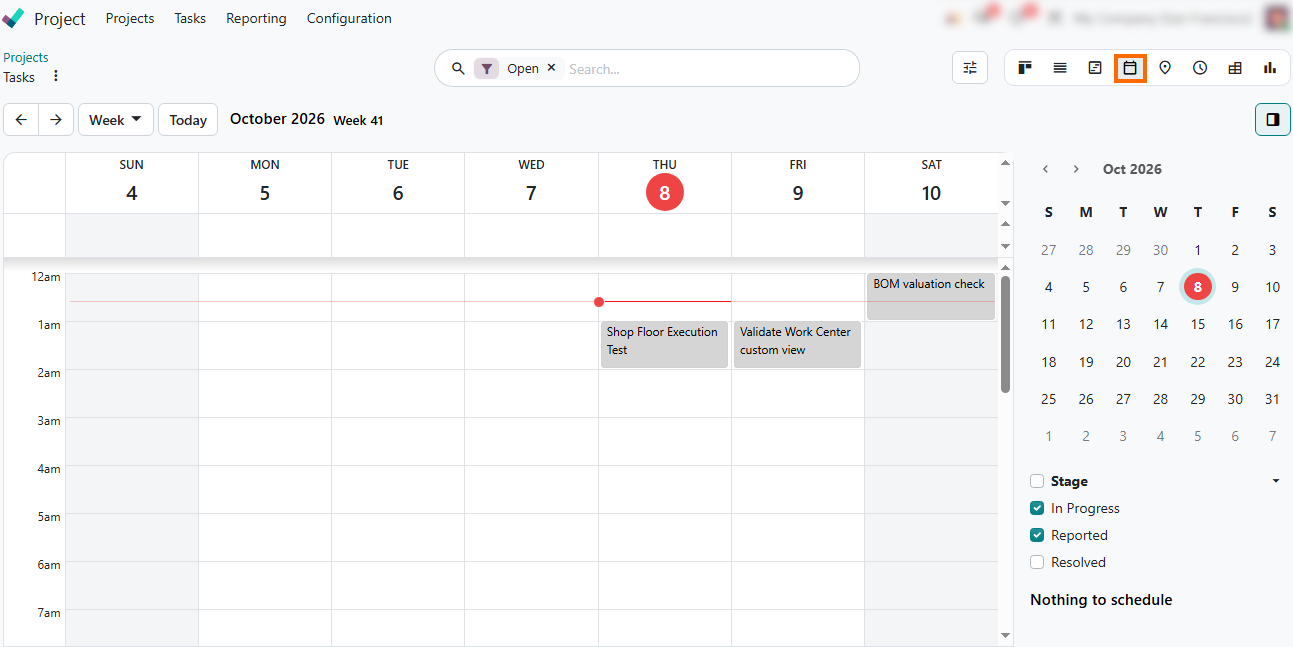
- Test critical manufacturing workflows: Run end-to-end checks for Bills of Materials (BOMs), Work Orders, Shop Floor execution, quality checks, and inventory valuations in the upgraded staging environment to confirm operational continuity.
Verify third-party integrations and API endpoints: Review external identifiers and data mappings to confirm that systems like MES, PLM, shipping providers, or external accounting software sync correctly with Odoo 20.
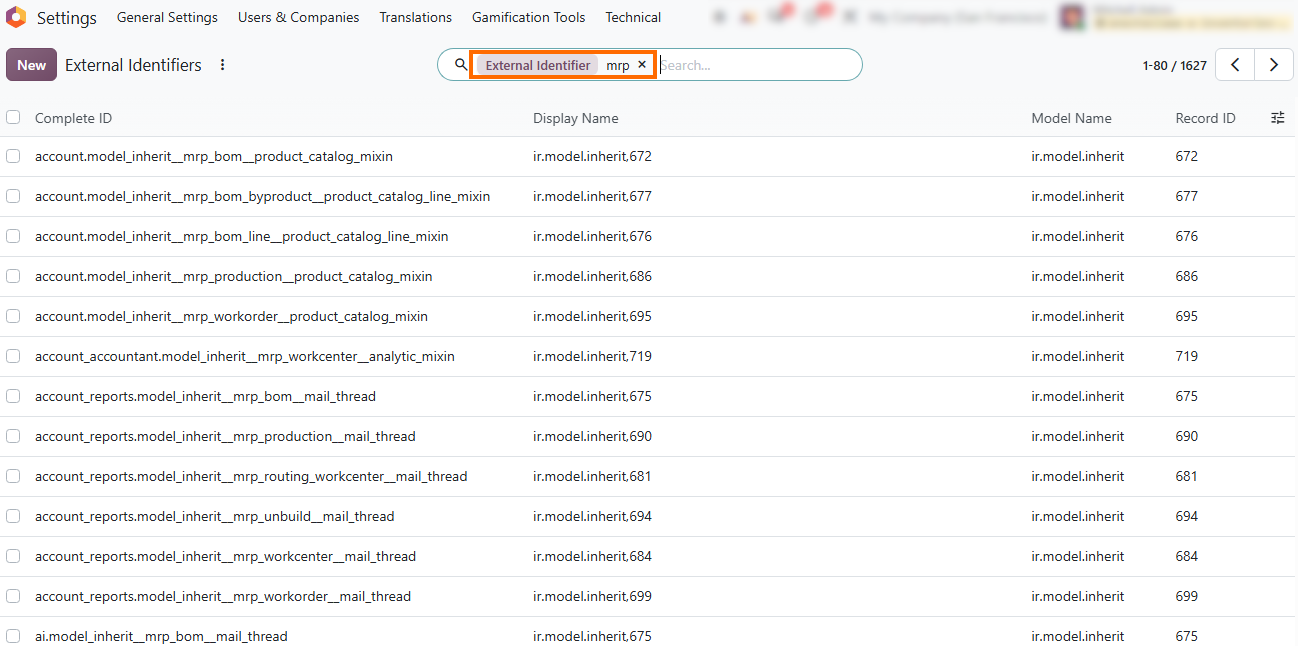
Review data and customizations: Compare migrated records, custom fields, views, reports, and automated actions with the current production environment. Verify that production-critical data and customizations behave as expected after the upgrade.
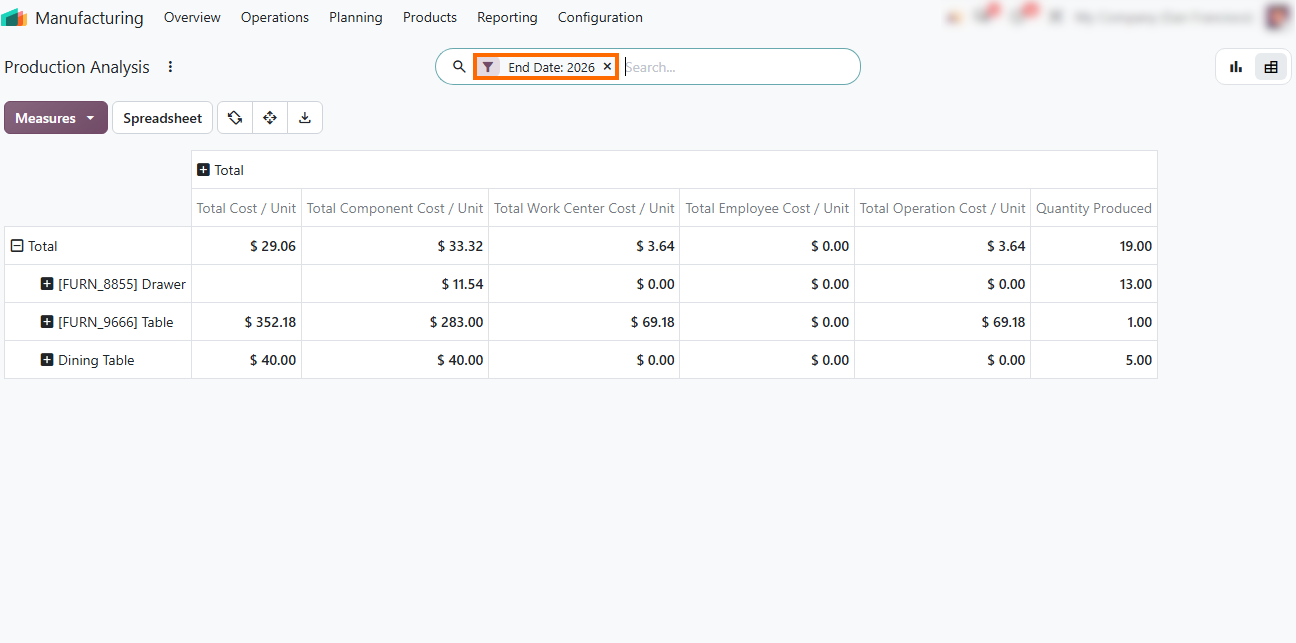
Document issues and confirm readiness: Record failed tests, integration issues, and unexpected workflow behavior. Resolve critical issues and confirm that remaining items have an agreed action plan before sign-off.
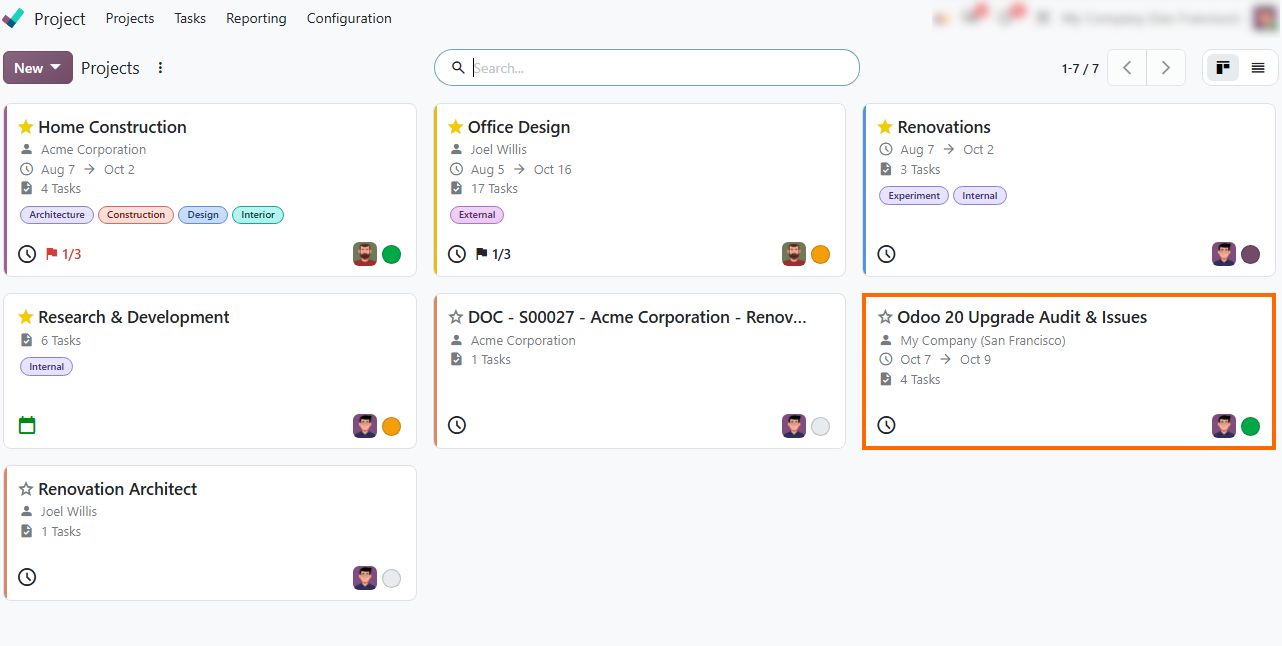
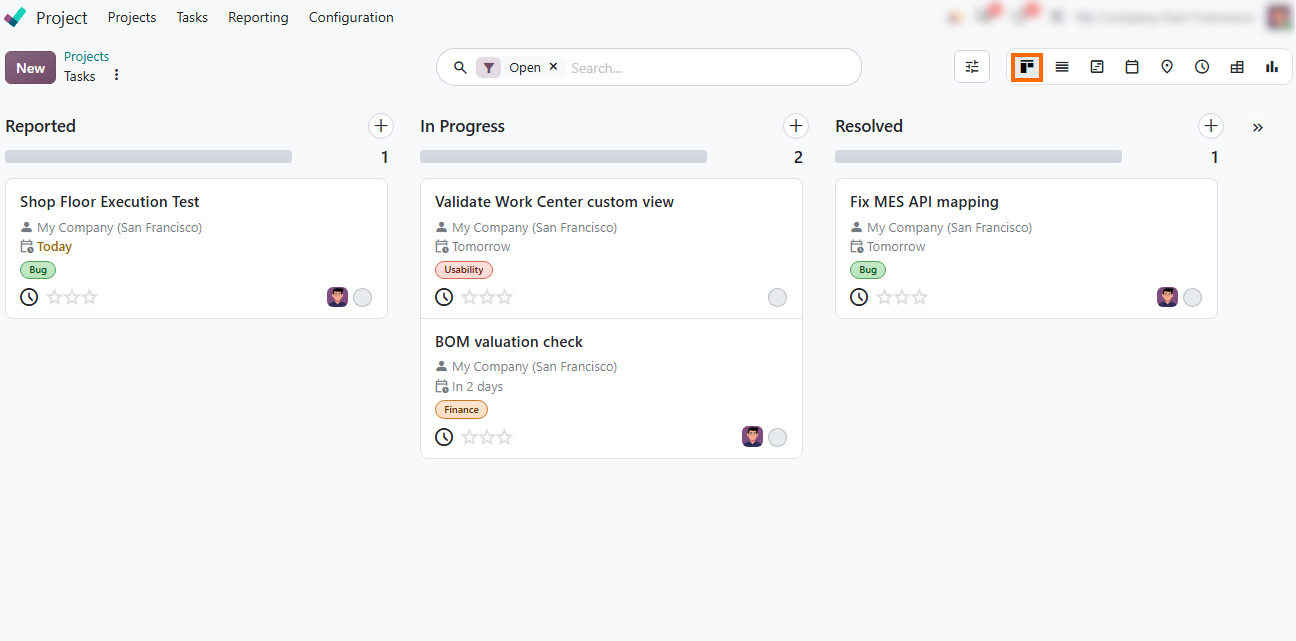
Log and resolve critical blockers: Categorize reported bugs, interface customizations, and valuation checks into clear workflow stages to track and resolve critical issues before final sign-off.
Plan the production cutover: Define the transition timing, responsible team members, final data checks, and rollback considerations, and confirm readiness
before applying the Odoo 20 upgrade to the live database.
Conclusion: Build a Practical Odoo 20 Upgrade Plan
Effective Odoo upgrade planning requires a clear understanding of your current system and operational needs. A structured Odoo upgrade process helps manufacturing teams identify risks, validate critical workflows, and prepare for a reliable production cutover. Assessing hosting, edition details, customizations, and third-party integrations helps manufacturing teams identify risks before test migrations begin.
Validating BOMs, Work Orders, Shop Floor processes, and data accuracy in a staging environment provides a solid foundation for a safe production cutover. Documenting and resolving issues during testing ensures that critical workflows continue without disruption.
For complex environments with heavy customizations or custom integrations, working with an experienced Odoo partner can help manage technical dependencies and ensure a structured, reliable transition to Odoo 20.