Equipment lifecycle management helps manufacturers assess whether machinery should be repaired, upgraded, or replaced as maintenance requirements and operating costs change over time. Frequent breakdowns, recurring maintenance requests, and rising repair expenses can indicate that existing equipment is becoming less reliable or costly to maintain. Odoo 20 supports this process through the Maintenance app, which tracks equipment records and maintenance history, Purchase, which manages replacement equipment procurement, and Accounting Assets, which records fixed asset values and depreciation. Together, these tools provide information manufacturers can use to evaluate equipment reliability, compare investment options, and plan capital expenditures (CapEx).
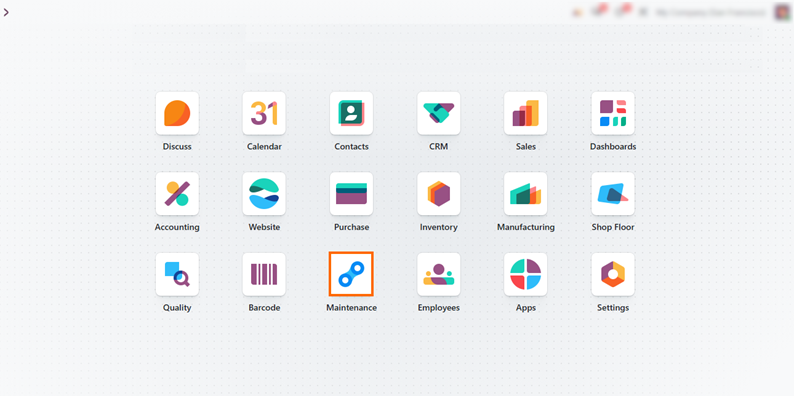
- Open the Odoo Maintenance app and review the equipment records to identify the machinery you want to assess. In this guide, we use Scrub Plane as the example.
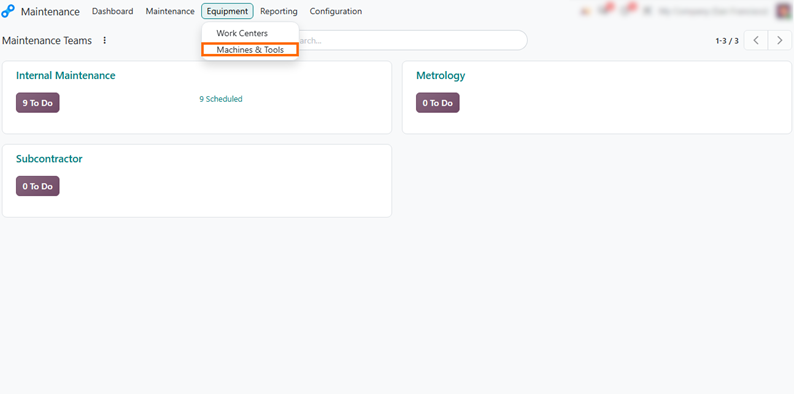
Select Machines & Tools from the Equipment menu to open the list of registered machinery and access individual equipment records. This view provides an overview of the equipment currently tracked in Odoo 20.
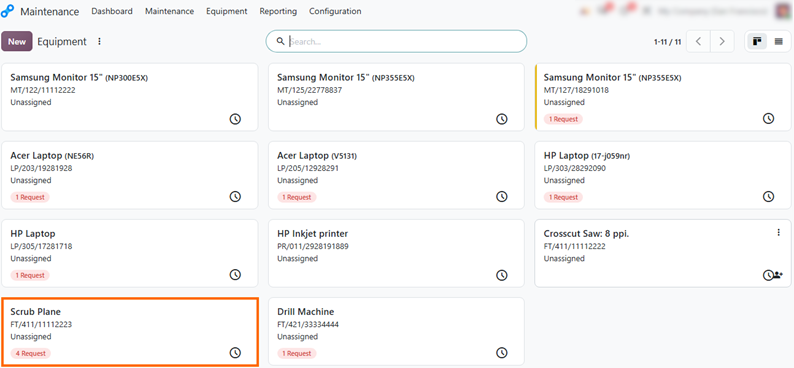
Review the equipment list to see all registered machinery and the number of maintenance requests created for each piece of equipment. This gives you a quick
overview of maintenance activity across the equipment records.
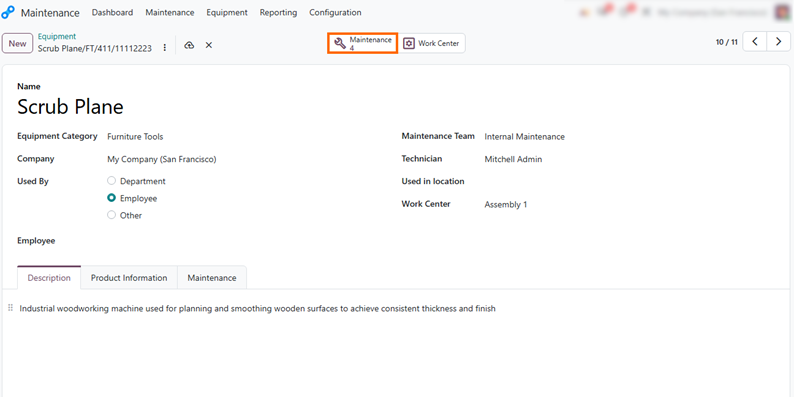
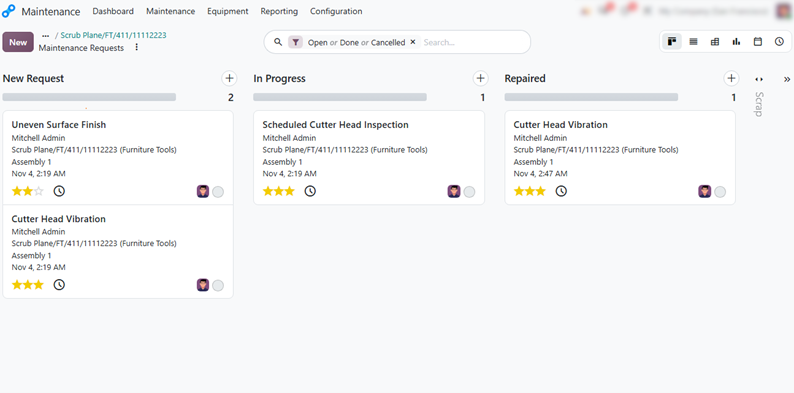
- Open an equipment record to review its key details, including the equipment category, description, maintenance team, technician, and linked work center, and access all associated maintenance requests to review its service history.
Review the equipment’s maintenance history across New Request, In Progress, and Repaired stages to understand reported issues, ongoing work, and recurring maintenance needs.
Identify Equipment with the Highest Maintenance Demand in Odoo 20
Comparing maintenance requests across individual machines shows which equipment generates the most service work. Instead of opening each equipment record one by one, you can see all machines in a single report and quickly spot the ones with unusually high maintenance demand. This helps you decide which equipment deserves a deeper repair-versus-replace analysis. These findings become more useful when combined with fixed asset records and depreciation data in Odoo Accounting. Frequent maintenance requests combined with a low remaining asset value may indicate that equipment is worth evaluating for replacement or upgrade, which supports more informed CapEx planning and capital expenditure decisions.
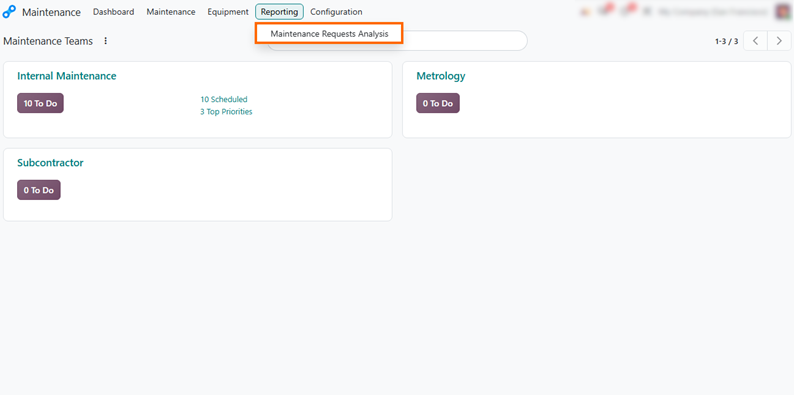
- Open the Maintenance app, go to Reporting, and select Maintenance Requests Analysis to open the maintenance analysis report. This report summarizes all requests created across your equipment records.
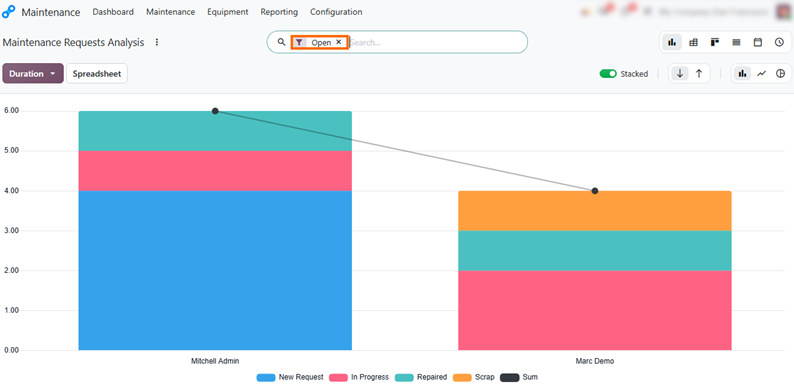
Review the report to see how many requests each technician handles. This view helps you understand workload, but it does not show which types of equipment
generate the most maintenance demand.
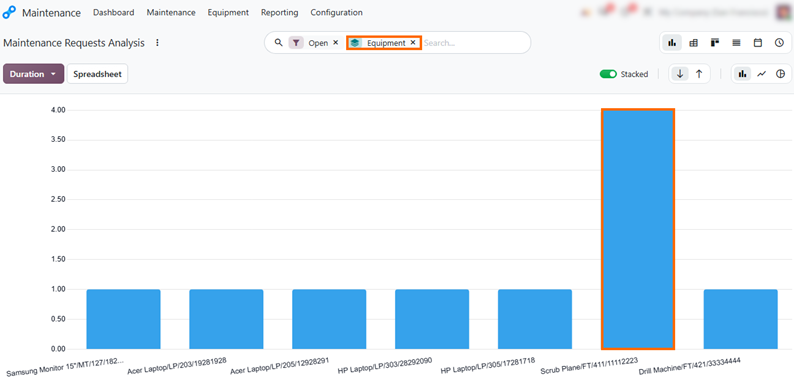
- Group the report by Equipment to see how requests are distributed across machines. The tallest bar represents the equipment with the highest number of maintenance requests.
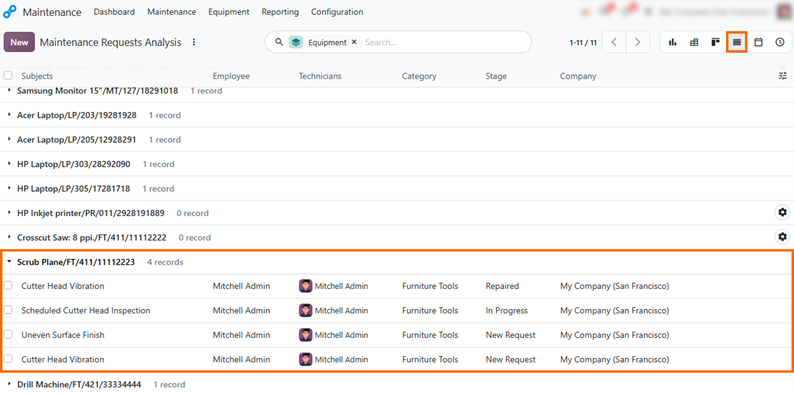
Switch to the List view and expand the equipment with the most requests to see the individual issues and their stages. For Scrub Plane, this shows Cutter Head
Vibration reported more than once, which suggests a recurring problem.
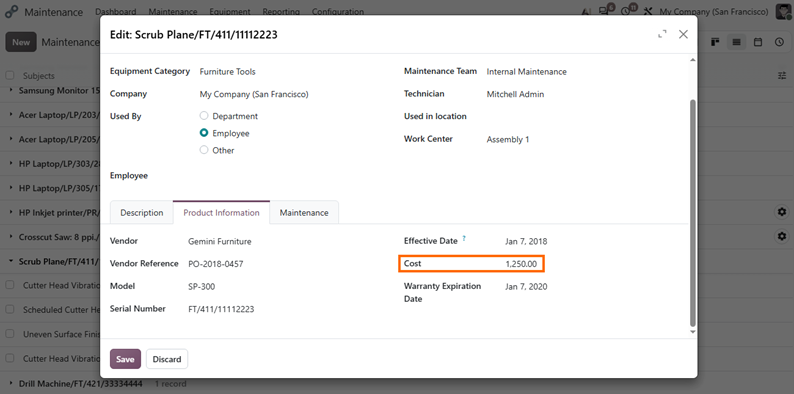
- Open the equipment record for Scrub Plane and review the Cost field on the Product Information tab. This purchase cost provides a reference for comparing the machine’s original purchase price with its current asset value and the cost of replacement.
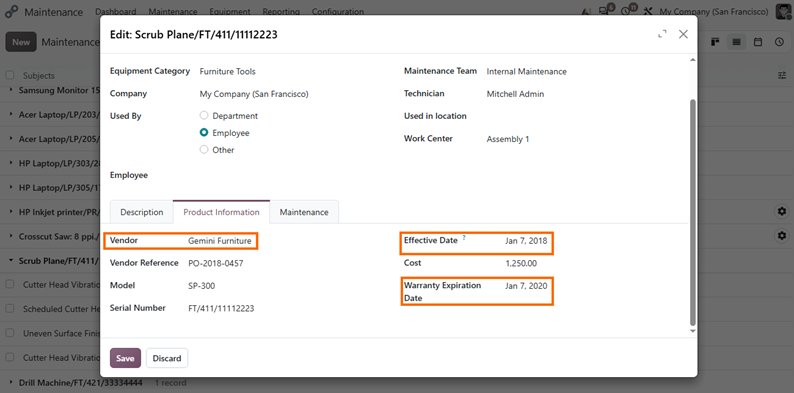
Check the Vendor, Effective Date, and Warranty Expiration Date fields to see who supplied the machine, how long it has been in service, and whether it is still covered by warranty.
Track Equipment Asset Values and Depreciation in Odoo 20
Maintenance history shows how a machine performs, but financial data is also needed to judge its remaining value and replacement options. Odoo Accounting Assets supports fixed asset management by recording each asset’s original value, acquisition date, and depreciation schedule, and by calculating its book value over time. Reviewing these records alongside maintenance history helps manufacturers assess the financial position of existing machinery. For example, a machine with frequent repairs and a low book value may be approaching the point where replacement should be budgeted as capital expenditure. Odoo provides the supporting data for these decisions, but it does not recommend repair or replacement, so the final judgment stays with the business and informs more accurate CapEx planning.
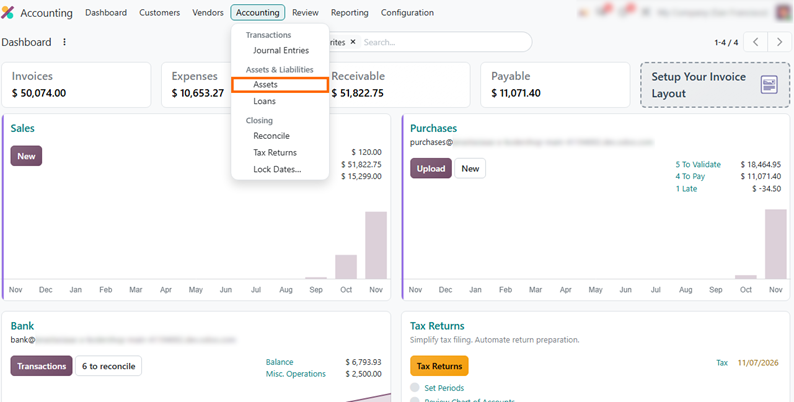
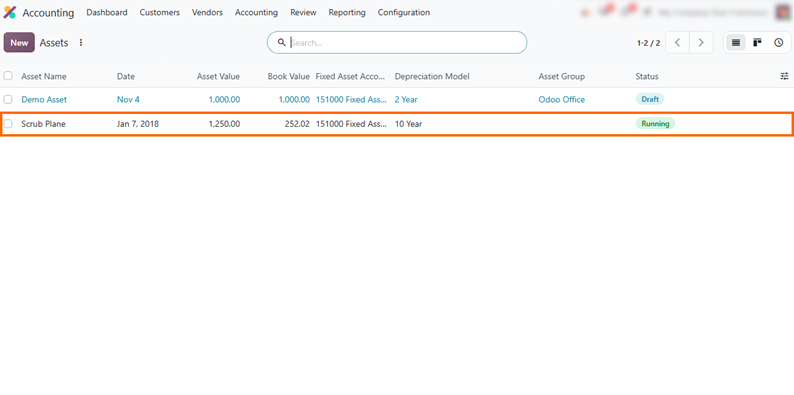
- Open the Accounting app, go to the
Accounting menu, and select Assets to access the list of registered fixed
assets. This list shows every asset recorded in Odoo, so
you can see which equipment is already tracked in Accounting.
- Select the asset that matches the equipment you reviewed in Odoo Maintenance, in this example Scrub Plane, to open its record and compare its financial data with the maintenance history.
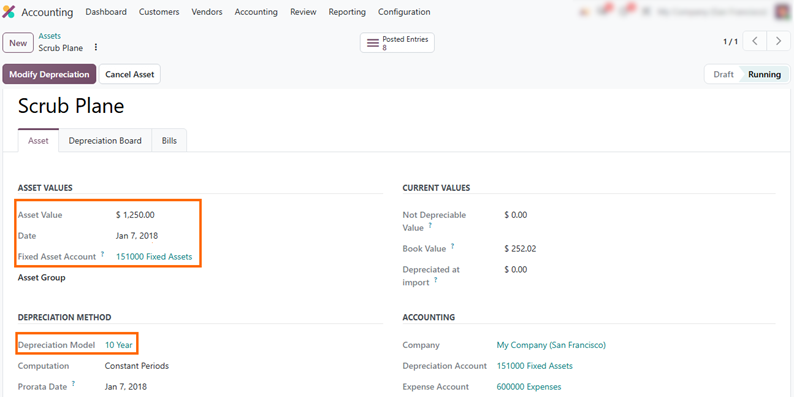
Review the Asset Value, Date, and Depreciation Model to see the machine’s original value, acquisition date, and depreciation period. For Scrub Plane, these match the cost and effective date recorded on the equipment in Odoo Maintenance.
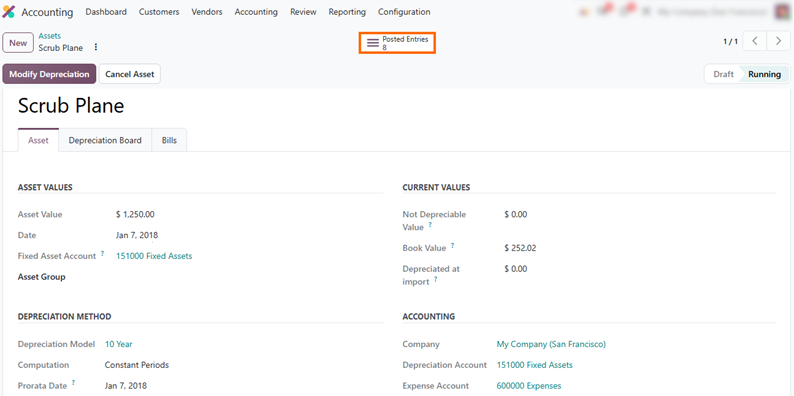
Click Posted Entries at the top of the asset record to open the depreciation journal entries created for Scrub Plane. Each entry records the depreciation amount for a specific period.
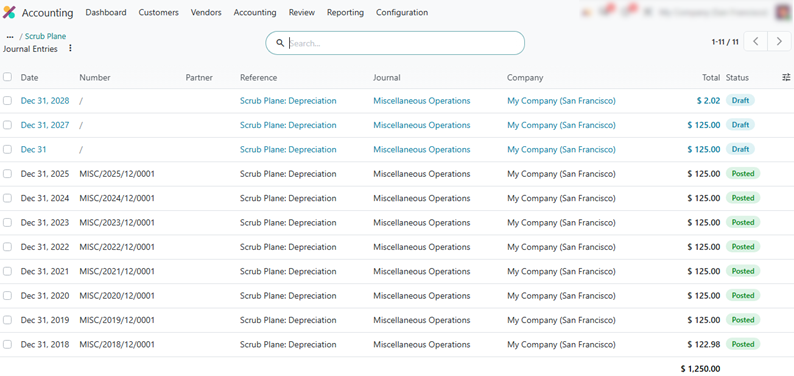
Review the list to see how the machine’s value is written off period by period.
Entries with the Posted status represent depreciation already recorded in the accounting books, while Draft entries show amounts that have not yet been posted.
Plan Equipment Replacement and CapEx Procurement in Odoo 20
When maintenance history and accounting records suggest that a machine is approaching the end of its useful life, replacing it becomes a planned capital expenditure (CapEx). Instead of waiting for a total breakdown, procurement teams use Odoo Purchase to source replacement machinery, confirm specifications, and align delivery timing with production schedules. Tracking the replacement workflow in Purchase helps manufacturers move from financial planning to order confirmation and delivery. The resulting vendor bill can then be recorded in Odoo Accounting and used to support fixed asset tracking and depreciation.
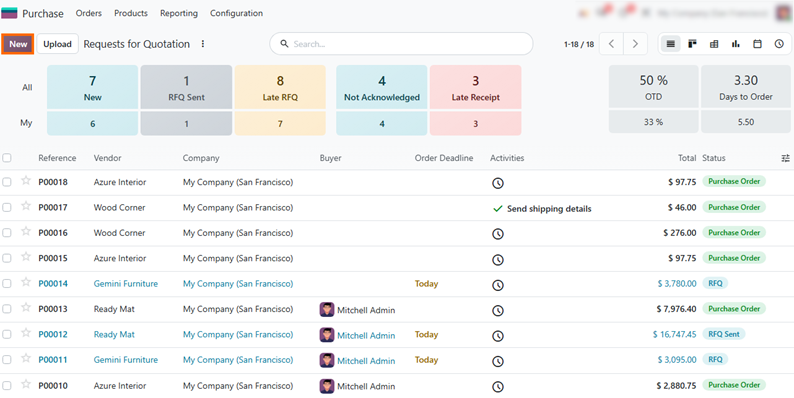
- Open the Purchase app and click New to create a request for quotation (RFQ) for the replacement equipment. Select the vendor identified during the evaluation phase.
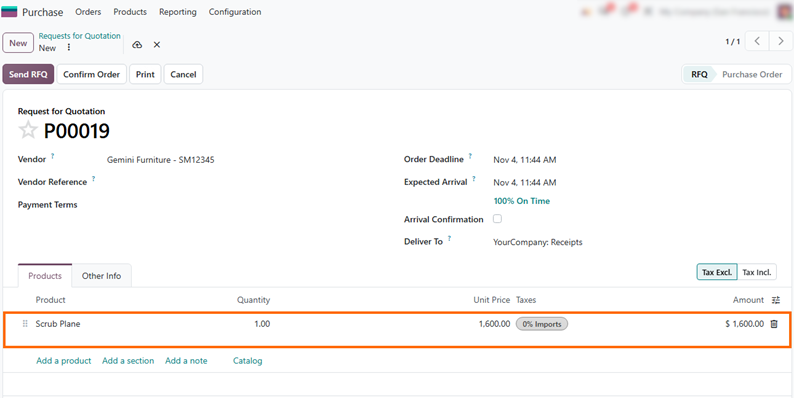
Select the vendor, verify the order deadline and expected arrival date, add Scrub Plane with the updated unit price ($1,600.00), and check delivery terms before
processing.
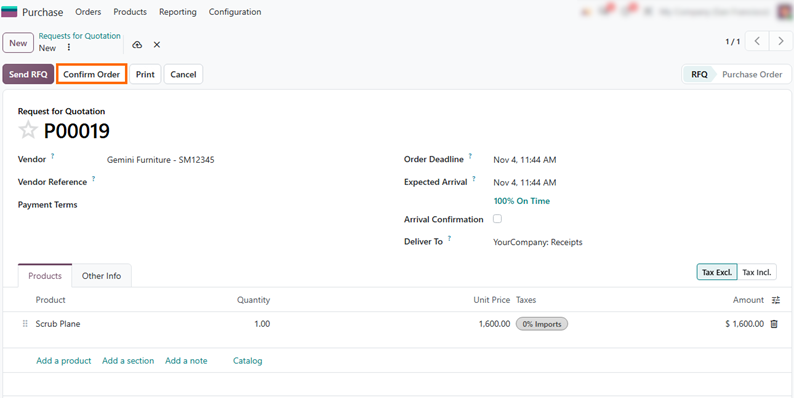
- Click Confirm Order to convert the RFQ into a Purchase Order, confirming the agreed price and terms. The confirmed order also provides a reference for tracking the incoming shipment.
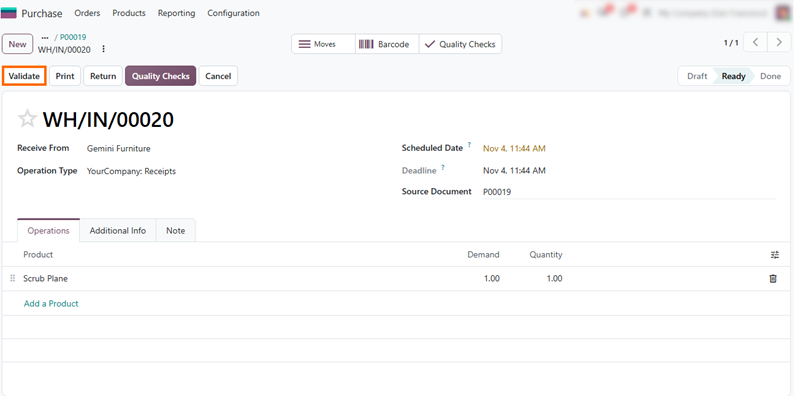
Open the receipt document (WH/IN/00020) and click Validate to confirm the physical arrival of the replacement machinery, updating the inventory records and
receipt status to Done.
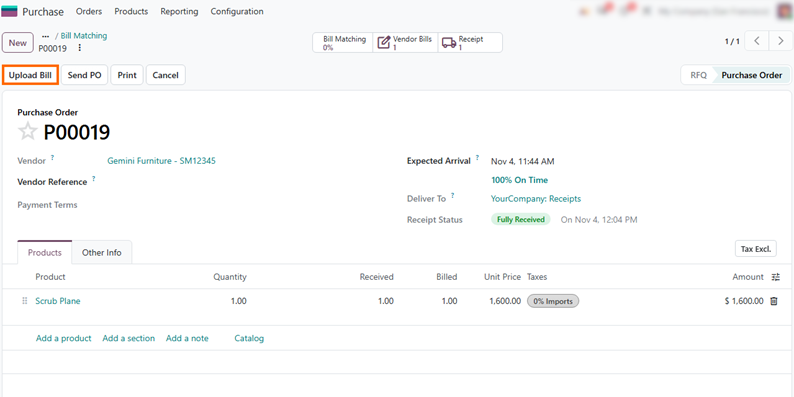
- Click Upload Bill on the purchase order to create a vendor bill. Review the billed quantities against the received products to check that the order and invoice match. The bill can then be used to record the equipment purchase in Odoo Accounting and support fixed asset tracking.
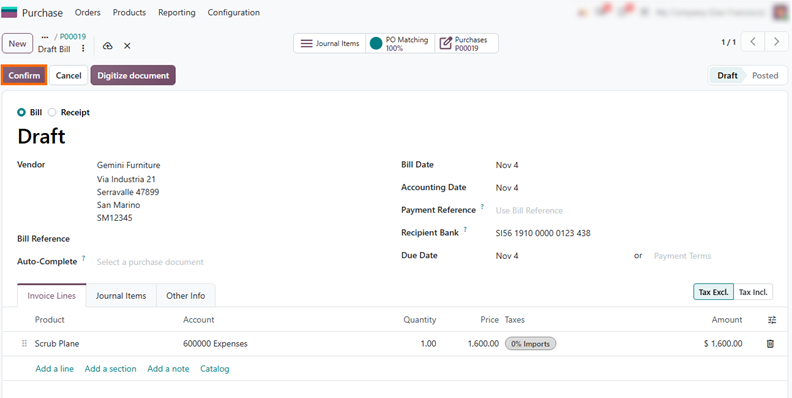
Click Confirm on the vendor bill to validate the invoice and post it to Odoo Accounting. The posted bill records the equipment purchase and provides the accounting data needed for fixed asset tracking and depreciation.
Conclusion: Key Considerations for Equipment Replacement
Planning equipment replacement requires more than reviewing maintenance history or asset values separately. Manufacturers should consider recurring maintenance issues, recorded repair expenses where available, the equipment’s remaining book value, and supplier quotations for replacement machinery.
Asset depreciation also helps track how equipment value changes over time and provides additional context for evaluating its financial position. Reviewing depreciation alongside maintenance expenses and replacement costs helps manufacturers assess whether continued repairs remain economically reasonable or whether an upgrade or replacement should be considered.
Odoo 20 provides operational and financial data to support this evaluation, but it does not automatically recommend the best option or determine the optimal replacement date. The final decision depends on equipment condition, production requirements, and the expected costs of each option.