When evaluating an ERP investment, it is easy to focus on software fees while overlooking implementation and ongoing costs such as data migration, training, integrations, customization, and maintenance. For businesses evaluating Odoo ROI, these expenses should be considered alongside the operational value the system can deliver. The return goes beyond direct cost savings: reduced manual work, fewer errors, faster processes, and better visibility can also create measurable business value. Looking at both the investment and its operational impact helps businesses determine whether an ERP delivers the expected return and how quickly it can pay for itself.
- Use Odoo's modular structure to activate only the applications required for your business processes, allowing you to build the system around your operational needs without adding unnecessary functionality.
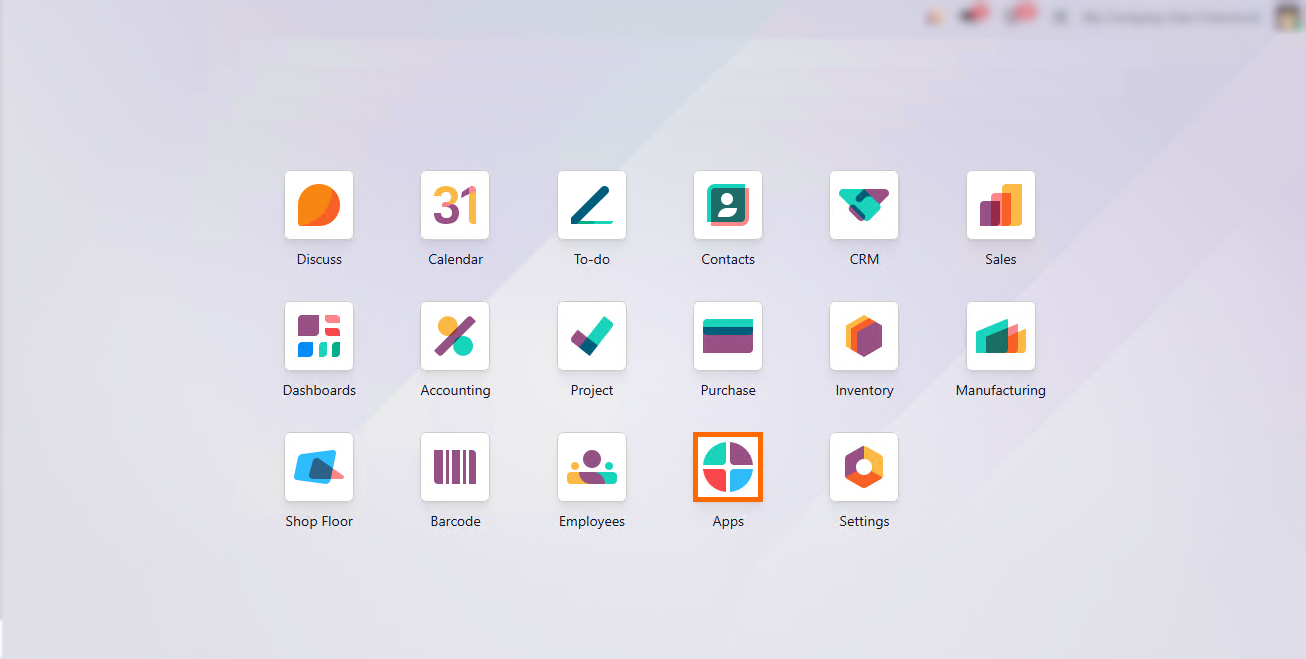
Activate applications like Sales to manage quotations and orders in a unified system, eliminating duplicate data entry and manual cross-departmental coordination.
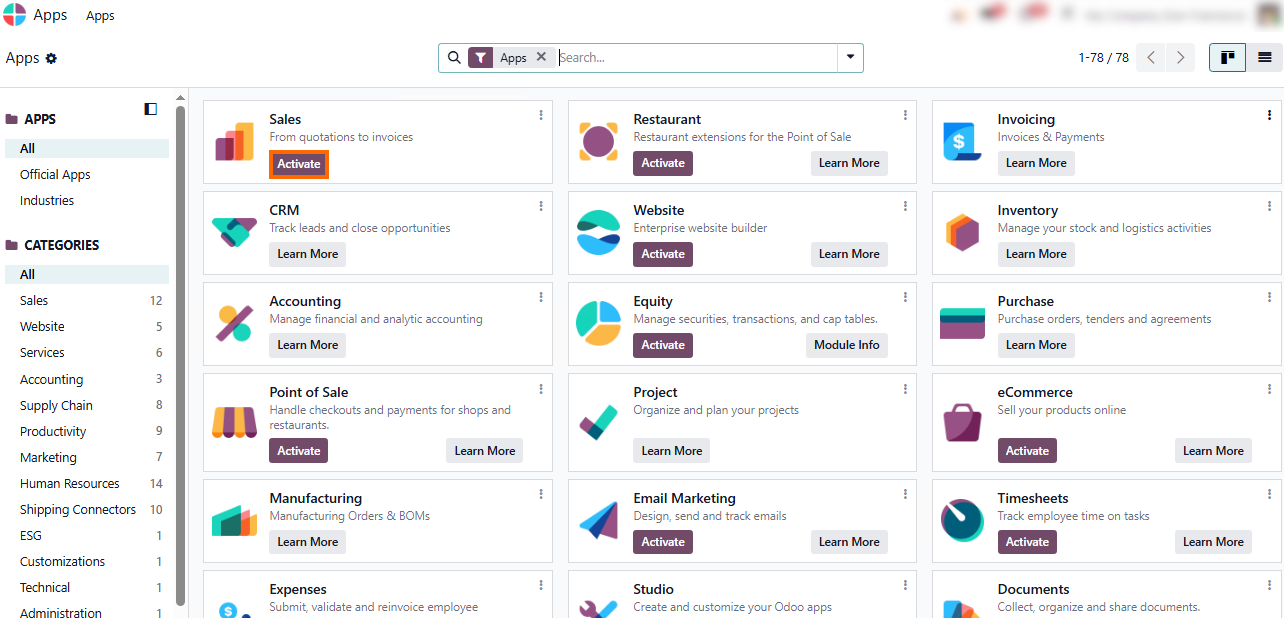
Use native Odoo features for core sales workflows. Standard quotations, price lists, and order statuses cover most routine operations without custom code, helping maximize initial ROI.
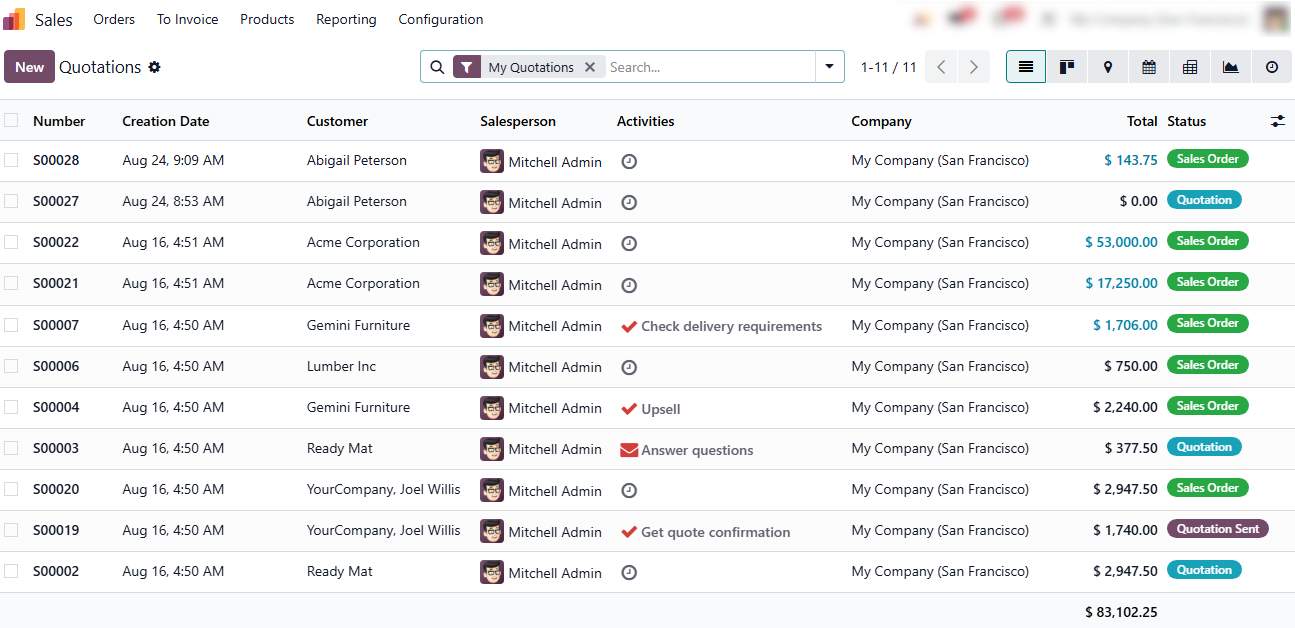
Leverage real-time status tracking to maintain visibility across the sales pipeline. Built-in stages from draft quotations to confirmed sales orders reduce manual status reporting and speed up internal handoffs.
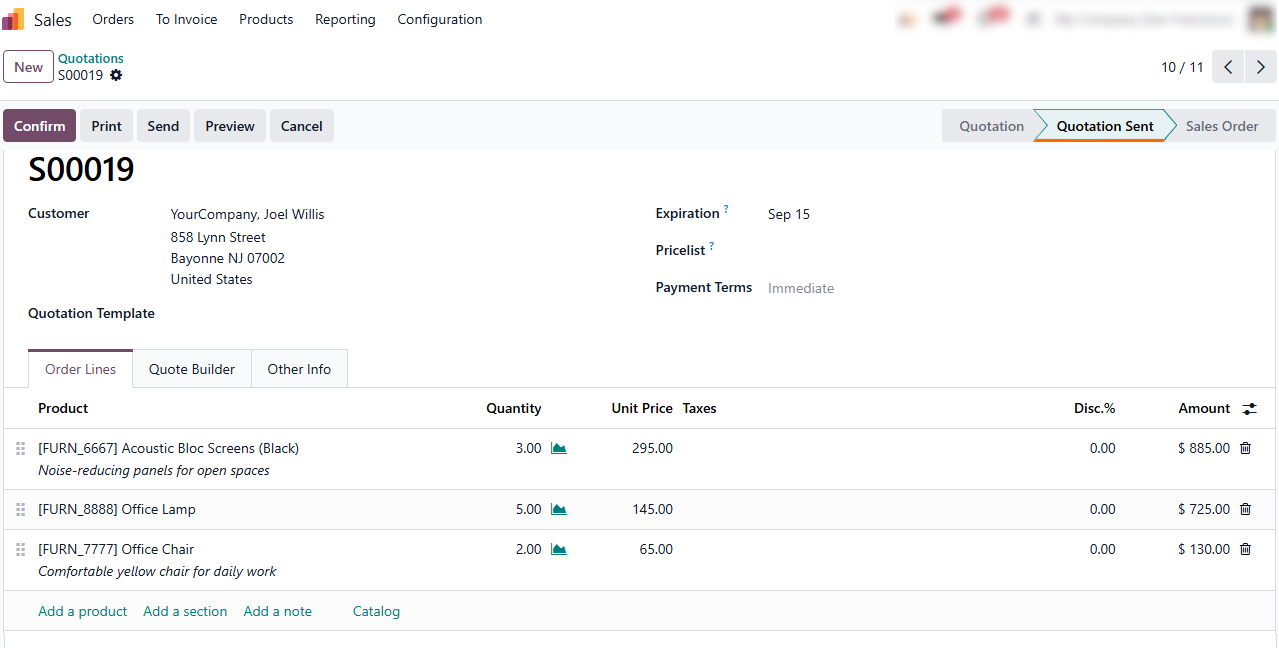
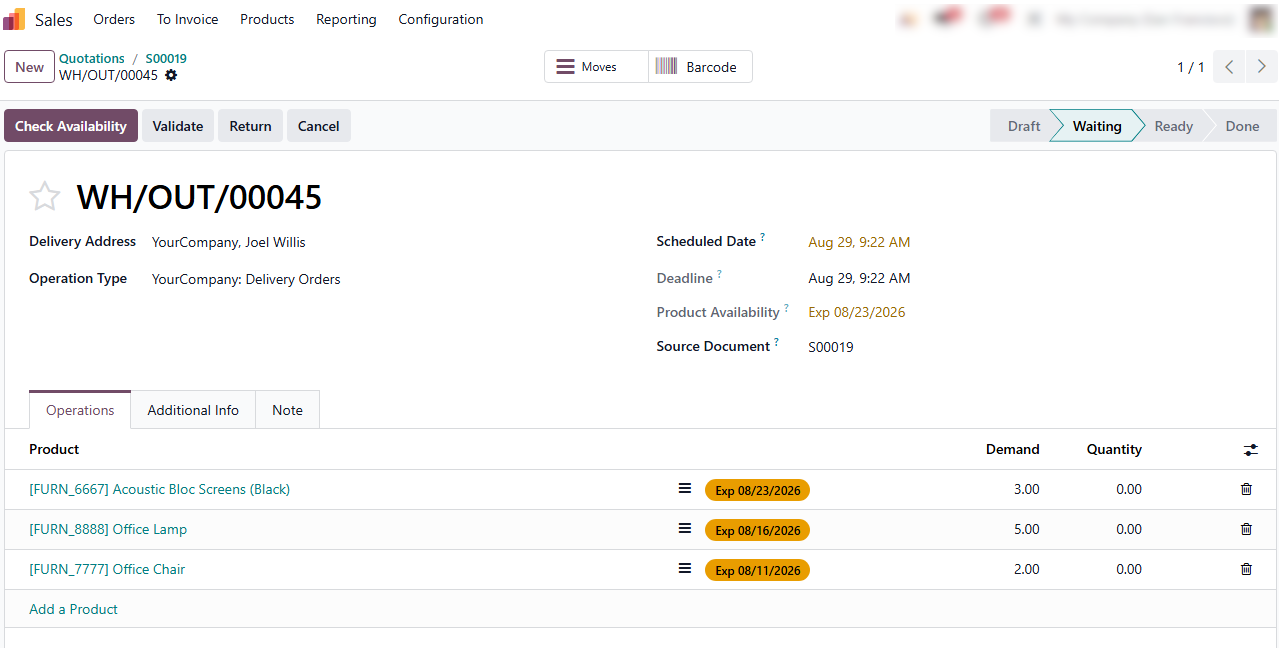
Native integration automatically generates Delivery Orders directly from confirmed Sales Orders, eliminating manual data re-entry between teams and reducing fulfillment delays.
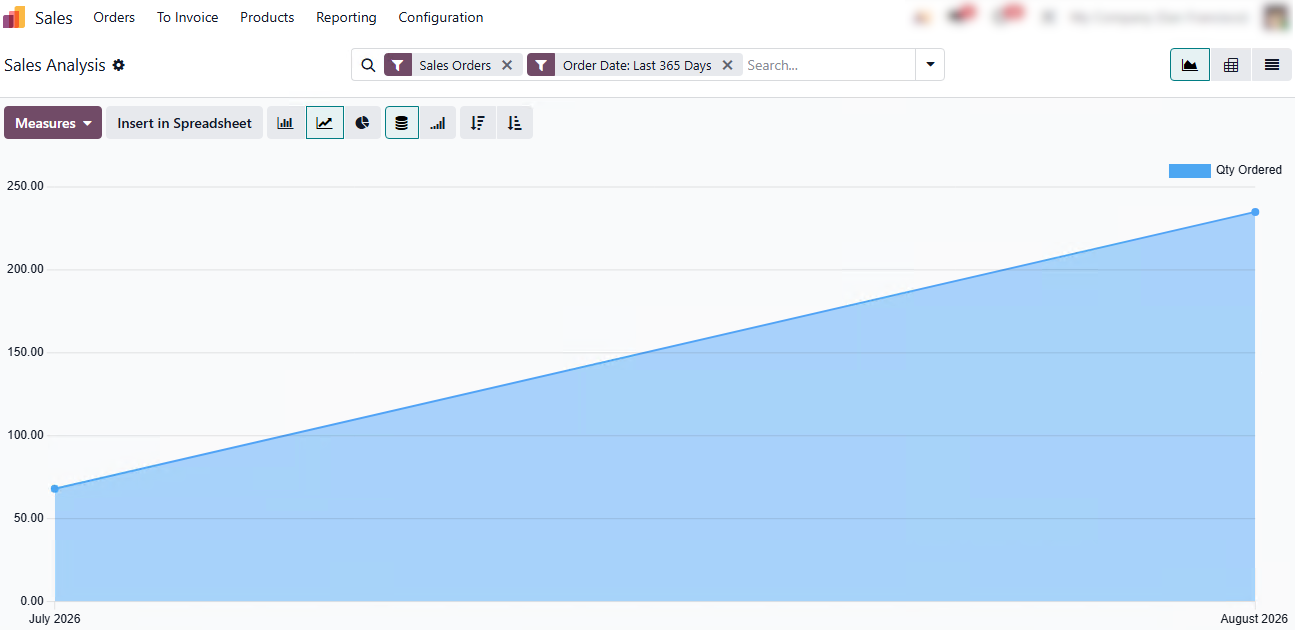
Use Odoo Sales analytics to generate real-time reports and break down data by relevant metrics, giving managers timely insights into sales performance without relying on external BI tools or manual spreadsheet updates.
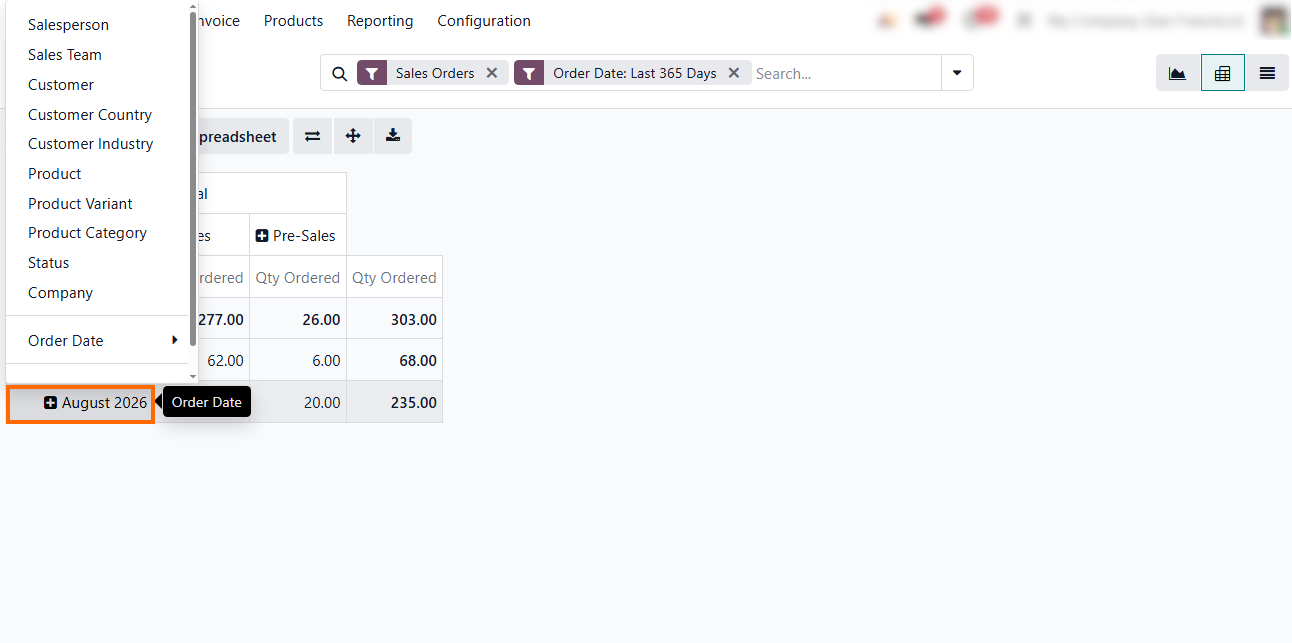
- юUtilize
out-of-the-box workflows across sales, inventory, and reporting to resolve the
majority of operational bottlenecks while keeping Total Cost of Ownership (TCO)
low and avoiding unnecessary custom development costs.
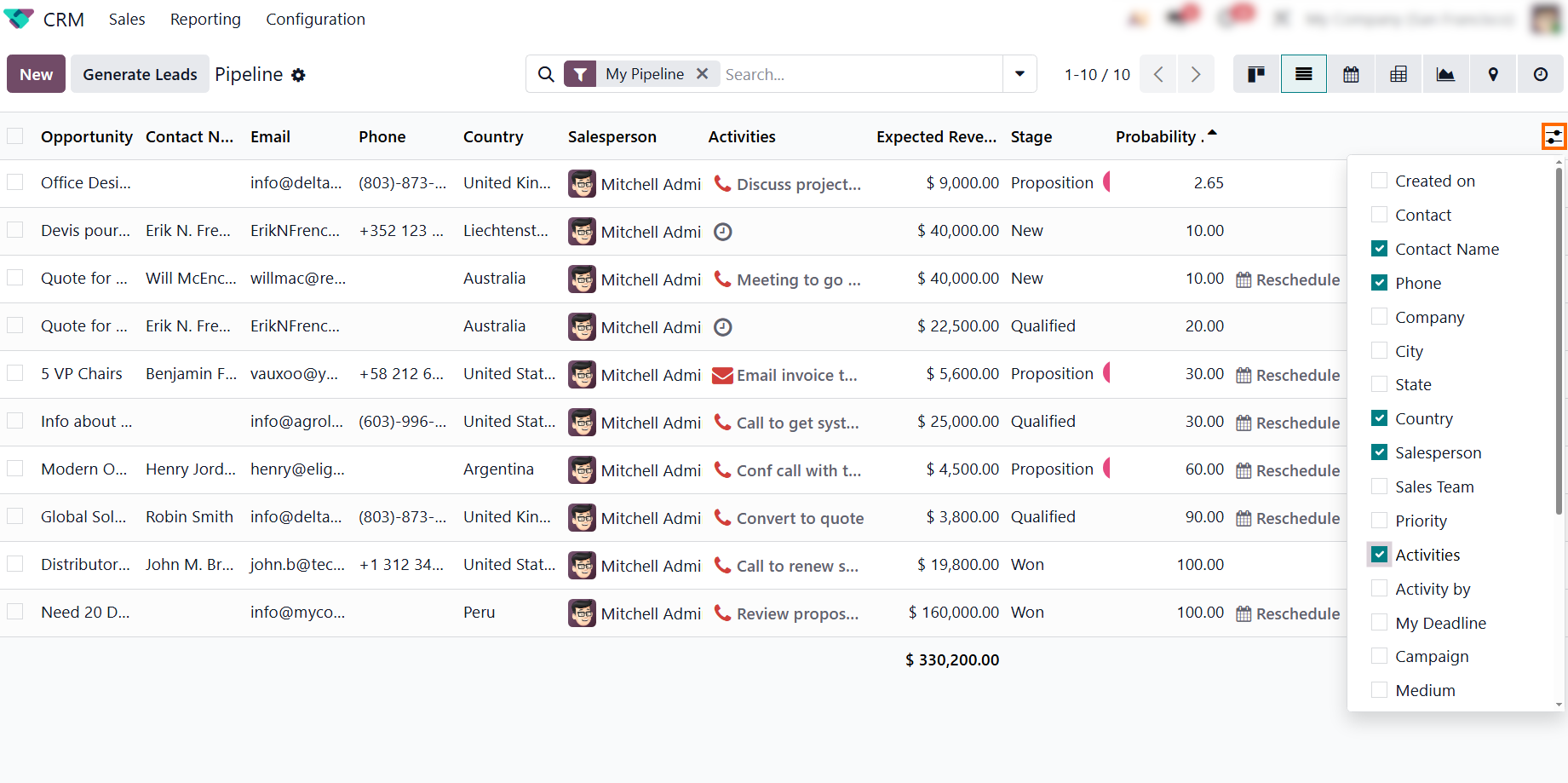
Like other Odoo modules, CRM lets administrators show or hide relevant fields directly in standard list views, reducing unnecessary customization and development costs.
Identify the Cost of the Existing Sales Process
Before evaluating ERP implementation costs or calculating expected ERP ROI, businesses must establish an operational baseline by identifying the hidden costs and bottlenecks within their current sales workflows. When core operations rely on manual coordination, repetitive tasks quietly drain labor capacity, delay order processing, and increase error rates. Quantifying these inefficiencies helps determine the true ERP payback period, as even small amounts of daily time lost translate into significant annual overhead. Establishing a clear baseline lets organizations accurately measure future time savings and quantify long-term ERP cost savings. Comparing manual friction points with standard system features helps businesses estimate potential ROI and identify opportunities to reduce Odoo implementation costs.
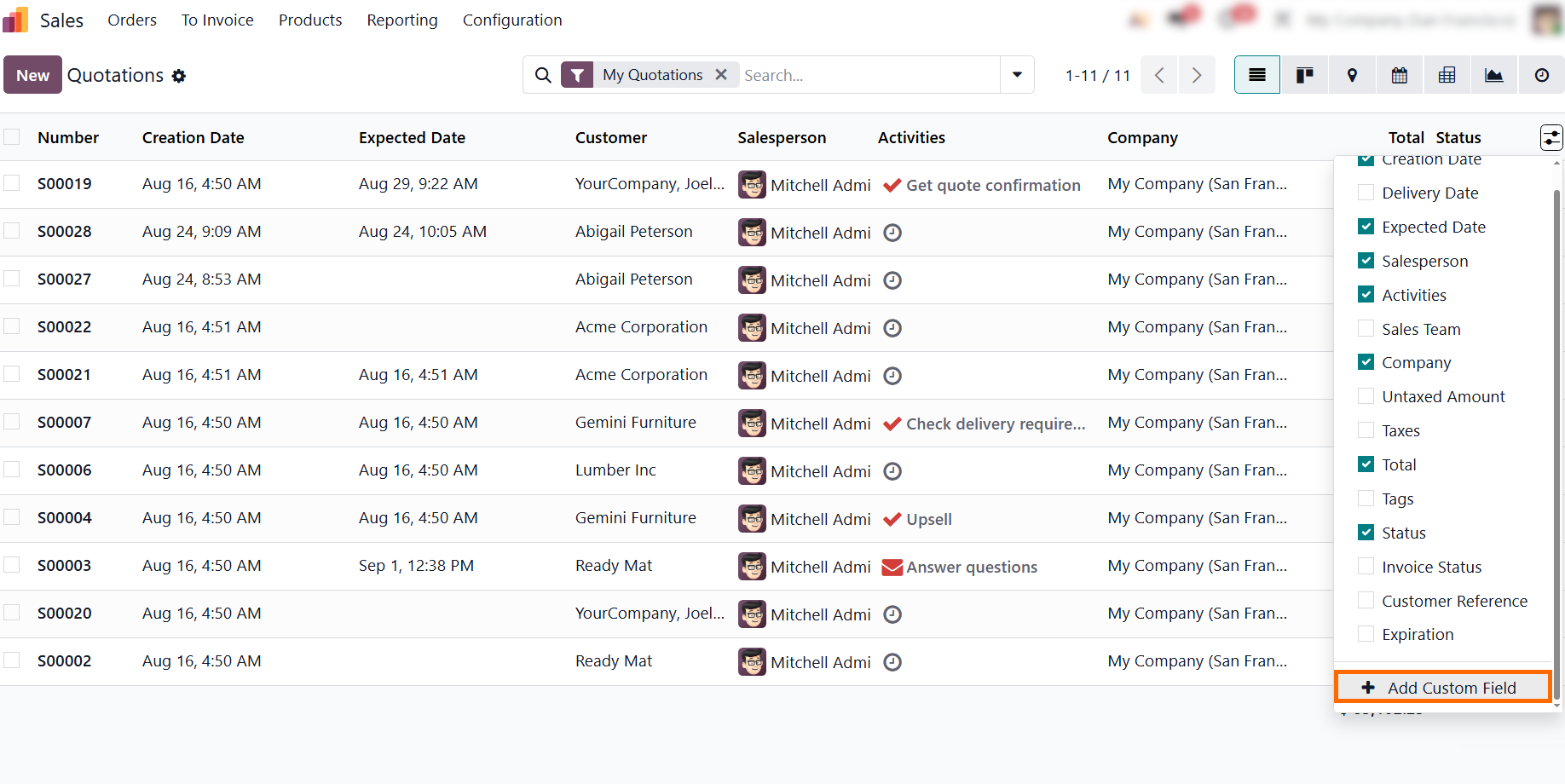
- Display key operational data like “Expected Date” directly in standard list views to eliminate clutter, ensure instant access to critical details, and streamline daily workflows without custom coding or Odoo Studio.
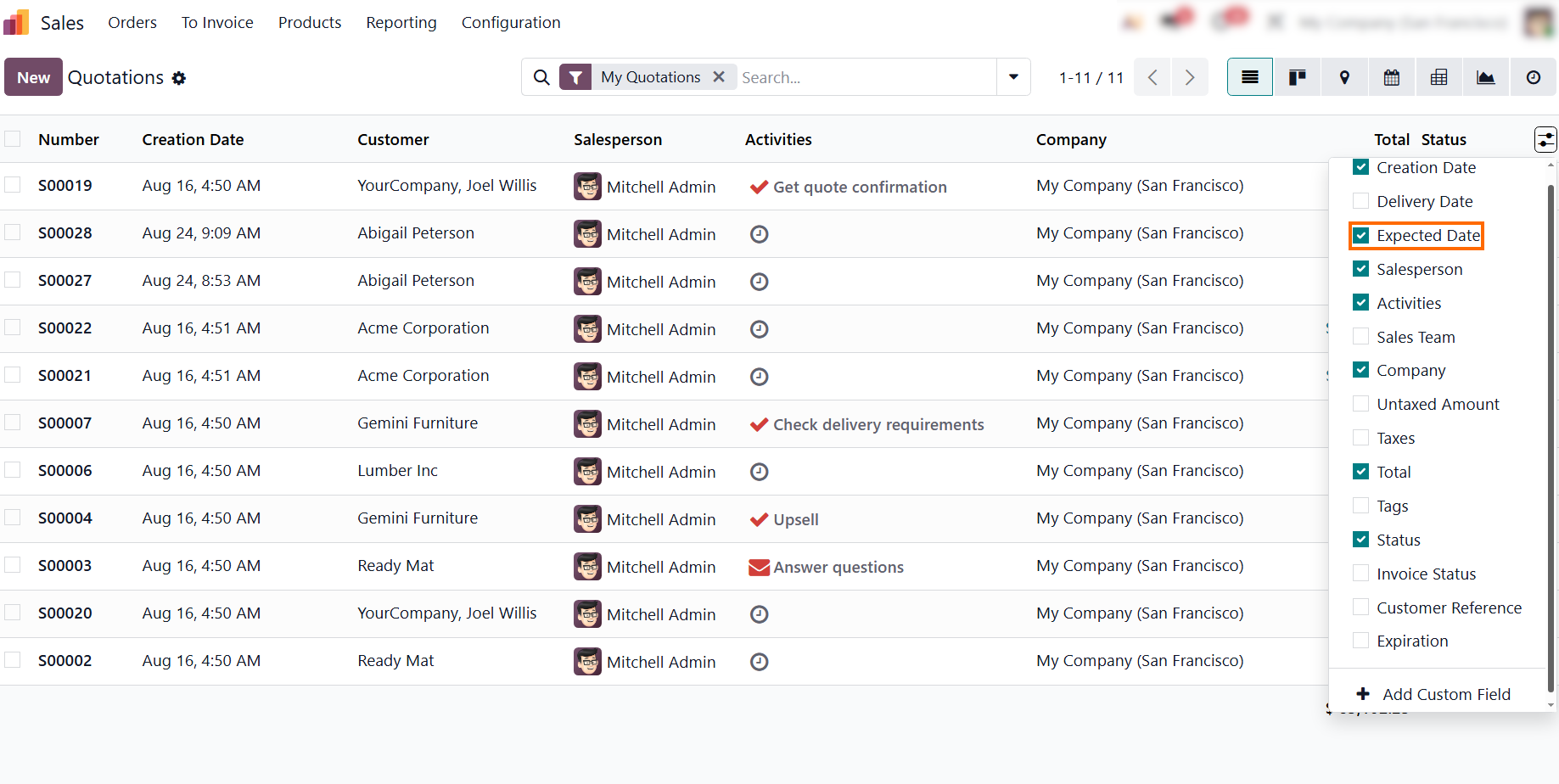
Track time spent on repetitive tasks like order entry and stock checks, contrasting spreadsheet chaos with Odoo’s standard list views to show how built-in toggles eliminate clutter and speed up workflows.
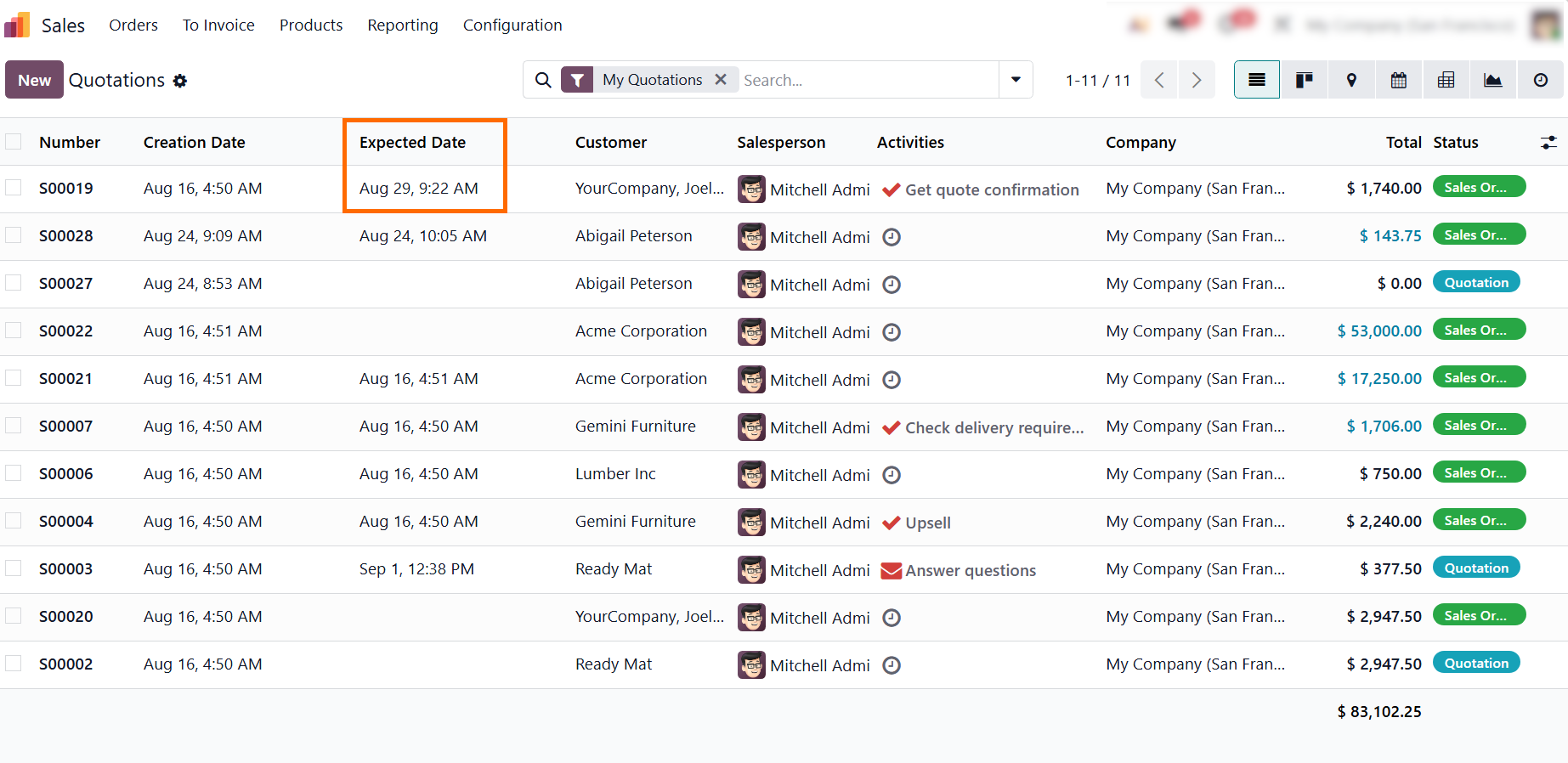
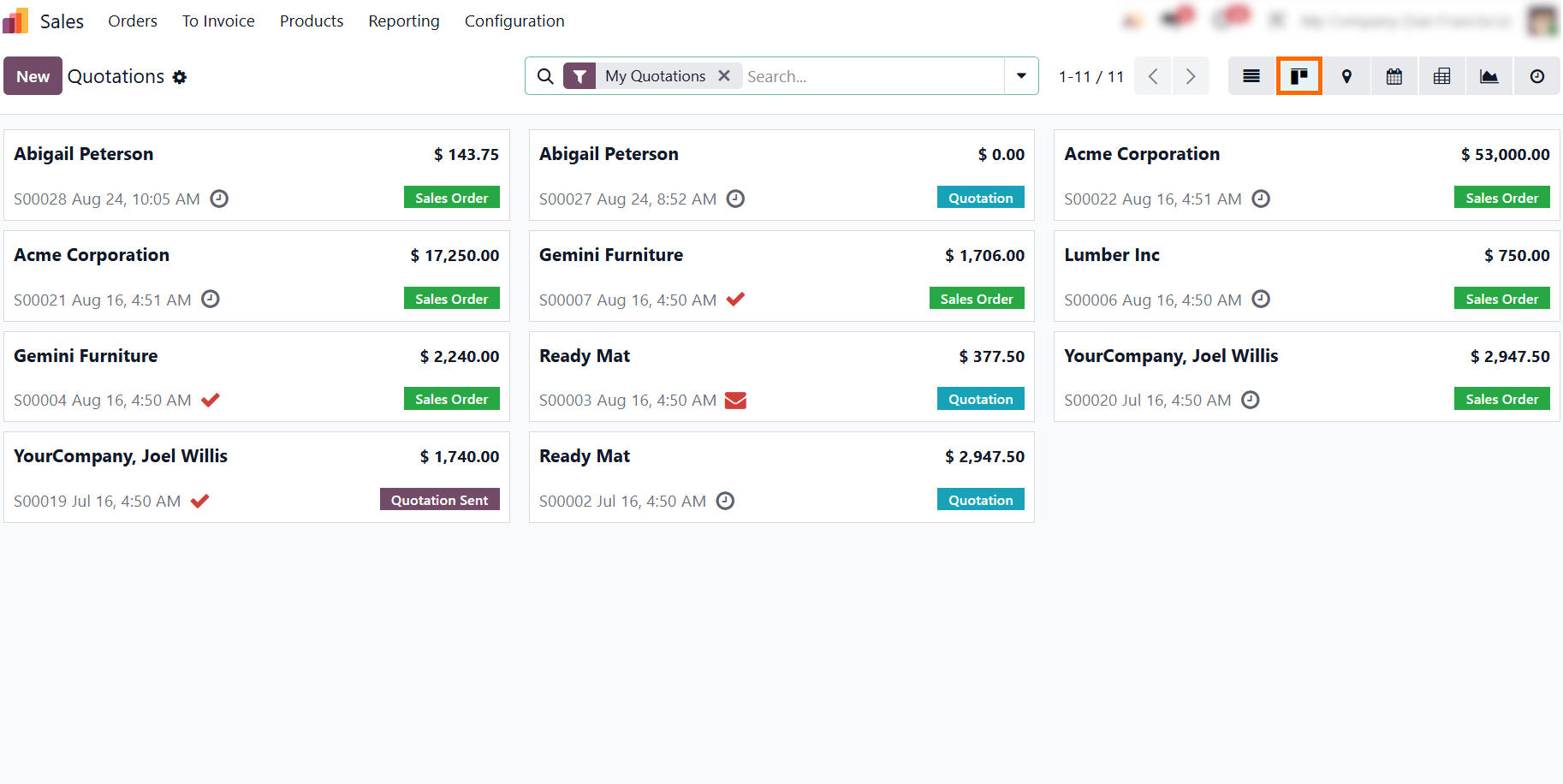
Toggle seamlessly between List, Kanban, and Calendar views instead of relying on rigid spreadsheets, helping teams spot bottlenecks, manage daily sales tasks, and track order stages at a glance.
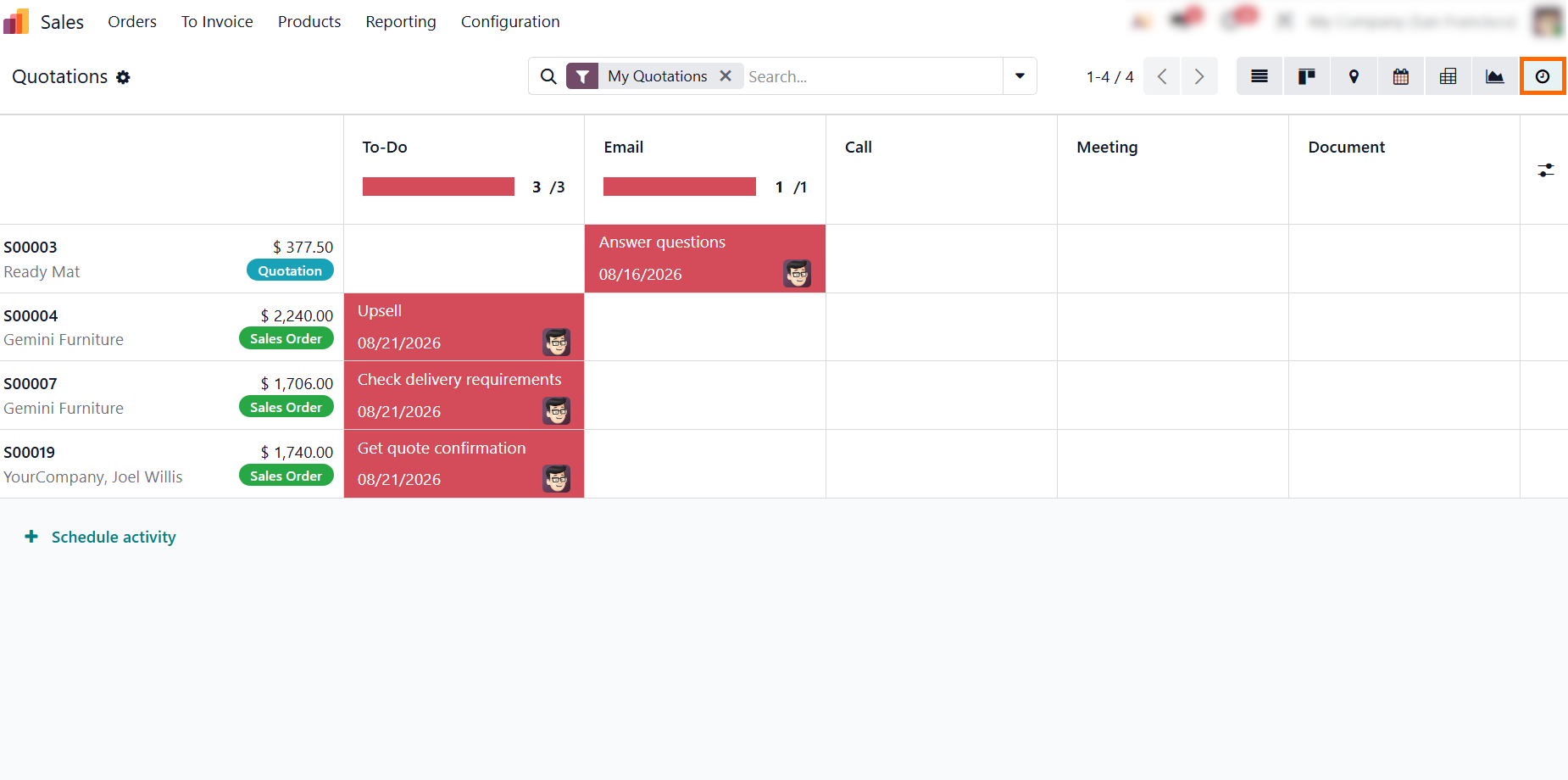
The Activity view aggregates all planned tasks and immediately flags overdue actions in red, keeping sales follow-ups transparent, ensuring clear accountability, and
preventing deals from slipping through the cracks.
- Reduce maintenance costs: Out-of-the-box Odoo features can minimize the need for custom code and ongoing maintenance. Need to capture additional data? Admins can easily add native custom fields directly from the list view without developer assistance.
Odoo Studio vs. Custom Code: Balancing Flexibility and Maintenance Costs
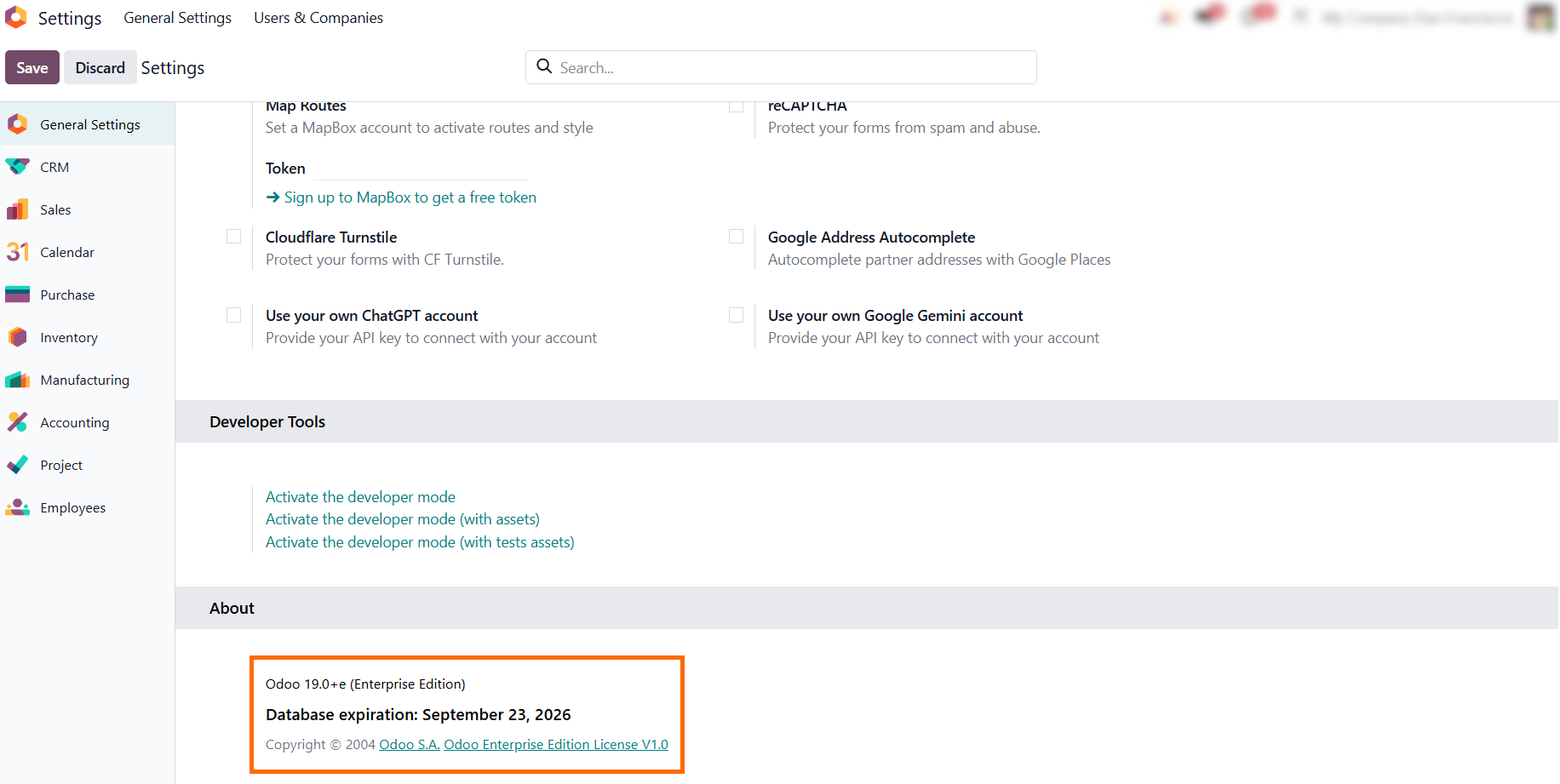
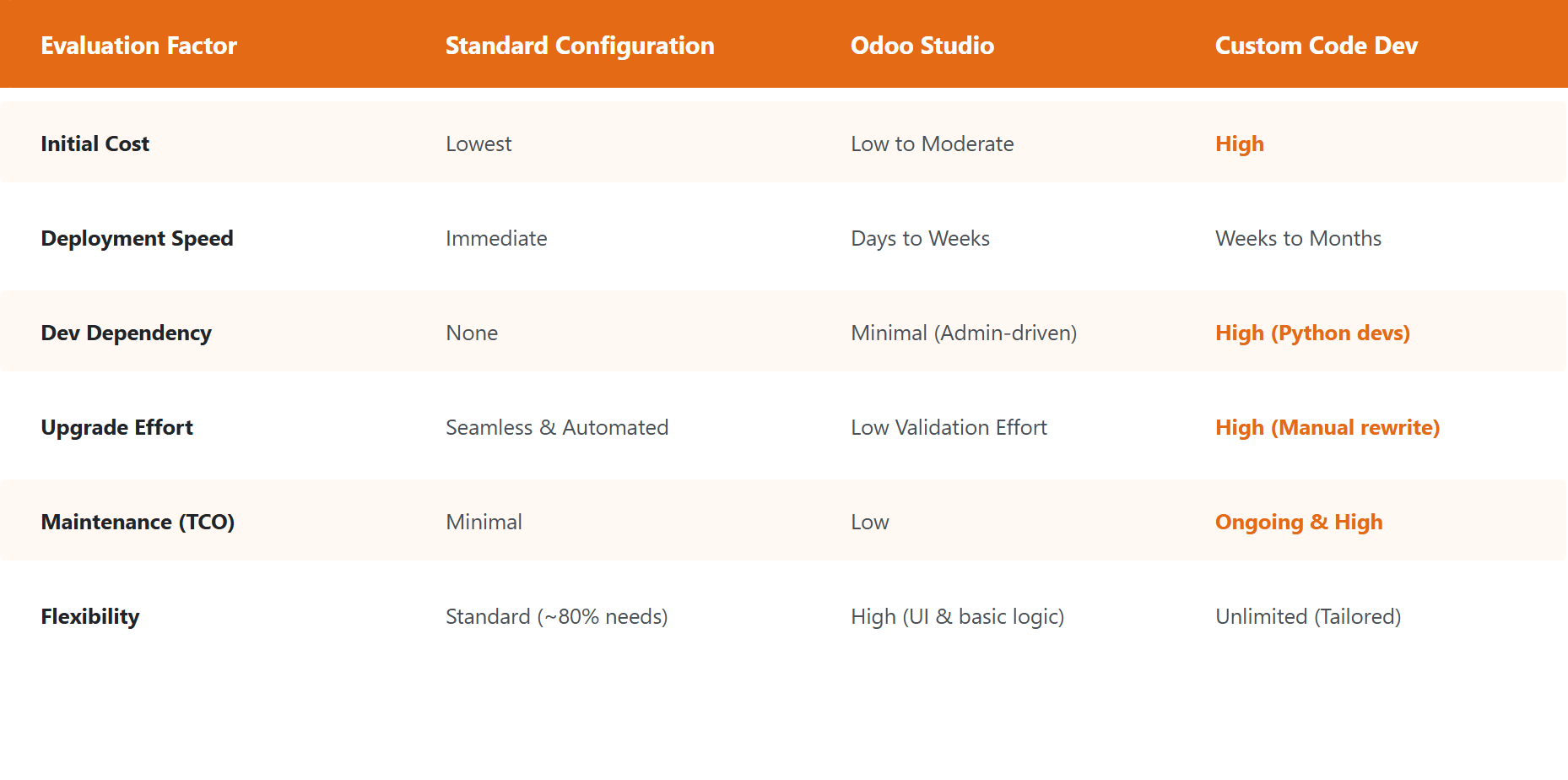
Standard Odoo workflows cover the vast majority of routine operations. However, when specific processes require unique tracking, Odoo Studio allows organizations to bridge functional gaps without custom code. Available exclusively in the Odoo Enterprise edition, this low-code tool enables admins to add custom fields, adjust forms, and create basic automated actions directly in the interface, eliminating the need for custom Python development. While Studio makes system adjustments fast and accessible, any customization directly impacts your Total Cost of Ownership (TCO) and overall Odoo ROI. To keep your implementation cost-effective, it’s critical to understand how different customization choices affect long-term maintenance:
- Ensure your instance is running Odoo Enterprise Edition. Studio is unavailable in Community, and Enterprise provides access to Studio and its low-code customization features.
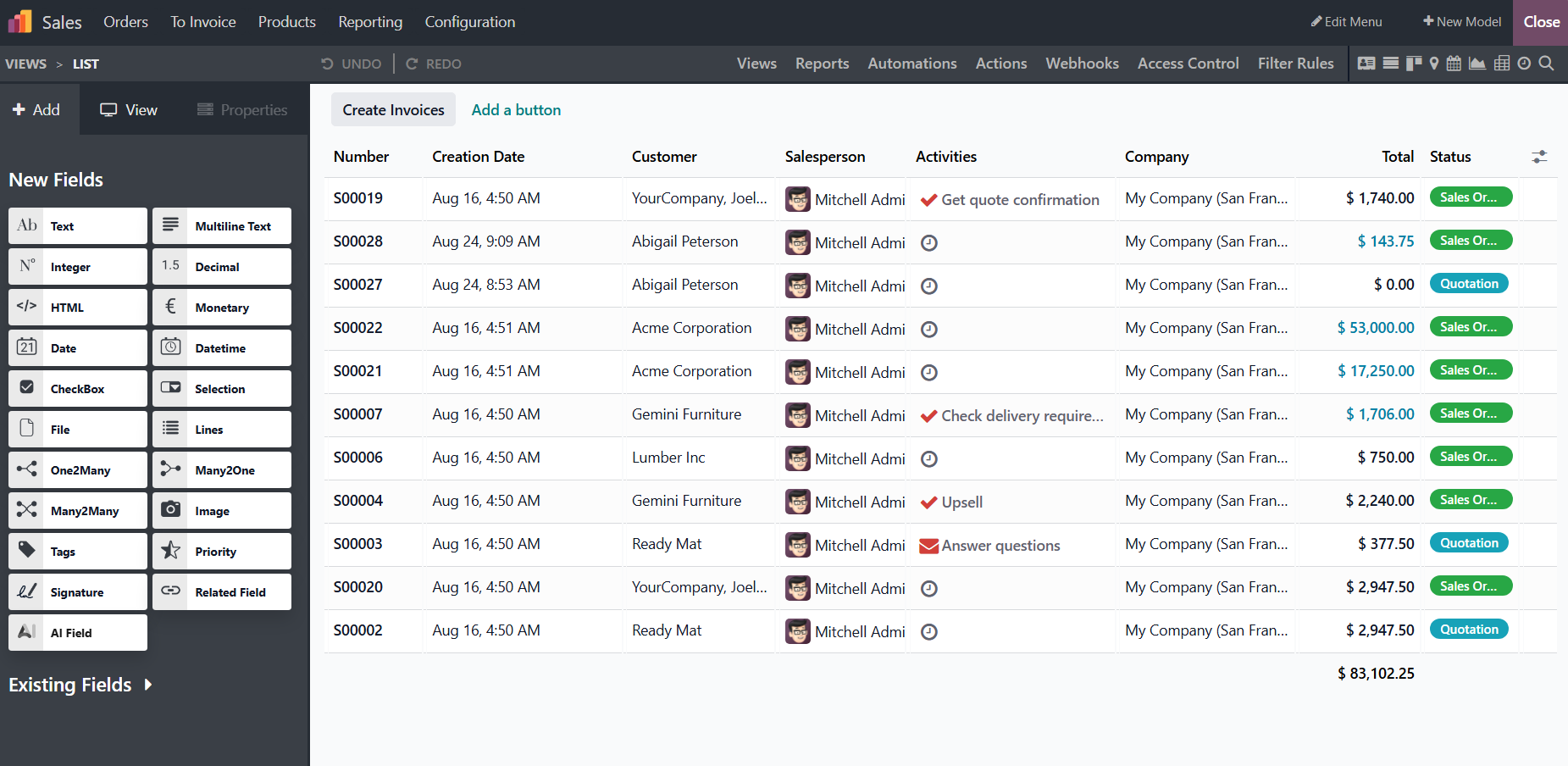
Odoo Studio solves operational gaps without custom development fees. As shown in the Studio interface, teams can drag and drop custom fields, modify views, automate actions,
and configure webhooks directly through the UI.
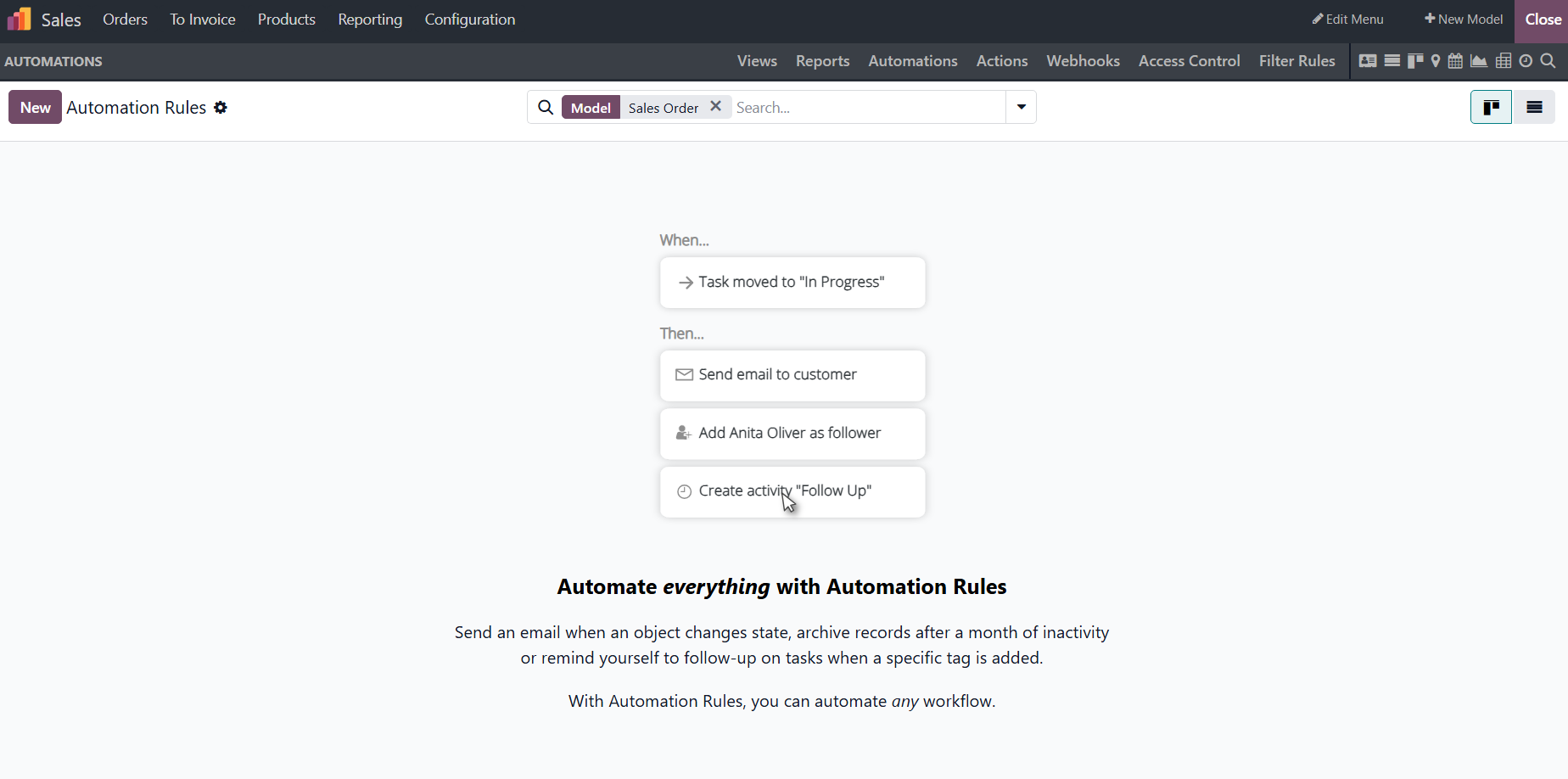
- While low-code changes reduce developer costs, over-customizing views or automations through Studio can create friction during major updates. Custom fields and modified views still require auditing and re-testing to prevent workflow disruptions.
Evaluate implementation speed, developer reliance, and upgrade effort across Standard, Studio, and Custom Code to choose the approach that balances flexibility with long-term TCO.
Practical Example: Estimating Odoo ROI
& Payback Period
Evaluating an ERP investment based only on software licensing costs creates a blind spot. Without quantifying current operational inefficiencies, businesses cannot accurately assess time-to-value or determine whether the investment will pay for itself. Comparing these costs with total first-year expenses, including licenses, setup, and low-code adjustments, provides a more realistic basis for estimating the ERP payback period. The following example shows how these inputs can be combined to estimate potential savings, first-year ROI, and payback.
- Manual Capacity Loss: Employees lose about 1 hour daily to manual data re-entry, inventory checks, and report assembly. Across 15 users at $15 per hour, this routine friction represents roughly $4,500 in recoverable capacity each month.
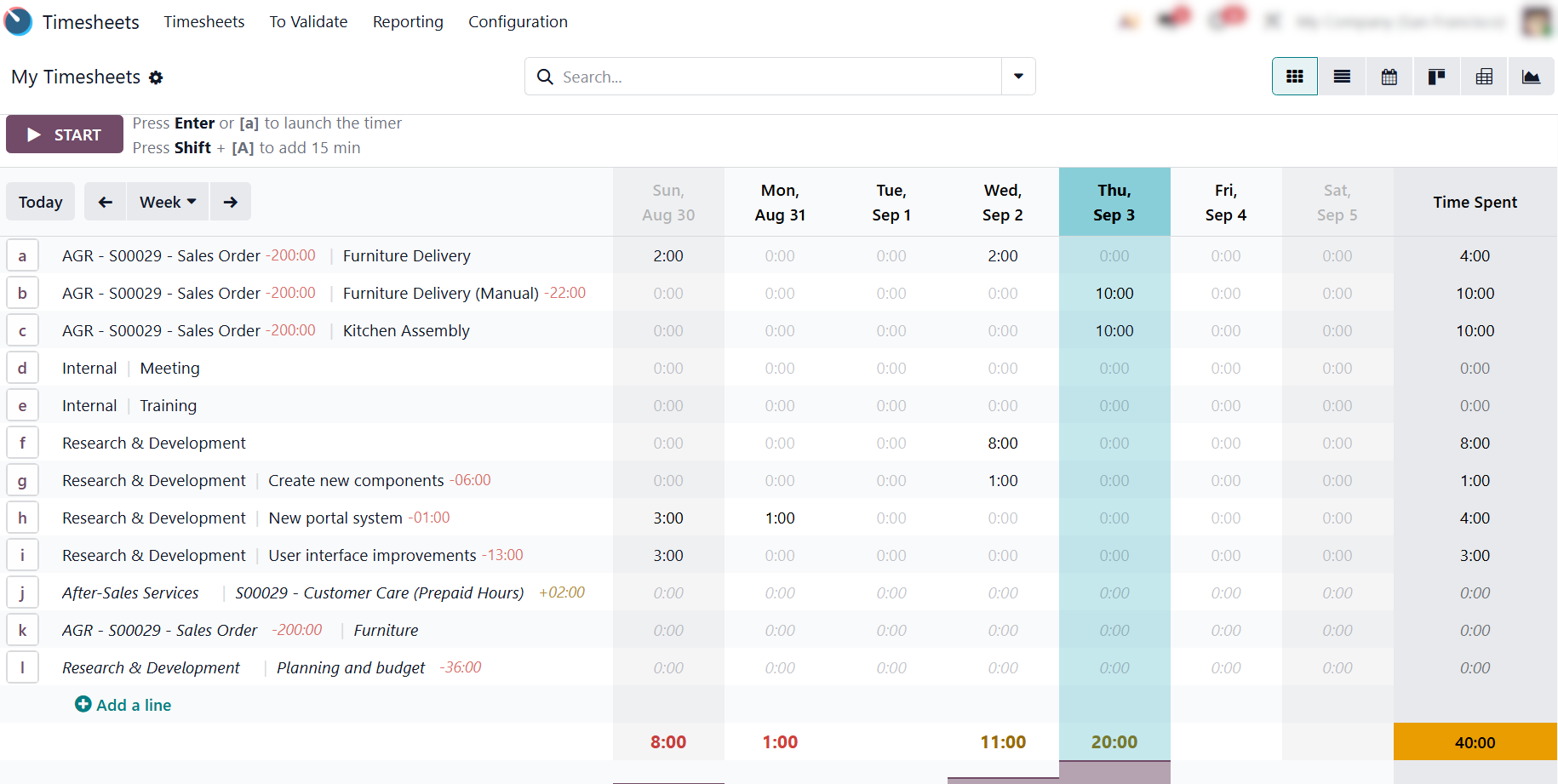
Time and Cost Visibility: Unlike disconnected systems, Odoo Timesheets tracks employee time and labor costs over a selected period. This visibility clarifies budget usage and validates whether
expected capacity savings are actually realized.
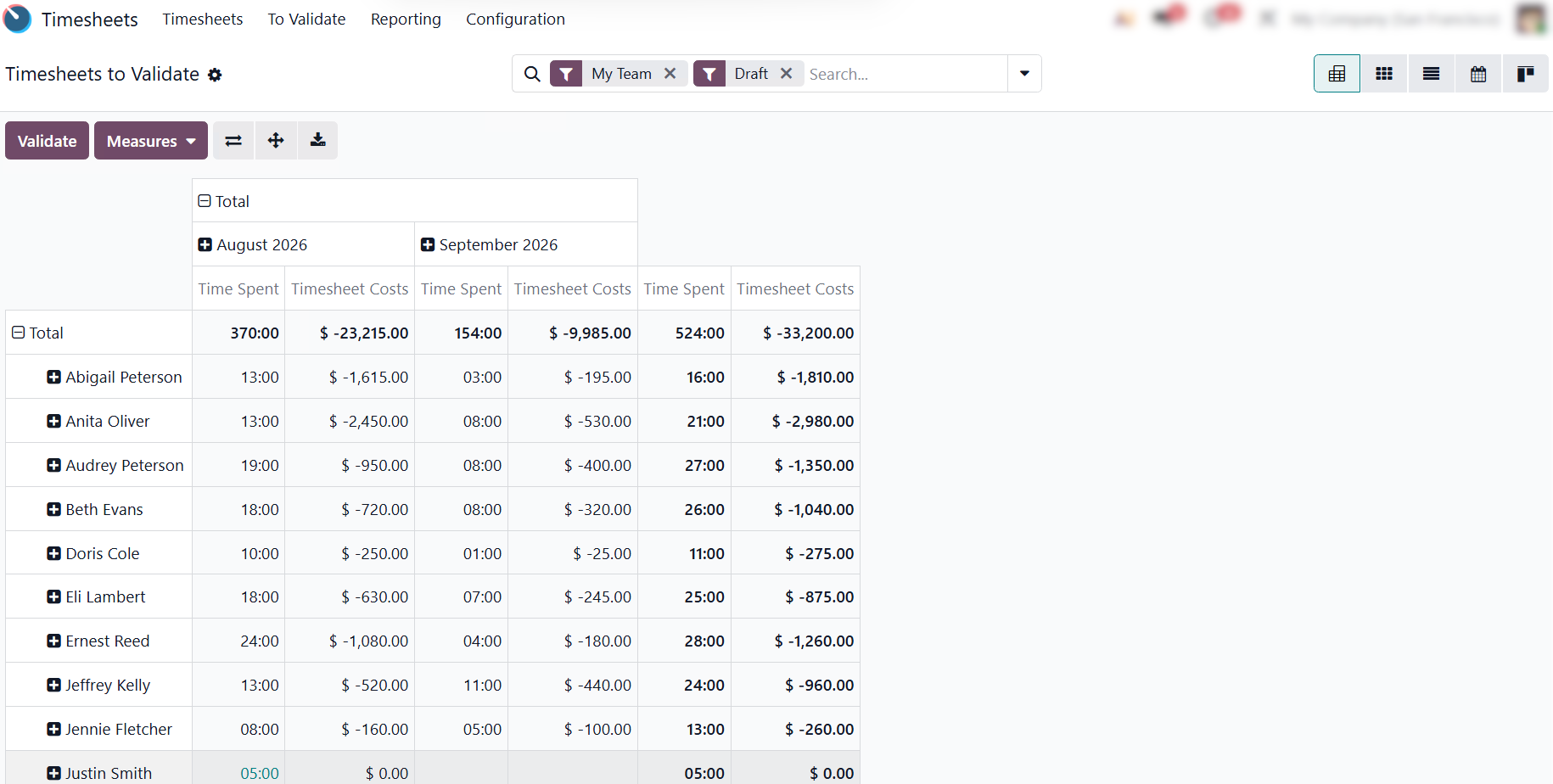
- Odoo Capacity Savings: Automating cross-departmental workflows can eliminate roughly 80% of manual overhead, reclaiming around $3,600 monthly ($43,200 annually) in labor efficiency.
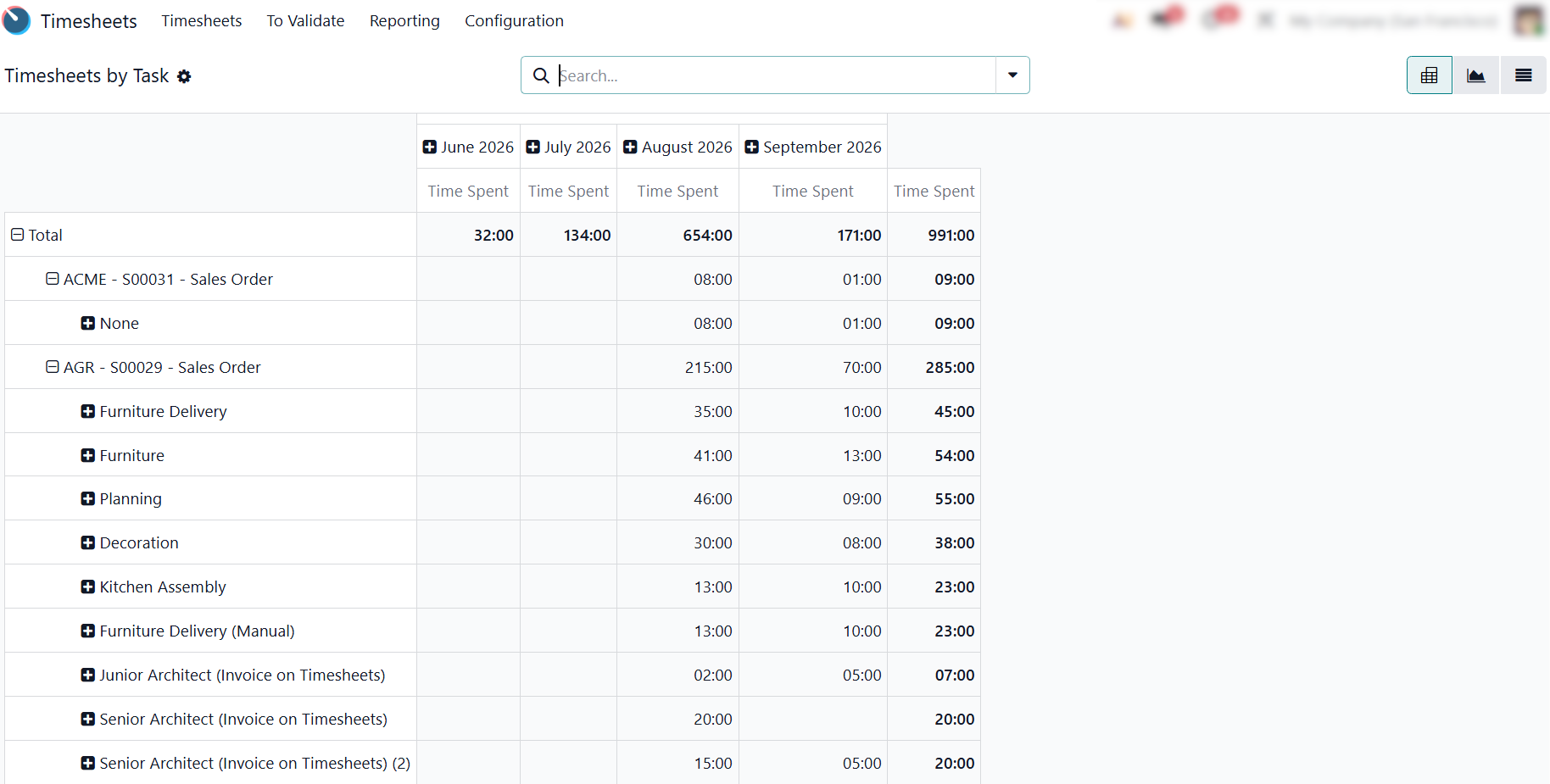
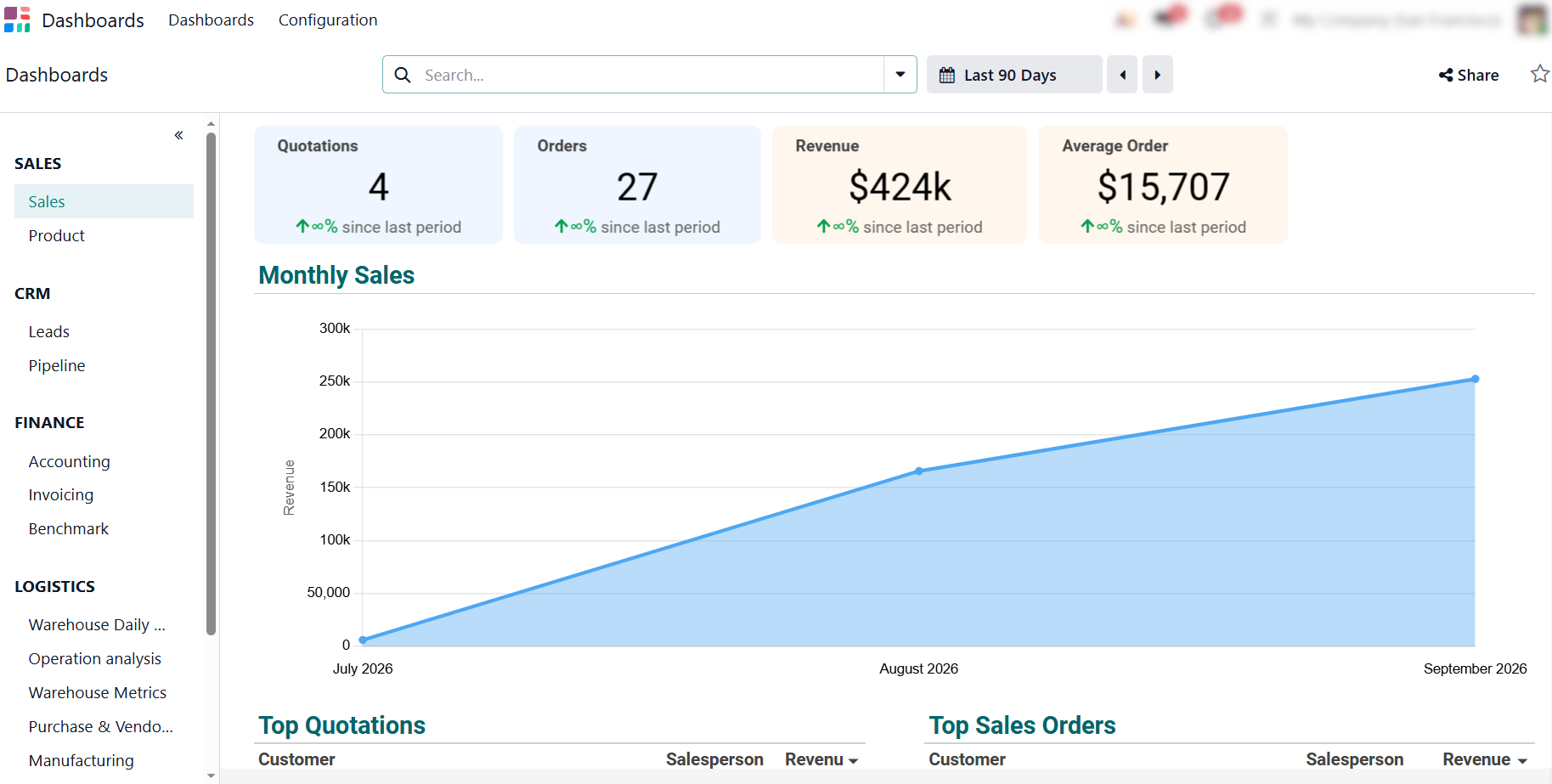
First-year TCO Visibility: Comparing the total first-year TCO of $15,400 with the expected operational savings requires real-time visibility across sales, finance, and workflow outputs. Odoo Dashboards unify these metrics into a single real-time overview.
Understanding ERP Implementation Costs
Beyond Software
Calculating a realistic total cost of ownership (TCO) requires decision-makers to look past base software licensing fees and account for the core operational drivers of a rollout. A successful implementation budget balances upfront service investments with long-term system stability, dividing non-licensing costs into four critical areas: data migration, employee onboarding, process configuration, and ongoing support. Acknowledging and controlling these hidden cost pillars early is what transforms a standard ERP rollout into a predictable, high-ROI investment with minimal operational downtime.
- Data Migration & Cleansing: Extracting, formatting, and transferring legacy records (customers, products, open balances, and inventory) while eliminating duplicate or obsolete records to prevent polluting the new environment with “junk data”.
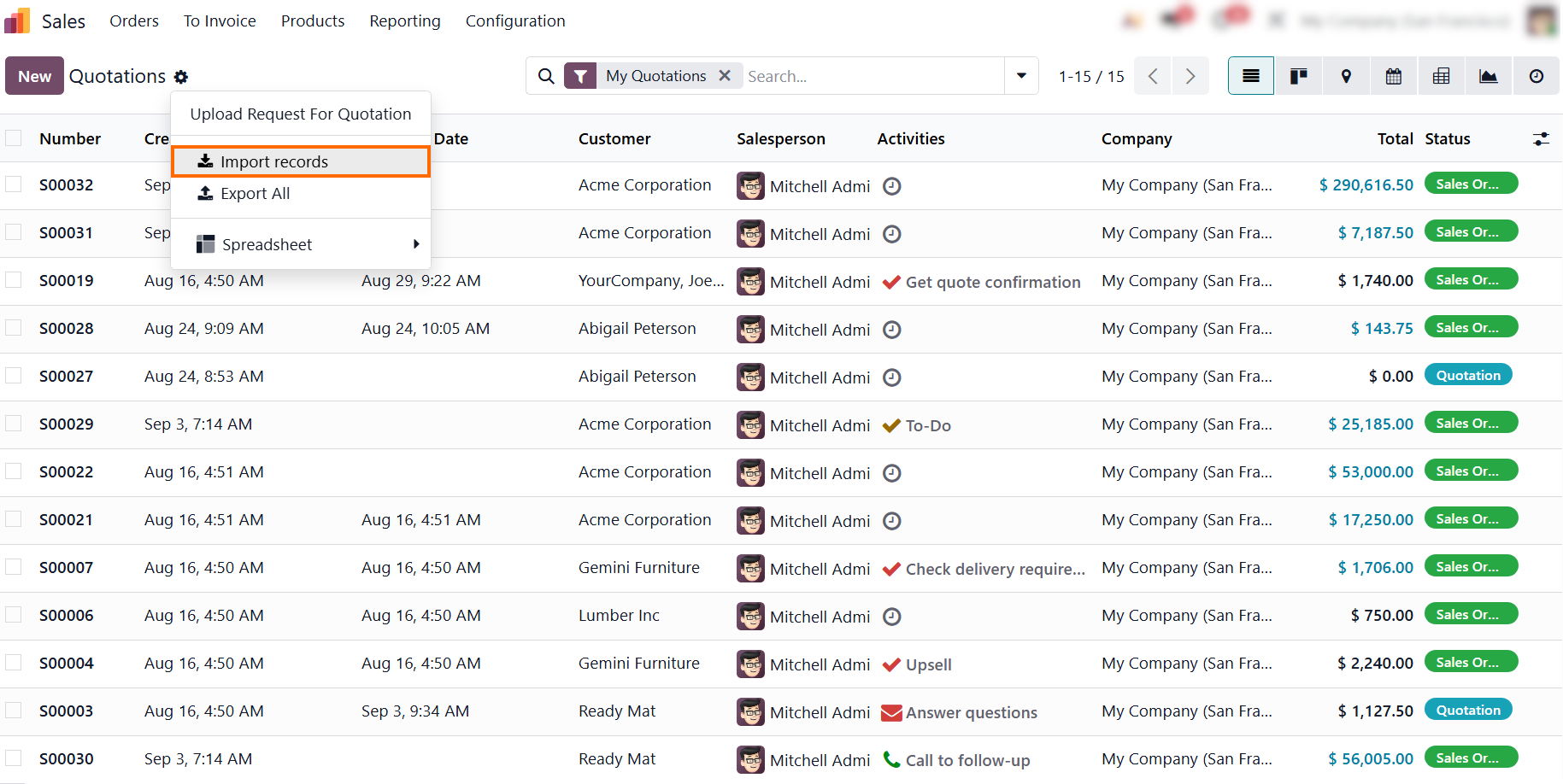
Contextual Onboarding via Odoo Knowledge: Minimize productivity dips by embedding SOPs directly into active task views, giving employees instant, in-context guidance within their daily workflows.
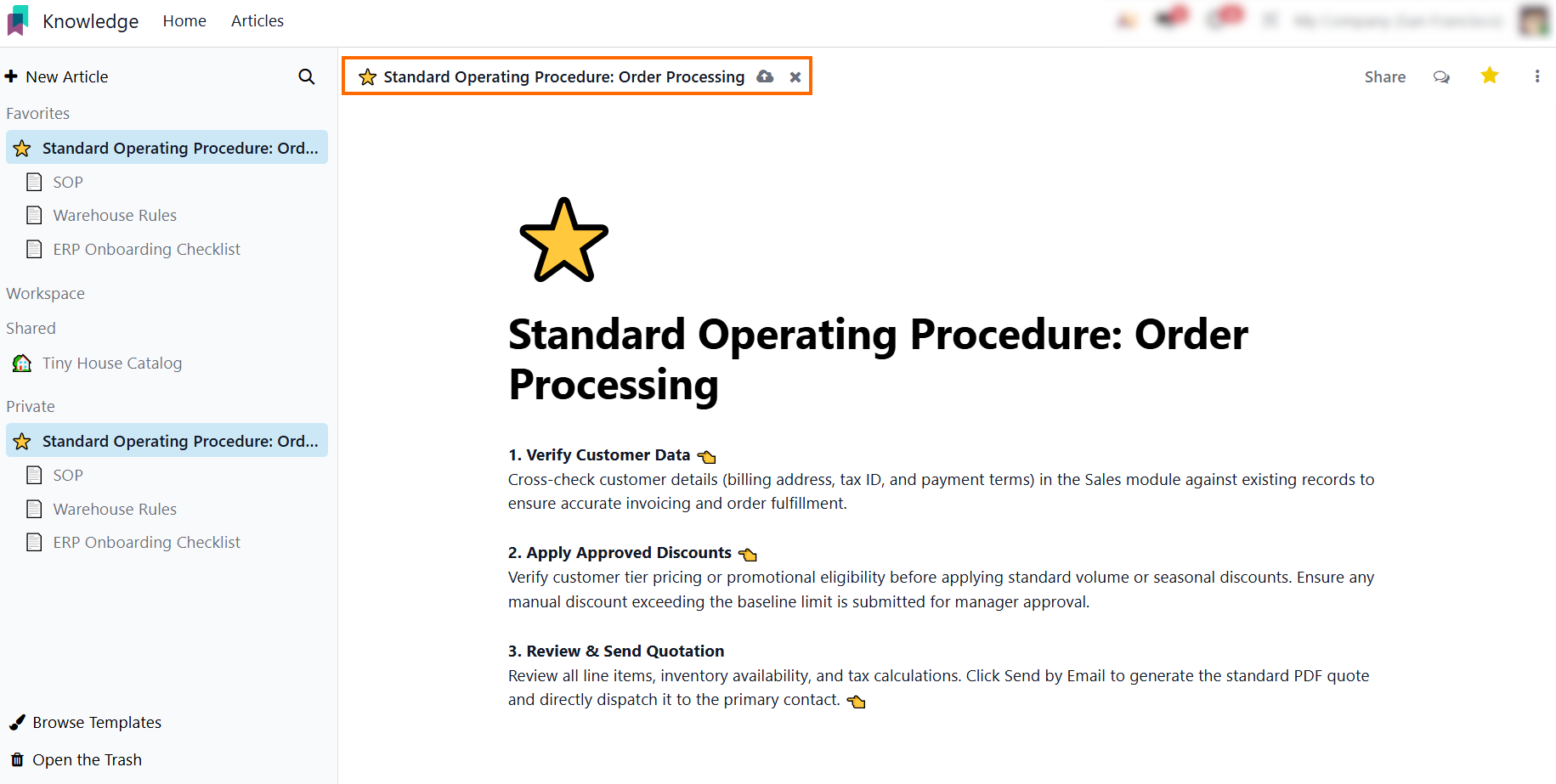
Progress Tracking via Odoo eLearning: Reduce external training costs by delivering interactive courses and quizzes, allowing managers to track team readiness and compliance before go-live.
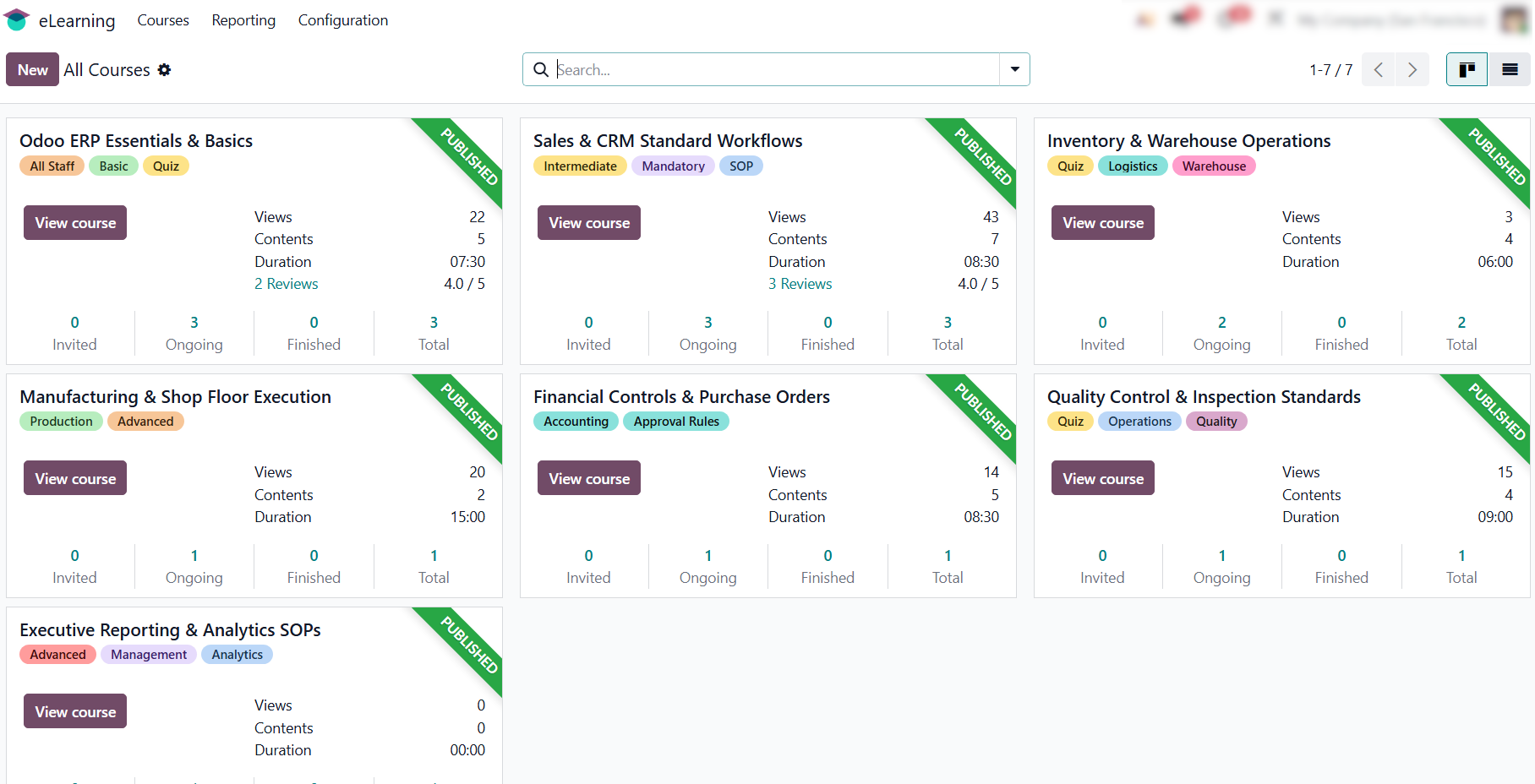
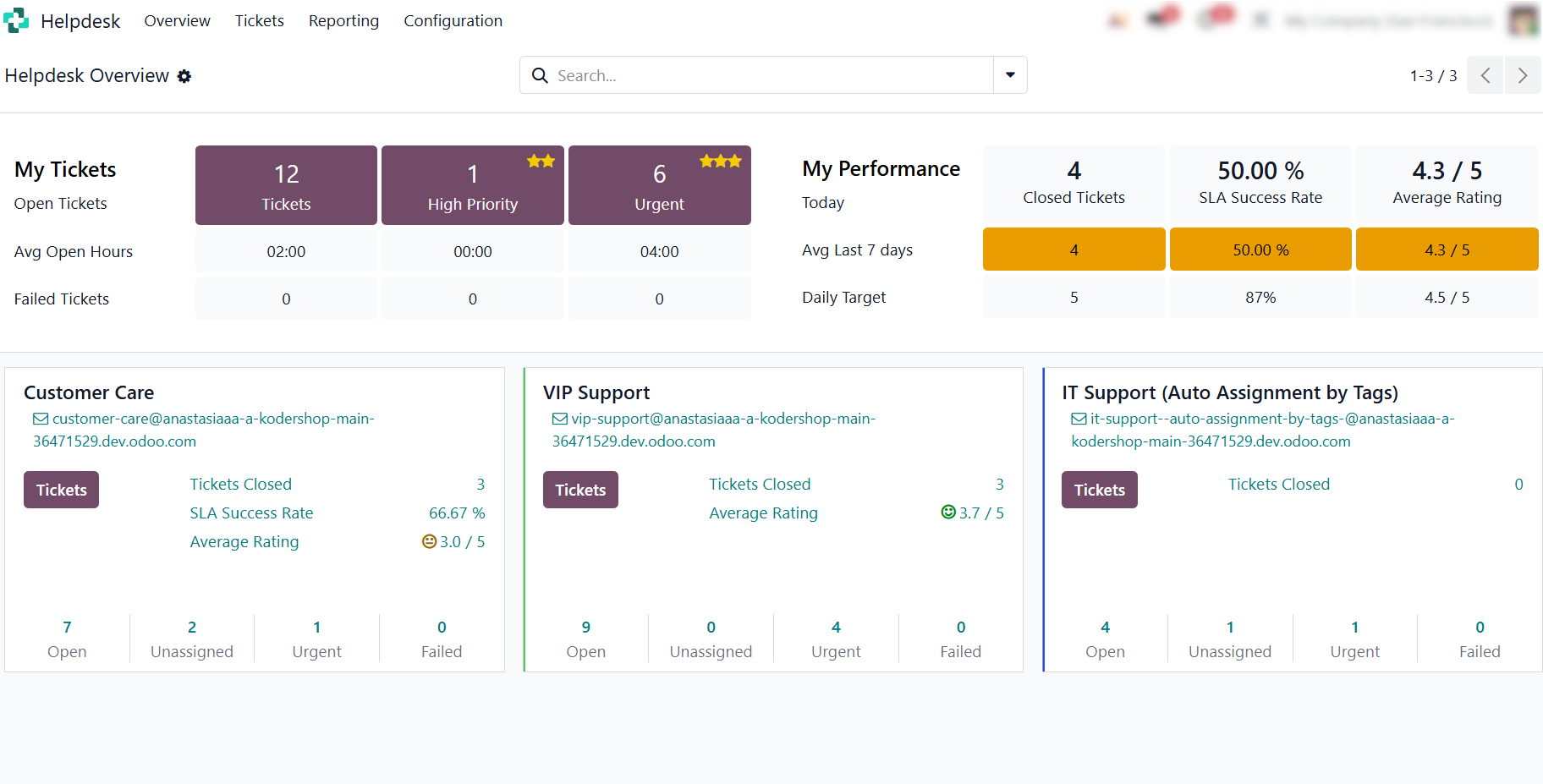
Ongoing Support & Maintenance via Odoo Helpdesk: Structure post-go-live helpdesk routines, issue
tracking, and system updates within a unified view to maintain operational
continuity and predictable long-term TCO.
Achieving Long-Term ERP ROI with Predictable TCO
Evaluating ERP ROI requires looking beyond software licensing fees and considering the relationship between total investment and operational value. Implementation, customization, and maintenance affect the total cost, while improved efficiency, recovered capacity, and reduced manual work determine the return.
The most effective approach is to establish a clear operational baseline, measure the cost of existing inefficiencies, and compare those losses with the investment required to improve them. This turns ERP ROI from a theoretical projection into a measurable business case.
Ultimately, sustainable ROI does not come from maximizing functionality or customization. It comes from choosing the right level of investment for the business, using standard capabilities where they deliver value, and adding customization only when its long-term benefits justify the costs.