Before extending an existing Odoo implementation, you must identify what has already been changed. An inherited system, whether passed down from a previous partner or an internal team, often contains undocumented customizations, technical debt, or structural tweaks that affect daily business processes. Skipping an initial assessment can lead to broken logic, duplicated features, and unexpected costs during future updates. The goal is not to remove every customization, but to understand what is there and why. Performing a practical Odoo customization audit helps reveal these risks, establish a clear technical baseline, and ensure your system remains stable before introducing new modifications.
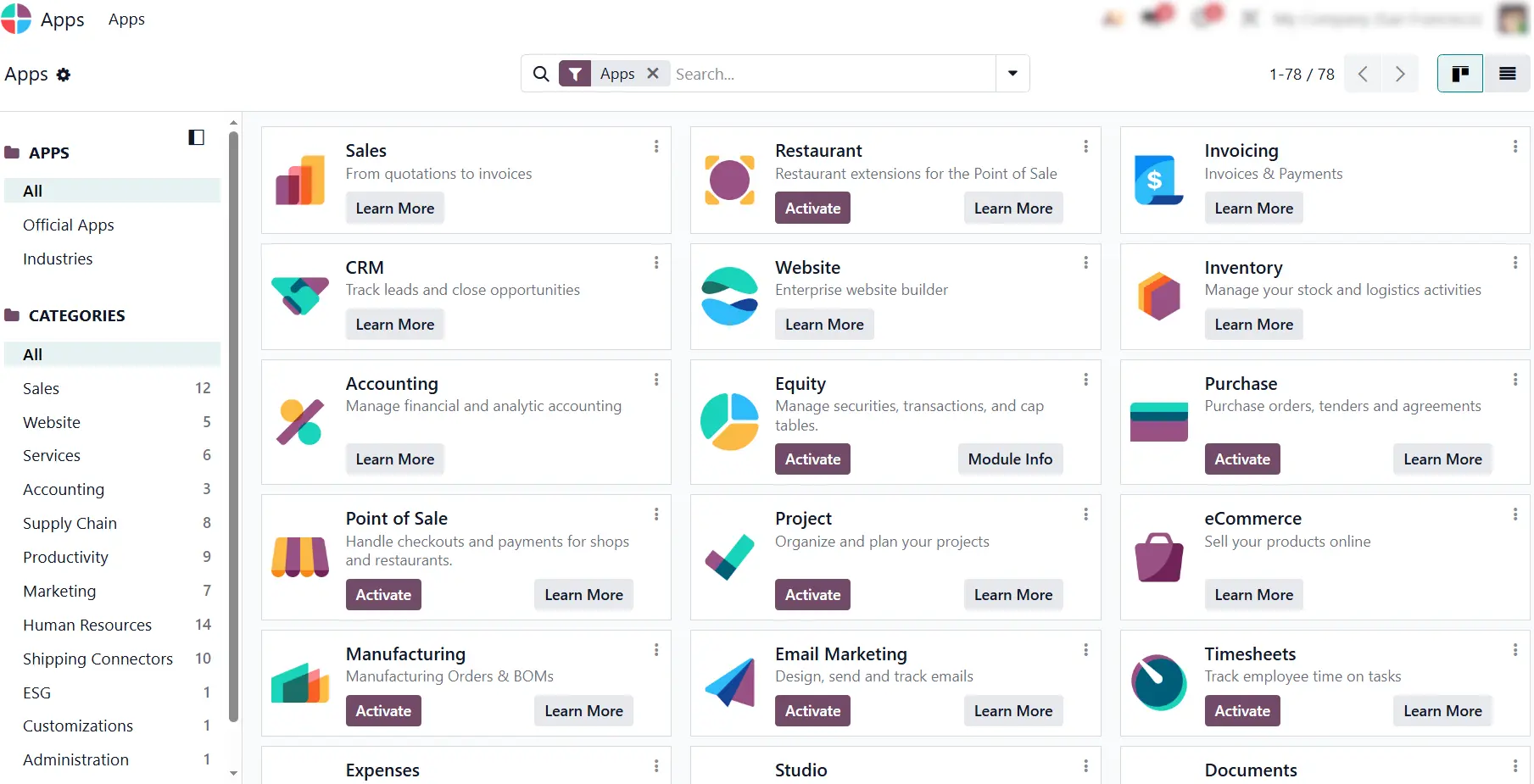
- Before diving into technical details, determine the functional scope of the database. Review the installed applications and enabled configuration toggles to understand which standard features are active.
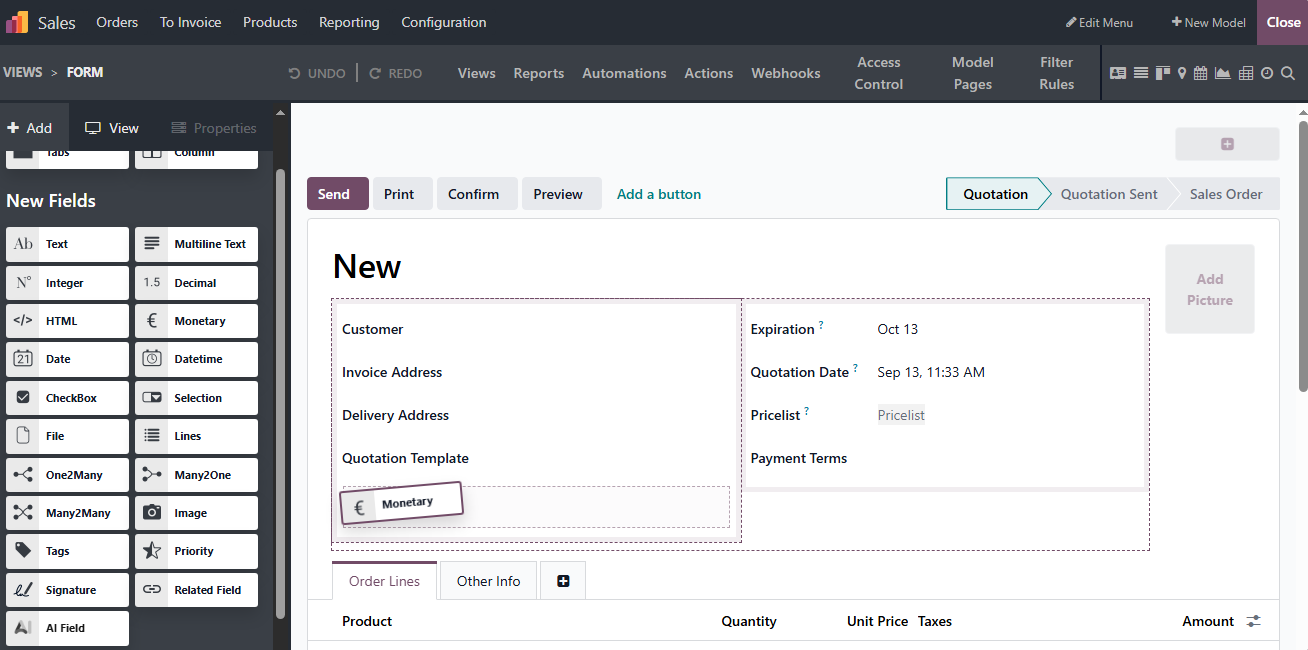
Inspect form views for custom fields, tabs, or drag-and-drop elements added via Odoo Studio. Opening Studio mode highlights layout overrides and low-code field additions (x_studio_) made directly in the interface.
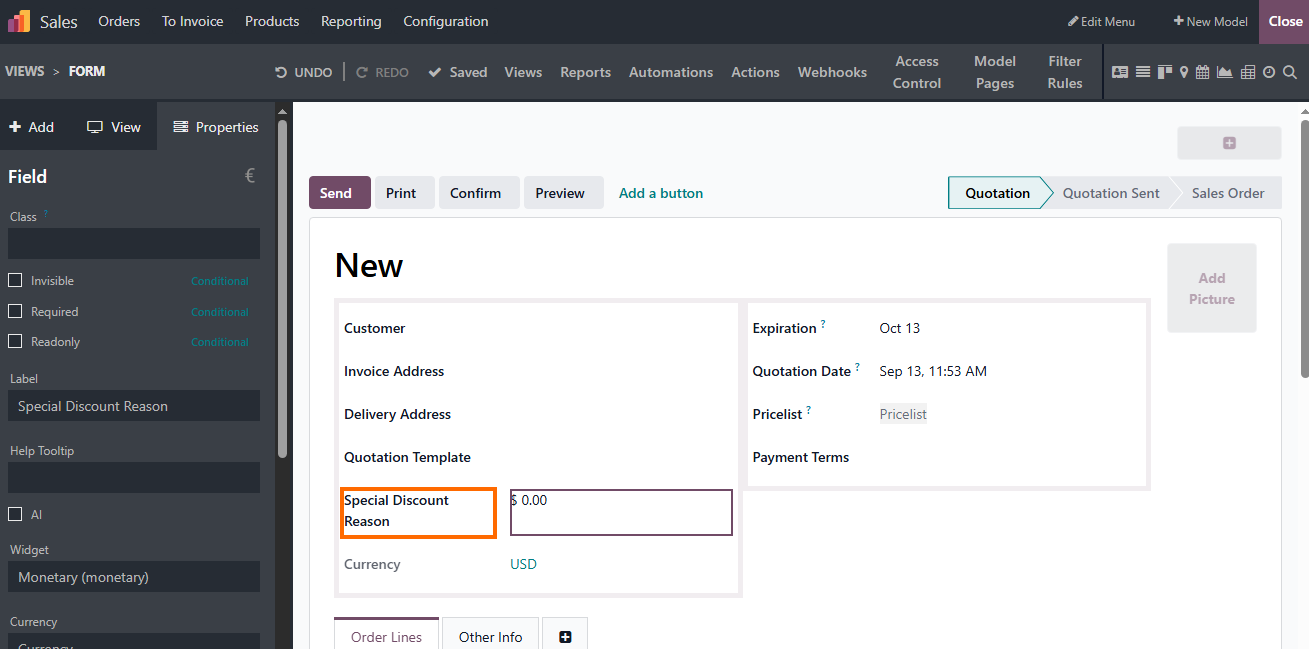
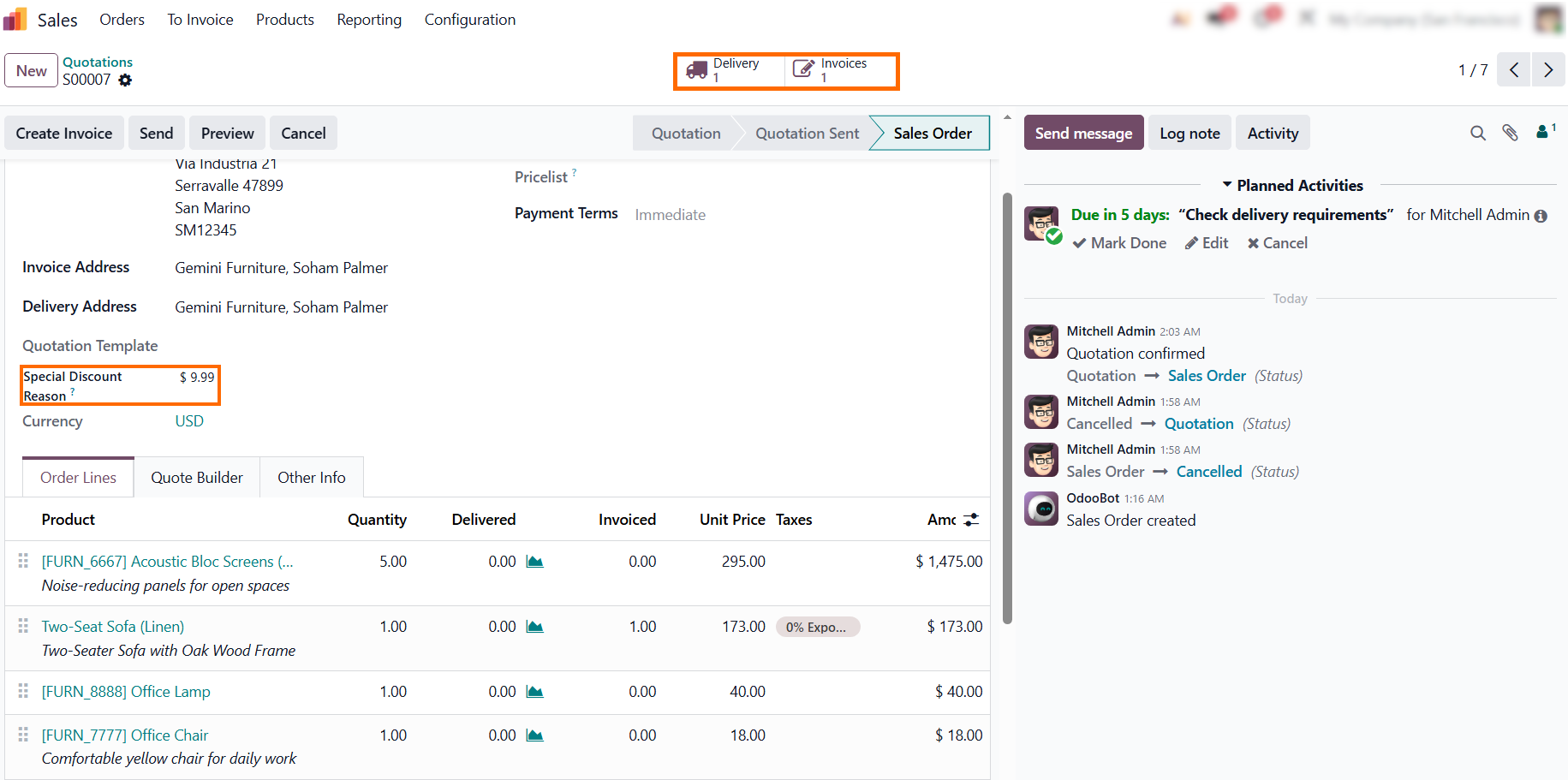
While relabeling a field to Special Discount Reason takes seconds in Studio, the Properties panel shows that the field is a Studio customization to include in the audit.
- Review technical fields and data models by enabling Developer Mode to inspect backend structures. Opening the Technical Models list exposes database elements that standard UI checks may miss.
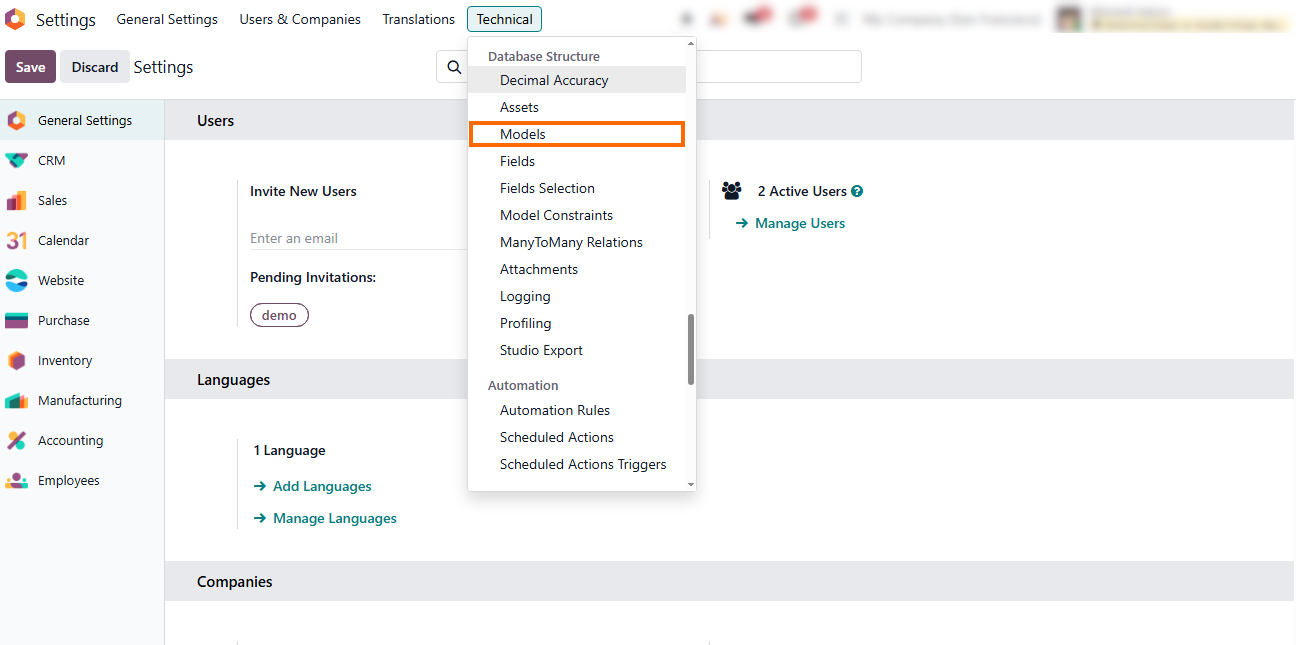
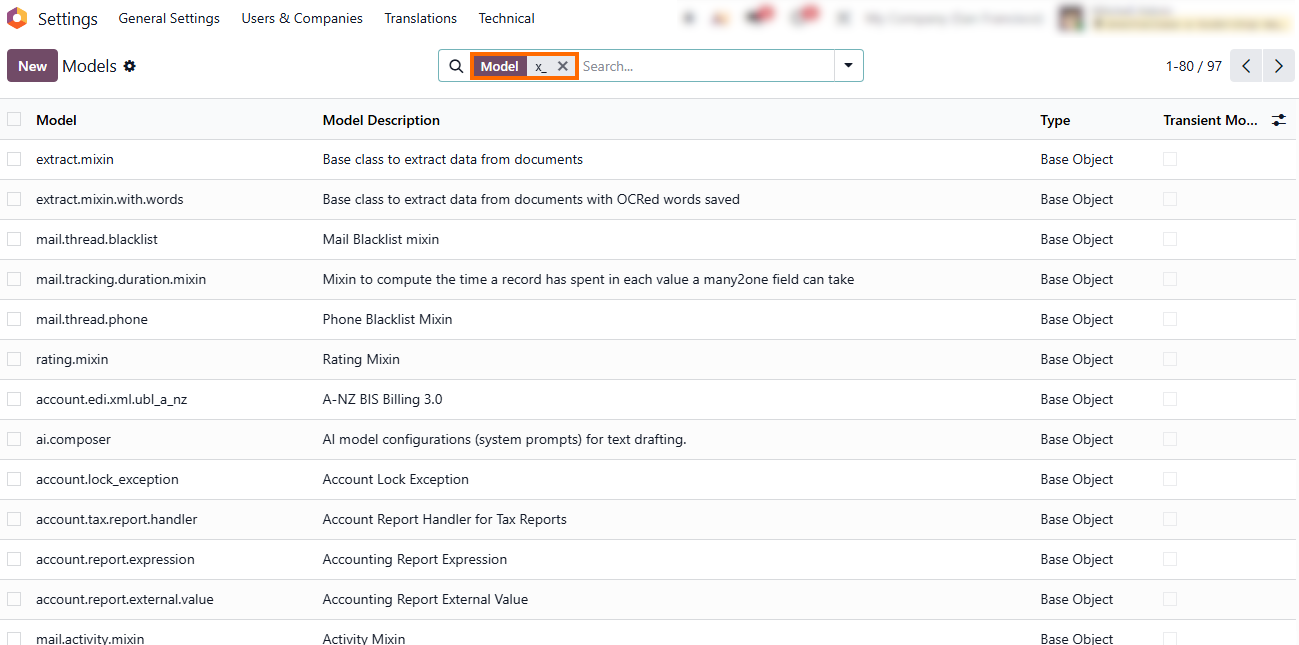
Review custom data models by searching for technical names that use custom prefixes, such as x_, in the Technical Models search bar. If the search returns only standard Odoo objects, no Studio models matching that prefix are present in the database.
Auditing Scheduled Actions for Hidden Technical Debt
After reviewing the main structural Odoo customizations, examine the automated processes that run in the background. Scheduled actions and automation rules can modify records, trigger workflows, or execute custom code without direct user interaction. Reviewing their configuration and dependencies helps reveal hidden technical debt that may affect ongoing operations or increase Odoo upgrade risks. Their impact often extends far beyond the specific records or workflows where they were originally set up.
- Review active scheduled actions by checking their execution intervals and next run dates. Look for custom or legacy tasks that may affect business data without direct user interaction.
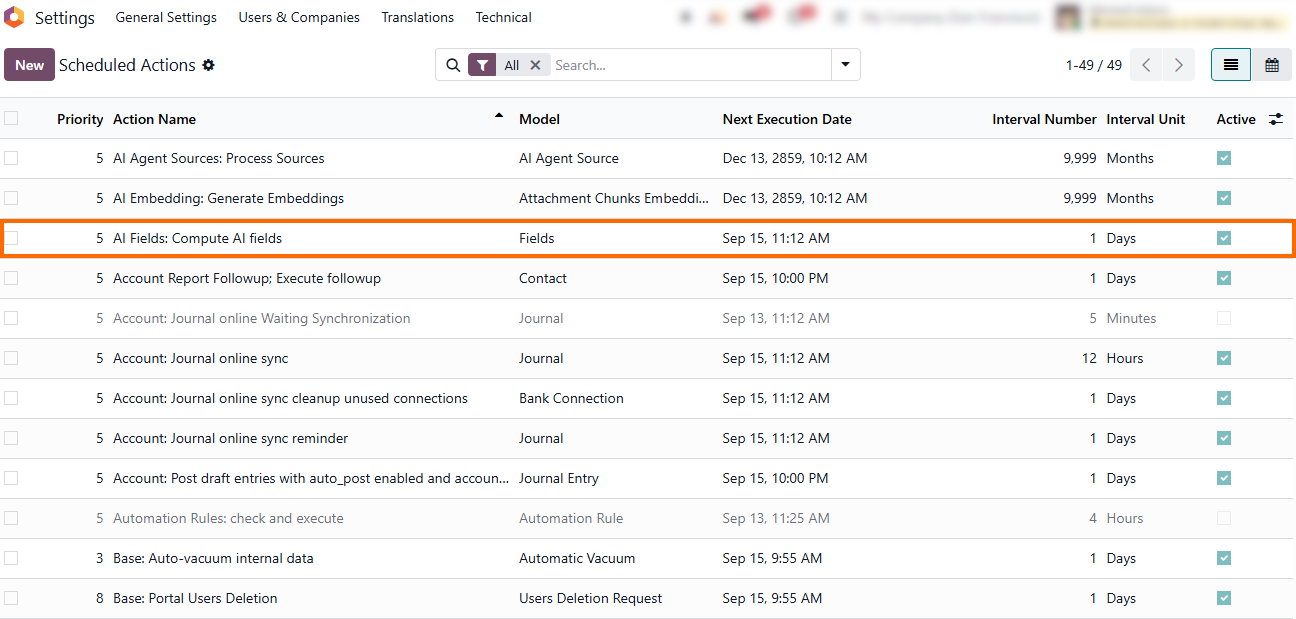
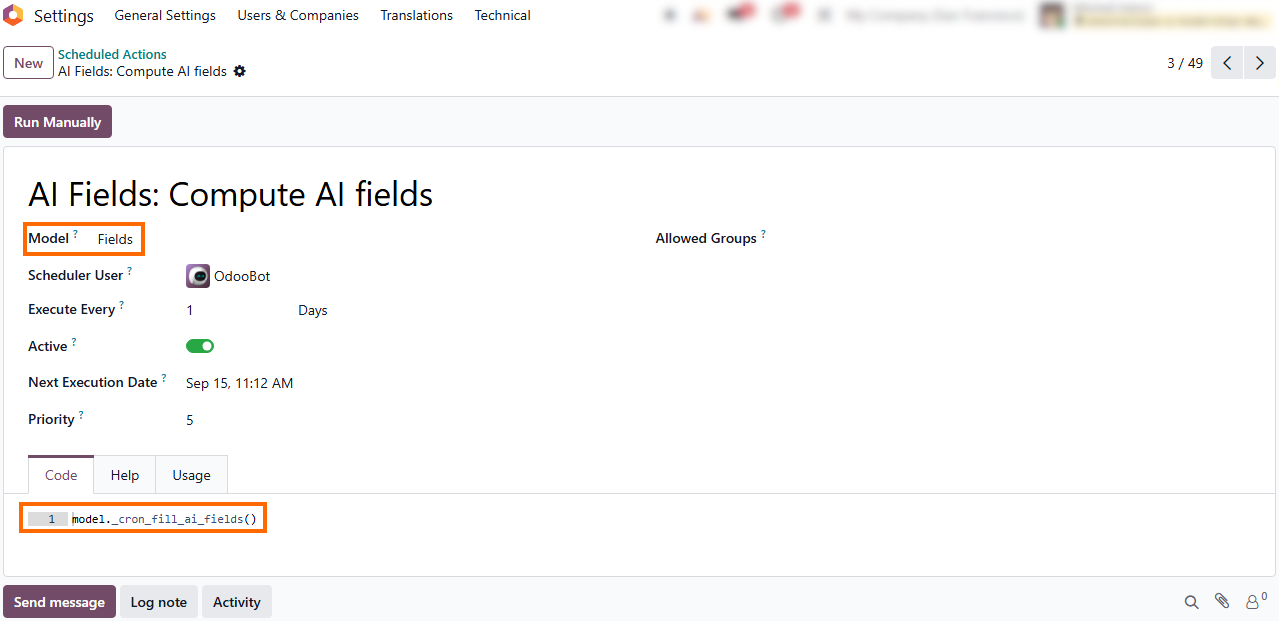
Check the models linked to scheduled actions to understand which Odoo records are affected by background processes. This can reveal dependencies that are not
obvious from the regular workflow.
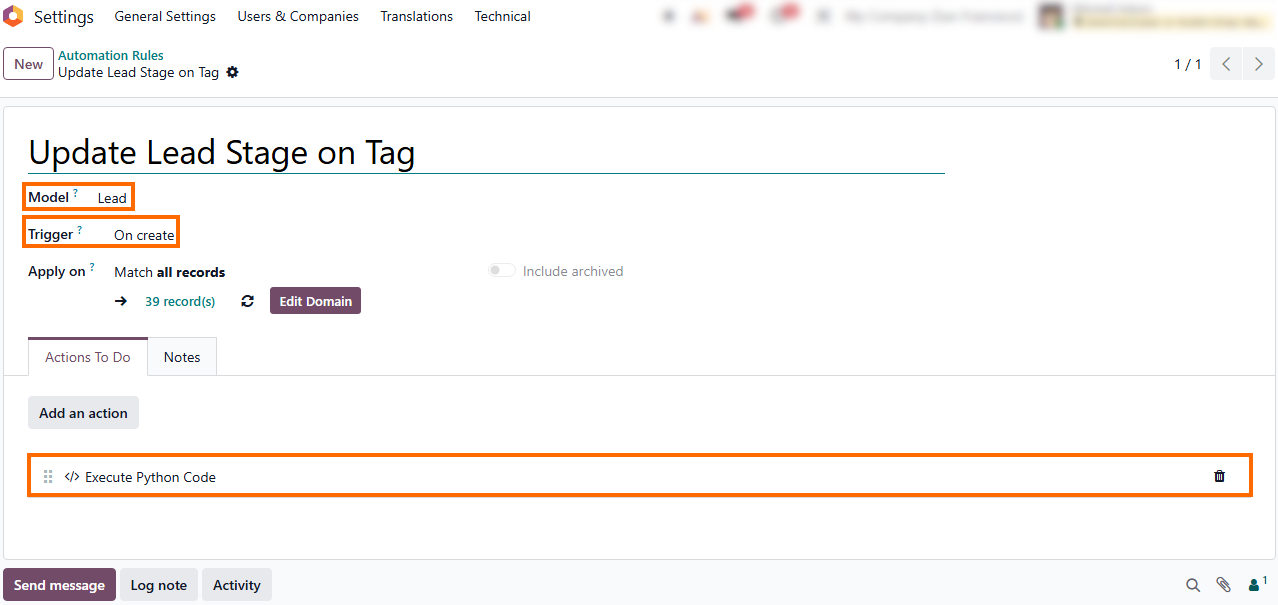
- Inspect automation rules and automated actions to identify custom triggers, conditions, and actions that modify records automatically. Pay particular attention to rules that execute custom code, such as Python logic, or interact with external services.
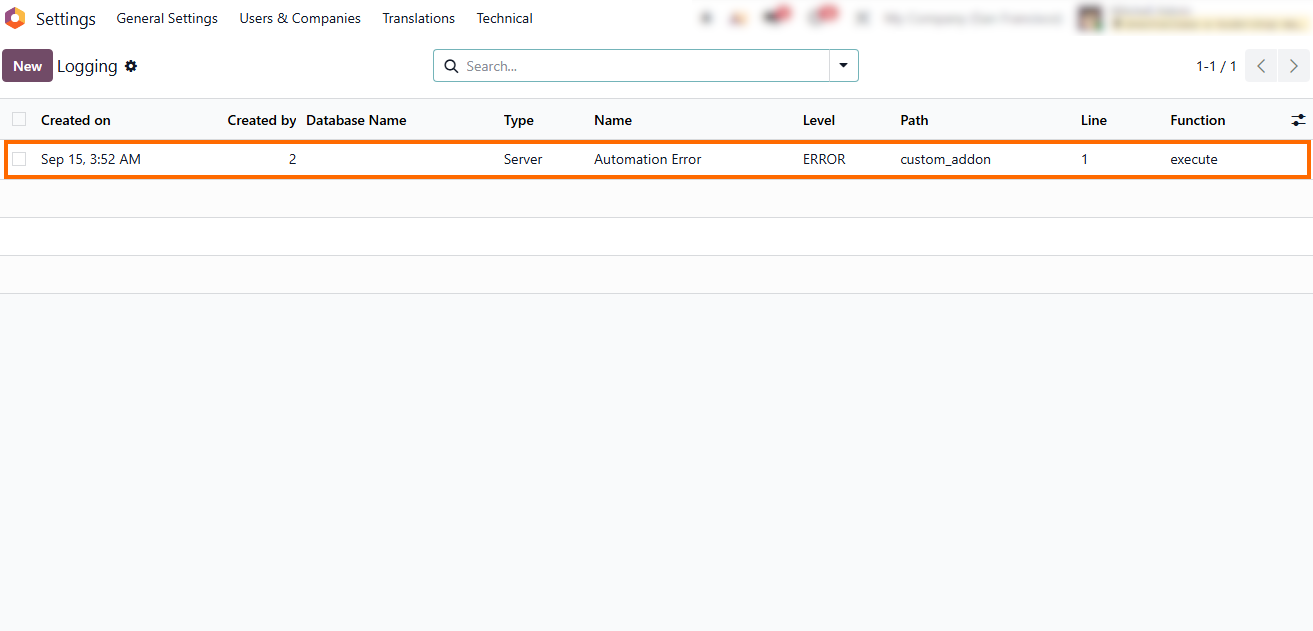
Check failed or repeated executions to identify automations that may no longer work as intended. Execution errors can point to outdated logic, missing dependencies, or custom processes that need technical review.
Trace Customizations Across Connected Odoo Workflows
Identifying a custom field or automated rule is only the first step of an Odoo ERP audit. Local changes rarely stay local. To understand the true impact of an Odoo customization, you must trace how data moves across connected models and core business processes. A tweak on a sales form can affect stock allocation or financial reporting downstream. Following the background logic and rules identified during your technical checks, trace their path across related operational records:
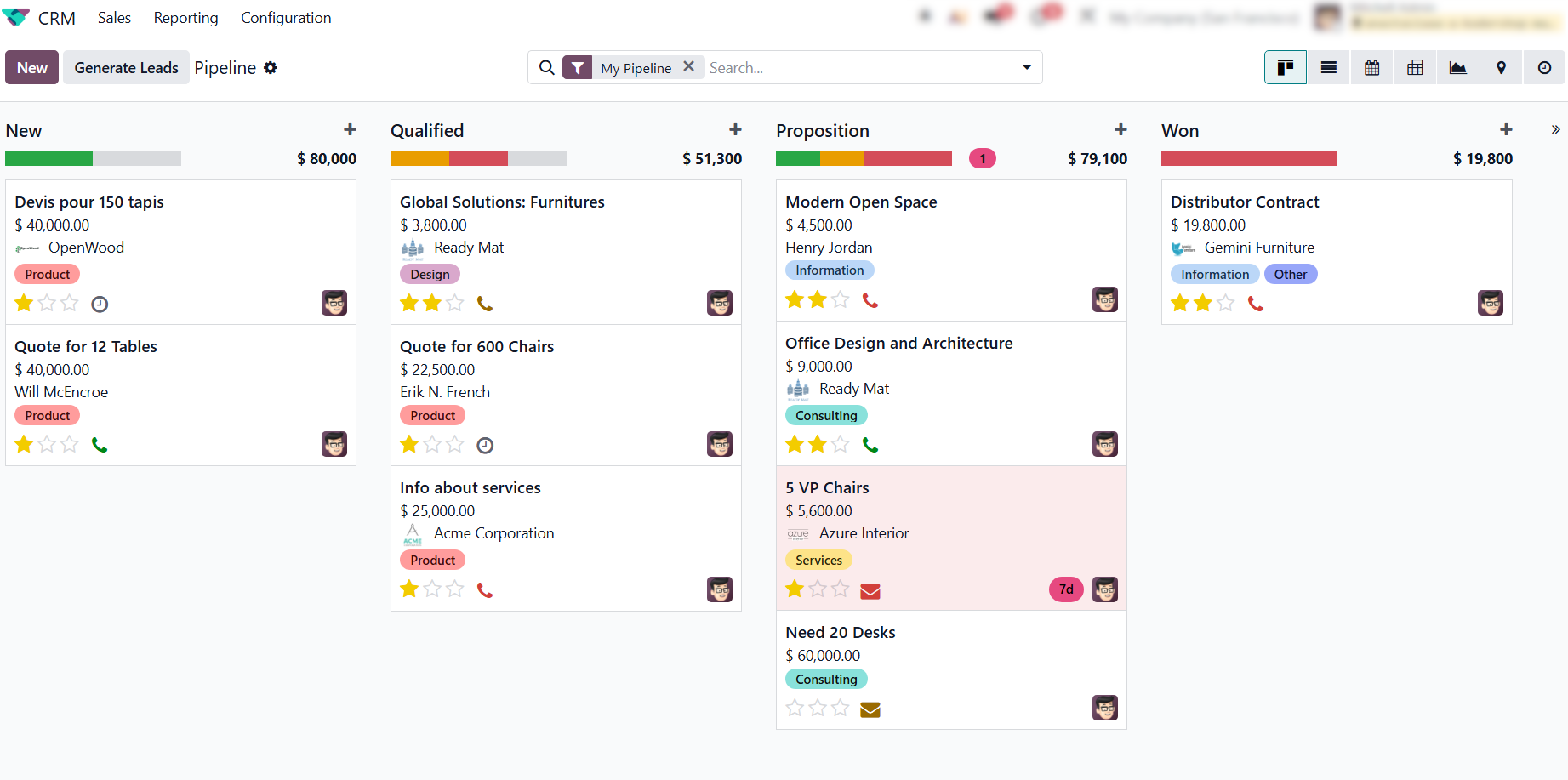
- Trace data entry points in CRM by inspecting lead cards and custom tags. Adding or updating a tag in the pipeline can immediately trigger background Python rules linked to the model.
Follow how custom parameters pass from initial CRM tags into confirmed Sales Orders. Check whether status transitions trigger background automation that passes these custom attributes to related inventory or billing records.
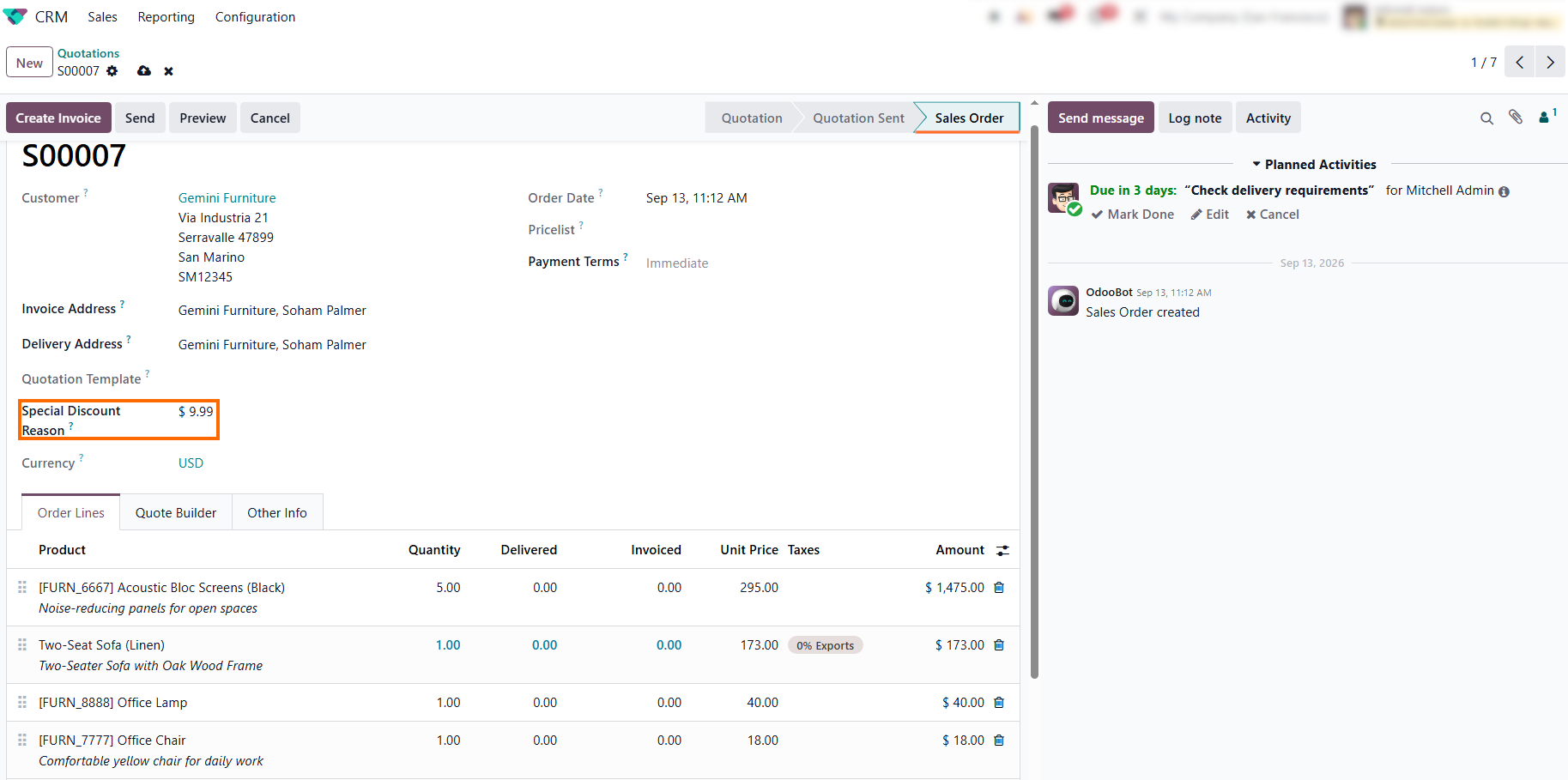
- Inspect detailed system logs for execution errors related to custom logic. Failed cron jobs or background scripts can reveal missing fields, outdated code, or other dependencies that are not visible in the main Odoo interface.
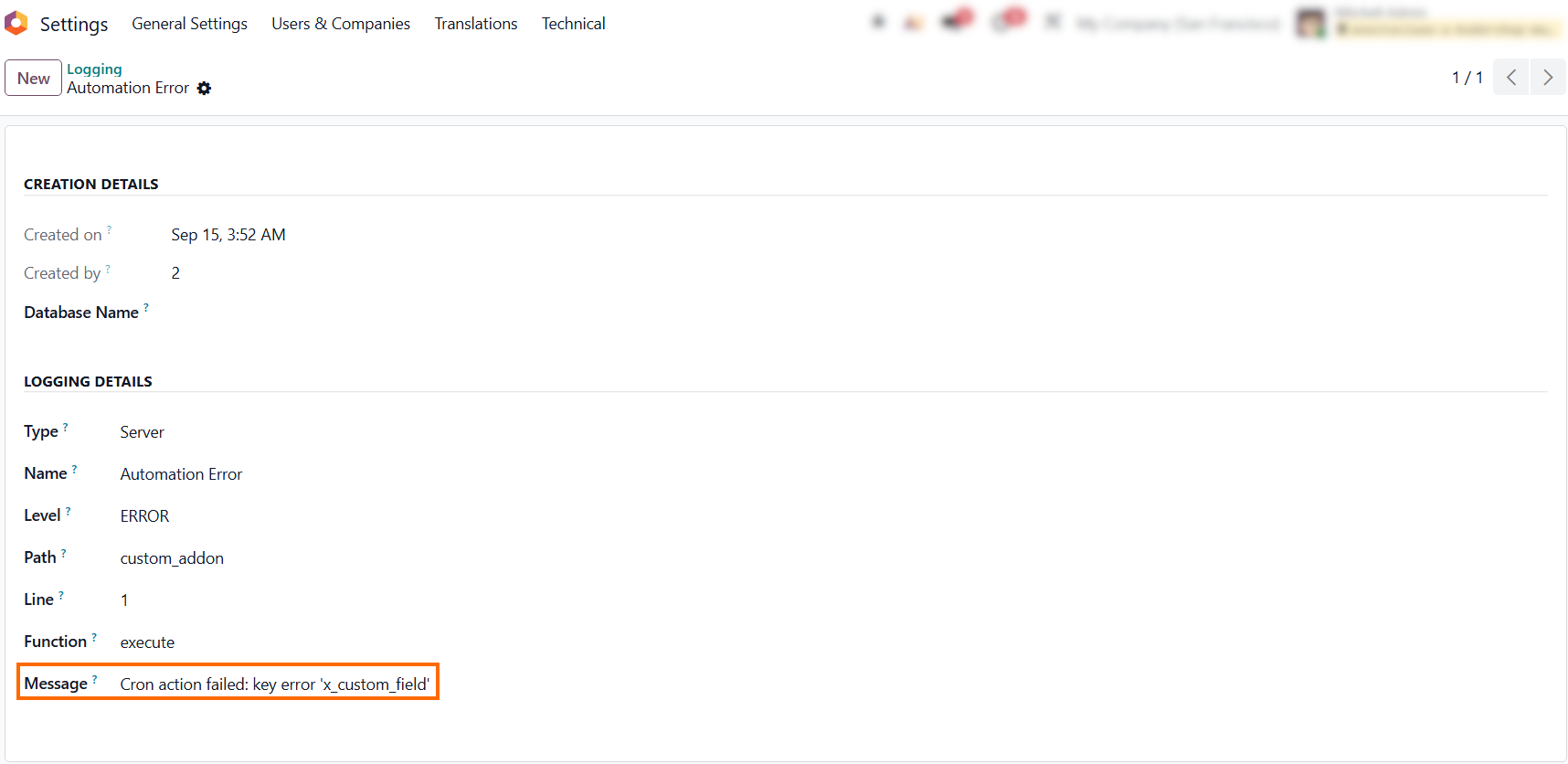
Inspect connected financial records to verify custom attribute behavior. On Sales Order S00007, the custom field Special Discount Reason is present alongside a $9.99 special discount, but a silent automation failure prevents the discount from being applied to the linked Invoice.
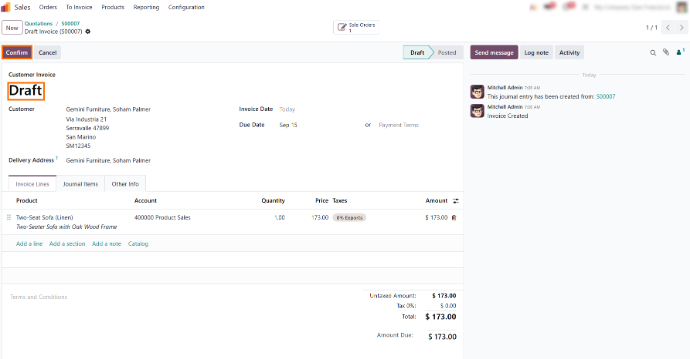
Audit Insight: Tracing workflows connects technical debt directly to operational risks. Documenting how a custom attribute on a Sales Order affects billing execution ensures that future version upgrades won't silently break pricing logic or leave financial discrepancies in your ledger.
Turn Audit Findings into an Action Plan
Once the audit reveals existing customizations and their dependencies, assess which findings require attention. Not every customization represents a problem, but undocumented, tightly coupled, or business-critical changes can quickly turn into Odoo technical debt, driving up maintenance and Odoo upgrade risks. Consider their business importance, technical complexity, documentation, dependencies, and potential impact on future maintenance or upgrades. This assessment helps separate low-risk changes from customizations that should be documented, reviewed, replaced, or addressed before further development
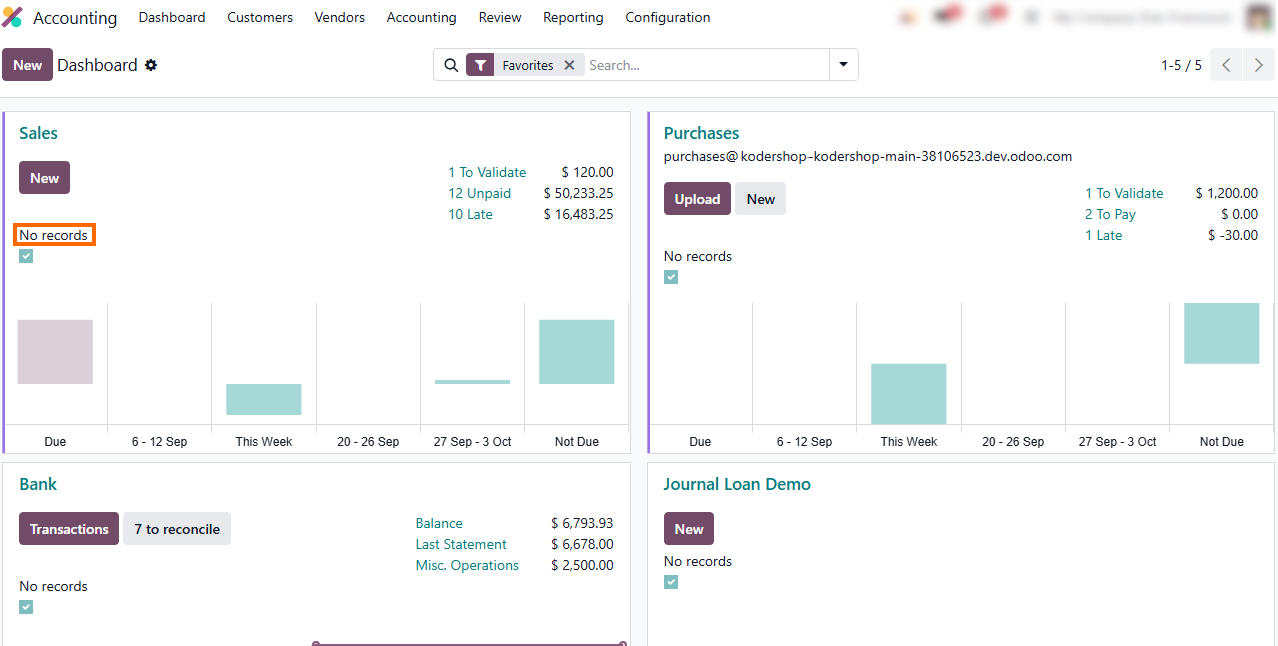
- Prioritize changes embedded in central financial operations, such as custom reconciliation rules, modified payment journals, or custom logic affecting accounting records. Failures here can affect reporting accuracy, tax-related processes, and cash flow tracking.
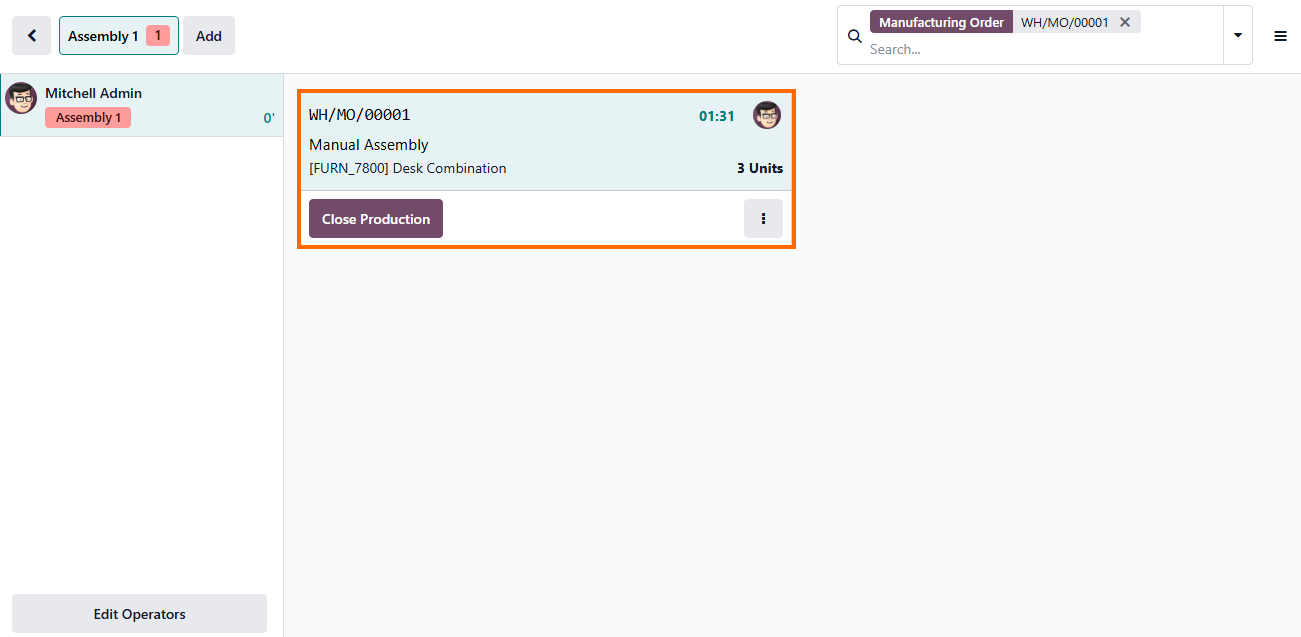
Evaluate customizations in core execution modules like Manufacturing or Inventory. Custom overrides in Work Center routing, Shop Floor tracking, or reordering rules can disrupt live assembly lines, delay fulfillment, and trigger inventory mismatches.
Review custom Studio fields and routing triggers across customer-facing pipelines, like CRM leads or Sales Order rules. While less critical than financial errors, unverified parameters here can stall deal progression and create cross-departmental data gaps.
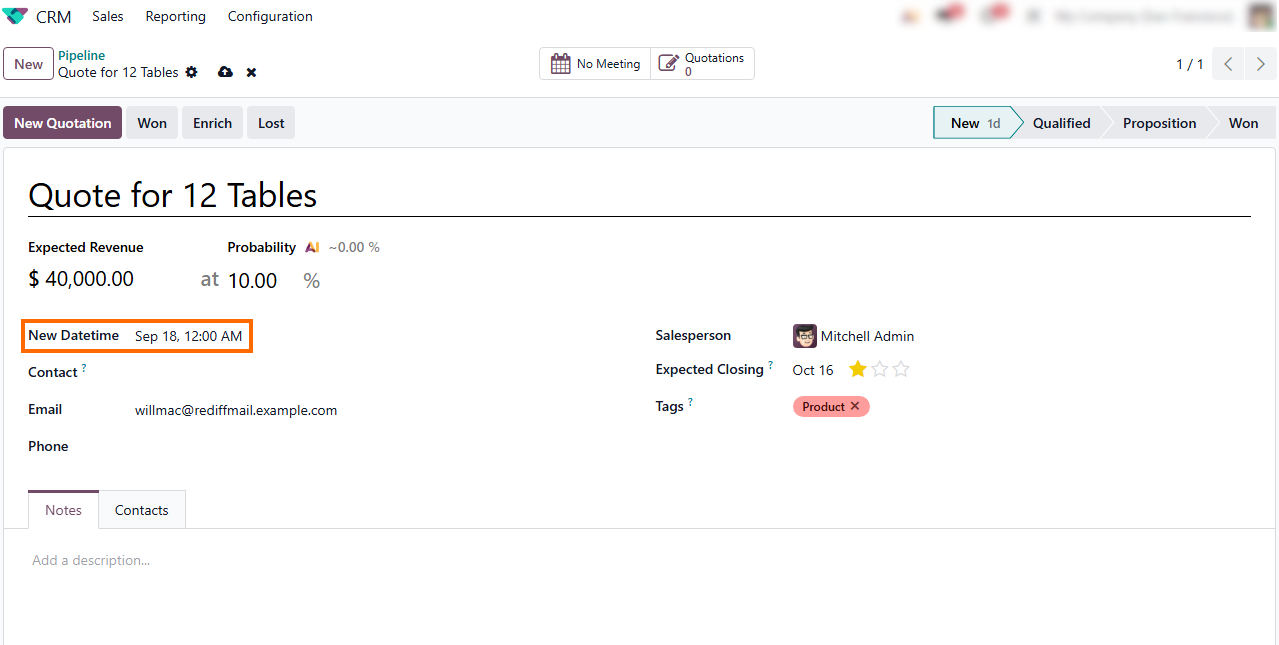
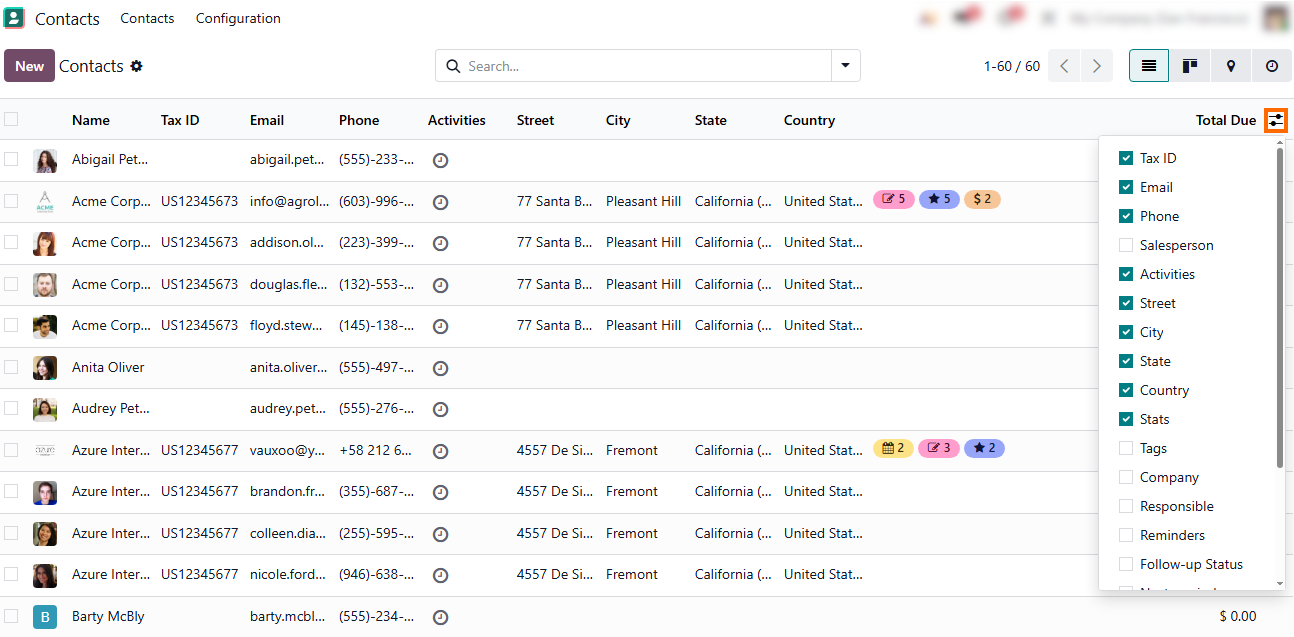
Categorize minor visual updates as lower-priority findings, such as relabeled form tags, custom color indicators, or reordered list view columns. These interface adjustments typically create less technical debt and rarely affect underlying database operations or core business logic.
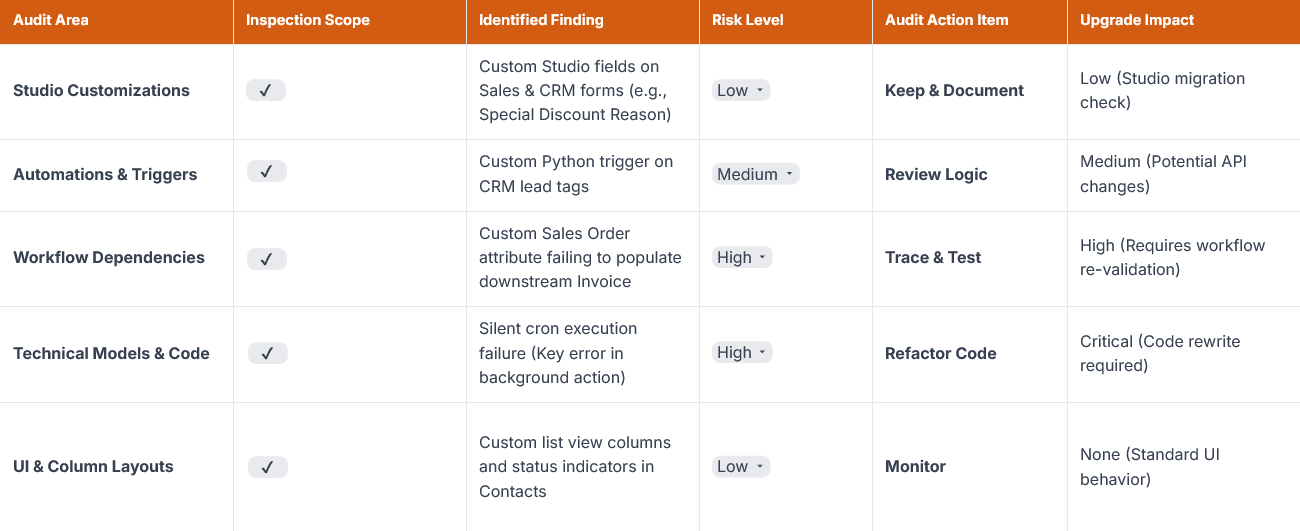
The summary below categorizes each identified customization by its operational risk level and migration impact. This helps businesses address hidden technical debt, mitigate upgrade risks, and handle custom code safely before moving to a new version.
Maintain Control Over Your Odoo Environment
A structured Odoo customization audit turns an unknown, inherited database into a clear, manageable system. Establishing this technical baseline before launching a new Odoo implementation, onboarding a new implementation partner, or planning a version upgrade protects your core business workflows and keeps long-term maintenance costs under control.
Whether you are inheriting a legacy codebase from a previous vendor or vetting an unfamiliar architecture, having full visibility prevents costly surprises. Documenting current risks, refactoring critical Odoo custom code overrides, and clearing unused automations gives your team full operational clarity. With a thorough system audit log, a clear action plan, and a proactive approach to managing Odoo technical debt, you can confidently scale your instance, minimize upgrade risks, maintain system stability, and ensure seamless version migrations for years to come