Discrepancies between planned estimates and actual production costs are the primary drivers of margin erosion. When material, labor, and machine data are fragmented across operational stages, identifying the root cause of these variances becomes a time-consuming manual process. To maintain profitability, businesses need a transparent feedback loop between the shop floor and financial accounting. Properly configuring your inventory valuation and costing method enables automated production variance tracking directly within the system. This guide explains how to capture granular shop floor data and automatically isolate discrepancies between initial estimates and real-world execution.
- Before analyzing variances, ensure your Odoo environment is fully integrated for financial reporting to enable a seamless data flow from the shop floor directly to your financial statements.
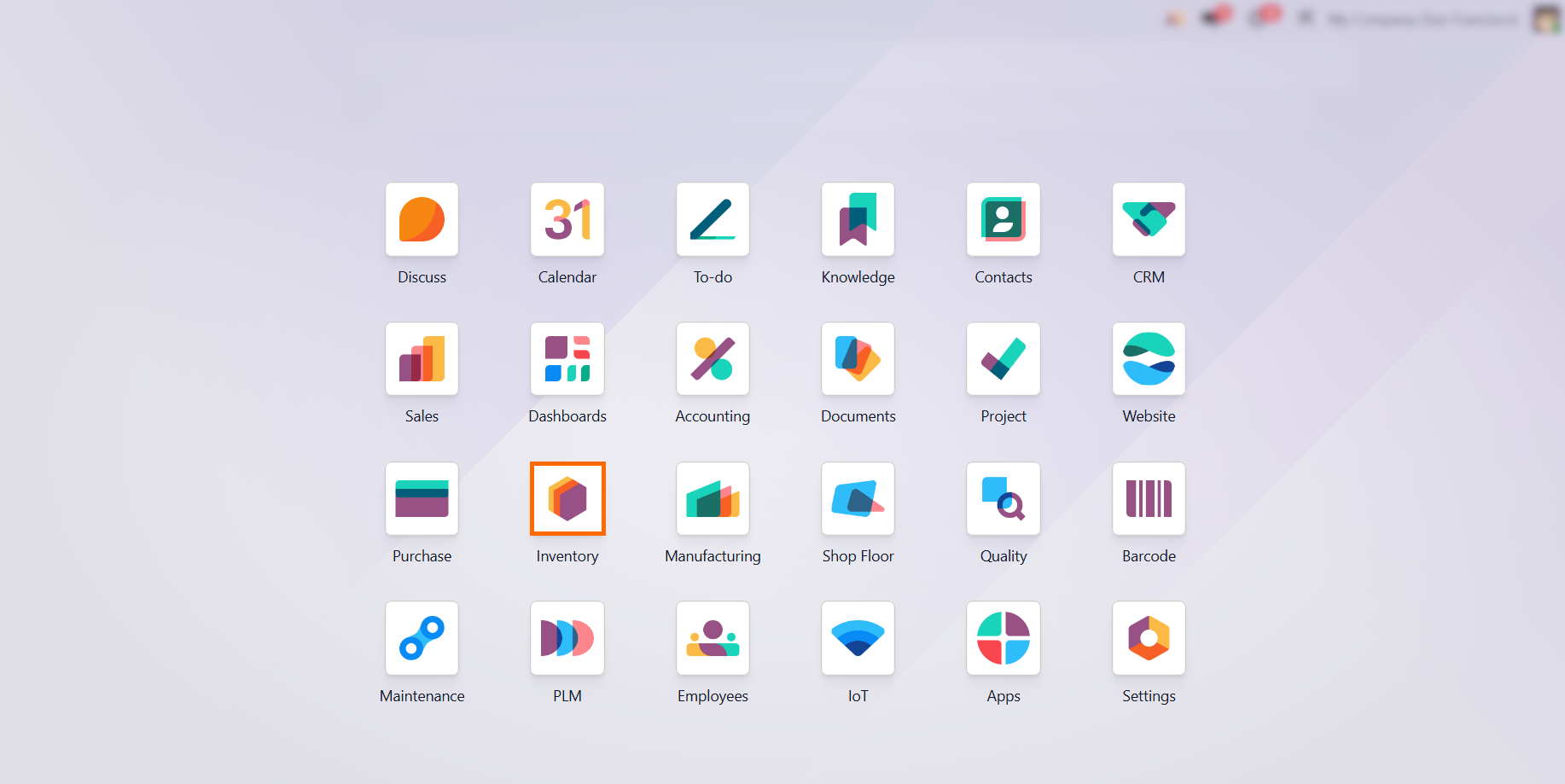
- After installing the
necessary modules, navigate to the Inventory module and go to "Product
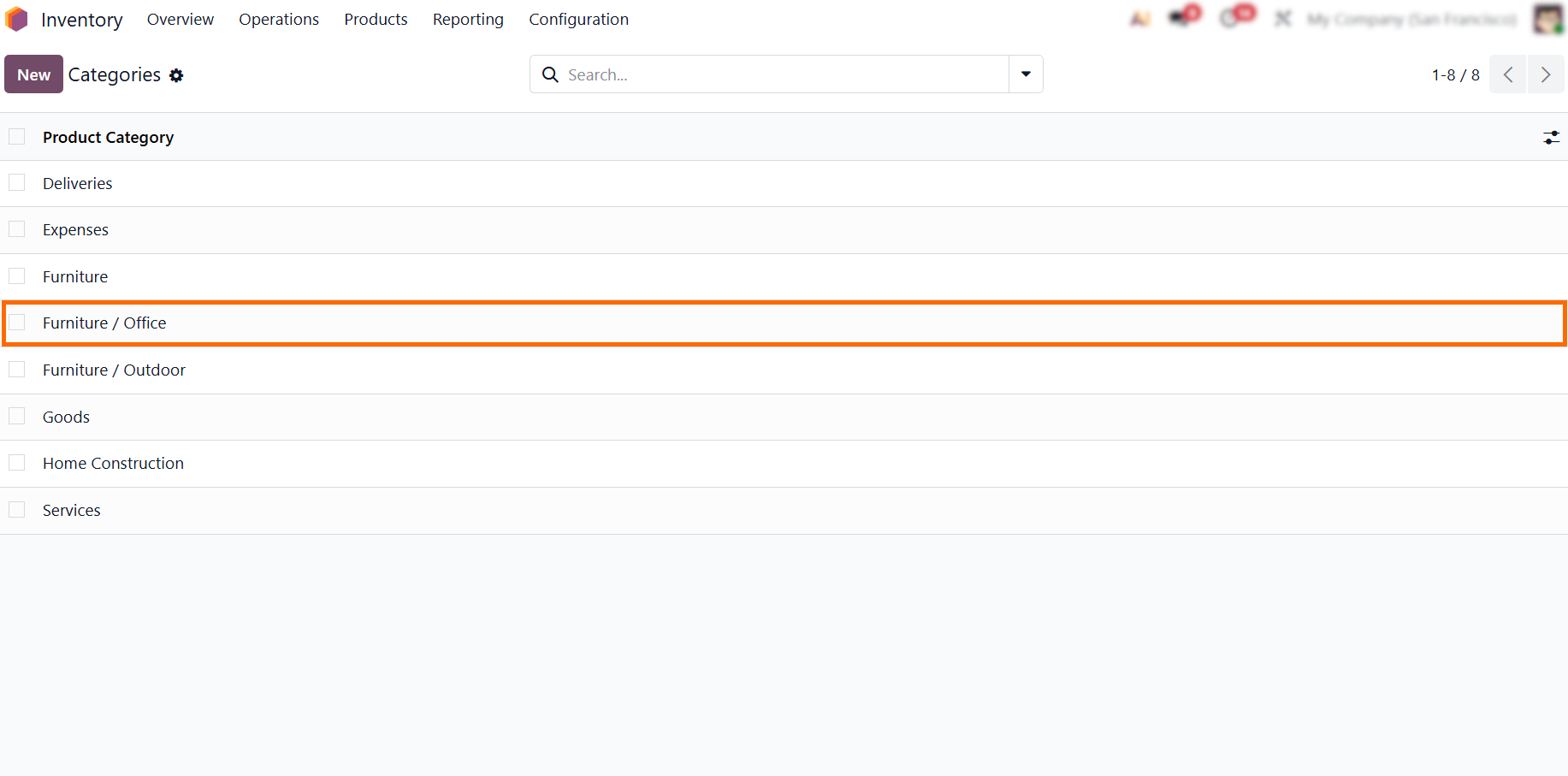
Categories
" settings. From there, select your desired product category or create a new one.
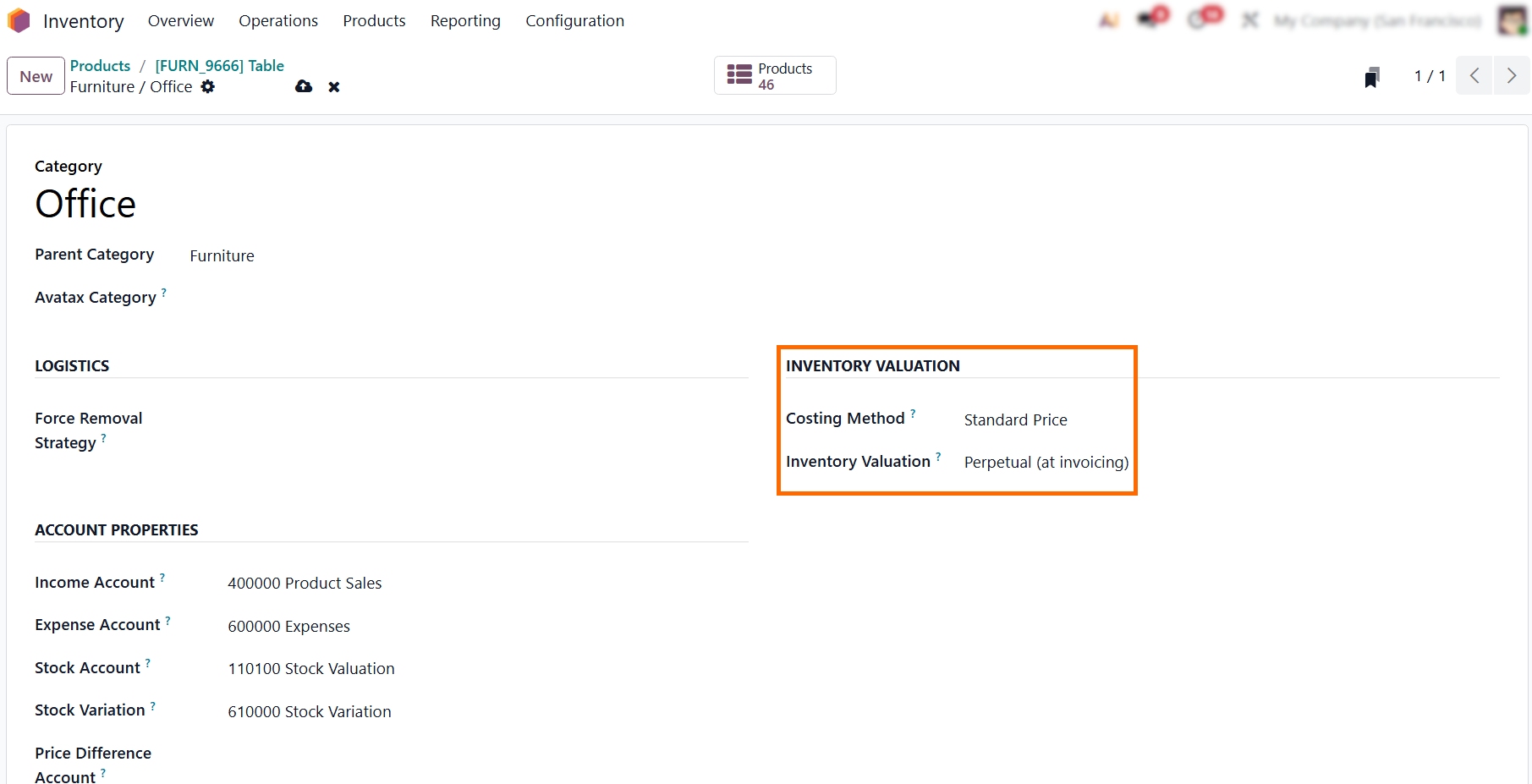
- In your product category settings, enable "Perpetual (at invoicing)" and select "Standard Price." This allows Odoo to automatically generate the entries needed to compare planned versus actual expenditure.
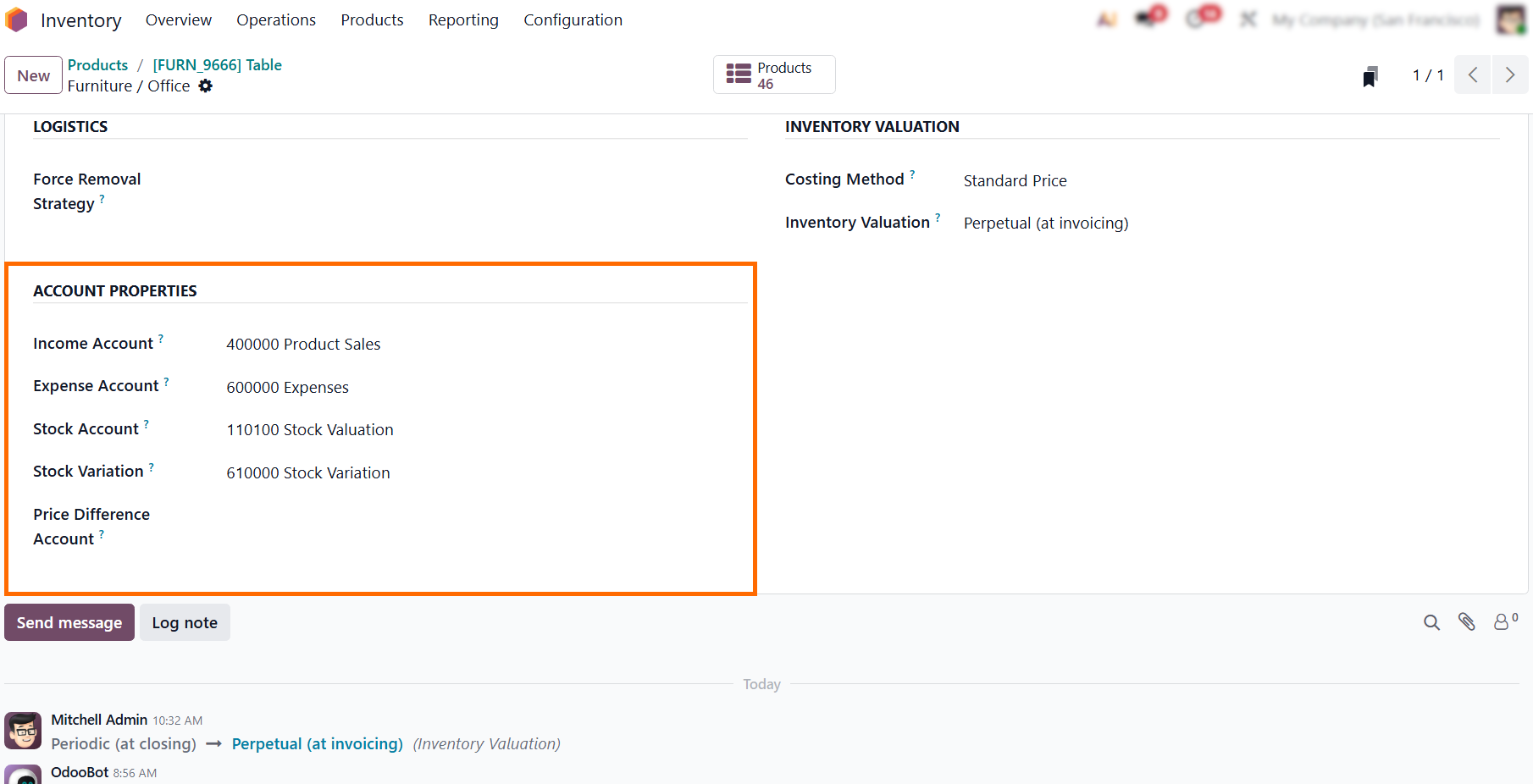
- Within the same category settings, verify that the "Stock Valuation Account" and "Stock Journal" are correctly defined. This ensures that cost data is correctly mapped to your financial ledger.
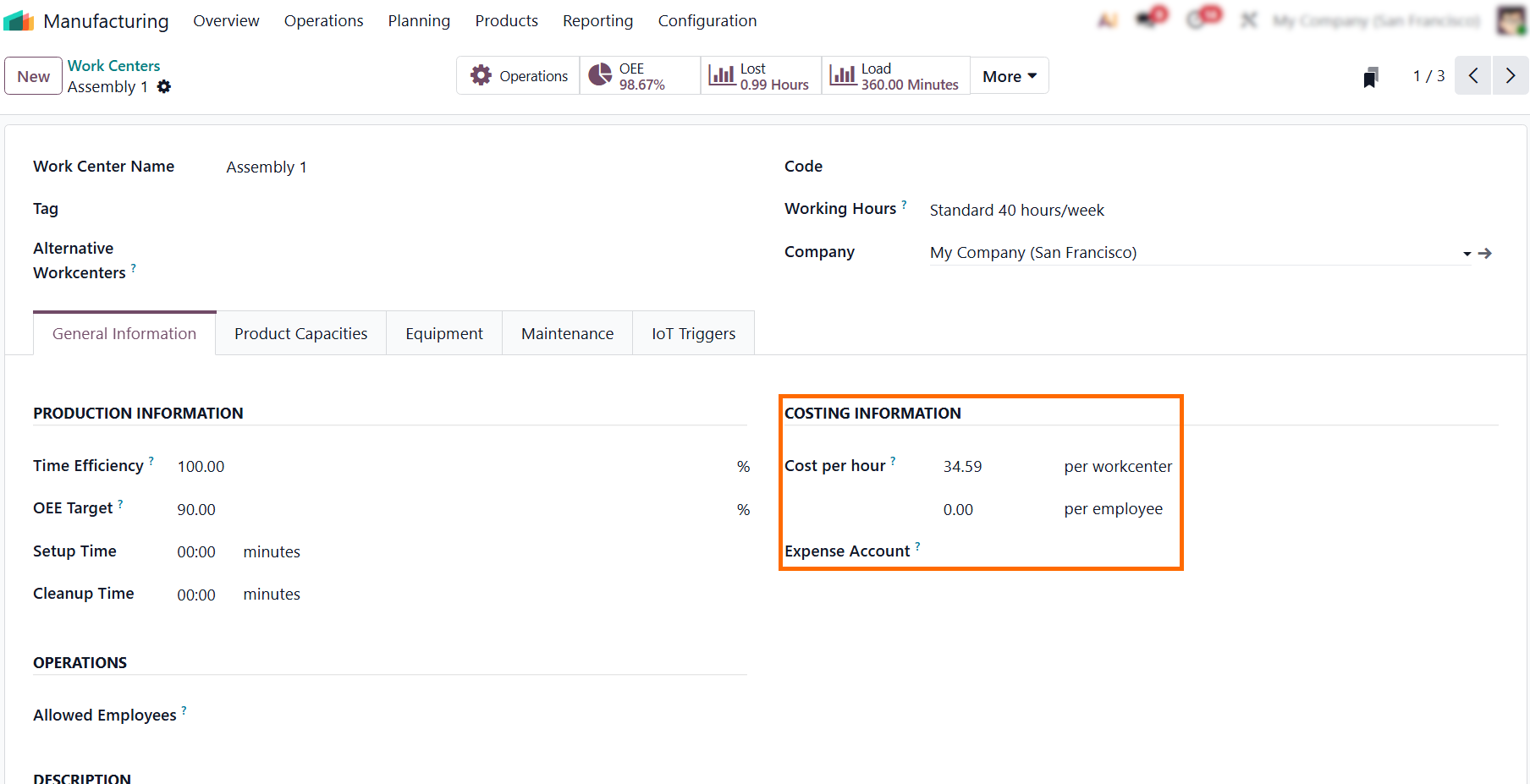
- To accurately track labor and machine overhead, define the Odoo Work Center Cost per hour. Without these settings, the system cannot calculate these components in the actual production cost.
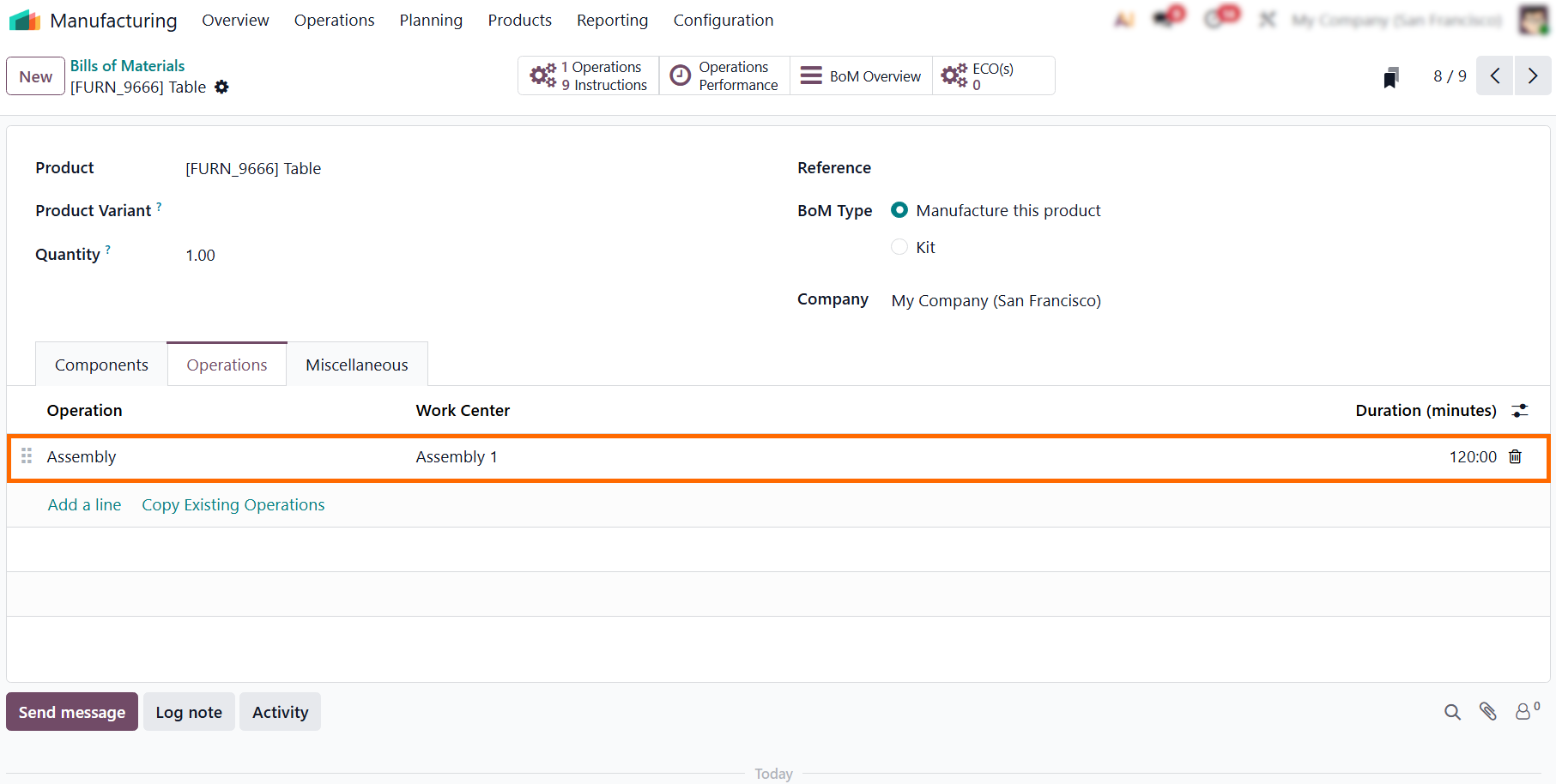
- Under "Bill of Materials" in the Product menu, list all components and operations with accurate quantities and durations to set the "Planned Cost" baseline for your costing and variance analysis.
Odoo Manufacturing Order Configuration for Cost Transparency
In high-volume or complex production environments, a lack of visibility is a major barrier to profitability. Without a centralized tracking system, production costs often remain hidden in disconnected spreadsheets or delayed accounting entries, surfacing only at the end of a fiscal period when it is too late to address uncontrolled cost overruns. By utilizing the Odoo Manufacturing Order as your primary data capture point, you gain direct control over your production data. This shift enables precise Manufacturing Costing, allowing you to link real-time shop floor execution directly to financial reporting. The following points detail the required configuration to standardize the Manufacturing Order as the primary source for cost data.
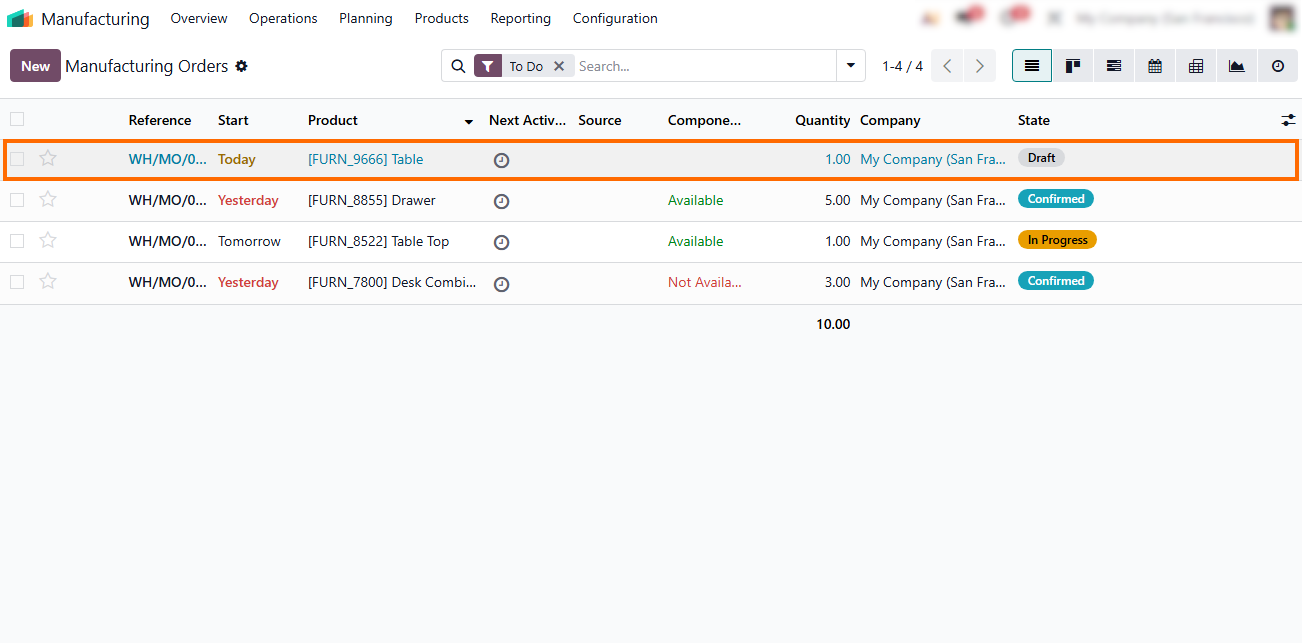
- Navigate to the Manufacturing module to create or access an existing Manufacturing Order. This step serves as the entry point for all subsequent cost calculations.
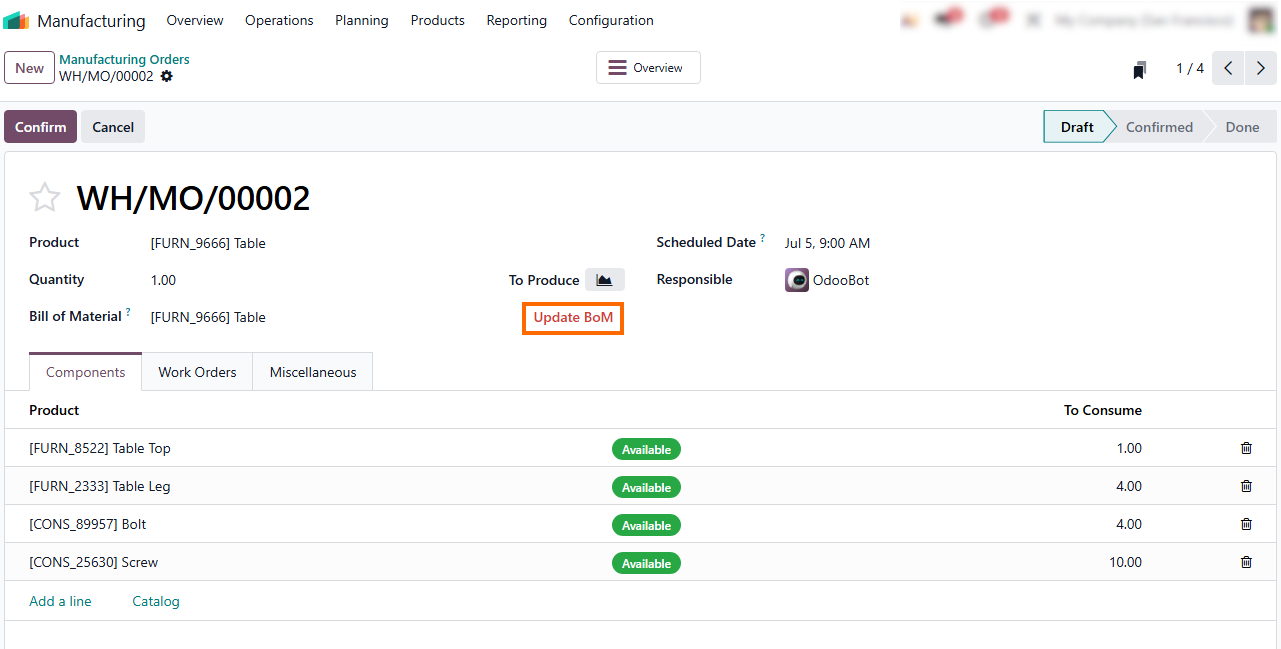
- Once the Manufacturing Order is open, verify the associated Bill of Materials (BoM). If changes were made to the master data, use the "Update BoM" button to synchronize the production order with the latest specifications.
- The "Components" tab provides real-time visibility into availability, ensuring that your production flow is not disrupted by inventory shortages that would otherwise distort your Odoo Inventory Valuation.
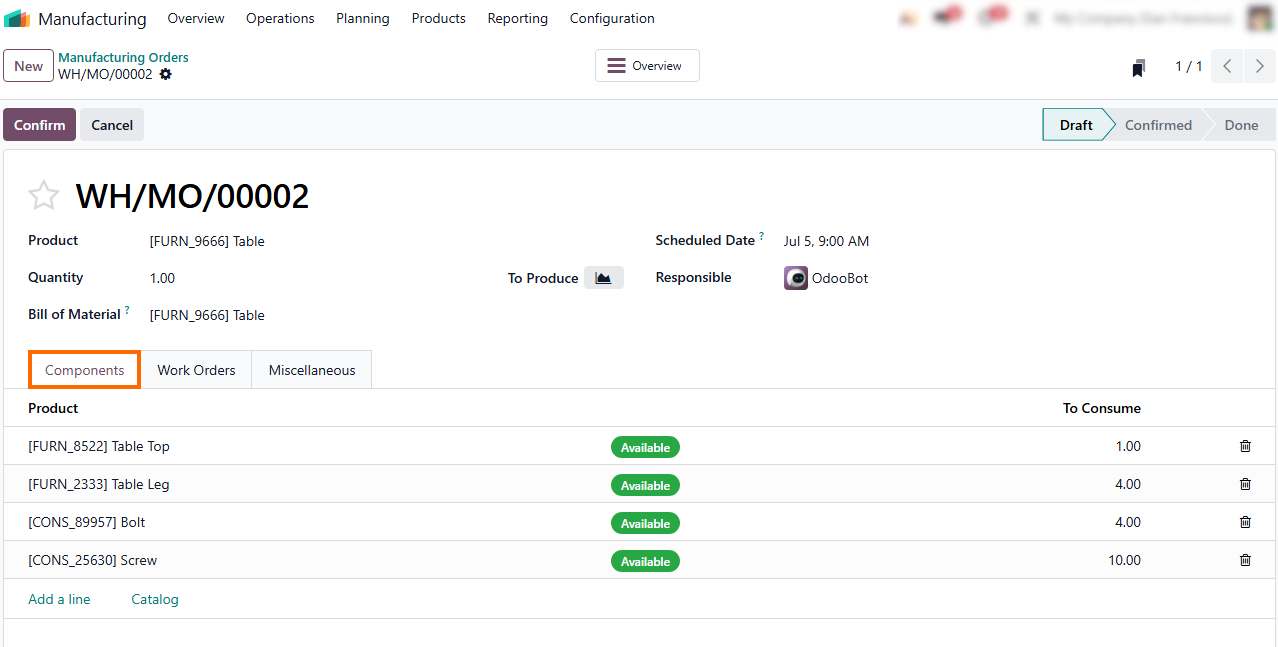
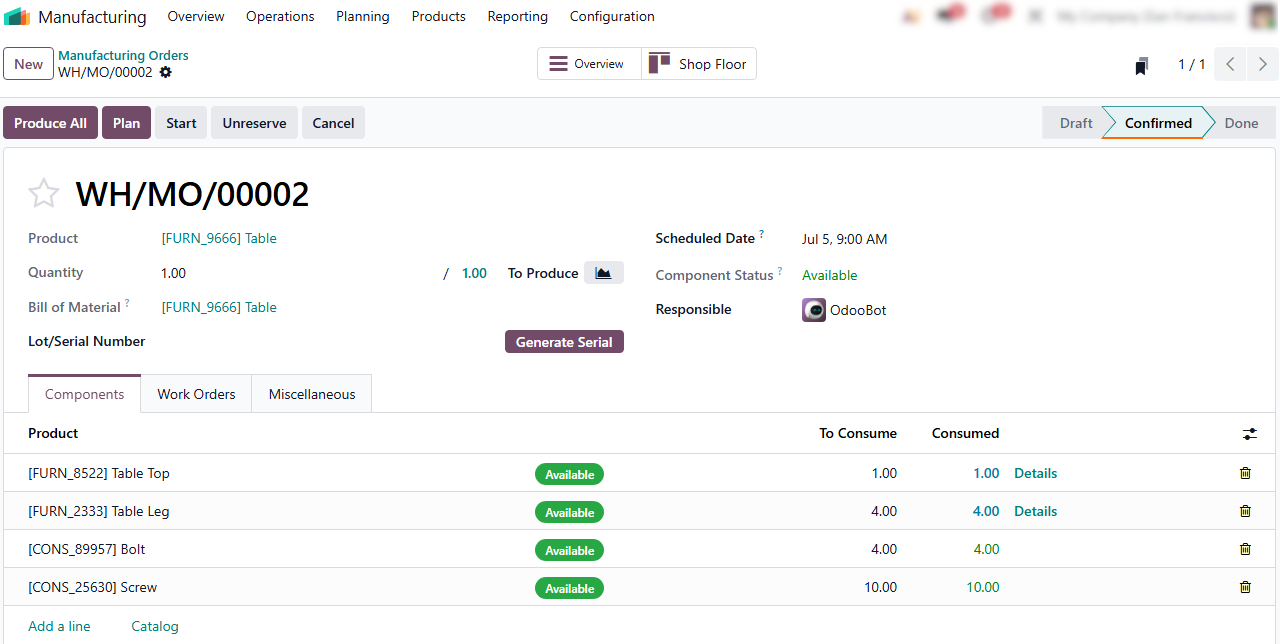
- After verifying components, transition the order to
"Confirmed." This status change signifies that materials are reserved and the production plan is finalized, anchoring projected costs for accurate variance analysis.
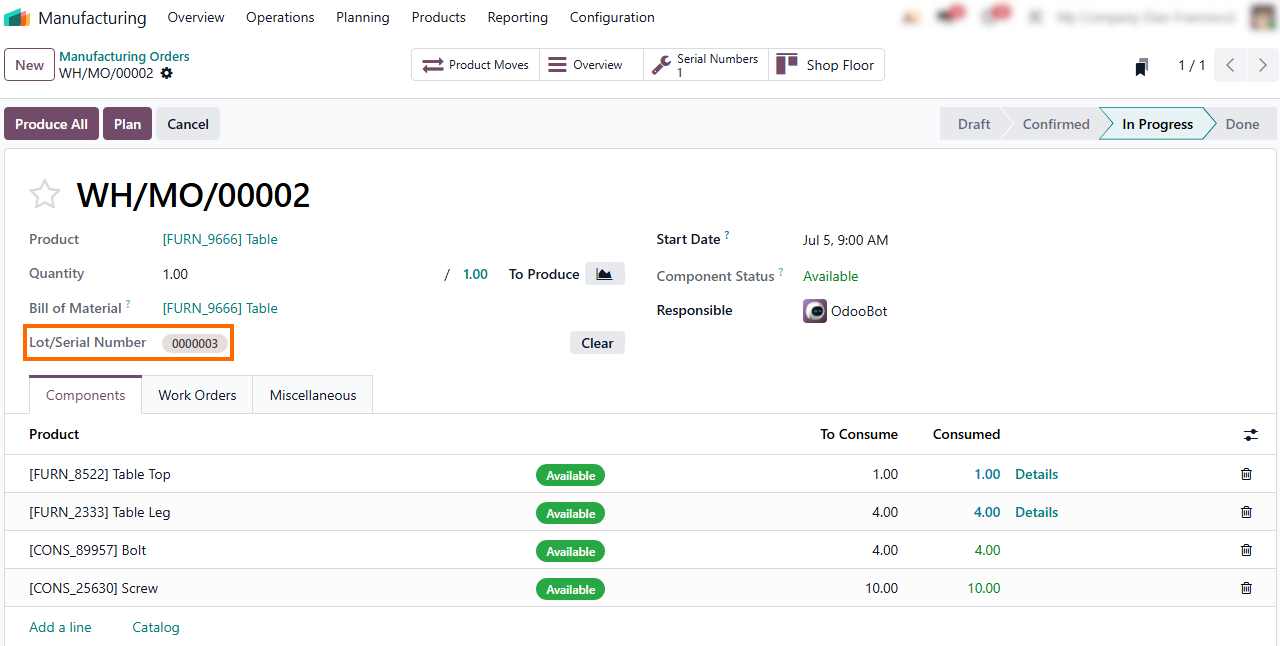
- Where tracking is required, utilize the "Generate Serial" button to ensure full traceability from material consumption to final output, providing the granular data essential for analyzing production variances.
Shop
Floor Execution: Driving Accurate Odoo
Inventory Valuation
Even with a well-configured Odoo Manufacturing Order, the gap between planned and actual production can quickly erode profitability. The Shop Floor app is your primary tool for capturing these discrepancies. By recording events directly at the workstation, you ensure that your Odoo Manufacturing Costing reflects real-world performance. This data is essential for accurate inventory valuation and identifying the root causes of any production variance. Ultimately, turning this granular input into actionable insights allows you to bridge the divide between shop floor activity and your financial bottom line.
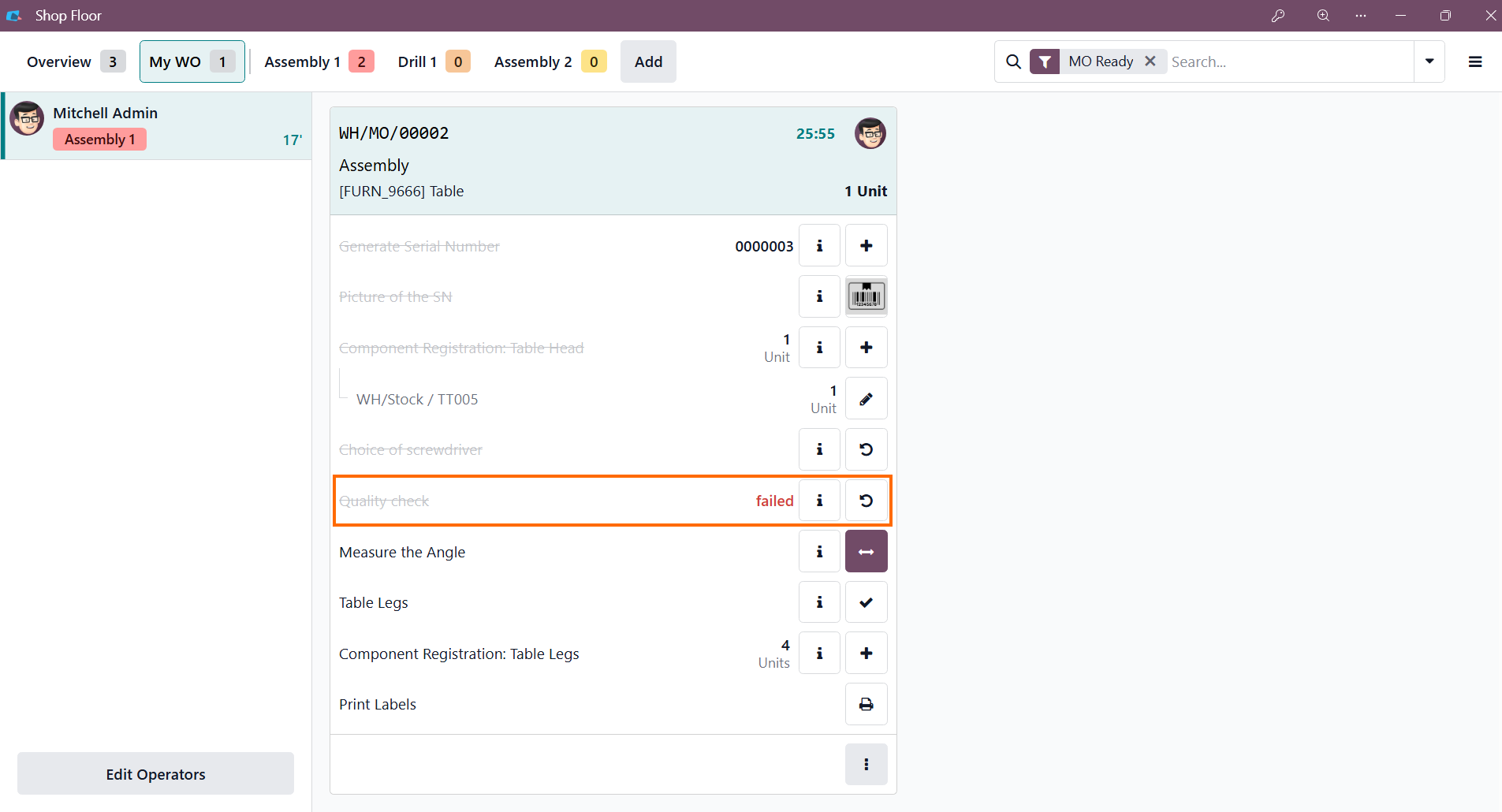
- Effective cost control requires that production issues are identified and logged in real-time. When a "Quality Check" fails, it serves as a critical trigger for immediate intervention, preventing inaccurate cost accumulation.
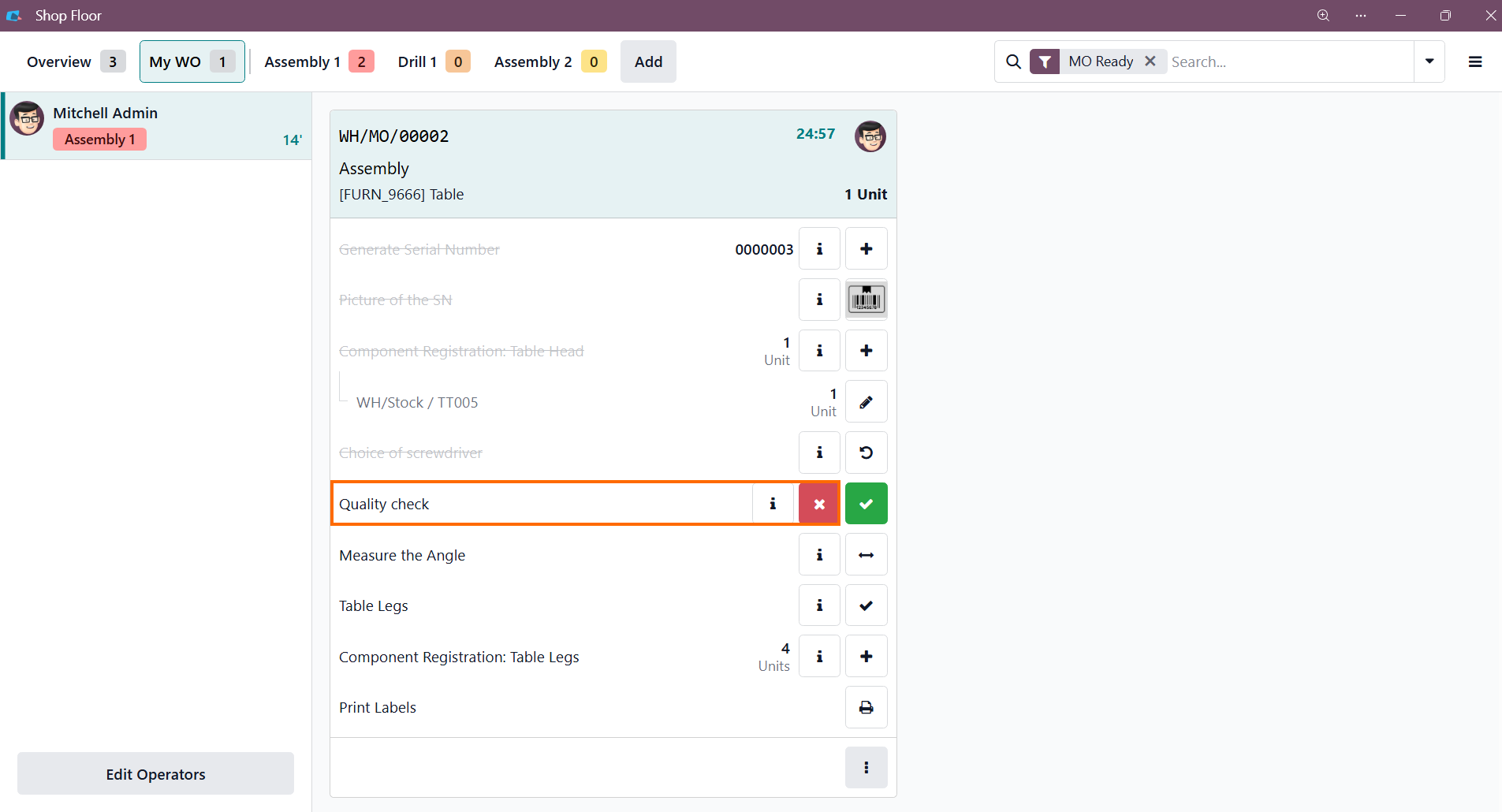
- If a component or sub-assembly fails to meet standards, clicking the "X" button in the Shop Floor app instantly marks the check as "failed," ensuring the discrepancy is officially logged within the production record.
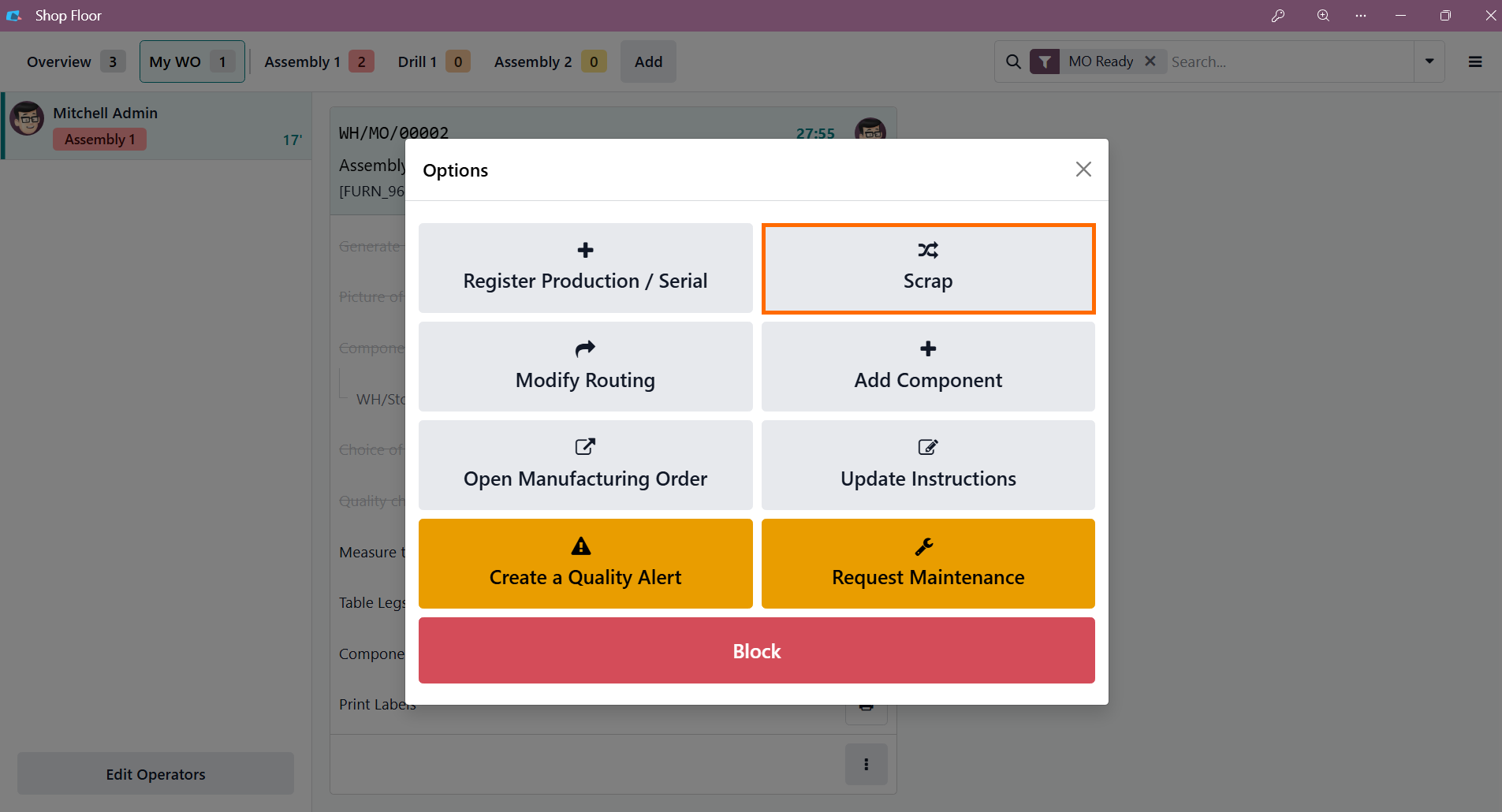
- Go to the Action menu and select "Scrap." This stops
further labor and material costs from being allocated to the defective unit,
ensuring it is properly tracked as waste for
accurate variance reporting.
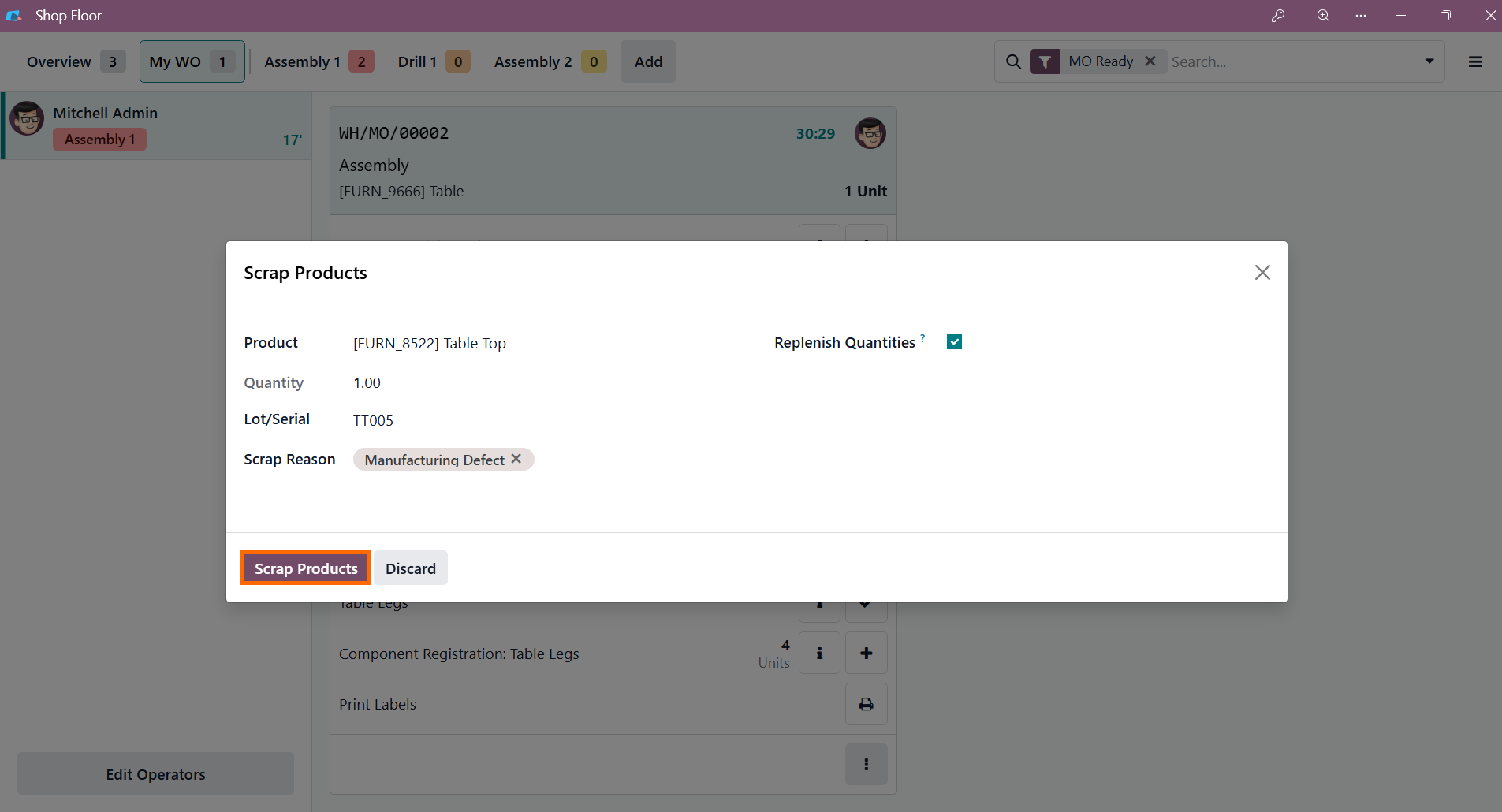
- To finalize the process, select the specific product, choose the appropriate Scrap Reason, such as "Manufacturing Defect," and confirm the transaction to remove the item from active production.
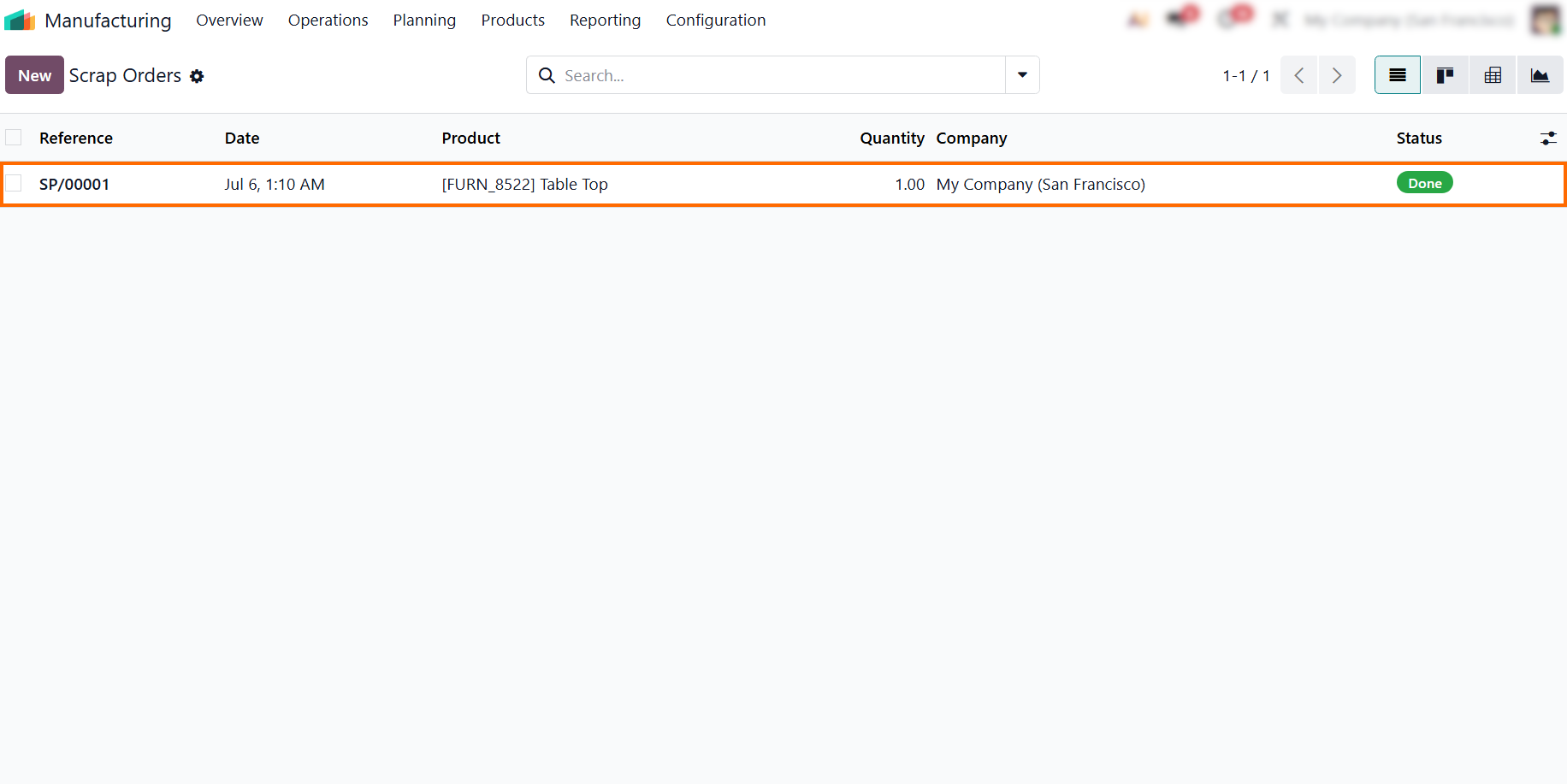
- All processed scrap orders are automatically
centralized in the "Scrap Orders" section of the Manufacturing module.
This visibility
allows financial controllers to audit actual waste costs against initial estimates.
Labor
Tracking and Odoo Production Variance
Analysis
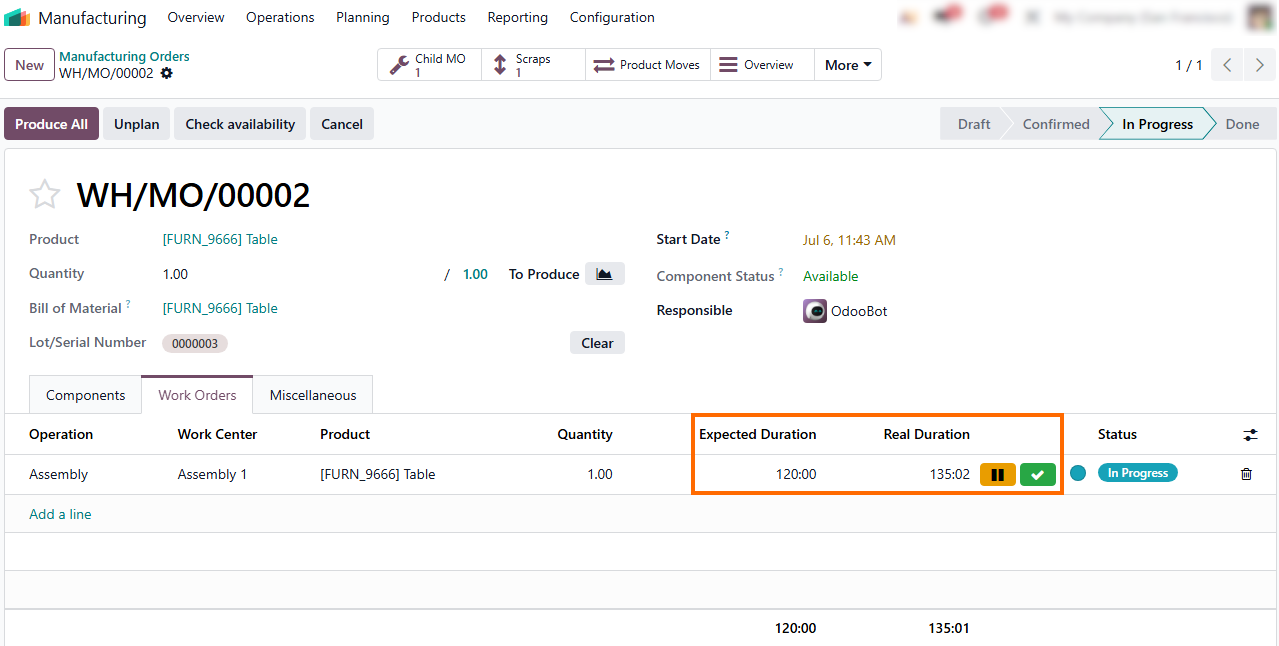
What happens if materials are consumed perfectly according to the BOM, but the total production cost still exceeds the budget? The root cause is usually time. Machine downtime, setup delays, or operator inefficiencies directly translate into operational losses. Because the Odoo Work Center Cost is calculated per hour, any delay instantly inflates actual labor and overhead costs. This financial discrepancy is captured as an Operational Cost Variance. Tracking these operational variances provides production managers with granular visibility into shop floor efficiency, clearly separating time-based bottlenecks from material discrepancies. Instead of burying labor inefficiencies in general overhead, Odoo isolates the exact workstation and operation responsible for the cost overrun, ensuring a precise Odoo Cost Analysis.
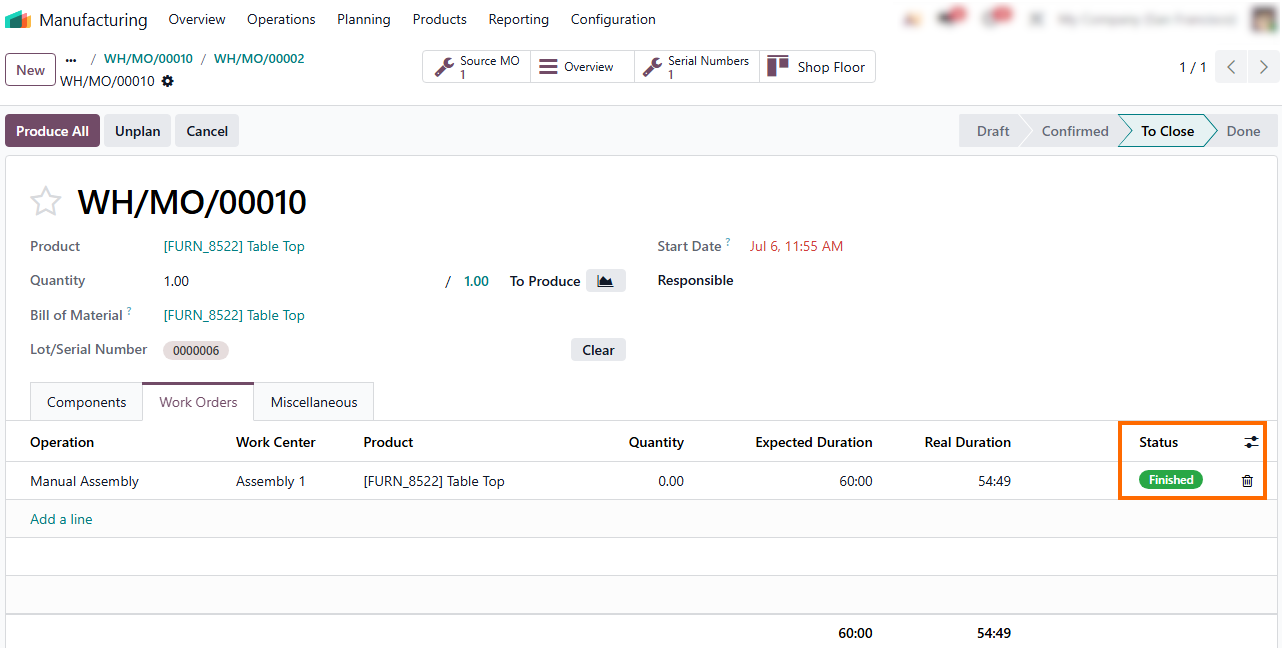
- The "Real Duration" column tracks this operational divergence in real-time, providing the exact data needed to refine capacity planning, assess workstation efficiency, and update standard product costs.
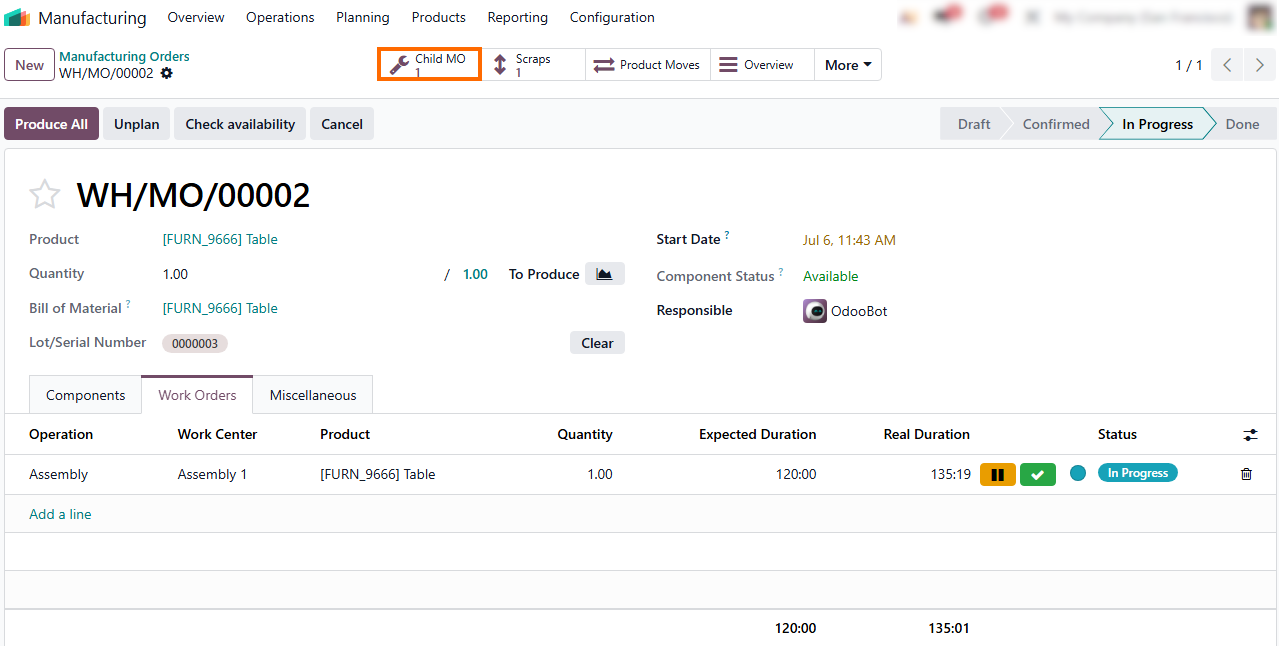
The system links the parent order to its "Child MO", which manages the sub-assembly production required for the final product. This gives managers instant visibility into the status of dependent operations.
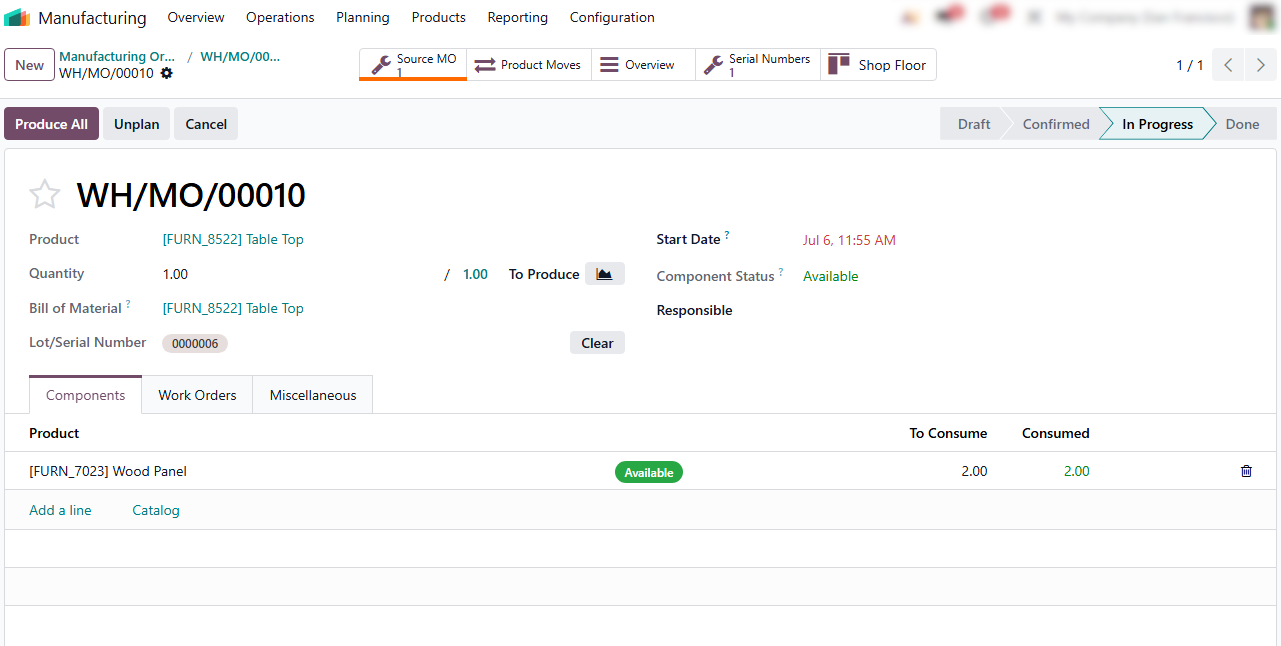
- Navigating into the sub-assembly order reveals the "Source MO" button, ensuring a bidirectional link that lets managers trace the child order straight back to its parent, eliminating the need for manual cross-referencing.
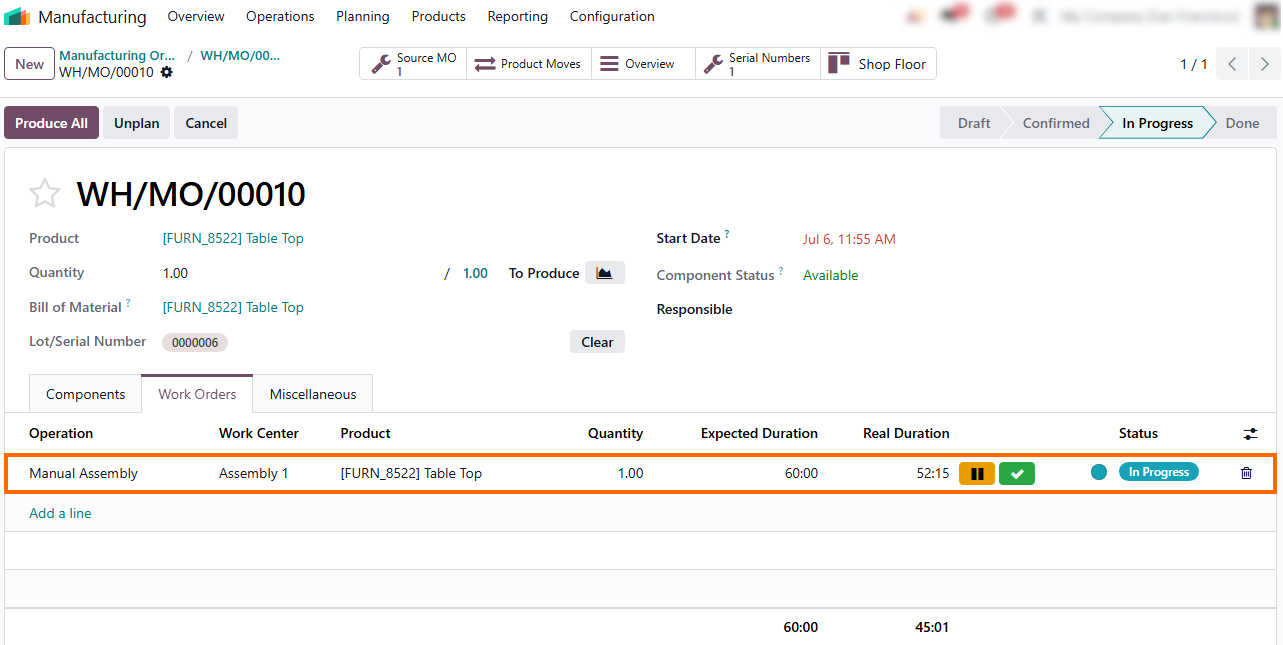
- This independent manufacturing order tracks its own distinct operation metrics, managing unique workstation allocations and real duration costs completely separate from the final assembly.
- These real-time operations remain active
until the operator clicks the green checkmark, freezing the duration metrics to
lock in the final labor cost variance and updating the
status to "Finished."
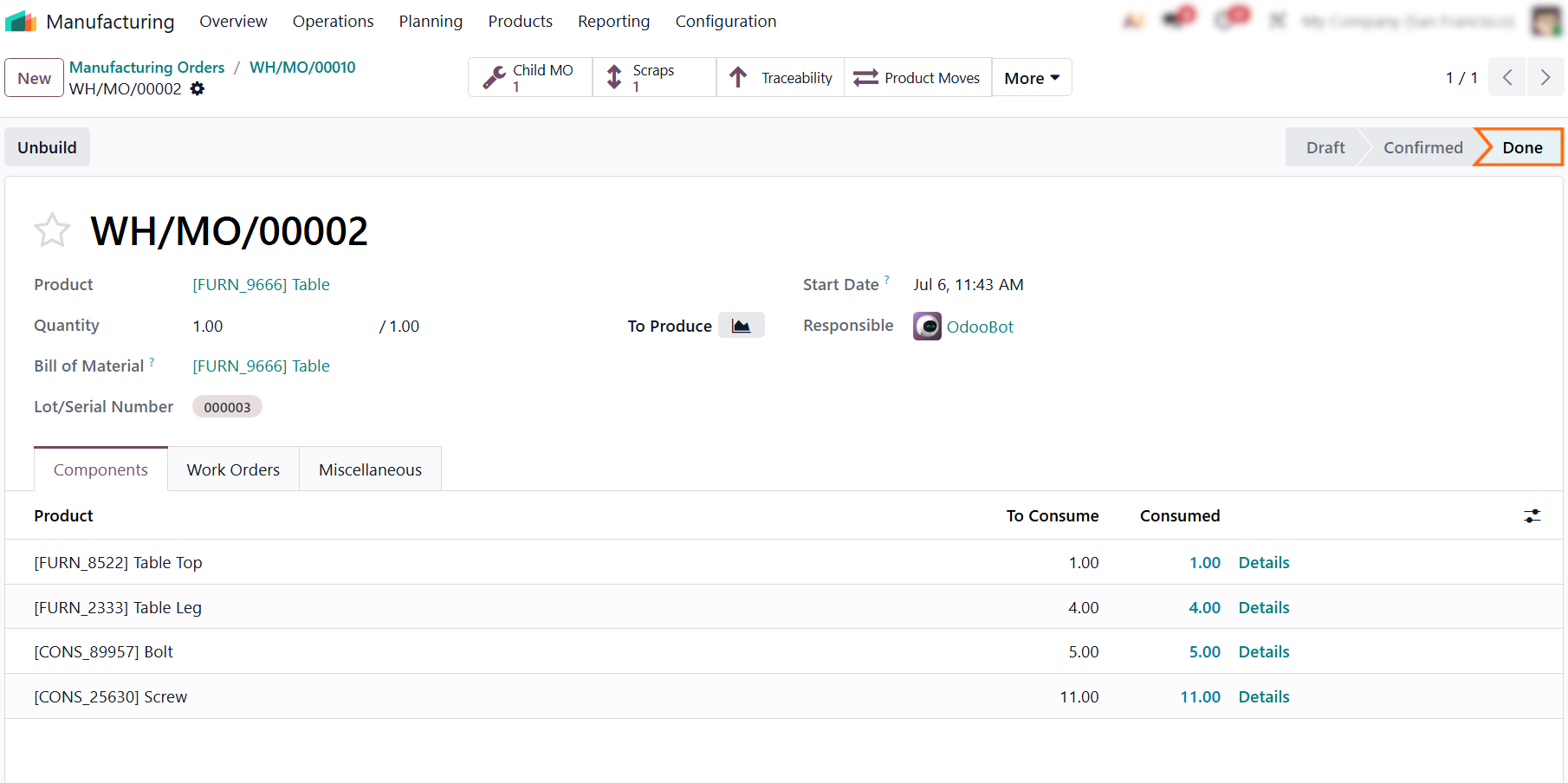
- Finally, navigating back to the parent order reveals that the
stage has automatically transitioned to "Done," officially closing
the manufacturing cycle and triggering the final
cost variance updates across your financial reports.
Odoo Cost Analysis: Evaluating Planned and
Actual Costs
Once the manufacturing cycle is officially closed, the system consolidates all material and labor data to provide a final financial overview. Depending on your chosen Odoo Costing Method, the system automatically reconciles shop floor execution with your initial estimates. This is where the true value of an integrated ERP shines, transforming raw production data into actionable cost insights. By comparing these figures, business leaders can pinpoint exactly where margins are leaking and take corrective action. The final step shifts from tracking data to strategic analysis, interpreting the consolidated variance report.
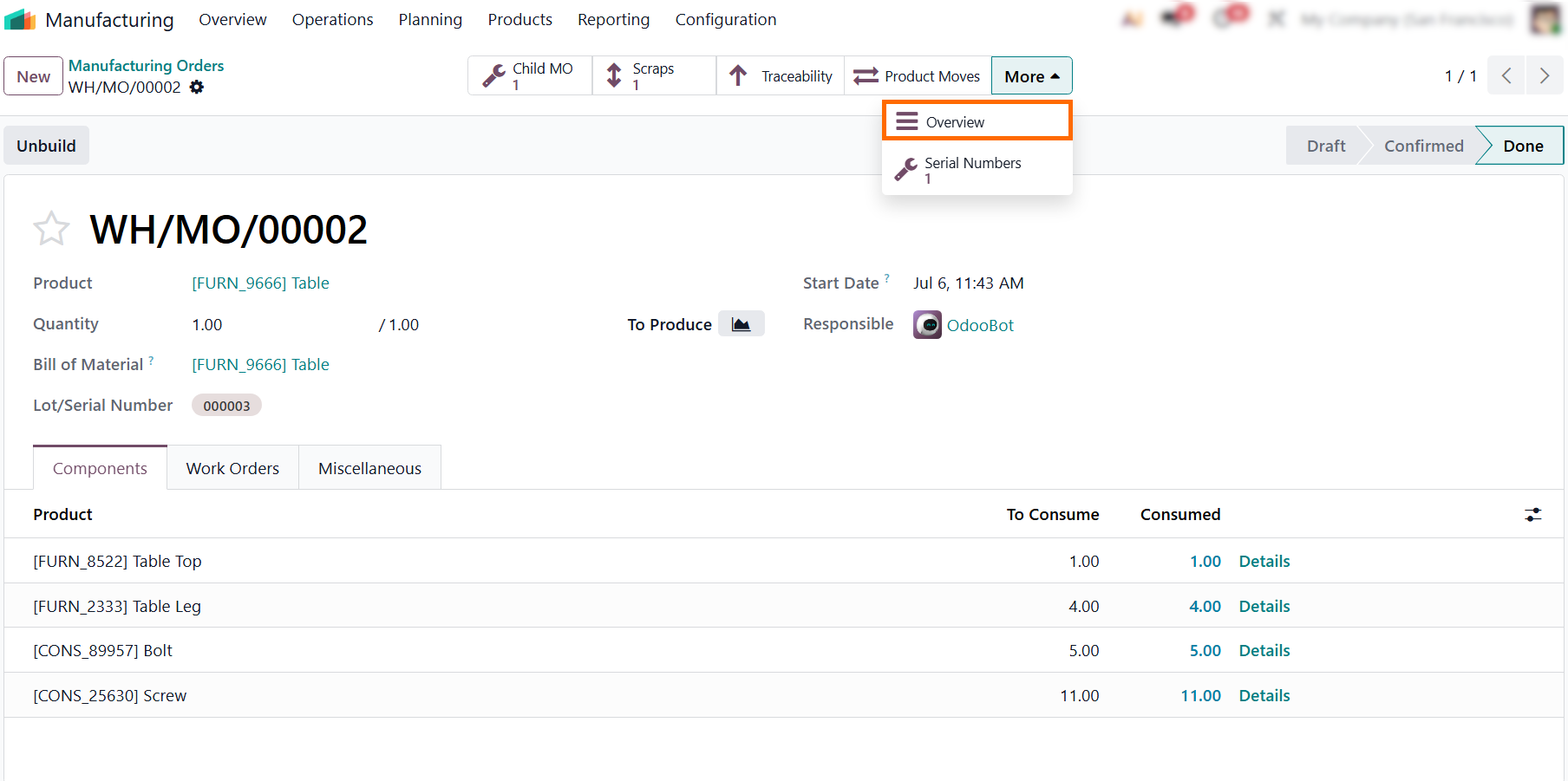
- Open the completed Odoo Manufacturing Order and click the "Overview" smart button to access a cost report segmented into Material, Employee, and Work Center expenses.
- The overview dashboard displays a comprehensive cost tracking matrix, showing the total quantity of components used alongside the standard "Unit Cost" and the actual "Real Cost" incurred during production.
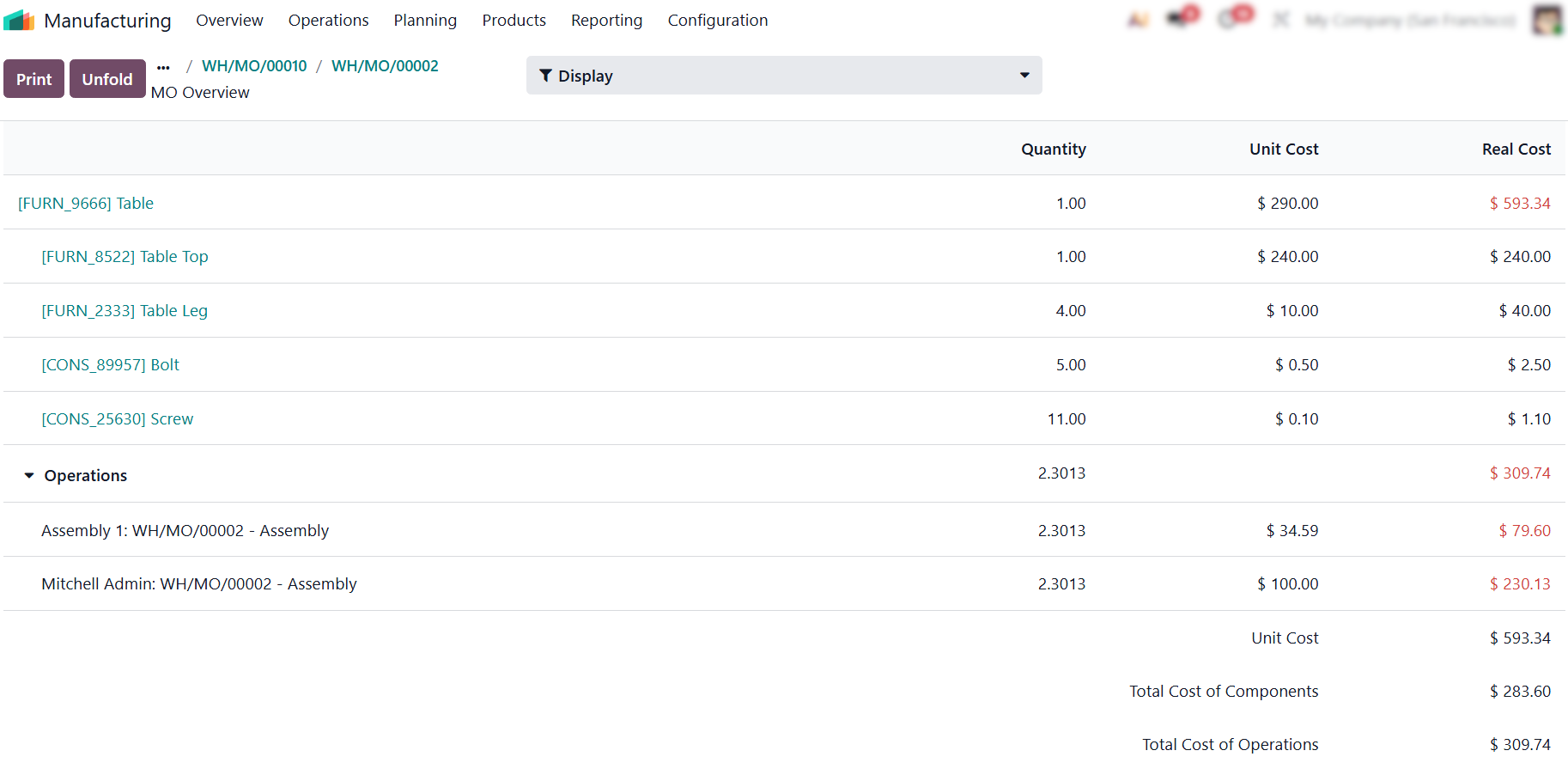
- To instantly identify cost overruns, check the dashboard for values highlighted in red. Odoo automatically applies this color-coding to flag any component or labor operation that has exceeded its planned budget.
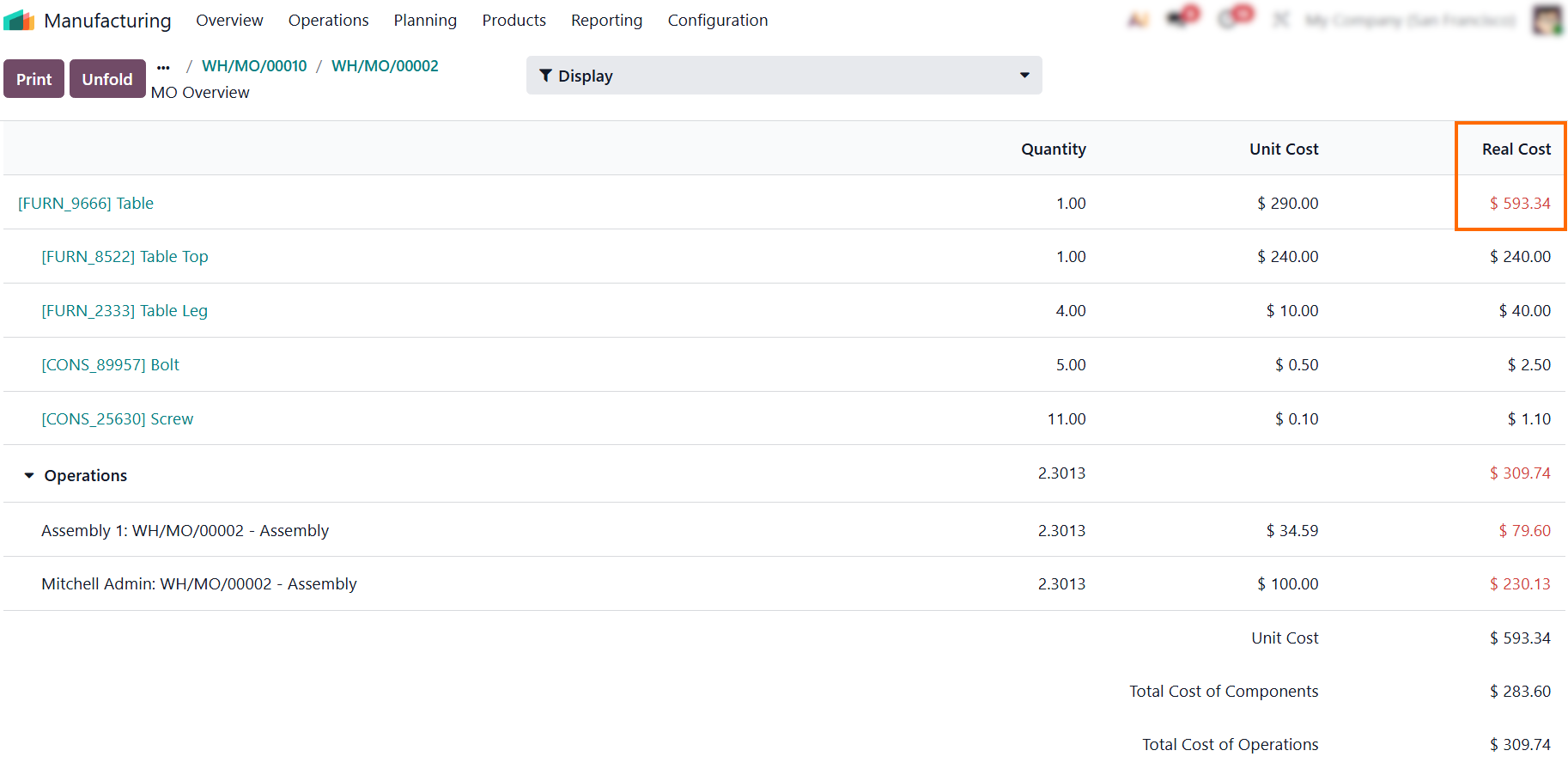
Instead of raising product costs to cover temporary inefficiencies like scrap or delays, managers should isolate these specific issues to fix the root cause and keep product pricing accurate.
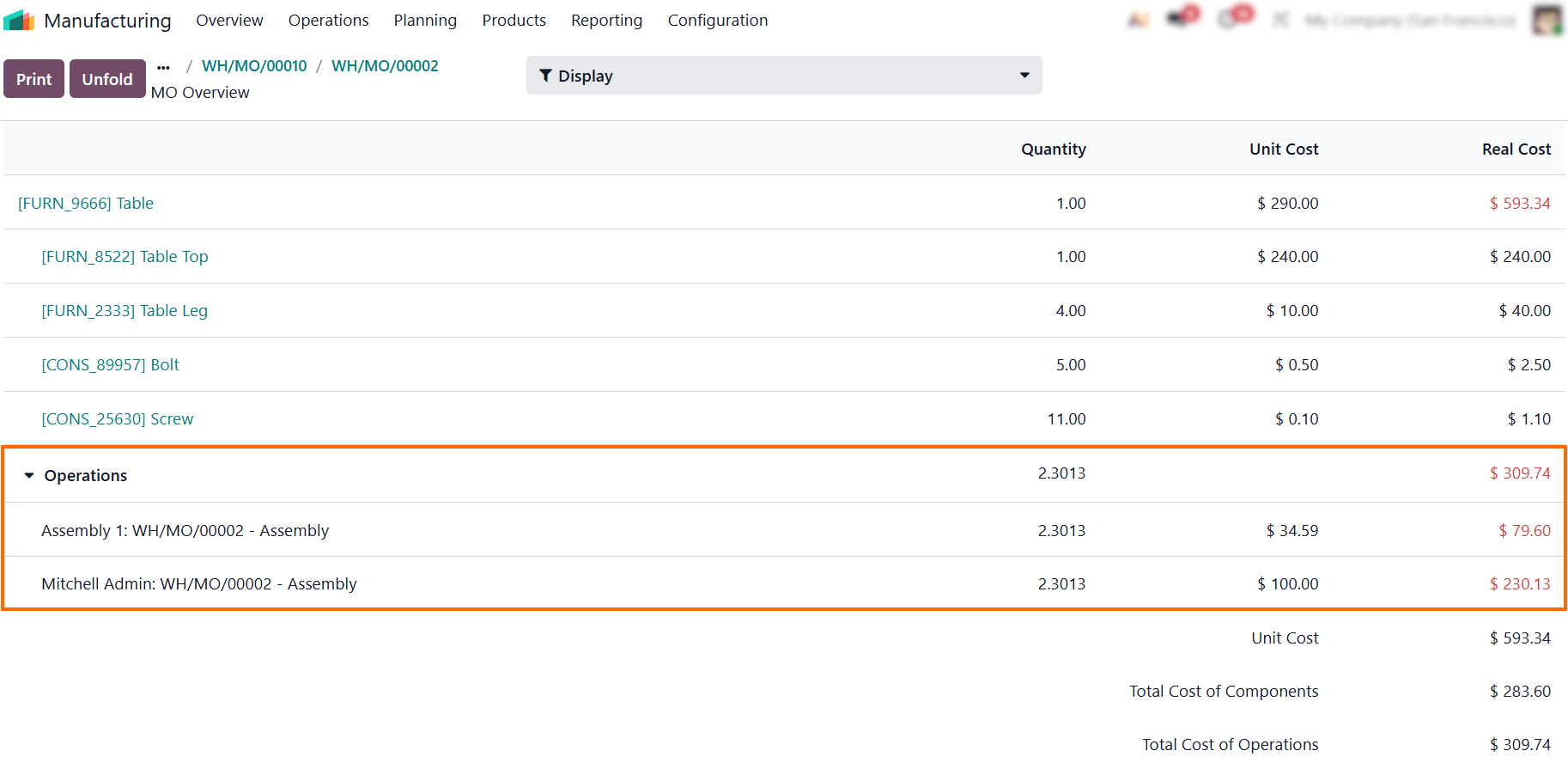
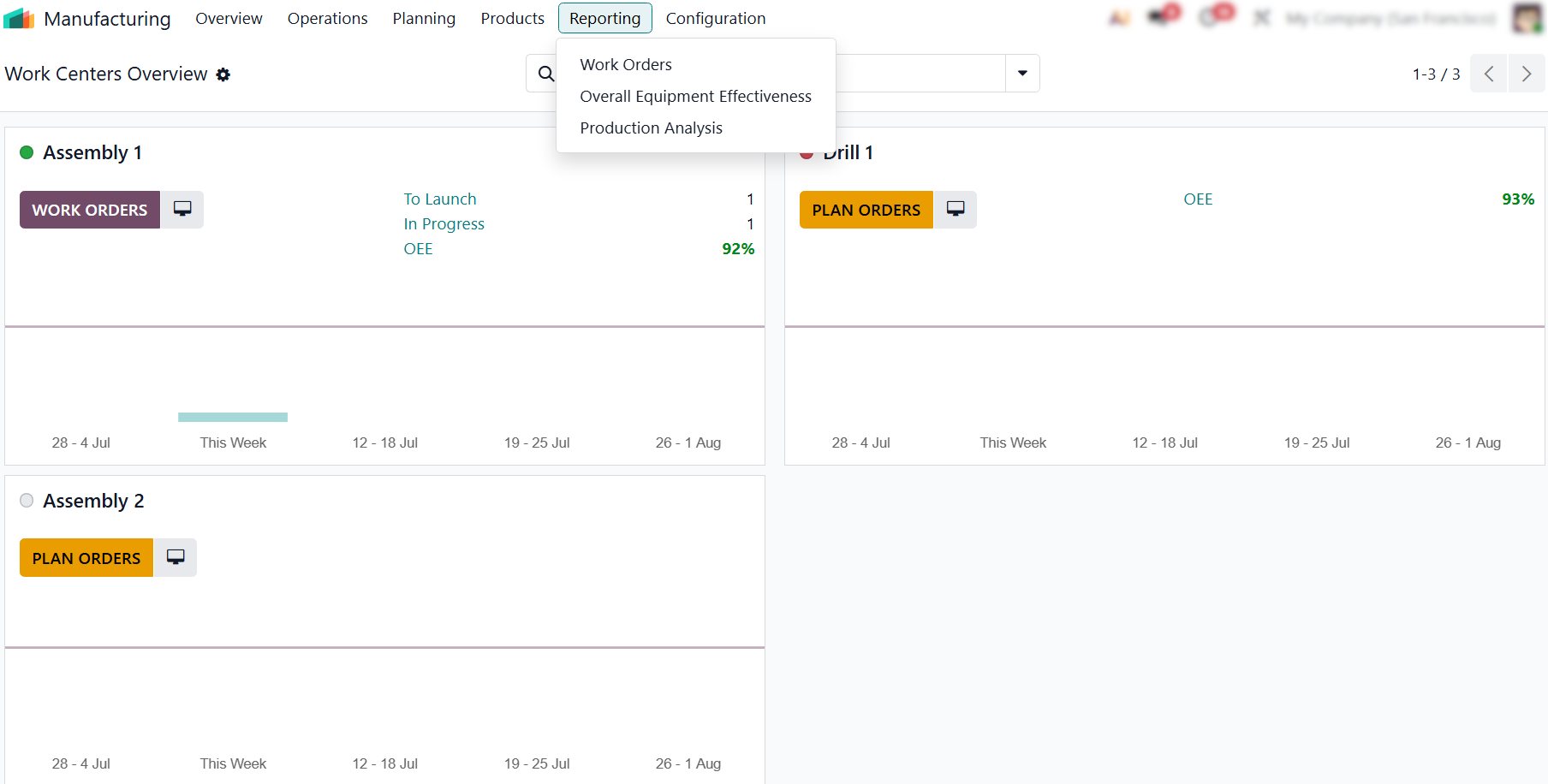
- To see the bigger picture, track these trends across all production runs using Odoo's built-in manufacturing reports to catch structural issues before they ruin your monthly margins.
Conclusion:
From Shop Floor Data To Predictable Margins
Accurate cost analysis shifts production management from guesswork to a data-driven strategy. Relying on real-time shop floor execution data helps businesses keep product pricing competitive while protecting profit margins. Ultimately, leveraging Odoo Manufacturing Costing allows you to eliminate operational leaks, build a predictable, scalable manufacturing process, and lay the groundwork for deeper production analysis.