Manufacturing performance issues are rarely caused by poor process design. More often, production efficiency declines when execution constraints and flow limitations remain invisible in daily operations. When these constraints are not clearly identified, planning becomes reactive and performance issues are addressed locally rather than system-wide. In Odoo manufacturing, constraint identification is not a separate analytical exercise but a direct result of real shop floor execution data. This allows manufacturers to pinpoint where production flow is restricted and why efficiency fails to scale. As a result, execution constraints become measurable rather than assumed, replacing assumption-driven planning decisions with real execution data from the shop floor.
- The process begins by enabling the Manufacturing module, which defines production orders, routings, and work center operations, with additional inventory or scheduling features enabled as needed.
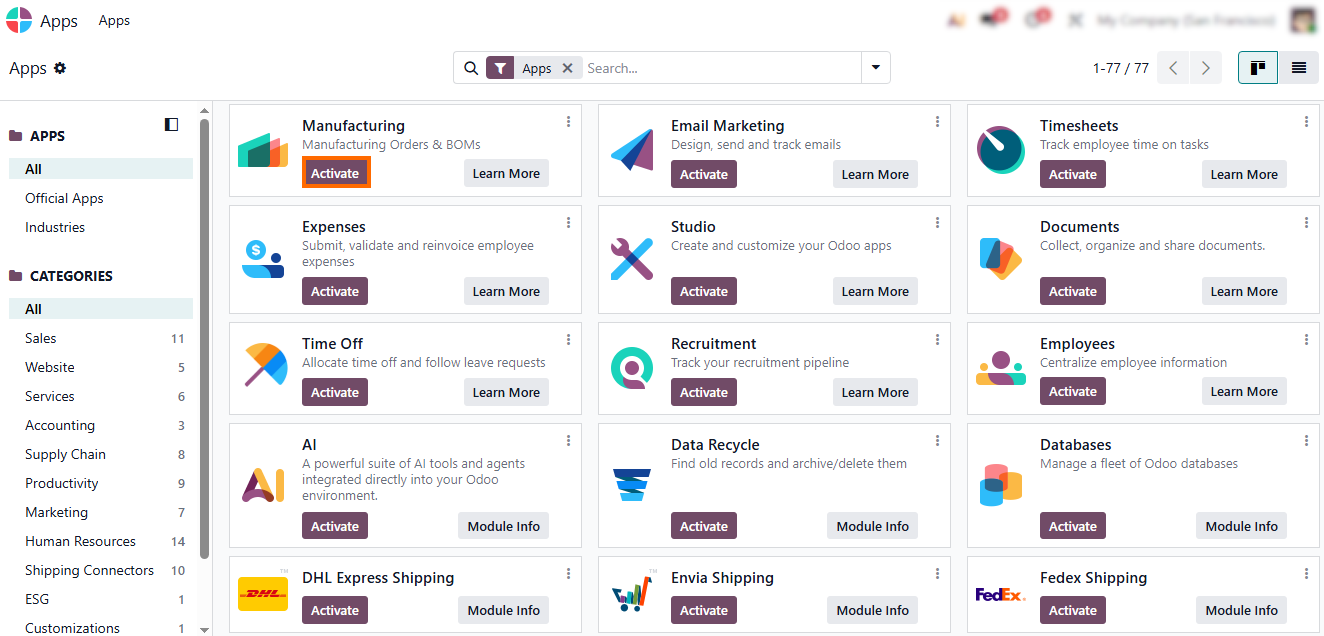
Next, work centers are configured in the Manufacturing module. Existing ones can be adjusted or new ones created based on production structure, aligning them with the actual shop floor structure.
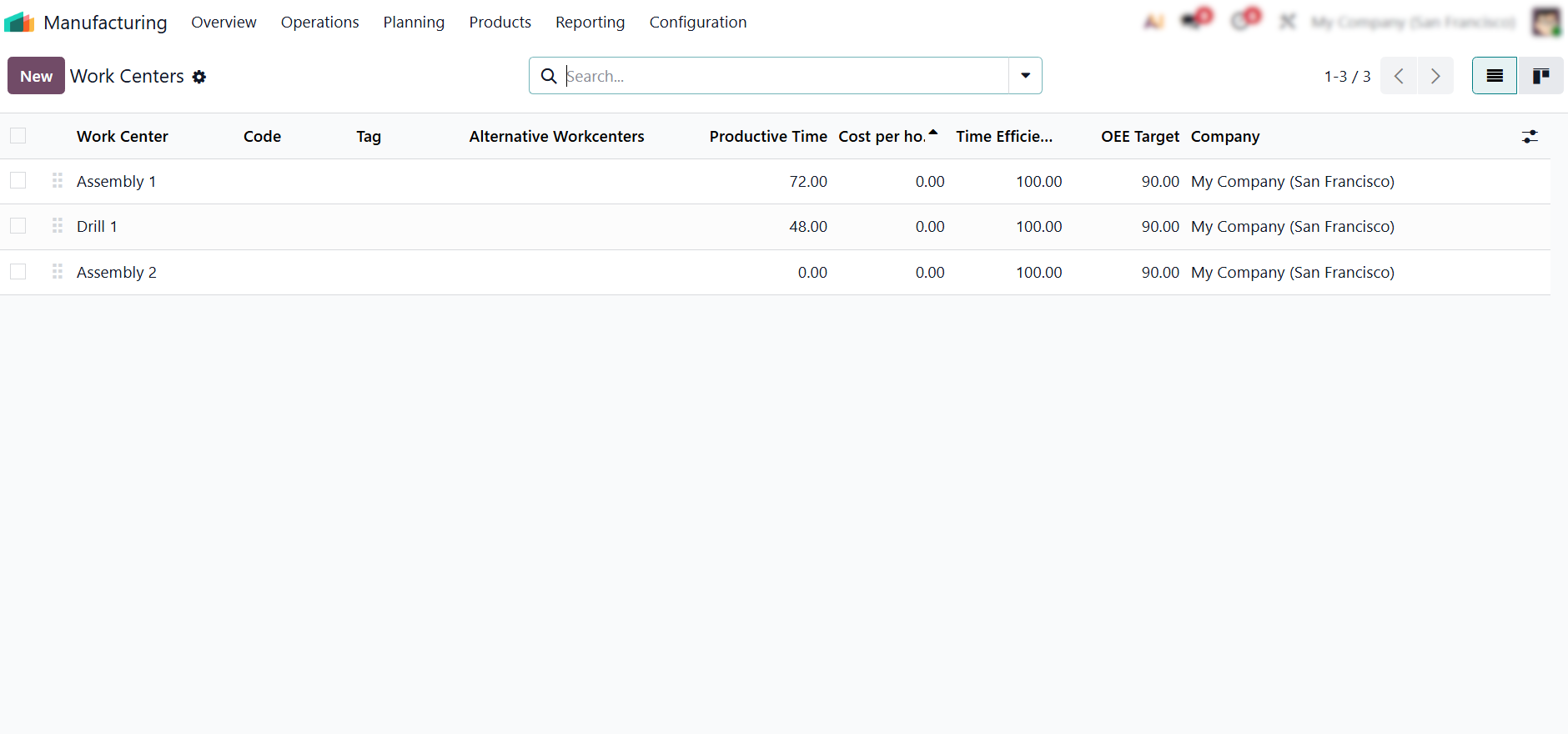
Each work center must reflect real operational capacity. Without realistic parameters, production efficiency and bottleneck analysis become unreliable and
distort execution insights.
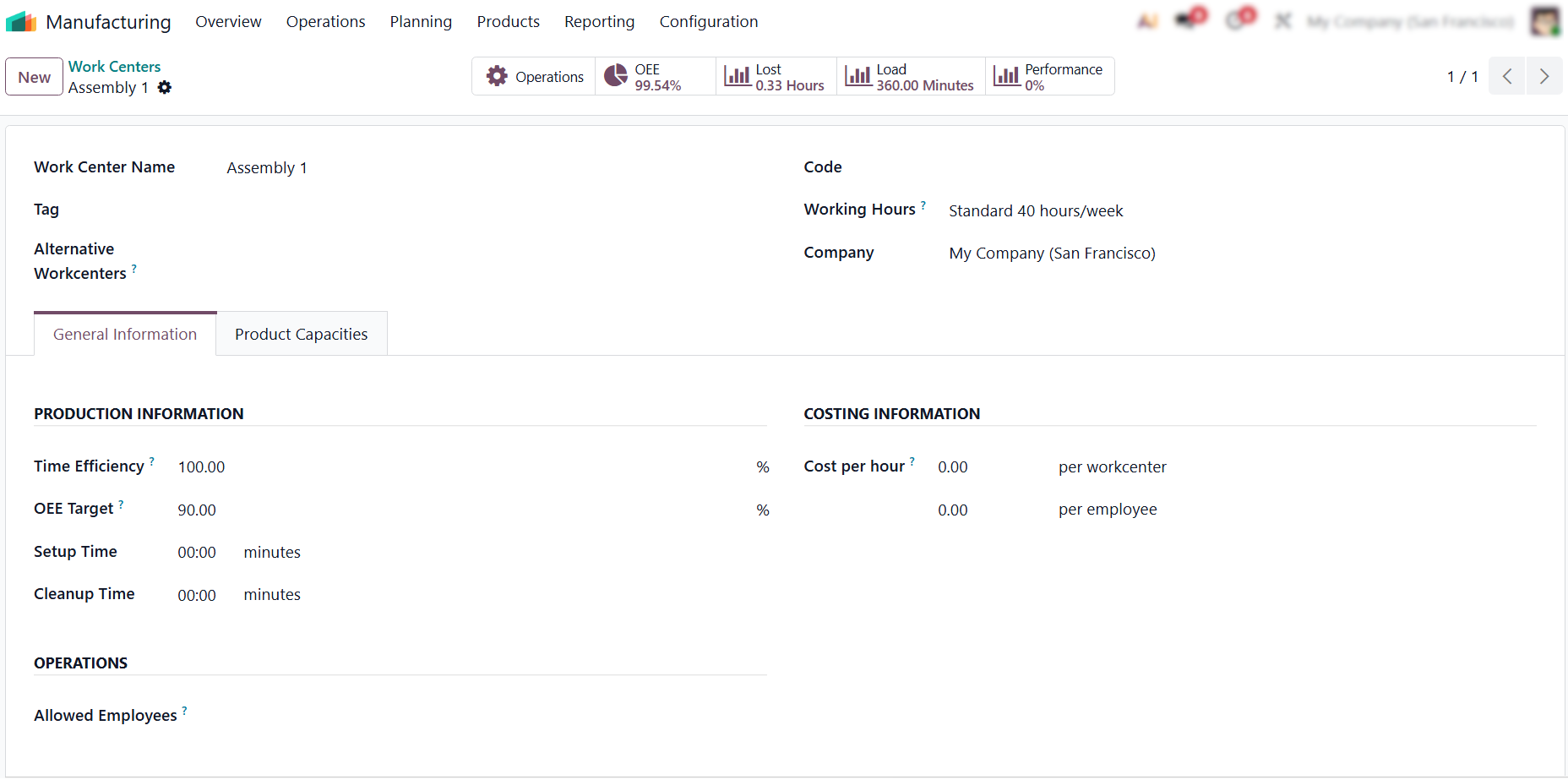
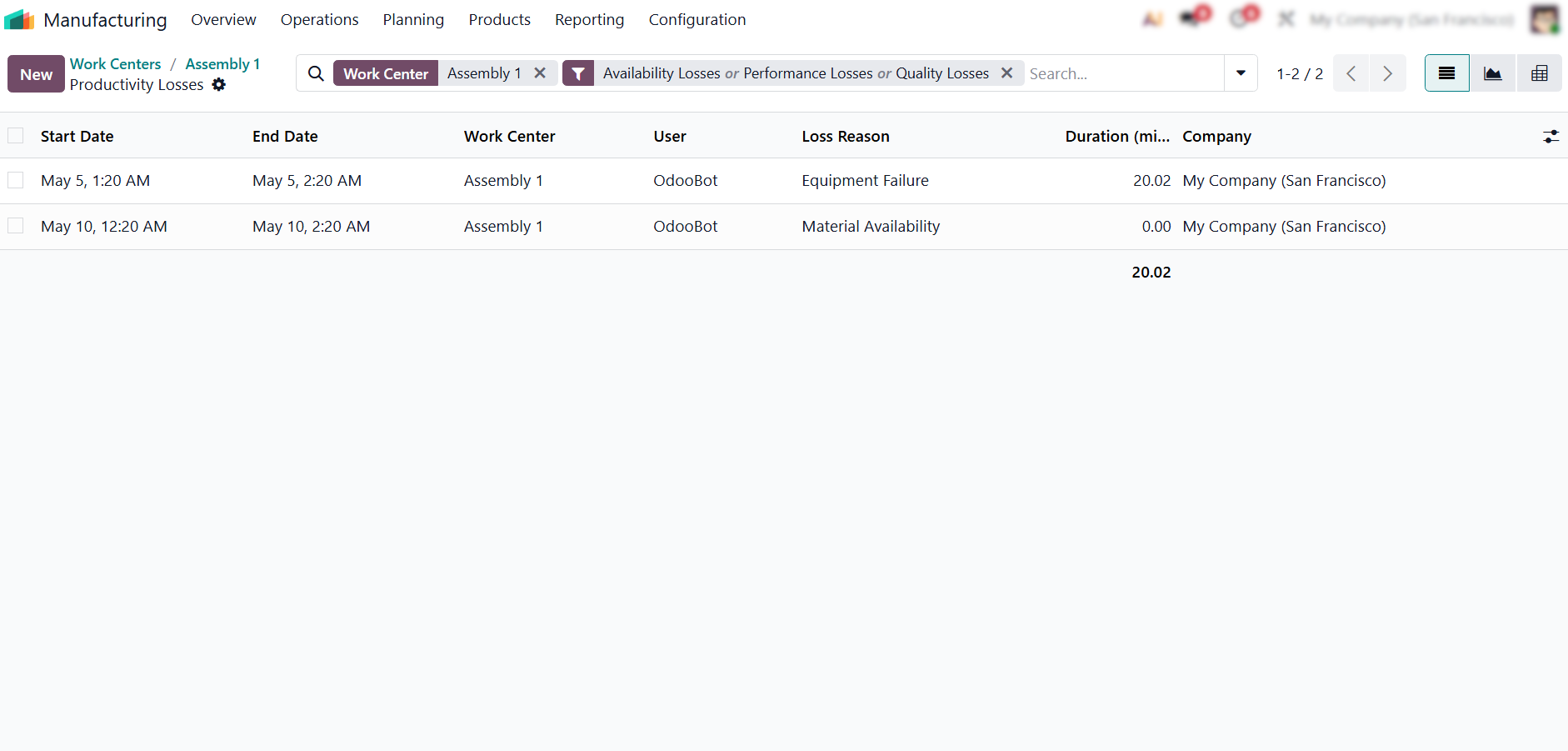
- Key indicators, such as Operations, OEE, Lost Time, Load, and Performance, are interactive and linked to detailed views. Selecting “Lost” immediately shows where execution inefficiencies occur and which processes are affected.
- Loss analysis shows where time is lost and why. At the work center level, this exposes hidden inefficiencies, recurring delays, and constraints that form production bottlenecks across the production line.
Where
Production Flow Breaks Down in Odoo Execution
In Odoo, production slowdowns are identified through gaps between planned and actual execution across multiple manufacturing orders over time. When the same operations repeatedly exceed expected durations or accumulate waiting time, these patterns indicate constrained flow rather than isolated delays. Odoo highlights where workload accumulates and operational queues begin to form across the production flow. As a result, production bottlenecks can be identified and linked directly to declining production efficiency over time. These patterns become visible only when execution data is evaluated across multiple manufacturing orders rather than in isolation, clearly separating structural constraints from one-off execution incidents.
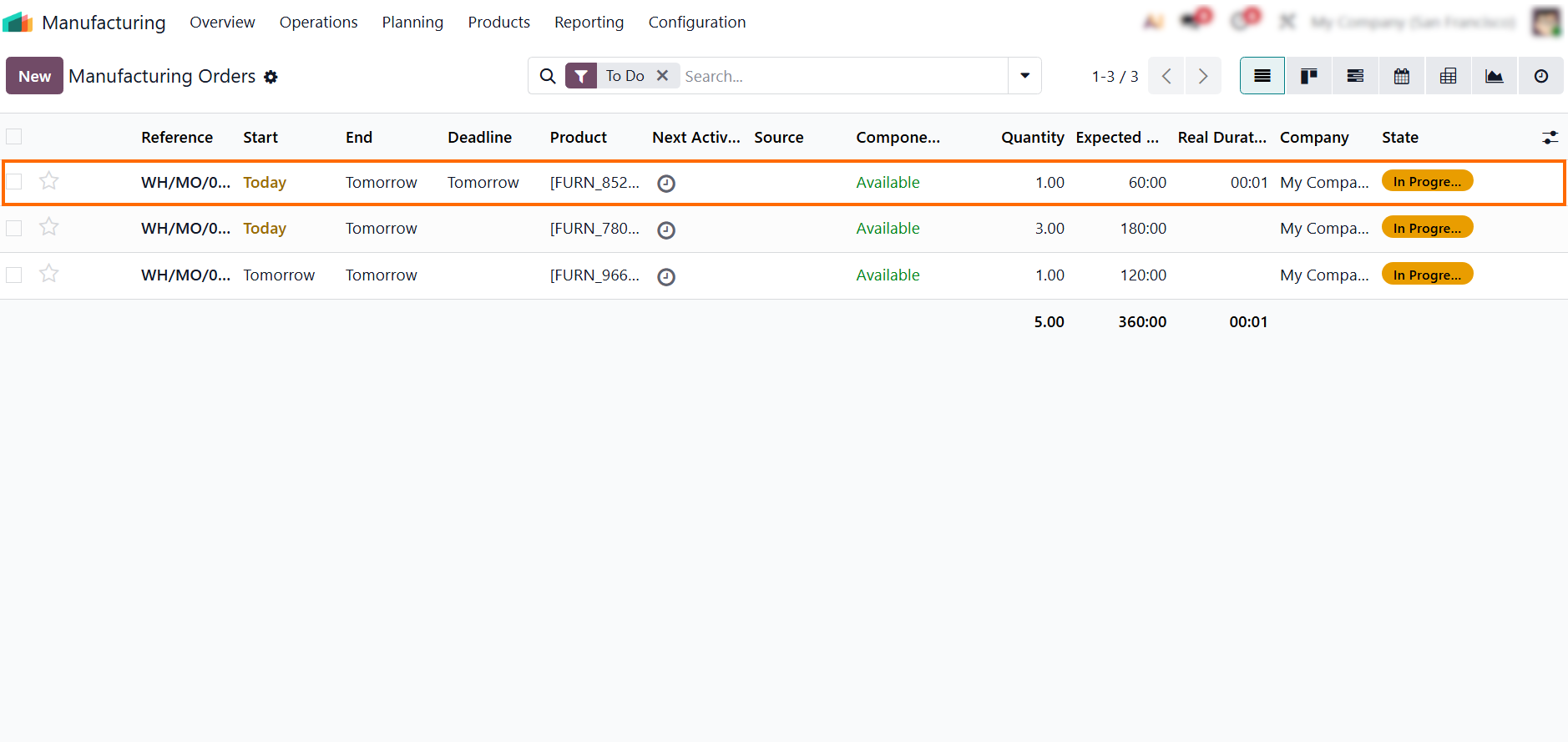
- Navigate to the Manufacturing module and open active manufacturing orders to review execution progress across ongoing production flow and identify early signs of delay patterns.
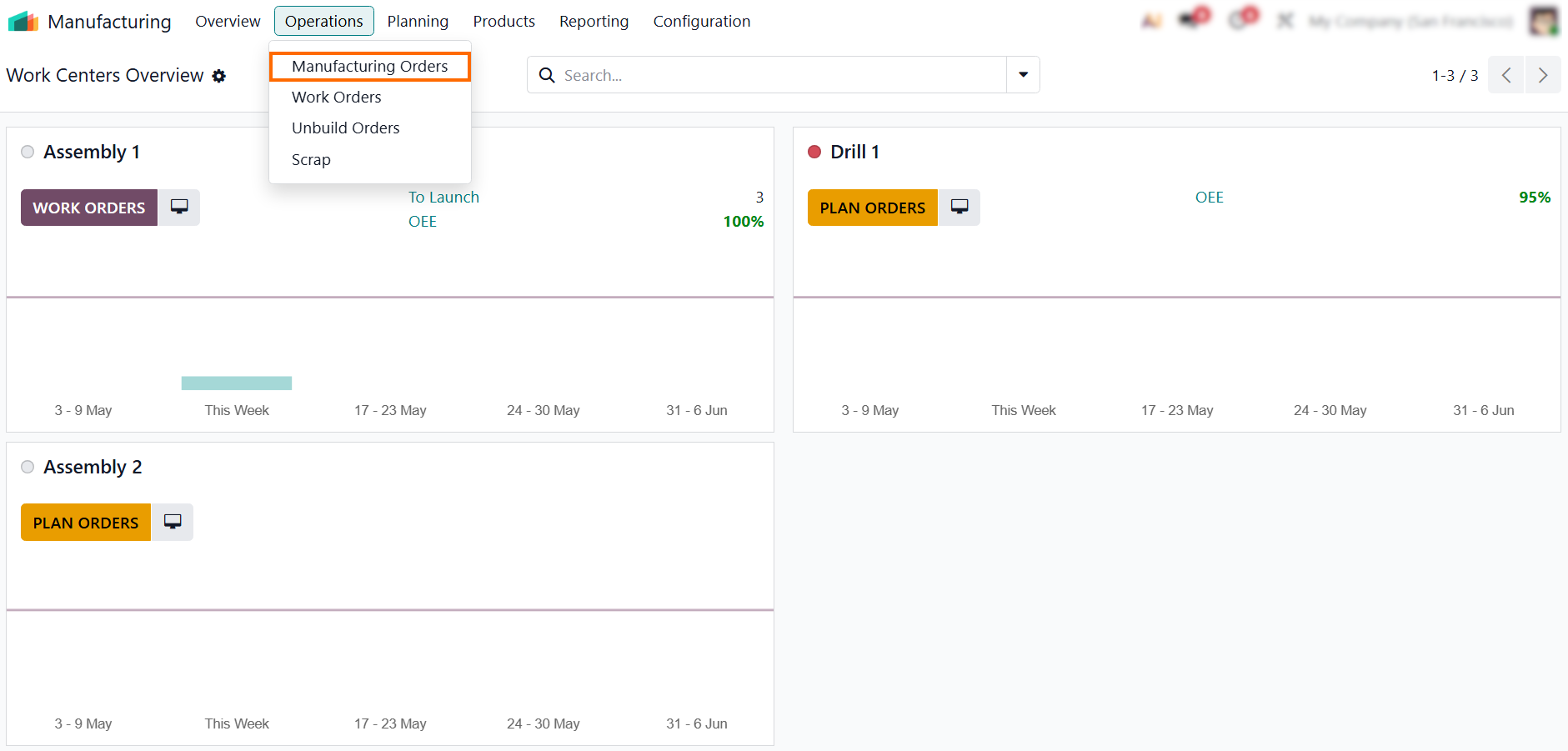
- This view provides an immediate overview of orders that are delayed, not scheduled as planned, or waiting for the next operation in the production sequence.
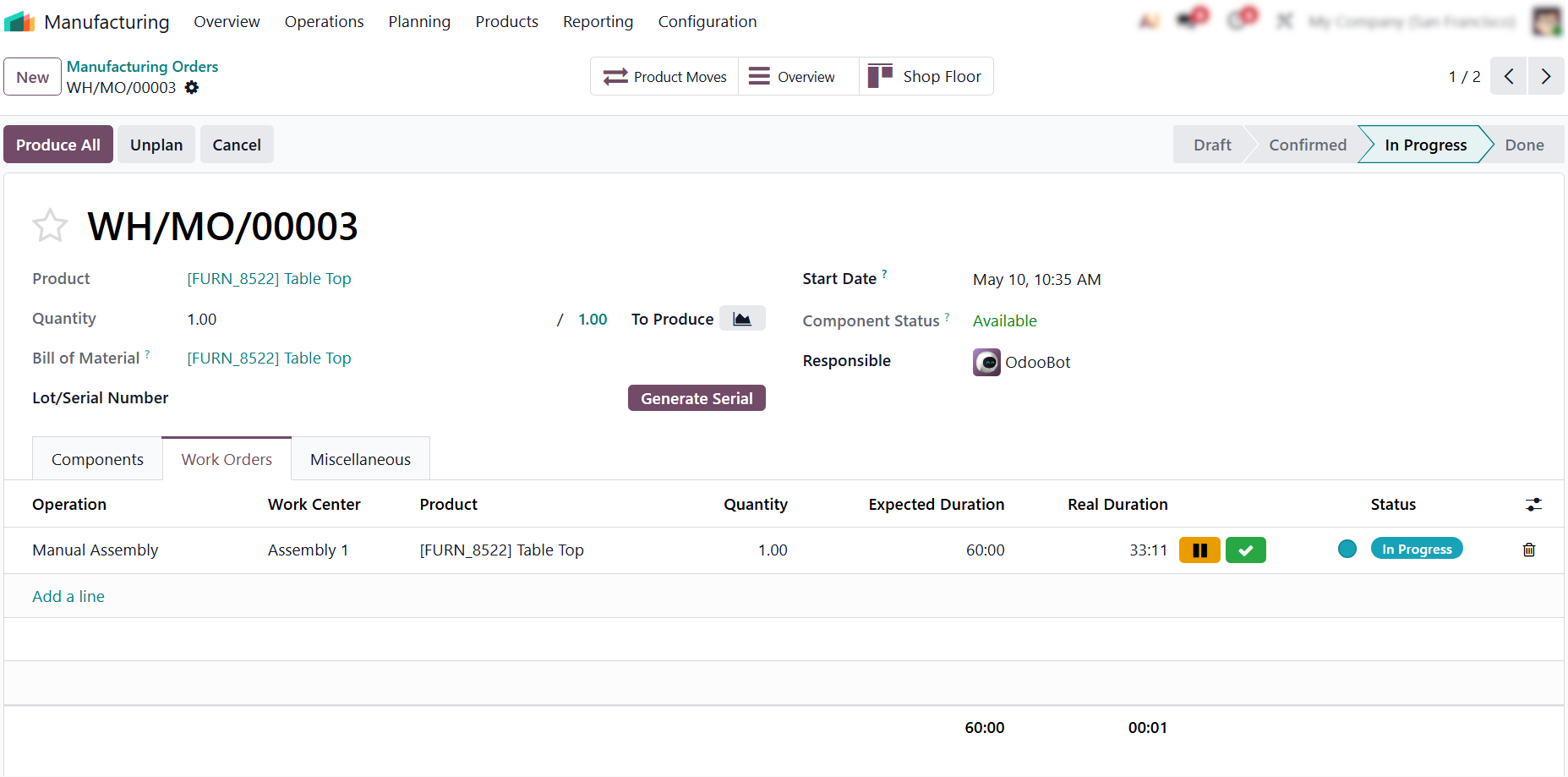
- Open a manufacturing
order and switch to the Work Orders tab to review execution at the operation
level, where differences between planned and actual timing
become visible.
- When an operation exceeds its planned duration, the Shop Floor view reflects this as a real-time execution overrun, making constrained operations easier to detect.
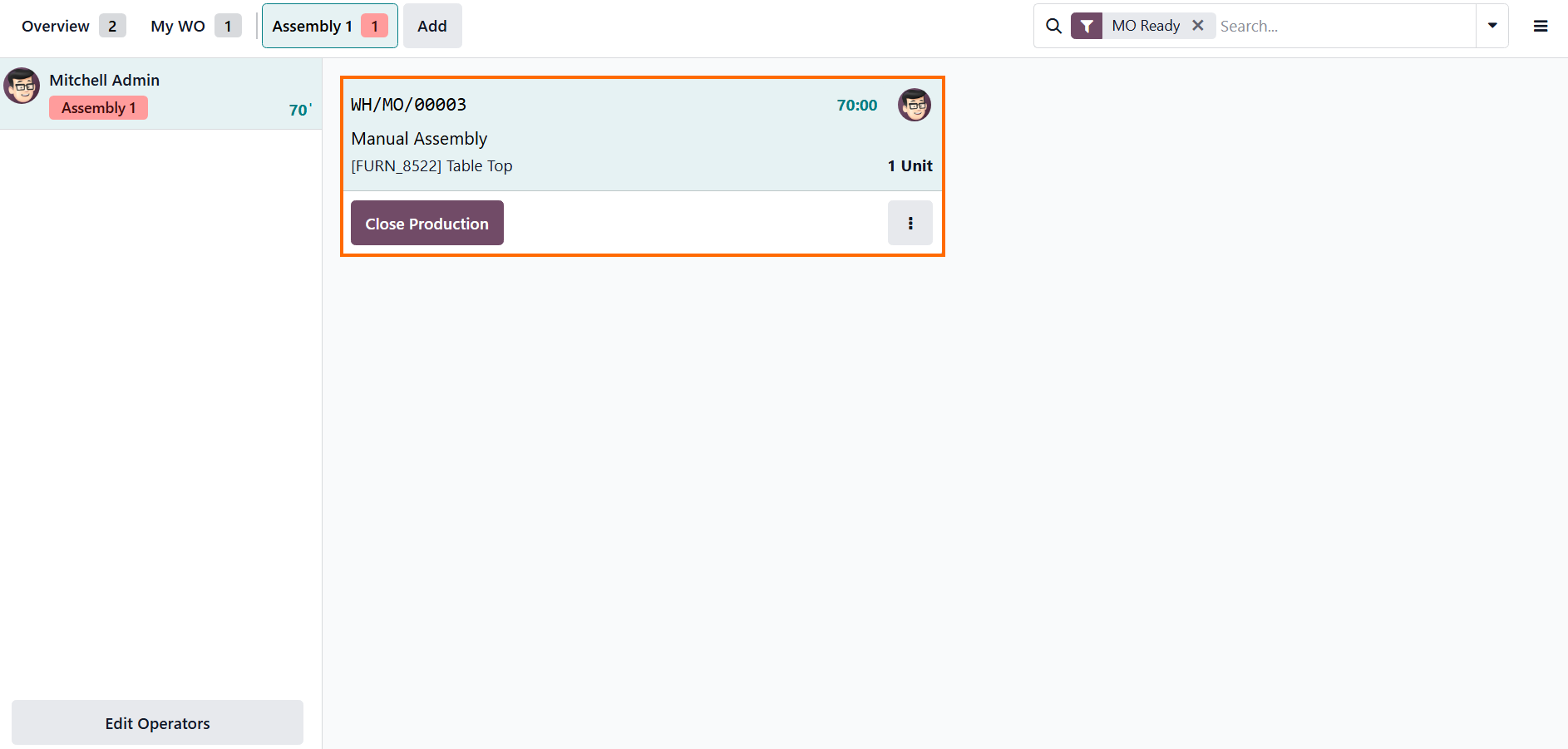
- Once operations are
completed, compare planned and actual durations across multiple work centers to
identify recurring deviations that indicate structural
production bottlenecks, not isolated execution issues.
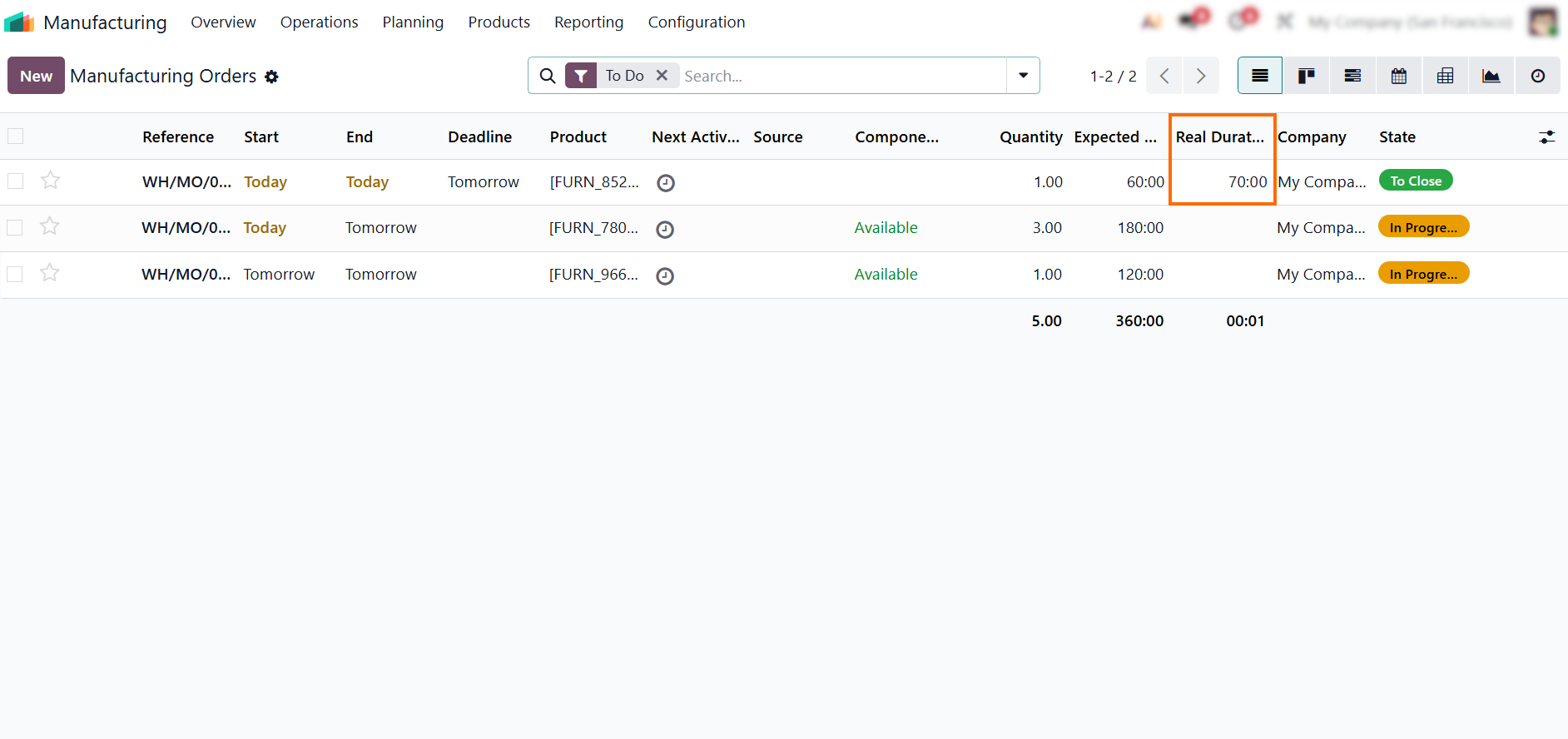
Checking Work Center
Load to Understand Capacity-Driven Production
Bottlenecks
After identifying where production slows down, the next step is to check whether the problem is simply too much work assigned to the same work center. In many cases, production bottlenecks are not caused by slow execution or operator mistakes, but by overload created during planning. When one work center receives more than it can realistically process, queues start to build up and delays spread across the entire production flow. Odoo exposes this by directly comparing planned workload with available production capacity.
- Open the Work Centers view in Odoo Manufacturing to compare planned workload with actual utilization. This gives a clear picture of how production capacity is distributed.
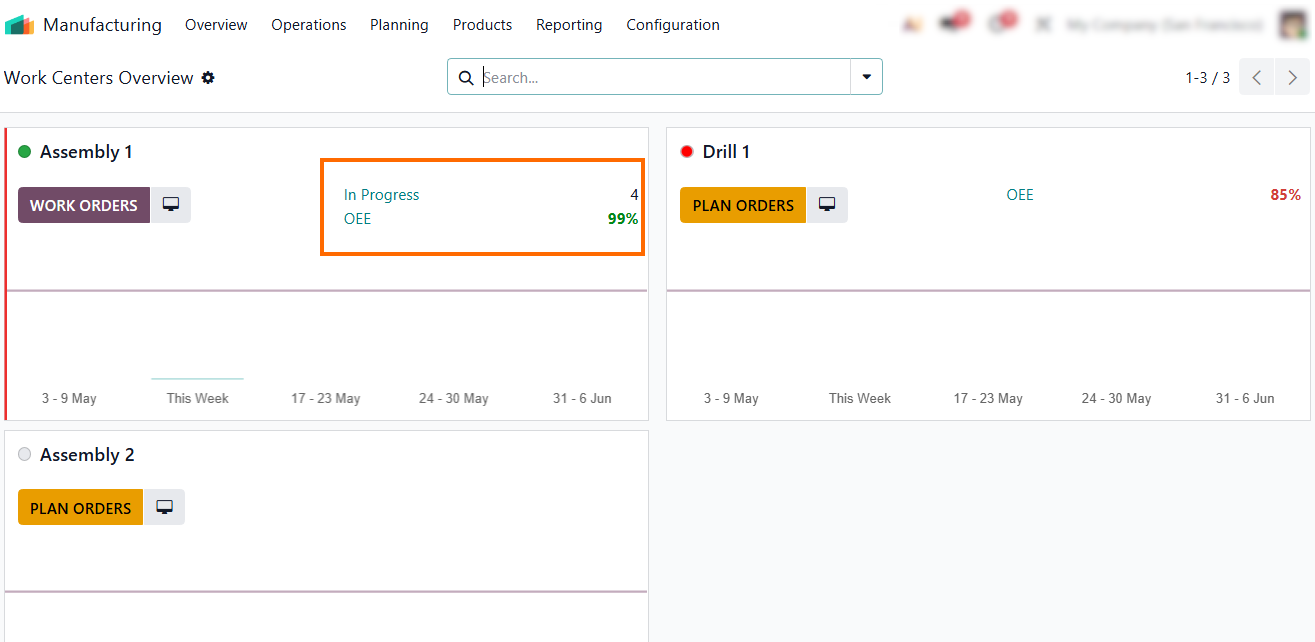
- Check whether any work center is consistently overloaded while others remain underused. This imbalance usually indicates a planning-driven bottleneck rather than an execution issue.
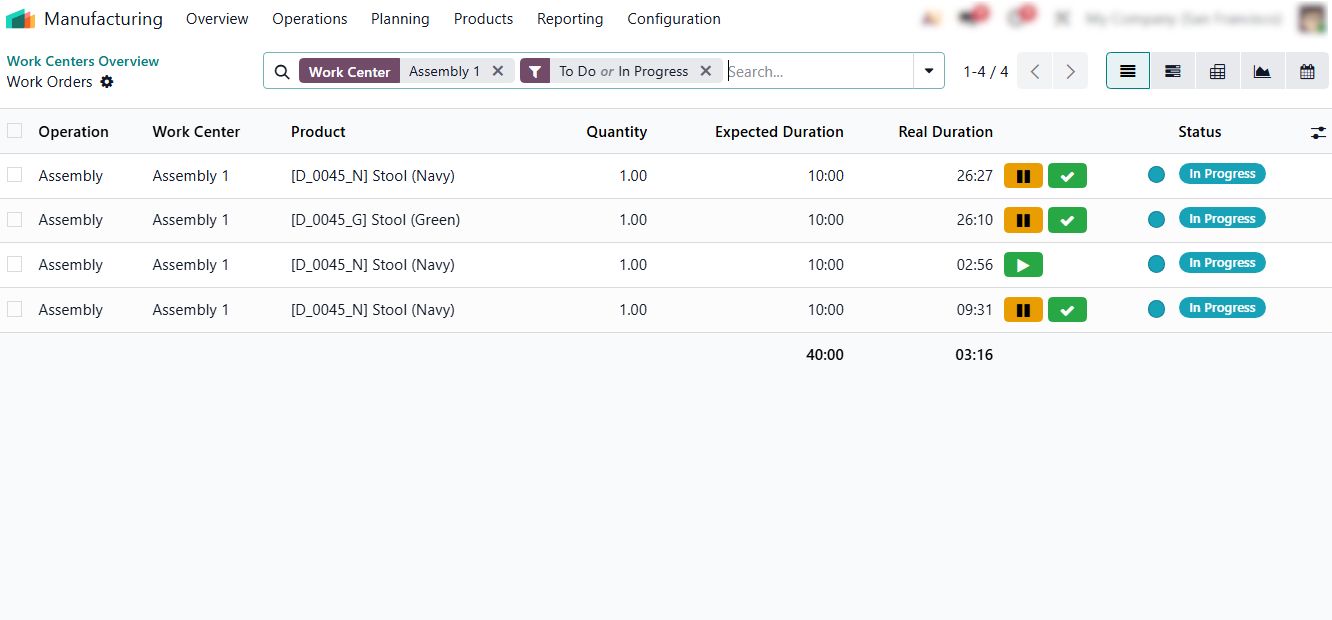
- Compare workload distribution
across work centers to confirm whether capacity is being used evenly or concentrated
in specific areas. This helps identify structural
imbalances in production planning.
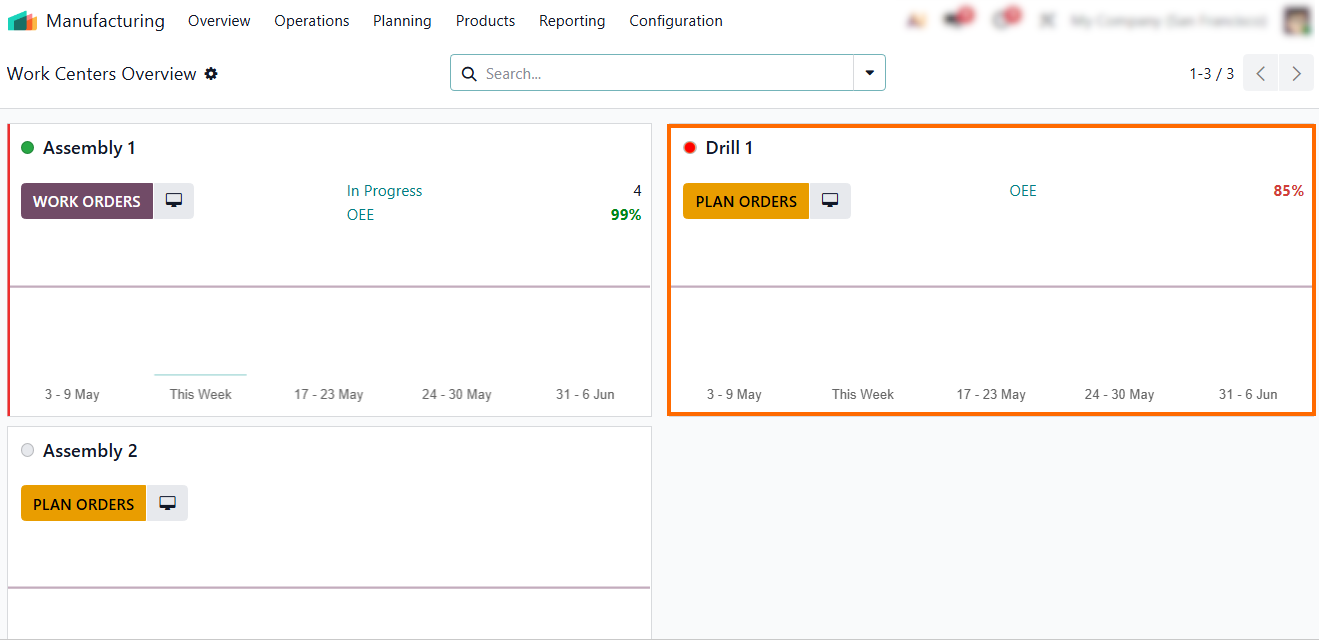
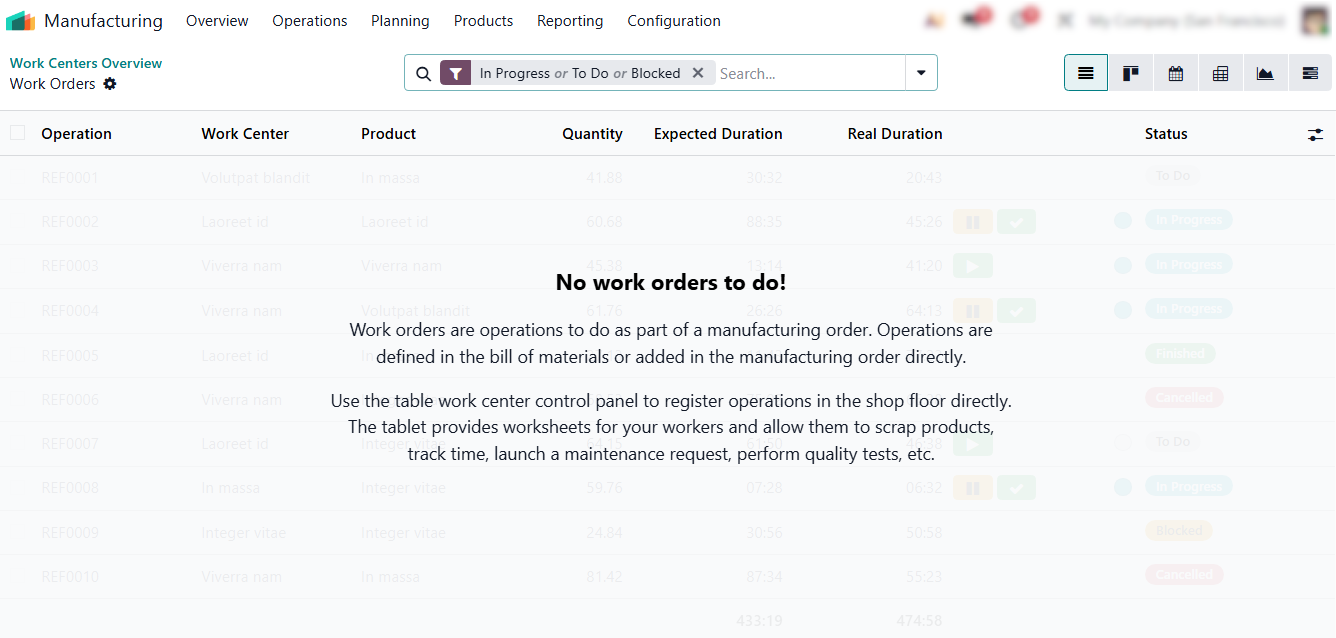
- Use this analysis to distinguish between one-off delays and real production bottlenecks caused by workload distribution. A work center showing “No work orders to do” while others are overloaded is a clear sign of a structural planning imbalance.
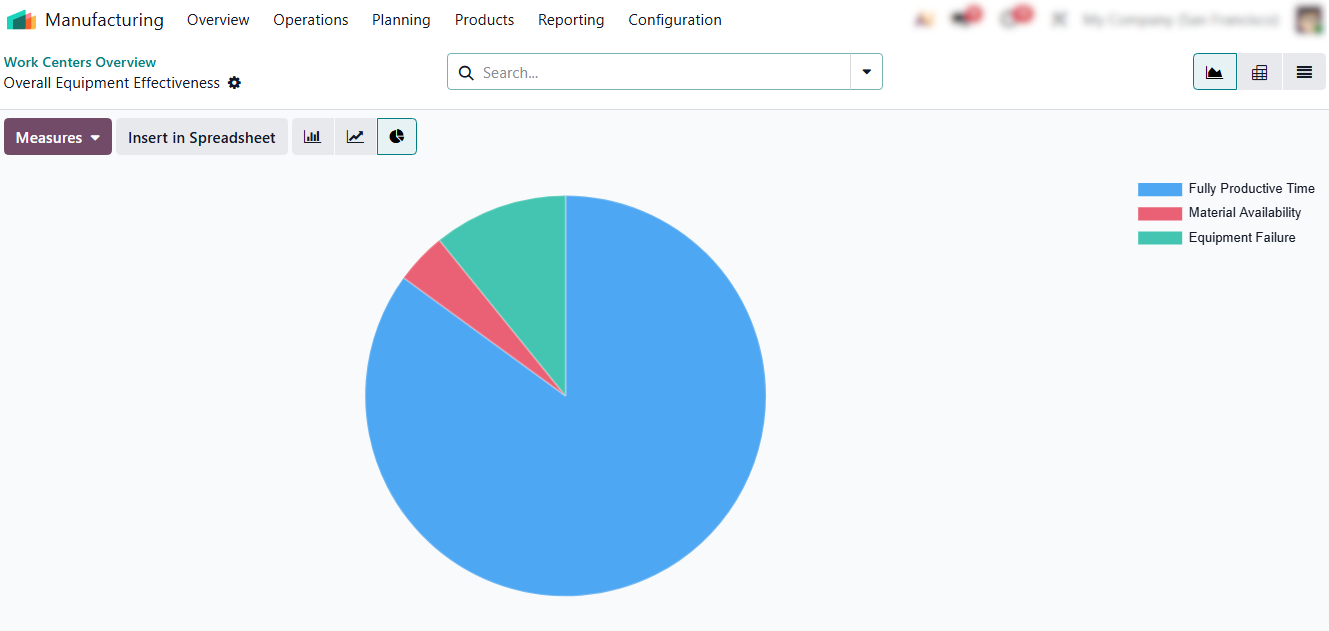
OEE metrics help confirm whether this imbalance is actually affecting production efficiency. Low performance or availability on overloaded work centers usually
indicates a structural bottleneck rather than isolated delays.
Improving Production
Planning and Efficiency Using Work Center Data
After identifying bottlenecks and analyzing work center load, the next step is to adjust production planning based on real capacity. In many cases, production issues are not solved by improving execution on the shop floor, but by correcting how work is distributed across work centers. When planning does not reflect actual capacity, the same bottlenecks repeat regardless of operator performance. Odoo helps improve planning by making workload distribution visible over time. This allows manufacturers to see which work centers are consistently overloaded and which ones have unused capacity, and then adjust scheduling accordingly.
- Production planning reports in Odoo provide a consolidated view of how work is distributed across manufacturing orders. The analysis shifts from an isolated work center view to full production planning visibility.
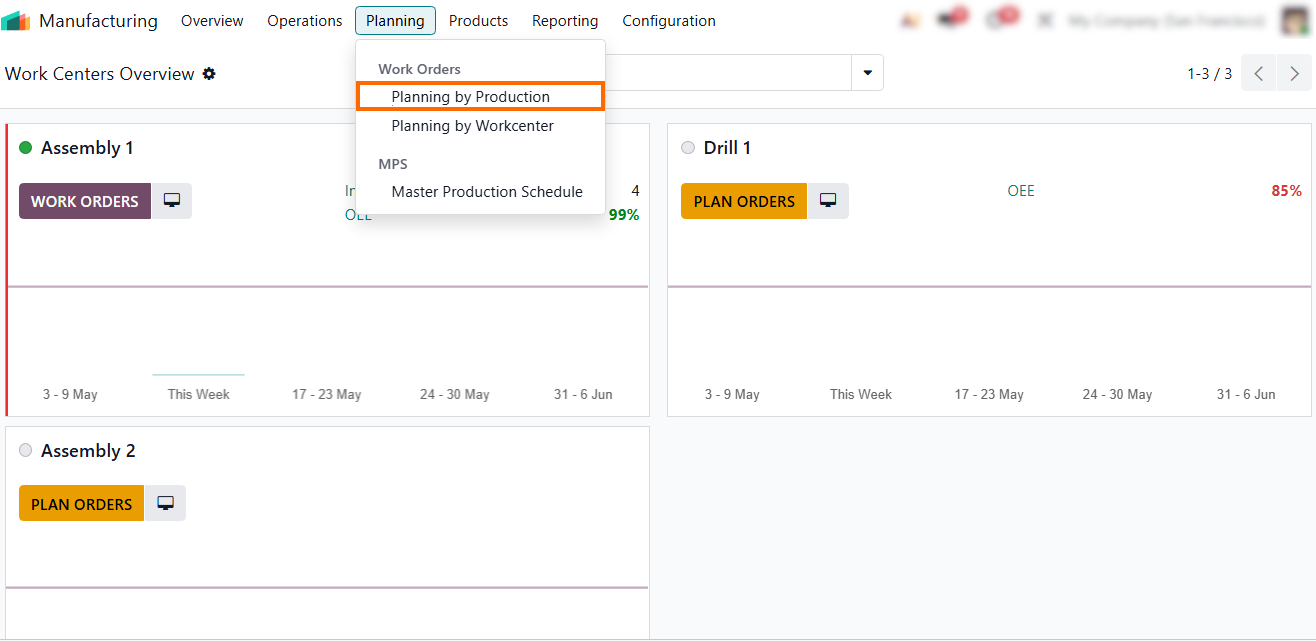
- The report shows how planned operations are spread across different work centers and time periods, making it easier to detect persistent overload patterns and planning imbalances.
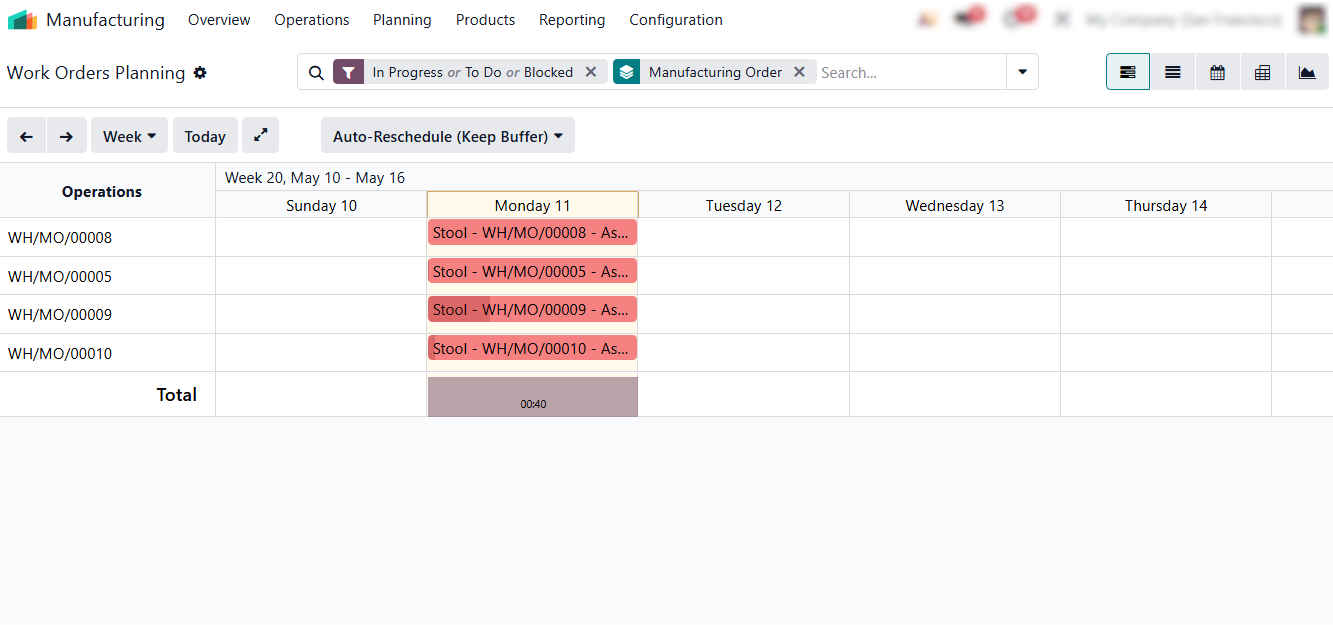
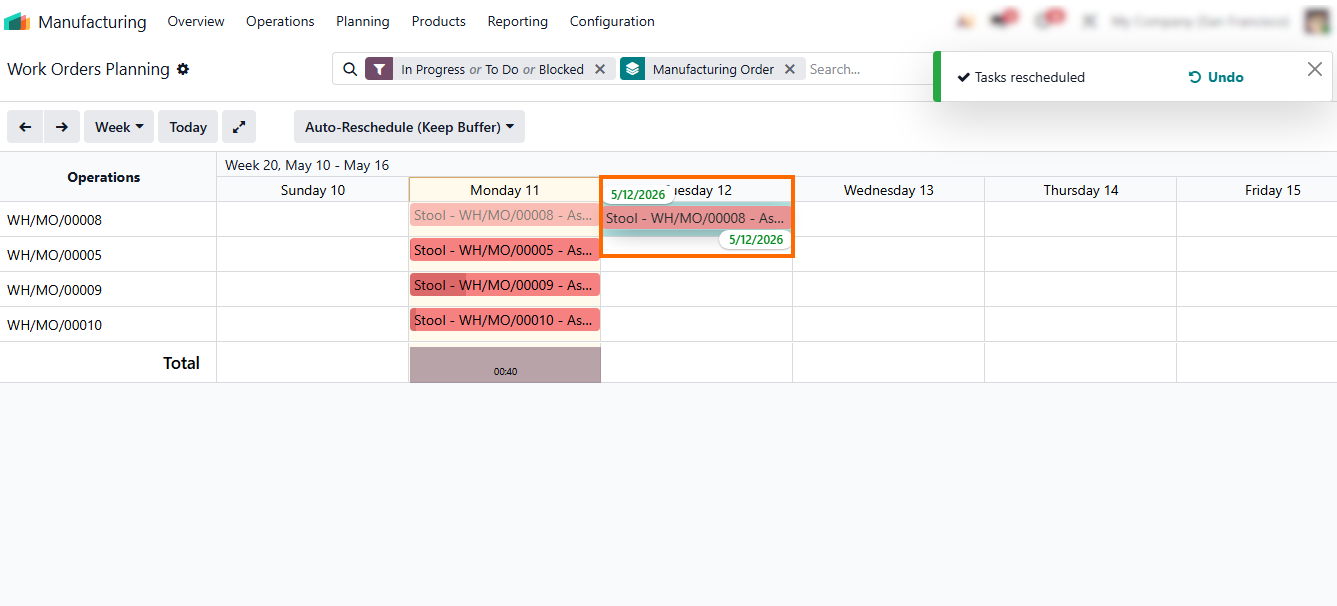
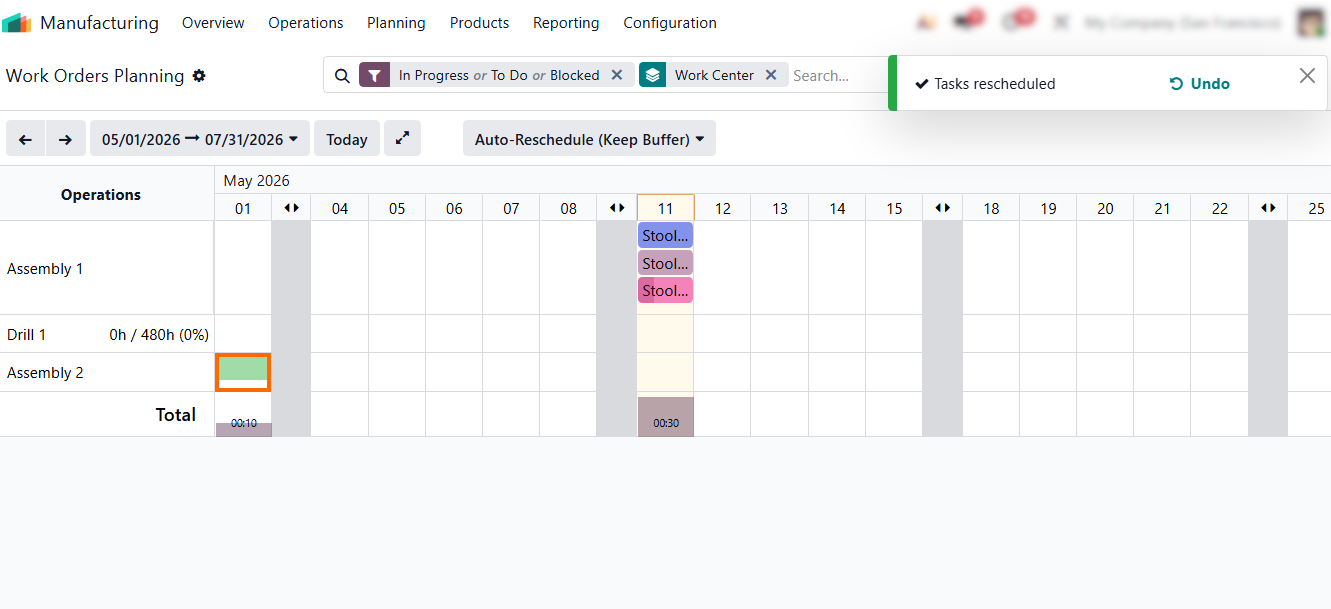
- Operations can be moved to a different day using simple drag-and-drop, enabling fast short-term rescheduling directly in the planning view without recalculating the entire production plan.
- Planning by work center aligns operations with actual capacity rather than theoretical routings, ensuring workload is distributed more evenly and reducing recurring overloads.
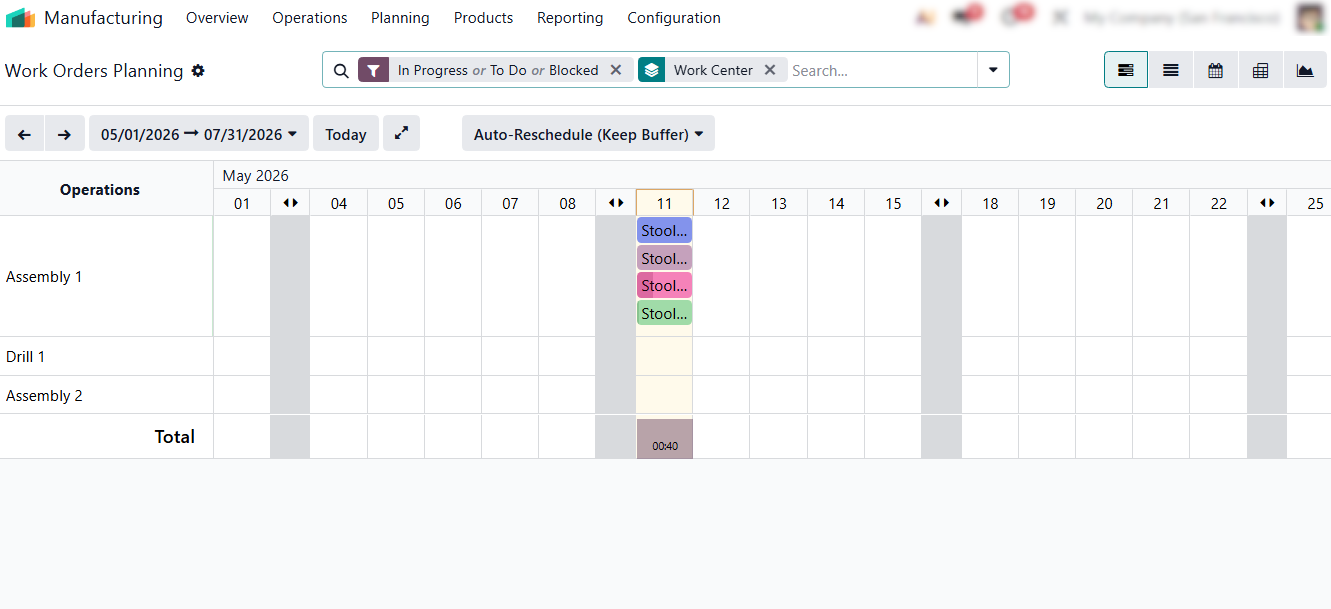
- Work orders can also be reassigned
to another work center via drag-and-drop, allowing flexible capacity
redistribution when alternative work centers are available
or when unexpected constraints occur.
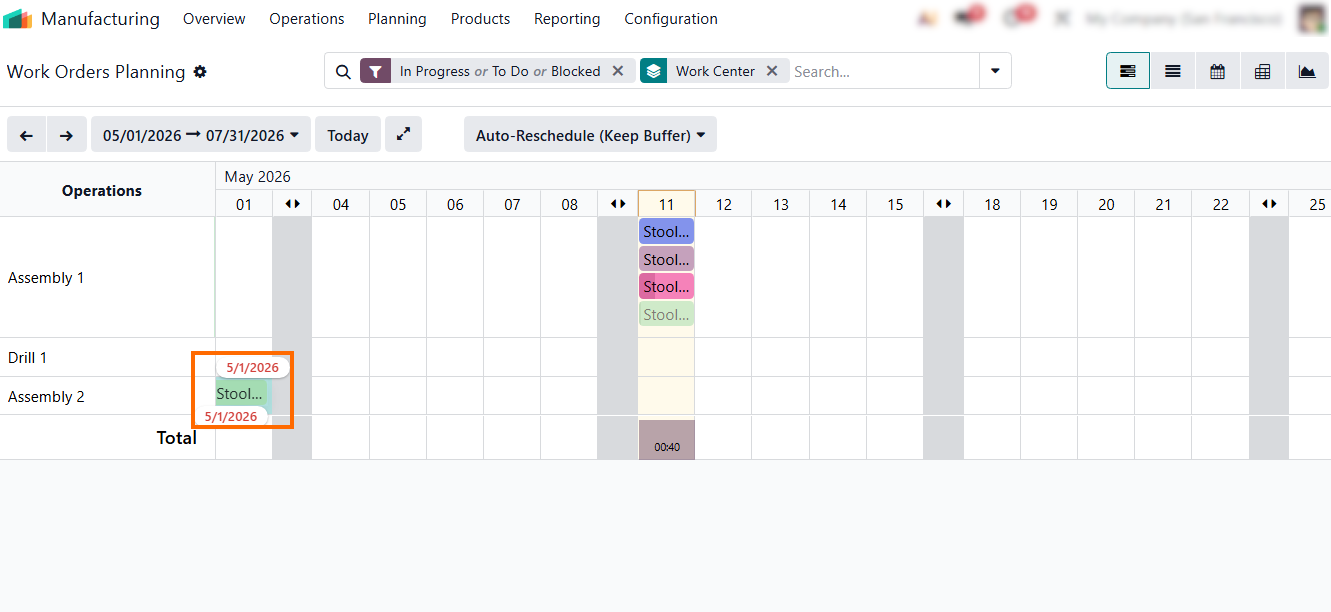
- Odoo automatically confirms and notifies the user about the successful reassignment to another work center. This ensures transparency and prevents accidental planning errors.
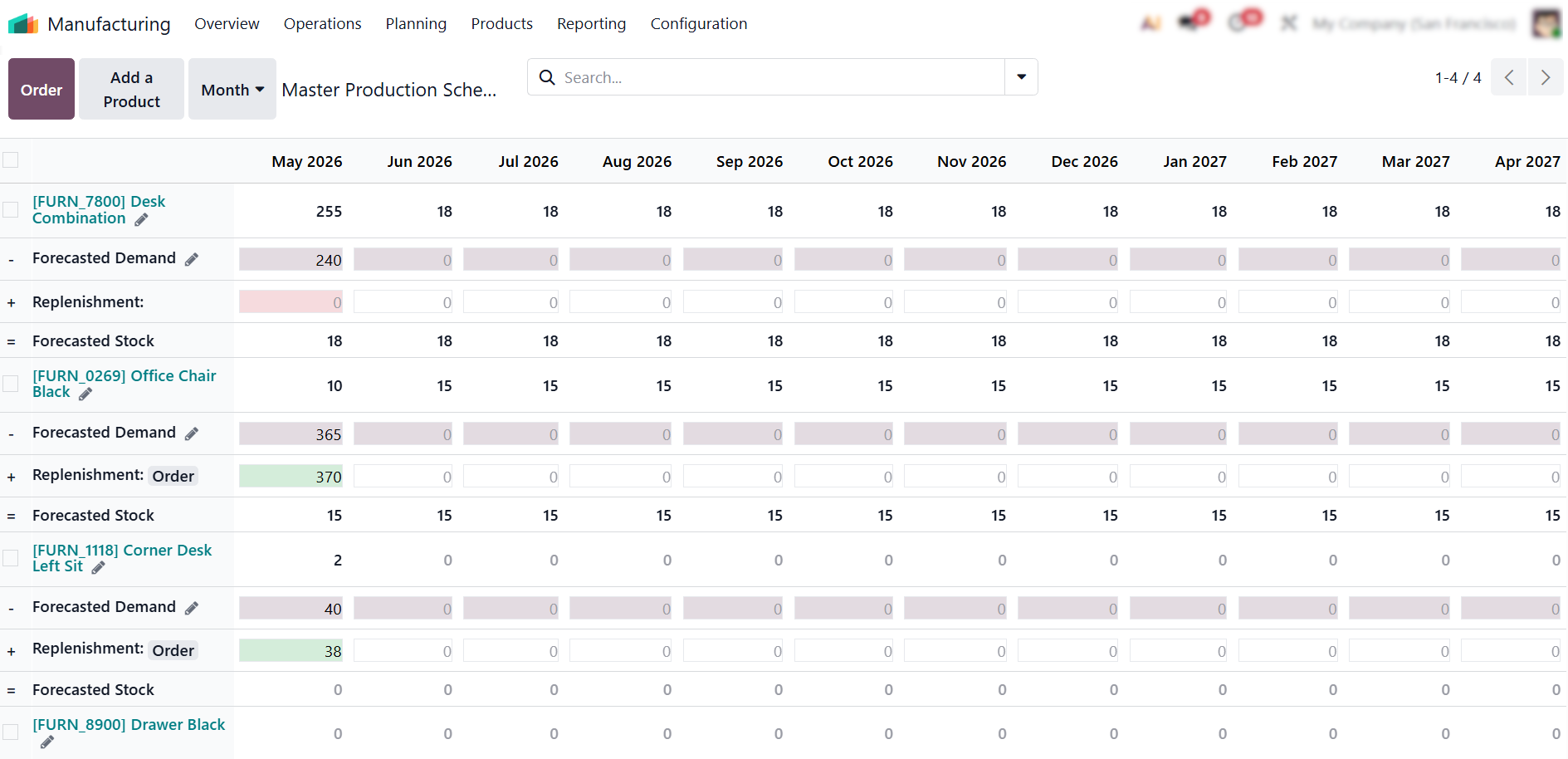
Pro tip: Master Production Schedule (MPS) introduces a forecast-based planning layer in Odoo, where production and procurement are driven by expected demand rather than only current orders.
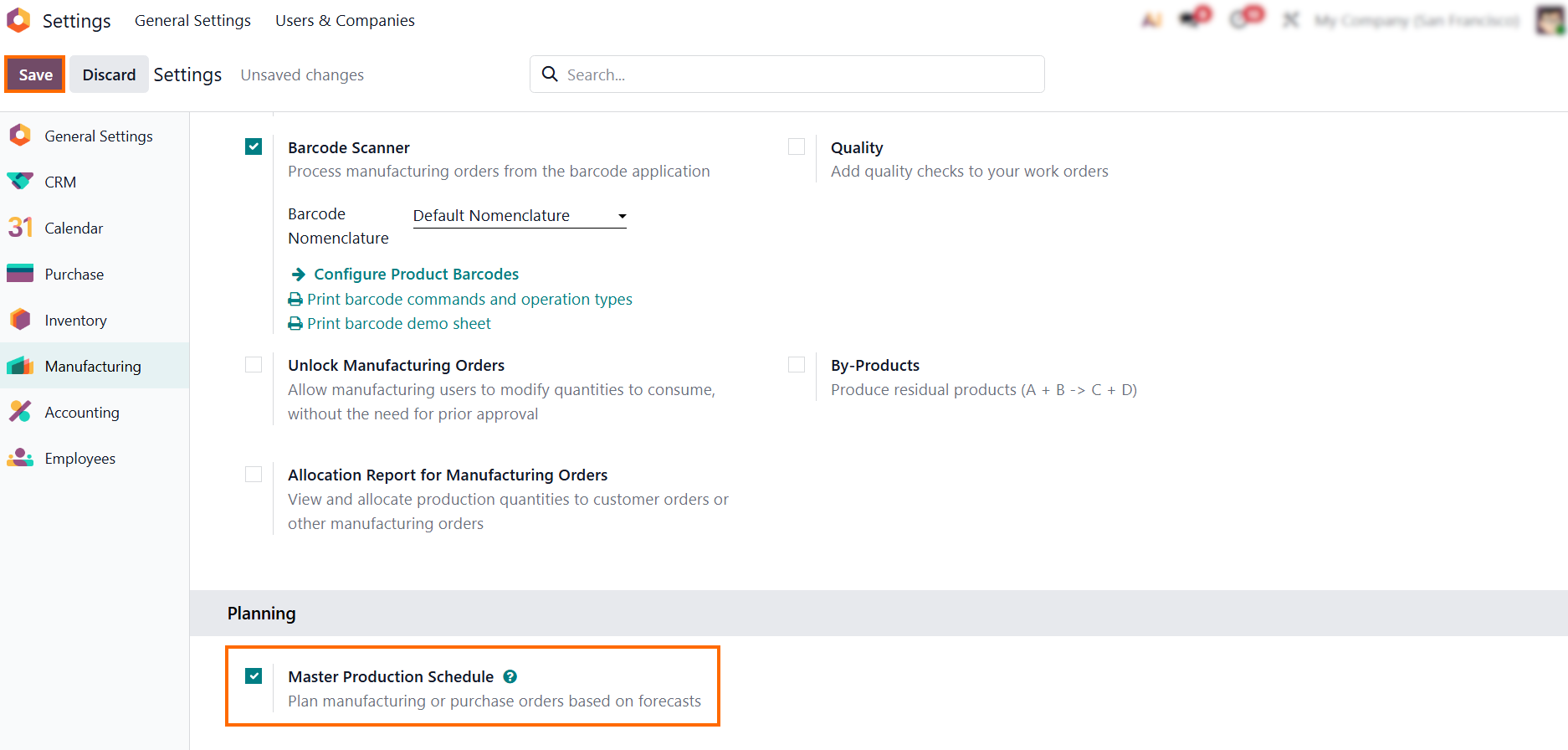
- This approach is most effective when MPS outputs are reviewed against actual work center capacity, ensuring forecast-driven plans do not overload resources or reduce production efficiency.
Real-Time Bottleneck Mitigation via the Shop Floor Interface
While previous steps focus on analysis and planning, Shop Floor enables immediate operational response at the execution level. This closes the loop between planning assumptions and actual shop floor execution. Identification and planning are long-term strategies, but active production bottlenecks often require immediate tactical intervention. Odoo’s Shop Floor module serves as a live control center where supervisors can react to constraints the moment they appear. Instead of waiting for end-of-week reports, managers can redistribute resources dynamically to keep the production flow moving.
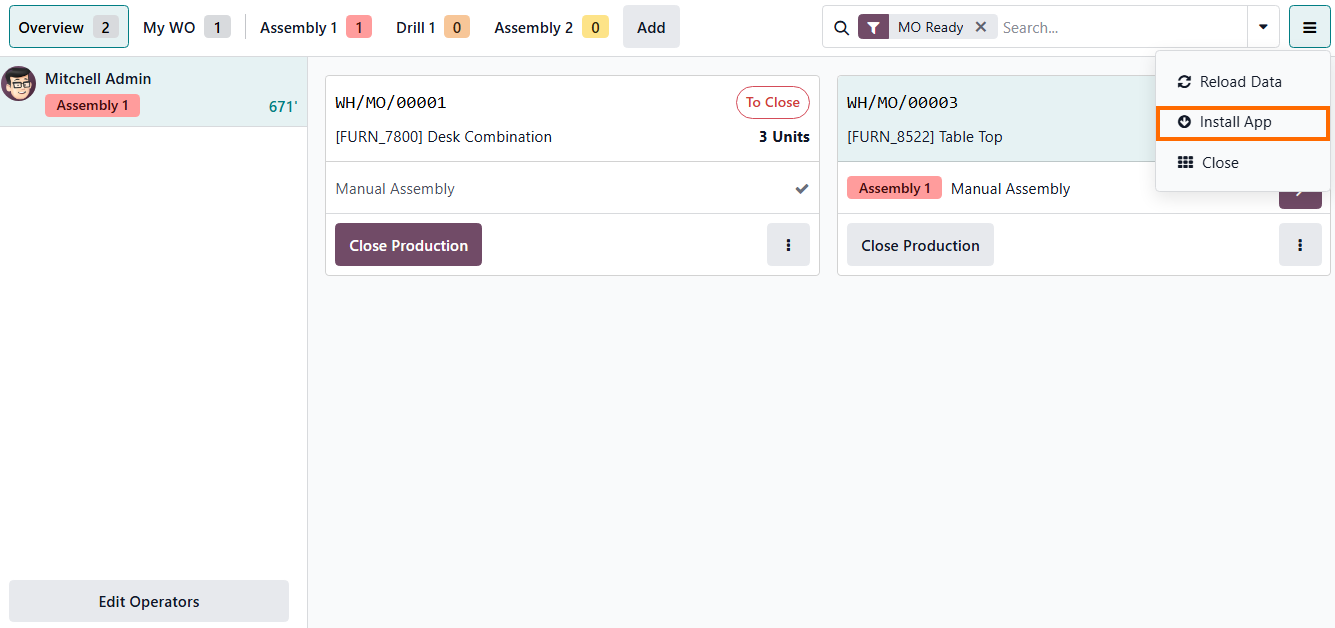
- For easier tablet usage, we recommend using the dedicated Shop Floor interface optimized for touch devices. This ensures faster interaction and reduces input errors on the shop floor.
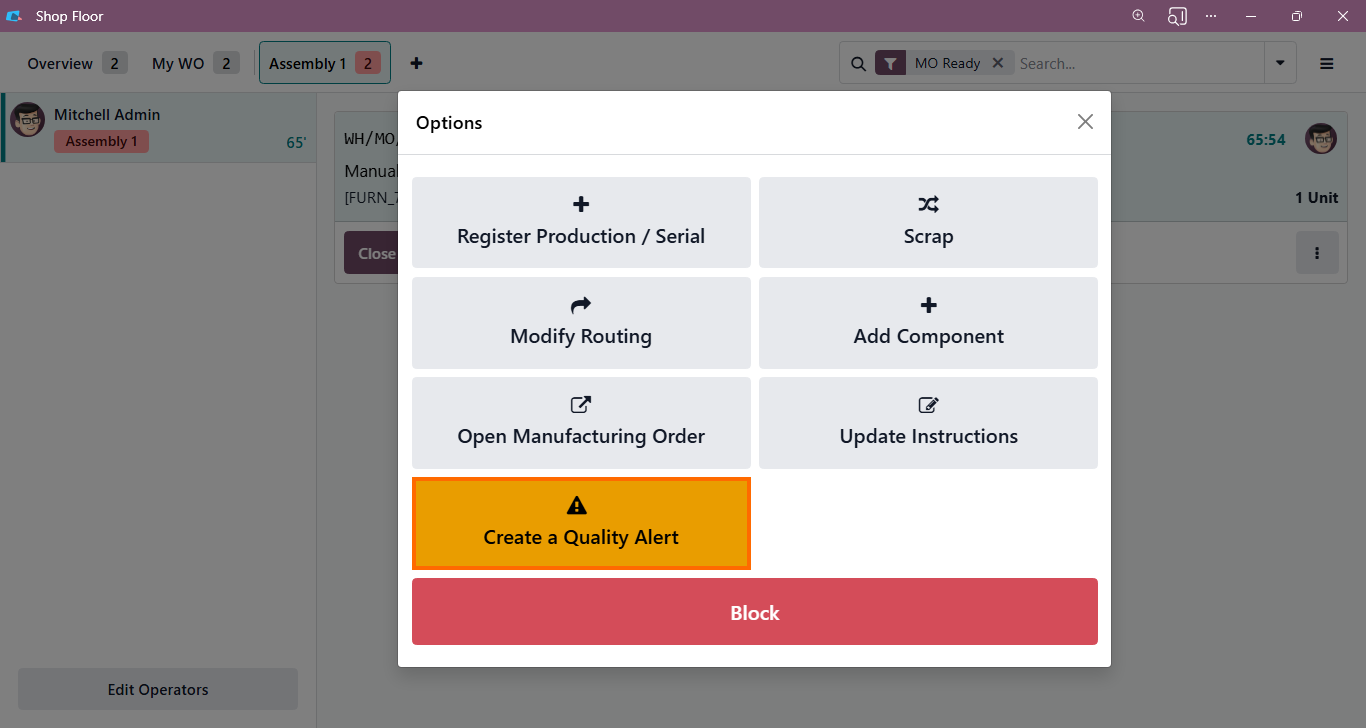
- If a defect is detected, operators
can use the “Create a Quality Alert” button to instantly notify the quality
team, preventing the bottleneck from spreading to
downstream operations.
-
Operators then enter the
required details for the quality alert and click “Save” to
confirm and prevent further
impact on production flow, ensuring full traceability.
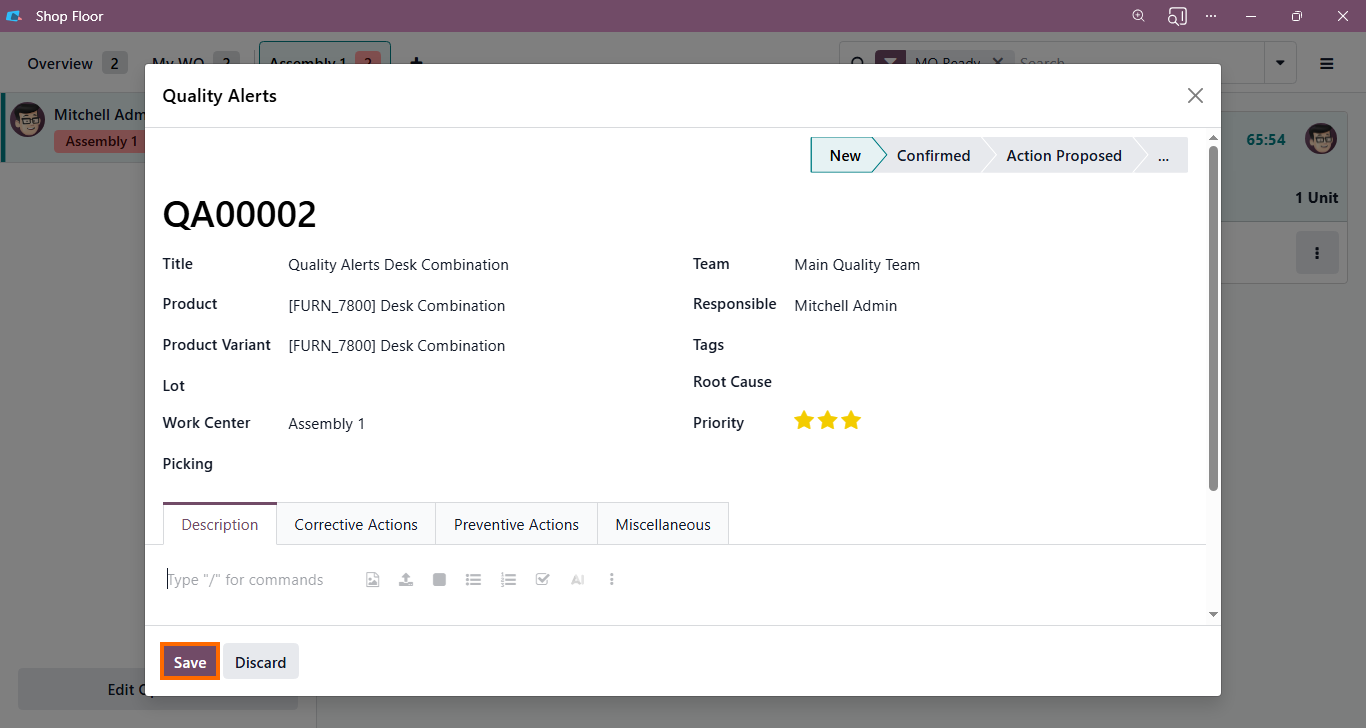
- Once created, the quality alert becomes visible in the Quality app, where it can be tracked, assigned, and resolved by the quality team, providing end-to-end visibility.
Conclusion
Production efficiency rarely declines suddenly. It erodes when production bottlenecks remain unnoticed within daily execution and constraints accumulate silently across the production flow. When these issues are not visible in real time, decisions are made reactively and too late to protect throughput.
Odoo manufacturing brings these constraints to the surface by connecting real shop floor execution with planning and capacity data. This allows teams to identify production bottlenecks early, understand their root causes, and address them as part of normal operations rather than emergency interventions.
By turning execution data into a continuous feedback loop, production efficiency becomes a measurable and improvable outcome. Decisions are no longer based on assumptions but validated against real production conditions, ensuring that flow limitations are managed before they limit performance.