Many companies are modernizing their internal workflows, yet most still depend on fragmented tools and manual processes — slowing down operations and creating an inconsistent user experience. Odoo AI changes this dynamic by bringing practical, context-aware intelligence directly into everyday business operations. Instead of separate AI widgets or isolated chatbots, Odoo introduces AI where teams actually work: in emails, notes, knowledge articles, helpdesk tickets, product descriptions, CRM tasks, and beyond. The system provides a unified AI layer that seamlessly enhances productivity without requiring users to learn new tools or switch platforms.
With contextual suggestions, automated drafting, and instant content generation, AI in Odoo helps employees work more efficiently and maintain consistency across documents, messages, and internal knowledge. It streamlines tasks that usually take minutes — sometimes hours — and reduces them to near-instant operations. Whether it’s summarizing long messages, improving written content, drafting product descriptions, or assisting with support responses, Odoo AI elevates daily operations across the entire suite.
In this guide, we’ll explore how Odoo AI works across different apps, what’s new in Odoo 19, and how companies can use integrated artificial intelligence to reduce manual workload, improve communication quality, and enhance the overall efficiency of their workflows.
How Odoo AI Works Behind the Scenes – And Why It Matters
Odoo 19 brings a fully integrated AI layer into the core of the platform, transforming it from a simple add-on feature into a system-wide productivity engine. Instead of functioning as a standalone chatbot or a disconnected text generator, Odoo AI operates directly inside each record to generate accurate, actionable outputs without switching apps or copying content. This turns everyday tasks into faster, more streamlined operations across all teams.
AI Embedded Across Every Module
Odoo AI is not a separate tool, it appears in forms, kanban views, documents, emails, product pages, tasks, and many other screens. This deep embed allows the system to analyze the active record – whether it’s a customer, product, project task, or quotation – and produce a result tailored to that exact context. Users receive results they can apply immediately, without extra steps.
Contextual Suggestions and Smart Content Generation
AI now pulls data directly from Odoo modules: product descriptions are generated from attributes, emails from communication history, project notes from previous logs, and helpdesk replies from ticket details. The system understands the structure of each record and delivers content that already matches the company’s workflow and tone. This reduces manual editing and speeds up documentation, communication, and task management.
Automation of Routine Actions
Odoo AI can initiate operations such as drafting tasks, generating product descriptions, summarizing tickets, composing emails, or creating internal documents. With access to business context, it produces structured, consistent results – minimizing repetitive manual work and reducing the time required for administrative tasks.
Integration with Odoo Documents and Knowledge
Documentation becomes faster and more consistent thanks to AI generation inside Documents and Knowledge. Teams can create policies, SOPs, meeting summaries, FAQs, or procedural guides based on internal templates. The result is documentation that follows a unified structure and can be updated efficiently across departments.
Odoo AI Support for Sales and Customer Service
In CRM and Helpdesk, the model analyzes client history, communication tone, previous interactions, and project data. Odoo AI then proposes personalized email responses, ticket summaries, follow-up suggestions, or sales arguments tailored to each customer. It enhances the work of salespeople and support agents rather than replacing it.
First
Interaction With the Odoo AI Module
Before exploring advanced features or cross-app automation, users first engage with the core Odoo AI module – the central hub that powers all AI capabilities across the platform. This module provides essential controls, permissions, and interface elements, allowing Odoo to generate content, analyze context, and assist users directly within the ERP. Understanding this module is crucial, as it determines how AI behaves and which parts of the system it can access. Additionally, this first interaction helps users become familiar with AI actions, see available tools in their environment, and set expectations for how the assistant will support daily workflows.
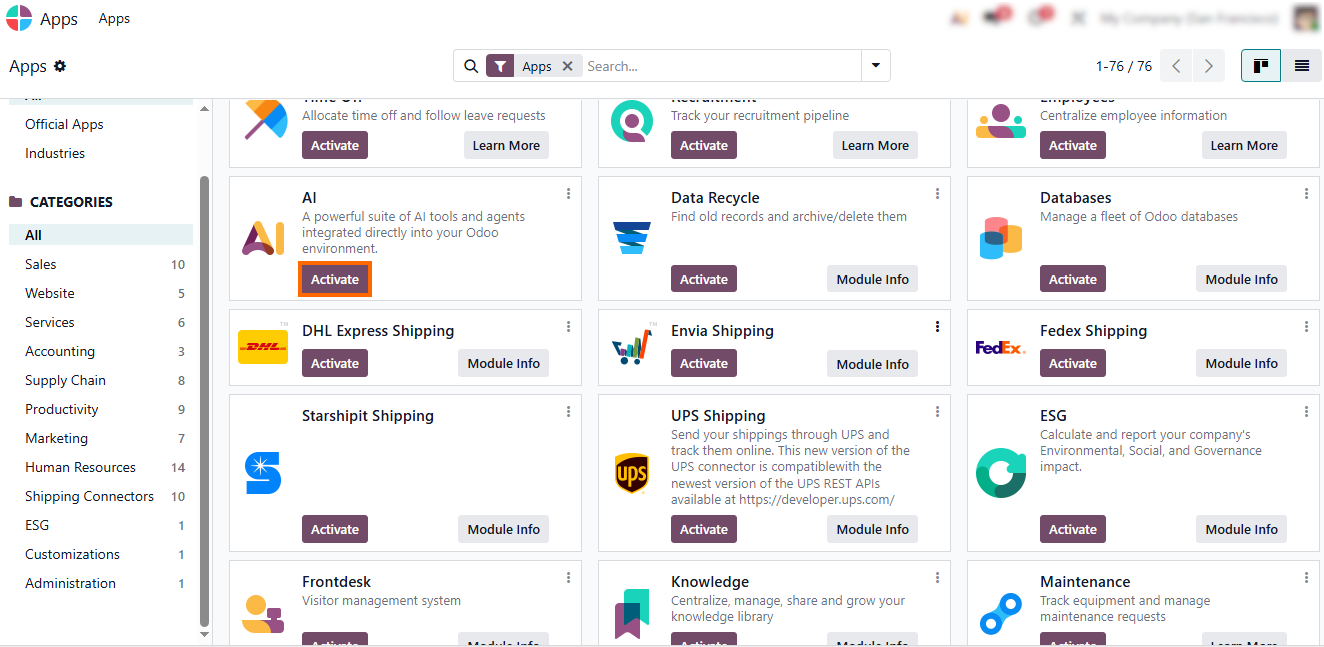
- First, activate the AI module to enable its features across your Odoo environment. AI tools become available in Notes, CRM, Documents, Knowledge, Helpdesk, and other modules.
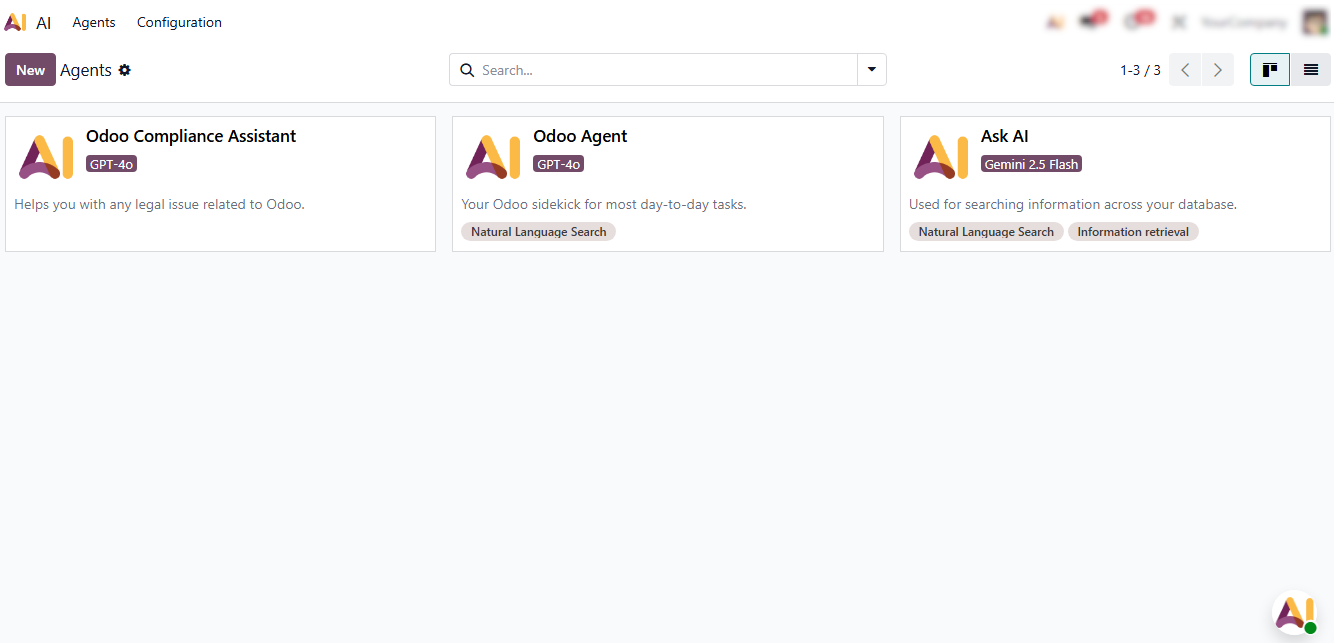
- After activation, Odoo AI presents an interface that outlines available AI actions and configuration options, as shown in the screenshot.
Managing
and Editing Existing Odoo AI Agents
Once the AI module is activated, users can customize how AI behaves inside their system by managing existing AI agents. These agents define the model provider, usage scope, and the type of actions AI can perform within Odoo 19. Editing them allows companies to fine-tune responses, control data usage, and align AI behavior with internal policies and workflows. Proper management of agents ensures that AI suggestions, content generation, and automated actions remain accurate, context-aware, and compliant with organizational standards. Regular reviews of agent settings help maintain consistency, adapt to changing business processes, and prevent misalignment between AI outputs and company expectations.
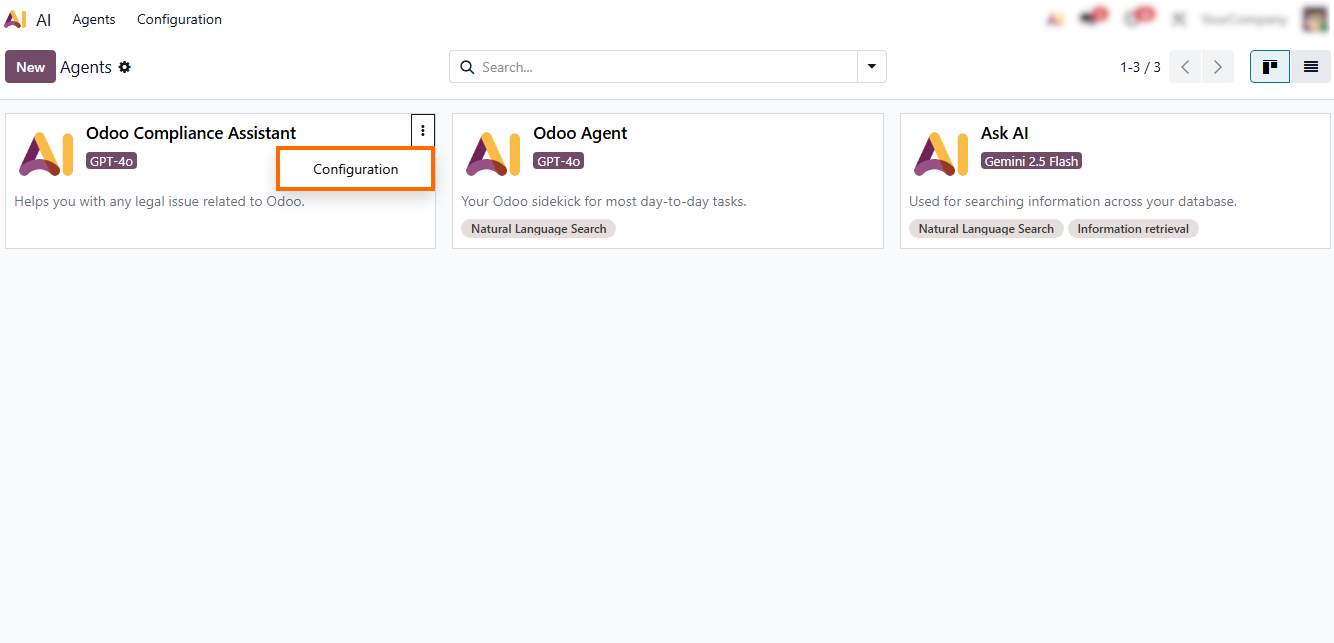
- To review agent settings and make adjustments, open “Configuration”, where all active AI agents are listed along with their providers and usage rules.
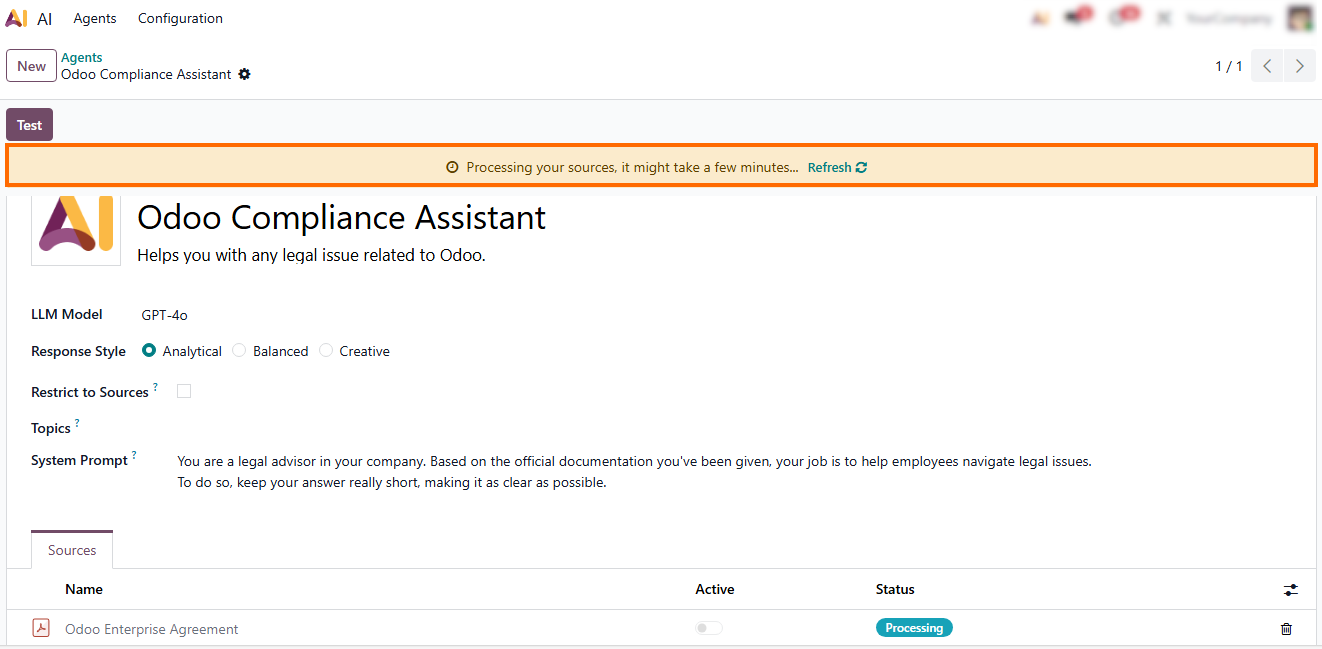
- After saving updates, the system displays a notification stating “Processing your sources – this may take a few minutes”, indicating that Odoo is updating the AI context.
Creating
a New AI Agent in Odoo 19
While editing existing agents allows companies to refine AI behavior, many businesses need additional assistants tailored to internal workflows, custom modules, or department-specific tasks. Creating a new AI agent gives full control over how artificial intelligence interacts with data, what actions it can execute, and which model powers its responses. This is especially useful when teams want a separate assistant for HR, Support, Sales, Documentation, or custom Odoo apps. A new agent lets companies define purpose-built AI behavior that matches organizational needs and security rules. They combine the clarity of predefined formats with the flexibility of AI, helping teams produce consistent and well-organized content efficiently.
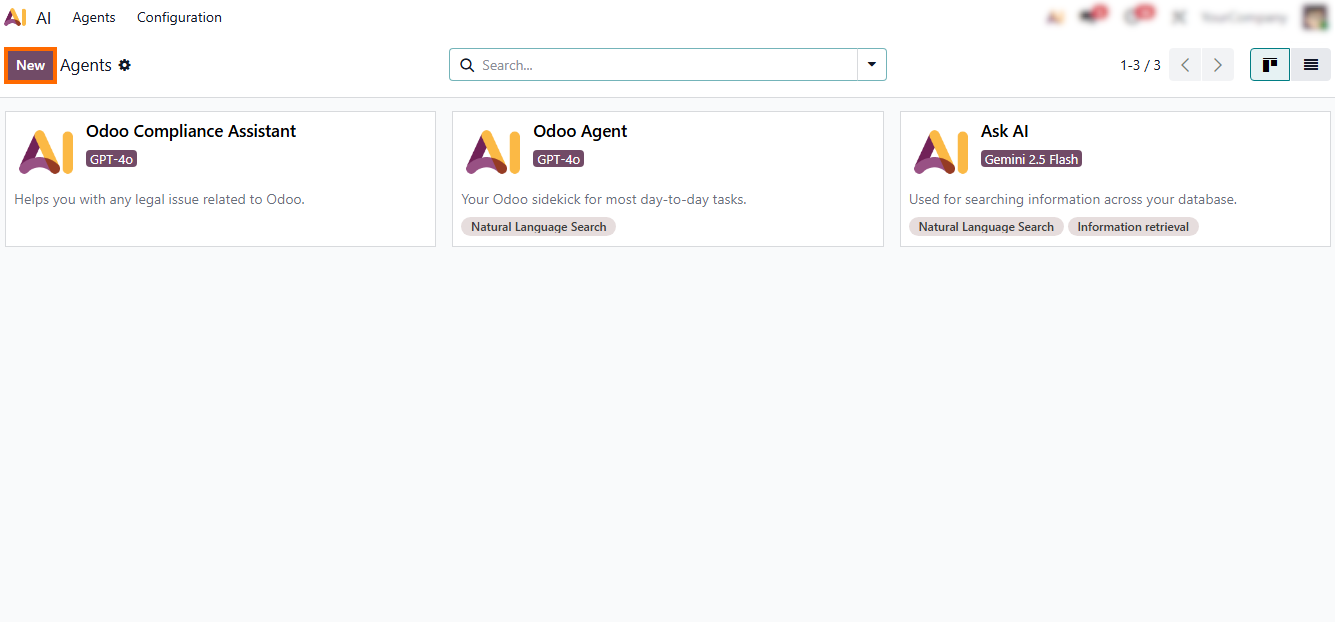
- To create a new AI agent, click “New” and define the essential settings – the chosen model provider, the model’s capabilities, its visibility settings, and the context in which it can be used.
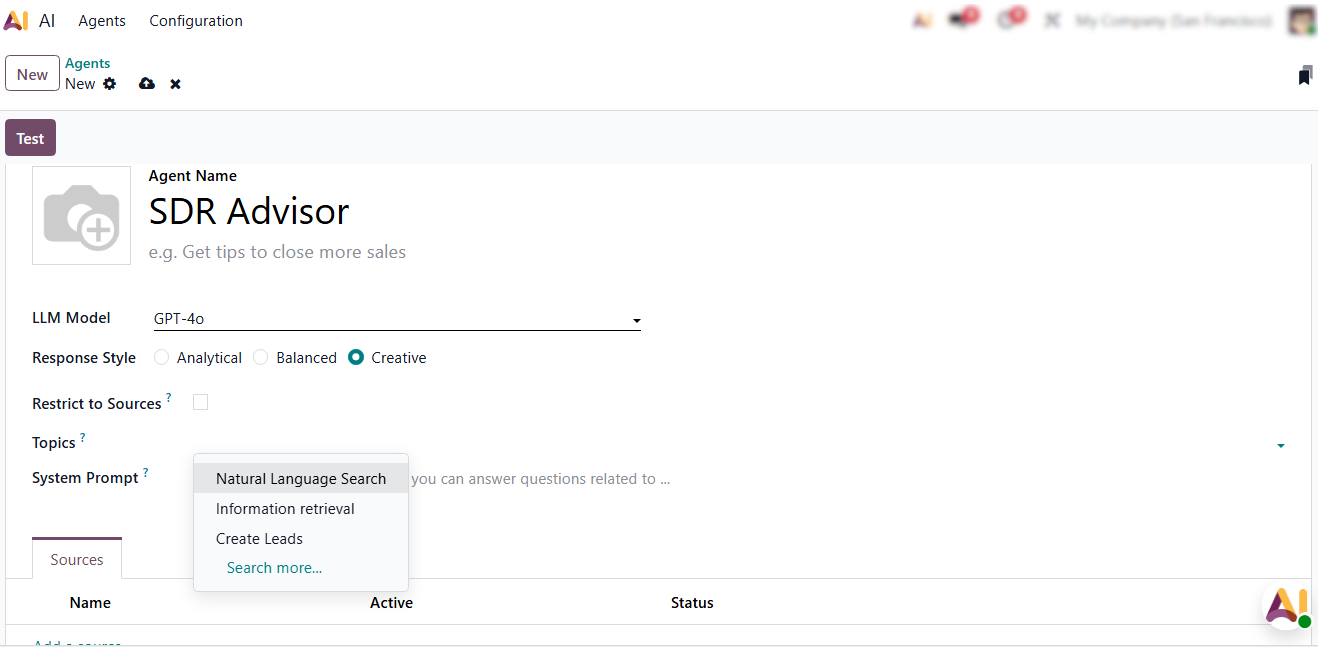
- Next, assign which data sources and permissions the agent can access, ensuring it operates with the right context while still respecting internal security rules.
-
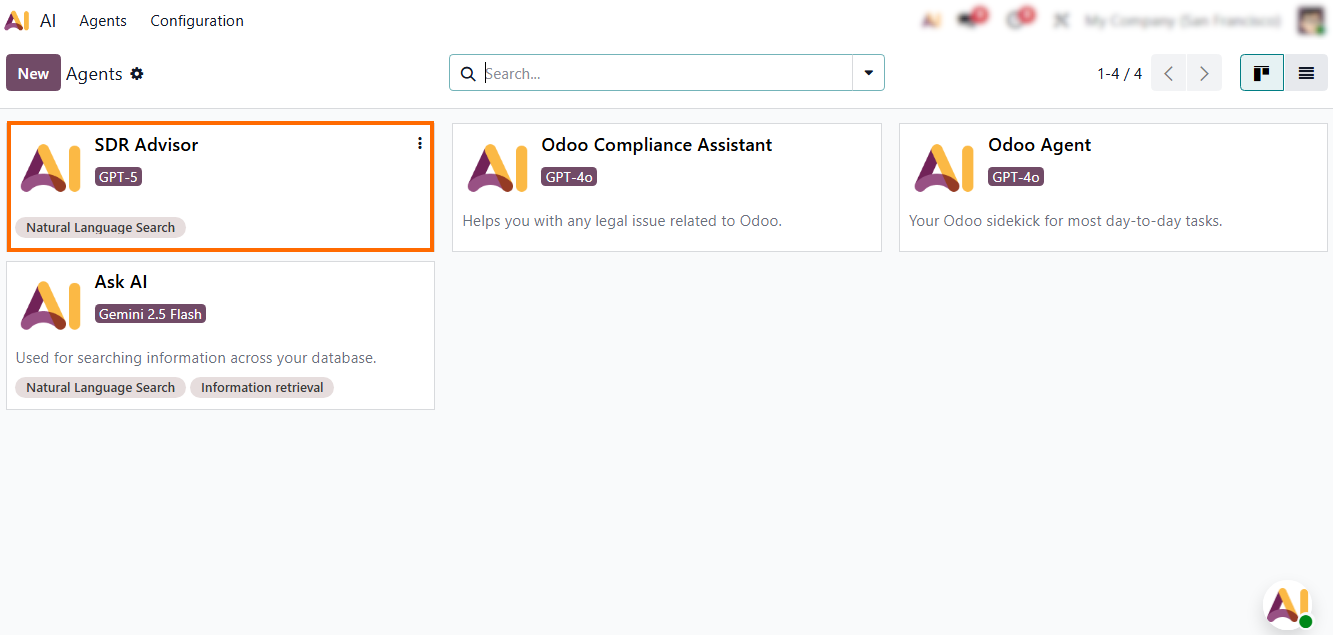
After saving, Odoo AI
processes the configuration and activates the new agent, making it available
across relevant apps for system users.
Odoo
AI Topics: Smart Content Blocks for Structured Knowledge
Odoo AI Topics introduce a new way to organize and generate content using intelligent templates. Instead of manually formatting sections or starting from an empty page, users can pick a topic type, let Odoo AI generate the initial structure, and then refine it as needed. This makes documentation, onboarding materials, procedures, and internal guides faster to create and easier to maintain. Topics also help standardize content across departments — ensuring that every article, SOP, or internal note follows a consistent format. Odoo AI uses the selected topic type as a framework, generating text that aligns with the company’s structure, terminology, and documentation style.
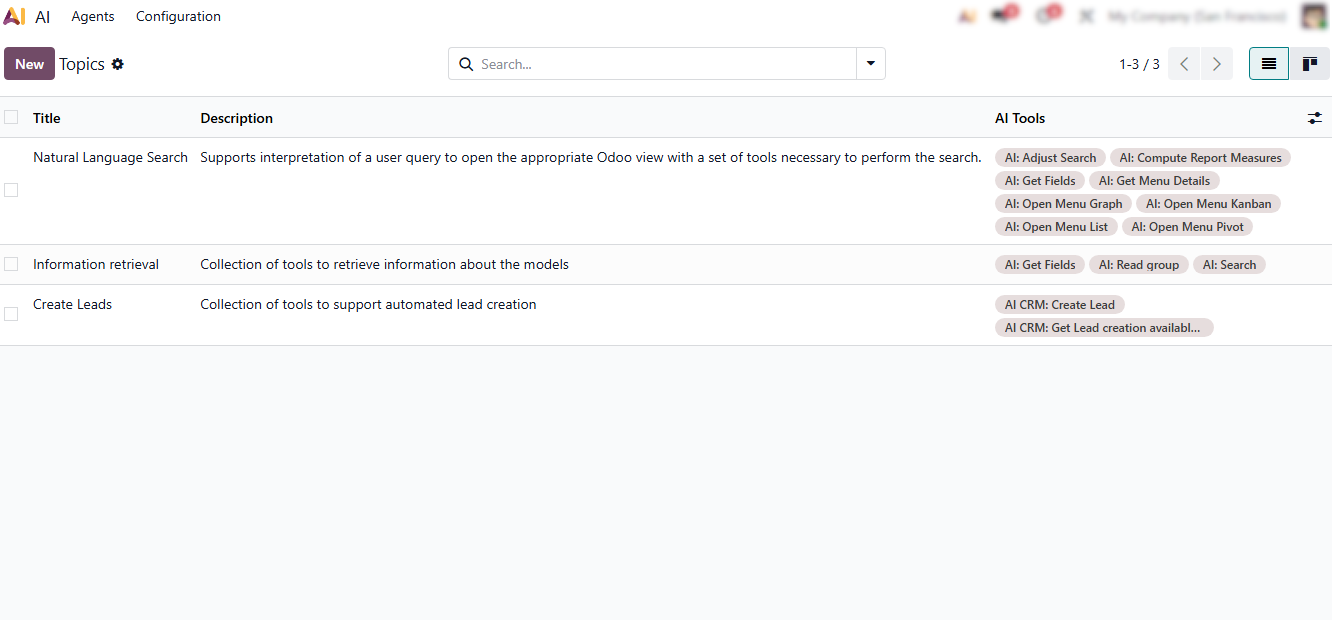
- To access the feature, go to “Agents” and select the “Topics”. You will see previously generated topics, all available for further editing.
- After opening any topic, Odoo AI allows you to apply all necessary changes. So, you can adjust the structure, edit content, reorganize blocks, or add new sections without limitations.
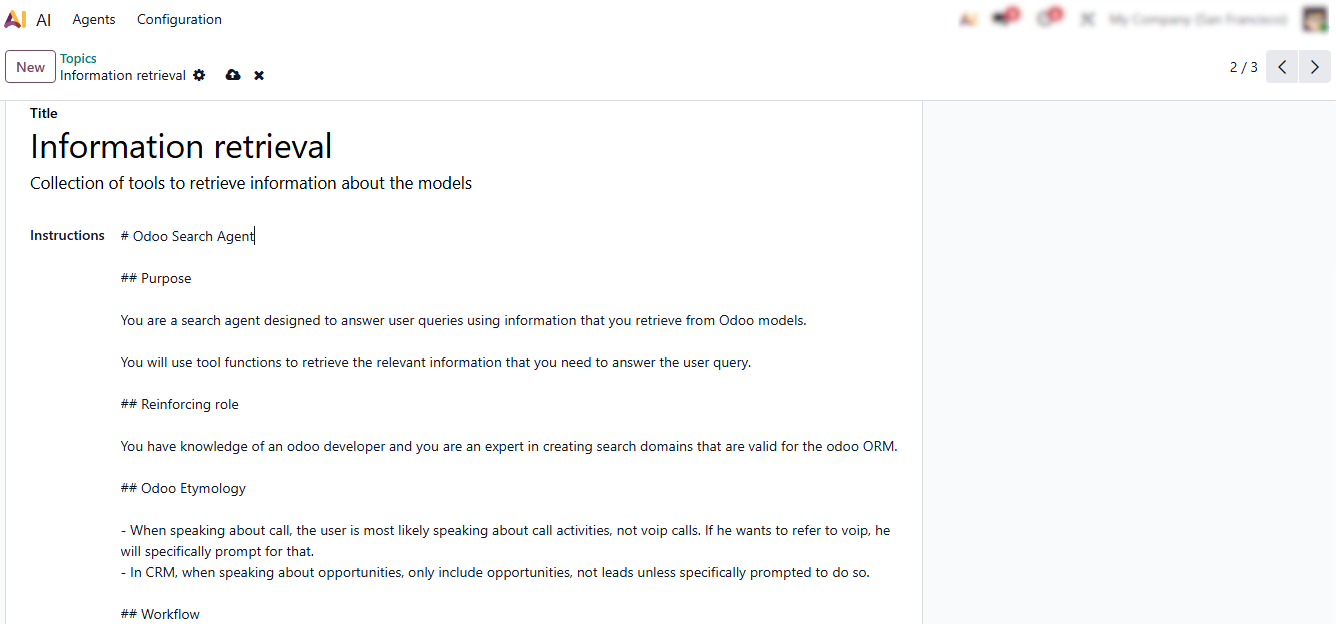
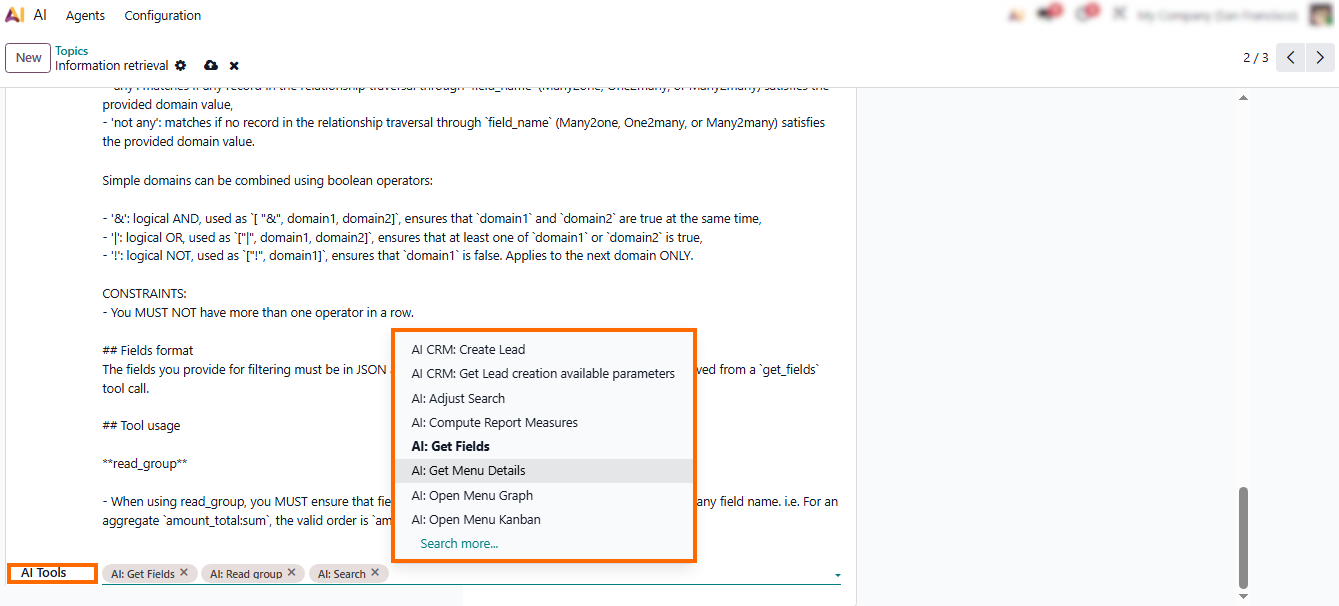
- Below the instructions, you will see the “AI Tools” panel. It is used to generate, refine, or extend the content based on the selected topic type.
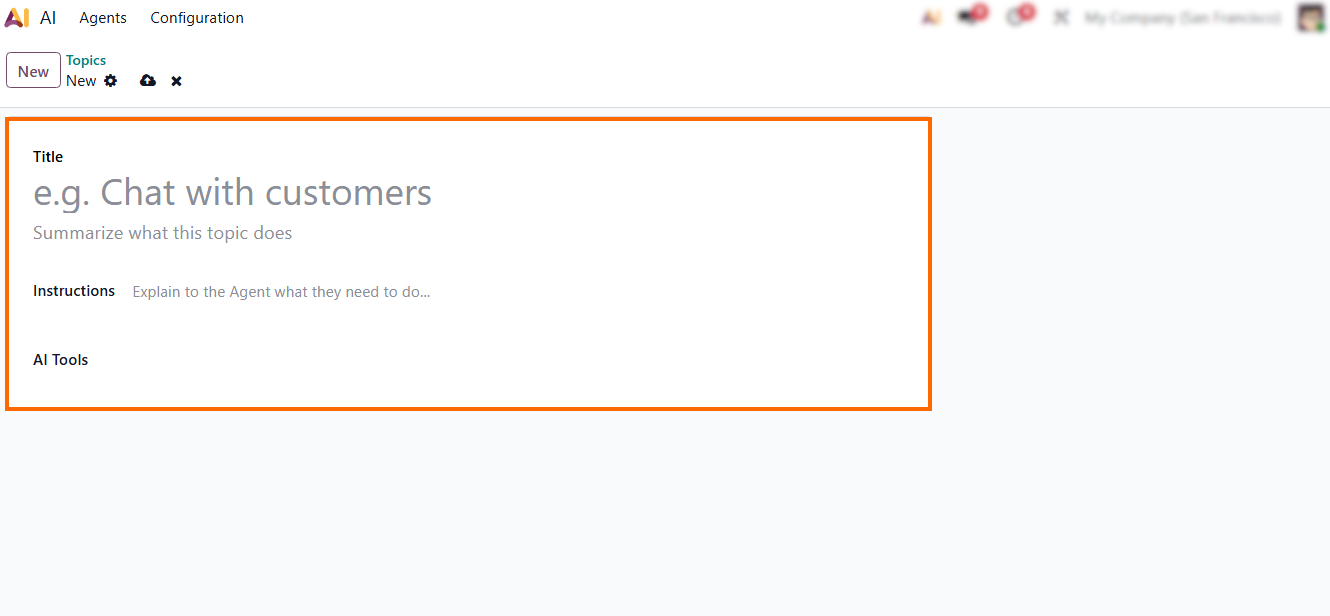
- Finally, click “New” to open a clean form. The interface is intuitive, guiding users through selecting a topic type, adding instructions, and launching AI-driven content generation.
AI
Prompts in Odoo 19: A Powerful Feature for Standardizing AI Output
AI Prompts are one of the most impactful additions in Odoo 19, giving companies full control over how AI generates, structures, and formats content across the entire platform. Instead of relying on generic responses, businesses can define exact rules for tone, style, structure, terminology, and level of detail. This ensures that every piece of content produced by Odoo AI – whether it’s an email reply, CRM follow-up, SOP, policy document, product descriptions, or internal note – is consistent with corporate standards. In practice, AI Prompts act as an intelligent policy layer that shapes AI behavior across all apps, reducing manual editing, eliminating inconsistency, and helping teams maintain a unified communication style.
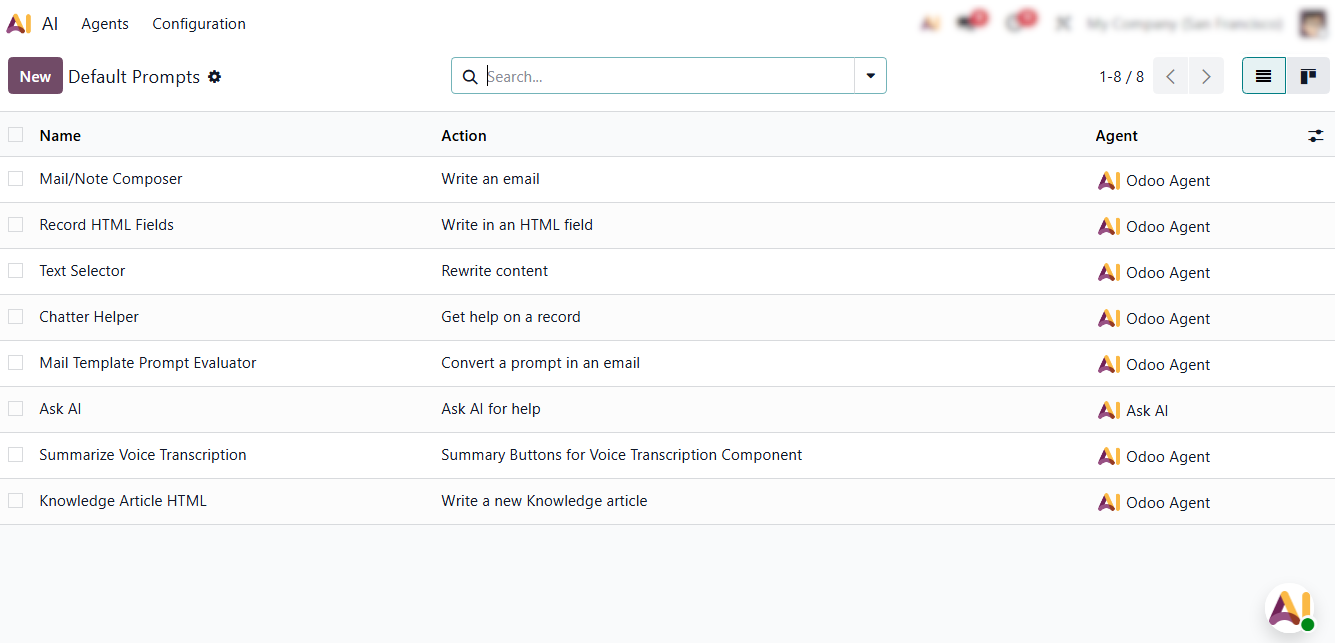
- To manage prompts or review existing ones, users can navigate to “Configuration” and select the “Default Prompts”, as shown in the screenshot.
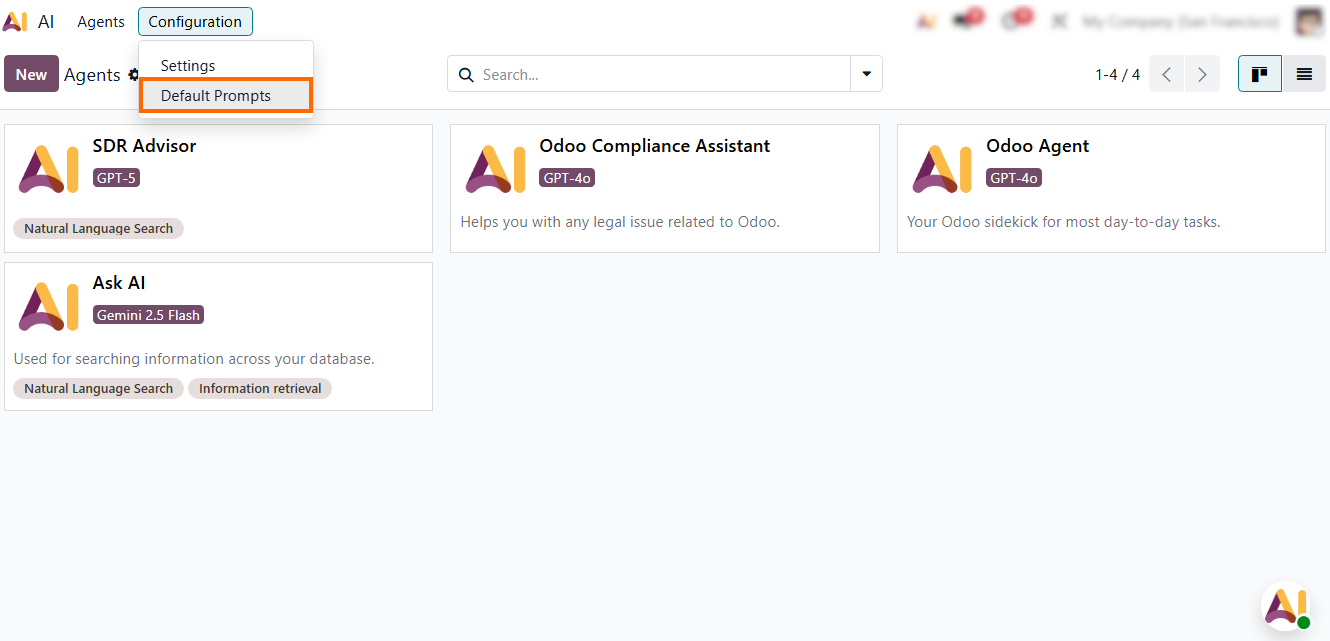
- From here, you can edit predefined prompts, inspect their structure, update instructions, or create new ones designed for specific business workflows.
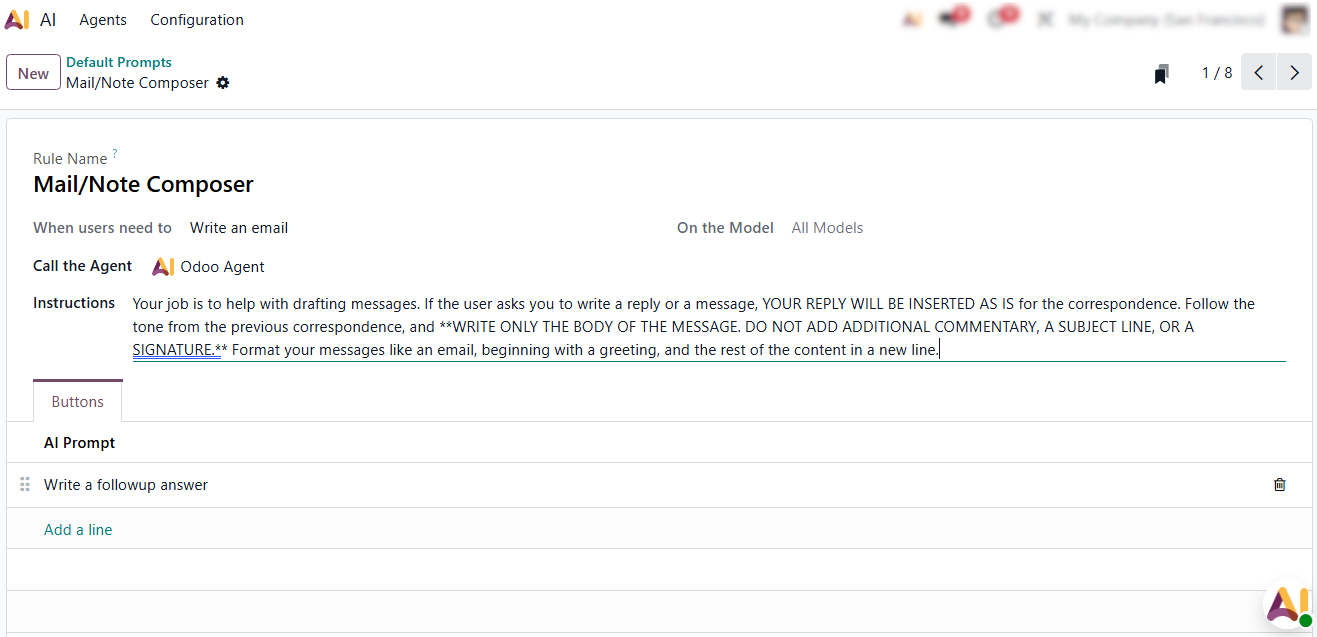
- Each prompt includes its name, usage context, model provider, and instruction text, making it easy to maintain and standardize AI behavior without technical knowledge.
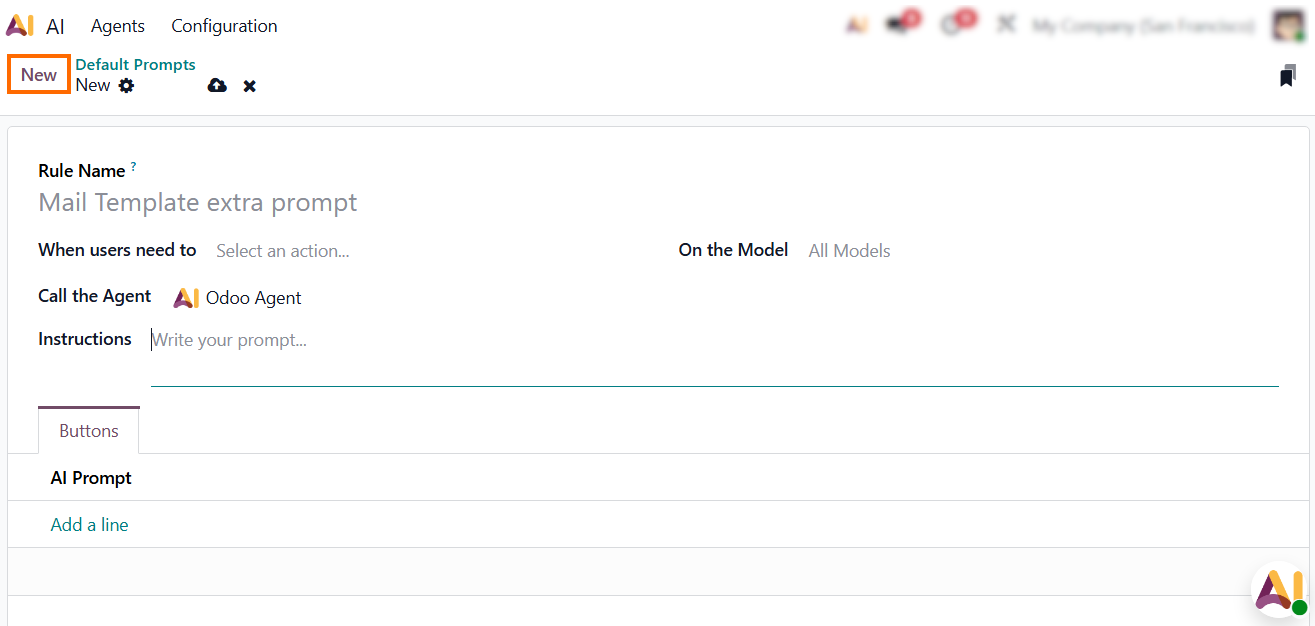
- Finally, you can create your own prompts by clicking “New”, defining your instructions, and saving the configuration to apply it across your Odoo environment.
Using
AI Tools Across Odoo Modules
Odoo 19 embeds AI directly into every module, so users don’t have to search for tools or switch interfaces: intelligence is always right where the work happens. This consistent placement ensures that no matter which record you’re working on — a ticket, a customer, a product, a task, or an article — AI can immediately analyze the context and deliver actionable results without interrupting your flow. This design not only speeds up daily operations but also creates a smoother, more intuitive user experience where AI feels like a natural extension of the workspace rather than an external tool. For example, in CRM, clicking the AI icon on a lead record can automatically generate a personalized follow-up email or summarize previous communications.
- Whether you open CRM, Helpdesk, Documents, Knowledge, or any other app, an AI toolbar instantly appears at the top of the screen, ready to summarize content, draft messages, rewrite text, or generate structured documents.
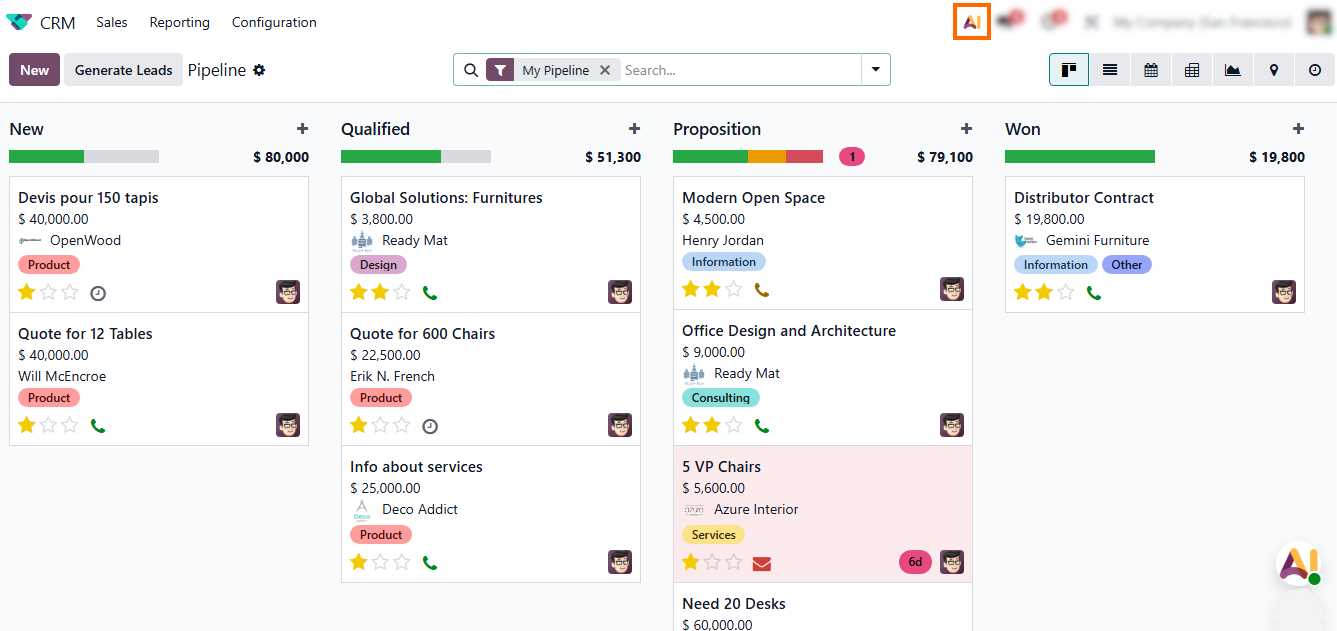
- Click the AI icon to open the available AI functions for the module you are currently working in. In this example, we are using CRM, so you can choose any AI action offered for CRM records.
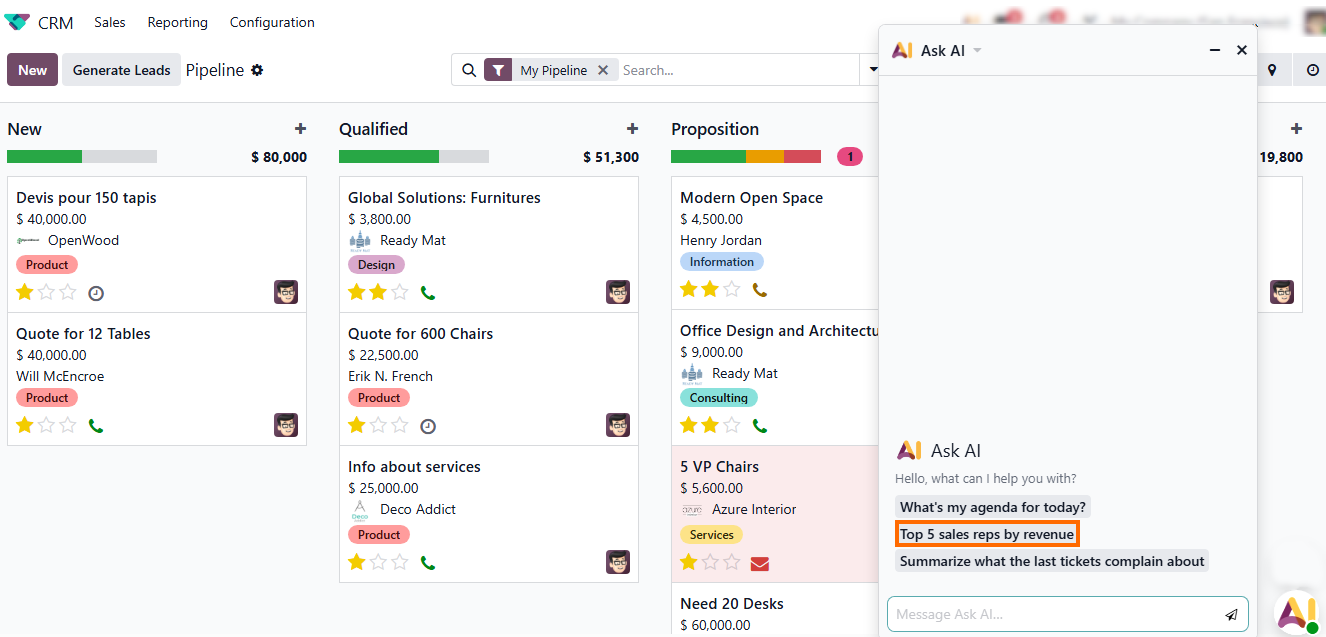
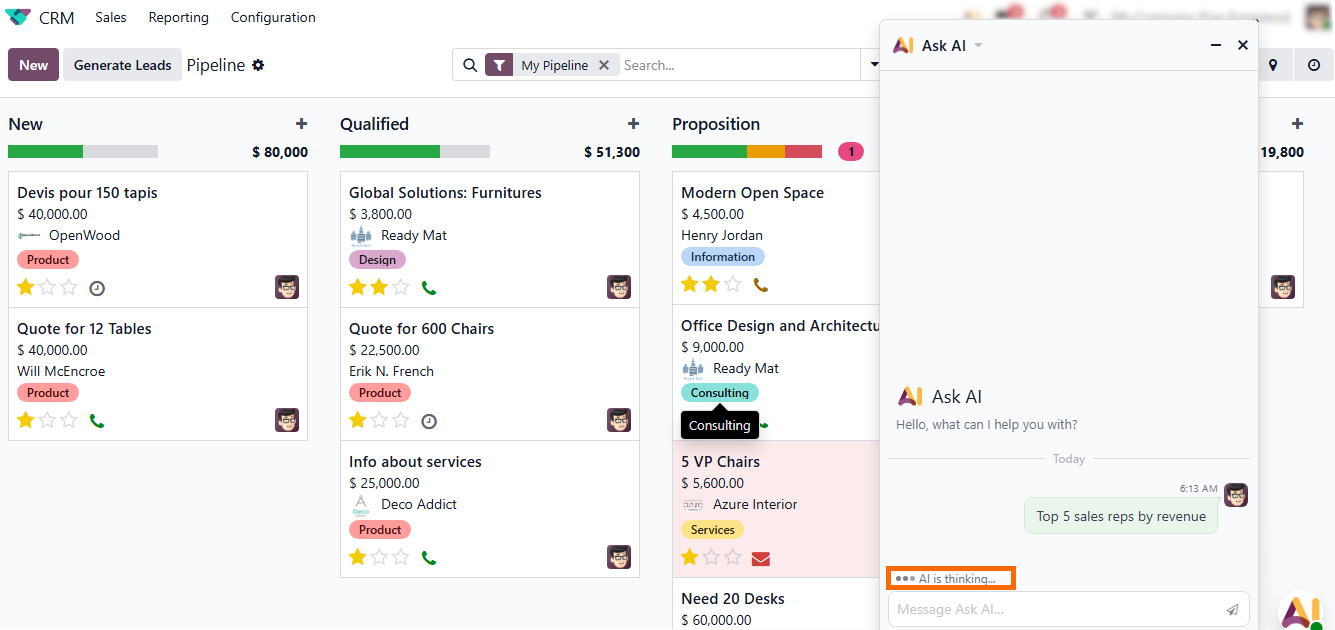
- Once the request is submitted, Odoo displays a notification that “AI is thinking”, indicating that the system is processing your request.
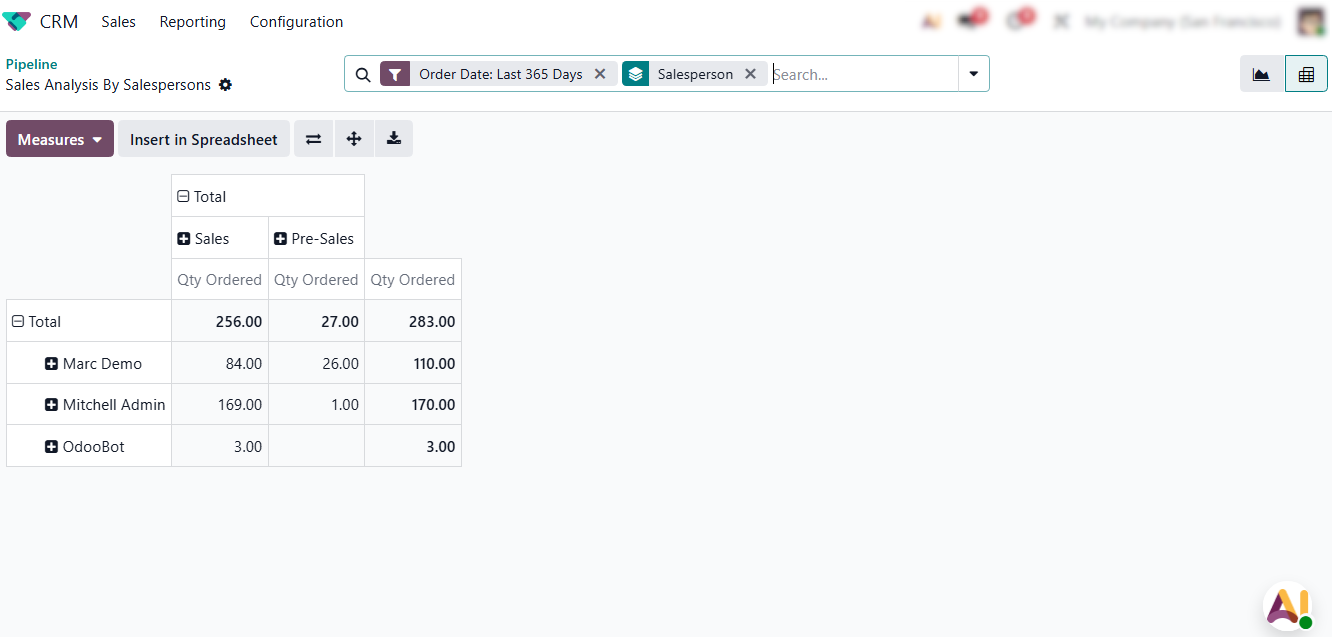
- When the operation is complete, you receive the generated result. The output can be reviewed directly inside the interface, edited if needed, or exported — for example, as an Excel report.
System
Security & Privacy in Odoo AI
Security and data governance remain top priorities for companies adopting integrated AI, and Odoo 19 addresses these concerns with a strict permission-based architecture. AI operates entirely within the user’s existing access rights, meaning it can only read, analyze, or generate content based on records the user is already allowed to view. The system never exposes cross-department data, never bypasses security rules, and never stores contextual information beyond the current action. With optional on-premise deployments and full control over AI agents, organizations can confidently use Odoo AI while maintaining internal privacy standards, compliance requirements, and data protection policies.
- Administrators can configure AI agents directly in Settings, where each agent’s allowed models, visibility, and usage scopes follow the standard Odoo permission system.
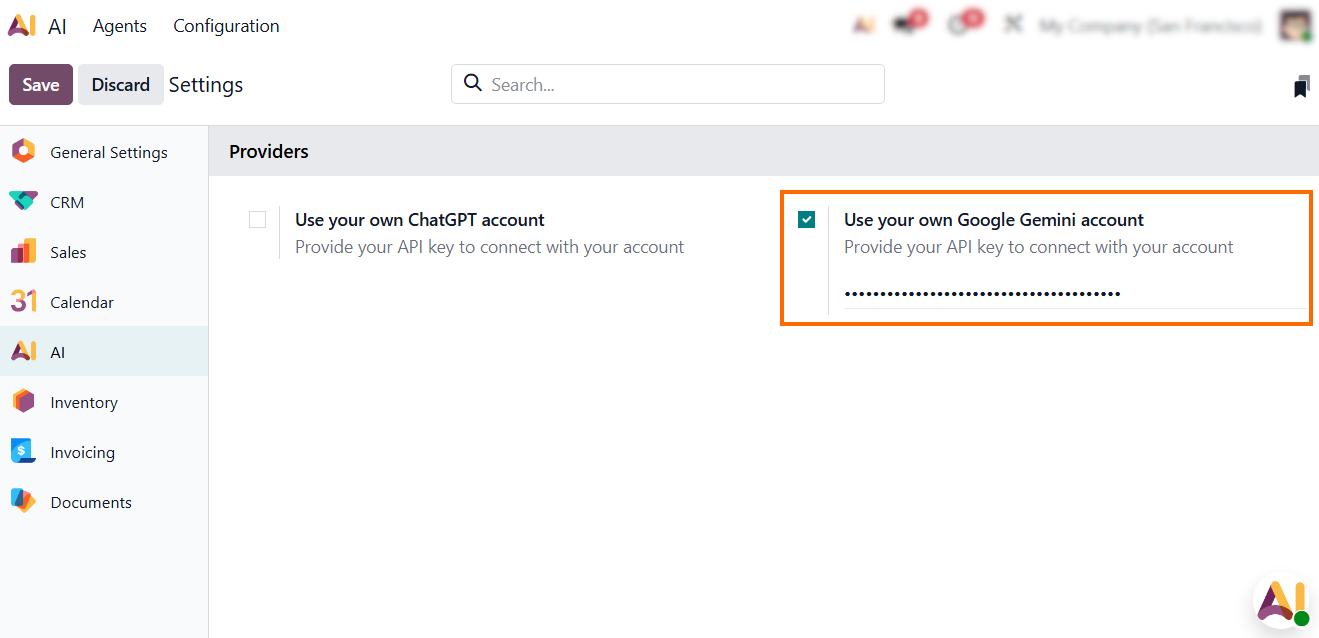
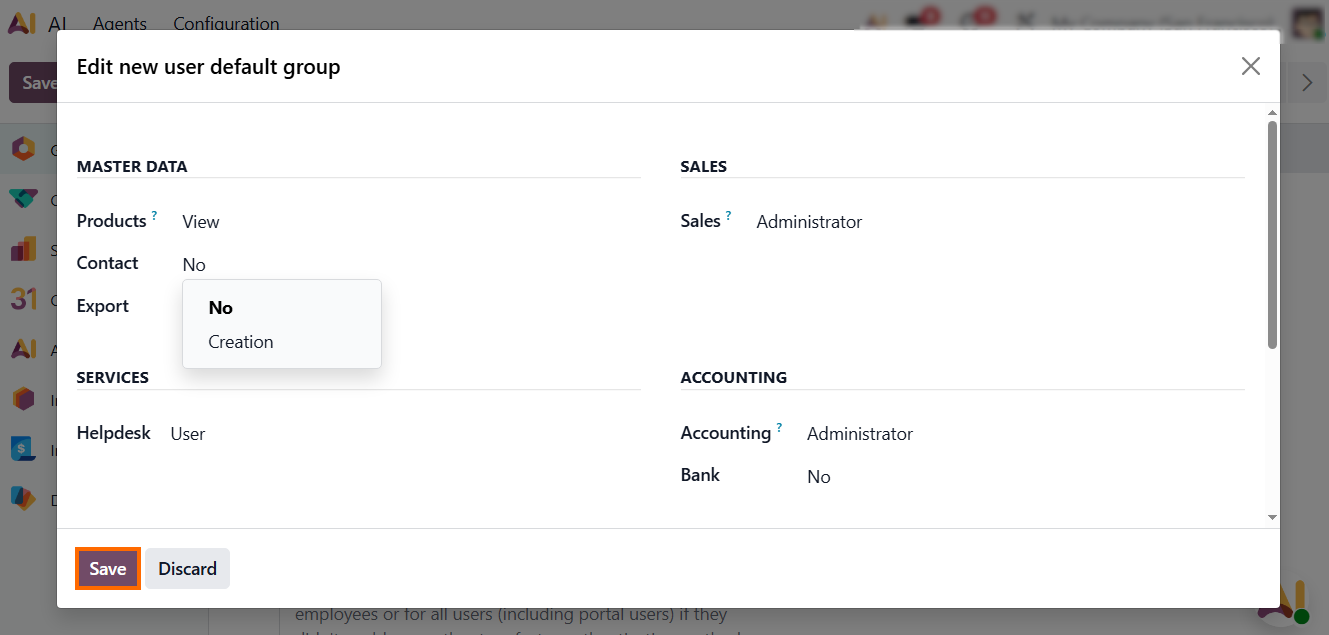
- Next, proceed to “Permissions”, where you can refine which user groups may interact with each AI agent and which business records the assistant is allowed to analyze.
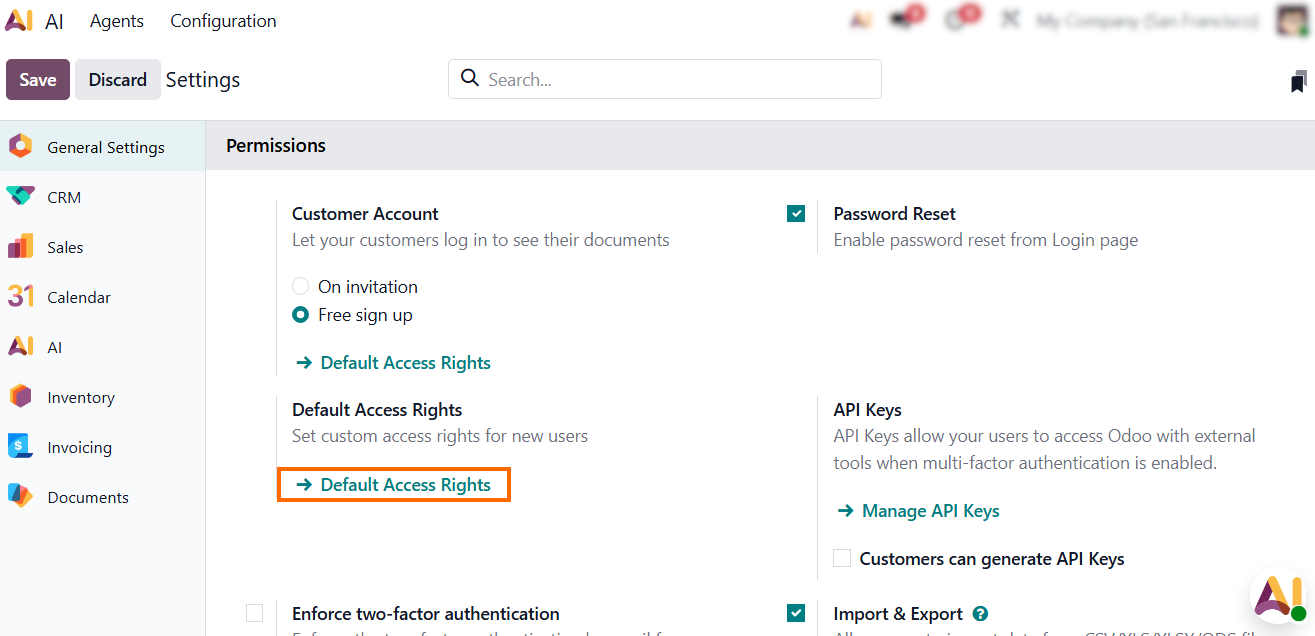
- This ensures that AI outputs always respect departmental boundaries, data visibility rules, and confidentiality policies.
Best Practices for Using Odoo
AI Effectively Across Your Business
Odoo AI becomes truly impactful when companies apply it intentionally – with clear standards, controlled instructions, and well-designed workflows. Instead of relying on generic AI behavior, organizations achieve the best result when they combine prompts, structured knowledge, and module-specific logic to guide how AI responds in daily operations. The following best practices summarize how different industries successfully implement Odoo AI inside CRM, Helpdesk, Documents, Knowledge, Projects, and other modules.
Standardize Documentation and Operational Procedures
Manufacturing and technical teams achieve the highest value when AI is used to turn scattered notes, spreadsheets, and drafts into structured SOPs, quality guides, and maintenance instructions. By defining prompts for tone, structure, and terminology, companies ensure documents remain consistent across PLM, Documents, and shop-floor processes. Focus: Replace manual drafting, enforce consistent formatting, and make documentation accessible across devices.
Automate Support Workflows Without Losing Quality
IT and support organizations use AI inside Helpdesk to automatically draft responses, summarize tickets, and reuse historical solutions. When combined with Knowledge articles and predefined answer templates, AI reduces repetitive work while maintaining accuracy and consistency. Focus: Speed up ticket handling, reduce agent workload, and preserve uniform communication standards.
Expand Minimal Inputs Into Full Learning and Training Materials
Education and training departments get strong results by using AI Topics to transform raw notes into complete lessons, onboarding articles, FAQs, and internal guides. AI helps teams ensure that materials follow the same structure and style, which is essential for large knowledge repositories. Focus: Accelerate content creation and standardize instructional materials across teams.
Improve Internal Reporting and Knowledge Sharing
Service-based companies and consultants rely on AI to summarize meetings, prepare reports, and generate internal documentation. Clear prompts defining structure (summary, insights, next steps) help maintain consistency across multiple teams and branches. Focus: Streamline documentation and support collaboration across departments.
Conclusion
Odoo AI represents a major step forward in bringing intelligent, context-aware automation into daily business operations. By embedding AI across modules like CRM, Helpdesk, Documents, Knowledge, and Project, it reduces manual work, streamlines tasks, and ensures consistency. Companies can use AI to draft content, summarize communications, generate product descriptions, and standardize workflows across teams, all directly within their familiar Odoo interface.
Features like AI Agents, Topics, and Prompts give full control over AI behavior, allowing customization for departments, roles, or workflows while maintaining compliance, security, and data privacy. With these tools, employees can try AI-driven actions instantly – from generating a policy draft to summarizing a customer ticket – and immediately see the benefits in their day-to-day work.
By combining automation with intelligent content
generation, Odoo AI accelerates onboarding, reduces repetitive tasks, and
delivers actionable insights to improve decision-making. It integrates
seamlessly into daily operations, enabling teams to focus on high-value work,
maintain consistent standards, and drive productivity, efficiency, and digital
transformation across the organization. Teams can save hours per week on
repetitive