Relying on external tools for core business logic often leads to multiple versions of the same data, weakening ERP consistency. While Odoo spreadsheet features provide powerful internal reporting, many businesses still export data into external files, creating disconnected workflows where reporting and operational data exist in isolation. Even as Odoo 19 expands spreadsheet capabilities, keeping analysis inside the system is becoming increasingly important. Using internal spreadsheets or external tools like Google Sheets for master data management leads to fragmented records, manual entry errors, and reduced real-time visibility.
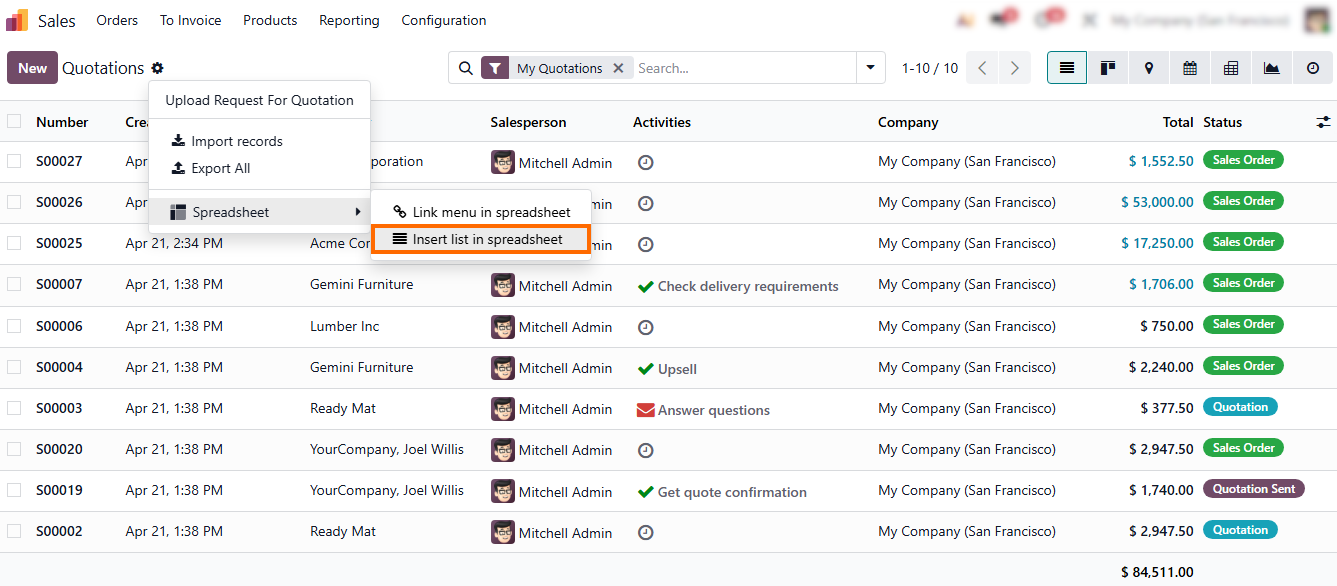
To start, open any list view, apply the required filters, and click “Insert List in Spreadsheet” in the top-right corner. This keeps records synchronized across modules without exporting data to external files.
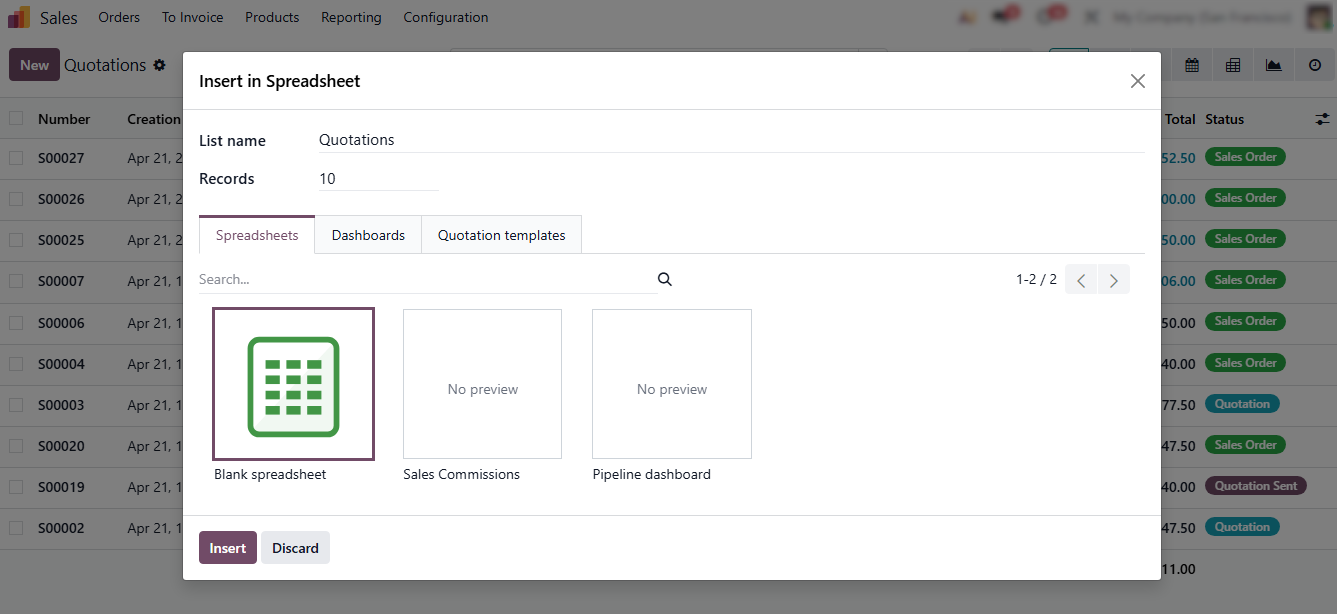
- Odoo allows you to define how the data will be used: choose “Spreadsheet” for analysis, “Dashboard” for KPI tracking, or, depending on your setup, reuse it in sales workflows such as quotation templates.
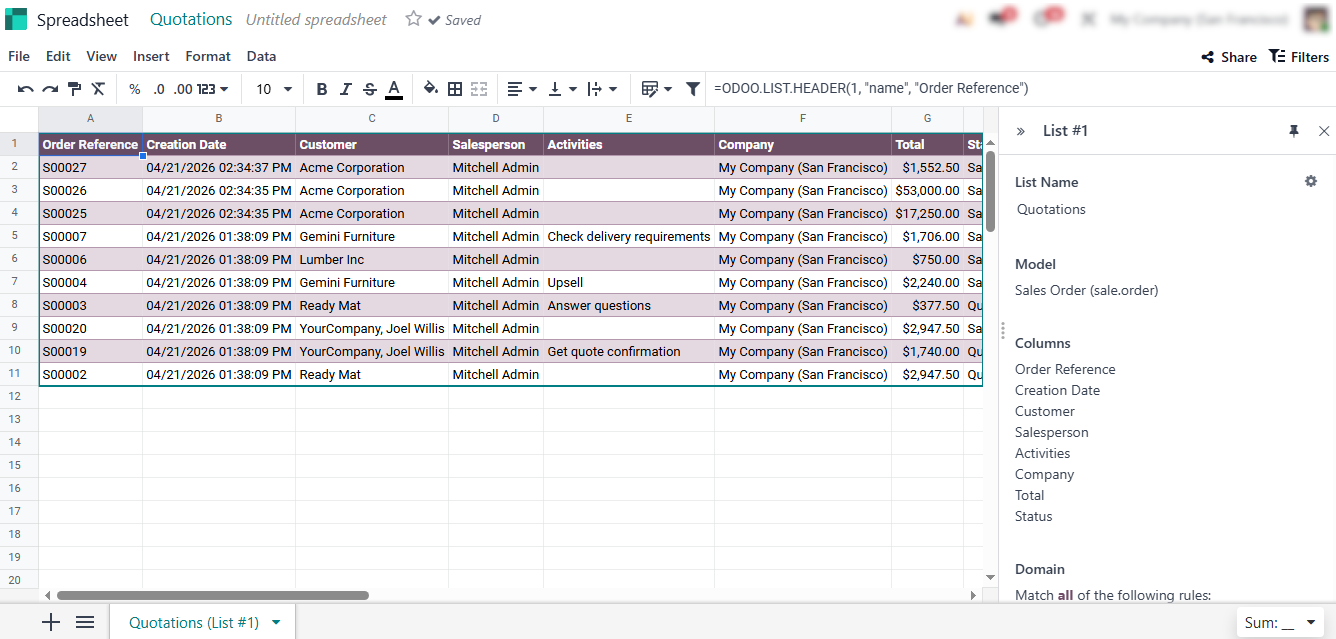
- After clicking “Insert”, Odoo automatically generates an internal spreadsheet and displays it on screen. This spreadsheet remains directly linked to live Odoo data, updating automatically as records change.
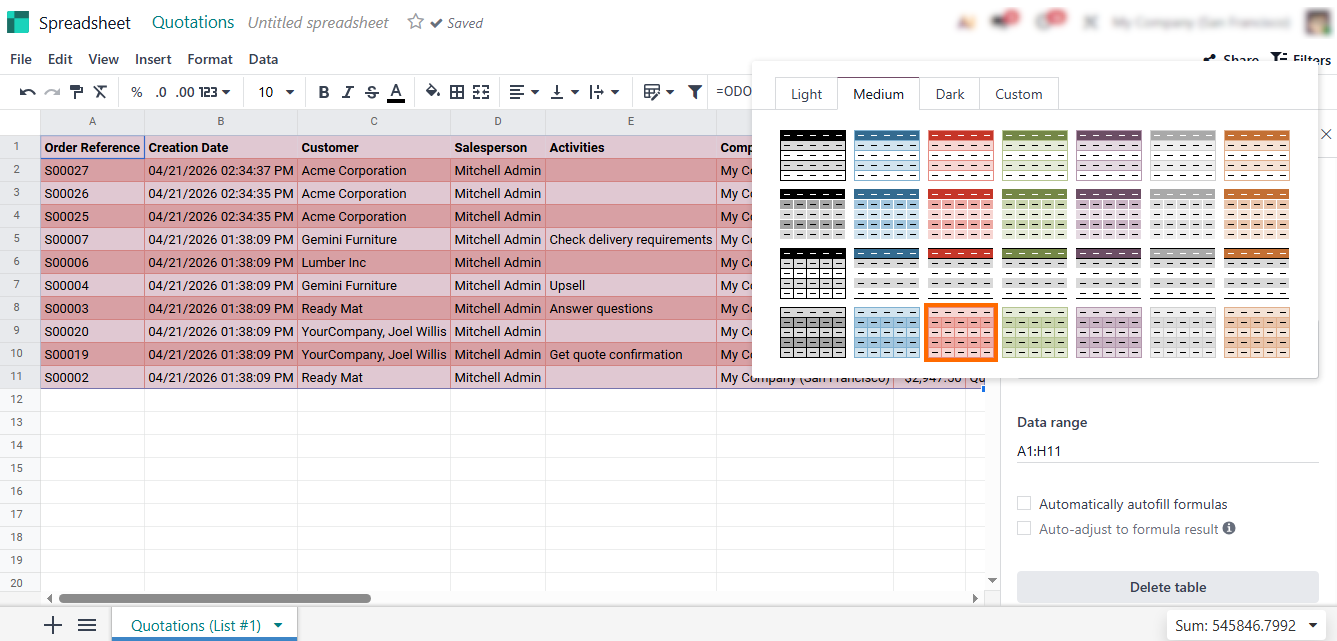
- The Odoo spreadsheet can be renamed, its column order adjusted, fields hidden or added, and display customized. This allows teams to tailor views for analysis without modifying or duplicating underlying data.
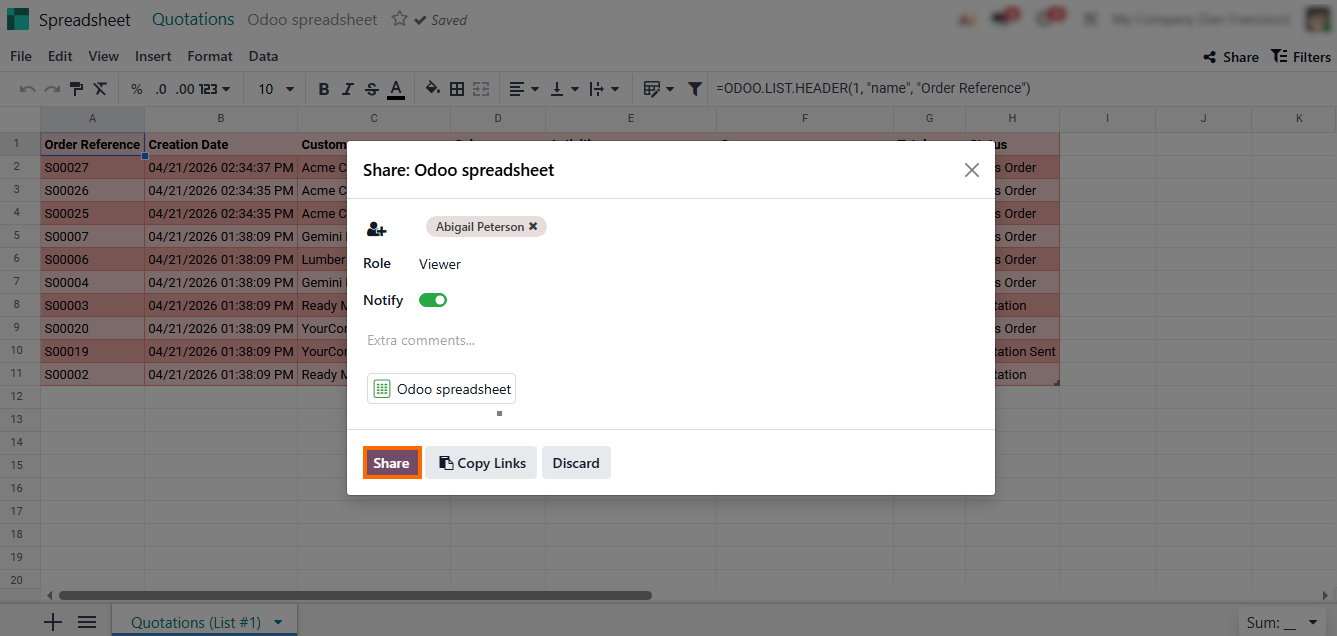
- If collaboration is required, share the spreadsheet by selecting recipients and confirming access. This lets teams work with the same live spreadsheet instead of exchanging static Excel or Google Sheets files.
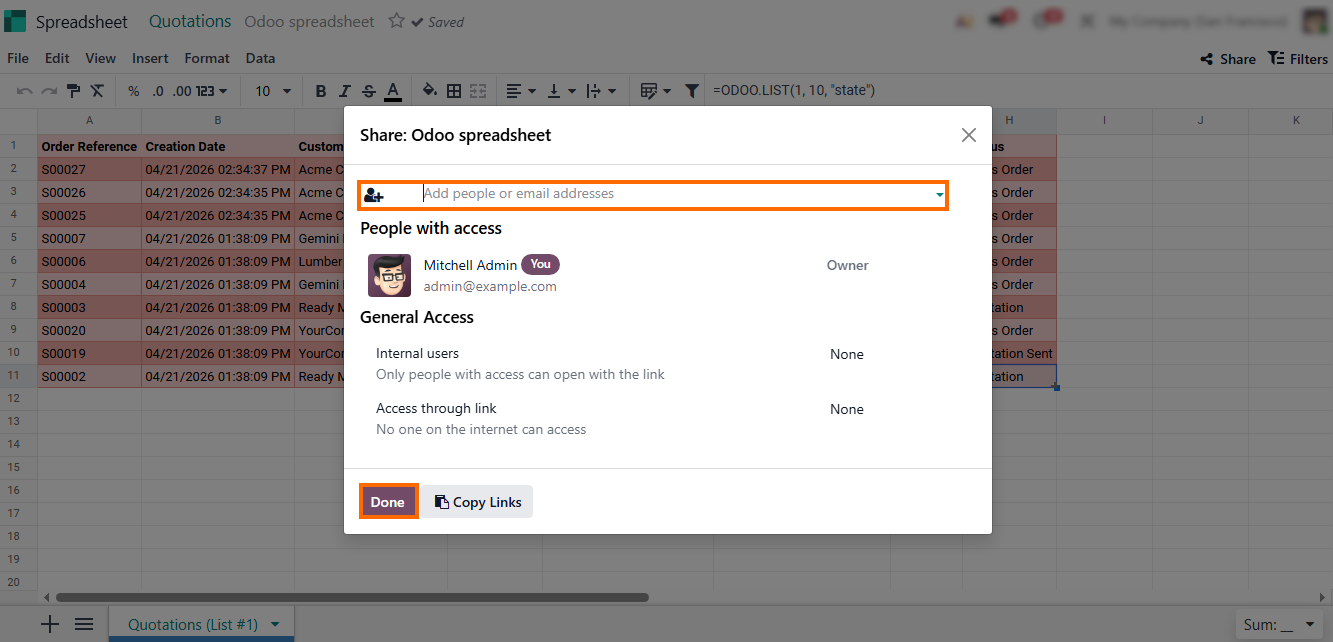
- Finally, access permissions are confirmed, keeping the spreadsheet within Odoo and ensuring shared data remains synchronized and governed by system access rules.
Where Odoo Spreadsheets Meet a Centralized Database
The integration of an Odoo spreadsheet directly into your workflow turns static reporting into a live interface connected to operational data. Unlike a disconnected Excel file or external Odoo sheets, these internal sheets serve as an interface for your Odoo data, ensuring that every calculation remains synchronized with actual business operations. This setup converts raw figures into a reliable foundation for daily operations, allowing teams to move from simple data entry to informed, real-time decision-making. By centralizing everything, you eliminate the need for third-party Excel integrations and keep your financial or operational logic secure and traceable.
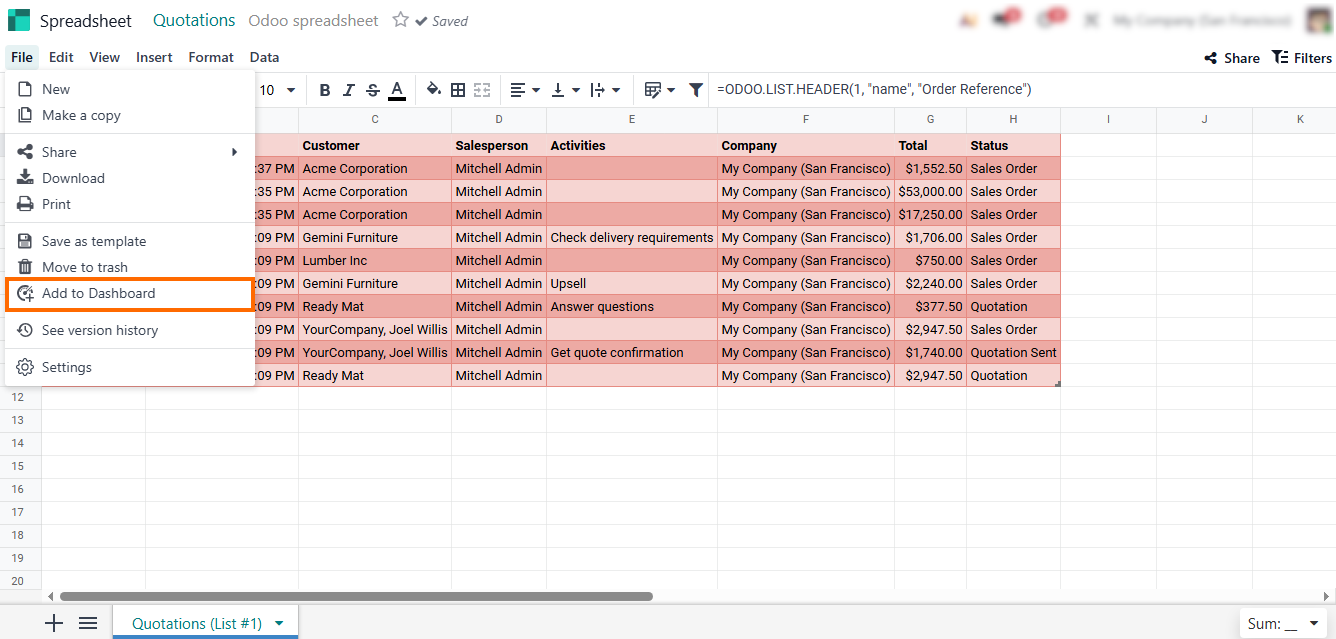
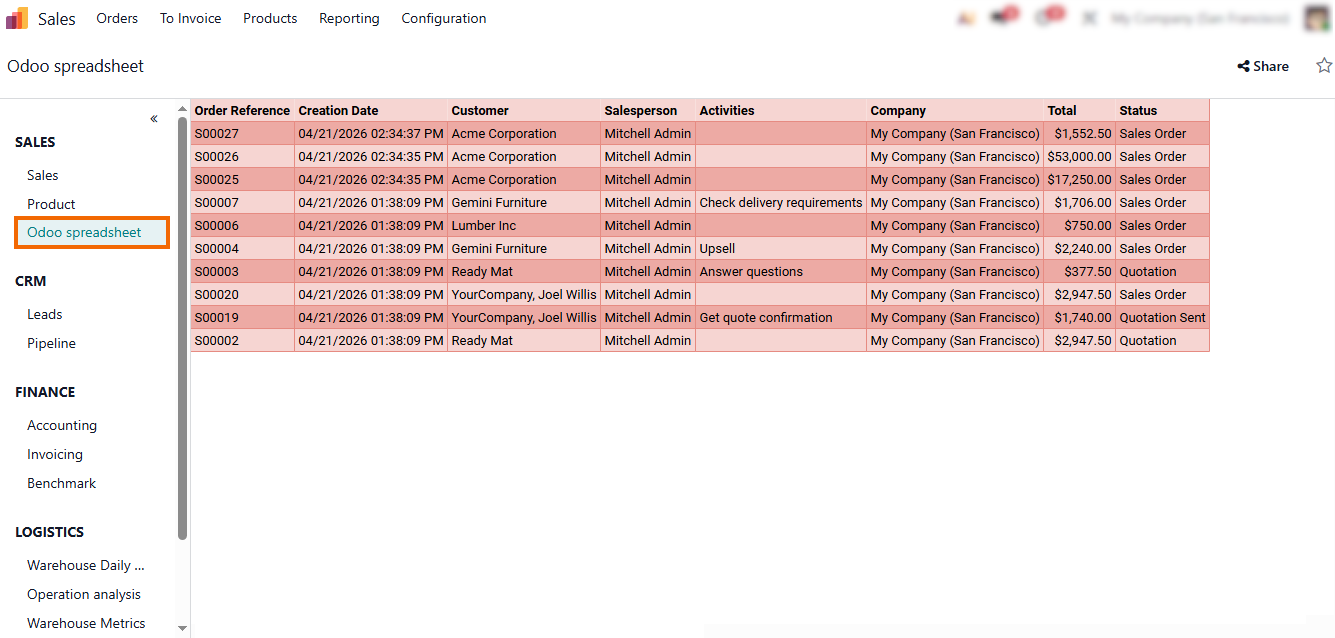
- Add the analysis to a shared dashboard so it remains accessible for regular review and allows direct navigation from the spreadsheet to the related Odoo record when action is required.
- Enter a name for your report, select the Dashboard Section, and click “Create”. This replaces manual organization in Odoo Google Sheets with automatic grouping in Odoo 19.
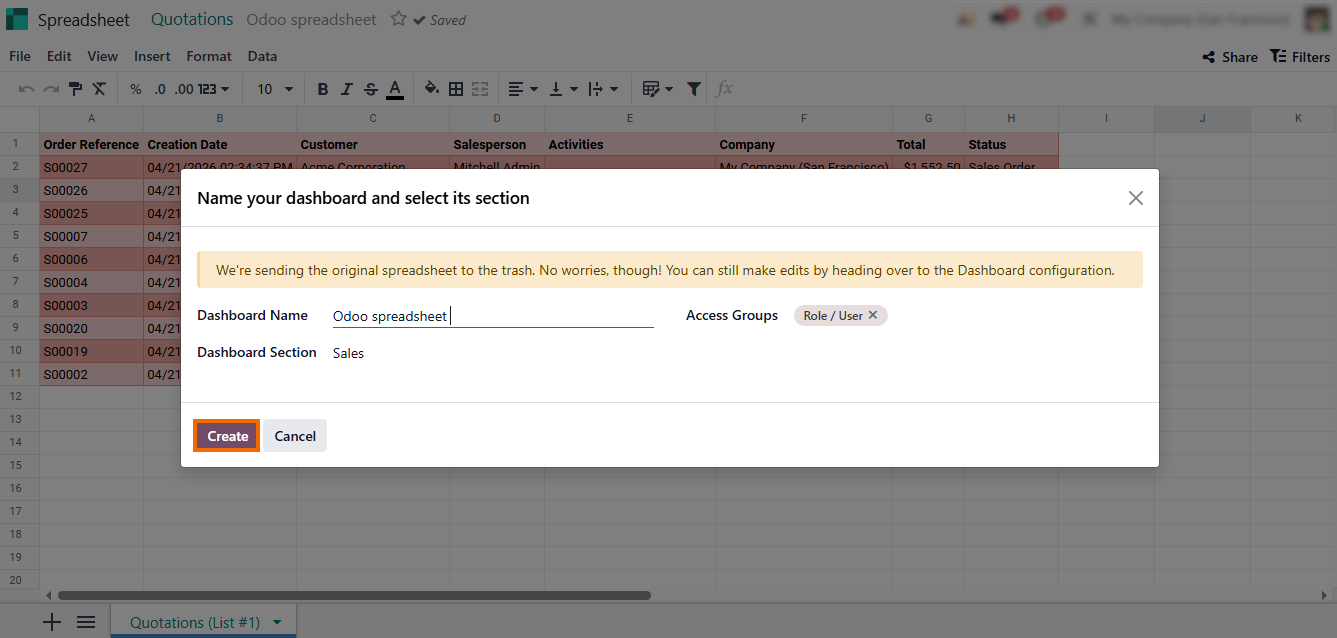
- The system automatically creates a new dashboard in the Dashboards module, making Odoo spreadsheets a permanent, real-time workspace for ongoing analysis.
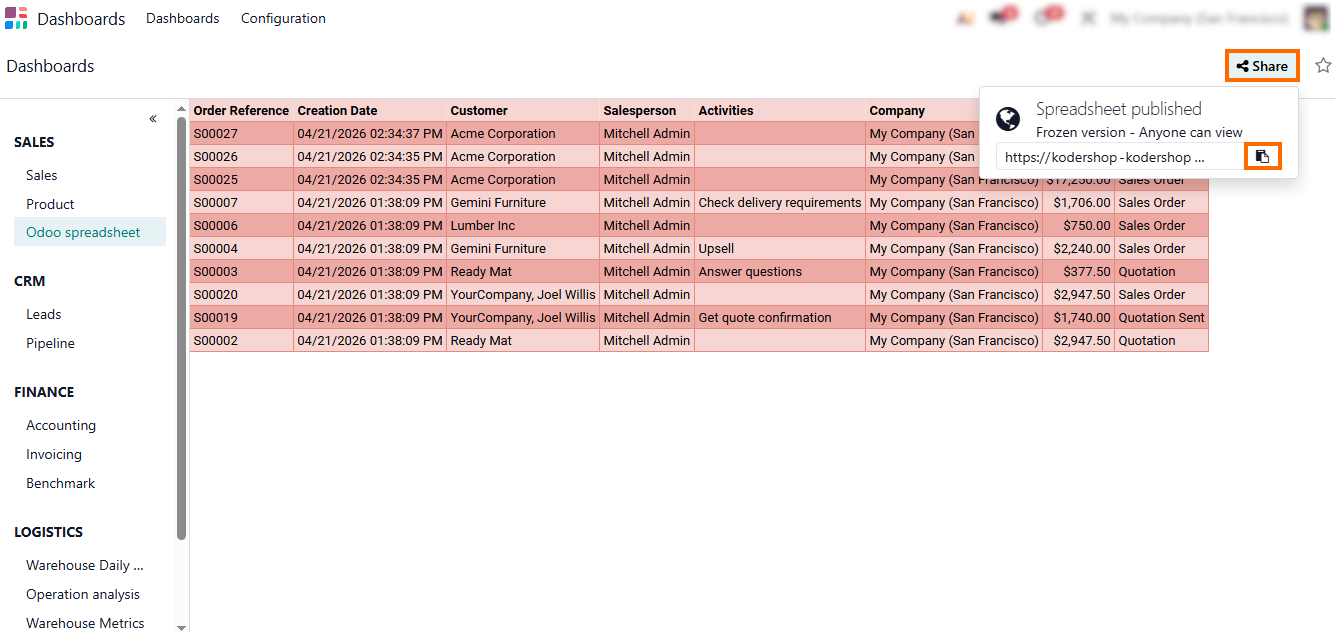
Click “Share” to generate an access link and define user permissions. The link provides controlled access to an updated spreadsheet, replacing file-based sharing
in Excel or Google Sheets.
How
Odoo Eliminates Spreadsheet-Driven Costing Gaps
When costing is managed through spreadsheets, small data inconsistencies in Odoo data quickly lead to incorrect product costs and distorted profit margins. Manual updates in Excel-based files or Google Sheets create delays between operational changes and financial reporting. By keeping all data and calculations inside Odoo, product costs are always based on real transactions, ensuring more accurate and consistent cost tracking across the system. Costing therefore reflects real-time operational data rather than spreadsheet-based assumptions. This improves both operational control and financial accuracy across the entire system.
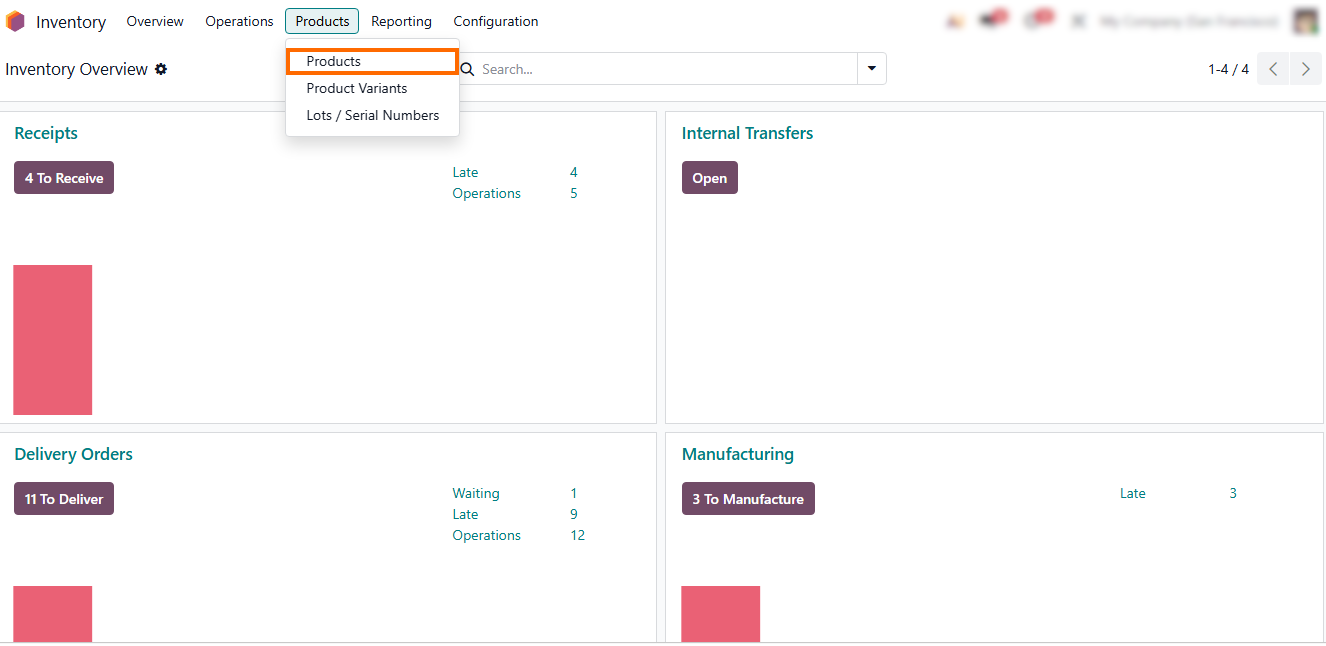
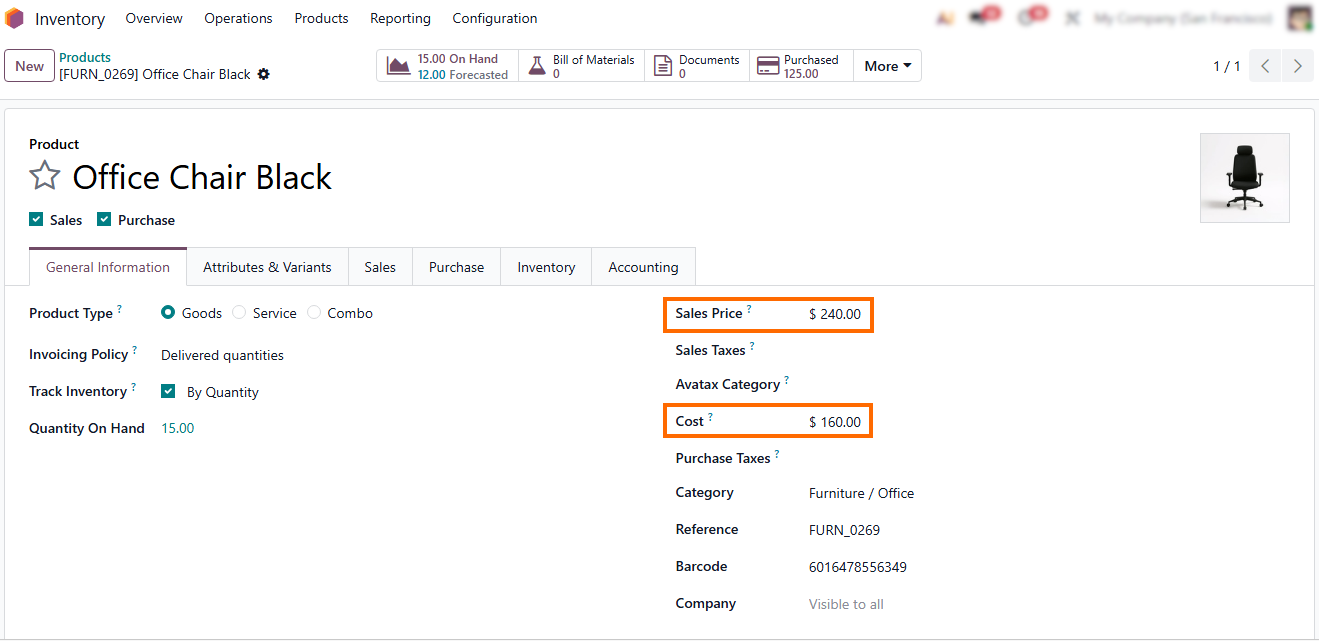
- To start, open the Inventory module and go to “Products”, where all product costing settings are managed within Odoo, ensuring a single source of operational data for inventory and valuation.
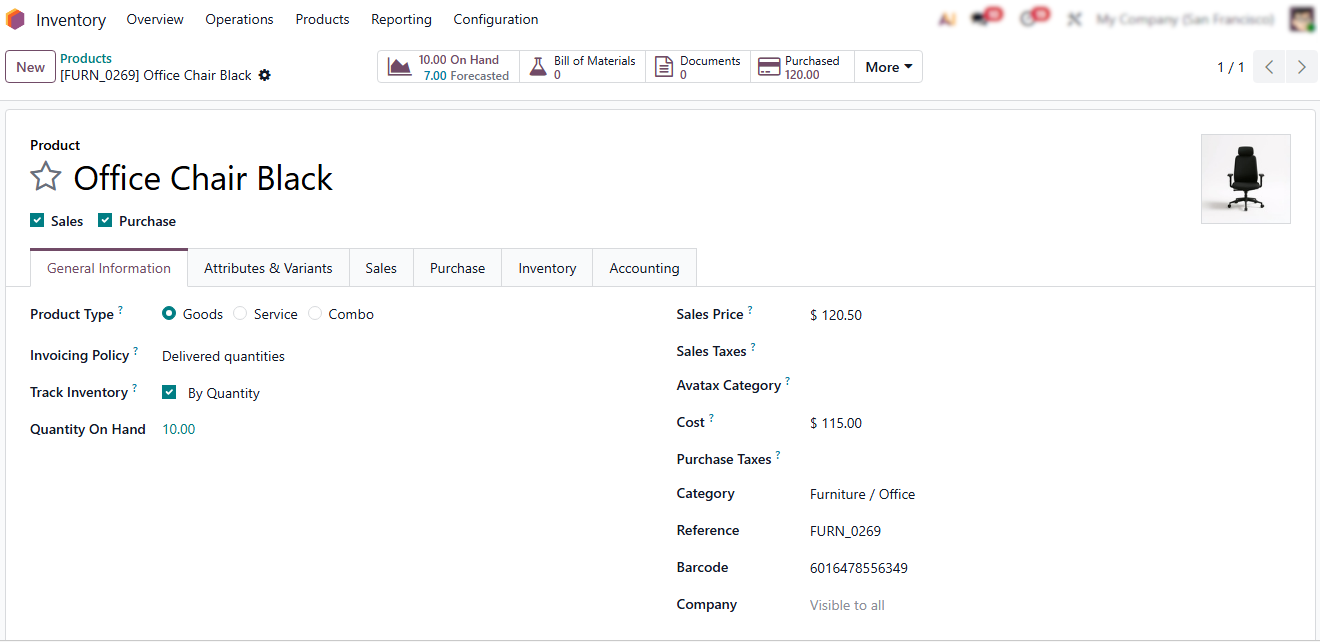
Open a product and review the available information such as “Cost Price”, “Valuation Method”, and “Inventory Valuation Status”. This replaces manual costing logic typically maintained in spreadsheets.
- Create a new “Purchase Order” for 5 units at $250 per unit
(total value: $1,250),
simulating a real cost update based on operational data.
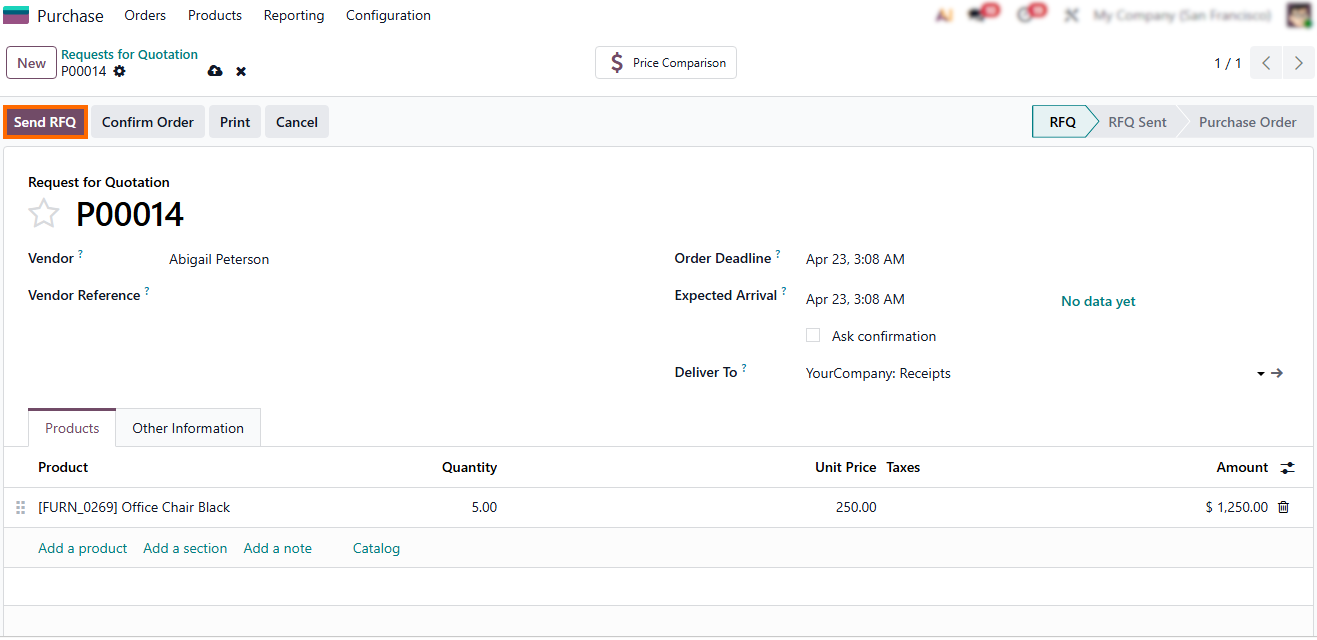
- Depending on the valuation method, Odoo can automatically adjust product cost based on real inventory movements and purchase data. Sales price remains unchanged and requires manual adjustment if needed.
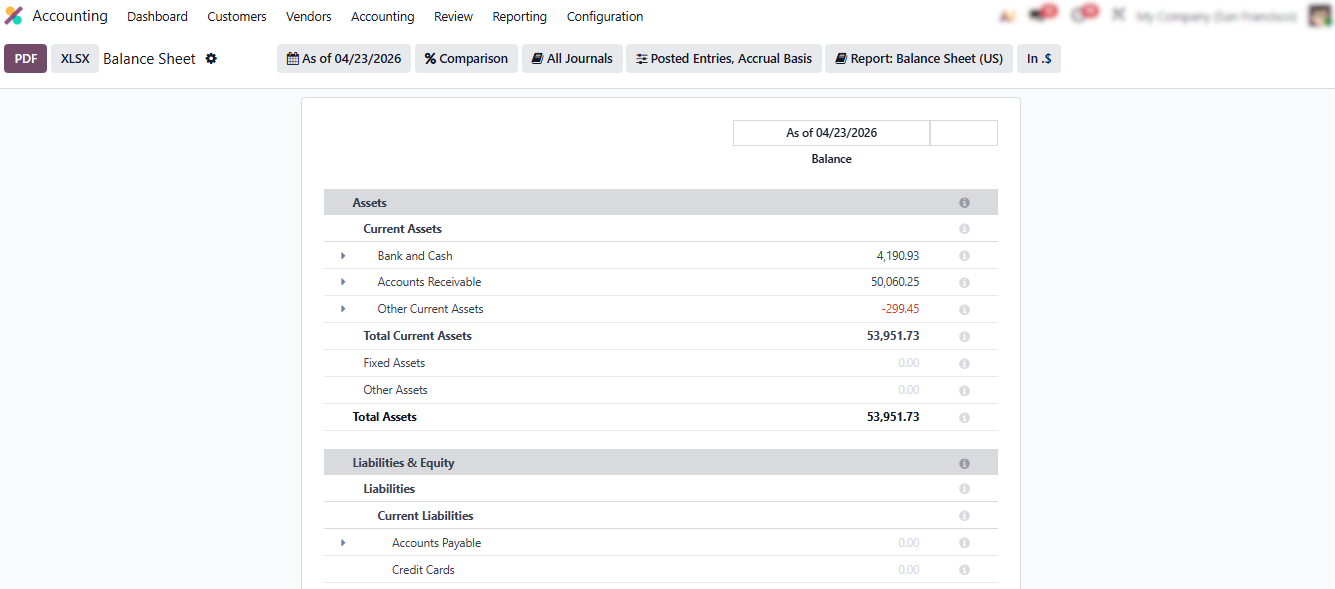
Automated updates flow directly into your financial reporting, ensuring real-time visibility into margins and replacing the need for manual reconciliation in Odoo Excel.
Conclusion
In many organizations, costing and reporting are still handled through spreadsheet-based workflows, where Odoo data is exported into internal Odoo spreadsheets or external Excel and Google Sheets files for manual adjustments. This creates a gap between operational execution and financial visibility, as updates are delayed, duplicated, or maintained across multiple versions. Even with spreadsheet capabilities introduced in Odoo 19, reliance on external tools or third-party Excel integrations continues to increase manual effort and weaken the reliability of business insights.
Odoo addresses this by consolidating operational and financial data within a single system. Spreadsheets inside Odoo remain directly linked to live records, ensuring that inventory, purchasing, and costing updates are reflected in real time. This moves organizations away from disconnected spreadsheet workflows toward a model where Odoo data stays consistent, current, and aligned across reporting, costing, and daily operations. In practice, this also changes the role of spreadsheets from external reconciliation tools into an integrated layer of the operational system.
As Odoo 19 continues to expand internal spreadsheet capabilities, the real opportunity is not adopting another reporting tool but removing the need for external spreadsheets altogether. Teams that treat spreadsheets as part of the system, rather than outside of it, gain faster insights, more reliable costing, and reporting that reflects real operational data instead of post-factum spreadsheet reconciliation.